HarmonyOS NEXT有三层状态存储:LocalStorage页面级、AppStorage全局级、PersistentStorage持久化级。LocalStorage是其中最轻量的------只在UIAbility内共享,不跨进程,不写磁盘。但它的双向绑定装饰器@LocalStorageLink和单向绑定@LocalStorageProp,让它在组件树间共享状态时比手动传参方便得多。
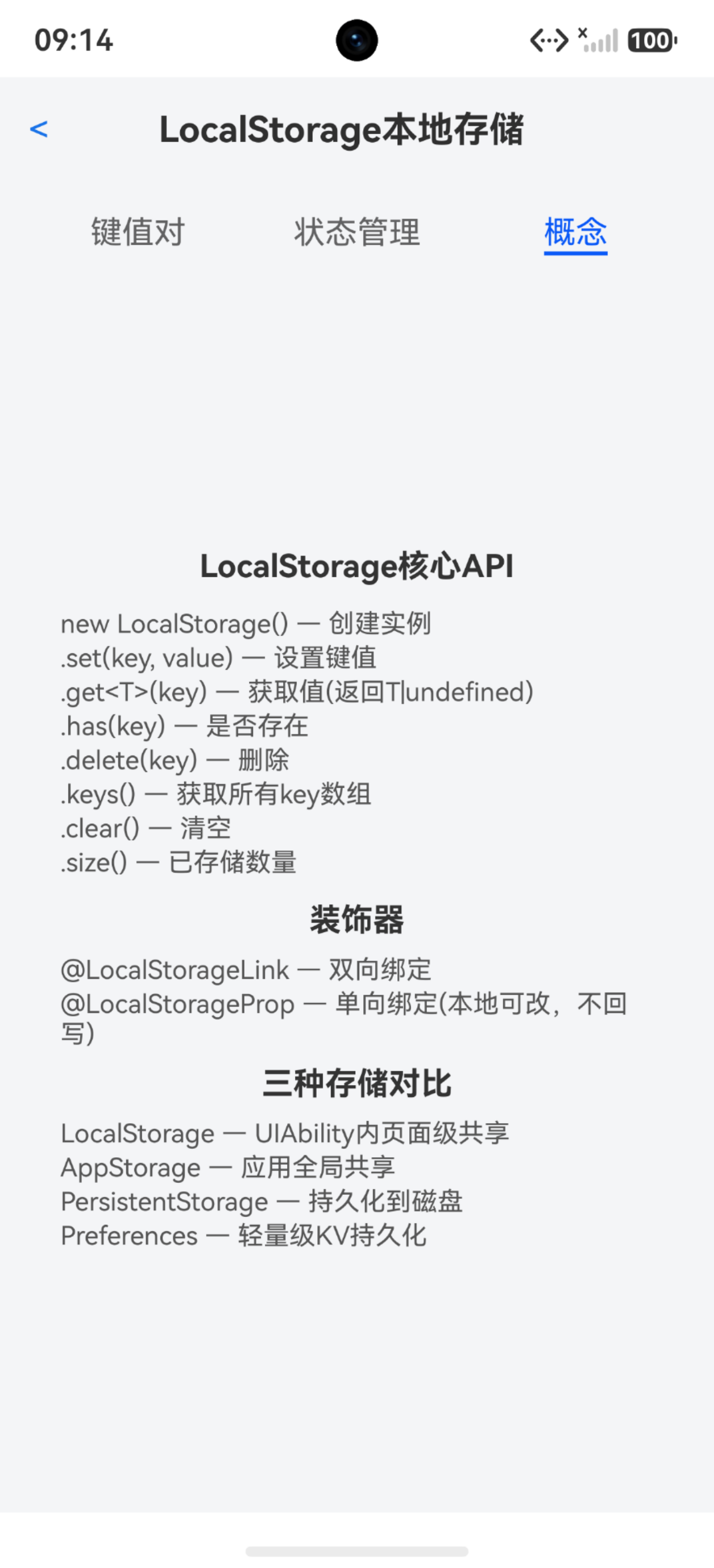
LocalStorage基础API
typescript
private storage: LocalStorage = new LocalStorage();

// 设置
this.storage.set('key', 'value');
this.storage.set('counter', 42);

// 获取(泛型)
const val: string | undefined = this.storage.get<string>('key');
const num: number | undefined = this.storage.get<number>('counter');

// 判断存在
const exists: boolean = this.storage.has('key');

// 删除
this.storage.delete('key');

// 获取所有key
const keysIter: IterableIterator<string> = this.storage.keys();
const keys: string[] = [];
let result: IteratorResult<string> = keysIter.next();
while (!result.done) {
  keys.push(result.value);
  result = keysIter.next();
}

// 清空
this.storage.clear();

// 数量
const size: number = this.storage.size();
重点:keys()返回的是IterableIterator,不是string\[\]。 不能直接赋值给数组变量,必须手动迭代转成数组。这个坑很容易踩------写const keys: string[] = this.storage.keys()编译报类型不匹配。
get返回T | undefined,不是T。所以取值后必须判undefined:
typescript
const savedTheme: string | undefined = this.storage.get<string>('app_theme');
if (savedTheme !== undefined) {
  this.themeMode = savedTheme;
}
不判undefined直接用,运行时可能crash。
键值对CRUD实战
typescript
interface KeyValue {
  key: string;
  value: string;
}

@State kvList: KeyValue[] = [];

private saveKV(): void {
  if (this.storageKey.length === 0 || this.storageValue.length === 0) {
    return;
  }
  this.storage.set(this.storageKey, this.storageValue);
  this.storageKey = '';
  this.storageValue = '';
  this.refreshList();
}

private refreshList(): void {
  const keysIter: IterableIterator<string> = this.storage.keys();
  const keys: string[] = [];
  let result: IteratorResult<string> = keysIter.next();
  while (!result.done) {
    keys.push(result.value);
    result = keysIter.next();
  }
  const list: KeyValue[] = [];
  for (let i = 0; i < keys.length; i++) {
    const val: string | undefined = this.storage.get<string>(keys[i]);
    list.push({ key: keys[i], value: val !== undefined ? val : '' });
  }
  this.kvList = list;
}

private deleteKV(key: string): void {
  this.storage.delete(key);
  this.refreshList();
}
每次增删后refreshList重新构建kvList,触发ForEach刷新。这种方式简单直接,数据量小时性能完全够。
@LocalStorageLink --- 双向绑定
@LocalStorageLink让组件属性和LocalStorage中的值双向同步:
typescript
// UIAbility或页面入口
let storage: LocalStorage = new LocalStorage();
storage.setOrCreate('counter', 0);

@Entry(storage)
@Component
struct PageA {
  @LocalStorageLink('counter') counter: number = 0;

  build() {
    Column() {
      Text(this.counter.toString())
      Button('+1')
        .onClick(() => {
          this.counter++;  // 自动同步回LocalStorage
        })
    }
  }
}
@LocalStorageLink的参数是LocalStorage中的key名。组件内修改this.counter会自动写回LocalStorage,其他绑定同一key的组件也会同步更新。
默认值:= 0是LocalStorage中不存在该key时的初始值。如果key已存在,用存储的值;不存在,用默认值创建。
@LocalStorageProp --- 单向绑定
@LocalStorageProp是单向的------LocalStorage变化同步到组件,但组件内修改不写回:
typescript
@Component
struct ChildComp {
  @LocalStorageProp('theme') theme: string = 'light';

  build() {
    Column() {
      Text(this.theme)  // 可以读取
    }
  }
  // 修改this.theme不会影响LocalStorage中的值
}
单向绑定适合"只读共享"场景------比如主题色、全局配置,子组件只需要读取不需要修改。
双向vs单向选型
| 装饰器 | LocalStorage→组件 | 组件→LocalStorage | 适用场景 |
|---|---|---|---|
| @LocalStorageLink | 同步 | 同步 | 计数器、开关、表单数据 |
| @LocalStorageProp | 同步 | 不同步 | 主题、配置、只读状态 |
计数器这种需要多组件协同修改的用Link。主题这种只有设置页改、其他页只读的用Prop。
@Entry接收LocalStorage
要让@LocalStorageLink/Prop生效,@Entry必须接收LocalStorage实例:
typescript
let storage: LocalStorage = new LocalStorage();
storage.setOrCreate('app_counter', 0);
storage.setOrCreate('app_theme', 'light');

@Entry(storage)
@Component
struct MyPage {
  @LocalStorageLink('app_counter') counter: number = 0;
  @LocalStorageProp('app_theme') theme: string = 'light';
}
@Entry(storage)把storage实例注入组件树,子组件的@LocalStorageLink/Prop才能找到对应的key。
三种存储对比
| 特性 | LocalStorage | AppStorage | PersistentStorage |
|---|---|---|---|
| 作用域 | UIAbility内 | 应用全局 | 应用全局+磁盘 |
| 跨页面 | 同UIAbility可以 | 全应用可以 | 全应用可以 |
| 跨UIAbility | 不可以 | 可以 | 可以 |
| 持久化 | 否(进程退出丢失) | 否 | 是(写磁盘) |
| 装饰器 | @LocalStorageLink/Prop | @StorageLink/Prop | @StorageLink/Prop |
| 适合数据 | 页面间共享的临时数据 | 全局状态(登录/配置) | 需要持久化的设置 |
| 创建方式 | new LocalStorage() | 自动创建 | PersistentStorage |
选型原则:
- 同一个UIAbility内多页面共享 → LocalStorage
- 整个应用全局共享 → AppStorage
- 应用重启后需要恢复 → PersistentStorage
- 轻量键值持久化 → Preferences(@kit.ArkData)
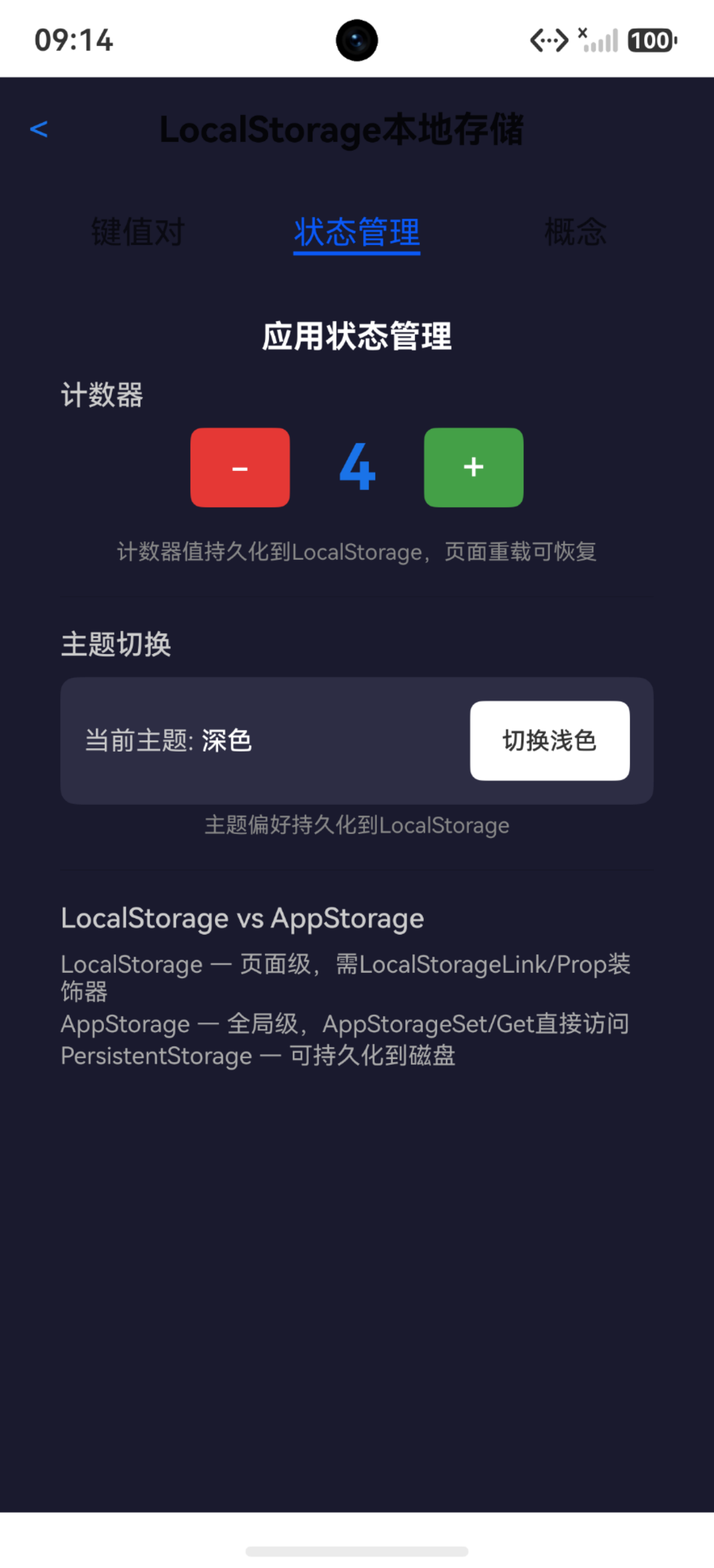
计数器持久化示例
LocalStorage本身不持久化,但可以用Preferences做持久化,启动时从Preferences恢复到LocalStorage:
typescript
import { preferences } from '@kit.ArkData';

aboutToAppear(): void {
  // 从Preferences恢复
  let prefs: preferences.Preferences = preferences.getSync(this.context, { name: 'app_data' });
  const savedCounter: number | undefined = prefs.getSync('counter', -1) as number;
  if (savedCounter >= 0) {
    this.counter = savedCounter;
    this.storage.set('app_counter', this.counter);
  }
  this.refreshList();
}

aboutToDisappear(): void {
  // 保存到Preferences
  let prefs: preferences.Preferences = preferences.getSync(this.context, { name: 'app_data' });
  prefs.putSync('counter', this.counter);
  prefs.flush();
}
这种LocalStorage+Preferences的组合兼顾了响应式UI和持久化------UI层用LocalStorage驱动,持久化层用Preferences兜底。
主题切换示例
用LocalStorage管理主题状态,动态改变背景色:
typescript
@State themeMode: string = 'light';

private toggleTheme(): void {
  this.themeMode = this.themeMode === 'light' ? 'dark' : 'light';
  this.storage.set('app_theme', this.themeMode);
}

build() {
  Column() {
    // ...
  }
  .backgroundColor(this.themeMode === 'dark' ? '#1a1a2e' : '#f4f5f7')
}
主题状态存LocalStorage,页面重载时从LocalStorage恢复。注意这不是真正的双向绑定(没用@LocalStorageLink),而是手动get/set------这种方式更灵活,可以在aboutToAppear里做初始化逻辑。
clear的副作用
typescript
this.storage.clear();clear会删除所有键值对,包括其他组件通过@LocalStorageLink绑定的数据。所有绑定了该storage的组件都会收到undefined值,可能导致UI异常。更安全的做法是只delete需要清除的key。
线程安全
LocalStorage在UI线程内操作,不需要考虑线程安全。但如果从TaskPool或其他线程访问,需要用emitter或UIContext.postDelayed回调到UI线程操作。
踩坑清单
| 问题 | 原因 | 解决 |
|---|---|---|
| keys()类型报错 | 返回IterableIterator不是string\[\] | 手动迭代转数组 |
| get返回undefined | key不存在 | 判undefined后使用 |
| @LocalStorageLink不生效 | @Entry没传storage | @Entry(storage) |
| clear后UI异常 | 所有绑定收到undefined | 改用逐个delete |
| 主题不切换 | 手动get/set没刷新 | 确保@State变量也更新 |
| 子组件拿不到值 | 没用@LocalStorageProp | 子组件声明装饰器 |
| 重启后数据丢失 | LocalStorage不持久化 | 配合Preferences |
LocalStorage的使用哲学是"够用就好"------页面级共享、声明式绑定、轻量快速。不需要持久化的共享状态用LocalStorage最合适,需要持久化就加Preferences,需要全局就换AppStorage。三层存储各司其职,别拿LocalStorage干AppStorage的活。