HarmonyOS ArkTS 实战:从零实现单词背诵与英语学习应用
目录
- 一、项目背景与效果预览
- 二、技术栈与开发环境
- 三、需求分析与功能架构
- 四、数据结构与服务层设计
- 五、核心功能实现(完整代码)
- [5.1 页面状态与数据加载](#5.1 页面状态与数据加载)
- [5.2 单词卡片学习(翻转/发音/例句)](#5.2 单词卡片学习(翻转/发音/例句))
- [5.3 艾宾浩斯记忆曲线复习算法](#5.3 艾宾浩斯记忆曲线复习算法)
- [5.4 拼写测试模式](#5.4 拼写测试模式)
- [5.5 词书选择与切换](#5.5 词书选择与切换)
- [5.6 生词本(收藏管理)](#5.6 生词本(收藏管理))
- [5.7 学习打卡与日历](#5.7 学习打卡与日历)
- [5.8 学习统计图表](#5.8 学习统计图表)
- [5.9 学习时长统计与每日目标](#5.9 学习时长统计与每日目标)
- [5.10 学习提醒(模拟)](#5.10 学习提醒(模拟))
- [5.11 数据持久化(Preferences)](#5.11 数据持久化(Preferences))
- [六、UI 界面设计与实现(完整组件)](#六、UI 界面设计与实现(完整组件))
- [6.1 顶部标题与进度](#6.1 顶部标题与进度)
- [6.2 单词卡片(含翻转动画)](#6.2 单词卡片(含翻转动画))
- [6.3 底部操作按钮(认识/模糊/不认识)](#6.3 底部操作按钮(认识/模糊/不认识))
- [6.4 拼写测试界面](#6.4 拼写测试界面)
- [6.5 词书选择与生词本列表](#6.5 词书选择与生词本列表)
- [6.6 学习打卡日历](#6.6 学习打卡日历)
- 七、完整主页面代码(Index.ets)及子页面
- 八、运行与调试
- 九、项目总结与扩展思路
一、项目背景与效果预览
1.1 痛点场景
英语学习是大学生刚需,但背单词枯燥、遗忘率高、缺乏系统复习。本应用基于艾宾浩斯遗忘曲线设计记忆算法,结合单词卡片、拼写测试、例句、发音、词根词缀、学习打卡、统计图表等功能,打造科学高效的单词学习工具,让记忆有迹可循。
1.2 运行效果(模拟器预览)
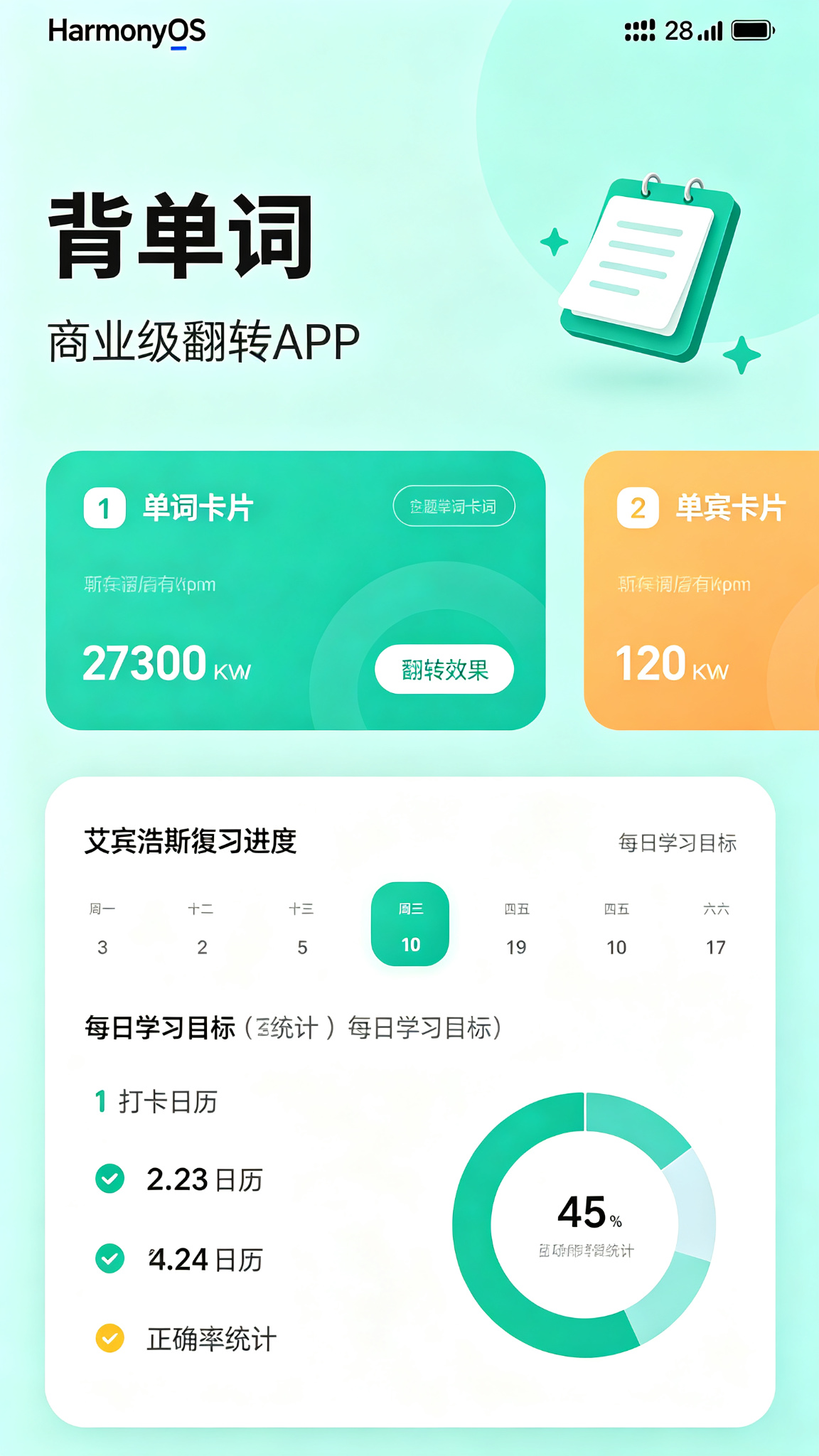
- 主界面(学习模式):顶部显示今日学习进度 + 连续打卡天数;中央为单词卡片(点击翻转显示释义),显示音标、例句、词根分析;底部三个按钮(不认识/模糊/认识),点击后自动切换到下一个单词,并更新记忆强度。
- 底部Tabs:"学习"、"词书"、"生词本"、"统计"。
- 词书:选择不同词书(四级、六级、考研、雅思等),切换后单词列表更新。
- 生词本:收藏的单词列表,可取消收藏。
- 统计:展示学习日历(打卡记录)、正确率趋势、累计学习时长、每日目标完成情况。
- 交互反馈:学习时卡片翻转动画、发音按钮(模拟)、进度环、打卡成功Toast。
主题色采用青色(#0891B2 → #22D3EE),象征学习、清新、专注。
二、技术栈与开发环境
| 技术项 | 说明 |
|---|---|
| 开发语言 | ArkTS |
| UI 框架 | ArkUI 声明式开发 |
| 状态管理 | @State / @Provide / @Consume |
| 布局方式 | Stack + List + Tabs + Grid |
| 数据持久化 | @ohos.data.preferences |
| 图表组件 | @ohos.arkui.advanced.Chart |
| 弹窗/提示 | @ohos.prompt / @ohos.dialog |
| 路由管理 | @ohos.router |
| 动画 | animateTo / transition |
| 定时器 | setInterval |
| 开发工具 | DevEco Studio 5.0+ |
| SDK 版本 | API 24 及以上 |
三、需求分析与功能架构
3.1 核心功能清单
- 单词卡片学习:显示单词、音标、释义、例句、词根词缀;点击卡片翻转;点击发音按钮播放读音(模拟)。
- 艾宾浩斯记忆曲线:根据用户反馈(认识/模糊/不认识)计算下次复习时间,实现间隔重复。
- 拼写测试:听到/看到中文释义,输入英文拼写,自动评分。
- 词书选择:内置四级、六级、考研、雅思、托福等词库,一键切换。
- 生词本:收藏单词,独立查看和复习。
- 学习打卡:每日学习一定数量单词后可打卡,日历记录打卡情况。
- 学习统计:正确率趋势、累计学习单词数、各词书进度、学习时长。
- 每日目标:设定每日单词学习数量,跟踪完成进度。
- 学习提醒:定时推送学习提醒(模拟本地通知)。
- 数据持久化:所有学习记录、词书进度、生词本、打卡记录保存在本地。
3.2 数据流
学习 → 更新记忆强度 → 计算下次复习时间 → 持久化 → 统计更新 → 打卡检测四、数据结构与服务层设计
4.1 数据模型(完整定义)
typescript
// model/Word.ets
export interface Word {
  id: number;
  word: string;
  phonetic: string;
  meaning: string;
  example: string;
  root?: string;           // 词根词缀
  mastery: number;         // 0~100,掌握度
  nextReviewTime: number;  // 下次复习时间戳
  isCollected: boolean;
  studyCount: number;      // 学习次数
  correctCount: number;    // 正确次数
  wrongCount: number;      // 错误次数
  lastStudyTime: number;   // 最后学习时间
}

// model/Book.ets
export interface Book {
  id: number;
  name: string;            // 如 "四级词汇"
  description: string;
  wordCount: number;
  progress: number;        // 学习进度(已学/总数)
}

// model/StudyRecord.ets
export interface StudyRecord {
  date: string;            // "2026-07-24"
  learnedWords: number;    // 当日学习新词数
  reviewedWords: number;   // 复习单词数
  totalCorrect: number;    // 正确总数
  totalWrong: number;      // 错误总数
  duration: number;        // 学习时长(分钟)
  isCheckedIn: boolean;    // 是否打卡
}

// model/UserSettings.ets
export interface UserSettings {
  dailyGoal: number;       // 每日目标(单词数)
  remindTime: string;      // 提醒时间 "08:00"
}
4.2 服务层(Service)
typescript
// service/BaseService.ets(同前,略)
// service/WordService.ets
import { BaseService } from './BaseService';
import { Word } from '../model/Word';

class WordService extends BaseService<Word> {
  constructor() { super('WordPrefs', 'words'); }

  async fetch(bookId?: number): Promise<Word[]> {
    const data = await this.loadData();
    if (data.length === 0) {
      const mock = this.getMockData();
      await this.saveData(mock);
      return mock;
    }
    // 如果指定词书,可筛选(词书ID字段略,这里简化,使用前缀)
    return data;
  }

  async add(item: Word): Promise<Word[]> {
    const list = await this.loadData();
    list.push(item);
    await this.saveData(list);
    return list;
  }

  async update(id: number, newItem: Word): Promise<Word[]> {
    const list = await this.loadData();
    const idx = list.findIndex(w => w.id === id);
    if (idx !== -1) {
      list[idx] = newItem;
      await this.saveData(list);
    }
    return list;
  }

  async delete(id: number): Promise<Word[]> {
    const list = await this.loadData();
    const filtered = list.filter(w => w.id !== id);
    await this.saveData(filtered);
    return filtered;
  }

  // 获取今日需复习的单词(艾宾浩斯)
  async getReviewWords(): Promise<Word[]> {
    const list = await this.loadData();
    const now = Date.now();
    return list.filter(w => w.nextReviewTime <= now && w.mastery < 100);
  }

  // 获取生词本
  async getCollectedWords(): Promise<Word[]> {
    const list = await this.loadData();
    return list.filter(w => w.isCollected);
  }

  private getMockData(): Word[] {
    const baseWords = [
      { word: 'abandon', phonetic: '/əˈbændən/', meaning: 'v. 放弃,抛弃', example: 'He abandoned his car.' },
      { word: 'ability', phonetic: '/əˈbɪləti/', meaning: 'n. 能力,才能', example: 'She has the ability to succeed.' },
      { word: 'abroad', phonetic: '/əˈbrɔːd/', meaning: 'adv. 在国外', example: 'She studied abroad.' },
      { word: 'absence', phonetic: '/ˈæbsəns/', meaning: 'n. 缺席,缺乏', example: 'Absence of evidence.' },
      { word: 'absolute', phonetic: '/ˈæbsəluːt/', meaning: 'adj. 绝对的', example: 'Absolute certainty.' },
      { word: 'absorb', phonetic: '/əbˈzɔːb/', meaning: 'v. 吸收', example: 'Plants absorb water.' },
      { word: 'abstract', phonetic: '/ˈæbstrækt/', meaning: 'adj. 抽象的', example: 'Abstract concept.' },
      { word: 'abundant', phonetic: '/əˈbʌndənt/', meaning: 'adj. 丰富的', example: 'Abundant resources.' },
      { word: 'accelerate', phonetic: '/əkˈseləreɪt/', meaning: 'v. 加速', example: 'The car accelerated.' },
      { word: 'accept', phonetic: '/əkˈsept/', meaning: 'v. 接受', example: 'Accept the invitation.' },
    ];
    return baseWords.map((item, index) => ({
      id: index + 1,
      word: item.word,
      phonetic: item.phonetic,
      meaning: item.meaning,
      example: item.example,
      root: index % 2 === 0 ? `-${item.word.slice(0,3)}` : '',
      mastery: index < 3 ? 20 : 0,
      nextReviewTime: Date.now() + (index < 3 ? 60000 : 0),
      isCollected: index === 0,
      studyCount: index < 3 ? 2 : 0,
      correctCount: index < 3 ? 1 : 0,
      wrongCount: index < 3 ? 1 : 0,
      lastStudyTime: Date.now() - 86400000
    }));
  }
}
export const wordService = new WordService();

// service/StudyRecordService.ets
import { BaseService } from './BaseService';
import { StudyRecord } from '../model/StudyRecord';

class StudyRecordService extends BaseService<StudyRecord> {
  constructor() { super('WordPrefs', 'studyRecords'); }

  async fetch(): Promise<StudyRecord[]> {
    return await this.loadData();
  }

  async add(item: StudyRecord): Promise<StudyRecord[]> {
    const list = await this.loadData();
    list.push(item);
    await this.saveData(list);
    return list;
  }

  async update(date: string, newItem: StudyRecord): Promise<StudyRecord[]> {
    const list = await this.loadData();
    const idx = list.findIndex(r => r.date === date);
    if (idx !== -1) {
      list[idx] = newItem;
      await this.saveData(list);
    }
    return list;
  }

  // 获取今日记录
  async getTodayRecord(): Promise<StudyRecord | null> {
    const today = new Date().toISOString().slice(0,10);
    const list = await this.loadData();
    return list.find(r => r.date === today) || null;
  }

  // 打卡
  async checkInToday(): Promise<StudyRecord> {
    const today = new Date().toISOString().slice(0,10);
    const list = await this.loadData();
    let record = list.find(r => r.date === today);
    if (record) {
      record.isCheckedIn = true;
      await this.saveData(list);
      return record;
    } else {
      const newRecord: StudyRecord = {
        date: today,
        learnedWords: 0,
        reviewedWords: 0,
        totalCorrect: 0,
        totalWrong: 0,
        duration: 0,
        isCheckedIn: true
      };
      list.push(newRecord);
      await this.saveData(list);
      return newRecord;
    }
  }
}
export const studyRecordService = new StudyRecordService();
五、核心功能实现(完整代码)
5.1 页面状态与数据加载(主页面 Index.ets)
使用 Tabs 切换学习、词书、生词本、统计。
typescript
// pages/Index.ets
import { Word } from '../model/Word';
import { StudyRecord } from '../model/StudyRecord';
import { wordService } from '../service/WordService';
import { studyRecordService } from '../service/StudyRecordService';
import prompt from '@ohos.prompt';
import { Chart, ChartType } from '@ohos.arkui.advanced';

@Entry
@Component
struct Index {
  @State allWords: Word[] = [];
  @State currentWords: Word[] = [];     // 当前词书/复习列表
  @State currentIndex: number = 0;
  @State showMeaning: boolean = false;
  @State learnedToday: number = 0;
  @State isReviewMode: boolean = false;
  @State todayRecord: StudyRecord | null = null;
  @State dailyGoal: number = 20;
  @State continuousDays: number = 0;
  @State currentTab: number = 0;
  @State isLoading: boolean = true;
  @State selectedBook: string = '四级词汇';

  // 拼写测试
  @State isSpellingMode: boolean = false;
  @State spellingInput: string = '';
  @State spellingResult: string = '';

  // 统计
  @State studyRecords: StudyRecord[] = [];

  // 词书列表
  private books: string[] = ['四级词汇', '六级词汇', '考研词汇', '雅思词汇', '托福词汇'];

  aboutToAppear() {
    this.loadData();
  }

  async loadData() {
    this.isLoading = true;
    try {
      this.allWords = await wordService.fetch();
      this.studyRecords = await studyRecordService.fetch();
      this.todayRecord = await studyRecordService.getTodayRecord();
      this.loadCurrentWords();
      this.calcStats();
    } catch (e) {
      prompt.showToast({ message: '加载失败' });
    } finally {
      this.isLoading = false;
    }
  }

  // 加载当前词书/复习单词
  private loadCurrentWords() {
    // 此处简化:使用所有单词,实际可根据词书筛选
    // 复习模式:获取需要复习的单词
    if (this.isReviewMode) {
      const reviewWords = this.allWords.filter(w => w.nextReviewTime <= Date.now() && w.mastery < 100);
      this.currentWords = reviewWords.length > 0 ? reviewWords : this.allWords.slice(0, 10);
    } else {
      // 学习新词:取前20个未学或掌握度低的
      const sorted = [...this.allWords].sort((a,b) => a.mastery - b.mastery);
      this.currentWords = sorted.slice(0, 20);
    }
    this.currentIndex = 0;
    this.showMeaning = false;
  }

  // 计算统计
  private calcStats() {
    // 连续打卡天数
    // 从今天往前推,判断是否连续打卡
    let days = 0;
    const today = new Date().toISOString().slice(0,10);
    const recordsMap = new Map(this.studyRecords.map(r => [r.date, r]));
    let checkDate = today;
    while (true) {
      const rec = recordsMap.get(checkDate);
      if (rec && rec.isCheckedIn) {
        days++;
        const d = new Date(checkDate);
        d.setDate(d.getDate() - 1);
        checkDate = d.toISOString().slice(0,10);
      } else {
        break;
      }
    }
    this.continuousDays = days;
    // 今日已学数量
    this.learnedToday = this.todayRecord ? this.todayRecord.learnedWords + this.todayRecord.reviewedWords : 0;
  }

  // 获取当前单词
  private getCurrentWord(): Word | null {
    if (this.currentWords.length === 0) return null;
    return this.currentWords[this.currentIndex];
  }

  // ... 后续方法
}
5.2 单词卡片学习(翻转/发音/例句)
卡片点击翻转显示释义,发音按钮模拟。
typescript
@Builder WordCard() {
  const word = this.getCurrentWord();
  if (!word) {
    Column() {
      Text('🎉 已学完!').fontSize(20).fontColor('#0891B2');
      Button('重新开始').onClick(() => this.loadCurrentWords()).margin(16);
    }
    .width('100%')
    .height(300)
    .justifyContent(FlexAlign.Center)
    .backgroundColor('#FFF')
    .borderRadius(20)
    .shadow({ radius: 8 })
    return;
  }

  Column({ space: 12 }) {
    // 卡片主体(翻转效果)
    Stack() {
      Column() {
        Text(word.word)
          .fontSize(40)
          .fontWeight(FontWeight.Bold)
          .fontColor('#1F2937')
        Text(word.phonetic)
          .fontSize(16)
          .fontColor('#6B7280')
          .margin({ top: 4 })
        Row() {
          Text('🔊').fontSize(28)
          Text(' 点击发音').fontSize(13).fontColor('#0891B2')
        }
        .onClick(() => {
          // 模拟发音
          prompt.showToast({ message: `发音:${word.word}` });
        })
        .margin({ top: 8 })
        .padding(8)
        .backgroundColor('#ECFEFF')
        .borderRadius(20)

        if (this.showMeaning) {
          Column({ space: 8 }) {
            Divider().margin({ top: 12 })
            Text(word.meaning)
              .fontSize(20)
              .fontColor('#0891B2')
              .fontWeight(FontWeight.Medium)
            if (word.example) {
              Text(`"${word.example}"`)
                .fontSize(15)
                .fontColor('#6B7280')
                .padding(12)
                .backgroundColor('#F1F5F9')
                .borderRadius(8)
                .width('100%')
                .textAlign(TextAlign.Center)
            }
            if (word.root) {
              Text(`词根:${word.root}`)
                .fontSize(13)
                .fontColor('#9CA3AF')
            }
          }
          .width('100%')
          .transition(TransitionEffect.OPACITY.animation({ duration: 300 }))
        }
      }
      .padding(24)
      .width('100%')
      .alignItems(HorizontalAlign.Center)
    }
    .width('100%')
    .height(300)
    .backgroundColor('#FFF')
    .borderRadius(20)
    .shadow({ radius: 8, color: '#00000010' })
    .onClick(() => {
      animateTo({ duration: 300 }, () => {
        this.showMeaning = !this.showMeaning;
      });
    })

    // 进度显示
    Row() {
      Text(`进度 ${this.currentIndex + 1}/${this.currentWords.length}`)
        .fontSize(13)
        .fontColor('#9CA3AF')
      Blank()
      if (this.isReviewMode) {
        Text('🔄 复习模式').fontSize(12).fontColor('#F59E0B')
      } else {
        Text('📖 学习模式').fontSize(12).fontColor('#0891B2')
      }
    }
    .width('100%')
  }
  .width('90%')
}
5.3 艾宾浩斯记忆曲线复习算法
每次用户反馈后,更新单词掌握度和下次复习时间。
typescript
private async handleFeedback(level: 'correct' | 'vague' | 'wrong') {
  const word = this.getCurrentWord();
  if (!word) return;

  // 更新掌握度
  let masteryDelta = 0;
  let reviewInterval = 0; // 下次复习间隔(毫秒)
  if (level === 'correct') {
    masteryDelta = 10;
    reviewInterval = 86400000 * 2; // 2天
  } else if (level === 'vague') {
    masteryDelta = 3;
    reviewInterval = 86400000; // 1天
  } else { // wrong
    masteryDelta = -5;
    reviewInterval = 3600000 * 6; // 6小时
  }

  const newMastery = Math.min(100, Math.max(0, word.mastery + masteryDelta));
  const now = Date.now();
  const updatedWord: Word = {
    ...word,
    mastery: newMastery,
    nextReviewTime: now + reviewInterval,
    studyCount: word.studyCount + 1,
    correctCount: level === 'correct' ? word.correctCount + 1 : word.correctCount,
    wrongCount: level === 'wrong' ? word.wrongCount + 1 : word.wrongCount,
    lastStudyTime: now
  };

  try {
    await wordService.update(word.id, updatedWord);
    // 更新本地列表
    const index = this.allWords.findIndex(w => w.id === word.id);
    if (index !== -1) this.allWords[index] = updatedWord;
    // 更新当前列表
    const curIndex = this.currentWords.findIndex(w => w.id === word.id);
    if (curIndex !== -1) this.currentWords[curIndex] = updatedWord;

    // 更新今日记录
    const today = new Date().toISOString().slice(0,10);
    let record = await studyRecordService.getTodayRecord();
    if (!record) {
      record = { date: today, learnedWords: 0, reviewedWords: 0, totalCorrect: 0, totalWrong: 0, duration: 0, isCheckedIn: false };
    }
    if (this.isReviewMode) {
      record.reviewedWords += 1;
    } else {
      record.learnedWords += 1;
    }
    if (level === 'correct') record.totalCorrect += 1;
    if (level === 'wrong') record.totalWrong += 1;
    await studyRecordService.update(today, record);
    this.todayRecord = record;
    this.learnedToday = record.learnedWords + record.reviewedWords;

    // 移动到下一个单词
    this.showMeaning = false;
    this.currentIndex++;
    if (this.currentIndex >= this.currentWords.length) {
      // 检测是否完成今日目标
      if (this.learnedToday >= this.dailyGoal && !record.isCheckedIn) {
        prompt.showDialog({
          title: '🎉 达成今日目标!',
          message: '已学习达到目标,是否打卡?',
          buttons: [{ text: '打卡', color: '#0891B2' }, { text: '继续' }]
        }).then(async (res) => {
          if (res.index === 0) {
            await studyRecordService.checkInToday();
            this.continuousDays += 1;
            prompt.showToast({ message: '打卡成功!' });
          }
        });
      }
      prompt.showToast({ message: '本轮完成,加载更多单词' });
      this.loadCurrentWords();
    }
  } catch (e) {
    prompt.showToast({ message: '更新失败' });
  }
}
5.4 拼写测试模式
在底部增加"拼写测试"按钮,进入测试模式。
typescript
private startSpellingTest() {
  this.isSpellingMode = true;
  this.spellingInput = '';
  this.spellingResult = '';
  // 随机选一个未掌握的单词
  const candidates = this.allWords.filter(w => w.mastery < 80);
  if (candidates.length === 0) {
    prompt.showToast({ message: '没有适合的单词' });
    return;
  }
  const randomWord = candidates[Math.floor(Math.random() * candidates.length)];
  // 显示中文,让用户输入英文
  // 这里简化,使用当前单词
}

@Builder SpellingTest() {
  if (this.isSpellingMode) {
    const word = this.getCurrentWord();
    if (!word) return;
    Column() {
      Text('✏️ 拼写测试').fontSize(18).fontWeight(FontWeight.Bold).margin(12);
      Text(`中文:${word.meaning}`).fontSize(18).margin(8);
      TextInput({ placeholder: '输入英文', text: this.spellingInput })
        .onChange(v => this.spellingInput = v)
        .width('80%')
        .height(44)
        .margin(12)
      Row({ space: 16 }) {
        Button('提交').onClick(() => {
          if (this.spellingInput.trim().toLowerCase() === word.word.toLowerCase()) {
            this.spellingResult = '✅ 正确!';
            // 增加掌握度
            this.handleFeedback('correct');
          } else {
            this.spellingResult = `❌ 错误,正确答案:${word.word}`;
            this.handleFeedback('wrong');
          }
          this.isSpellingMode = false;
        }).backgroundColor('#0891B2')
        Button('跳过').onClick(() => {
          this.isSpellingMode = false;
        }).backgroundColor('#9CA3AF')
      }
      Text(this.spellingResult).fontSize(16).margin(8)
    }
    .width('90%')
    .padding(20)
    .backgroundColor('#FFF')
    .borderRadius(16)
    .shadow({ radius: 8 })
  }
}
5.5 词书选择与切换
在"词书"Tab中展示所有词书,点击切换。
typescript
TabContent() {
  Column() {
    Text('📚 选择词书').fontSize(18).fontWeight(FontWeight.Bold).margin(12).alignSelf(ItemAlign.Start);
    ForEach(this.books, (book: string) => {
      Row() {
        Text(book).fontSize(16)
        Blank()
        if (this.selectedBook === book) {
          Text('✅ 当前').fontColor('#0891B2')
        } else {
          Button('切换').onClick(() => {
            this.selectedBook = book;
            // 重新加载对应词书(实际需从服务获取,此处模拟)
            prompt.showToast({ message: `切换到 ${book}` });
            // 重新加载单词列表
            this.loadCurrentWords();
          }).backgroundColor('#0891B2').height(28).fontSize(12)
        }
      }
      .width('100%')
      .padding(12)
      .border({ width: { bottom: 1 }, color: '#F0F0F0' })
    })
  }
  .padding(16)
}
.tabBar('📚 词书')
5.6 生词本(收藏管理)
在"生词本"Tab中展示收藏的单词,可取消收藏。
typescript
TabContent() {
  Column() {
    Row() {
      Text(`⭐ 生词本 (${this.allWords.filter(w => w.isCollected).length})`)
        .fontSize(18).fontWeight(FontWeight.Bold)
      Blank()
      Button('清空')
        .fontSize(12)
        .backgroundColor('#EF4444')
        .onClick(() => {
          prompt.showDialog({
            title: '确认清空',
            message: '确定清空生词本吗?',
            buttons: [{ text: '取消' }, { text: '清空', color: '#EF4444' }]
          }).then(async (res) => {
            if (res.index === 1) {
              const updated = this.allWords.map(w => ({ ...w, isCollected: false }));
              for (const w of updated) {
                await wordService.update(w.id, w);
              }
              this.allWords = await wordService.fetch();
              prompt.showToast({ message: '已清空' });
            }
          });
        })
    }
    .width('100%')
    .padding(16)

    List() {
      ForEach(this.allWords.filter(w => w.isCollected), (w: Word) => {
        ListItem() {
          Row() {
            Column() {
              Text(w.word).fontSize(16).fontWeight(FontWeight.Medium)
              Text(w.meaning).fontSize(13).fontColor('#6B7280')
            }
            .alignItems(HorizontalAlign.Start)
            .layoutWeight(1)
            Button('取消收藏')
              .onClick(async () => {
                const updated = { ...w, isCollected: false };
                this.allWords = await wordService.update(w.id, updated);
                prompt.showToast({ message: '已移除' });
              })
              .height(28).fontSize(12).backgroundColor('#EF4444')
          }
          .padding(12)
          .border({ width: { bottom: 1 }, color: '#F0F0F0' })
        }
      })
    }
    .width('100%')
    .layoutWeight(1)
  }
}
.tabBar('⭐ 生词本')
5.7 学习打卡与日历
在"统计"Tab中展示打卡日历(简化版)。
typescript
private getMonthDays(year: number, month: number): number {
  return new Date(year, month + 1, 0).getDate();
}

private isCheckedIn(dateStr: string): boolean {
  return this.studyRecords.some(r => r.date === dateStr && r.isCheckedIn);
}

// 在统计Tab中
Column() {
  Text(`📅 连续打卡 ${this.continuousDays} 天`).fontSize(18).fontWeight(FontWeight.Bold).margin(12);
  // 简易网格日历
  const now = new Date();
  const year = now.getFullYear();
  const month = now.getMonth();
  const daysInMonth = this.getMonthDays(year, month);
  const firstDay = new Date(year, month, 1).getDay();
  Grid() {
    // 星期头
    ForEach(['日','一','二','三','四','五','六'], (day) => {
      GridItem() { Text(day).fontSize(12).fontColor('#999') }
    })
    // 空白填充
    for (let i = 0; i < firstDay; i++) {
      GridItem() { Text('') }
    }
    // 日期
    for (let d = 1; d <= daysInMonth; d++) {
      const dateStr = `${year}-${String(month+1).padStart(2,'0')}-${String(d).padStart(2,'0')}`;
      const checked = this.isCheckedIn(dateStr);
      GridItem() {
        Column() {
          Text(`${d}`).fontSize(14)
          if (checked) Text('✅').fontSize(12)
        }
        .width('100%')
        .padding(4)
        .backgroundColor(checked ? '#D1FAE5' : 'transparent')
        .borderRadius(4)
      }
    }
  }
  .columnsTemplate('repeat(7, 1fr)')
  .rowsGap(4)
  .width('100%')
  .padding(8)
}
5.8 学习统计图表
展示正确率趋势、各词书进度等。
typescript
// 正确率趋势(近7天)
const last7Days = [];
for (let i = 6; i >= 0; i--) {
  const d = new Date();
  d.setDate(d.getDate() - i);
  const key = d.toISOString().slice(0,10);
  const rec = this.studyRecords.find(r => r.date === key);
  const rate = rec ? (rec.totalCorrect / (rec.totalCorrect + rec.totalWrong + 1) * 100) : 0;
  last7Days.push(rate);
}
Chart({
  type: ChartType.Line,
  datasets: [{ data: last7Days, color: '#0891B2', strokeWidth: 2 }],
  options: {
    xAxis: { labels: ['7天前','','','今天'], color: '#999' },
    yAxis: { min: 0, max: 100, step: 20, color: '#999' }
  }
}).width('100%').height(120)
5.9 学习时长统计与每日目标
在统计页面显示总时长和每日目标完成进度。
typescript
const totalDuration = this.studyRecords.reduce((sum, r) => sum + r.duration, 0);
Text(`累计学习 ${Math.floor(totalDuration/60)}小时${totalDuration%60}分钟`).fontSize(14).margin(8);

// 今日目标进度
const progress = Math.min(100, (this.learnedToday / this.dailyGoal) * 100);
Progress({ value: progress, total: 100 }).width('80%').height(8).color('#0891B2');
Text(`${this.learnedToday} / ${this.dailyGoal}`).fontSize(13).fontColor('#6B7280')
5.10 学习提醒(模拟)
在应用启动时检查当前时间,若到达提醒时间则弹出通知(模拟)。
typescript
// 在 aboutToAppear 中
this.scheduleReminder();

private scheduleReminder() {
  const now = new Date();
  const remindTime = '08:00'; // 可从设置读取
  const [hour, min] = remindTime.split(':').map(Number);
  const remindDate = new Date(now.getFullYear(), now.getMonth(), now.getDate(), hour, min, 0);
  if (remindDate.getTime() < now.getTime()) {
    remindDate.setDate(remindDate.getDate() + 1);
  }
  const delay = remindDate.getTime() - now.getTime();
  setTimeout(() => {
    prompt.showDialog({
      title: '📚 学习提醒',
      message: '该背单词啦!今日目标完成了吗?',
      buttons: [{ text: '去学习', color: '#0891B2' }]
    });
  }, delay);
}
5.11 数据持久化(Preferences)
已在 WordService 和 StudyRecordService 中实现,所有增删改后自动调用 saveData 并 flush。
六、UI 界面设计与实现(完整组件)
6.1 顶部标题与进度
typescript
@Builder TopBar() {
  Row() {
    Text('📖 背单词')
      .fontSize(24)
      .fontWeight(FontWeight.Bold)
      .fontColor('#1F2937')
    Blank()
    Text(`🔥 ${this.continuousDays}天`)
      .fontSize(13)
      .fontColor('#F59E0B')
      .margin({ right: 10 })
    Text(`今日 ${this.learnedToday}/${this.dailyGoal}`)
      .fontSize(14)
      .fontColor('#0891B2')
  }
  .width('100%')
  .padding(16)
}
6.2 单词卡片(含翻转动画)
见 5.2。
6.3 底部操作按钮(认识/模糊/不认识)
typescript
@Builder ActionButtons() {
  Row({ space: 12 }) {
    Button('😰 不认识')
      .width('28%')
      .height(48)
      .backgroundColor('#EF4444')
      .borderRadius(24)
      .fontColor('#FFF')
      .onClick(() => this.handleFeedback('wrong'))
    Button('🤔 模糊')
      .width('28%')
      .height(48)
      .backgroundColor('#F59E0B')
      .borderRadius(24)
      .fontColor('#FFF')
      .onClick(() => this.handleFeedback('vague'))
    Button('😊 认识')
      .width('28%')
      .height(48)
      .backgroundColor('#10B981')
      .borderRadius(24)
      .fontColor('#FFF')
      .onClick(() => this.handleFeedback('correct'))
  }
  .width('90%')
  .justifyContent(FlexAlign.Center)
  .margin({ bottom: 20 })
}
6.4 拼写测试界面
见 5.4。
6.5 词书选择与生词本列表
见 5.5 和 5.6。
6.6 学习打卡日历
见 5.7。
七、完整主页面代码(Index.ets)
Index.ets 整合所有功能,采用 Tabs 布局。
typescript
// Index.ets 完整骨架
@Entry
@Component
struct Index {
  // 所有状态变量
  // 所有方法

  build() {
    Column() {
      // 顶部栏
      this.TopBar();

      if (this.isLoading) {
        LoadingProgress().color('#0891B2').layoutWeight(1);
      } else {
        Tabs({ barPosition: BarPosition.End }) {
          TabContent() {
            Column() {
              if (this.isSpellingMode) {
                this.SpellingTest();
              } else {
                this.WordCard();
                this.ActionButtons();
                Row() {
                  Button(this.isReviewMode ? '📖 切换学习' : '🔄 切换复习')
                    .onClick(() => {
                      this.isReviewMode = !this.isReviewMode;
                      this.loadCurrentWords();
                    })
                    .fontSize(12).backgroundColor('#6B7280').height(32)
                  Button('✏️ 拼写测试')
                    .onClick(() => this.startSpellingTest())
                    .fontSize(12).backgroundColor('#0891B2').height(32)
                    .margin({ left: 10 })
                }
                .margin({ top: 8 })
              }
            }
            .width('100%')
            .height('100%')
            .justifyContent(FlexAlign.Center)
            .backgroundColor('#ECFEFF')
          }
          .tabBar('📖 学习')

          TabContent() { /* 词书 */ }
          .tabBar('📚 词书')

          TabContent() { /* 生词本 */ }
          .tabBar('⭐ 生词本')

          TabContent() { /* 统计 */ }
          .tabBar('📊 统计')
        }
        .width('100%')
        .layoutWeight(1)
      }
    }
    .width('100%')
    .height('100%')
    .backgroundColor('#ECFEFF')
  }
}
八、运行与调试
8.1 环境
- DevEco Studio 5.0+,API 24。
- 无需额外权限。
8.2 运行
- 导入项目,含 model、service 文件。
- 运行模拟器,测试学习、复习、拼写、词书切换、收藏、打卡、统计等。
8.3 调试
- 使用 HiLog 查看记忆算法更新日志。
- 测试艾宾浩斯间隔是否合理。
九、项目总结与扩展思路
9.1 项目总结
- 科学记忆:基于艾宾浩斯遗忘曲线的间隔重复算法。
- 功能完整:学习、复习、拼写、词书、生词本、打卡、统计。
- 交互丰富:卡片翻转、发音模拟、进度反馈。
- 工程化:分层服务、持久化、可扩展。
9.2 扩展方向
- 真实发音:集成 TTS 引擎,播放标准发音。
- 词根词缀库:扩展词根分析,辅助记忆。
- 听力练习:听音选词。
- 阅读模式:在上下文中学习单词。
- PK对战:与好友比拼背单词。
- 云同步:多设备进度同步。
运行效果