「iOS」3GShare项目总结
文章目录
share仿写的内容比之前几篇更多,相对来说也更难一些,所以总结一下我在仿写share所遇到的问题
注册登录界面
1.格式限制问题
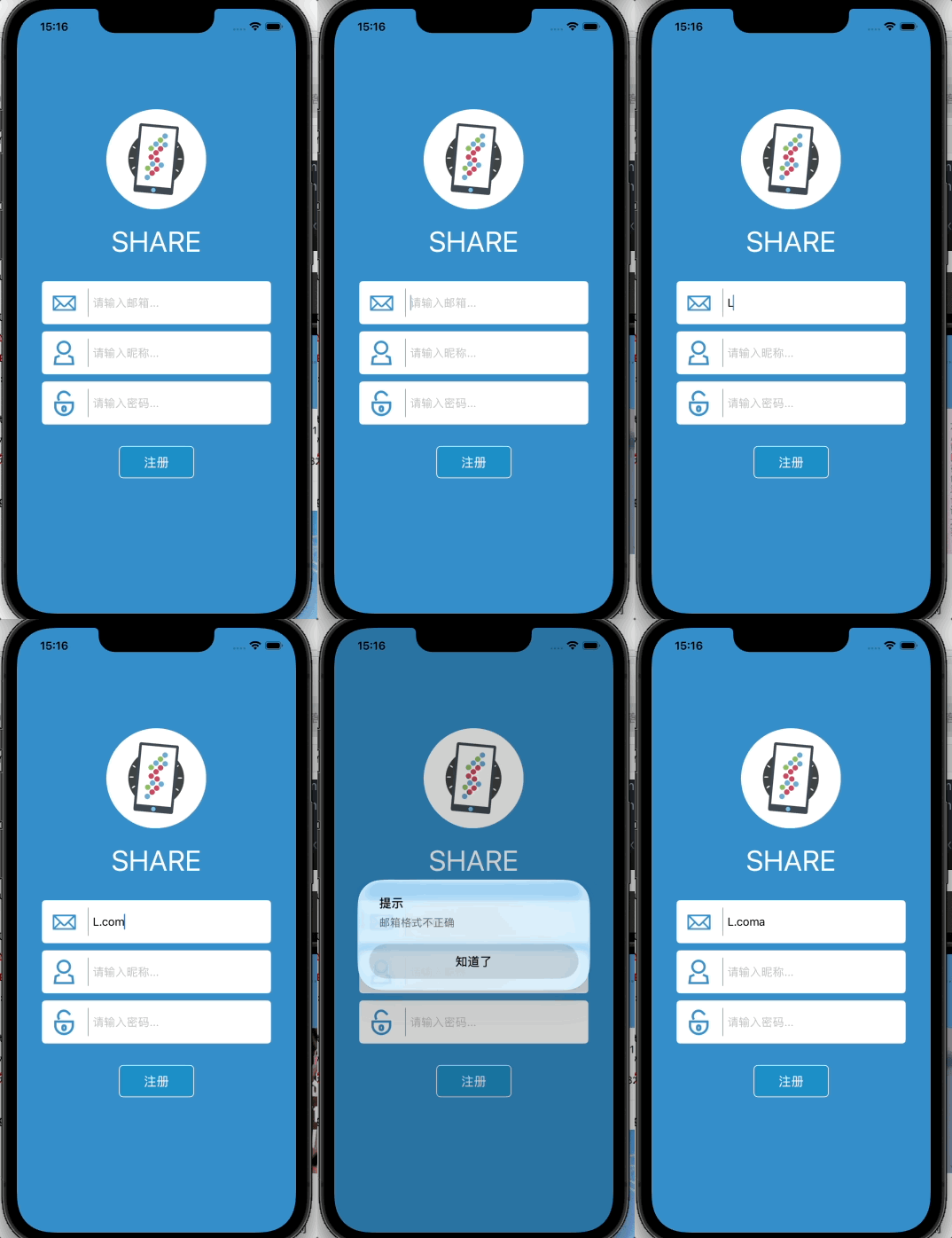
对于注册界面的邮箱,邮箱是有一些固定的格式的,所以在此项目中需要判断限制输入的邮箱格式,在这里初次学习了谓词与正则表达式,具体内容移步谓词与正则表达式
这里给出相关代码与效果图
objc
		NSString*regex = @"[A-Z0-9a-z]+@[A-Z0-9a-z]+\\.[A-Za-z]{2,}";
    NSPredicate*p = [NSPredicate predicateWithFormat:@"SELF MATCHES %@",regex];
    BOOL isValid = [p evaluateWithObject:_email.input.text];
    if(isValid){
        if(self.sendBackBlock)
        {
            self.sendBackBlock(_name.input.text, _pass.input.text);
        }
        NSUserDefaults*defaults = [NSUserDefaults standardUserDefaults];
        [defaults setObject:_name.input.text forKey:@"UserName"];
        [defaults setObject:_pass.input.text forKey:@"UserPassword"];
        [self dismissViewControllerAnimated:YES completion:nil];
    } else{
        UIAlertController *alert = [UIAlertController alertControllerWithTitle:@"提示" message:@"邮箱格式不正确" preferredStyle:UIAlertControllerStyleAlert];
        [alert addAction:[UIAlertAction actionWithTitle:@"知道了" style:UIAlertActionStyleDefault handler:nil]];
        [self presentViewController:alert animated:YES completion:nil];
        return;
    }
2.界面随键盘上下移
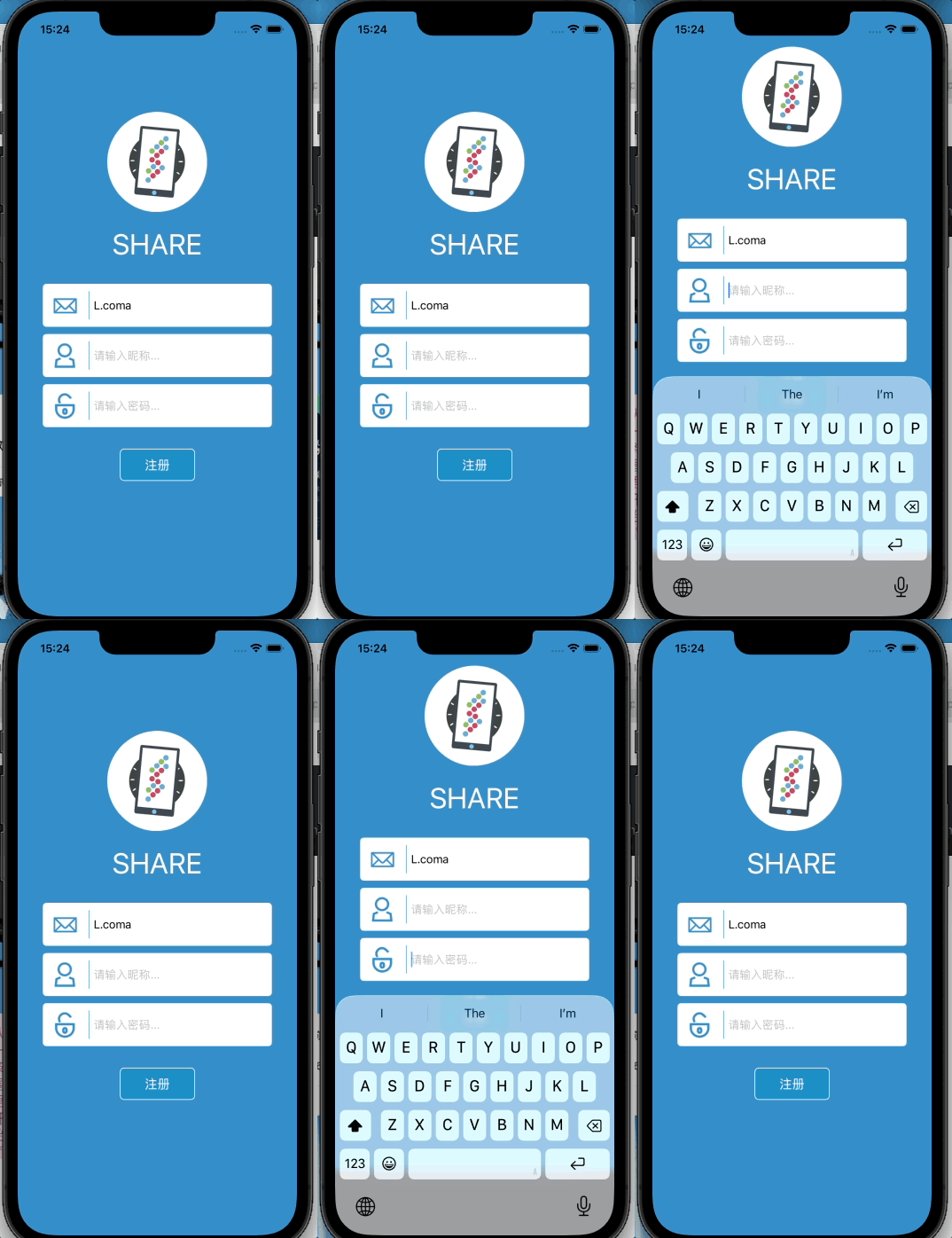
由上图可以看到输入的密码输入框比较靠下,如果弹出手机键盘后很容易就会挡到输入内容,所以我们需要监听键盘,在键盘弹出时让整个页面随键盘上移从而达到不遮挡的效果
代码与效果图如下
objc
		self.offsetY = 0;
    [[NSNotificationCenter defaultCenter]addObserver:self selector:@selector(keyboardWillShow:) name:UIKeyboardWillShowNotification object:nil];
    [[NSNotificationCenter defaultCenter]addObserver:self selector:@selector(keyboardWillHide:) name:UIKeyboardWillHideNotification object:nil];


-(void)keyboardWillShow:(NSNotification*)notify
{
    //获取键盘高度
    CGRect keyboardFrame = [notify.userInfo[UIKeyboardFrameEndUserInfoKey]CGRectValue];
    CGFloat keyboardH = keyboardFrame.size.height;
    //动画时长
    CGFloat duration = [notify.userInfo[UIKeyboardAnimationDurationUserInfoKey] floatValue];
    //计算密码输入框底部
    CGFloat passBottom = CGRectGetMaxY(_pass.frame);
    CGFloat screenH = [UIScreen mainScreen].bounds.size.height;
    //计算距离
    CGFloat space = screenH - passBottom;

    if (space < keyboardH) {
        self.offsetY = keyboardH - space + 20;
    } else {
        self.offsetY = 0;
    }

    // 执行平移动画
    [UIView animateWithDuration:duration animations:^{
        self.view.transform = CGAffineTransformMakeTranslation(0, -self.offsetY);
    }];
}
首页
点赞与传值
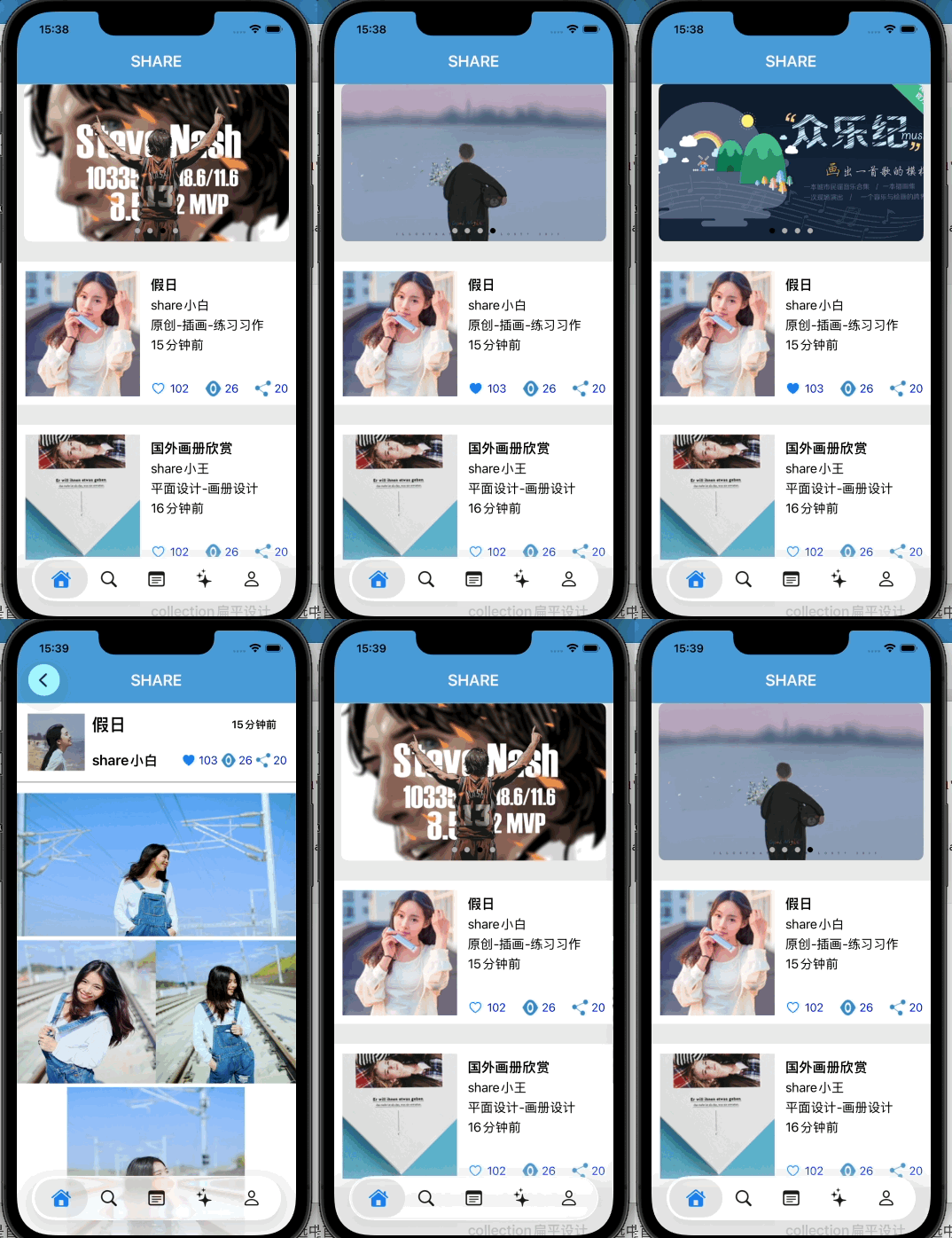
对于首页比较有问题的点就是假日页面与首页的点赞相互传值
我在这里是用两个数组永久保存每条作品的点赞数值与点亮状态,Cell 展示时读取数组;点击按钮改变状态、增减数字、回填数组,刷新对应 Cell 完成 UI 更新;配合 Block 传值完成详情页和首页数据双向同步。
点赞代码:
objc
-(void)likeit:(UIButton*)sender
{
    NSInteger index = sender.tag;

    BOOL liked = [_likeStates[index] boolValue];
    NSInteger count = [_likeCounts[index] integerValue];

    if (liked) {
        count--;
        _likeStates[index] = @NO;
    } else {
        count++;
        _likeStates[index] = @YES;
    }
    sender.selected = [_likeStates[index] boolValue];

    _likeCounts[index] = @(count);

    NSIndexPath *targetIndex = [NSIndexPath indexPathForRow:0 inSection:index + 1];
    [self.tbView reloadRowsAtIndexPaths:@[targetIndex] withRowAnimation:UITableViewRowAnimationNone];
}
传值代码
objc
//HomePage
__weak typeof(self) weakSelf = self;
        h.likeChangedBlock = ^(NSInteger likeCount, BOOL likeState) {
            weakSelf.likeCounts[idx] = @(likeCount);
            weakSelf.likeStates[idx] = @(likeState);

            NSIndexPath *reloadIndex = [NSIndexPath indexPathForRow:0 inSection:idx + 1];
            [weakSelf.tbView reloadRowsAtIndexPaths:@[reloadIndex] withRowAnimation:UITableViewRowAnimationNone];
        };

        [self.navigationController pushViewController:h animated:YES];

//详细页
- (void)likeAction:(UIButton *)sender {
    sender.selected = !sender.selected;
    if (sender.selected) {
        self.likeCount++;
    } else {
        self.likeCount--;
        if (self.likeCount < 0) self.likeCount = 0;
    }
    self.likeState = sender.selected;
    self.like_lab.text = [NSString stringWithFormat:@"%ld", (long)self.likeCount];

    if (self.likeChangedBlock) {
        self.likeChangedBlock(self.likeCount, self.likeState);
    }
}
搜索页
上传照片
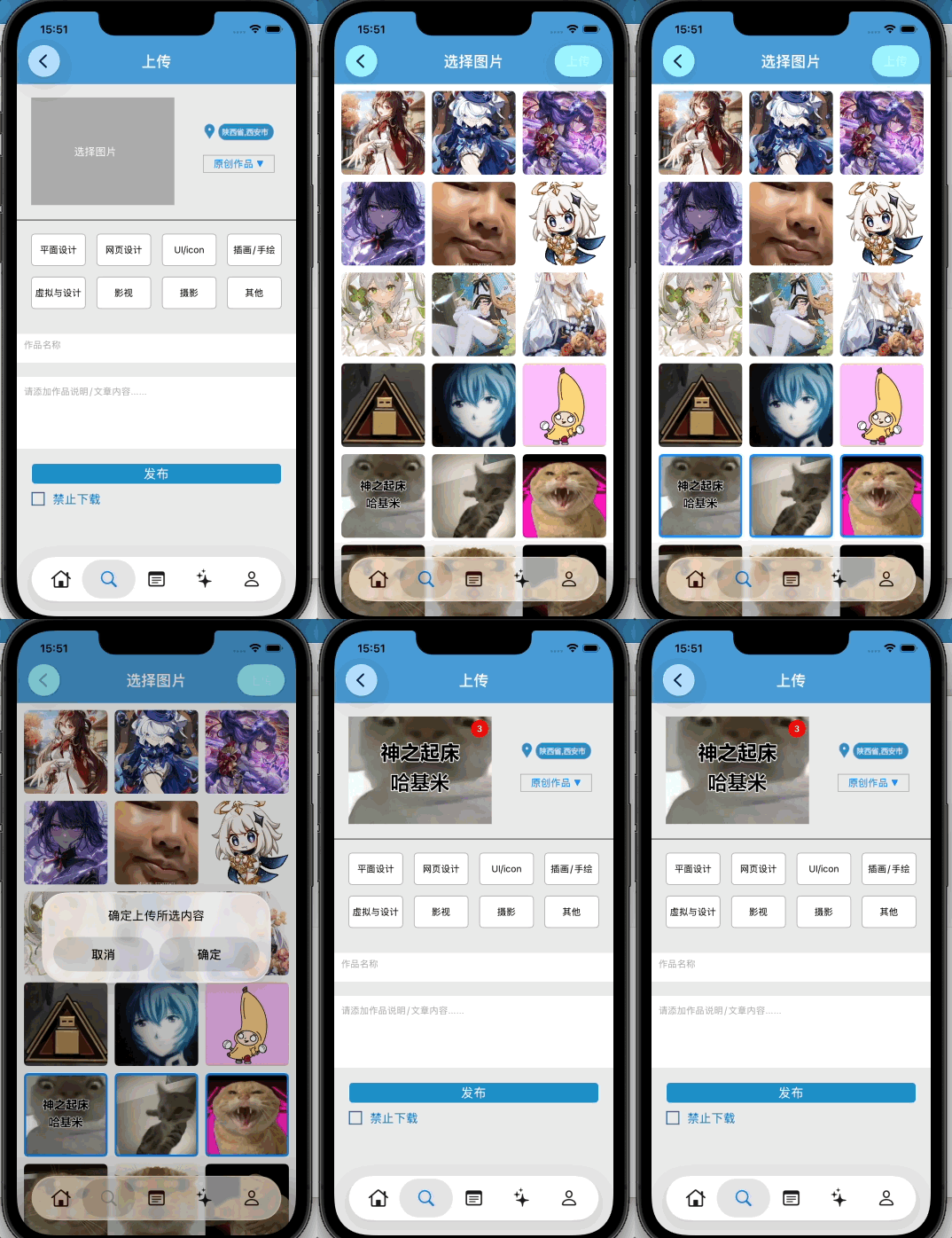
上传照片记录照片数量与第一个照片传值回上传界面也是一个问题
我在这里用 NSMutableSet 存放被选中图片的数组下标数字,点击 cell:判断下标是否在集合内,存在就移除,不存在就加入,再用block传值传回上传界面
代码:
objc
if (self.originSelectImgs.count > 0) {
        for (UIImage *oldImg in self.originSelectImgs) {
            NSInteger idx = [self.allPhotoArr indexOfObject:oldImg];
            if (idx != NSNotFound) {
                [self.selectedIndexSet addObject:@(idx)];
            }
        }
    }

NSMutableArray *selectImgArr = [NSMutableArray array];
    for (NSNumber *idxNum in self.selectedIndexSet) {
        NSInteger idx = idxNum.integerValue;
        if (idx < self.allPhotoArr.count) {
            [selectImgArr addObject:self.allPhotoArr[idx]];
        }
    }

- (void)collectionView:(UICollectionView *)collectionView didSelectItemAtIndexPath:(NSIndexPath *)indexPath {
    NSNumber *idxNum = @(indexPath.item);
    if ([self.selectedIndexSet containsObject:idxNum]) {
        [self.selectedIndexSet removeObject:idxNum];
    } else {
        [self.selectedIndexSet addObject:idxNum];
    }
    [collectionView reloadItemsAtIndexPaths:@[indexPath]];
}

//传值
__weak typeof(self) weakSelf = self;
    [alert addAction:[UIAlertAction actionWithTitle:@"确定" style:UIAlertActionStyleDefault handler:^(UIAlertAction * _Nonnull action) {
        if (weakSelf.selectImageBlock) {
            weakSelf.selectImageBlock(selectImgArr);
        }
        [weakSelf.navigationController popViewControllerAnimated:YES];
    }]];
我的页
聊天室
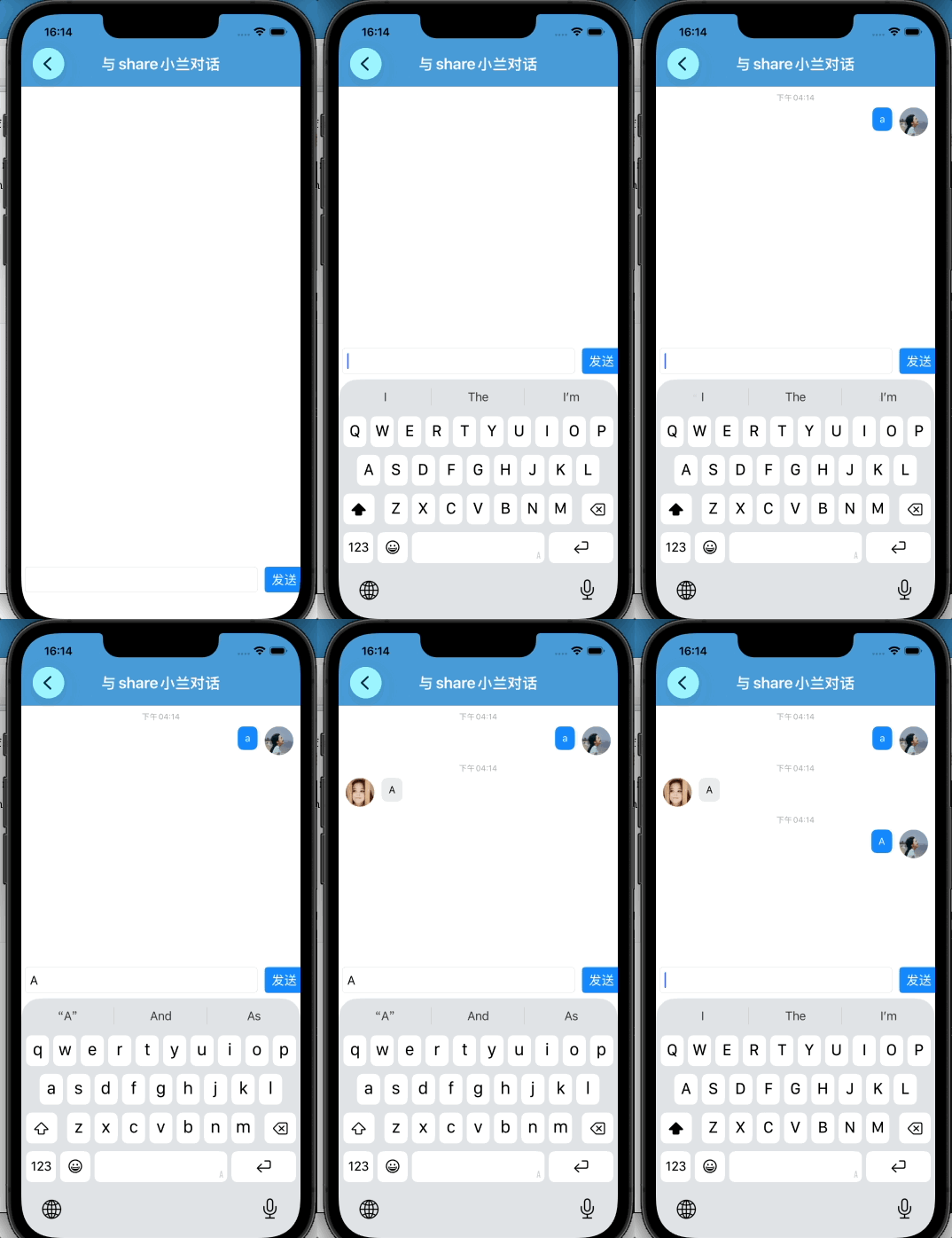
模拟聊天室就是自定义cell的tableview,并记录状态是自己的消息还是对方的消息轮流发送
这里给出自定义cell的代码
objc
#import "ChatMessageCell.h"
#import "MessageModel.h"
#import <Masonry/Masonry.h>

@interface ChatMessageCell ()
@property (nonatomic, strong) UILabel *timeLabel;
@property (nonatomic, strong) UIImageView *avatarImg;
@property (nonatomic, strong) UIView *bubbleView;
@property (nonatomic, strong) UILabel *contentLabel;
@end

@implementation ChatMessageCell

- (instancetype)initWithStyle:(UITableViewCellStyle)style reuseIdentifier:(NSString *)reuseIdentifier {
    self = [super initWithStyle:style reuseIdentifier:reuseIdentifier];
    if (self) {
        self.backgroundColor = [UIColor whiteColor];
        self.selectionStyle = UITableViewCellSelectionStyleNone;
        [self setupSubviews];
    }
    return self;
}

- (void)setupSubviews {

    // 时间
    self.timeLabel = [UILabel new];
    self.timeLabel.font = [UIFont systemFontOfSize:11];
    self.timeLabel.textColor = [UIColor lightGrayColor];
    self.timeLabel.textAlignment = NSTextAlignmentCenter;

    [self.contentView addSubview:self.timeLabel];

    [self.timeLabel mas_makeConstraints:^(MASConstraintMaker *make) {
        make.top.offset(8);
        make.centerX.equalTo(self.contentView);
        make.height.mas_equalTo(15);
    }];


    // 头像
    self.avatarImg = [UIImageView new];
    self.avatarImg.layer.cornerRadius = 20;
    self.avatarImg.clipsToBounds = YES;

    [self.contentView addSubview:self.avatarImg];

    // 气泡
    self.bubbleView = [UIView new];
    self.bubbleView.layer.cornerRadius = 8;
    self.bubbleView.layer.masksToBounds = YES;

    [self.contentView addSubview:self.bubbleView];

    // 内容
    self.contentLabel = [UILabel new];
    self.contentLabel.font = [UIFont systemFontOfSize:14];
    self.contentLabel.numberOfLines = 0;
    self.contentLabel.lineBreakMode =NSLineBreakByWordWrapping;

    [self.bubbleView addSubview:self.contentLabel];

    [self.contentLabel mas_makeConstraints:^(MASConstraintMaker *make) {
        make.edges.equalTo(self.bubbleView).insets(UIEdgeInsetsMake(8, 10, 8, 10));
        make.width.lessThanOrEqualTo(@250);
    }];
}

- (void)fillCellWithModel:(MessageModel *)model {
    self.timeLabel.text = model.timeText;
    self.contentLabel.text = model.content;
    self.avatarImg.image = [UIImage imageNamed:model.avatarName];

    if (model.senderType == MessageSenderOther) {
        // 对方:左头像、灰色气泡
        self.bubbleView.backgroundColor = [UIColor colorWithRed:235/255.0 green:235/255.0 blue:235/255.0 alpha:1];
        self.contentLabel.textColor = [UIColor blackColor];
        [self.avatarImg mas_remakeConstraints:^(MASConstraintMaker *make) {
            make.left.offset(10);
            make.top.equalTo(self.timeLabel.mas_bottom).offset(6);
            make.width.height.mas_equalTo(40);
        }];
        [self.bubbleView mas_remakeConstraints:^(MASConstraintMaker *make) {
            make.left.equalTo(self.avatarImg.mas_right).offset(10);
            make.top.equalTo(self.avatarImg);
            make.width.lessThanOrEqualTo(self.contentView).multipliedBy(0.7);
            make.bottom.equalTo(self.contentView.mas_bottom).offset(-10);
        }];
    } else {
        // 自己:右头像、蓝色气泡
        self.bubbleView.backgroundColor = [UIColor systemBlueColor];
        self.contentLabel.textColor = [UIColor whiteColor];

        [self.avatarImg mas_remakeConstraints:^(MASConstraintMaker *make) {
            make.right.offset(-10);
            make.top.equalTo(self.timeLabel.mas_bottom).offset(6);
            make.width.height.mas_equalTo(40);
        }];
        [self.bubbleView mas_remakeConstraints:^(MASConstraintMaker *make) {
            make.right.equalTo(self.avatarImg.mas_left).offset(-10);
            make.top.equalTo(self.avatarImg);
            make.width.lessThanOrEqualTo(self.contentView).multipliedBy(0.7);
            make.bottom.equalTo(self.contentView.mas_bottom).offset(-10);
        }];
    }
}

@end