nano-vllm简介
大模型基础
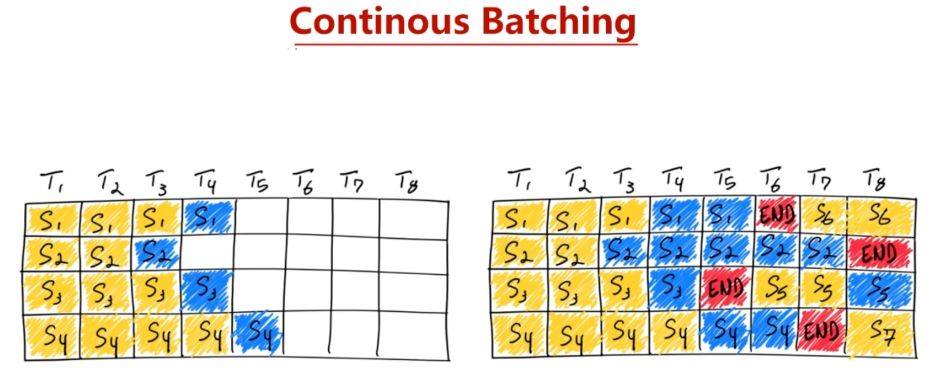
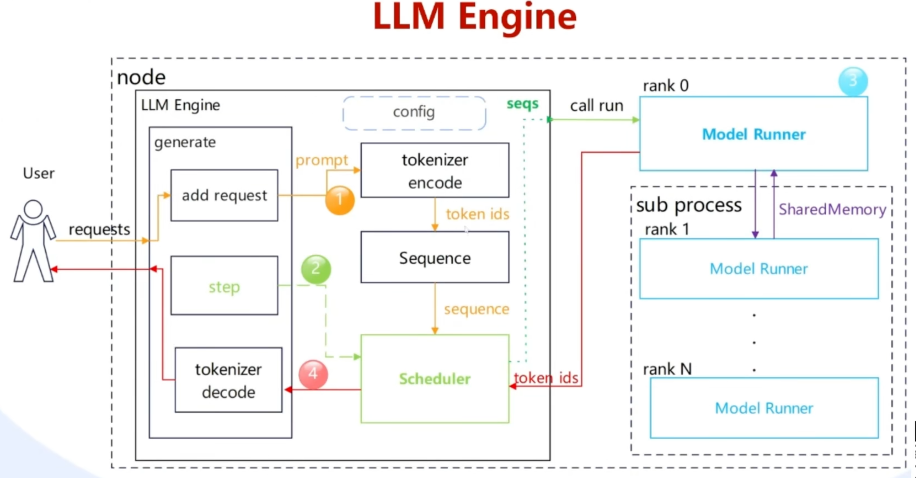
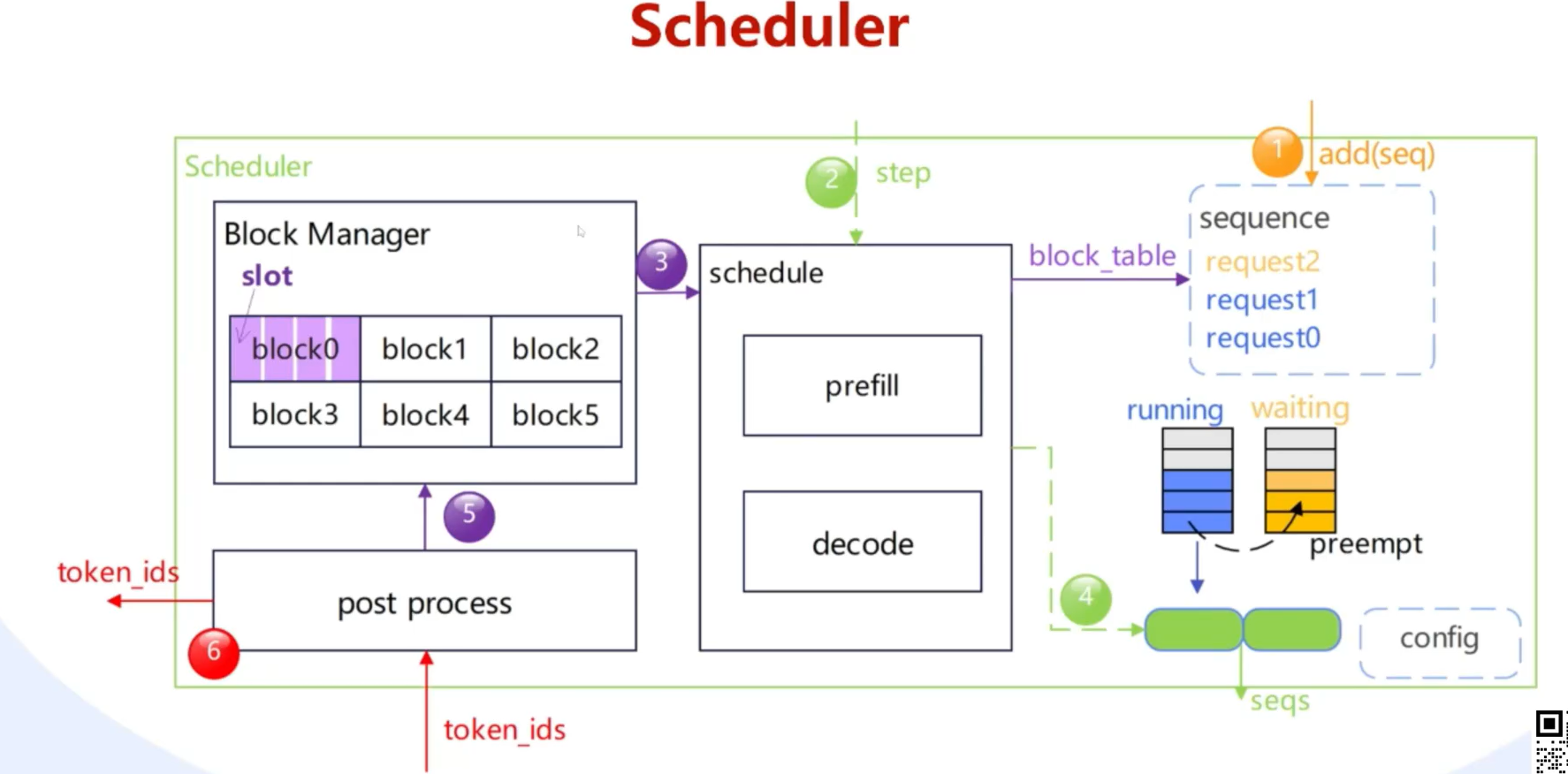
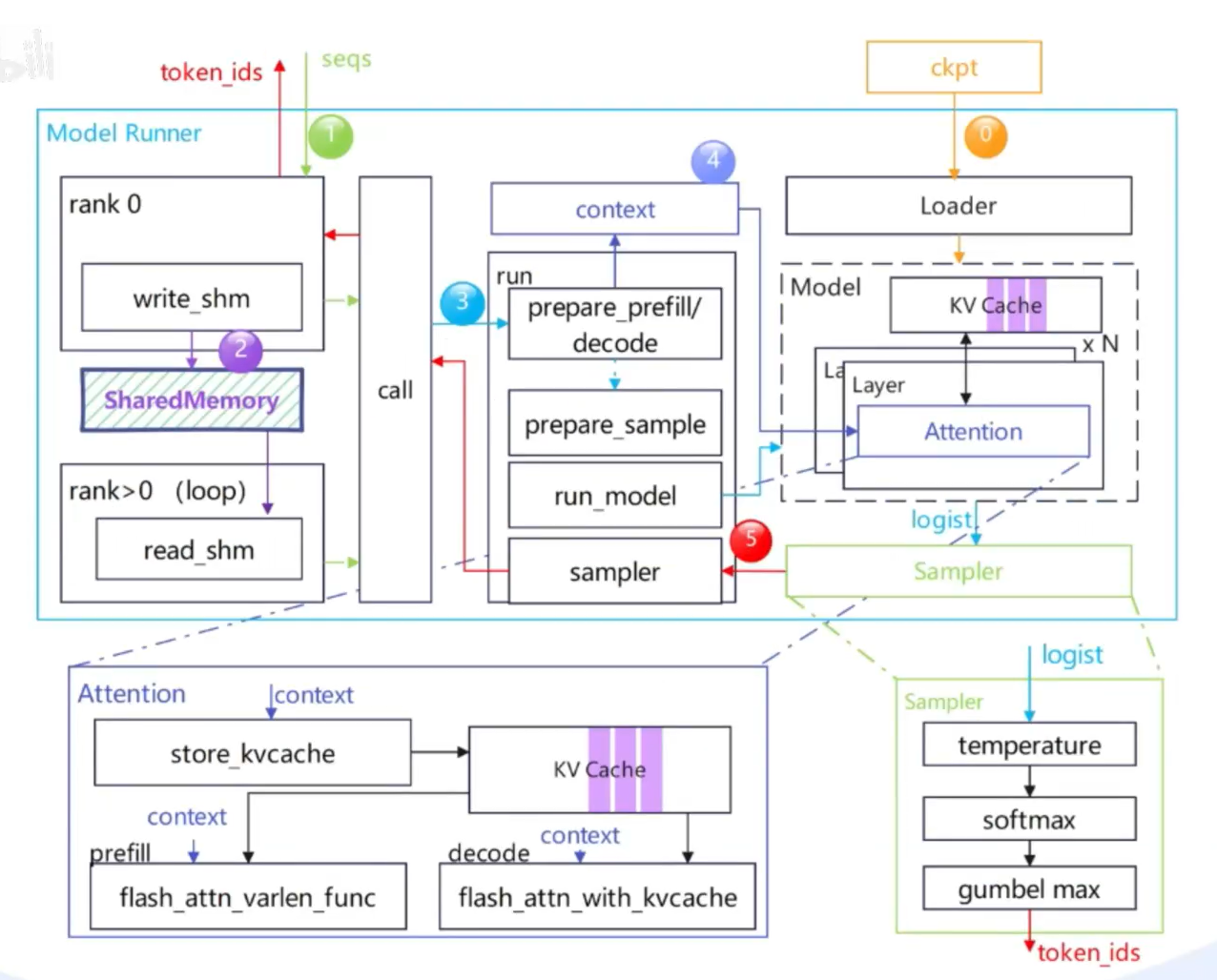
nano-vllm
云环境选择

镜像的选择非常重要,因为nano-vllm需要安装flash_attn。flash_attn需要特定的环境
flash_attn:flash_atten release包github下载
cuda12 torch2.4 cxx11 abi:false python3.10
安装必要依赖
1. apt 清华镜像源
替换/etc/apt/sources.list
bash
# 默认注释了源码镜像以提高 apt update 速度,如有需要可自行取消注释
deb https://mirrors.tuna.tsinghua.edu.cn/ubuntu/ jammy main restricted universe multiverse
# deb-src https://mirrors.tuna.tsinghua.edu.cn/ubuntu/ jammy main restricted universe multiverse
deb https://mirrors.tuna.tsinghua.edu.cn/ubuntu/ jammy-updates main restricted universe multiverse
# deb-src https://mirrors.tuna.tsinghua.edu.cn/ubuntu/ jammy-updates main restricted universe multiverse
deb https://mirrors.tuna.tsinghua.edu.cn/ubuntu/ jammy-backports main restricted universe multiverse
# deb-src https://mirrors.tuna.tsinghua.edu.cn/ubuntu/ jammy-backports main restricted universe multiverse

# 以下安全更新软件源为官方源配置
deb http://security.ubuntu.com/ubuntu/ jammy-security main restricted universe multiverse
# deb-src http://security.ubuntu.com/ubuntu/ jammy-security main restricted universe multiverse

# 预发布软件源,不建议启用
# deb https://mirrors.tuna.tsinghua.edu.cn/ubuntu/ jammy-proposed main restricted universe multiverse
# # deb-src https://mirrors.tuna.tsinghua.edu.cn/ubuntu/ jammy-proposed main restricted universe multiverse
2. 安装系统依赖包
bash
apt update && apt install -y git ninja-build build-essential zip unzip pciutils3.安装python包
bash
pip install tqdm transformers xxhash nvitop安装flash_atten
不要直接pip install,会编译很久,从github上找适合当前环境的包
https://github.com/Dao-AILab/flash-attention/releases?page=1#release-v2.8.3.post1
flash_attn-2.8.3.post1+cu12torch2.4cxx11abiFALSE-cp310-cp310-linux_x86_64.whl
下载模型
bash
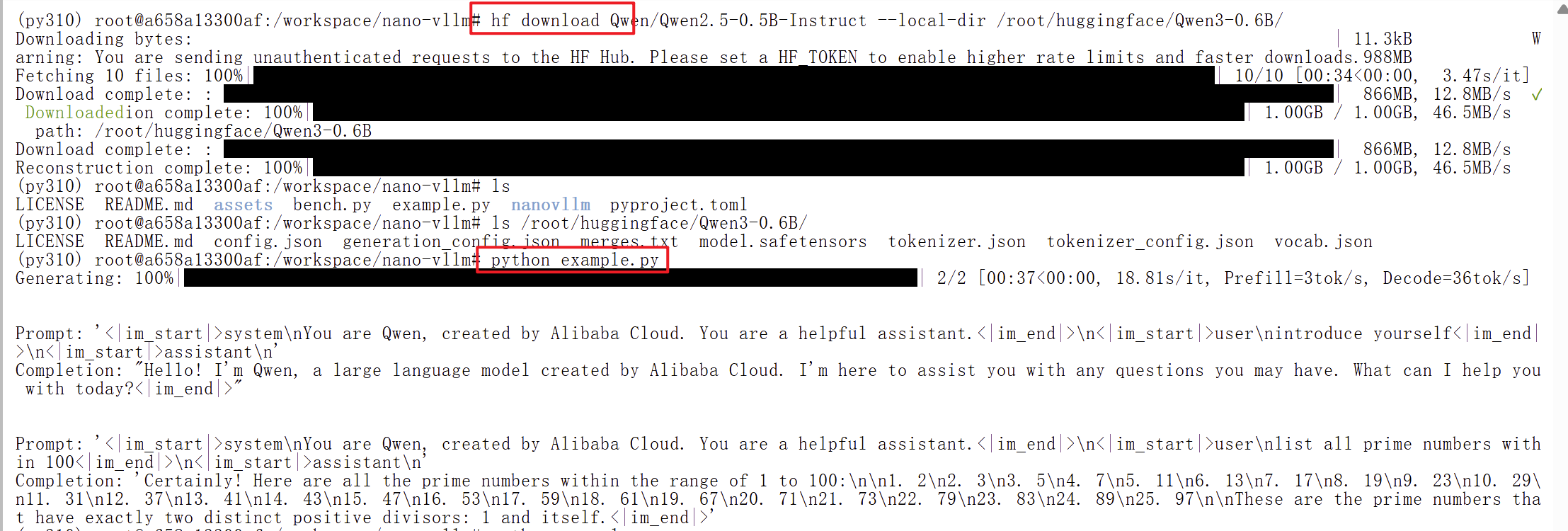
huggingface-cli download Qwen/Qwen2.5-0.5B-Instruct \
    --local-dir /root/huggingface/Qwen3-0.6B/ \
    --local-dir-use-symlinks False
跑nano-vllm example
bash
git clone https://github.com/GeeeekExplorer/nano-vllm.git
cd nano-vllm
python exmaple.py