鸿蒙报错速查:struct 里嵌套 @Component struct 就炸,Unexpected keyword 编译报错,根因 + 真解法
报错原文
vbnet
ERROR: 10505001 ArkTS Compiler Error
Error Message: Unexpected keyword or identifier. At File: xxx.ets:8:3
常伴生报错:
vbnet
ERROR: 10605008 ArkTS Compiler Error
Error Message: Use explicit types instead of "any", "unknown" (arkts-no-any-unknown). At File: xxx.ets:7:3
ERROR: 10505001 ArkTS Compiler Error
Error Message: Unknown keyword or identifier. Did you mean 'infer'? At File: xxx.ets:8:10
报错触发场景
你写鸿蒙 ArkTS 时,在 @Component struct 里嵌套另一个 @Component struct 声明就炸:
typescript
// ❌ 报错写法
@Entry
@Component
struct Outer {
  @State result: string = '(未调用)'

  // ← struct 里嵌套 @Component struct 声明,编译炸
  @Component
  struct Inner {
    @State inner: string = 'inner'
    build() {
      Text(this.inner)
    }
  }

  build() {
    Column({ space: 12 }) {
      Text('bug 篇 45 选题验证:嵌套 struct 报错')
        .fontSize(18).fontWeight(FontWeight.Bold).margin({ top: 20 })
      Text(`结果:${this.result}`).fontSize(14)
    }
    .width('100%').height('100%').alignItems(HorizontalAlign.Center)
  }
}
编译器在 struct 里看到嵌套的 @Component struct 关键字,报 Unexpected keyword or identifier------它不认 struct 成员位置出现 struct 声明,连带触发 arkts-no-any-unknown(嵌套 struct 推断成 any)。
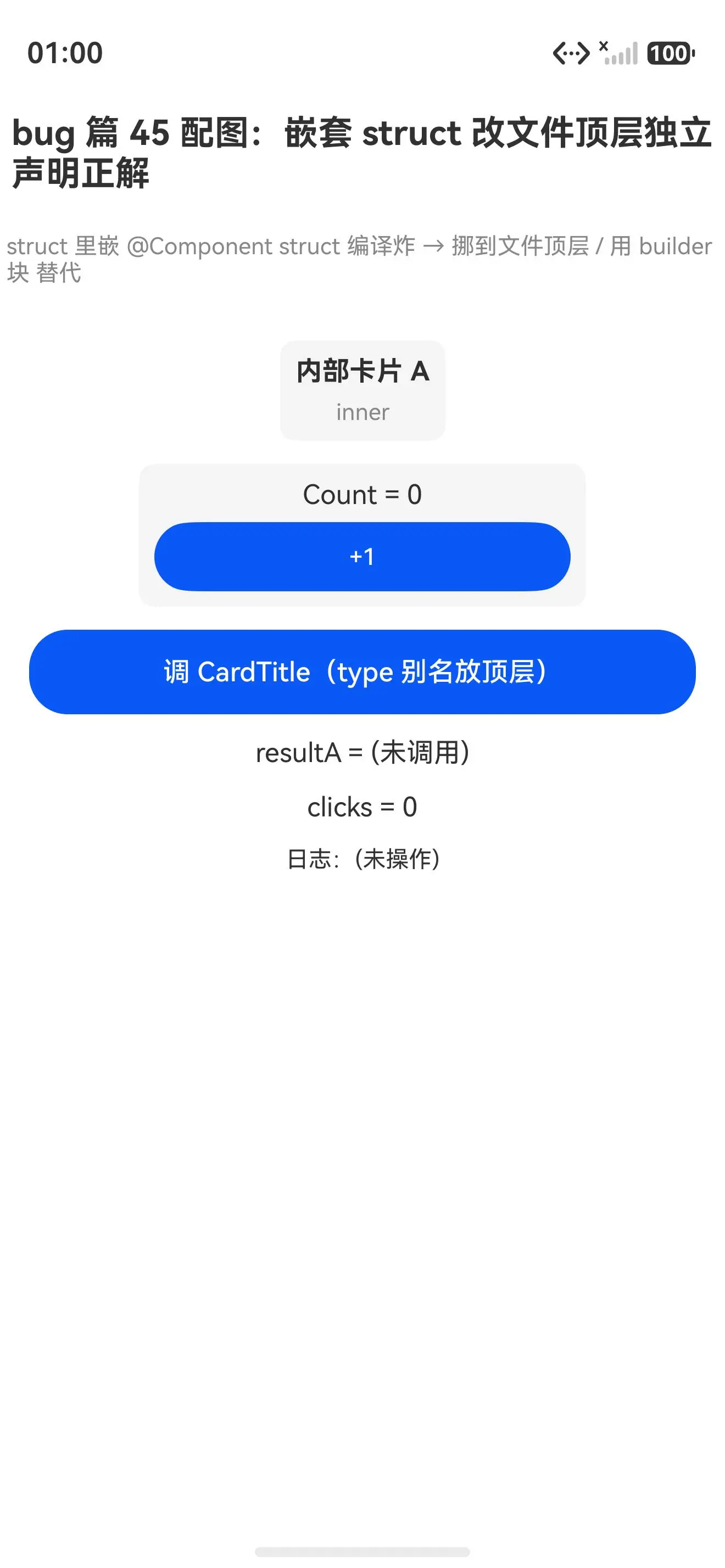
真机配图:struct 改文件顶层独立声明正解能编译能跑
替代嵌套正解初始态(InnerCard/CountCard/CardTitle 均未调用):
点调三种替代后(InnerCard 显示、CountCard +1、CardTitle=内部标题 均真返了正确值):
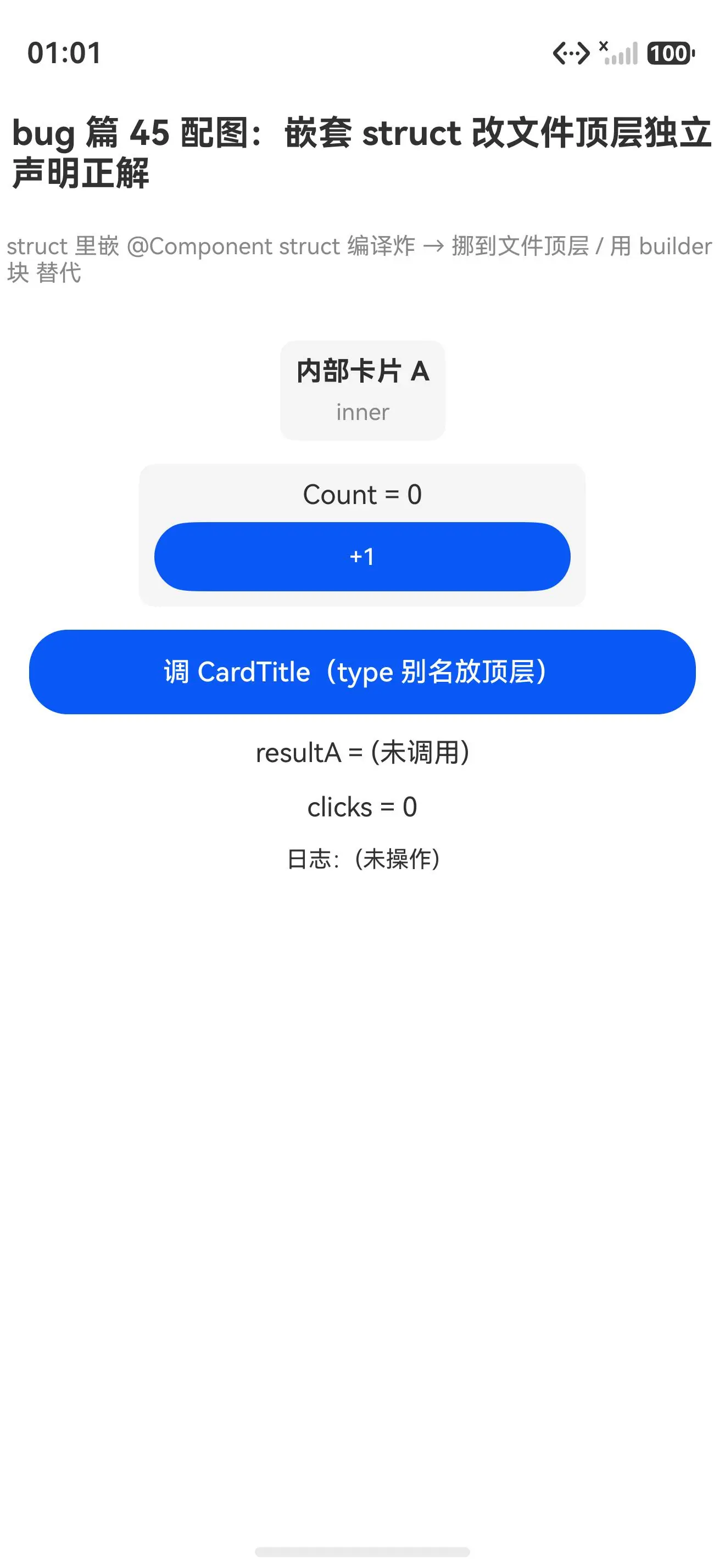
报错写法(struct 里嵌套 struct)编译就炸,装不上真机;正解写法(struct 放文件顶层 / interface 同形状独立 struct / type 别名 替代)能跑,三种替代都真返了正确值。struct 嵌 struct 里就炸,挪到文件顶层就跑------这是 ArkTS struct 声明约束最直白的证据。
根因
鸿蒙 ArkTS 的 struct 是固定成员形状------只允许三类成员(见篇 42):
| 成员类型 | 示例 | 说明 |
|---|---|---|
| 属性 | @State count: number = 0 |
状态字段 |
| 方法 | build() / onClick() |
struct 的行为 |
| 构造器 | constructor() |
默认有 |
嵌套 struct 声明不是 struct 成员 ------它是「声明一个新组件类型」,编译器在 struct 体里不认这种语句,遇 @Component struct 关键字直接报 Unexpected keyword。
这跟 ArkUI 的组件设计一致:
1. struct 是组件声明单元,不能嵌套
ArkUI 的 @Component struct 是「一个文件顶层组件声明」,编译器期望它产出 build() 渲染树。在 struct 里嵌套另一个 struct 跟「顶层声明」的定位冲突------嵌套声明的组件作用域、状态管理、依赖追踪都接不上。
2. 组件复用走 export + 引用
ArkUI 的组件复用规范是「struct 放文件顶层 + export + 在 build() 里引用」:
typescript
// ✅ 文件顶层声明
@Component
export struct InnerCard {
  build() { Text('内部卡片') }
}

@Entry
@Component
struct Index {
  build() {
    InnerCard()    ← 在 build 里引用,不嵌套声明
  }
}
嵌套声明打破这个规范,编译器干脆禁掉。
3. 与状态装饰器体系的不兼容
嵌套 struct 里的 @State 跟外层 struct 的 @State 作用域会冲突------外层和内层的状态谁追踪谁更新,编译器分不清。禁掉嵌套,状态管理体系保持「一个 struct 一组状态」的清晰边界。
真解法
解法 1:struct 放文件顶层独立声明(最直白,推荐)
typescript
// ✅ 正解 1:struct 放文件顶层独立声明(不嵌套)
@Component
export struct InnerCard {
  @Prop label: string

  build() {
    Column({ space: 6 }) {
      Text(this.label).fontSize(14).fontWeight(FontWeight.Bold)
    }
    .padding(8).backgroundColor('#f5f5f5').borderRadius(8)
  }
}

@Entry
@Component
struct Index {
  build() {
    // ✅ 在 build 里引用顶层声明的 struct
    InnerCard({ label: '内部卡片 A' })
  }
}
为啥能跑 :嵌套的 struct 挪到文件顶层独立声明 + export,在 build() 里直接引用(InnerCard({...}))。组件声明和使用分离,编译器各得其所。首选这个。
解法 2:interface 放顶层,独立 struct 同形状写
typescript
// ✅ interface 放顶层定义契约
interface Counter {
  getCount(): number
}

// ✅ 独立 struct 按契约同形状写(struct 不能 implements,但可同形状)
@Component
export struct CountCard {
  @State n: number = 0

  getCount(): number {
    return this.n
  }

  build() {
    Column({ space: 6 }) {
      Text(`Count = ${this.n}`).fontSize(14)
      Button('+1')
        .onClick(() => { this.n++ })
    }
  }
}

@Entry
@Component
struct Index {
  build() {
    CountCard()    ← 引用顶层独立 struct
  }
}
为啥能跑 :struct 不能 implements interface(见报错 Structs are not allowed to inherit from classes or implement interfaces),但可以「按契约同形状写」------interface 定义方法签名,struct 照着实现,类型上不强关联。要面向接口组织组件时用这个。
解法 3:type 别名放顶层(要简单类型时)
typescript
// ✅ type 别名放顶层
type CardTitle = string

@Entry
@Component
struct Index {
  @State result: string = '(未调用)'

  build() {
    Button('调 CardTitle')
      .onClick(() => {
        const t: CardTitle = '内部标题'    ← struct 里用 type 别名标类型
        this.result = t
      })
  }
}
为啥能跑 :type 别名也是类型声明,放文件顶层。struct 里只用来标注变量类型。要给简单类型起别名时用这个。
一句话记忆
struct 里嵌套 struct 编译炸,挪到文件顶层独立声明就跑。 ArkTS 的 struct 是顶层组件声明单元,只认属性/方法/构造器三类成员------嵌套 struct 声明不是成员,嵌进去编译器报
Unexpected keyword。替代方案就三个:struct 放文件顶层 + export(首选)、interface 同形状独立 struct(要契约时)、type 别名(要简单类型时)。组件复用走顶层声明 + 引用 是根因,struct 放文件顶层是首选解法。
报错速查表
| 报错码 | 报错原文 | 触发写法 | 正解替代 |
|---|---|---|---|
10505001 |
Unexpected keyword or identifier | struct 里嵌 @Component struct {} |
struct 放文件顶层 + export |
10905212 |
Structs are not allowed to inherit from classes or implement interfaces | struct X implements Y {} |
struct 同形状独立写 |
10605008 |
Use explicit types instead of "any", "unknown" | struct 里嵌 type/interface 声明 | type/interface 放文件顶层 |
真机 demo 完整代码
typescript
// ✅ 正解 1:struct 放文件顶层独立声明(不嵌套)
@Component
export struct InnerCard {
  @State inner: string = 'inner'
  @Prop label: string

  build() {
    Column({ space: 6 }) {
      Text(this.label).fontSize(14).fontWeight(FontWeight.Bold)
      Text(this.inner).fontSize(12).fontColor('#888')
    }
    .padding(8).backgroundColor('#f5f5f5').borderRadius(8)
  }
}

// ✅ 正解 2:interface 放顶层,独立 struct 按契约写(struct 不能 implements,但可同形状)
interface Counter {
  getCount(): number
}

@Component
export struct CountCard {
  @State n: number = 0

  getCount(): number {
    return this.n
  }

  build() {
    Column({ space: 6 }) {
      Text(`Count = ${this.n}`).fontSize(14)
      Button('+1')
        .width('60%').height(36).fontSize(12)
        .onClick(() => { this.n++ })
    }
    .padding(8).backgroundColor('#f5f5f5').borderRadius(8)
  }
}

// ✅ 正解 3:type 别名放顶层,struct 里用
type CardTitle = string

@Entry
@Component
struct Index {
  @State resultA: string = '(未调用)'
  @State clicks: number = 0
  @State log: string = '(未操作)'

  build() {
    Column({ space: 12 }) {
      Text('bug 篇 45 配图:嵌套 struct 改文件顶层独立声明正解')
        .fontSize(18).fontWeight(FontWeight.Bold).margin({ top: 20, bottom: 8 })
      Text('struct 里嵌 @Component struct 编译炸 → 挪到文件顶层 / 用 builder 块 替代')
        .fontSize(12).fontColor('#888').margin({ bottom: 16 })

      // ✅ 引用顶层独立声明的 struct
      InnerCard({ label: '内部卡片 A' })
      CountCard()

      Button('调 CardTitle(type 别名放顶层)')
        .width('92%').height(44).fontSize(14)
        .onClick(() => {
          const t: CardTitle = '内部标题'
          this.resultA = t
          this.clicks++
          this.log = `第 ${this.clicks} 次:CardTitle = ${this.resultA}`
        })

      Text(`resultA = ${this.resultA}`).fontSize(14)
      Text(`clicks = ${this.clicks}`).fontSize(14)
      Text(`日志:${this.log}`).fontSize(12).fontColor('#333')
    }
    .width('100%').height('100%').alignItems(HorizontalAlign.Center)
  }
}
写鸿蒙 ArkTS 记住 :struct 里嵌套
@Component struct声明编译就炸------Unexpected keyword or identifier。挪到文件顶层独立声明 +export,在build()里直接引用,三种替代都能跑。struct 是顶层组件声明单元只认成员,组件复用走顶层声明 + 引用 是根因,struct 放文件顶层是首选解法!