本文介绍xLua官方例子U3DScripting
一.DoString(string chunk, string chunkName, LuaTable env )
为了理解官方例子U3DScripting,必须先理解DoString第三个参数用法,DoString原型:
cs
public object[] DoString(string chunk, string chunkName = "chunk", LuaTable env = null)第二个参数chunkName:和报错时打印信息相关的参数,通常传null
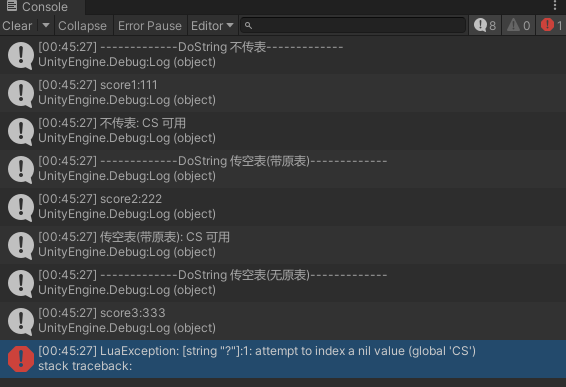
第三个参数env:传了后执行chunk代码时,读写变量都在env这张表中进行,不传就在全局表_G中读写,因此传了env后无法直接访问全局函数。为了可以访问全局函数,必须对env这个表设置元表
来看下面这个例子
cs
        void Start()
        {
            LuaEnv luaenv = new LuaEnv();
            Debug.Log("-------------DoString 不传表-------------");
            luaenv.DoString("score1 = 111");
            Debug.Log("score1:" + luaenv.Global.Get<int>("score1"));
            luaenv.DoString("CS.UnityEngine.Debug.Log('不传表: CS 可用')");

            Debug.Log("-------------DoString 传空表(带原表)-------------");
            LuaTable luaTab2 = luaenv.NewTable();
            using (LuaTable metaTab = luaenv.NewTable())
            {
                metaTab.Set("__index", luaenv.Global);
                luaTab2.SetMetaTable(metaTab);
            }
            luaenv.DoString("score2 = 222", null, luaTab2);
            Debug.Log("score2:" + luaTab2.Get<int>("score2"));
            luaenv.DoString("CS.UnityEngine.Debug.Log('传空表(带原表): CS 可用')", null, luaTab2);
            luaTab2.Dispose();

            Debug.Log("-------------DoString 传空表(无原表)-------------");
            LuaTable luaTab3 = luaenv.NewTable();
            luaenv.DoString("score3 = 333", null, luaTab3);
            Debug.Log("score3:" + luaTab3.Get<int>("score3"));
            luaenv.DoString("CS.UnityEngine.Debug.Log('传空表(无原表): CS 可用')", null, luaTab3);

        }
二.example:02_U3DScripting
2.1 Demo概述
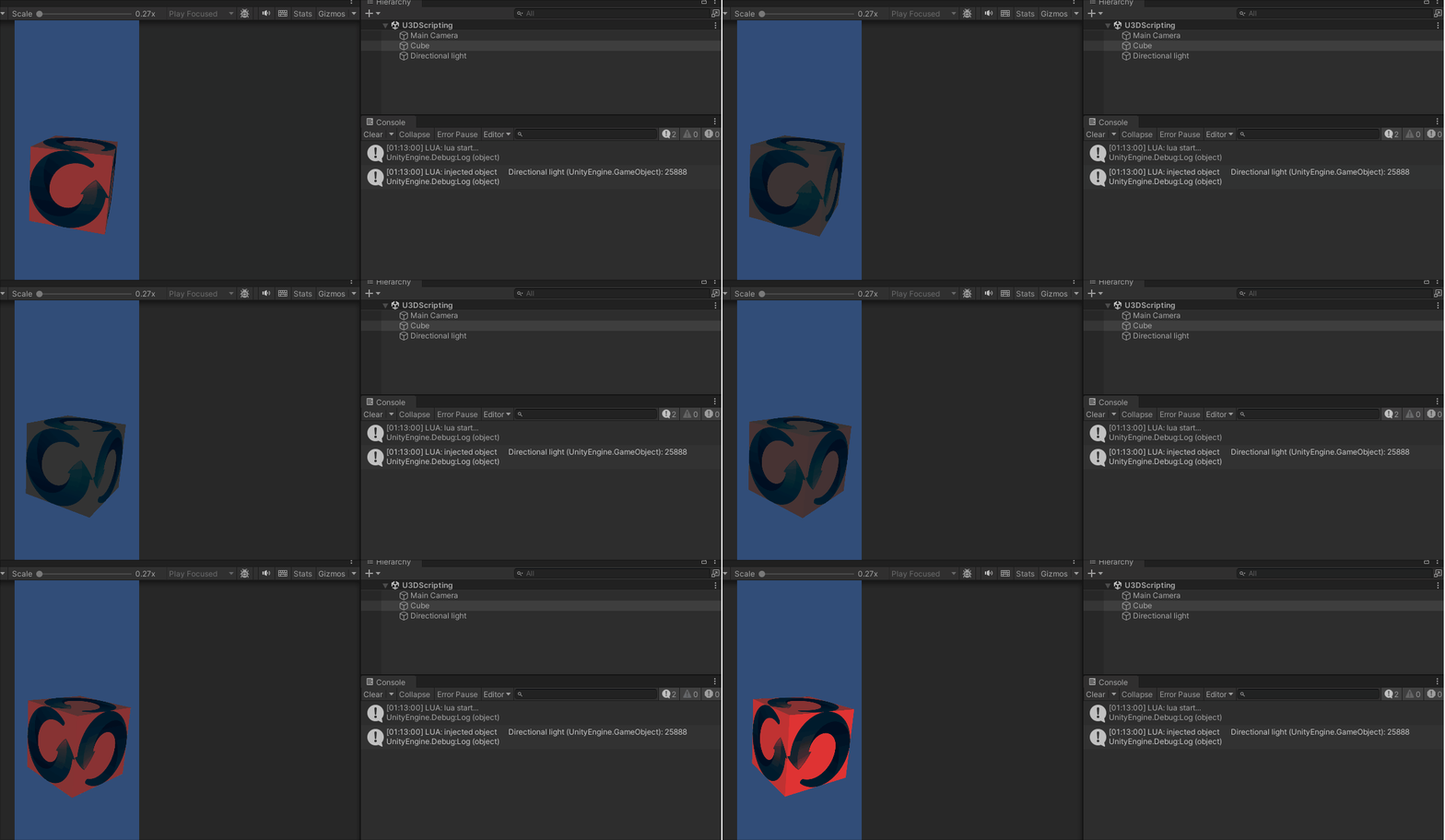
一个Cube不停旋转和颜色渐变,整体流程:
- C#脚本指定一份 Lua 文本(
TextAsset) - 让Lua可访问场景里的Cube和light (xLua称为注入)
- 把 Unity 的
Awake/Start/Update/OnDestroy转成调用 Lua 的awake/start/update/ondestroy - 用 Lua 当 MonoBehaviour 来写旋转和颜色渐变效果
2.2 LuaBehaviour.cs:
可以将C#代码以DoString为界,分为两部分:
DoString上面在对scriptScopeTable设置元表以及调用Set方法设置K,V值;
DoString下面部分在C#侧获取lua写的生命周期函数,并在C#侧调用
注意事项:
1.通过static让所有LuaBehaviour对象共享一个luaEnv
2.OnDestry内只调用scriptScopeTable.Dispose();不要对luaEnv调用Dispose()
cs
internal static LuaEnv luaEnv = new LuaEnv(); //all lua behaviour shared one luaenv only!
cs
using UnityEngine;
using System.Collections;
using System.Collections.Generic;
using XLua;
using System;

namespace XLuaTest
{
    [System.Serializable]
    public class Injection
    {
        public string name;
        public GameObject value;
    }

    [LuaCallCSharp]
    public class LuaBehaviour : MonoBehaviour
    {
        public TextAsset luaScript;
        public Injection[] injections;

        internal static LuaEnv luaEnv = new LuaEnv(); //all lua behaviour shared one luaenv only!
        internal static float lastGCTime = 0;
        internal const float GCInterval = 1;//1 second

        private Action luaStart;
        private Action luaUpdate;
        private Action luaOnDestroy;

        private LuaTable scriptScopeTable;

        void Awake()
        {
            // 为每个脚本设置一个独立的脚本域,可一定程度上防止脚本间全局变量、函数冲突
            scriptScopeTable = luaEnv.NewTable();

            // 设置其元表的 __index, 使其能够访问全局变量
            using (LuaTable meta = luaEnv.NewTable())
            {
                meta.Set("__index", luaEnv.Global);
                scriptScopeTable.SetMetaTable(meta);
            }

            // 将所需值注入到 Lua 脚本域中
            scriptScopeTable.Set("self", this);
            foreach (var injection in injections)
            {
                scriptScopeTable.Set(injection.name, injection.value);
            }

            // 如果你希望在脚本内能够设置全局变量, 也可以直接将全局脚本域注入到当前脚本的脚本域中
            // 这样, 你就可以在 Lua 脚本中通过 Global.XXX 来访问全局变量
            // scriptScopeTable.Set("Global", luaEnv.Global);

            // 执行脚本
            luaEnv.DoString(luaScript.text, luaScript.name, scriptScopeTable);

            // 从 Lua 脚本域中获取定义的函数
            Action luaAwake = scriptScopeTable.Get<Action>("awake");
            scriptScopeTable.Get("start", out luaStart);
            scriptScopeTable.Get("update", out luaUpdate);
            scriptScopeTable.Get("ondestroy", out luaOnDestroy);

            if (luaAwake != null)
            {
                luaAwake();
            }
        }

        // Use this for initialization
        void Start()
        {
            if (luaStart != null)
            {
                luaStart();
            }
        }

        // Update is called once per frame
        void Update()
        {
            if (luaUpdate != null)
            {
                luaUpdate();
            }

            if (Time.time - LuaBehaviour.lastGCTime > GCInterval)
            {
                luaEnv.Tick();
                LuaBehaviour.lastGCTime = Time.time;
            }
        }

        void OnDestroy()
        {
            if (luaOnDestroy != null)
            {
                luaOnDestroy();
            }

            scriptScopeTable.Dispose();
            luaOnDestroy = null;
            luaUpdate = null;
            luaStart = null;
            injections = null;
        }
    }
}
2.3 LuaTestScript.lua.txt
Lua
local speed = 10
local lightCpnt = nil

function start()
	print("lua start...")
	print("injected object", lightObject)
	lightCpnt= lightObject:GetComponent(typeof(CS.UnityEngine.Light))
end

function update()
	local r = CS.UnityEngine.Vector3.up * CS.UnityEngine.Time.deltaTime * speed
	self.transform:Rotate(r)
	lightCpnt.color = CS.UnityEngine.Color(CS.UnityEngine.Mathf.Sin(CS.UnityEngine.Time.time) / 2 + 0.5, 0, 0, 1)
end

function ondestroy()
    print("lua destroy")
end
三.example:03_UIEvent
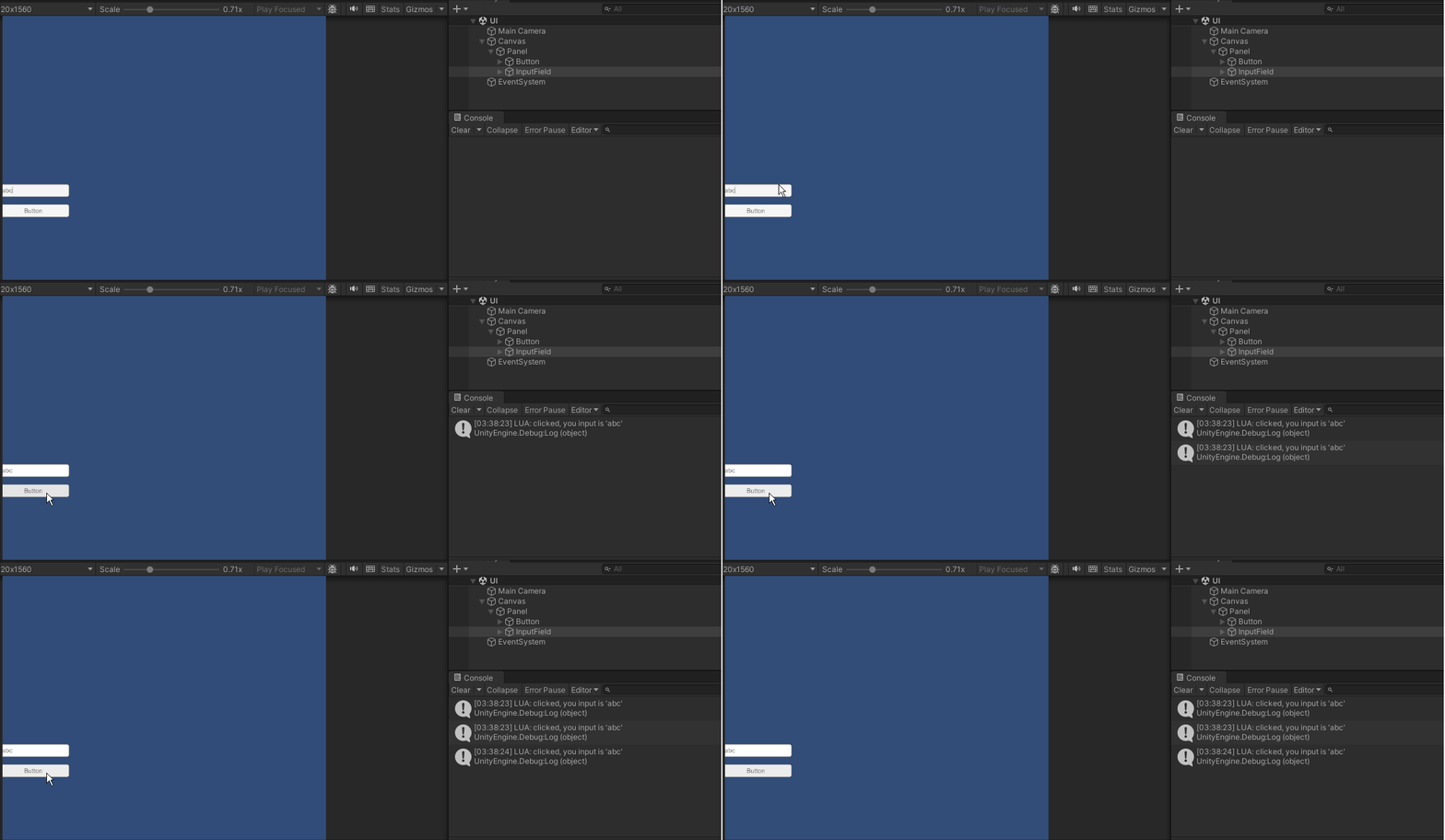
该example展示LuaBehaviour在UI方面的应用,主题依然是用Lua来做MonoBehaviour。具体做法是Button下挂LuaBehaviour,指定脚本ButtonInteraction.lua,注入InputField
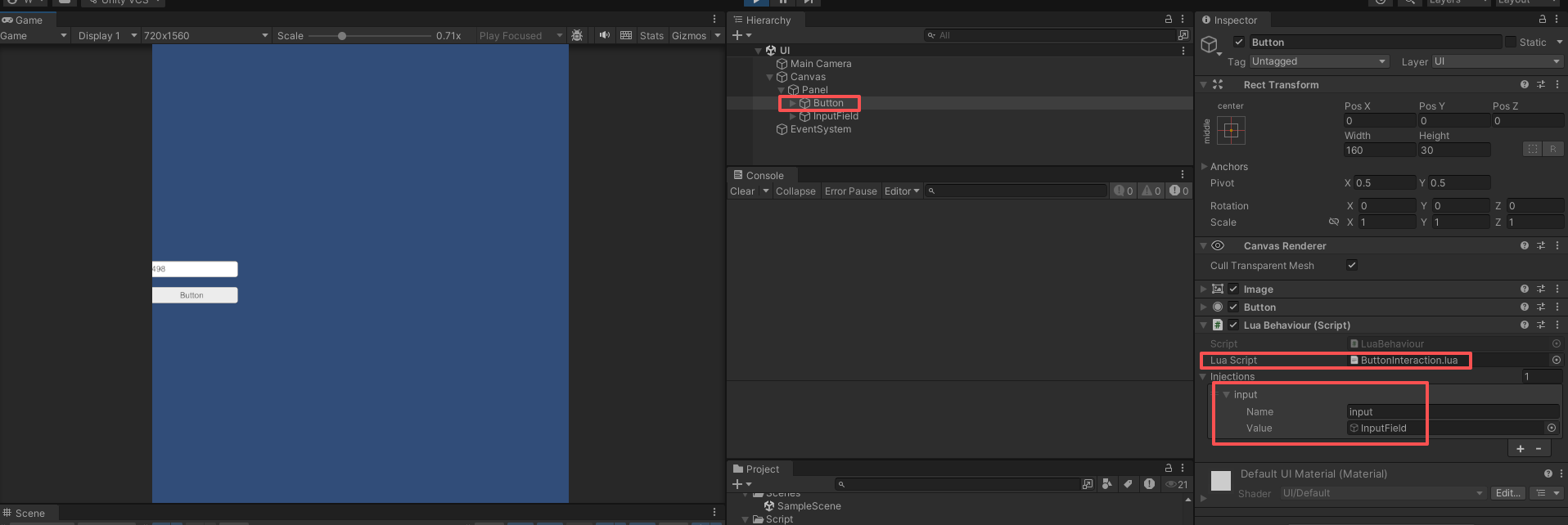
ButtonInteraction.lua的逻辑非常简单,注册Button监听事件,打印InputField的输入内容
Lua
function start()
	print("lua start...")

	self:GetComponent("Button").onClick:AddListener(function()
		print("clicked, you input is '" ..input:GetComponent("InputField").text .."'")
	end)
end