一.传递JSON
JSON就是一种数据格式,有自己的格式和语法,使用文本表示一个对象或数组的信息,因此JSON本质是字符串。主要负责在不同的语言中数据传递和交换。
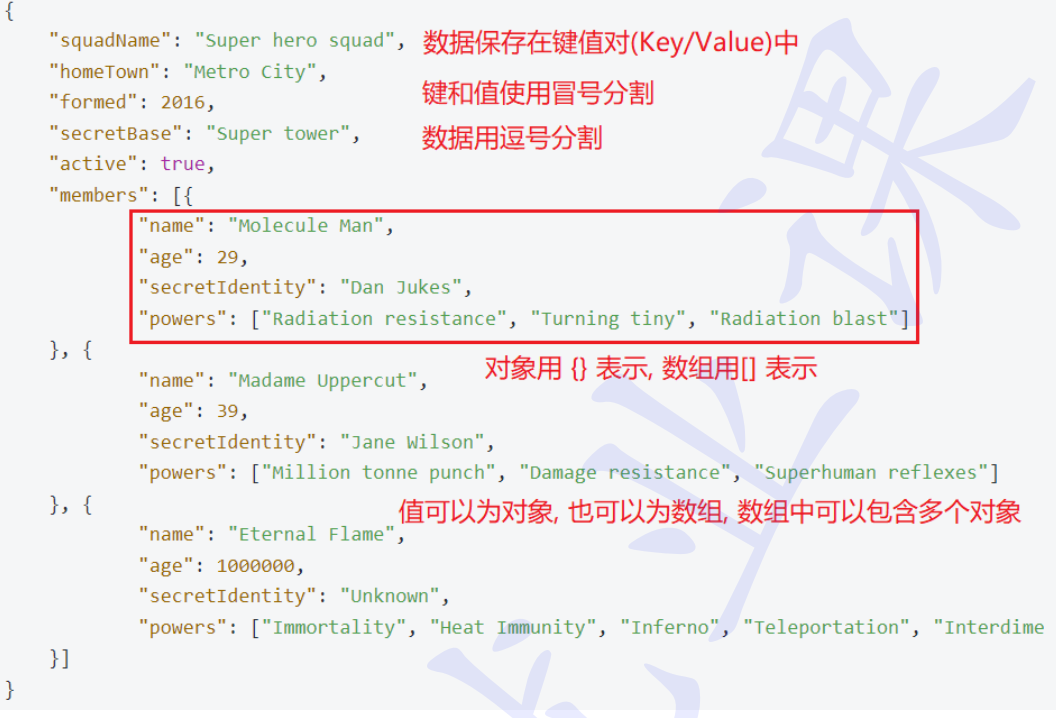
JSON的语法:
- 数据在键值对(key/value)中
- 数据由逗号,分隔
- 对象用{ }表示
- 数组用 表示
- 值可以为对象,也可以为数组,数组中可以包含多个对象
JSON的两种结构
- 对象:大括号{ }保存的对象是一个无序的键值对集合。一个对象以左括号{开始,右括号}结束。每个"键"后面跟一个冒号:,键值对使用逗号,分割。
- 数组:中括号 保存的数组是值的有序集合。一个数组以左中括号开始,右中括号结束,值之间使用逗号,分隔。
XML
{
  "name": "张三",
  "age": 20,
  "height": 175.5,
  "student": true,
  "married": false,
  "address": null,

  "hobbies": [
    "篮球",
    "编程",
    "音乐"
  ],

  "scores": [
    98,
    95,
    88,
    100
  ],

  "contact": {
    "phone": "13800138000",
    "email": "zhangsan@example.com",
    "website": "https://example.com"
  },

  "courses": [
    {
      "id": 1,
      "name": "Java",
      "score": 96
    },
    {
      "id": 2,
      "name": "Python",
      "score": 98
    },
    {
      "id": 3,
      "name": "Spring Boot",
      "score": 95
    }
  ],

  "settings": {
    "theme": "dark",
    "language": "zh-CN",
    "notifications": true,
    "permissions": {
      "camera": false,
      "location": true,
      "storage": true
    }
  },

  "mixedArray": [
    "字符串",
    123,
    45.67,
    true,
    false,
    null,
    {
      "key": "value"
    },
    [
      1,
      2,
      3
    ]
  ]
}
JSON字符串和Java对象互相转换
JSON字符串和Java对象相互转换的工具:
- jackson
- fastjson/fastjson2
- gson
Spring MVC框架集成了JSON转换工具(jackjson),可以之间使用,来完成JSON字符串和Java对象的互转。
java
package com.bit.springbootcsdndemofirst;

public class Student {
    private Integer age;
    private String name;
    private String classId;
    private  String classname;

    public Integer getAge() {
        return age;
    }

    public void setAge(Integer age) {
        this.age = age;
    }

    public String getName() {
        return name;
    }

    public void setName(String name) {
        this.name = name;
    }

    public String getClassname() {
        return classname;
    }

    public void setClassname(String classname) {
        this.classname = classname;
    }

    public String getClassId() {
        return classId;
    }

    public void setClassId(String classId) {
        this.classId = classId;
    }

    @Override
    public String toString() {
        return "Student{" +
                "age=" + age +
                ", name='" + name + '\'' +
                ", classId='" + classId + '\'' +
                ", classname='" + classname + '\'' +
                '}';
    }
}
java
import tools.jackson.databind.ObjectMapper;

public class Studenjson {
    private static ObjectMapper objectMapper=new ObjectMapper();

    public static void main(String[] args) {
        Student stu=new Student();
        stu.setAge(12);
        stu.setClassId("2ban");
        stu.setName("lisi");
        stu.setClassname("six grade 2ban");
//        将对象转换为json
        String s = objectMapper.writeValueAsString(stu);
        System.out.println(s);
//        将json转化为对象
        String str="{\"age\":12,\"classId\":\"2ban\",\"classname\":\"six grade 2ban\",\"name\":\"lisi\"}";
        Student student = objectMapper.readValue(str, Student.class);
        System.out.println(student);
    }
}
JSON优点
- 简单易用:语法简单,易于理解和编写,可以快速进行数据交换
- 跨平台支持:JSON可以被多种编程语言解析和生成,可以在不同的平台和语言进行数据交换和传输
- 轻量级:相较于XML格式,JSON数据格式更加轻量,传输数据时占用宽带较小,可以提高数据传输速度
- 易于扩展:JSON的数据结构灵活,支持嵌套对象和数组等复杂的数据结构,便于扩展和使用
- 安全性:JSON数据格式是一种纯文本格式,不包含可执行代码,不会执行恶意代码,因此具有较高的安全性
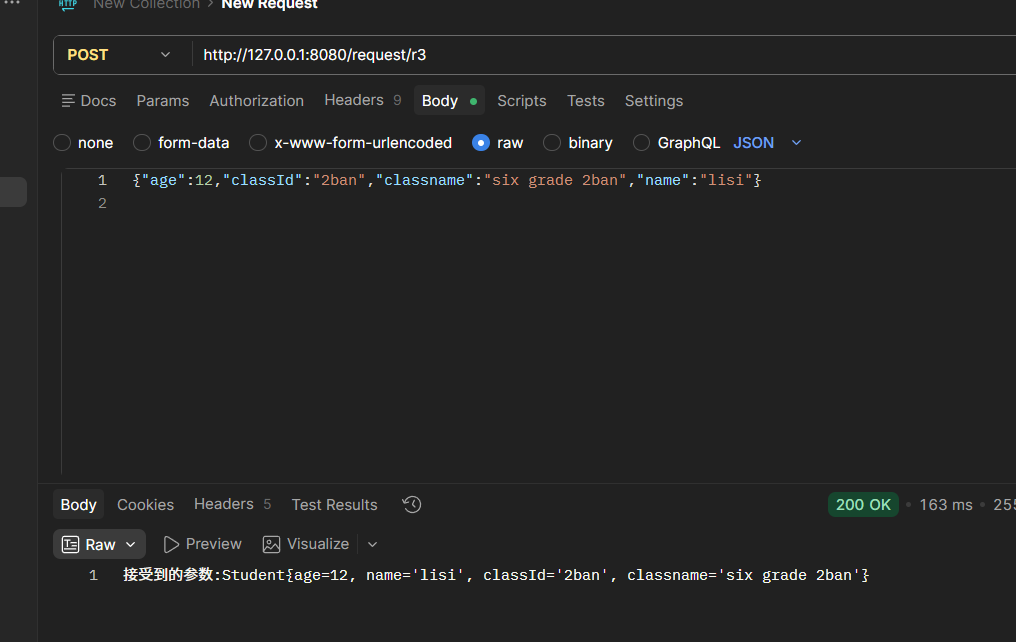
传递JSON对象
接受JSON对象,需要使用@RequestBody注解
java
  @PostMapping("/r3")
    public String r3(@RequestBody Student student){
        return "接受到的参数:"+student;
    }
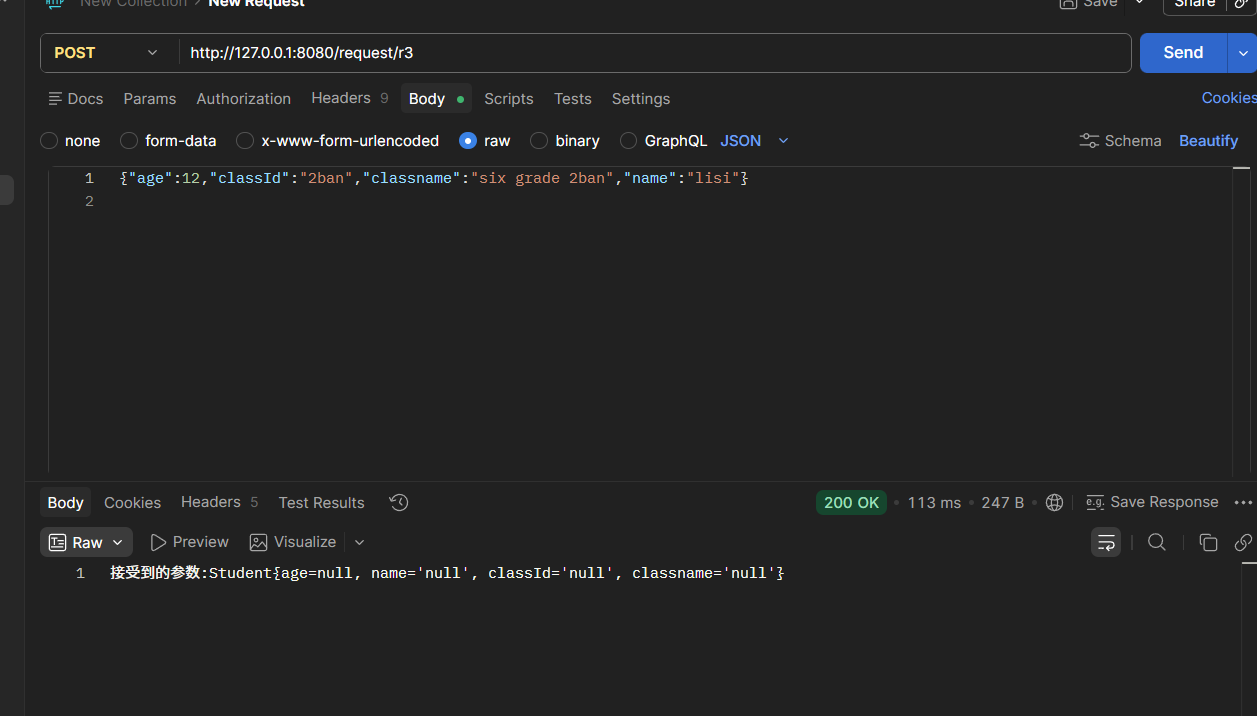
通过Filddler观察请求参数:
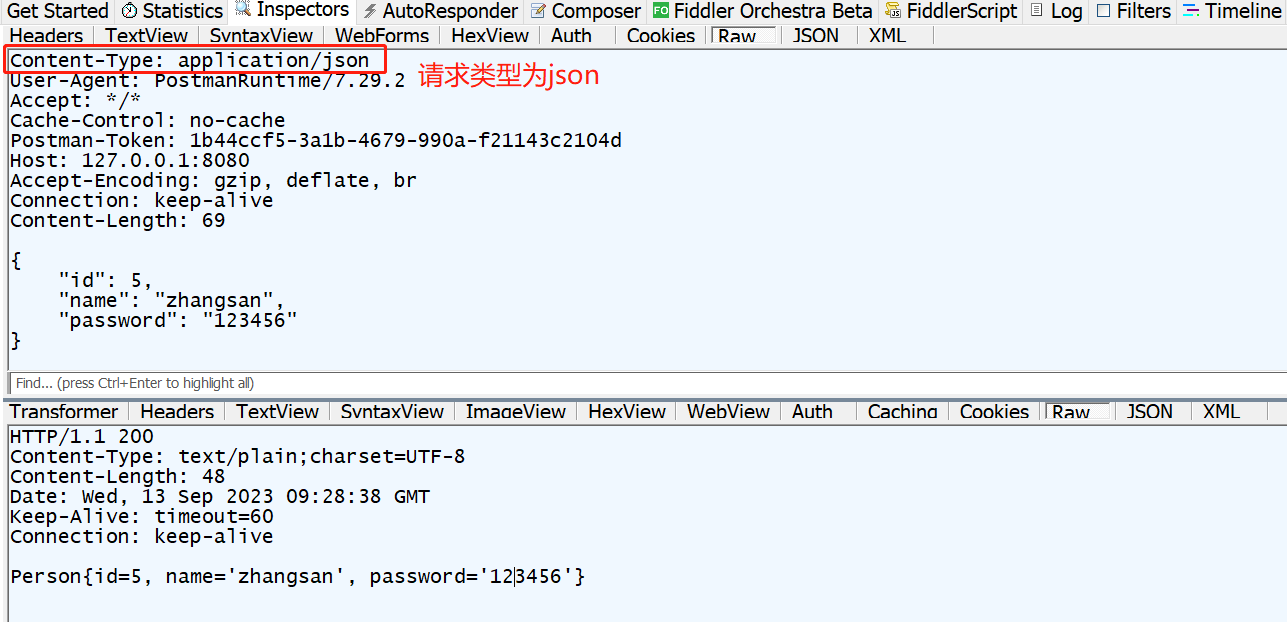
去掉@RequestBody
java
    @PostMapping("/r3")
    public String r3( Student student){
        return "接受到的参数:"+student;
    }
二.获取URL中参数@PathVariable
path variable:路径变量
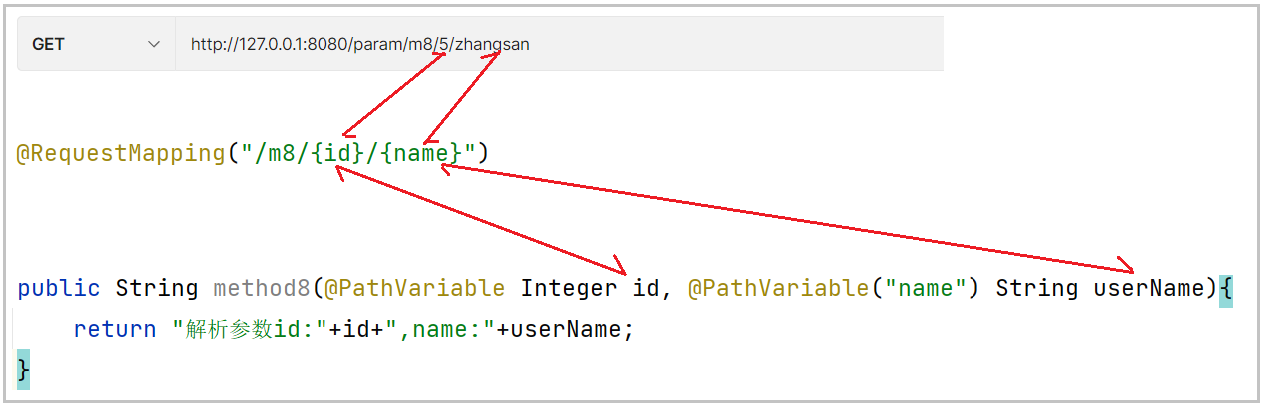
和字面表达的意思一样,这个注解主要作用在请求URL路径上绑定
java
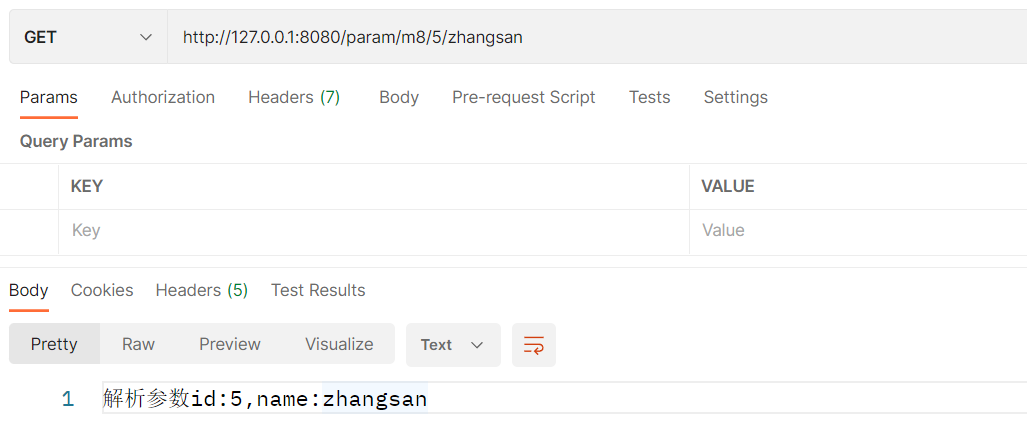
  @PostMapping("/r5/{id}/{name}")
    public String r5(@PathVariable Integer id, @PathVariable String name) {
        return "接收到的参数 " + " id: " + id + " name: " + name;
    }
参数的对应关系如下:
三.上传文件@RequestPart
java
    @PostMapping("/r12")
    public String r12(@RequestPart("file") MultipartFile file) throws IOException {

        String fileName = file.getOriginalFilename();
        file.transferTo(new File("D:/temp/"+file.getOriginalFilename()));

        return "接收到文件:" + fileName;
    }
使用postman发送请求:
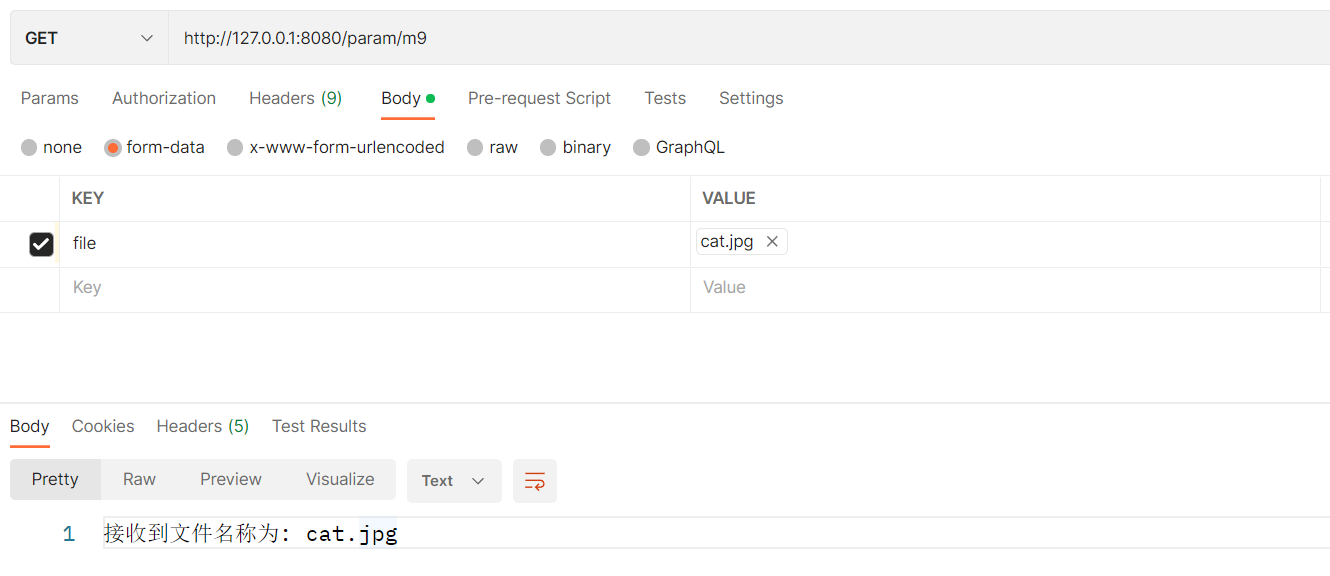
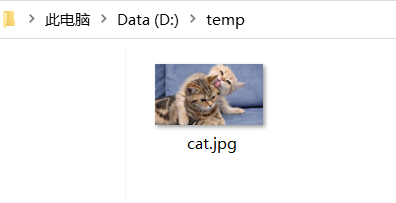
发现在D盘的temp文件夹中出现了cat照片
四.文件的操作
认识文件
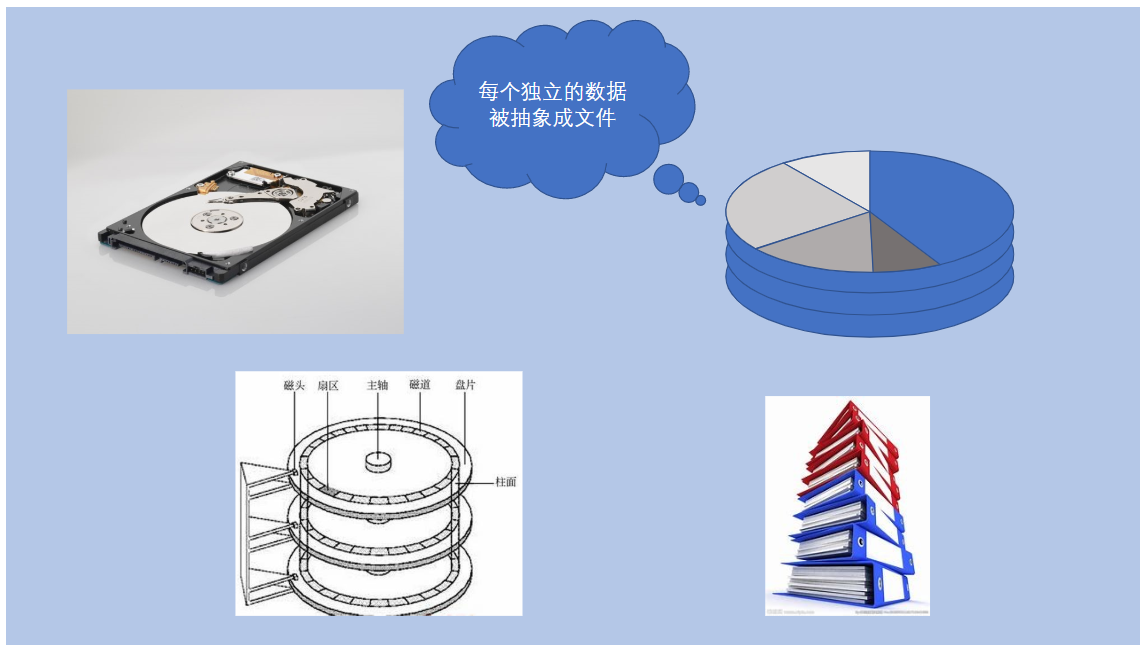
针对硬盘这种持久化存储的I/O设备,当我们想要进行数据保存时,往往不是保存成一个整体,而是独立成一个个单位进行保存,这个独立的单位就被抽像成文件的概念。
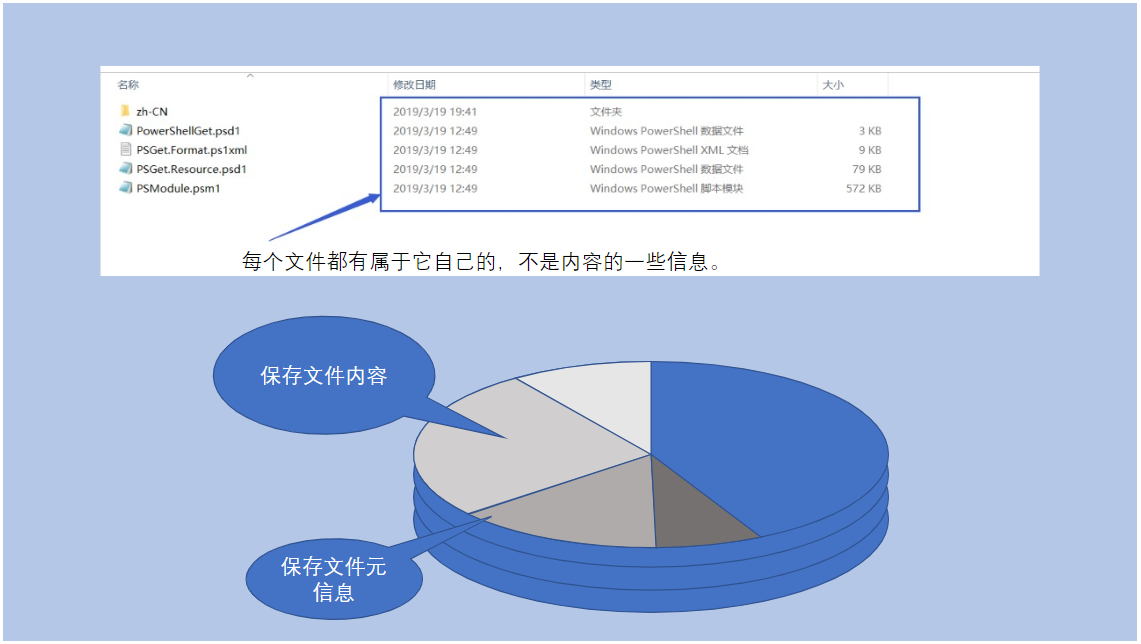
文件除了有数据内容之外,还有一部分信息,例如文件名,文件类型,文件大小等并不能作为文件的数据存在,我们把这部分信息可以视为文件的元信息。
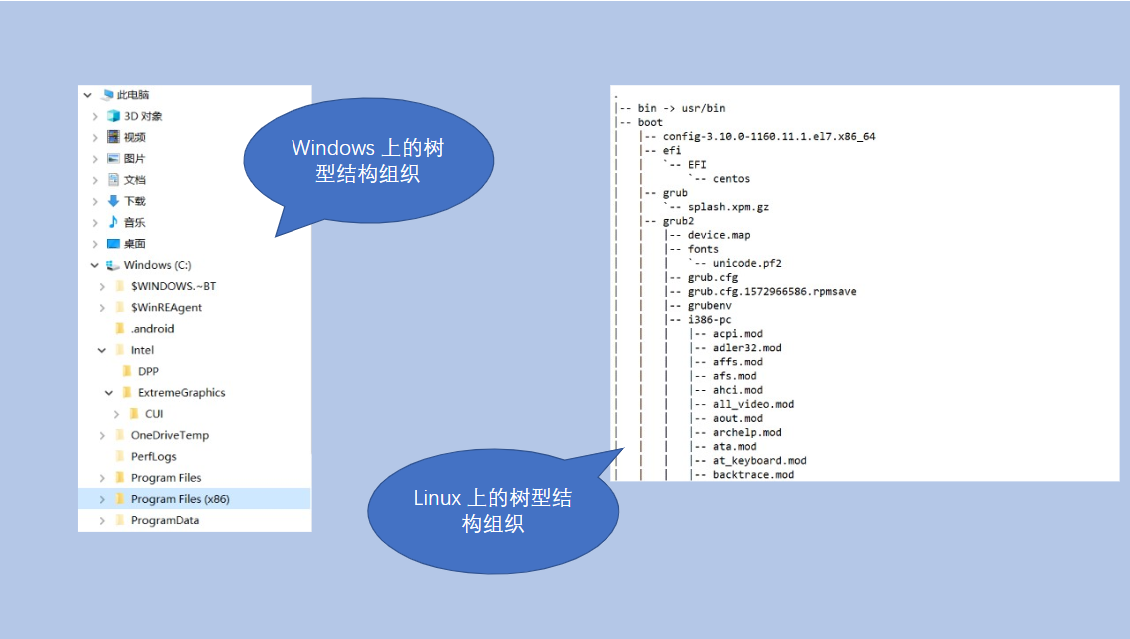
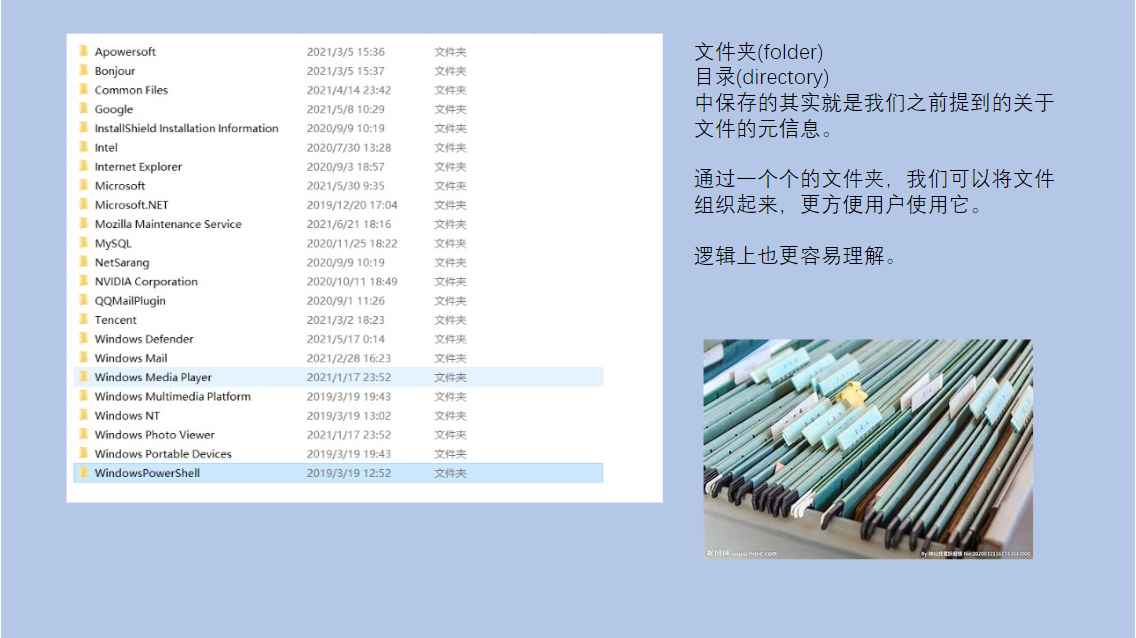
树型结构组织和目录
文件夹:专门用来存放管理信息的特殊文件
文件的路径
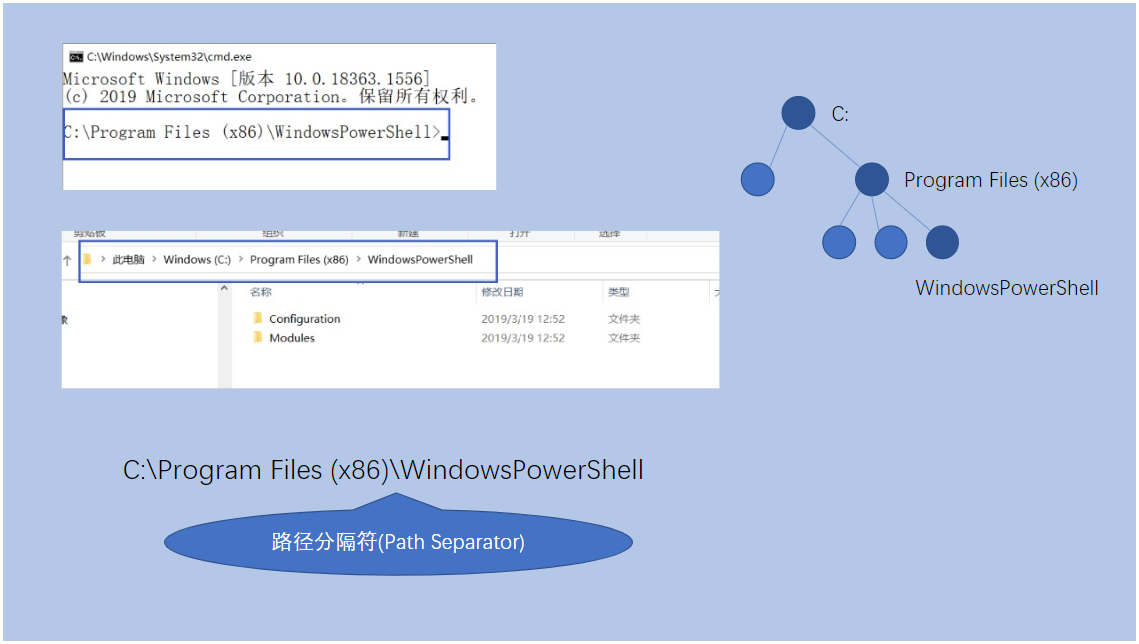
树中的每个节点都从根开始,一直到达的结点的路径所描述,这种描述路径的方式就叫做文件的绝对路径。
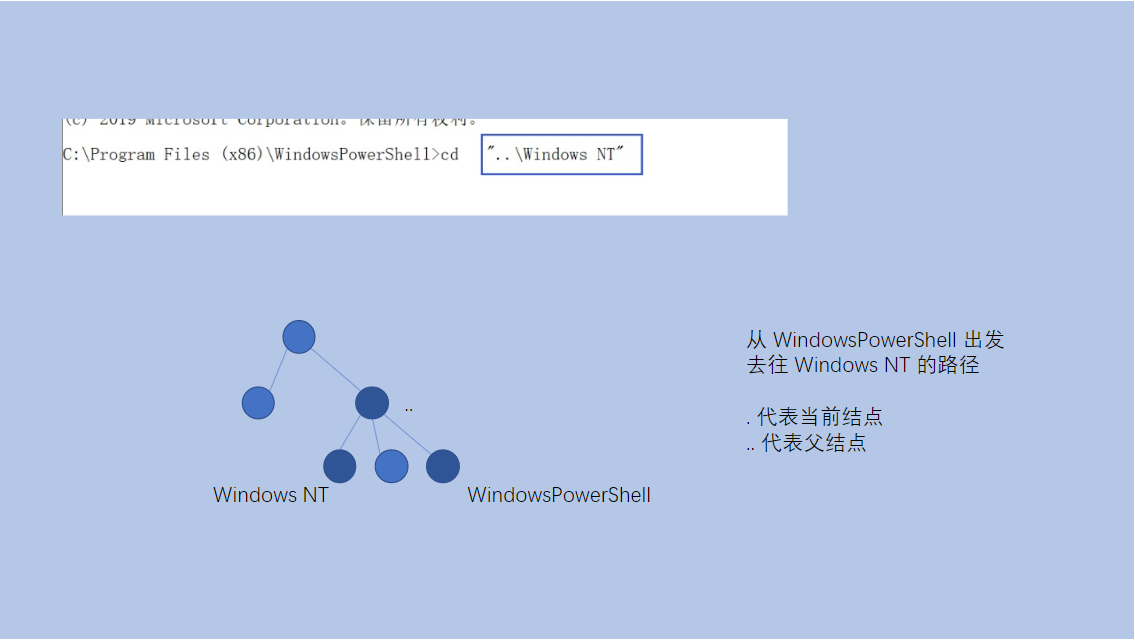
除了可以从跟开始进行路径的描述,我们可以从任意结点出发,进行路径的描述,这种描述方式就成为相对路径。
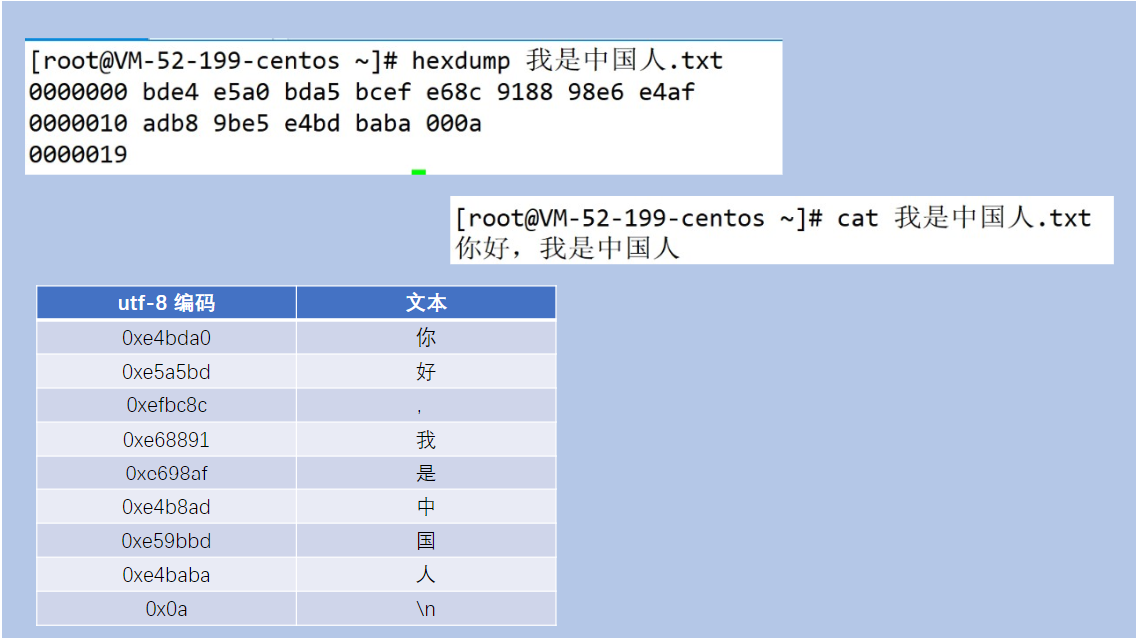
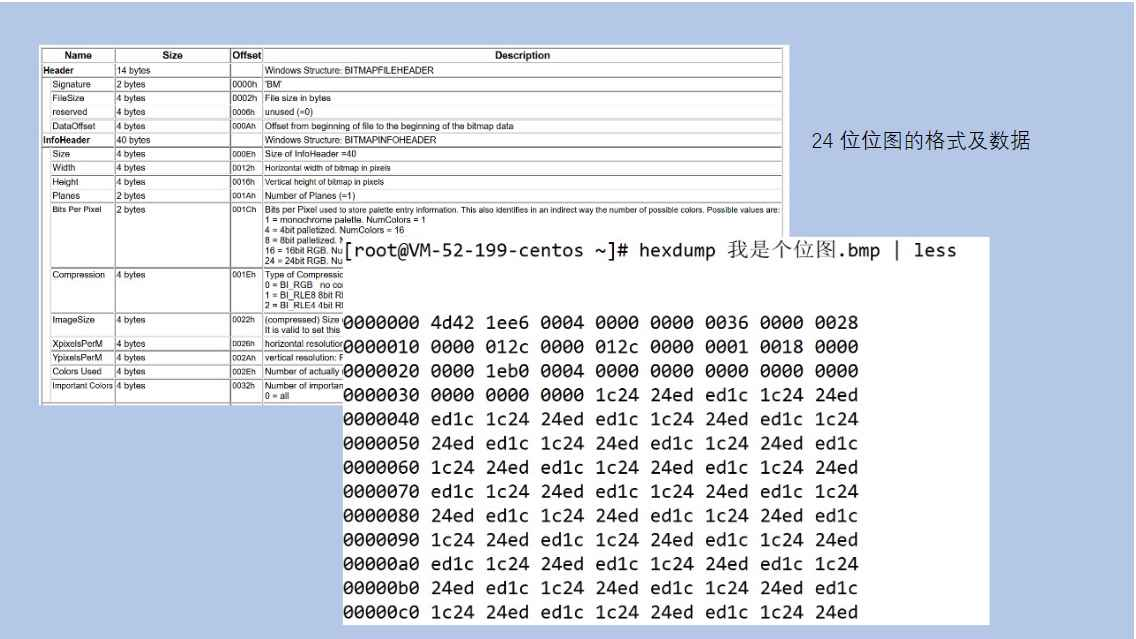
即使是普通文件,根据其保存数据的不同,也经常被分为不同的类型,我们一般简单的划分为文本文件和二进制文件,分别指代保存被字符集编码的文本和按照标准格式保存的非被字符集编码过的文本。
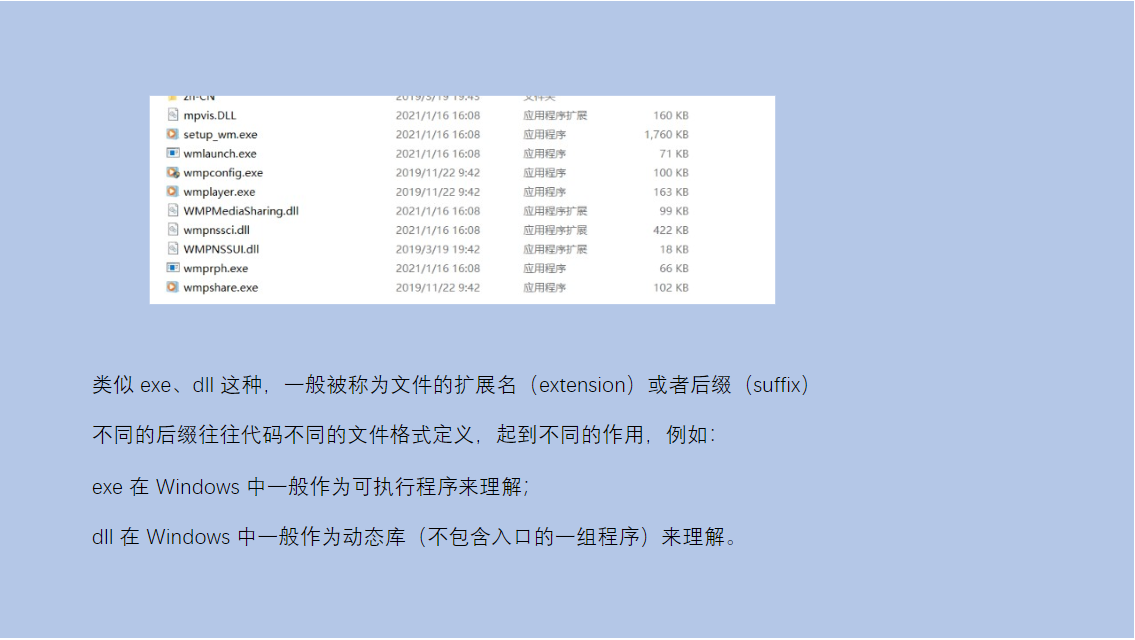
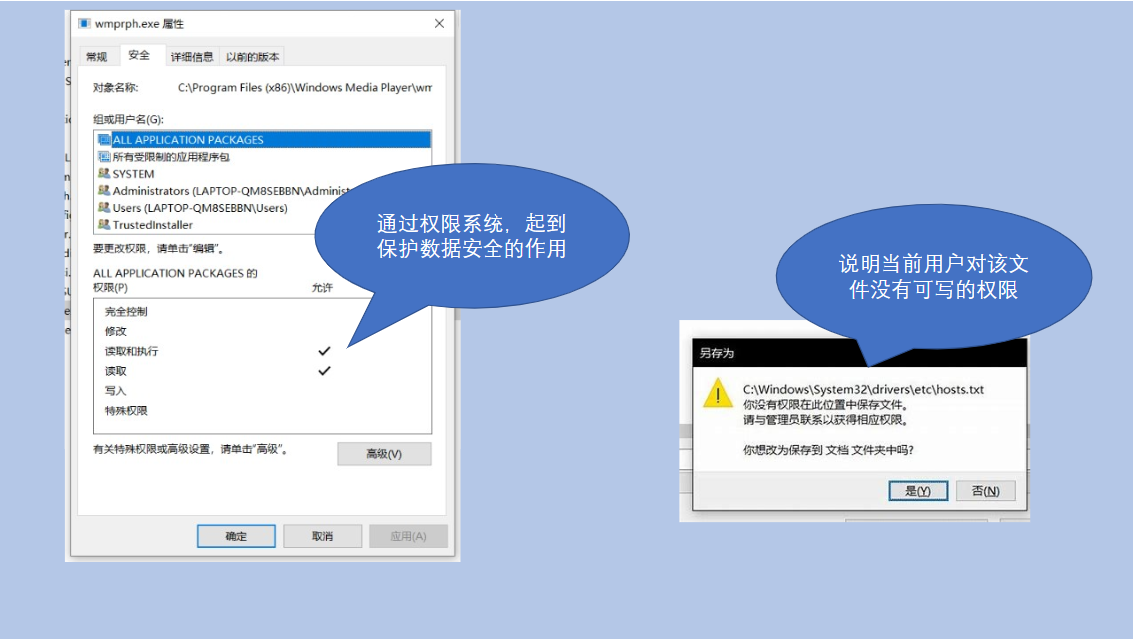
文件由于被操作系统进行了管理,所以根据不同的用户,会赋予用户不同的对待该文件的权限,一般地可以认为有可读,可写,可执行权限。
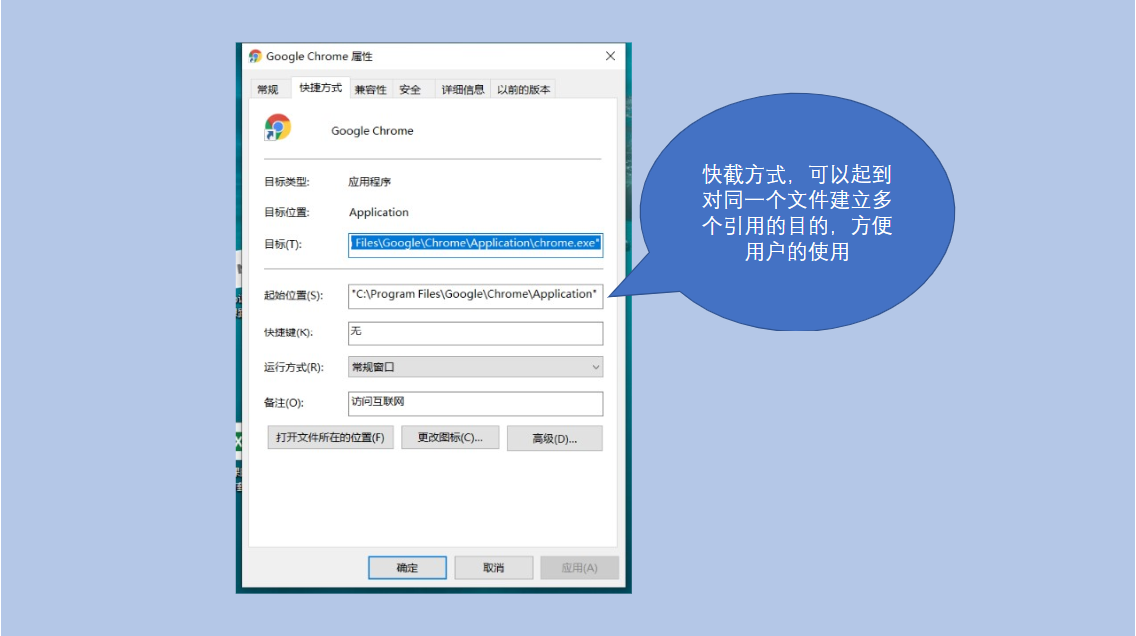
Windows操作系统上,还有一类文件比较特殊,就是平常我们看到的快建方式,这种文件只是对真实文件的一种引用而已。
最后,很多操作系统为了实现接口的统一性,将所有的I/O设备抽象成了文件的概念。
Java中操作文件
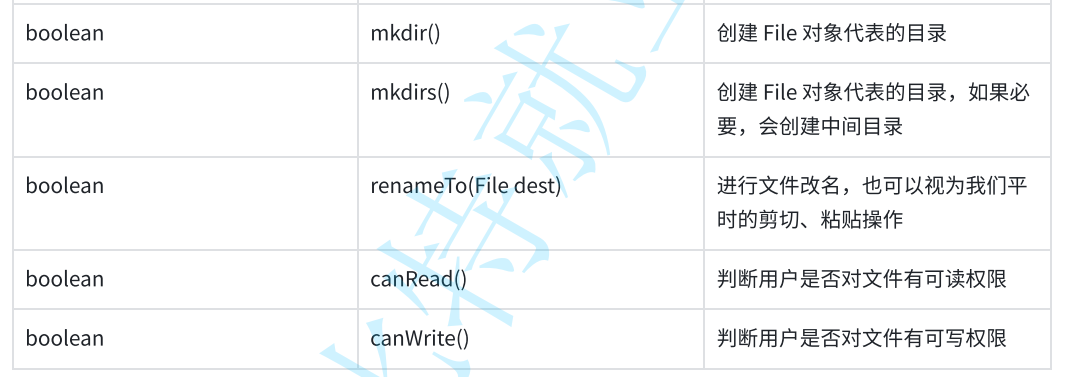
File类中常见属性,构造方法和方法:
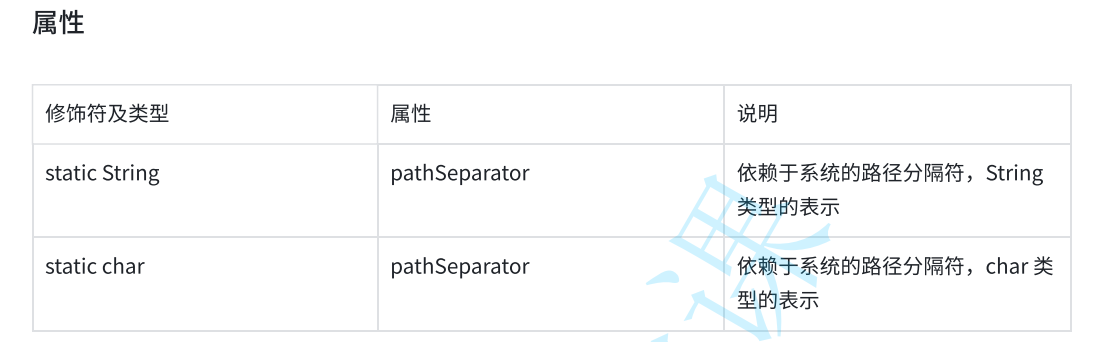
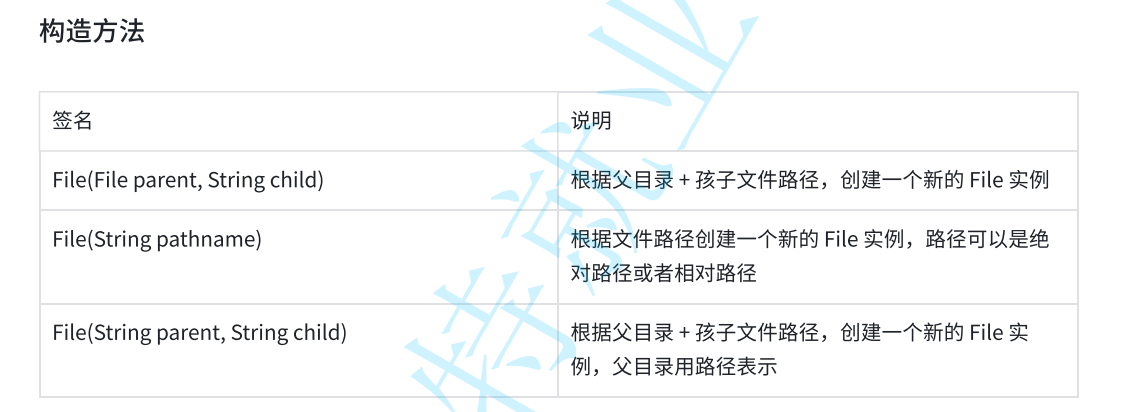
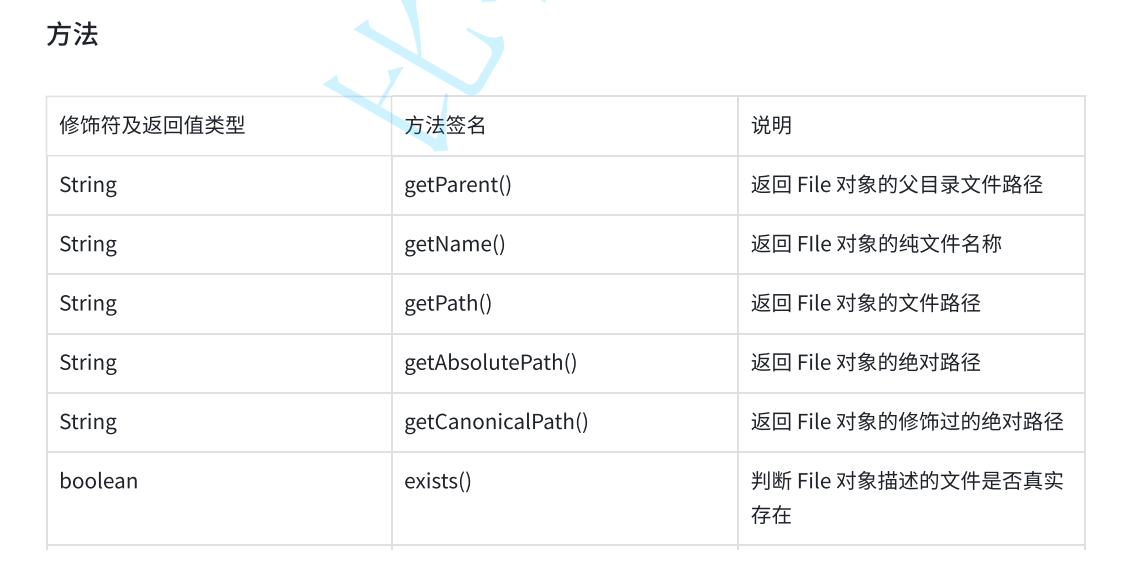
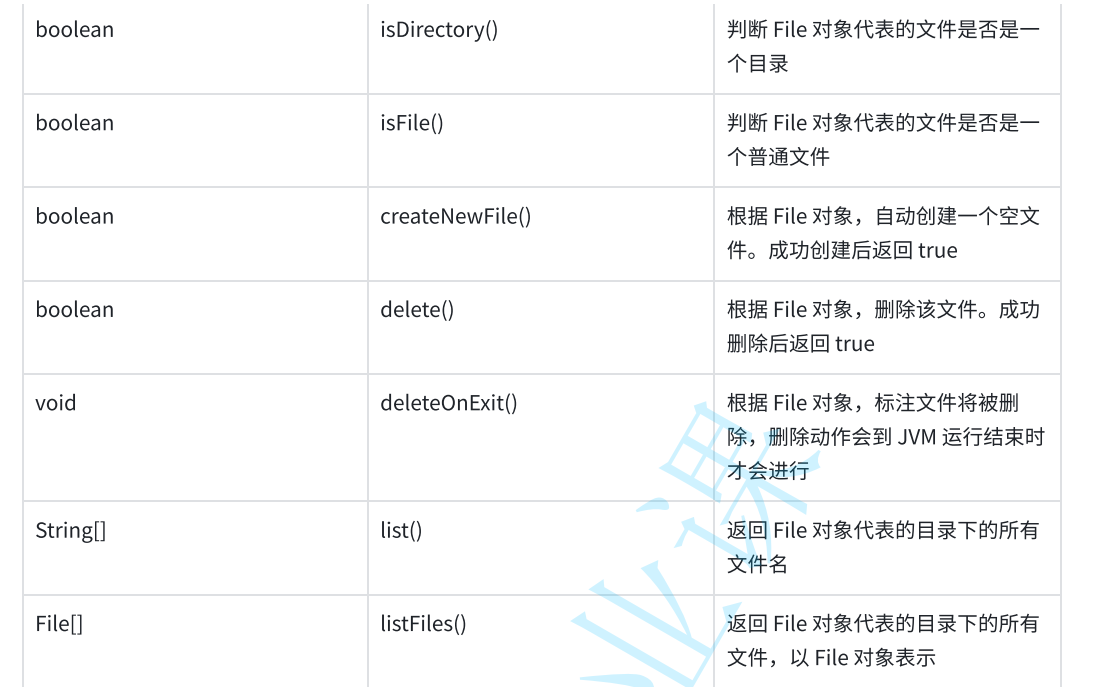
实例1
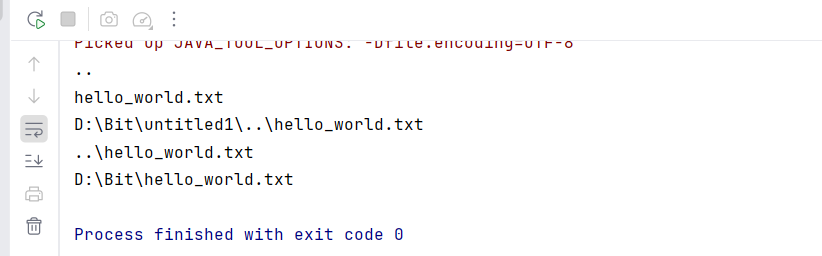
观察get系列的特点和差异
java
   public static void main(String[] args) throws IOException {
        File file=new File("../hello_world.txt");
//        获得File对象的父文件路径
        System.out.println(file.getParent());
//        获得File对象的纯文本名称
        System.out.println(file.getName());
//      获得Dile对象的绝对路径
        System.out.println(file.getAbsoluteFile());
//        获得File文件路径
        System.out.println(file.getPath());
//        获得File对象修饰过的绝对路径
        System.out.println(file.getCanonicalPath());
    }
实例2
普通文件的创建、删除
java
public class Demo1 {
    public static void main(String[] args) throws IOException {
        File file=new File("hello_word.txt");
        System.out.println(file.exists());
        System.out.println(file.isDirectory());
        System.out.println(file.isFile());
        System.out.println(file.createNewFile());
        System.out.println(file.exists());
        System.out.println(file.isDirectory());
        System.out.println(file.isFile());
        System.out.println(file.createNewFile());
    }
}
实例3
普通文件的删除
java
    public static void main(String[] args) throws IOException {
        File file=new File("some_file.txt");
        System.out.println(file.exists());
        System.out.println(file.createNewFile());
        System.out.println(file.exists());
        System.out.println(file.delete());
        System.out.println(file.exists());
    }
实例4
观察deleteOnExit的现象
java
public class Demo3 {
    public static void main(String[] args) throws IOException {
        File file=new File("some_file.txt");
        System.out.println(file.exists());
        System.out.println(file.createNewFile());
        file.deleteOnExit();
        System.out.println(file.exists());
    }
}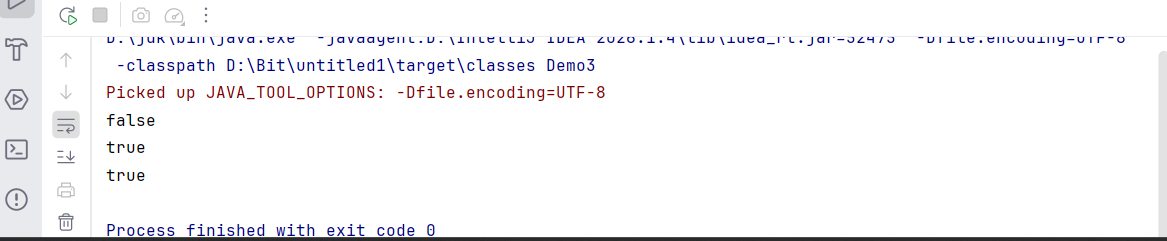
程序运⾏结束后,⽂件还是被删除了。
实例5
文件的创建
java
public class Demo4 {
    public static void main(String[] args) {
        File dir=new File("some_dir");
        System.out.println(dir.isDirectory());
        System.out.println(dir.isFile());
        System.out.println(dir.mkdir());
        System.out.println(dir.isDirectory());
        System.out.println(dir.isFile());
    }
}
实例6
观察文件重命名
java
public class Demo6 {
    public static void main(String[] args) throws IOException {
        File file=new File("some_file.txt");
        File dest=new File("dest.txt");
        System.out.println(file.exists());
        System.out.println(file.createNewFile());
        System.out.println(dest.isFile());
        System.out.println(file.renameTo(dest));
        System.out.println(file.exists());
        System.out.println(dest.exists());
    }
}
文件的读写操作
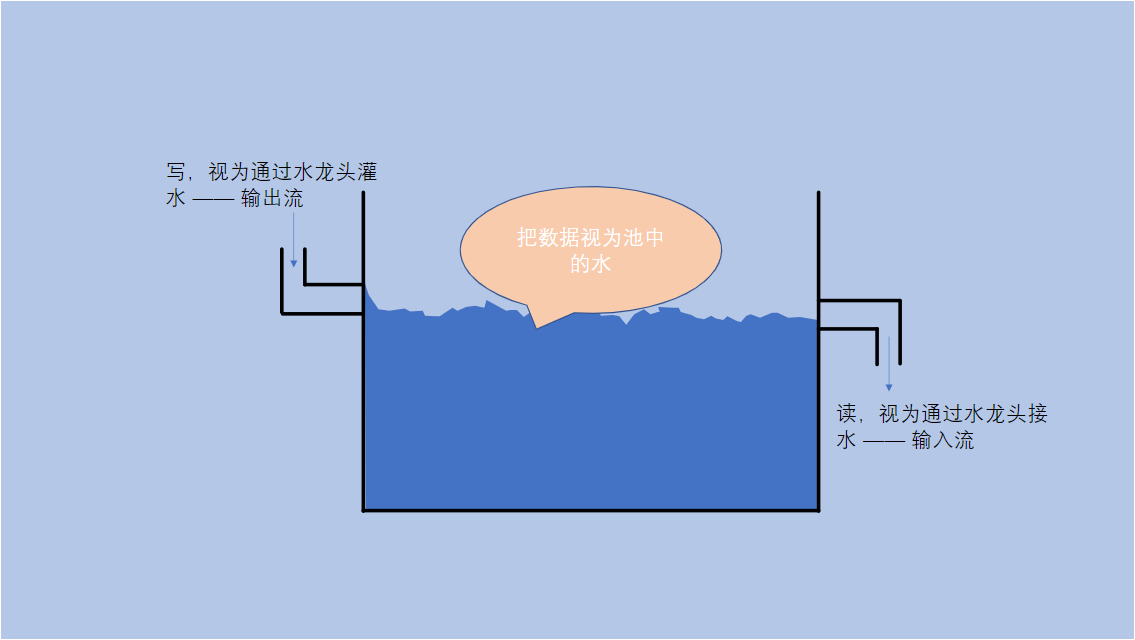
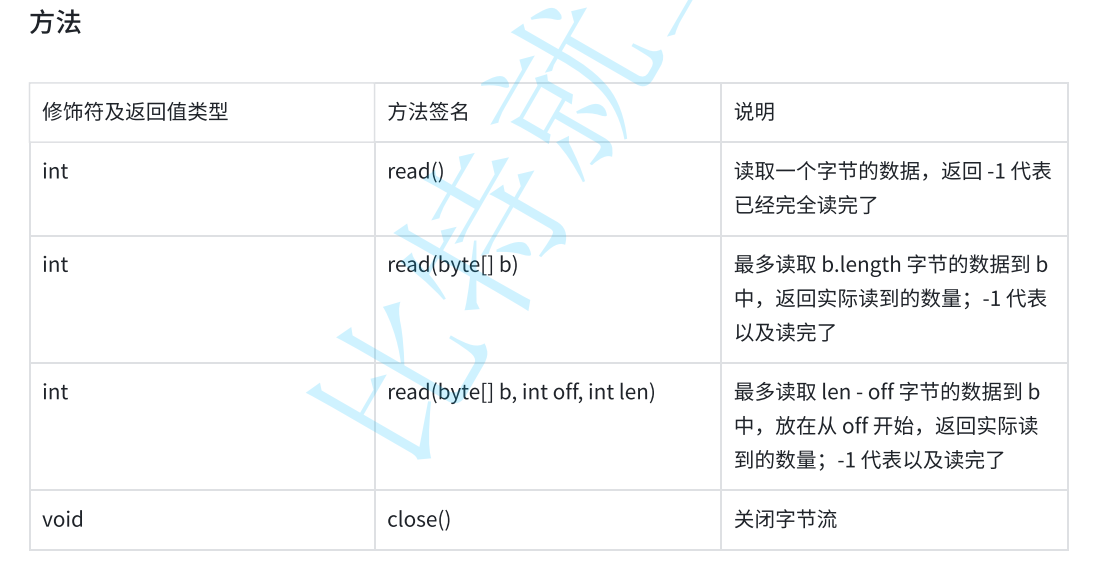
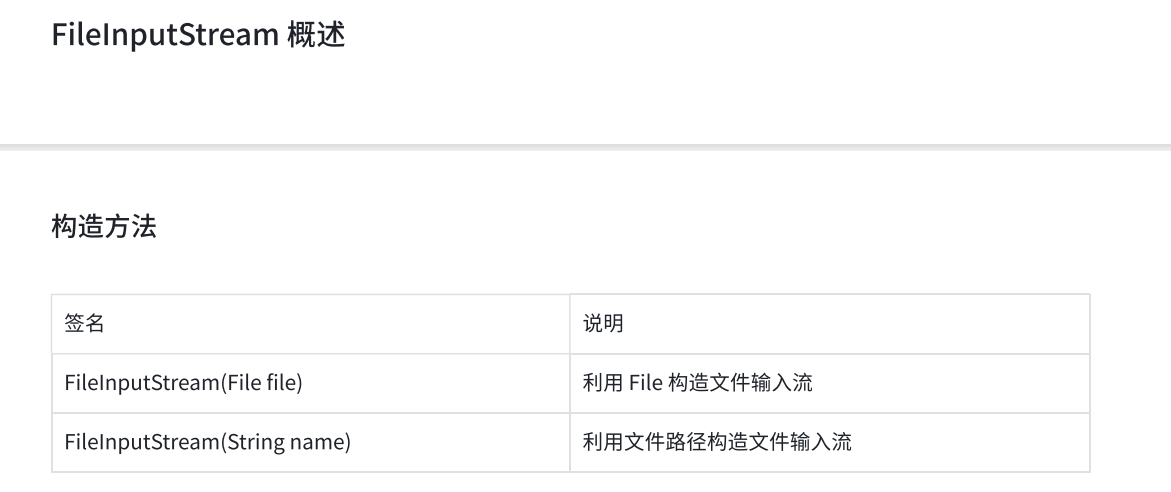
InputStream 概述