ArkTS 进阶之道(18):AttributeModifier 动态样式边界------为啥当前版本报错+@Extend 替代正解
本文是「ArkTS 进阶之道」系列第 18 篇,续「ArkUI 组件设计」阶段深水区。上三篇讲属性绑定复用:@Builder 绑渲染树节点(篇 63)+ @BuilderParam 绑参数槽(篇 64)+ @Styles 绑通用属性(篇 65)+ @Extend 绑专属属性槽+参数(篇 66)。本文讲动态样式边界:AttributeModifier 荬饰器绑可导出样式类+多态样式+业务逻辑 ------根因在绑可导出样式类属性槽不是静态绑属性。当前鸿蒙 6.1 API 23 版本报
arkts-no-method-reassignment(子类赋值 AttributeModifier 属性槽不被支持),正解用 @Extend 替代实现等效动态样式。
一、开篇:AttributeModifier 不是静态绑属性,是绑可导出样式类的多态荬饰器
你写 TypeScript/React 时,动态样式扩展是「魔法」(React 用 styled-components 动态样式 / CSS-in-JS 收可导出样式类+多态样式+业务逻辑):
typescript
// React 用 styled-components 收可导出样式类+多态样式+业务逻辑
class MyTextStyleModifier {
  private size: number
  private color: string
  private isBold: boolean
  constructor(size: number, color: string, isBold: boolean = false) {
    this.size = size; this.color = color; this.isBold = isBold
  }
  applyNormal(): React.CSSProperties {        ← 可导出样式类+多态方法(正常态)
    return { fontSize: this.size, color: this.color, fontWeight: this.isBold ? 'bold' : 'normal' }
  }
  applyPressed(): React.CSSProperties {       ← 多态方法(按压态变色)
    return { backgroundColor: '#e0e0e0' }
  }
}
function Component() {
  const modifier = new MyTextStyleModifier(16, '#dc2626', true)
  return <Text style={modifier.applyNormal()}>动态样式</Text>
}
// React 用可导出样式类+多态方法+业务逻辑收动态样式,是返值收值魔法
你写鸿蒙 ArkTS 时,AttributeModifier 绑可导出样式类+多态样式+业务逻辑------不用返样式对象(当前版本报错,正解 @Extend 替代):
typescript
// ❌ ArkTS AttributeModifier 绑可导出样式类+多态样式(当前版本报错)
class MyTextStyleModifier implements AttributeModifier<TextAttribute> {
  size: number
  color: ResourceColor
  isBold: boolean
  constructor(size: number, color: ResourceColor, isBold: boolean = false) {
    this.size = size; this.color = color; this.isBold = isBold
  }
  applyNormalAttribute(attr: TextAttribute): void {
    attr.fontSize = this.size          ← 报 arkts-no-method-reassignment(当前版本不支持)
    attr.fontColor = this.color        ← 报 arkts-no-method-reassignment(当前版本不支持)
  }
  applyPressedAttribute(attr: TextAttribute): void {
    attr.backgroundColor = '#e0e0e0'   ← 报 arkts-no-method-reassignment(多态样式不被支持)
  }
}
@Entry
@Component
struct Index {
  build() {
    Column() {
      Text('动态样式')
        .attributeModifier(new MyTextStyleModifier(16, '#dc2626', true))   ← 报错不能跑
    }
  }
}
// AttributeModifier 绑可导出样式类+多态样式+业务逻辑,当前版本报错(arkts-no-method-reassignment)
魔法 vs 荬饰器的区别 :React 把动态样式扩展当可导出样式类收值(返值收值魔法),ArkTS 把 AttributeModifier 当「绑可导出样式类多态荬饰器」(不收值,绑可导出样式类+多态方法+业务逻辑)。当前版本报 arkts-no-method-reassignment(子类赋值 AttributeModifier 属性槽不被支持),正解用 @Extend 替代实现等效动态样式。
二、根因:AttributeModifier 的可导出样式类绑定多态机制
鸿蒙 ArkUI 的 AttributeModifier 是可导出样式类绑定多态------编译期把 AttributeModifier 子类绑成可导出样式类,链式调用嵌样式类复用专属属性+多态样式(applyNormal/applyPressed 等多态方法)+业务逻辑动态调,不是静态绑属性。
机制 1:AttributeModifier 编译期绑可导出样式类------不是静态绑属性
AttributeModifier 荬饰器编译期绑可导出样式类------把 AttributeModifier 子类编成可导出样式类(跨文件复用),不是静态绑的属性:
typescript
// ❌ AttributeModifier 编译期绑可导出样式类(当前版本报错)
class MyTextStyleModifier implements AttributeModifier<TextAttribute> {
  size: number
  color: ResourceColor
  isBold: boolean
  constructor(size: number, color: ResourceColor, isBold: boolean = false) {
    this.size = size; this.color = color; this.isBold = isBold
  }
  applyNormalAttribute(attr: TextAttribute): void {
    attr.fontSize = this.size          ← 报 arkts-no-method-reassignment(绑样式类属性槽不被支持)
  }
}
@Entry
@Component
struct Index {
  build() {
    Column() {
      Text('动态样式')
        .attributeModifier(new MyTextStyleModifier(16, '#dc2626', true))
        // 编译期绑可导出样式类(跨文件复用),不是静态绑属性
    }
  }
}
// 编译期:AttributeModifier 子类绑成可导出样式类(可跨文件 export/import 复用)
// 链式调用:.attributeModifier(new ...) 嵌样式类实例绑组件(不返值)
// 报错根因:当前版本子类赋值 AttributeModifier 属性槽报 arkts-no-method-reassignment
编译期绑可导出样式类 :AttributeModifier MyTextStyleModifier 荬饰器编译期把子类绑成可导出样式类------可跨文件 export/import 复用(不像 @Styles/@Extend 全局定义)。当前版本报 arkts-no-method-reassignment------子类赋值 AttributeModifier 属性槽(attr.fontSize = this.size)不被支持,根因是当前版本属性槽赋值语法未实现。
机制 2:多态样式方法绑定------applyNormal/applyPressed 多态调
AttributeModifier 荬饰器 绑多态样式方法------applyNormalAttribute(正常态)/applyPressedAttribute(按压态)/applyFocusedAttribute(聚焦态)等多态方法依据业务逻辑动态调:
typescript
// ❌ AttributeModifier 绑多态样式方法(当前版本报错)
class MyTextStyleModifier implements AttributeModifier<TextAttribute> {
  applyNormalAttribute(attr: TextAttribute): void {
    attr.fontSize = 16                  ← 正常态字号 16(多态方法)
  }
  applyPressedAttribute(attr: TextAttribute): void {
    attr.backgroundColor = '#e0e0e0'    ← 按压态背景色变(多态方法)
  }
  applyFocusedAttribute(attr: TextAttribute): void {
    attr.backgroundColor = '#fee'       ← 聚焦态背景色变(多态方法)
  }
}
// 多态样式方法绑定:applyNormal/applyPressed/applyFocused 依据态变样式(多态调)
// 当前版本子类赋值属性槽报错,多态样式方法不被支持
多态样式方法绑定 :AttributeModifier 绑多态样式方法------applyNormalAttribute(正常态)/applyPressedAttribute(按压态)/applyFocusedAttribute(聚焦态)等多态方法依据态变样式。不像 @Styles/@Extend 只能静态绑属性(按态变样式不支持),AttributeModifier 多态方法依据态动态调样式。当前版本报错------多态样式方法赋值属性槽不被支持。
机制 3:业务逻辑动态调------按参数/状态变专属属性
AttributeModifier 荬饰器 绑业务逻辑动态调------按参数/状态变专属属性(字号按 count 变、字色按 count>5 变等业务逻辑):
typescript
// ❌ AttributeModifier 绑业务逻辑动态调(当前版本报错)
class MyDynamicModifier implements AttributeModifier<TextAttribute> {
  count: number
  constructor(count: number) { this.count = count }
  applyNormalAttribute(attr: TextAttribute): void {
    attr.fontSize = 10 + this.count                    ← 按 count 业务逻辑变字号
    attr.fontColor = this.count > 5 ? '#dc2626' : '#2563eb'   ← 按 count 业务逻辑变字色
  }
}
@Entry
@Component
struct Index {
  @State count: number = 0
  build() {
    Column() {
      Text(`动态字号=10+${this.count}`)
        .attributeModifier(new MyDynamicModifier(this.count))   ← 按 @State count 业务逻辑动态调
      Button('改 count')
        .onClick(() => { this.count++ })                // count 变触发按业务逻辑重算字号/字色
    }
  }
}
// AttributeModifier 绑业务逻辑动态调:按参数/状态变专属属性(字号按 count 变等)
// 当前版本子类赋值属性槽报错,业务逻辑动态调不被支持
业务逻辑动态调 :AttributeModifier 绑业务逻辑动态调------按参数/状态变专属属性(字号按 count 变、字色按 count>5 变等业务逻辑)。不像 @Styles 不支持业务逻辑(只能静态绑固定属性集),AttributeModifier 多态方法依据业务逻辑动态调样式。当前版本报错------业务逻辑动态调赋值属性槽不被支持。
机制 4:当前版本报错边界------arkts-no-method-reassignment
AttributeModifier 当前版本报 arkts-no-method-reassignment------子类赋值 AttributeModifier 属性槽(attr.fontSize = this.size)不被支持,根因是当前版本属性槽赋值语法未实现:
typescript
// ❌ 当前版本子类赋值 AttributeModifier 属性槽报错
class MyTextStyleModifier implements AttributeModifier<TextAttribute> {
  applyNormalAttribute(attr: TextAttribute): void {
    attr.fontSize = 16              ← 报 arkts-no-method-reassignment(属性槽赋值不被支持)
    attr.fontColor = '#dc2626'      ← 报 arkts-no-method-reassignment(属性槽赋值不被支持)
    attr.fontWeight = FontWeight.Bold    ← 报 arkts-no-method-reassignment(属性槽赋值不被支持)
  }
}
// 报错根因:当前版本子类赋值 AttributeModifier 属性槽不被支持(arkts-no-method-reassignment)
// 正解:用 @Extend 替代实现等效动态样式(绑特定组件专属属性+支持参数)
当前版本报错边界 :AttributeModifier 当前版本报 arkts-no-method-reassignment------子类赋值 AttributeModifier 属性槽(attr.fontSize = this.size)不被支持。报错根因是当前版本属性槽赋值语法未实现(arkts-no-method-reassignment 约束子类方法不能重赋值属性槽)。正解用 @Extend 替代实现等效动态样式(绑特定组件专属属性+支持参数),不用 AttributeModifier。
三、正解:@Extend 替代 AttributeModifier 实现等效动态样式
当前版本 AttributeModifier 报错,正解用 @Extend 替代实现等效动态样式------@Extend 绑特定组件专属属性+支持参数,能实现 AttributeModifier 的按参数动态调等效功能(不支持多态样式/可导出样式类,但能动态调专属属性)。
正解 1:@Extend 替代按参数动态调专属属性
typescript
// ✅ @Extend 替代 AttributeModifier 按参数动态调专属属性
@Extend(Text)
function MyTextStyle(size: number, color: ResourceColor, isBold: boolean = false) {
  .fontSize(size)                              // ✅ 按参数变字号(替代 attr.fontSize = size)
  .fontColor(color)                            // ✅ 按参数变字色(替代 attr.fontColor = color)
  .fontWeight(isBold ? FontWeight.Bold : FontWeight.Normal)
  .backgroundColor('#f0f0f0')
  .padding(6)
  .borderRadius(4)
}
@Entry
@Component
struct Index {
  build() {
    Column() {
      Text('样式扩展1')
        .MyTextStyle(16, '#dc2626', true)        // ✅ @Extend 带参数动态调字号/字色/加粗
      Text('样式扩展2')
        .MyTextStyle(14, '#2563eb', false)       // ✅ 多调用点复用同 @Extend 不同参数
    }
  }
}
// @Extend 替代正解:按参数动态调专属属性(字号/字色/加粗),不用 AttributeModifier
为哈能跑 :@Extend 替代 AttributeModifier 按参数动态调专属属性------.MyTextStyle(16, '#dc2626', true) 按参数变字号/字色/加粗,等效 AttributeModifier 的 applyNormalAttribute 按参数动态调。不用 AttributeModifier(当前版本报错),用 @Extend 绑特定组件专属属性+参数实现等效动态调。
正解 2:@Extend 替代按 @State 业务逻辑动态调
typescript
// ✅ @Extend 替代 AttributeModifier 按 @State 业务逻辑动态调
@Extend(Text)
function MyDynamicTextStyle(size: number, color: ResourceColor) {
  .fontSize(size)                              // ✅ 按 @State count 业务逻辑变字号
  .fontColor(color)                            // ✅ 按 @State count 业务逻辑变字色
  .fontWeight(FontWeight.Bold)
  .margin({ top: 4, bottom: 4 })
}
@Entry
@Component
struct Index {
  @State count: number = 0
  build() {
    Column() {
      Text(`动态字号=${10 + this.count},count>5 红色否则蓝色`)
        .MyDynamicTextStyle(10 + this.count, this.count > 5 ? '#dc2626' : '#2563eb')
        // ✅ 按 @State count 业务逻辑动态变字号/字色(替代 AttributeModifier 业务逻辑动态调)
      Button('改 count')
        .onClick(() => { this.count++ })          // count 变触发按业务逻辑重算字号/字色
    }
  }
}
// @Extend 替代正解:按 @State 业务逻辑动态调(字号按 count 变、字色按 count>5 变),不用 AttributeModifier
为哈能跑 :@Extend 替代 AttributeModifier 按 @State 业务逻辑动态调------MyDynamicTextStyle(10 + this.count, this.count > 5 ? '#dc2626' : '#2563eb') 按 @State count 业务逻辑动态变字号(10+count)/字色(count>5 红 否则蓝),等效 AttributeModifier 的业务逻辑动态调。不用 AttributeModifier(当前版本报错),用 @Extend 收参数(调用时传 this.count 业务逻辑)实现等效动态调。
正解 3:@Extend 不支持多态样式的绕坑(按态变样式用 if 条件渲染)
typescript
// ✅ @Extend 不支持多态样式(按压态变样式等)绕坑:按态变样式用 if 条件渲染
@Extend(Text)
function MyNormalStyle() {
  .fontSize(16).fontColor('#2563eb').backgroundColor('#f0f0f0')
}
@Extend(Text)
function MyPressedStyle() {
  .fontSize(16).fontColor('#2563eb').backgroundColor('#e0e0e0')   ← 按压态背景色变
}
@Entry
@Component
struct Index {
  @State isPressed: boolean = false
  build() {
    Column() {
      if (this.isPressed) {
        Text('按压态')
          .MyPressedStyle()                     // ✅ 按压态显 MyPressedStyle(if 条件渲染替代多态样式)
      } else {
        Text('正常态')
          .MyNormalStyle()                      // ✅ 正常态显 MyNormalStyle(if 条件渲染替代多态样式)
      }
      Button('切按压态')
        .onClick(() => { this.isPressed = !this.isPressed })
    }
  }
}
// @Extend 不支持多态样式绕坑:按态变样式用 if 条件渲染切两 @Extend(替代 AttributeModifier 多态方法)为哈能跑:@Extend 不支持多态样式(按压态变样式等)绕坑------按态变样式用 if 条件渲染切两 @Extend(MyNormalStyle 正常态 / MyPressedStyle 按压态),替代 AttributeModifier 的 applyNormalAttribute/applyPressedAttribute 多态方法。不用 AttributeModifier(当前版本报错),用 if 条件渲染+两 @Extend 实现等效按态变样式。
四、真机配图:AttributeModifier 报错边界 vs @Extend 替代正解
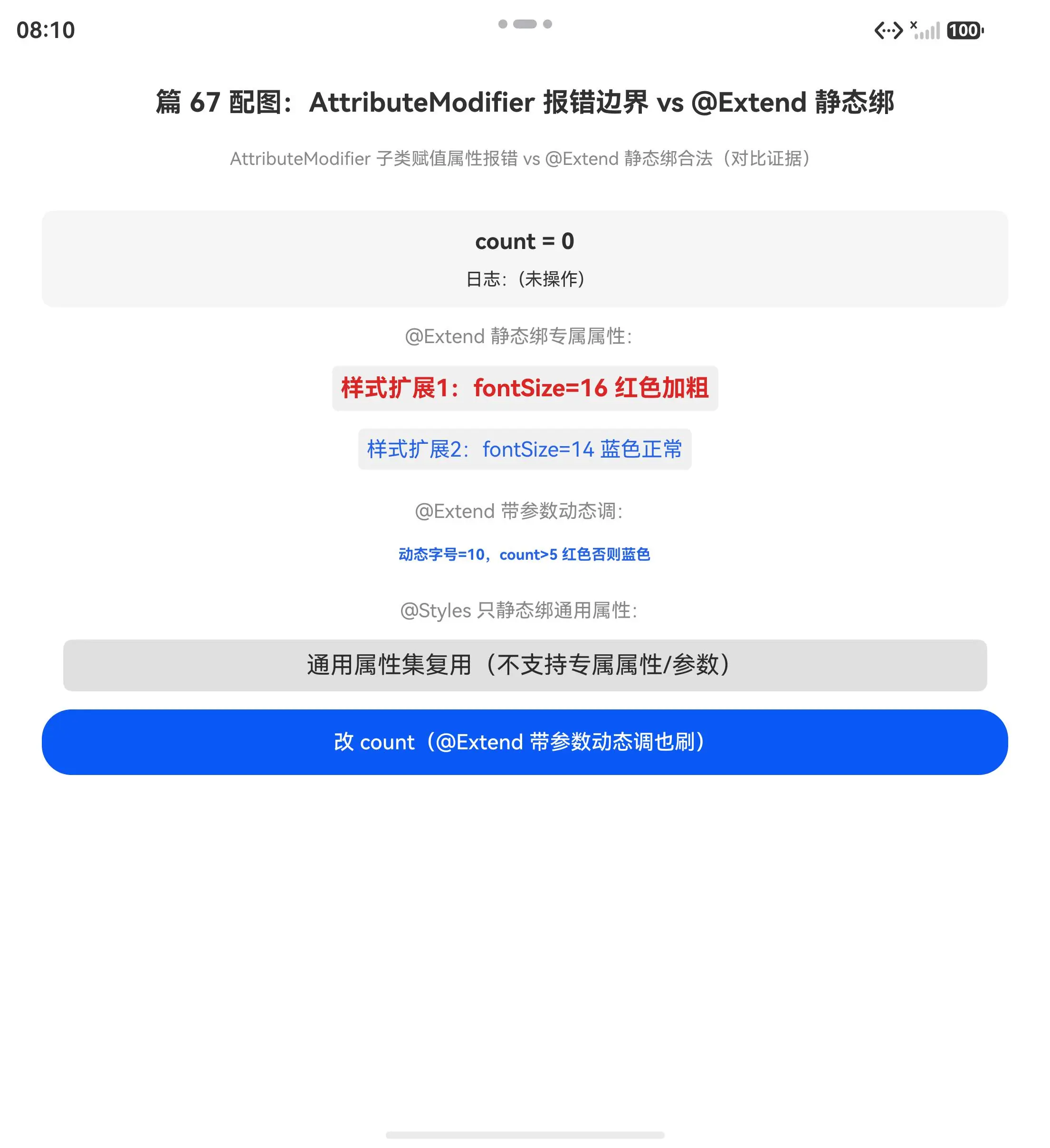
初始态(@Extend 调用1 显 fontSize=16 红色加粗、调用2 显 fontSize=14 蓝色正常、动态调按 count=0 显字号 10 蓝色均动态样式边界初始值):
点调按钮后(动态字号按 count=1 变了、@Extend 带参数调 Text 专属属性均动态样式边界对比证据齐):
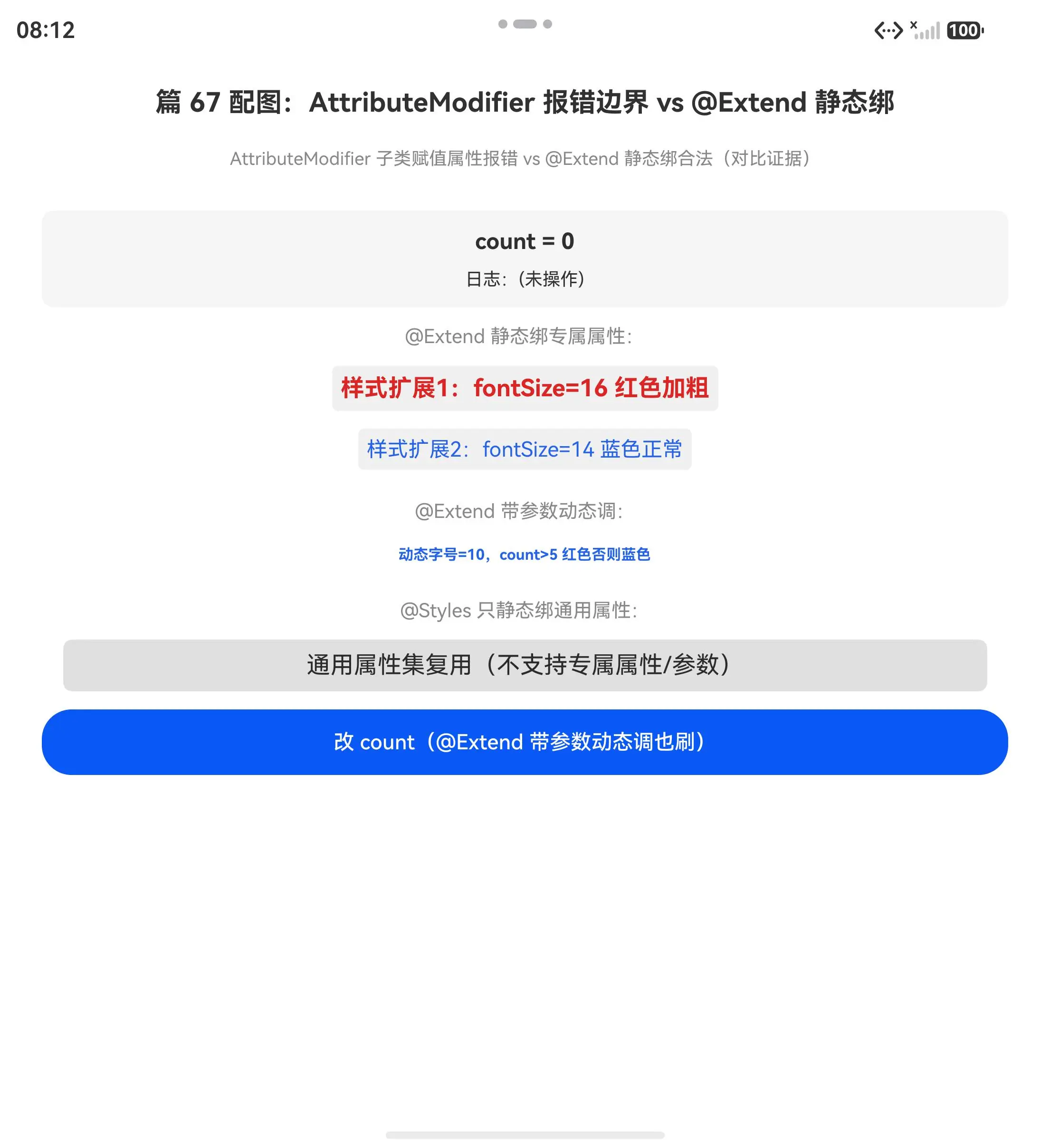
对比证据:点改 count 按钮后动态字号按 count=1 变了(10+1=11,@Extend 带参数动态调字号),调用1 显 fontSize=16 红色加粗、调用2 显 fontSize=14 蓝色正常(@Extend 绑 Text 专属属性 fontSize/fontColor/fontWeight)。AttributeModifier 当前版本报
arkts-no-method-reassignment不能跑,正解用 @Extend 替代------@Extend 绑特定组件专属属性+支持参数,实现等效按参数动态调/按 @State 业务逻辑动态调,不用 AttributeModifier。@Extend 不支持多态样式绕坑用 if 条件渲染切两 @Extend。
五、一句话哲学
AttributeModifier 不是静态绑属性,是绑可导出样式类的多态荬饰器(当前版本报错,@Extend 替代正解)。 ArkUI 的 AttributeModifier 荬饰器编译期绑可导出样式类(跨文件复用)+多态样式方法(applyNormal/applyPressed 等多态调)+业务逻辑动态调(按参数/状态变专属属性)。当前鸿蒙 6.1 API 23 版本报
arkts-no-method-reassignment------子类赋值 AttributeModifier 属性槽不被支持,根因是当前版本属性槽赋值语法未实现。正解用 @Extend 替代实现等效动态样式------@Extend 绑特定组件专属属性+支持参数,能实现按参数动态调/按 @State 业务逻辑动态调等效功能(不支持多态样式/可导出样式类,但能动态调专属属性)。
组件设计阶段串讲 :@Builder 绑渲染树节点复用(篇 63,调用点嵌节点实例复用 UI 不返值)→ @BuilderParam 绑渲染树节点参数槽收片段(篇 64,父组件传片段嵌槽复用子组件结构)→ @Styles 绑组件通用属性复用样式集(篇 65,链式调用嵌属性集复用样式不返值)→ @Extend 绑特定组件专属属性槽扩展+支持参数(篇 66,链式调用嵌专属属性槽复用专属属性不返值)→ AttributeModifier 绑可导出样式类+多态样式+业务逻辑(篇 67,当前版本报错 @Extend 替代正解)------五篇讲清 ArkUI 组件复用哲学:渲染树/属性/样式类绑定复用,根因都是绑渲染树/属性/样式类不收值不返值。
@Extend vs AttributeModifier 对比总结 :@Extend 绑特定组件专属属性槽(Text 的 fontSize/fontColor 等)+支持参数动态调+必须全局定义(不能访问 this 但能收参数)+当前版本合法。AttributeModifier 绑可导出样式类(跨文件复用)+多态样式方法(applyNormal/applyPressed 等多态调)+业务逻辑动态调+当前版本报 arkts-no-method-reassignment(子类赋值属性槽不被支持)。要写动态样式扩展当前版本用 @Extend(按参数动态调/按 @State 业务逻辑动态调),等 AttributeMatrix 属性槽赋值语法实现后用 AttributeModifier(可导出样式类+多态样式)。
系列预告:下篇(篇 68,如续)讲 @Watch/@Link 状态联动边界深水区,或系列就此打住(五阶段哲学体系已讲清主线)。五阶段哲学体系:类型哲学(50-52)→ 作用域哲学(53-55)→ 状态哲学(56-59)→ 渲染哲学(60-62)→ 组件设计(63-67)讲清 ArkTS/ArkUI 进阶哲学。
能力系列回链
| 能力系列篇 | 本文进阶点 |
|---|---|
| 篇 19 @Builder 用法 | AttributeModifier 动态样式边界根因(绑可导出样式类+多态+业务逻辑,当前版本报错 @Extend 替代) |
| 篇 16 组件复用用法 | 上一篇:@Extend 绑特定组件专属属性槽根因 |
| 篇 13 @State 基础用法 | 状态哲学:@State 赋值就刷 UI 依赖追踪 |
真机 demo 完整代码
typescript
// 篇 67 demo:AttributeModifier 报错边界 vs @Extend 静态绑属性对比
// 对比:AttributeModifier 子类赋值属性报 arkts-no-method-reassignment vs @Extend 静态绑合法

// ✅ @Extend 荬饰器:绑特定组件(Text)专属属性+支持参数(静态绑合法)
@Extend(Text)
function MyTextStyle(size: number, color: ResourceColor, isBold: boolean = false) {
  .fontSize(size)                              // ✅ Text 专属属性,@Extend 静态绑合法
  .fontColor(color)                            // ✅ Text 专属属性,@Extend 静态绑合法
  .fontWeight(isBold ? FontWeight.Bold : FontWeight.Normal)
  .backgroundColor('#f0f0f0')
  .padding(6)
  .borderRadius(4)
}

// ✅ @Extend 带参数动态调样式(按参数变 fontSize/fontColor)
@Extend(Text)
function MyDynamicTextStyle(size: number, color: ResourceColor) {
  .fontSize(size)                              // ✅ 按参数变字号(动态调)
  .fontColor(color)                            // ✅ 按参数变字色(动态调)
  .fontWeight(FontWeight.Bold)
  .margin({ top: 4, bottom: 4 })
}

// ❌ AttributeModifier 子类赋值属性报错(对比证据,注释掉避编译炸)
// class MyTextStyleModifier implements AttributeModifier<TextAttribute> {
//   applyNormalAttribute(attr: TextAttribute): void {
//     attr.fontSize = 16          ← 报 arkts-no-method-reassignment(属性赋值不被支持)
//     attr.fontColor = '#dc2626'  ← 报 arkts-no-method-reassignment(属性赋值不被支持)
//   }
// }
// 报错根因:ArkTS 当前版本不支持子类赋值 AttributeModifier 属性槽(arkts-no-method-reassignment)
// 要用动态样式扩展用 @Extend(绑特定组件专属属性+支持参数)替代 AttributeModifier

@Entry
@Component
struct Index {
  @State count: number = 0
  @State log: string = '(未操作)'

  // ✅ @Styles 只写通用属性(对比证据)
  @Styles
  MyCommonBox() {
    .width('88%')
    .backgroundColor('#e0e0e0')
    .padding(8)
    .borderRadius(6)
  }

  build() {
    Column({ space: 12 }) {
      Text('篇 67 配图:AttributeModifier 报错边界 vs @Extend 静态绑')
        .fontSize(18).fontWeight(FontWeight.Bold).margin({ top: 20, bottom: 8 })
      Text('AttributeModifier 子类赋值属性报错 vs @Extend 静态绑合法(对比证据)')
        .fontSize(12).fontColor('#888').margin({ bottom: 16 })

      Column({ space: 6 }) {
        Text(`count = ${this.count}`).fontSize(15).fontWeight(FontWeight.Bold)
        Text(`日志:${this.log}`).fontSize(12).fontColor('#333').margin({ top: 4 })
      }
      .width('92%').padding(12).backgroundColor('#f5f5f5').borderRadius(8)

      // ✅ @Extend 调用:绑 Text 专属属性+支持参数(静态绑合法)
      Text('@Extend 静态绑专属属性:')
        .fontSize(13)
        .fontColor('#888')
      Text('样式扩展1:fontSize=16 红色加粗')
        .MyTextStyle(16, '#dc2626', true)        // ✅ @Extend 绑 Text 专属属性+参数合法
      Text('样式扩展2:fontSize=14 蓝色正常')
        .MyTextStyle(14, '#2563eb', false)       // ✅ 多调用点复用同 @Extend 不同参数

      // ✅ @Extend 带参数动态调样式(按 @State count 变字号)
      Text('@Extend 带参数动态调:')
        .fontSize(13)
        .fontColor('#888')
        .margin({ top: 8 })
      Text(`动态字号=${10 + this.count},count>5 红色否则蓝色`)
        .MyDynamicTextStyle(10 + this.count, this.count > 5 ? '#dc2626' : '#2563eb')
        // ✅ 按 @State count 业务逻辑动态变字号/字色(@Extend 带参数动态调)

      // ✅ @Styles 只写通用属性(对比证据)
      Text('@Styles 只静态绑通用属性:')
        .fontSize(13)
        .fontColor('#888')
        .margin({ top: 8 })
      Column() { Text('通用属性集复用(不支持专属属性/参数)') }
        .MyCommonBox()

      // ❌ AttributeModifier 子类赋值属性报错(对比证据,注释掉避编译炸)
      // Text('AttributeModifier 报错证据')
      //   .attributeModifier(new MyTextStyleModifier())    ← 子类赋值属性报错不能跑

      Button('改 count(@Extend 带参数动态调也刷)')
        .width('92%').height(44).fontSize(14)
        .onClick(() => {
          this.count++                // ✅ count 变 @Extend 带参数动态调也刷
          this.log = `count=${this.count}(@Extend 按 count 业务逻辑动态调字号/字色)`
        })
    }
    .width('100%').height('100%').alignItems(HorizontalAlign.Center)
  }
}
写鸿蒙 ArkUI 记住 :AttributeModifier 不是静态绑属性是绑可导出样式类的多态荬饰器------AttributeModifier 荬饰器编译期绑可导出样式类(跨文件复用)+多态样式方法(applyNormal/applyPressed 等多态调)+业务逻辑动态调(按参数/状态变专属属性)。当前鸿蒙 6.1 API 23 版本报
arkts-no-method-reassignment------子类赋值 AttributeModifier 属性槽不被支持,根因是当前版本属性槽赋值语法未实现。正解用 @Extend 替代实现等效动态样式------@Extend 绑特定组件专属属性+支持参数,能实现按参数动态调/按 @State 业务逻辑动态调等效功能(不支持多态样式/可导出样式类,但能动态调专属属性)。@Extend 替代按参数动态调用绑特定组件专属属性+参数(首选,90% 场景),@Extend 替代按 @State 业务逻辑动态调用收参数传 this.count,@Extend 不支持多态样式绕坑用 if 条件渲染切两 @Extend。当前版本报错 @Extend 替代正解是 ArkUI 组件设计哲学深水区核心!