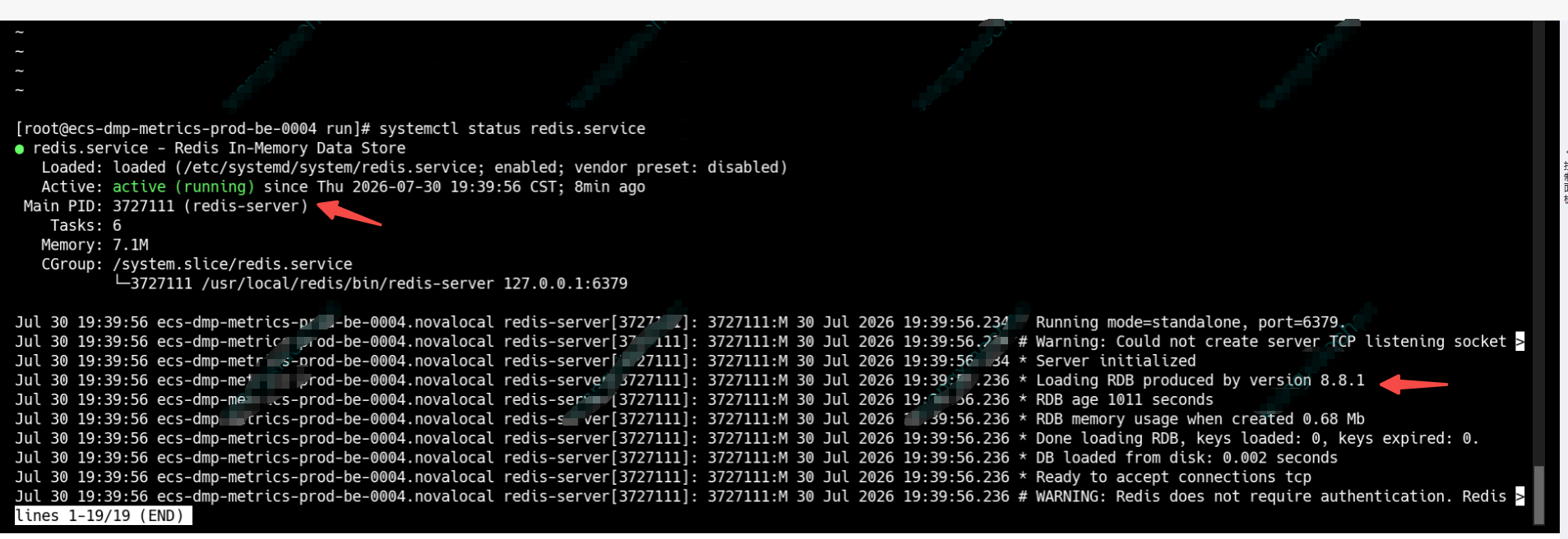
1.背景:出于安全考虑,部署于麒麟操作系统上的redis必须要升级到>=8.8.0的版本。
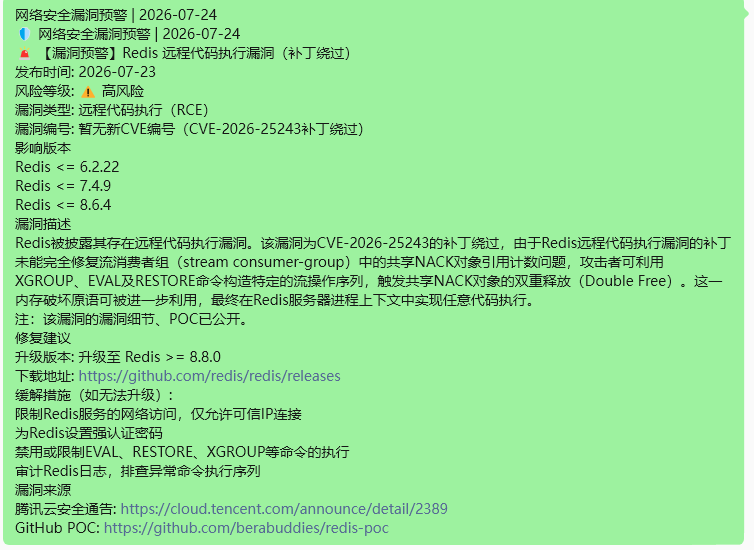
操作系统版本:
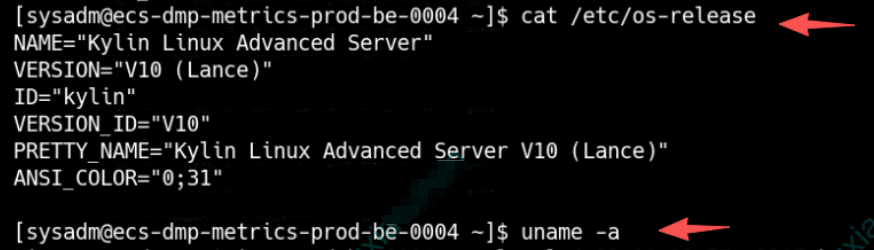
原来的redis版本:
2.升级过程遇到了问题,
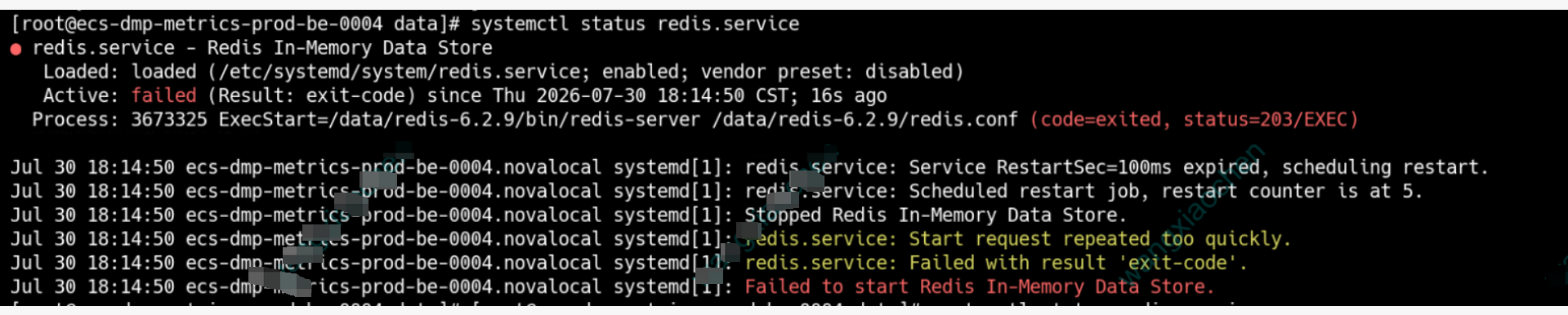
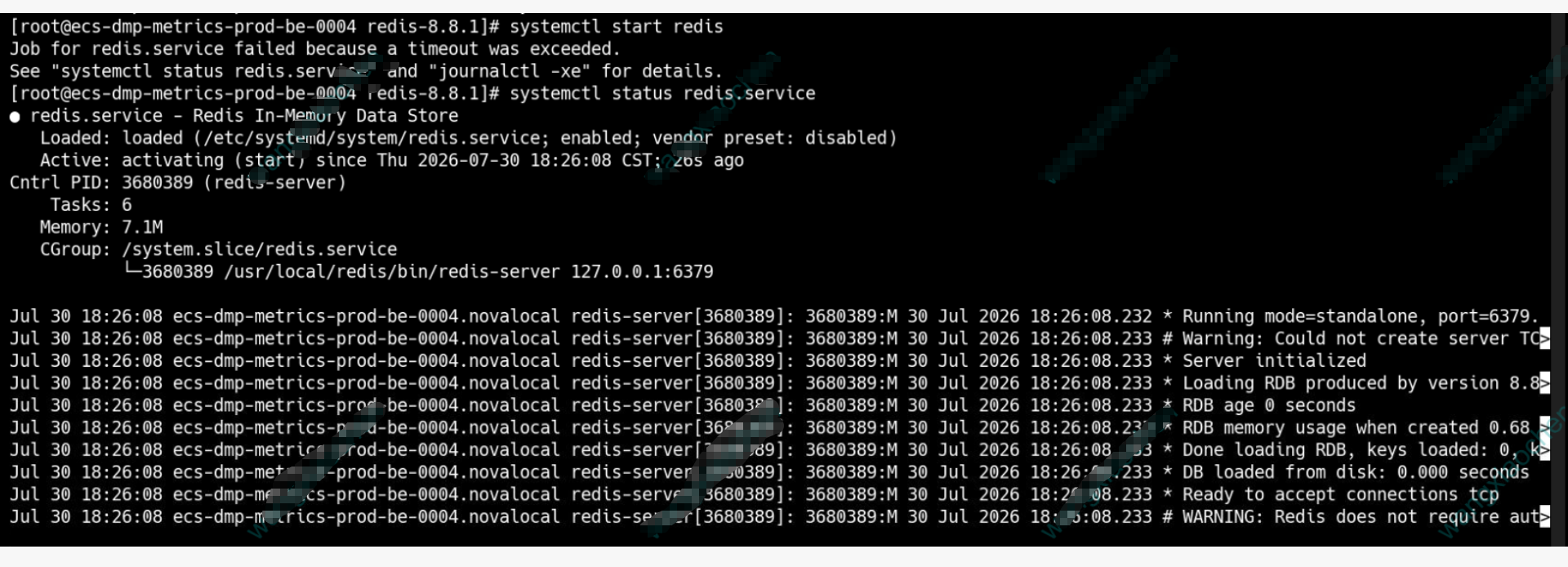
过程中通过AI搜索了资料,尝试了好几个方案,问题终于搞定了,redis只是临时做缓存用,不用迁移数据,所以,应该干脆安装一个8.8.1的redis就行,端口不变,就不用改应用服务系统的redis配置。
第一步:下载并编译Redis 8.8.0源码
下载源码:从Redis官方或国内镜像站(如华为云)下载8.8.0的源码包。

bash
cd /tmp
wget https://download.redis.io/releases/redis-8.8.0.tar.gz
# 或使用华为云镜像加速
# wget https://mirrors.huaweicloud.com/redis/redis-8.8.0.tar.gz
tar -zxvf redis-8.8.0.tar.gz
cd redis-8.8.0


第二步:编译安装:

bash
# 清理之前可能存在的编译残留
make distclean

# 编译。可以指定安装路径,方便管理,例如安装在 /usr/local/redis
make PREFIX=/usr/local/redis install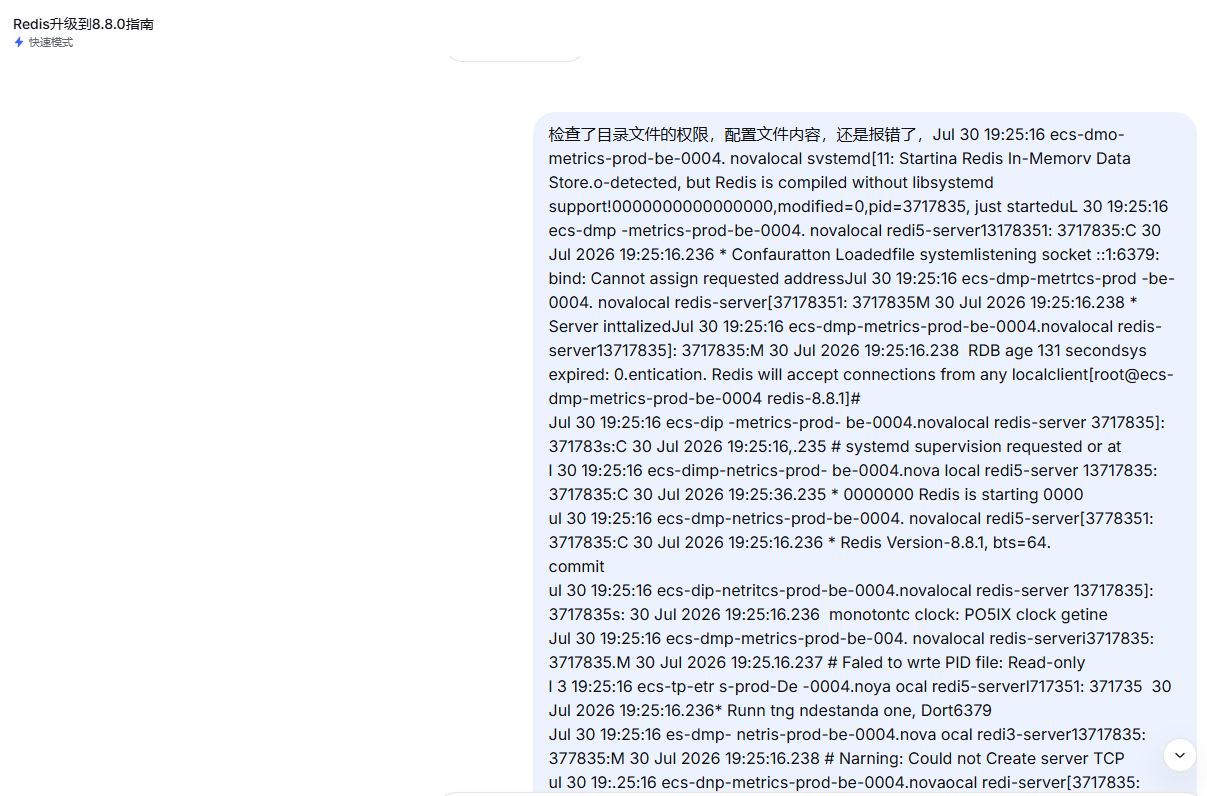
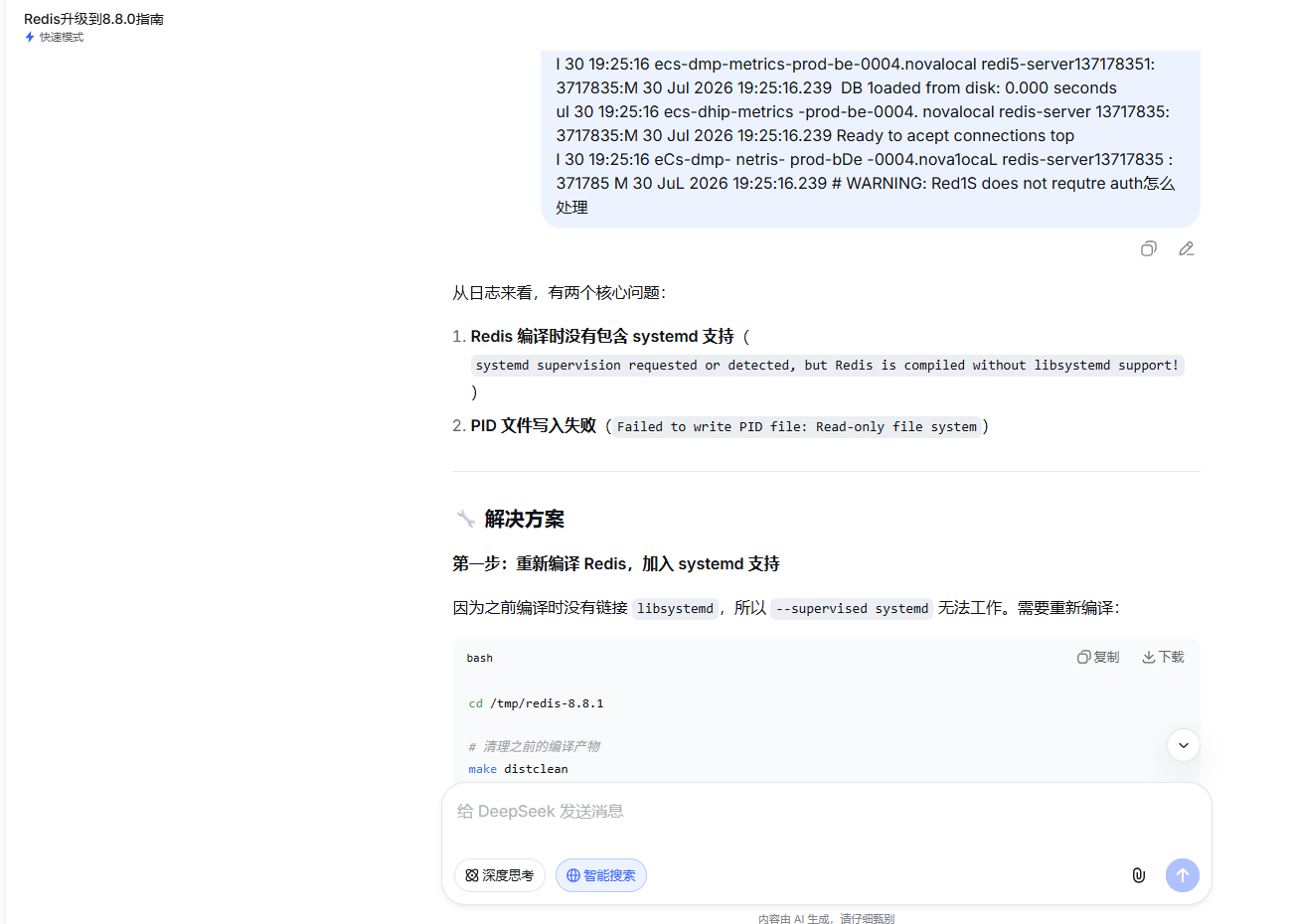
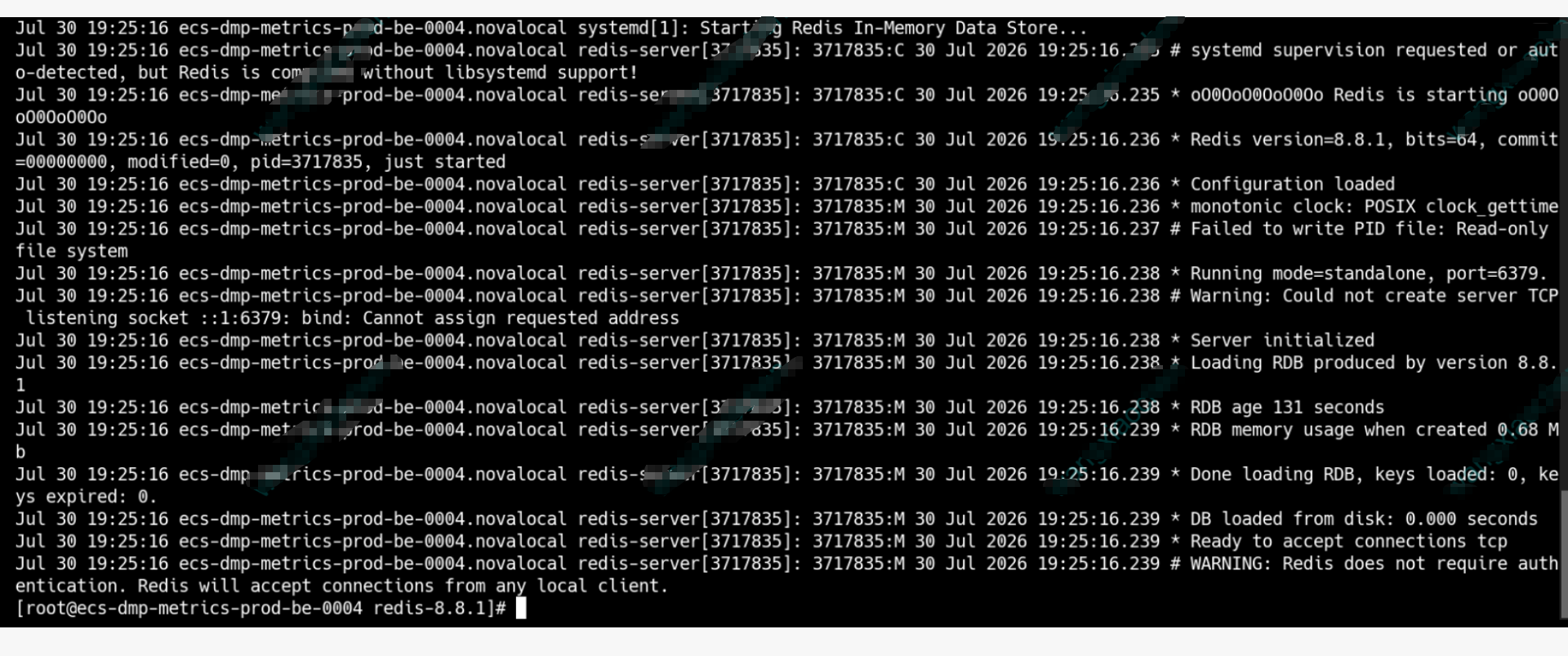
从日志来看,有两个核心问题:

Redis 编译时没有包含 systemd 支持(systemd supervision requested or detected, but Redis is compiled without libsystemd support!)

PID 文件写入失败(Failed to write PID file: Read-only file system)

🔧 解决方案
第一步:重新编译 Redis,加入 systemd 支持
因为之前编译时没有链接 libsystemd,所以 --supervised systemd 无法工作。需要重新编译:

bash
cd /tmp/redis-8.8.1

# 清理之前的编译产物
make distclean

# 安装 systemd 开发库(如果还没装)
sudo yum install -y systemd-devel

# 重新编译,指定 systemd 支持
make USE_SYSTEMD=yes

# 安装
sudo make PREFIX=/usr/local/redis install
第二步:修改服务文件,使用 Type=simple
既然 Redis 没有 systemd 支持,就不能用 Type=notify。改回 Type=simple:

bash
vi /etc/systemd/system/redis.service
内容改为:

ini
[Unit]
Description=Redis In-Memory Data Store
After=network.target

[Service]
Type=simple
User=root
Group=root
ExecStart=/usr/local/redis/bin/redis-server /data/redis-6.2.9/redis.conf
ExecStop=/usr/local/redis/bin/redis-cli shutdown
Restart=on-failure
RestartSec=5
LimitNOFILE=65535

[Install]
WantedBy=multi-user.target
关键点:

去掉 --supervised systemd 参数(因为编译时没加 systemd 支持)

Type=simple 而不是 notify

第三步:解决 PID 文件写入失败问题
日志显示 Failed to write PID file: Read-only file system,说明 PID 文件目录是只读的。检查并修复:

查看配置文件中的 PID 路径:

bash
grep -i pidfile /data/redis-6.2.9/redis.conf
通常会是 pidfile /var/run/redis_6379.pid 或类似路径。

检查该目录是否存在且可写:

bash
# 查看 /var/run 是否可写
ls -ld /var/run

# 如果是只读,可以换个目录,比如 /tmp
# 修改 redis.conf:
pidfile /tmp/redis_6379.pid
或者直接注释掉 pidfile 配置(因为 systemd 管理时不需要 PID 文件):
在 redis.conf 中找到 pidfile 行,在前面加 # 注释掉:

conf
# pidfile /var/run/redis_6379.pid
第四步:处理 IPv6 绑定警告(非致命)
日志中还有 listening socket ::1:6379: bind: Cannot assign requested address,这是因为系统没有启用 IPv6,但配置里绑定了 ::1。

在 redis.conf 中,将 bind 改为只绑定 IPv4:

conf
bind 127.0.0.1
# 如果有外网需求,可以加上内网IP,例如:
# bind 127.0.0.1 192.168.1.100
第五步:重载并启动
bash
# 重新加载 systemd 配置
systemctl daemon-reload

# 重置失败状态
systemctl reset-failed redis.service

# 启动
systemctl start redis.service

# 查看状态
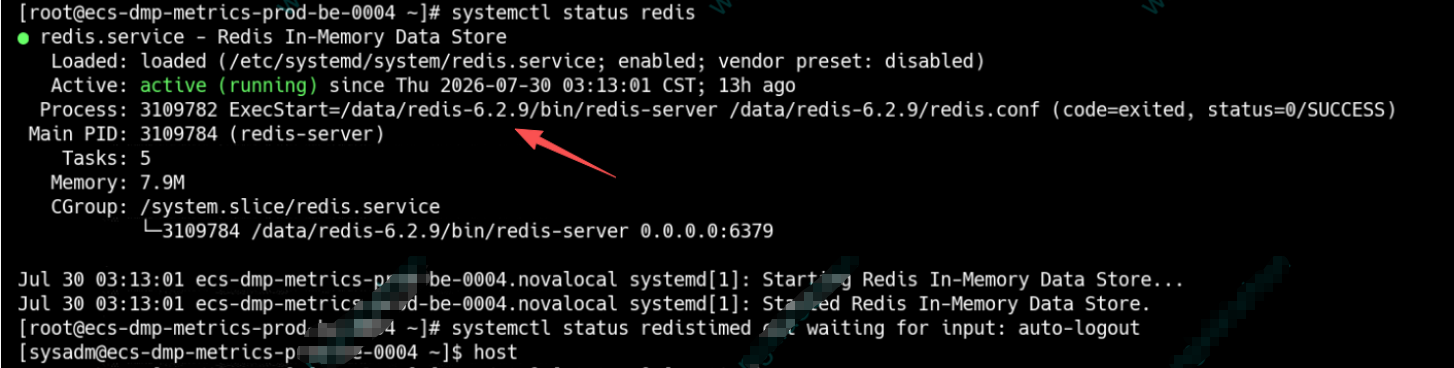
systemctl status redis.service
启动成功了