文章目录
- 前言
- [一、为什么需要 string 类?](#一、为什么需要 string 类?)
-
- [1、C 语言字符串的问题](#1、C 语言字符串的问题)
- [2、C++ 的解决方案:string 类](#2、C++ 的解决方案:string 类)
- [二、前置知识:auto 和范围 for(C++11 语法)](#二、前置知识:auto 和范围 for(C++11 语法))
-
- [1、auto 关键字](#1、auto 关键字)
- [2、范围 for(范围 for 循环)](#2、范围 for(范围 for 循环))
- [三、string 类常用接口详解](#三、string 类常用接口详解)
-
- [1、构造函数(4 种最常用)](#1、构造函数(4 种最常用))
- 2、容量操作
- 3、访问与遍历
- 4、修改操作(常用的)
- 5、非成员函数
- [四、string 类的深浅拷贝模拟实现](#四、string 类的深浅拷贝模拟实现)
- 总结
前言
在 C 语言中,我们操作字符串靠的是 char* 指针加 str 系列的库函数,容易踩坑(越界访问、内存泄漏、忘记加\0......)。
到了 C++,有了string 类,字符串操作一下子变得简单又安全。不用自己管内存,不用手动处理\0,拼接、查找、替换都有现成的接口。
本文主要讲string类的入门使用,涉及常用接口、遍历方式、修改操作、深浅拷贝等知识点,帮助理解和掌握string类。
前置知识:C 语言字符串、C++ 类与对象基础、深浅拷贝知识
一、为什么需要 string 类?
1、C 语言字符串的问题
C 语言中,字符串是以\0结尾的字符数组,标准库提供了strcpy、strlen、strcat等函数操作字符串,但问题很多:
- 不符合面向对象思想:字符串和操作函数是分离的,不是一个整体;
- 底层空间需要用户自己管理 :
strcat、strcpy都要自己保证空间够大,容易出现越界; - 容易出 bug :忘记加
\0、内存泄漏等等问题。
2、C++ 的解决方案:string 类
C++ 用类封装了字符串,把数据和操作绑在一起,自动管理内存,用起来简单高效。
二、前置知识:auto 和范围 for(C++11 语法)
在正式讲 string 之前,先补两个 C++11 的实用语法,后面遍历字符串会大量用到。
1、auto 关键字
auto让编译器自动推导变量类型,不用手动写长长的类型名。以下代码只是让大家直观感受auto作用,不需要完全理解。
cpp
#include <iostream>
#include <map>
#include <string>
using namespace std;

int main()
{
    int a = 10;
    auto b = a;       // b自动推导为int
    auto c = 'a';     // c自动推导为char

    map<string, string> dict = {{"apple","苹果"}, {"orange","橙子"}};
    // 不用auto的写法,类型名非常长
    map<string,string>::iterator it1 = dict.begin();

    // 用auto,简洁多了
    auto it2 = dict.begin();
    return 0;
}
注意事项:
auto声明的变量必须有初始值,否则编译器推不出来;- 同一行声明多个变量,类型必须一致;
auto不能做函数参数,不能直接声明数组。
2、范围 for(范围 for 循环)
C++11 引入的更简洁的遍历方式。
cpp
#include <iostream>
#include <string>
using namespace std;

int main()
{
    string s = "hello";

    // 传统遍历
    for (int i = 0; i < s.size(); i++)
        cout << s[i] << " ";
    cout << endl;

    // 范围for遍历(C++11)
    for (auto ch : s)
        cout << ch << " ";
    cout << endl;

    // 要修改元素,用引用
    for (auto& ch : s) {
        ch += 1; // 每个字符+1
        cout << ch << " ";
    }
    cout << endl;

    return 0;
}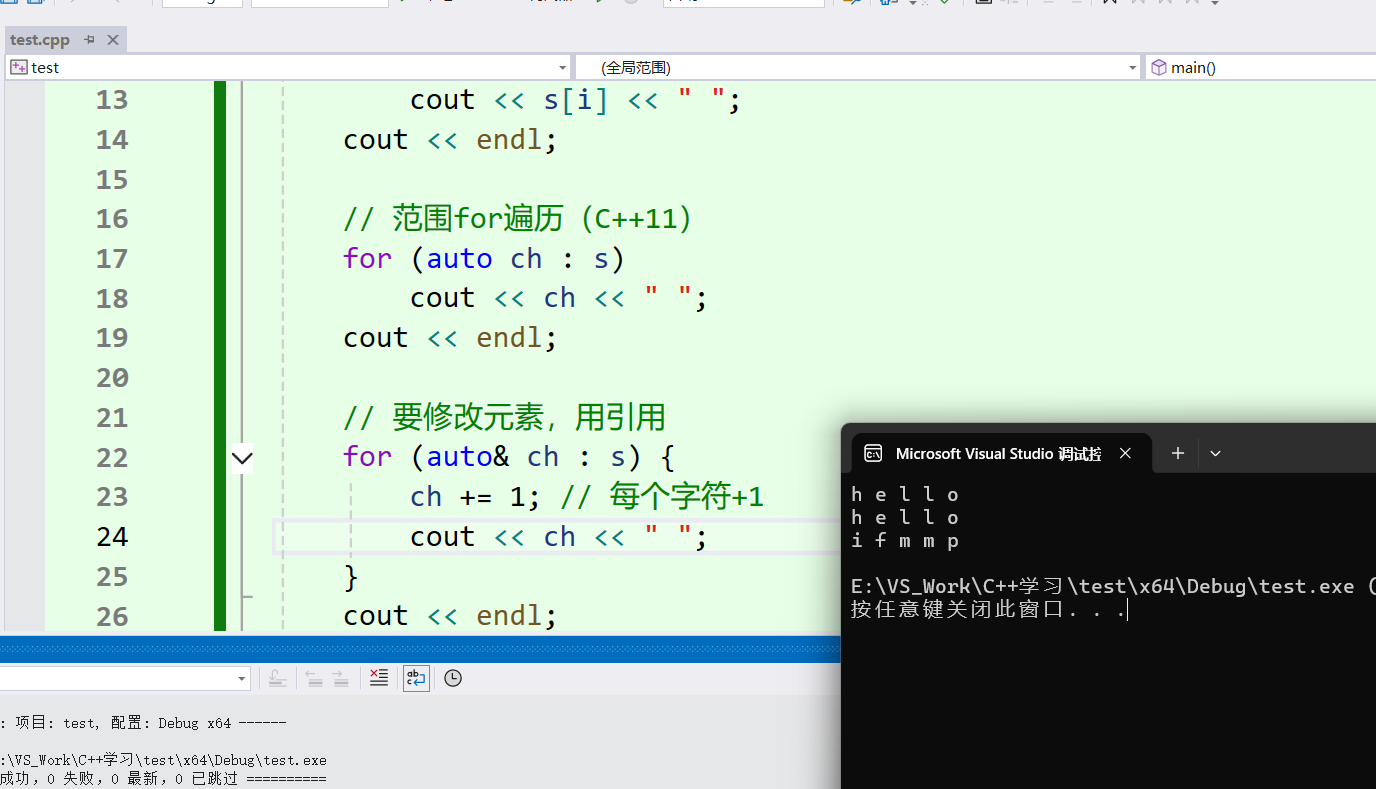
范围 for 的底层就是迭代器,所有支持迭代器的容器都能用。
三、string 类常用接口详解
string 的接口非常多,我只讲最常用的,剩下的查文档就好。
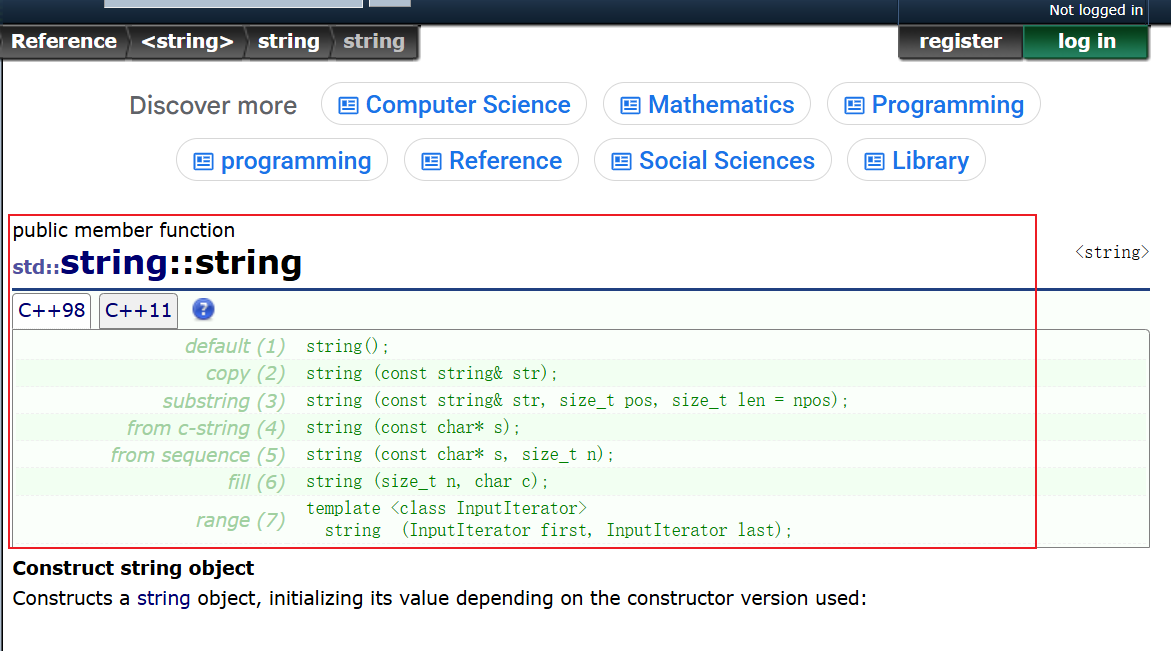
文档链接:cplusplus
1、构造函数(4 种最常用)
| 构造函数 | 功能 |
|---|---|
| string() | 构造空字符串 |
| string(const char* s) | 用 C 语言风格字符串构造 |
| string(size_t n, char c) | 用 n 个字符 c 构造 |
| string(const string& s) | 拷贝构造 |
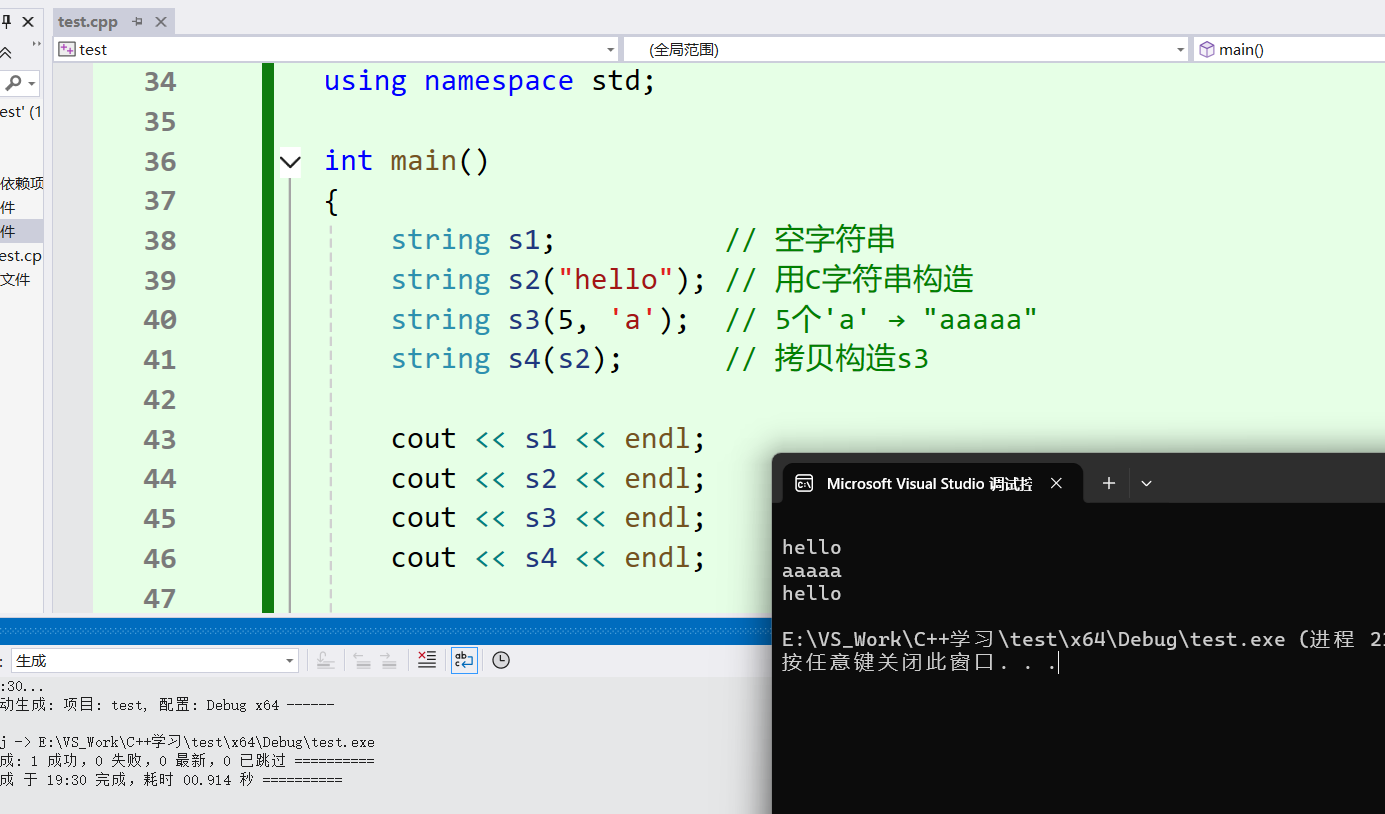
cpp
#include <iostream>
#include <string>
using namespace std;

void TestString()
{
    string s1;          // 空字符串
    string s2("hello"); // 用C字符串构造
    string s3(5, 'a');  // 5个'a' → "aaaaa"
    string s4(s2);      // 拷贝构造s3

    cout << s1 << endl;
    cout << s2 << endl;
    cout << s3 << endl;
    cout << s4 << endl;
}
2、容量操作
| 函数 | 功能 |
|---|---|
| size() | 返回有效字符长度(最常用) |
| length() | 返回有效字符长度(和 size 效果一样,历史遗留下来的) |
| capacity() | 返回底层空间总大小 |
| empty() | 判断是否为空串 |
| clear() | 清空有效字符,不释放空间 |
| reserve(n) | 预留 n 个字符的空间,避免频繁扩容 |
| resize(n, c) | 把有效字符个数改成 n,多出的用字符 c 填充 |
cpp
#include <iostream>
#include <string>
using namespace std;
int main()
{
    string s("hello");
    cout << s.size() << endl;      // 5
    cout << s.length() << endl;    // 5
    cout << s.capacity() << endl;  // 底层空间大小
    cout << s.empty() << endl;     // 0(非空)
    cout << "------------------------------" << endl;

    // clear:清空有效字符,不释放空间
    s.clear();
    cout << s.size() << endl;      // 0
    cout << s.capacity() << endl;  // 空间不变!
    cout << "------------------------------" << endl;


    // reserve:预留空间,只改容量,不改有效长度
    s.reserve(100);
    cout << s.capacity() << endl;  // 100+,reserve仅保证容量>=传入值
    cout << s.size() << endl;      // 0
    cout << "------------------------------" << endl;


    // resize:改有效长度
    s.resize(10, 'x');  // 变成10个'x'
    cout << s << endl;  // "xxxxxxxxxx"
    cout << s.size() << endl; // 10
    cout << "------------------------------" << endl;

    return 0;
}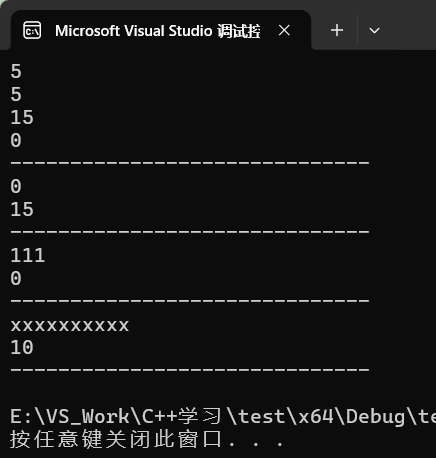
重点注意:
size()和length()完全一样,引入size()是为了和其他容器接口统一,一般用size();clear()只清空数据,不释放空间,capacity不变;reserve()只预留空间,不改变有效字符数;reserve()参数小于当前容量时,VS所有版本会忽略不缩容;(原因:这是一个非约束性请求,标准不强制要求缩容);resize()改变有效字符数,空间不够会扩容;
3、访问与遍历
| 方式 | 说明 |
|---|---|
| operator\[\] | 下标访问,像数组一样用(最常用) |
| 迭代器 begin()、end() | 正向迭代器 |
| 反向迭代器 rbegin()、rend() | 反向遍历 |
| 范围 for | C++11 简洁写法 |
cpp
#include <iostream>
#include <string>
using namespace std;
int main()
{
    string s("abcdef");

    // 1. 下标访问(最常用)
    for (size_t i = 0; i < s.size(); i++)
        cout << s[i] << " ";
    cout << endl;

    // 2. 迭代器
    string::iterator it = s.begin();
    while (it != s.end())
    {
        cout << *it << " ";
        ++it;
    }
    cout << endl;

    // 3. 反向迭代器(从后往前遍历)
    string::reverse_iterator rit = s.rbegin();
    while (rit != s.rend())
    {
        cout << *rit << " ";
        ++rit;
    }
    cout << endl;

    // 4. 范围for(最简洁)
    for (auto ch : s)
        cout << ch << " ";
    cout << endl;
    return 0;
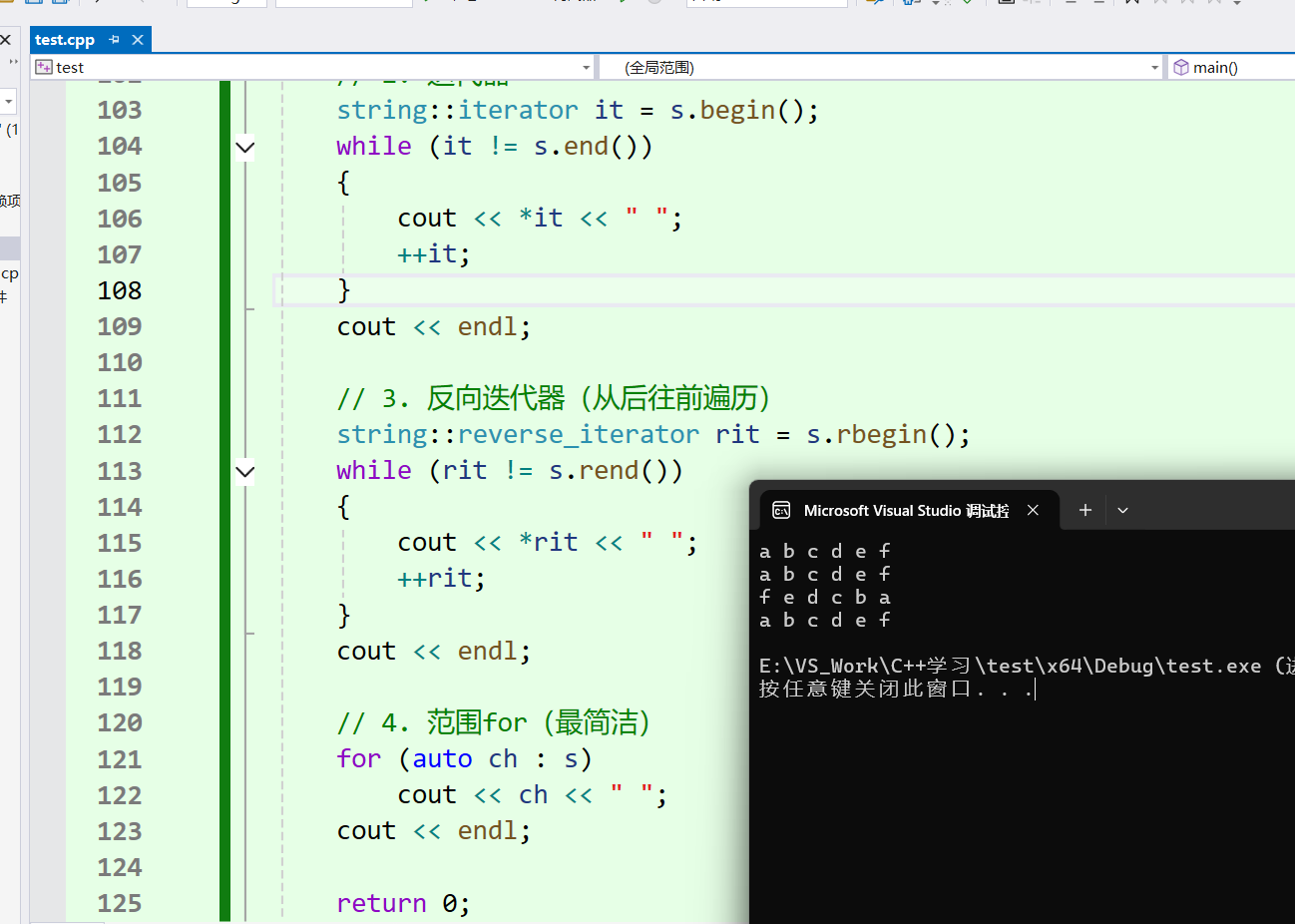
}
4、修改操作(常用的)
| 函数 | 功能 |
|---|---|
| push_back( c ) | 末尾追加单个 char 字符,仅支持字符,字符串需用 append |
| append(s) | 末尾追加,支持 C 字符串、string 对象、多个重复字符 |
| operator+= | 运算符重载,可追加字符 / 字符串 /string 对象,写法简单常用 |
| c_str() | 返回带 '\0' 结尾的 const char * 指针,对接 C 接口,对象修改后指针失效 |
| find(c, pos) | 从 pos 位置往后找字符 / 字符串,返回下标(不传pos默认从开头 0 开始找);找不到返回 npos |
| rfind(c, pos) | 从 pos 位置往前找字符 / 字符串,返回下标(不传 pos 默认从字符串末尾开始找);找不到返回 npos |
| substr(pos, n) | 从 pos 位置开始,截取 n 个字符生成新字符串;不传 n 则截取到末尾,不修改原串 |
npos:find/rfind/substr 共用的查找失败标记,是一个极大的无符号数
cpp
#include <iostream>
#include <string>
using namespace std;
int main()
{
    string s;
    s.push_back('h');    // 尾插字符
    s.append("ello");    // 尾插字符串
    s += ' ';            // += 最常用,字符字符串都能加
    s += "world";
    cout << s << endl;   // "hello world"

    // c_str:返回C语言风格字符串,用于和C语言接口兼容
    printf("%s\n", s.c_str());

    // find:查找
    size_t pos = s.find("world");
    if (pos != string::npos)
        cout << "找到了,下标:" << pos << endl;

    // substr:截取子串
    string sub = s.substr(0, 5); // 从0开始截5个
    cout << sub << endl; // "hello"

    return 0;
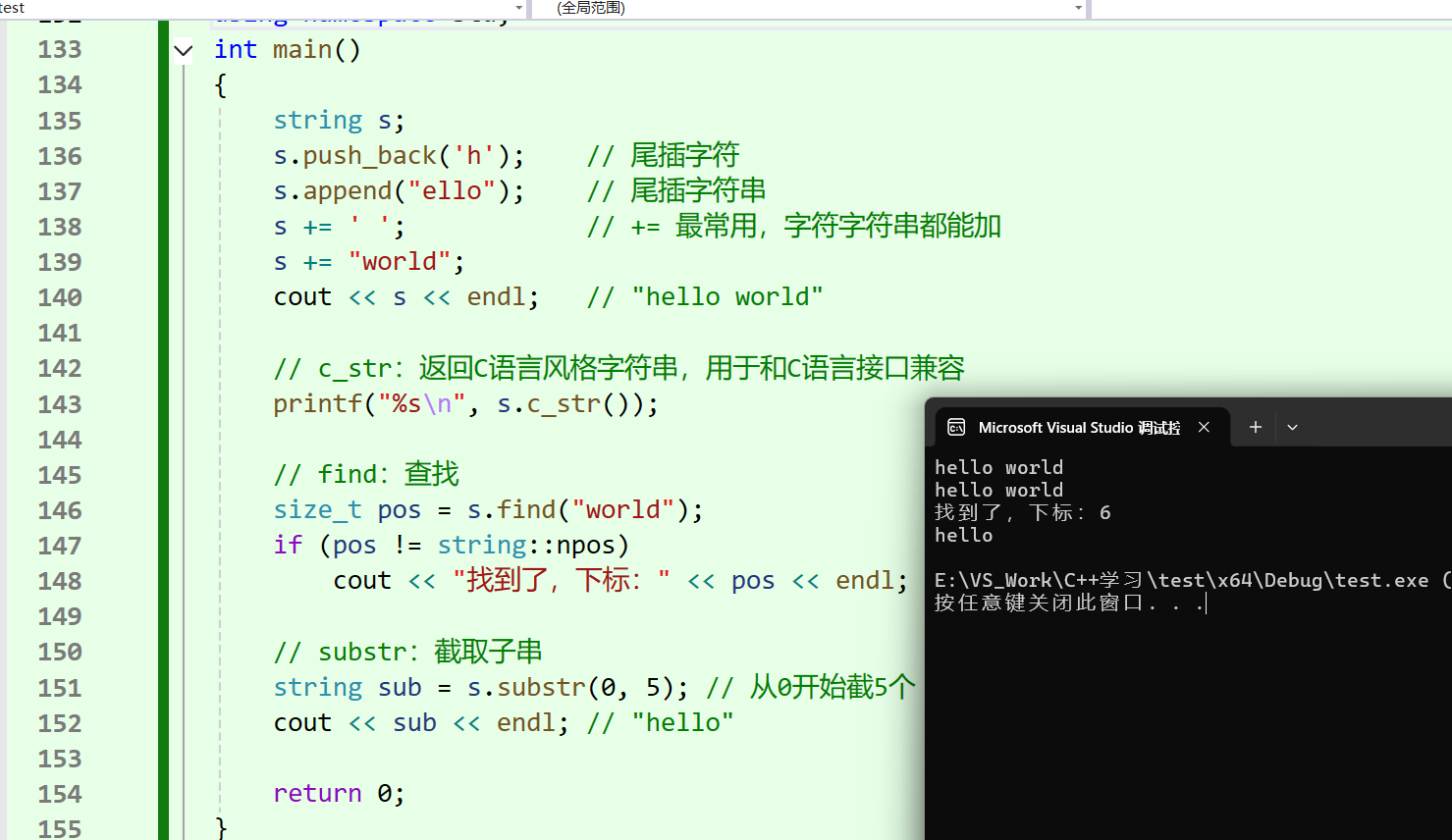
}
小技巧:如果知道字符串大概多长,先用reserve预留空间,可以避免频繁扩容,提升效率。
5、非成员函数
| 函数 | 功能 |
|---|---|
| operator+ | 字符串拼接(尽量少用,传值返回有深拷贝开销) |
| operator>> | 输入 |
| operator<< | 输出 |
| getline() | 读取一整行(包含空格) |
| operator<、operator>、operator==等比较运算符 | 按字典序比较大小 |
getline 的重要性:
cin >> s遇到空格就停止,想读取带空格的一行字符串,必须用getline:
cpp
string line;
getline(cin, line); // 读取一整行,包含空格
四、string 类的深浅拷贝模拟实现
1、浅拷贝的坑
如果只写构造和析构,不写拷贝构造和赋值重载,编译器自动生成的是浅拷贝:
cpp
#include <string.h>
#include <assert.h>
class String {
public:
    String(const char* str = "") {
        if (str == nullptr) {
			assert(false);
			return;
		}
        _str = new char[strlen(str) + 1];	// +1是方便存\0
        strcpy(_str, str);
    }
    ~String() {
        delete[] _str;
        _str = nullptr;
    }
private:
    char* _str = nullptr;
};

int main() {
    String s1("hello");
    String s2(s1); // 默认拷贝构造:浅拷贝
    return 0;
    // 崩溃!s1和s2指向同一块内存,析构时重复释放
}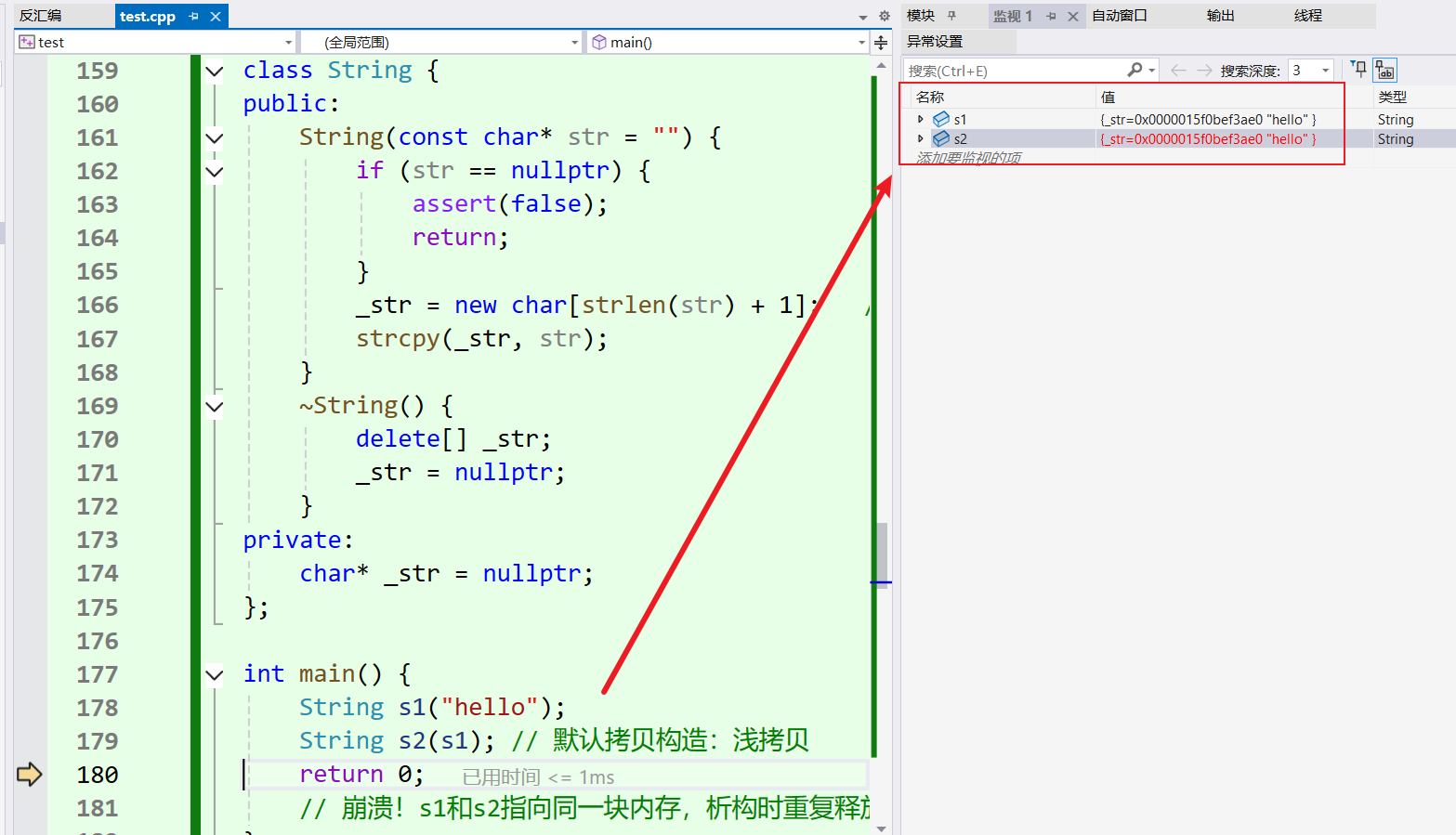
问题 :两个对象共享同一块堆内存,析构时会重复释放,程序就崩溃了。
2、深拷贝比较传统的写法
cpp
#include <string.h>
#include <assert.h>
class String {
public:
	// 构造
	String(const char* str = "") {
		if (str == nullptr) {
			assert(false);
			return;
		}
		_str = new char[strlen(str) + 1];
		strcpy(_str, str);
	}

	// 拷贝构造(深拷贝)
	String(const String& s)
		: _str(new char[strlen(s._str) + 1])
	{
		strcpy(_str, s._str);
	}

	// 赋值重载(深拷贝)
	String& operator=(const String& s) {
		if (this != &s) {	// 防止自赋值
			char* pStr = new char[strlen(s._str) + 1];
			strcpy(pStr, s._str);
			delete[] _str;  // 释放旧空间
			_str = pStr;
		}
		return *this;
	}

	// 析构
	~String() {
		if (_str) {
			delete[] _str;
			_str = nullptr;
		}
	}
private:
	char* _str = nullptr;
};
int main() {
	String s1("hello");
	String s2(s1);      // 深拷贝
	String s3;
	s3 = s1;			// 赋值重载
	return 0;
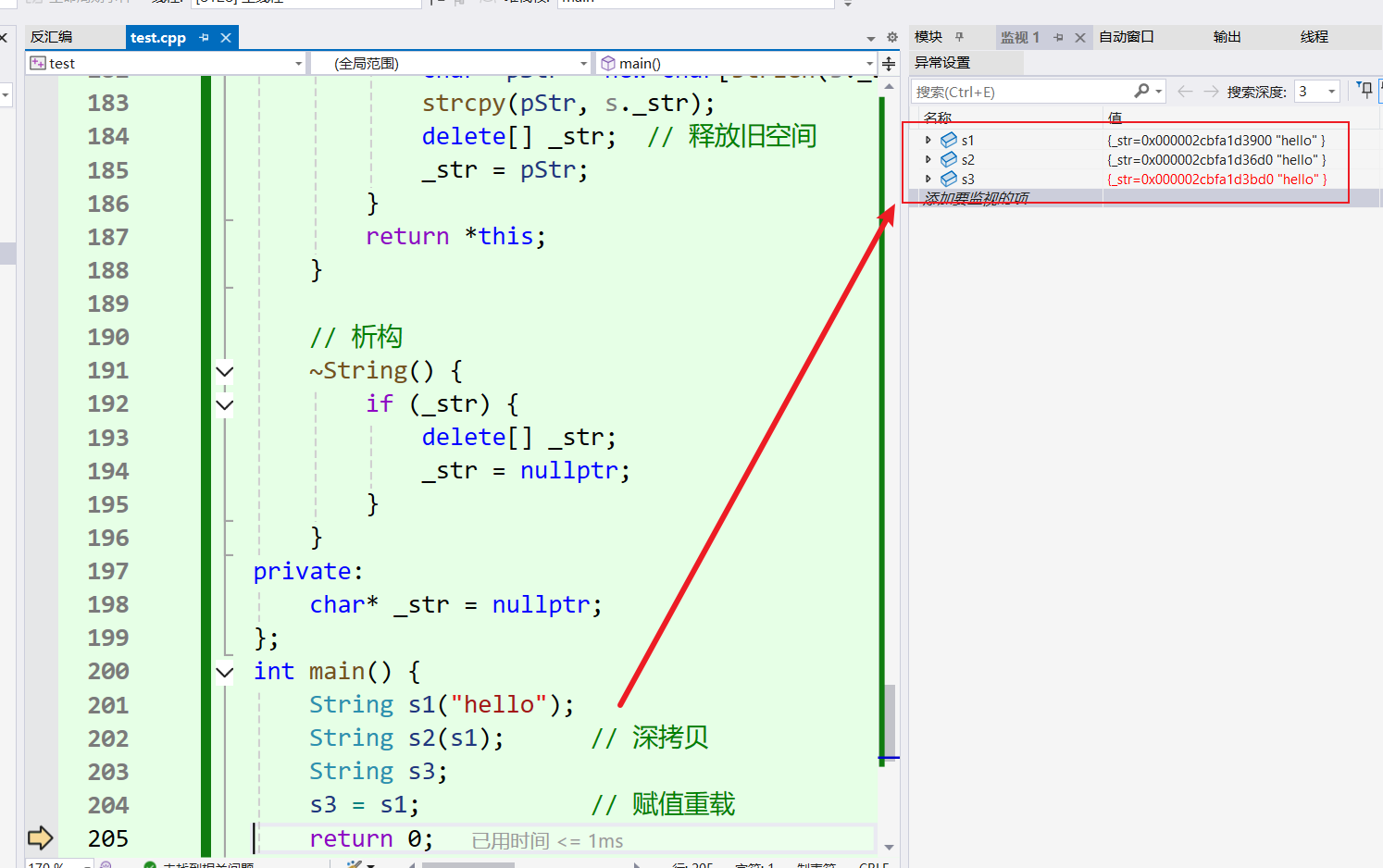
}
3、深拷贝现代版写法
利用拷贝构造和 std::swap,代码更简洁。
cpp
#include <iostream>
#include <assert.h>
class String {
public:
	String(const char* str = "") {
		if (str == nullptr) {
			assert(false);
			return;
		}
		_str = new char[strlen(str) + 1];
		strcpy(_str, str);
	}

	// 拷贝构造:构造临时对象,交换
	String(const String& s)
		: _str(nullptr)
	{
		String strTmp(s._str); // 构造一个临时对象
		std::swap(_str, strTmp._str); // 交换指针
	}

	// 赋值重载:传值参数+swap
	String& operator=(String s) { // 传值,自动调用拷贝构造
		std::swap(_str, s._str); // 交换,s出作用域自动析构旧资源
		return *this;
	}

	~String() {
		if (_str) {
			delete[] _str;
			_str = nullptr;
		}
	}
private:
	char* _str = nullptr;
};
int main() {
	String s1("hello");
	String s2(s1);      // 深拷贝
	String s3;
	s3 = s1;			// 赋值重载
	return 0;
}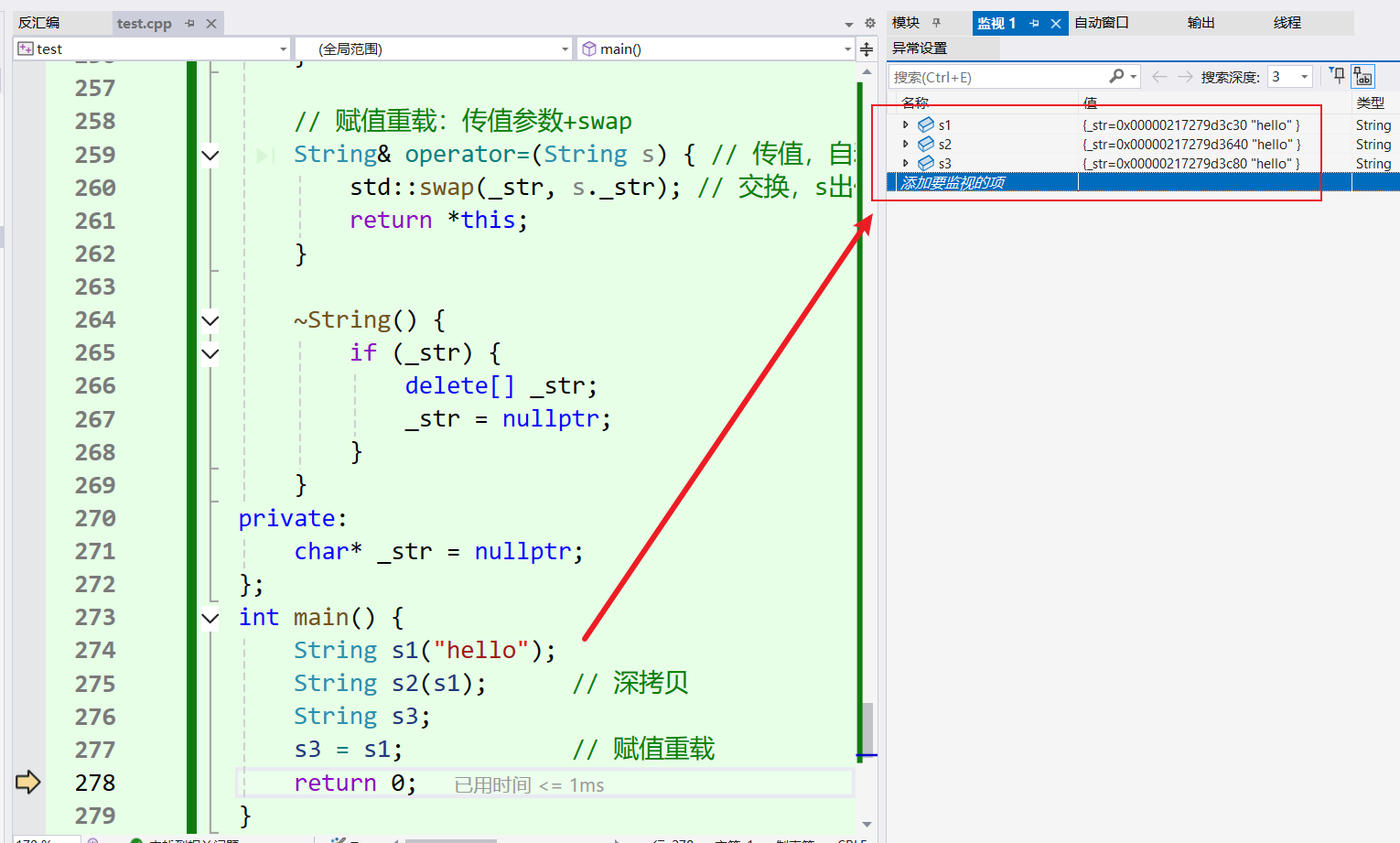
现代写法的好处:
- 编译器自动调用拷贝构造完成深拷贝,不用手动开辟内存、复制字符;
- 通过
std::swap仅交换底层指针,代价极低,原有旧数据交由临时形参接管,临时变量出函数作用域自动析构释放,不会内存泄漏; - 兼容
s = s自赋值场景,不需要额外加自赋值判断做防护,代码更简洁。
总结
本文章主要是介绍了STL库中string类的用法和底层深浅拷贝,有部分成员函数只是笼统解释一下,需要实际运用中好好理解。