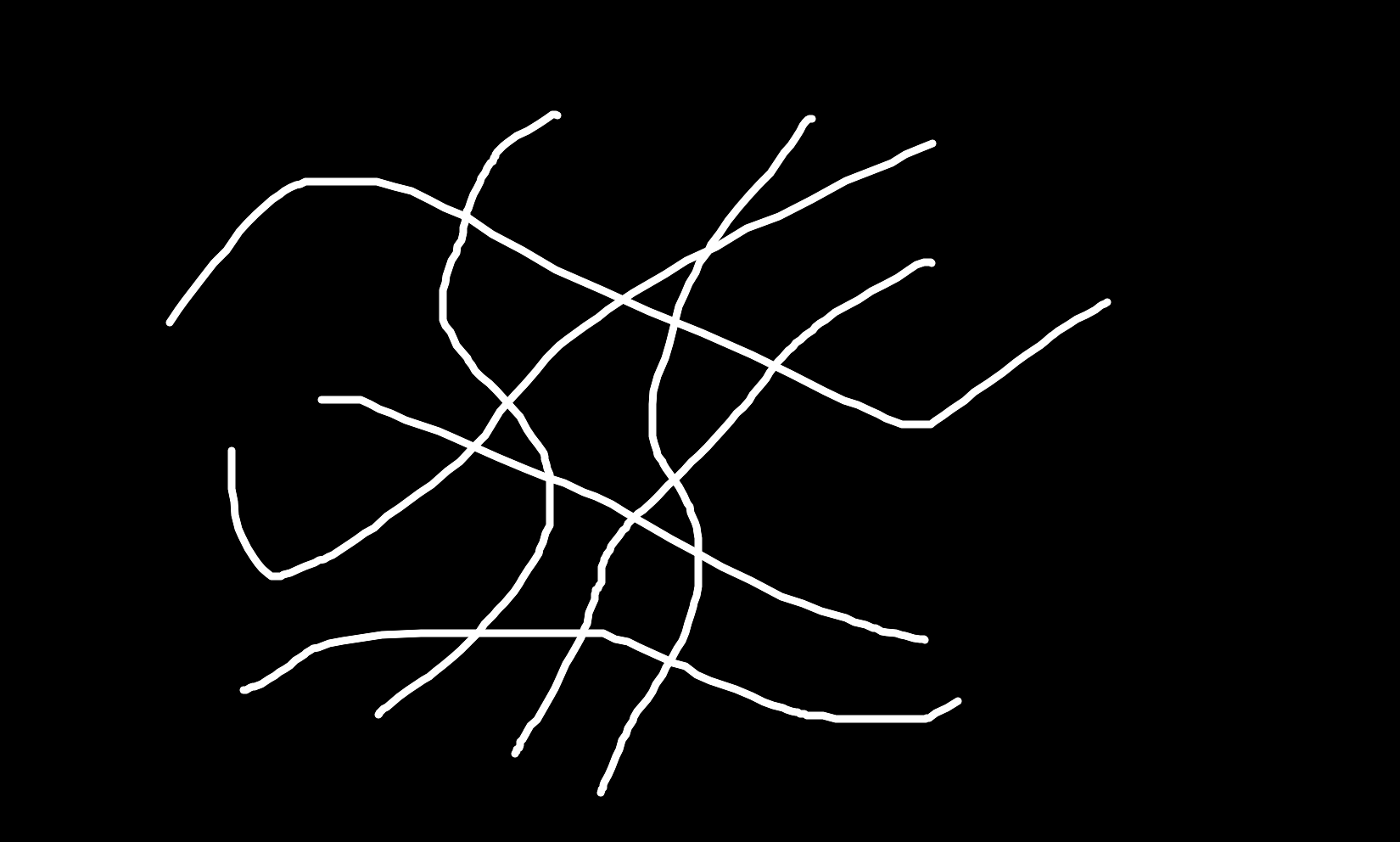
代码如下,随机点一个线头,能把这根线从各种交叉的线路中识别出来
python
import cv2
import sys
import math
import numpy as np

LINELEN = 2000
click_pos = None  # 存储鼠标点击起点

def mouse_click_event(event, x, y, flags, param):
    global click_pos
    if event == cv2.EVENT_LBUTTONDOWN:
        click_pos = np.array([x, y], dtype=np.float64)
        print(f"已选择起点坐标:x={x}, y={y}")

def findFirstWay(bin_img, pos, line_len=LINELEN, step_deg=1):
    """
    360°射线扫描,找到碰到黑色像素距离最远的角度
    :return: best_angle(度), final_dist(最大距离-10)
    """
    x0, y0 = pos
    h, w = bin_img.shape
    if not (0 <= y0 < h and 0 <= x0 < w):
        raise ValueError("起始坐标超出图像边界")
    if bin_img[y0, x0] == 0:
        raise ValueError("扫描起点像素为黑色,无法扫描")

    max_dist = -float("inf")
    best_angle = 0.0

    for angle_deg in range(0, 360, step_deg):
        rad = math.radians(angle_deg)
        dx = math.cos(rad)
        dy = math.sin(rad)

        hit_dist = line_len
        for d in range(1, line_len + 1):
            x = round(x0 + dx * d)
            y = round(y0 + dy * d)
            if x < 0 or x >= w or y < 0 or y >= h:
                hit_dist = d
                break
            if bin_img[y, x] == 0:
                hit_dist = d
                break

        if hit_dist > max_dist:
            max_dist = hit_dist
            best_angle = angle_deg

    final_dist = max_dist - 10
    return best_angle, final_dist


def findNextWay(bin_img, pos, curDirAngle, fov=60, line_len=LINELEN, step_deg=1):
    """
    限定视角范围内扫描,取碰到黑点最远的角度
    :return: best_angle(度), final_dist(最大距离-10)
    """
    x0, y0 = pos
    h, w = bin_img.shape
    if not (0 <= y0 < h and 0 <= x0 < w):
        raise ValueError("起始坐标超出图像边界")
    if bin_img[y0, x0] == 0:
        raise ValueError("扫描起点像素为黑色,无法扫描")

    max_dist = -float("inf")
    best_angle = 0.0

    for angle_deg in range(curDirAngle - fov, curDirAngle + fov, step_deg):
        rad = math.radians(angle_deg)
        dx = math.cos(rad)
        dy = math.sin(rad)

        hit_dist = line_len
        for d in range(1, line_len + 1):
            x = round(x0 + dx * d)
            y = round(y0 + dy * d)
            if x < 0 or x >= w or y < 0 or y >= h:
                hit_dist = d
                break
            if bin_img[y, x] == 0:
                hit_dist = d
                break

        if hit_dist > max_dist:
            max_dist = hit_dist
            best_angle = angle_deg

    final_dist = max_dist - 10
    return best_angle, final_dist

def findJumpWay(im, pos, curDirAngle, bias=0, jmpLineLen=200, step_deg=1):
    x0, y0 = pos
    h, w = im.shape
    haveWay = False
    hit_dist = 0
    best_angle = curDirAngle
    if not (0 <= y0 < h and 0 <= x0 < w):
        raise ValueError("起始坐标超出图像边界")
    if im[y0, x0] == 0:
        raise ValueError("扫描起点像素为黑色,无法扫描")

    for angle_deg in range(curDirAngle - bias, curDirAngle + bias+1, step_deg):
        rad = math.radians(angle_deg)
        dx = math.cos(rad)
        dy = math.sin(rad)

        hit_dist = jmpLineLen
        for d in range(1, jmpLineLen + 1):
            x = round(x0 + dx * d)
            y = round(y0 + dy * d)
            if x < 0 or x >= w or y < 0 or y >= h:
                hit_dist = 0
                haveWay = False
                best_angle = angle_deg
                break
            if im[y, x] != 0 and d > 10:
                hit_dist = d
                haveWay = True
                best_angle = angle_deg
                break
    return haveWay, hit_dist, best_angle


# ------------------- 主流程修改:鼠标点击选起点 -------------------
im = cv2.imread('a.png', 0)
if im is None:
    print("无法读取图片 11.png")
    sys.exit(1)

h, w = im.shape
win_name = "Click image to select start point, press any key after click"
cv2.namedWindow(win_name, cv2.WINDOW_NORMAL)
cv2.setMouseCallback(win_name, mouse_click_event)

# 等待鼠标点击
while True:
    cv2.imshow(win_name, im)
    key = cv2.waitKey(20) & 0xFF
    if click_pos is not None:
        break
    if key == 27:  # ESC退出
        cv2.destroyAllWindows()
        sys.exit(0)

cv2.destroyWindow(win_name)
startPos = click_pos
x, y = startPos

# 校验起点
if int(y) < 0 or int(y) >= h or int(x) < 0 or int(x) >= w:
    print("坐标超出图片范围!")
    sys.exit(1)

pixel_val = im[int(y), int(x)]
if pixel_val == 0:
    print('起点处为黑色!!!')
    sys.exit(1)

posList = []
angle, dist = findFirstWay(im, (int(startPos[0]), int(startPos[1])))
curDir = np.array([dist * math.cos(math.radians(angle)), dist * math.sin(math.radians(angle))])
curPos = startPos + curDir
posList.append(startPos.copy())
posList.append(curPos.copy())

haveWay = True
while haveWay:
    pt_int = (int(round(curPos[0])), int(round(curPos[1])))
    angle, dist = findNextWay(im, pt_int, angle)
    rad = math.radians(angle)
    curDir = np.array([dist * math.cos(rad), dist * math.sin(rad)])
    curPos += curDir
    posList.append(curPos.copy())
    if dist < 10:
        break

# 绘制蓝色轨迹点+连线
draw_img = cv2.cvtColor(im, cv2.COLOR_GRAY2BGR)
radius = 3
blue = (255, 0, 0)
prev_pt = None

for pt in posList:
    px = int(round(pt[0]))
    py = int(round(pt[1]))
    cv2.circle(draw_img, (px, py), radius, blue, -1)
    if prev_pt is not None:
        cv2.line(draw_img, prev_pt, (px, py), blue, 1)
    prev_pt = (px, py)

cv2.imshow("Path Max Distance Angle", draw_img)
cv2.waitKey(0)
cv2.destroyAllWindows()
cv2.imwrite("trajectory_max_dist.png", draw_img)
测试图片: