1.系统选择
这里我们选择openEuler 系统,先去官网下载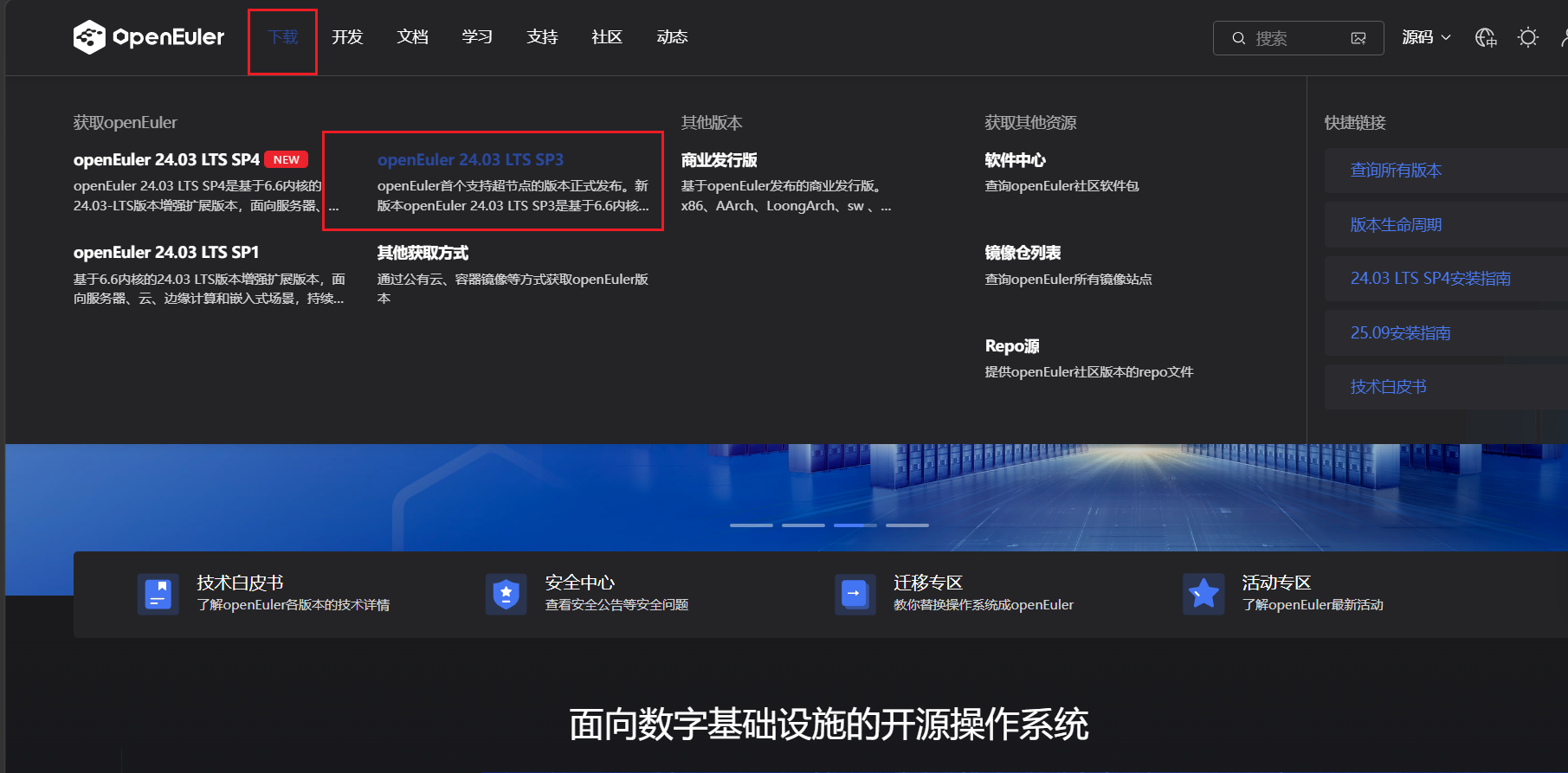
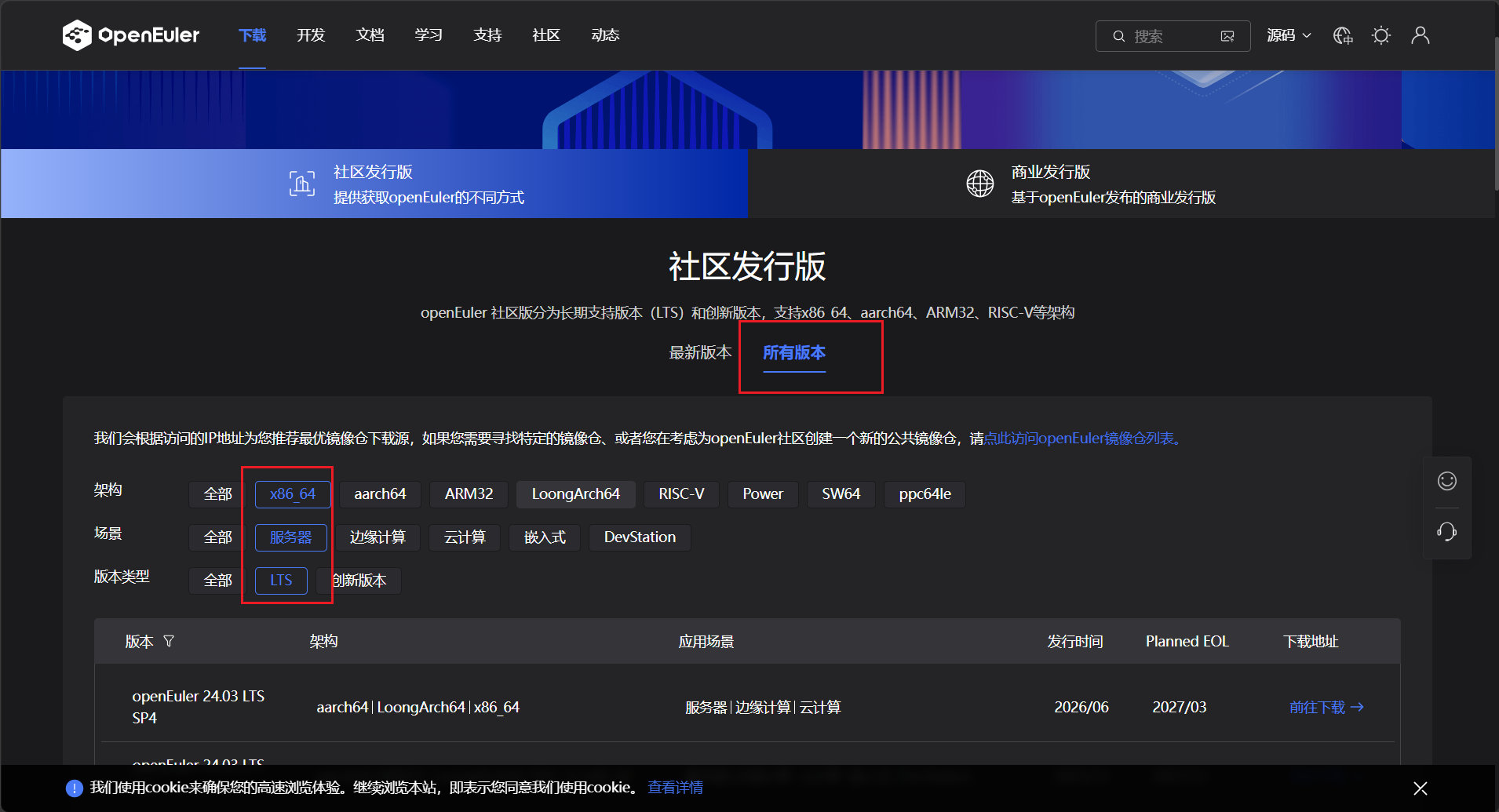
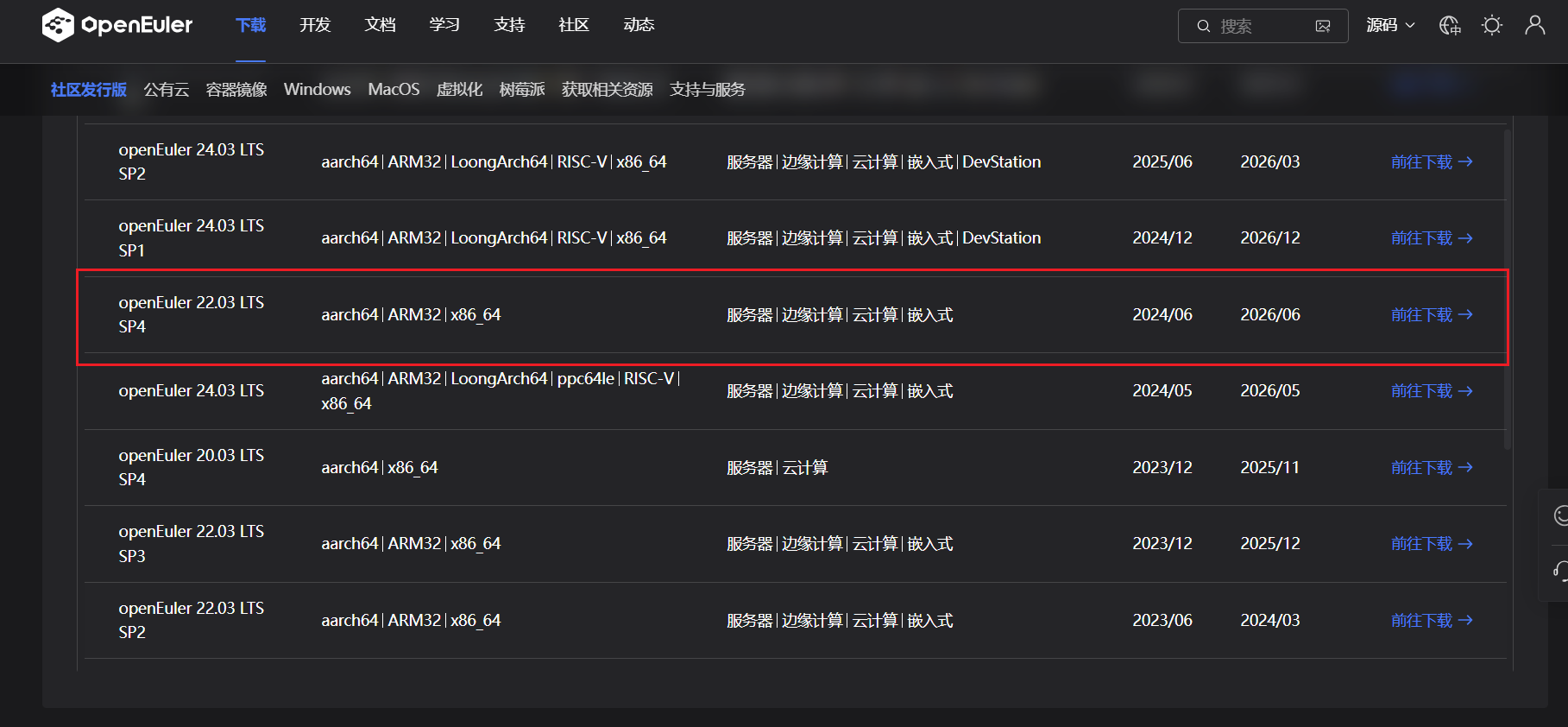
我们选择22.03版本补丁4的进行下载
2.环境搭建
新建虚拟机
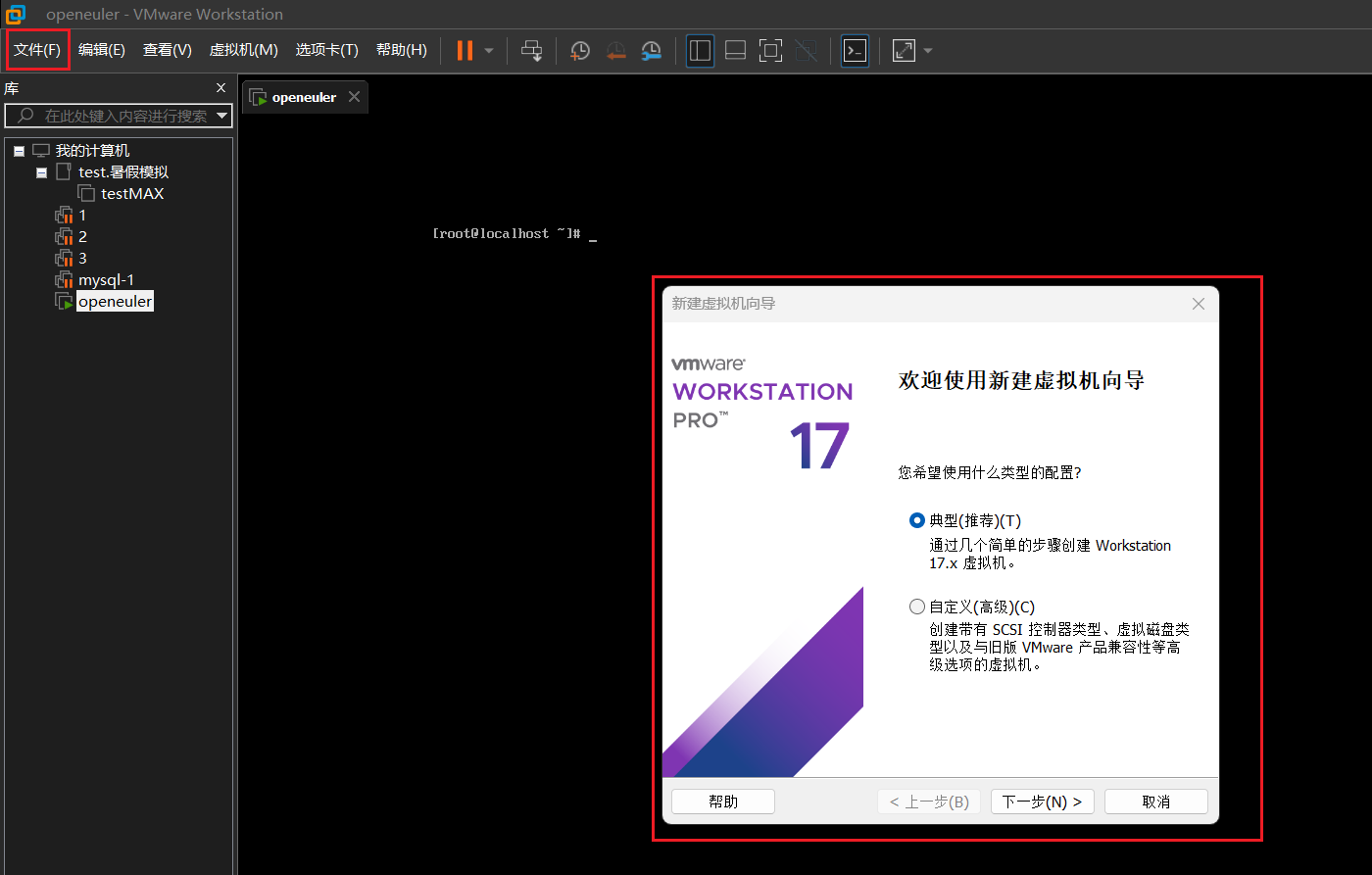
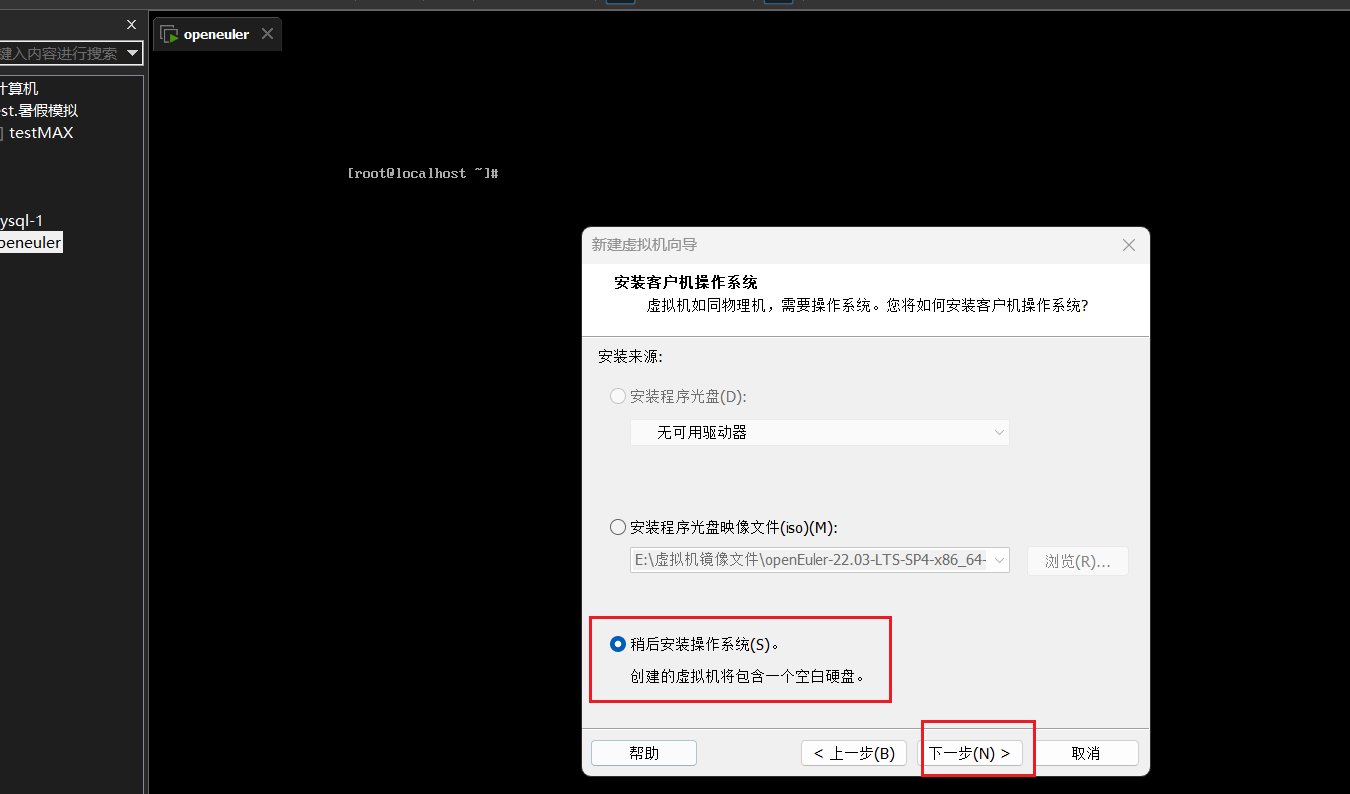
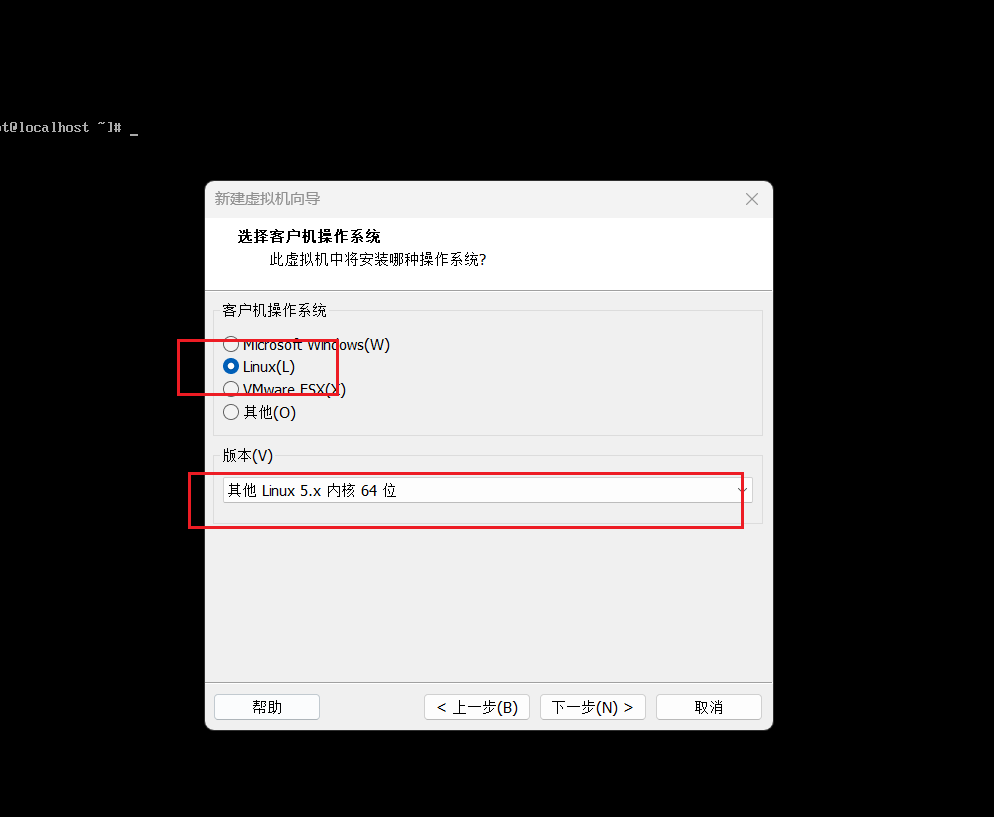
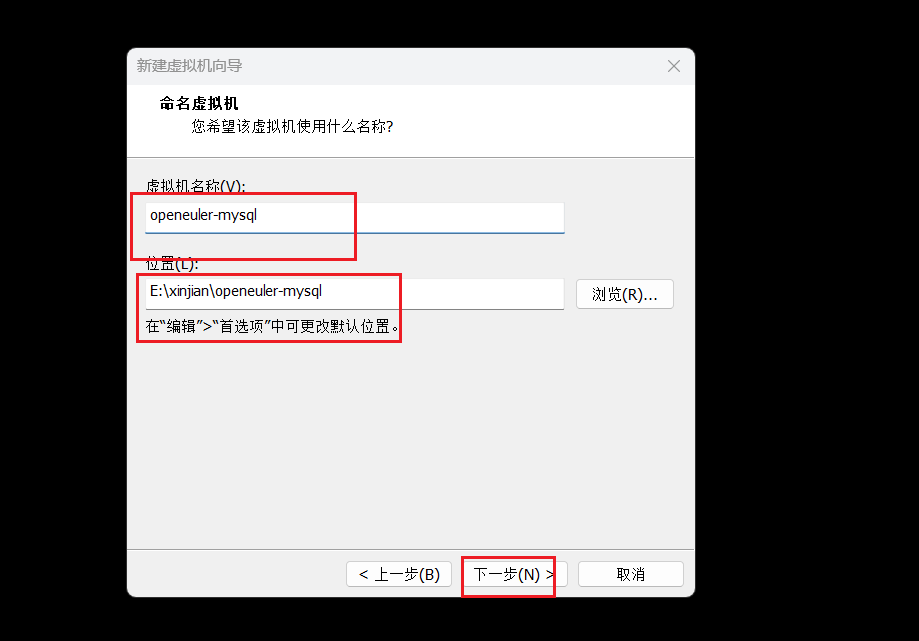
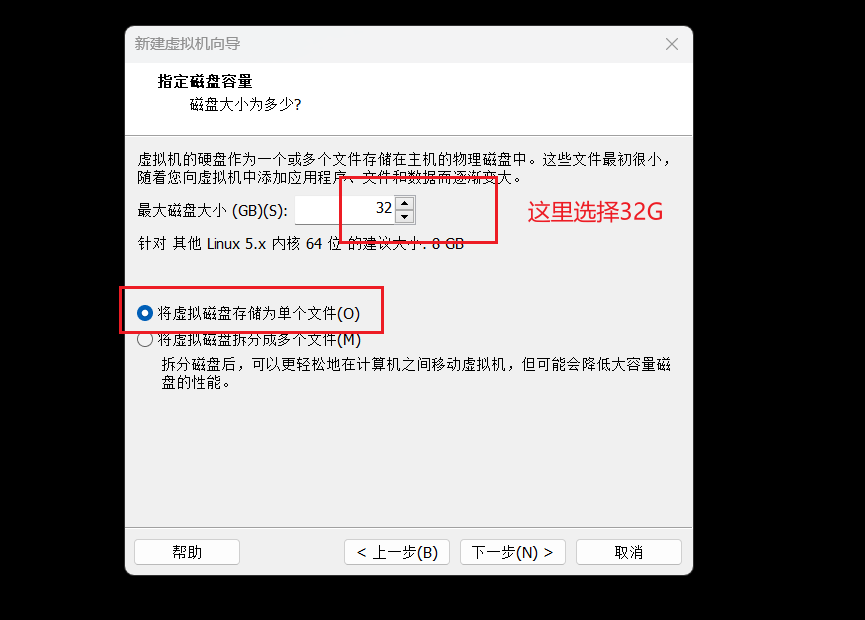
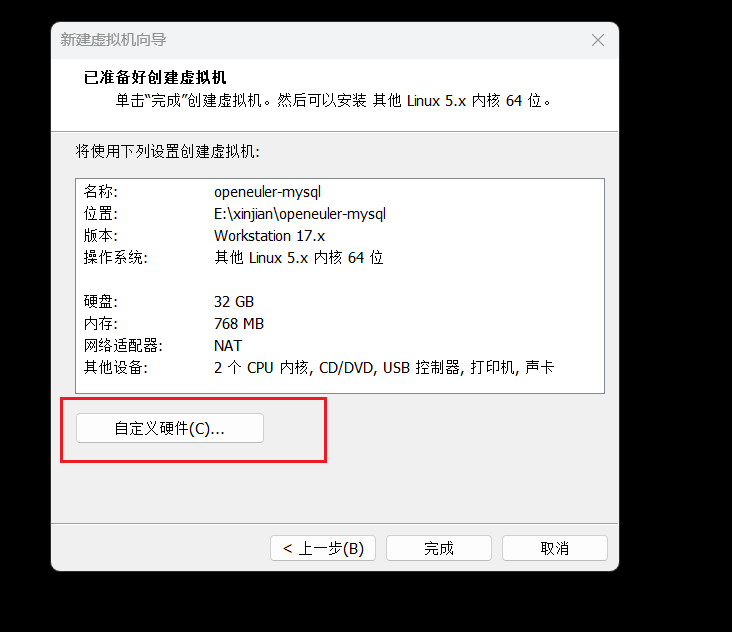
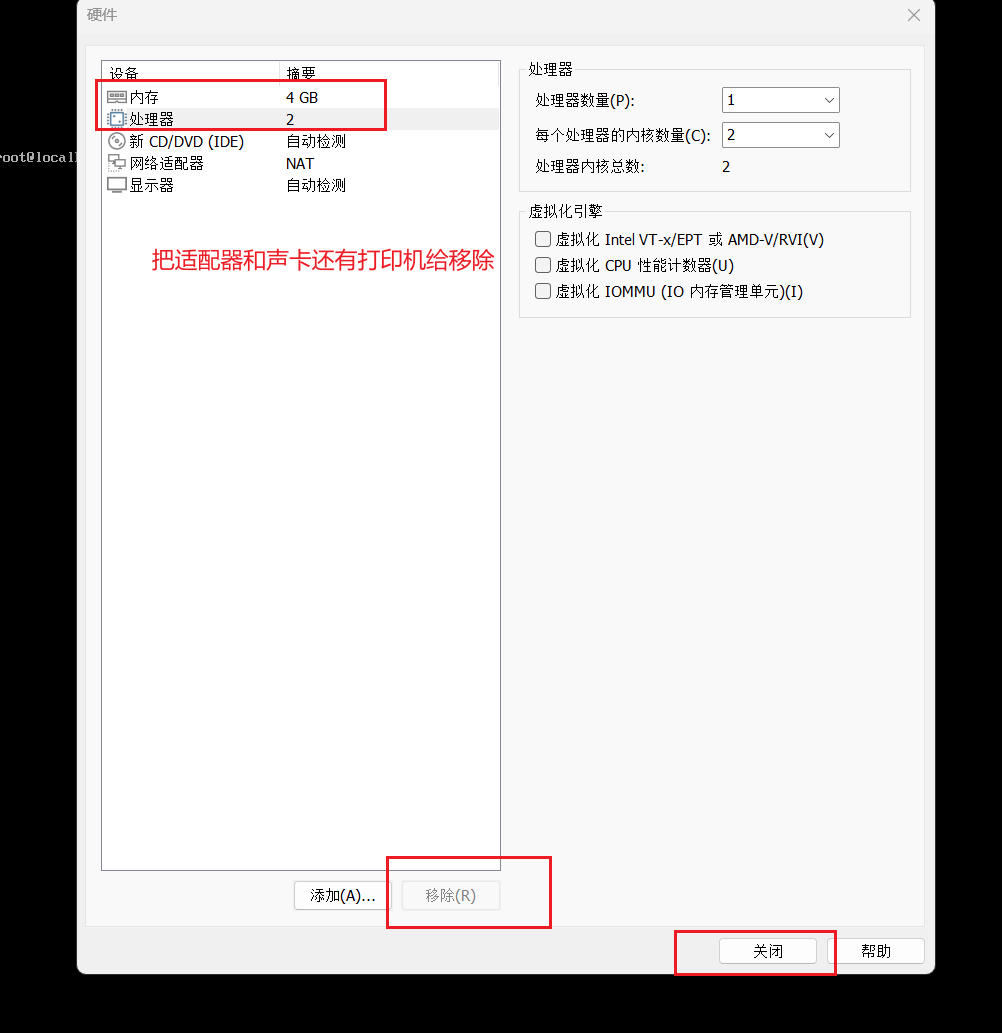
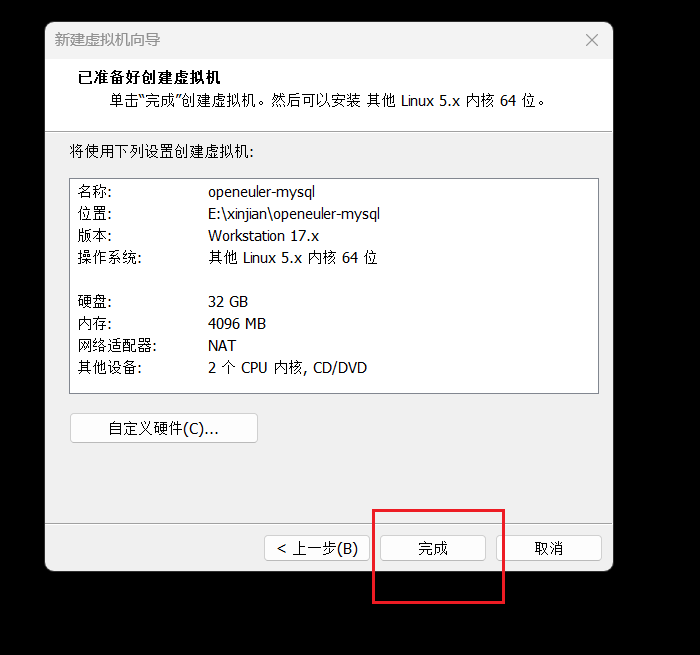
把前面下载的openEuler 系统的镜像文件导入
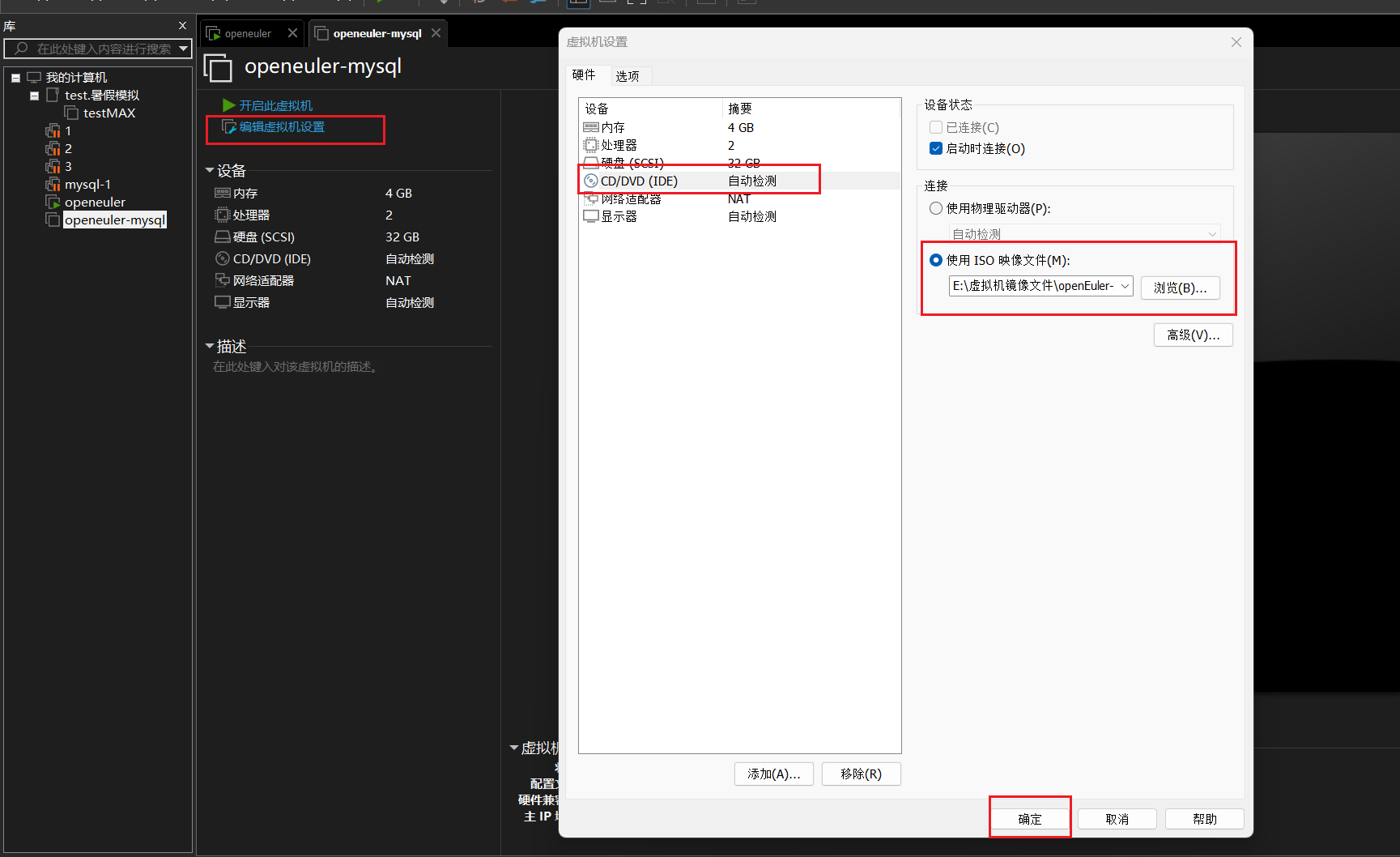
如何开启虚拟机,选择第一个选项
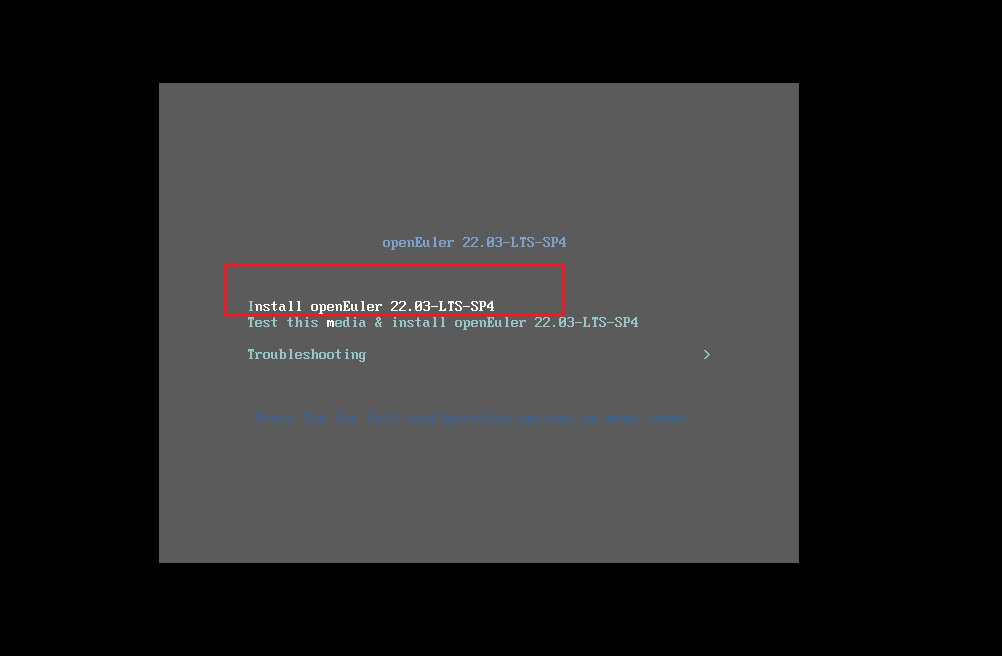
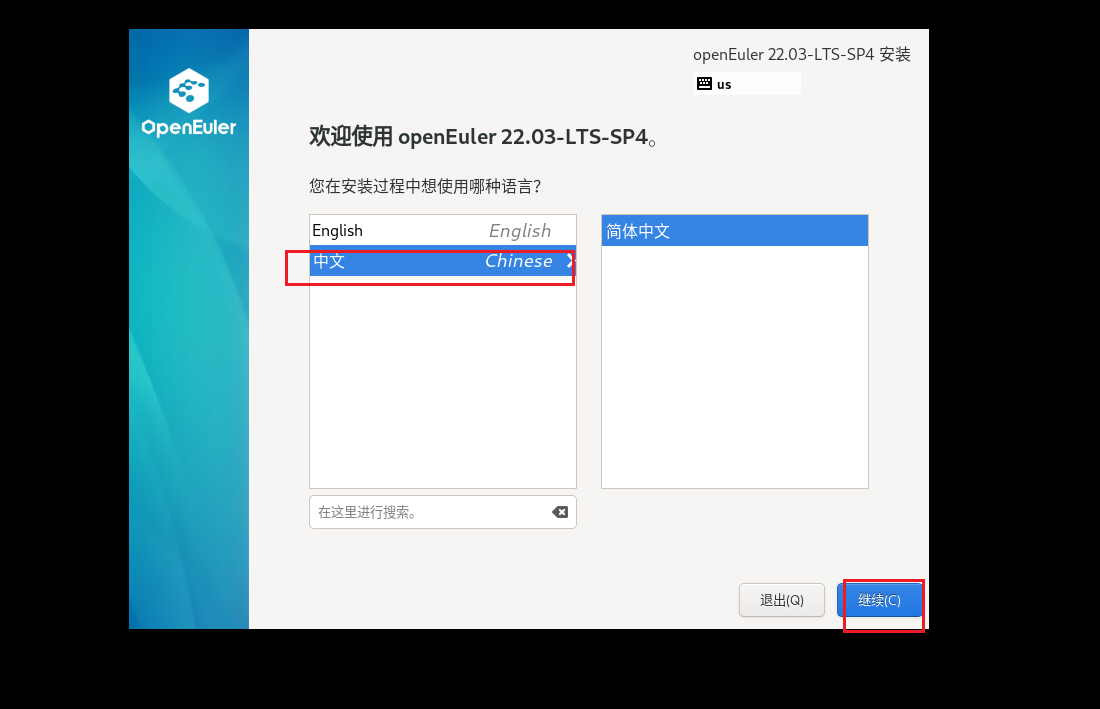
修改这几个地方
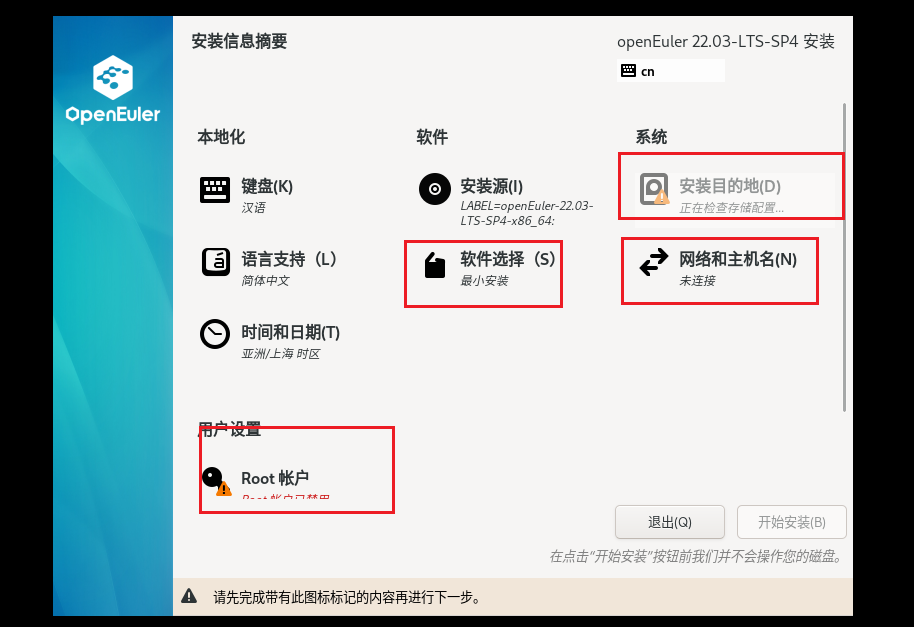
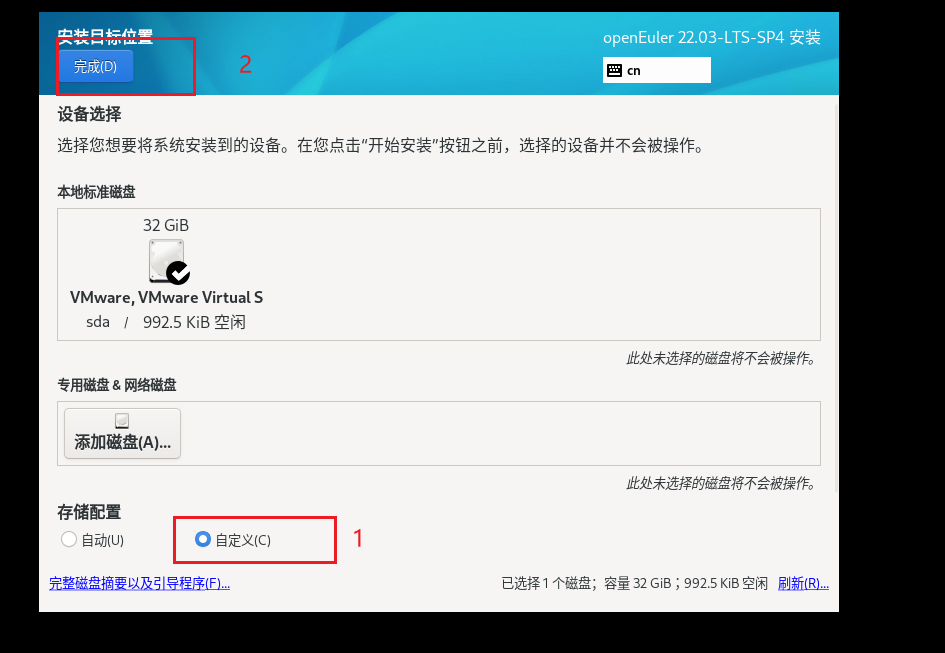
选择这个三个挂载点 /boot 给1G swap 给4G / 不填 默认全部给他
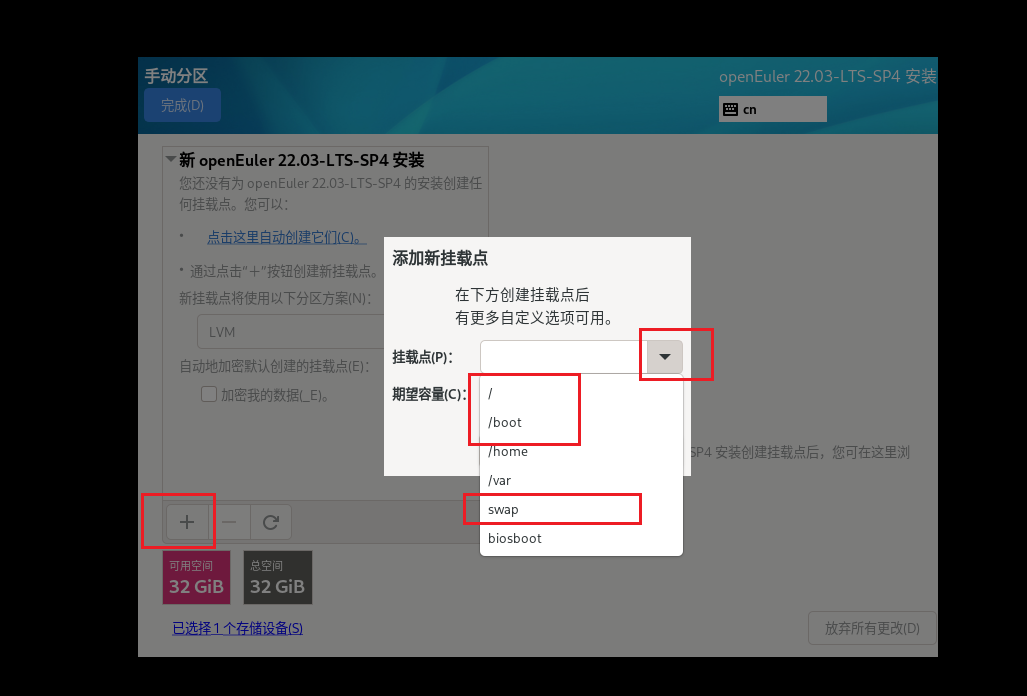
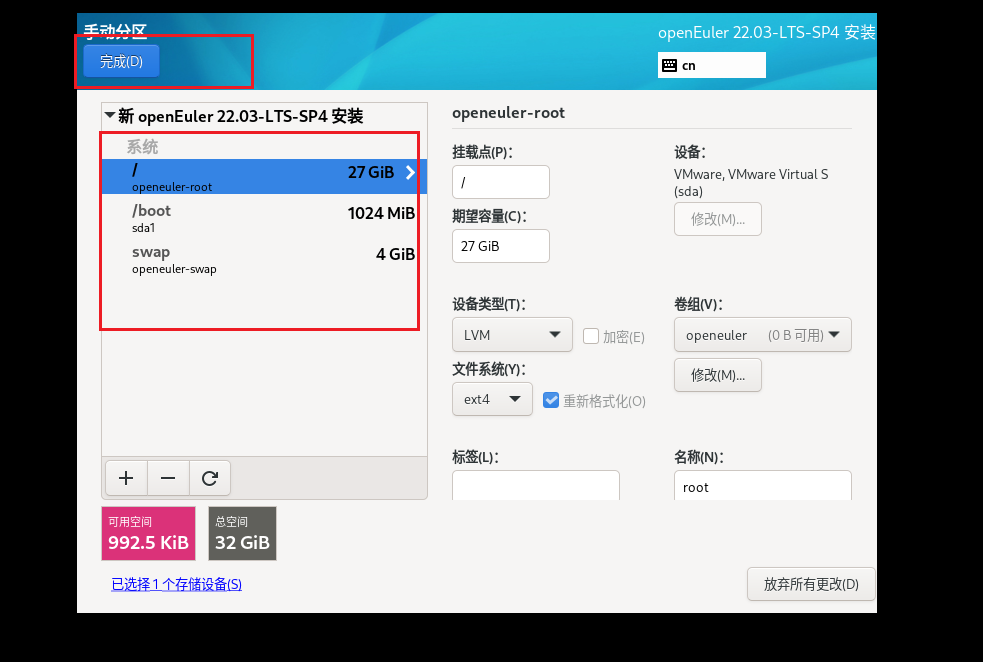
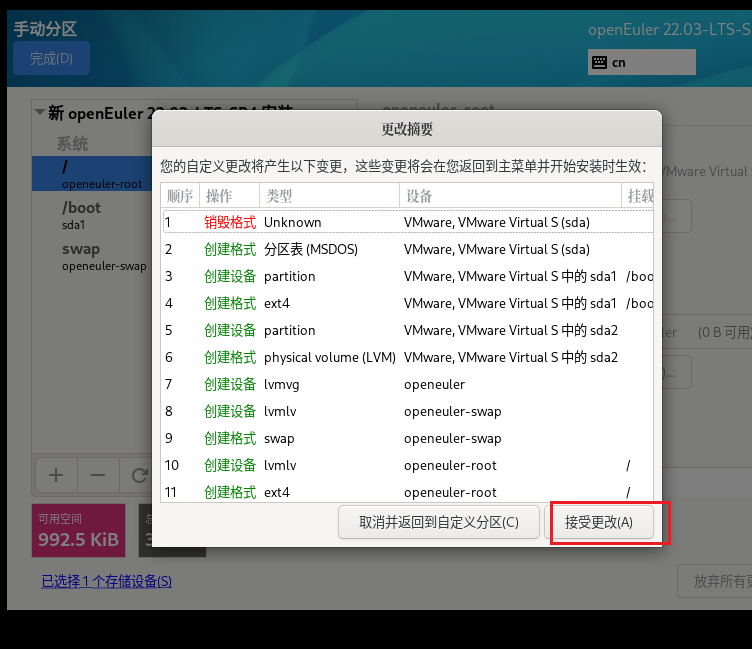
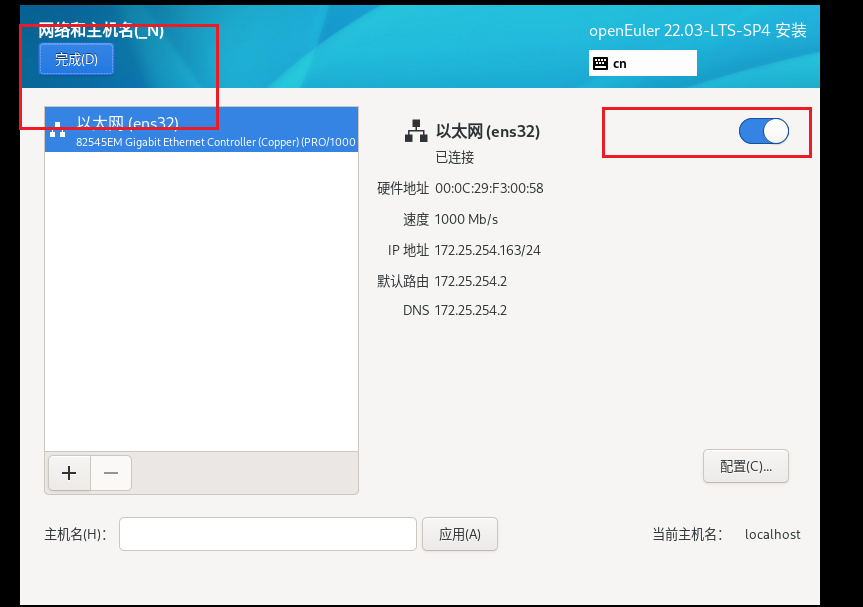
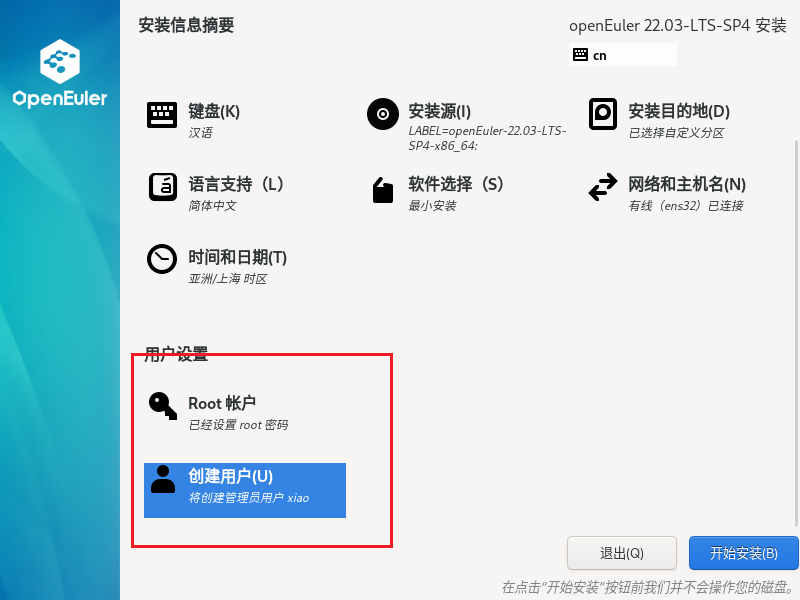
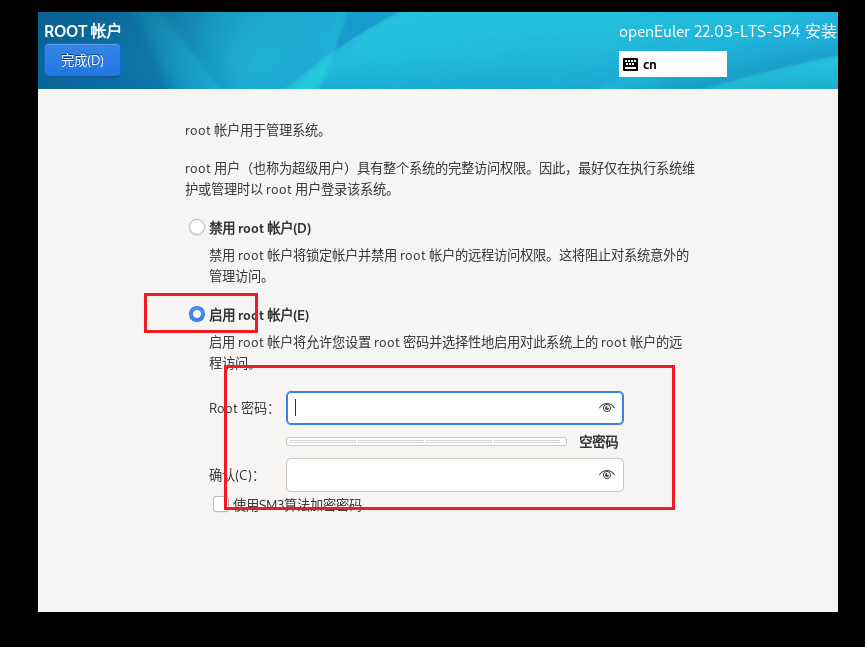
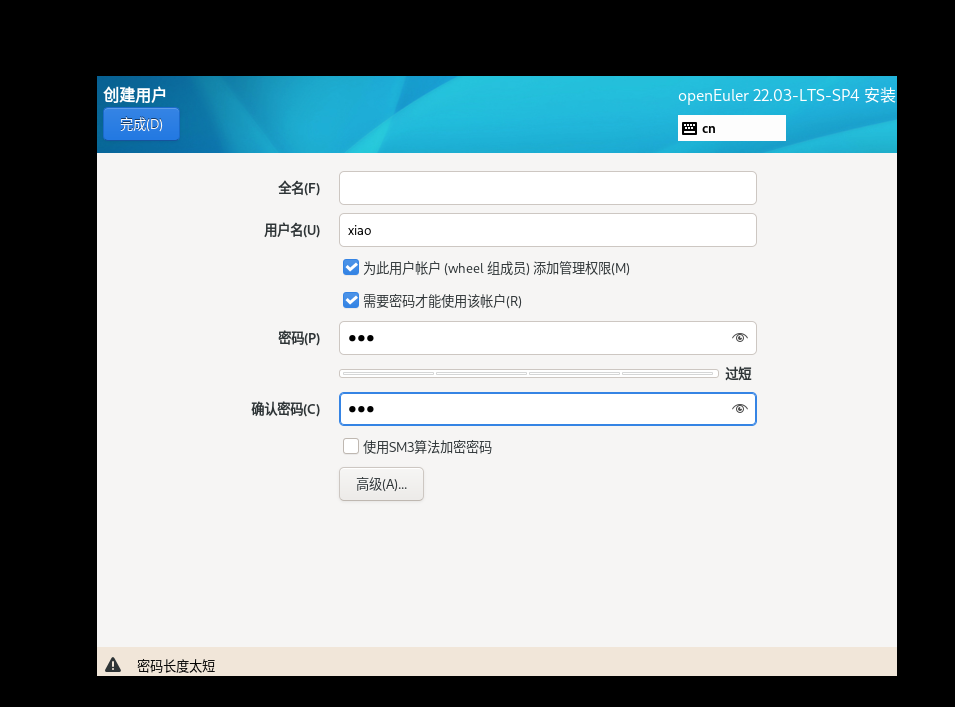
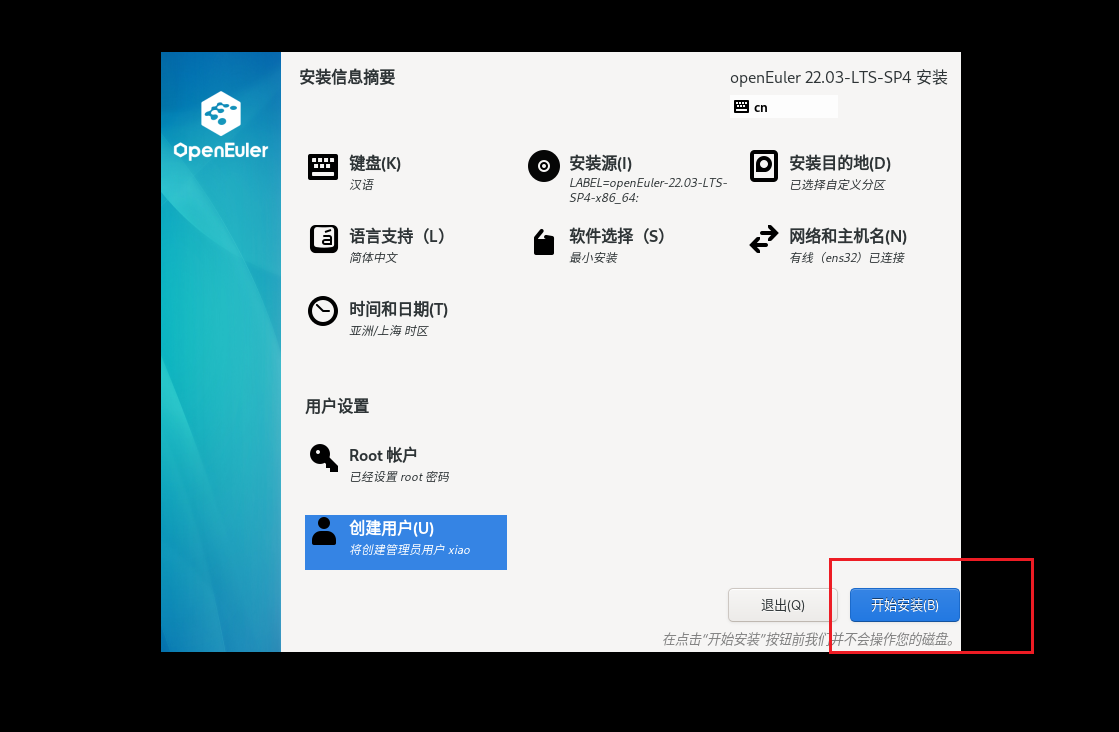
这个密码需要 大小写字母与数字组合
3.环境配置
安装完成之后直接root用户登录,记得自己的密码。
下面是更改自己的ip
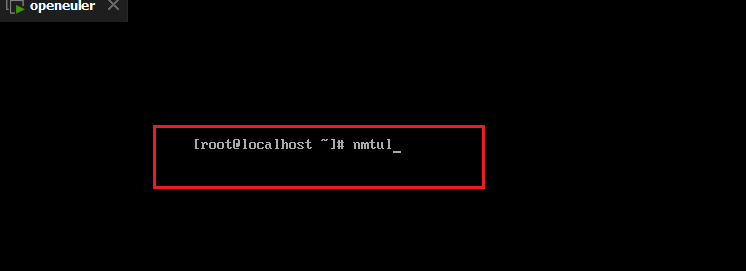
选择好之后,直接回车

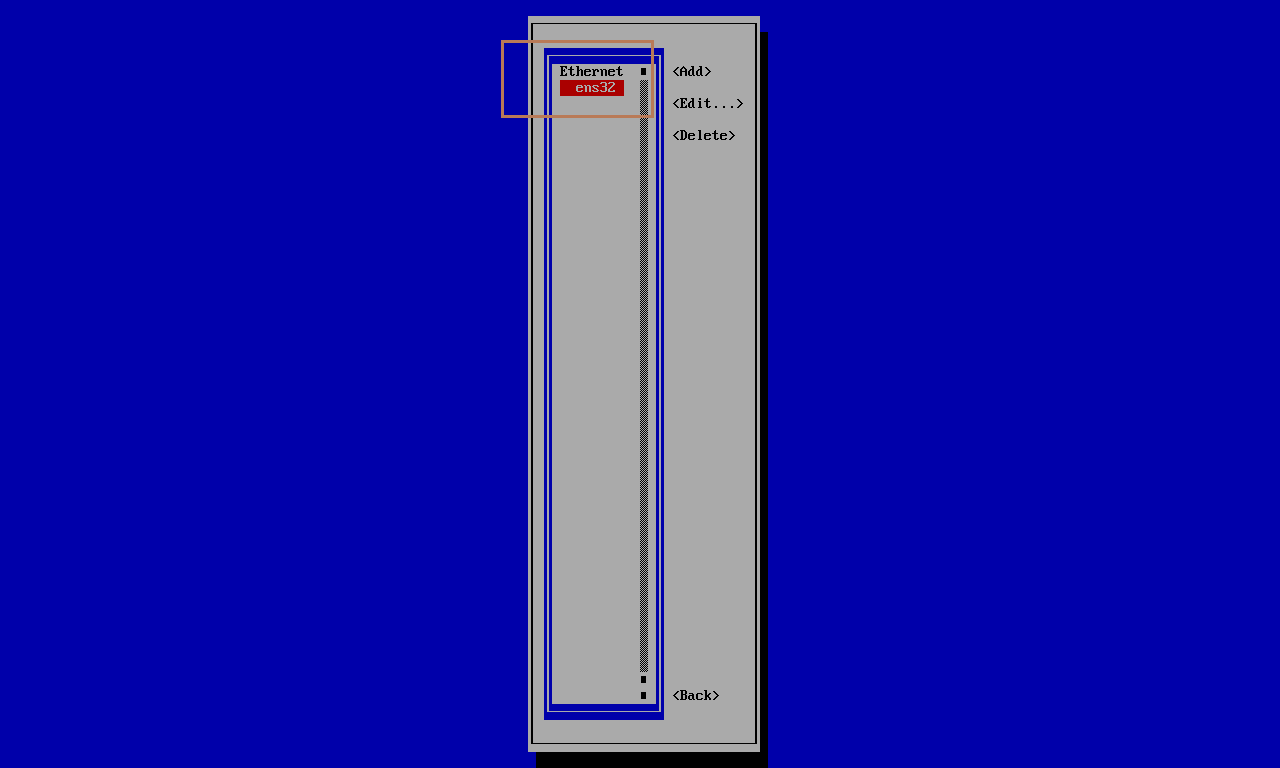
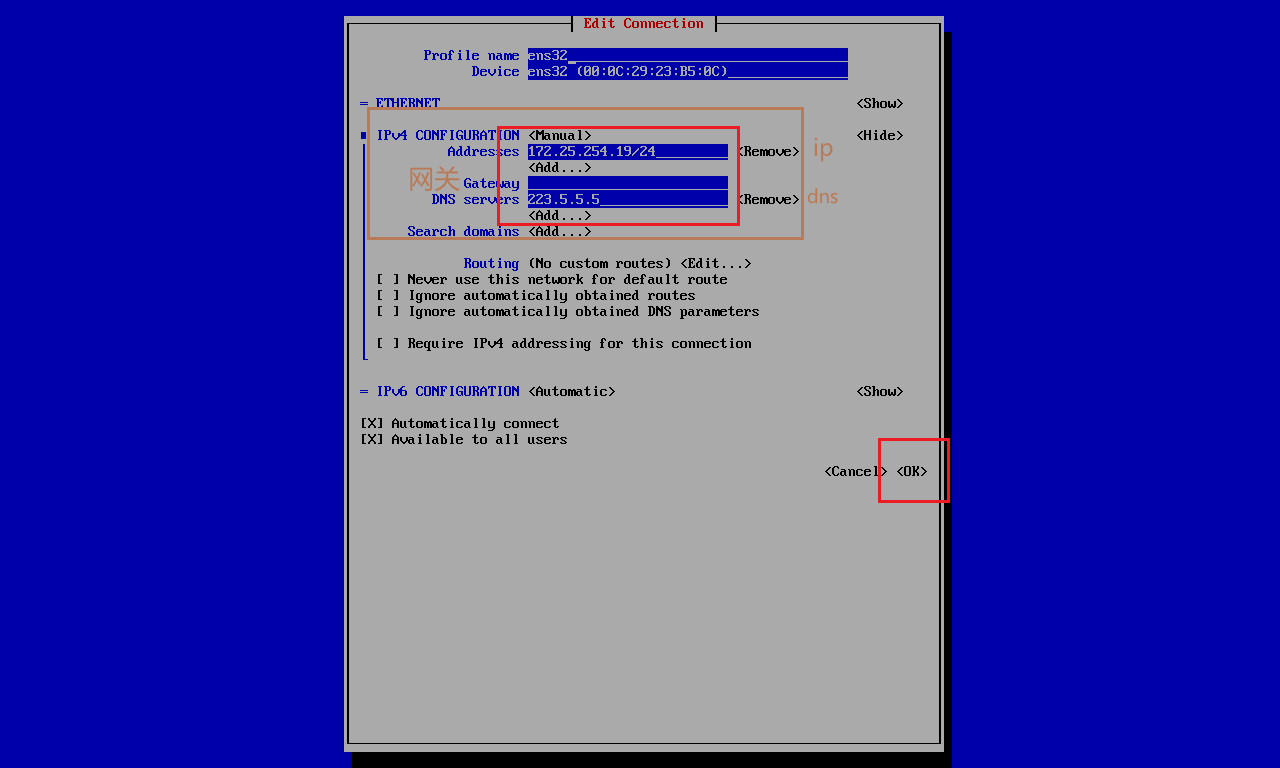
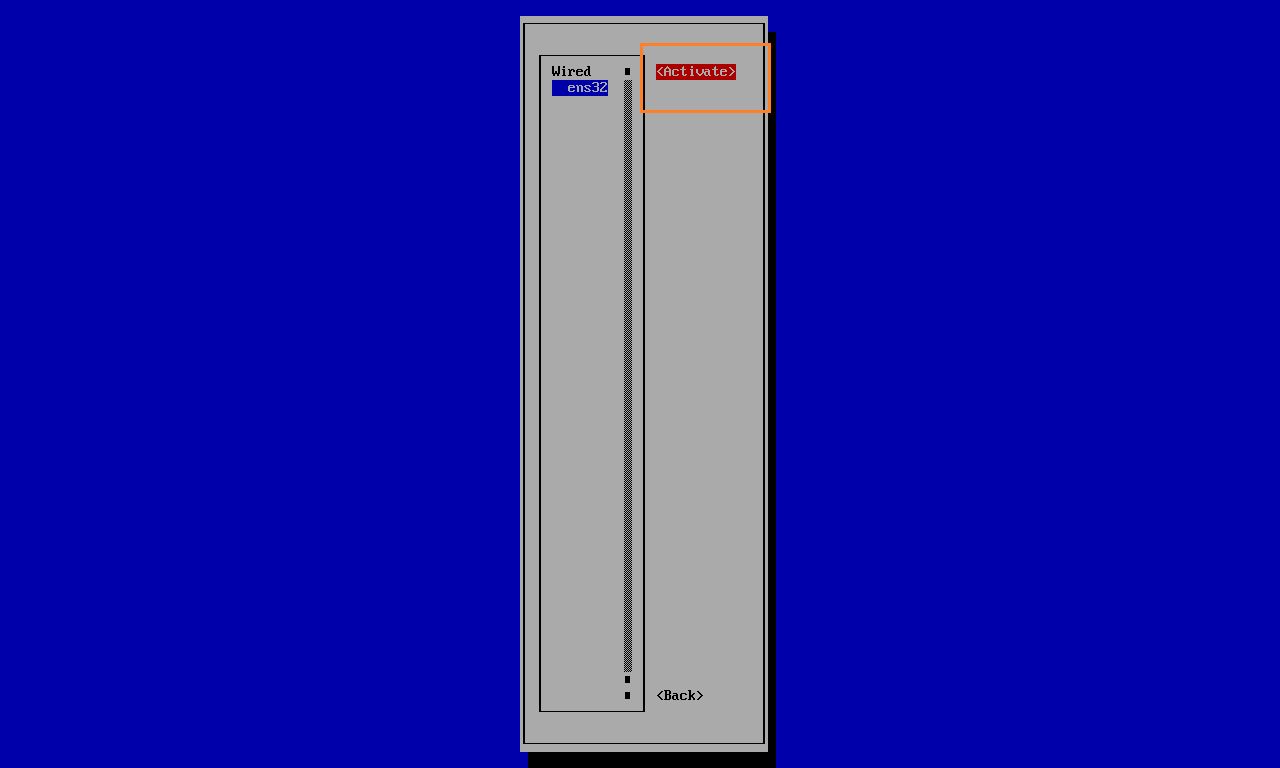
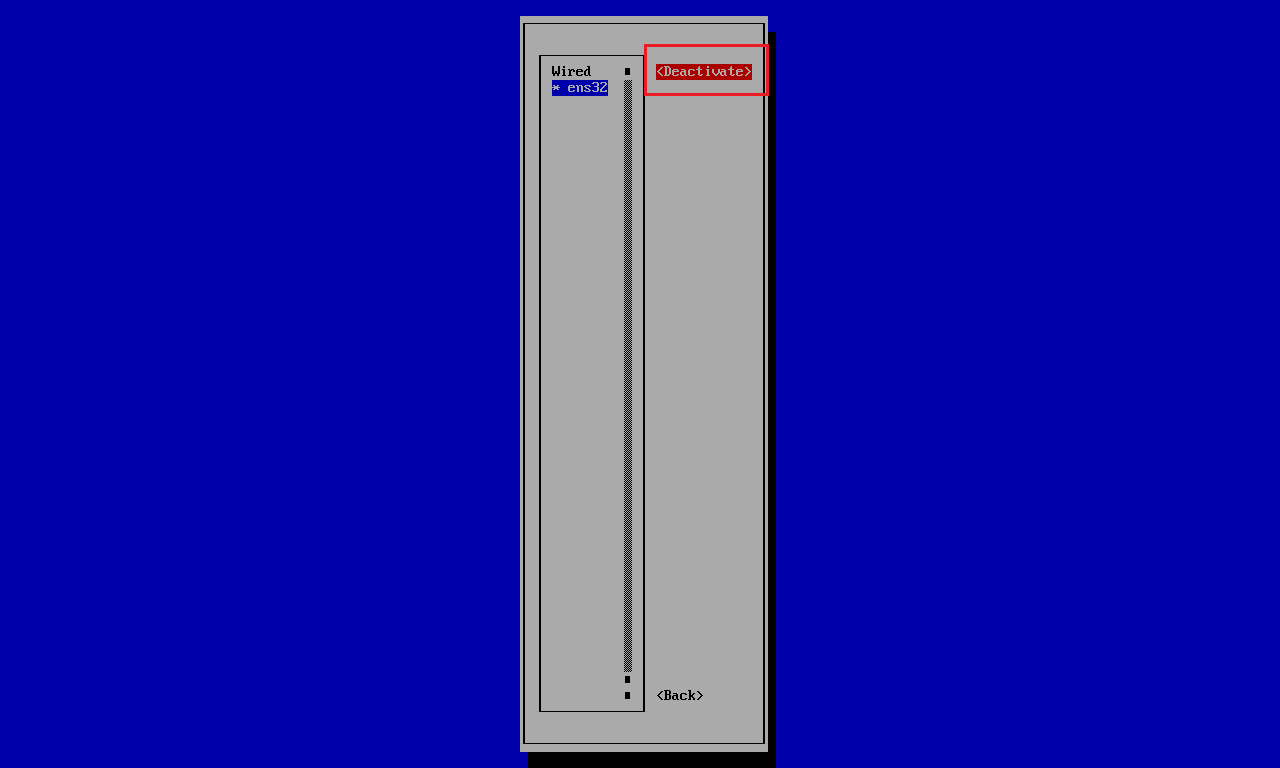
返回刚进来的界面,选择第二个
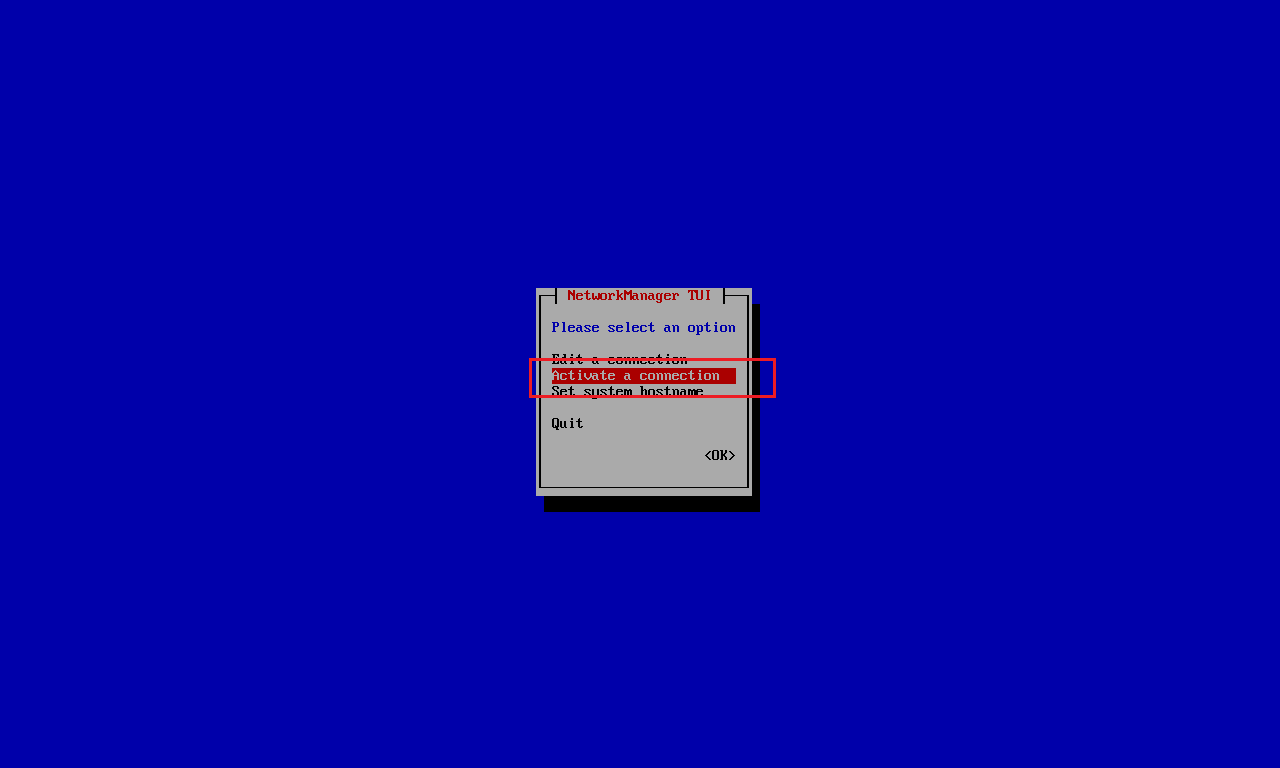
按两次重启

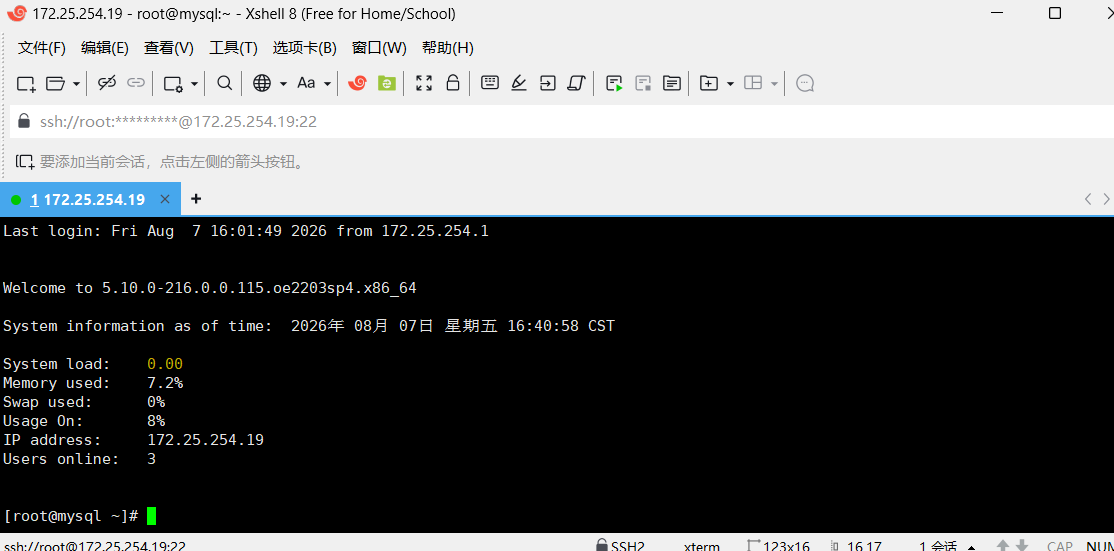
远程连接xshell
cpp
[root@mysql ~]# systemctl stop firewalld
[root@mysql ~]# systemctl disable firewalld
Removed /etc/systemd/system/multi-user.target.wants/firewalld.service.
Removed /etc/systemd/system/dbus-org.fedoraproject.FirewallD1.service.

[root@mysql ~]# vi  /etc/selinux/config
SELINUX=disabled
[root@mysql ~]# reboot  #重启

[root@mysql ~]# getenforce
Disabled
[root@mysql ~]# systemctl status firewalld
○ firewalld.service - firewalld - dynamic firewall daemon
     Loaded: loaded (/usr/lib/systemd/system/firewalld.service; disabled; vendor preset: enabled)
     Active: inactive (dead)
       Docs: man:firewalld(1)
cpp
[root@localhost ~]# systemctl restart chronyd
[root@localhost ~]# chronyd sources
Invalid directive at line 1
[root@localhost ~]# chronyc sources
MS Name/IP address         Stratum Poll Reach LastRx Last sample
===============================================================================
^* 203.107.6.88                  2   6    17    27   +889us[+6624us] +/-   27ms
[root@localhost ~]# date
2026年 08月 07日 星期五 18:52:17 CST
cpp
[root@localhost yum.repos.d]# vi openEuler.repo
[debuginfo]
[source]
[update-source]
#把这三个的  enabled=0  改成0


[root@localhost yum.repos.d]# yum makecache
OS                                                                                         117 kB/s | 3.4 MB     00:29
everything                                                                                 1.6 MB/s |  17 MB     00:10
^[[DEPOL                                           [               ===                       ] ---  B/s |   0  B     --:-- EPOL                                                                                       190 kB/s | 4.7 MB     00:25
update                                                                                     3.5 MB/s |  93 MB     00:26
Metadata cache created.
[root@localhost yum.repos.d]# yum install vim make gcc tree net-tools tar -y
4.MySQL环境编译
进入MySQL官网下载
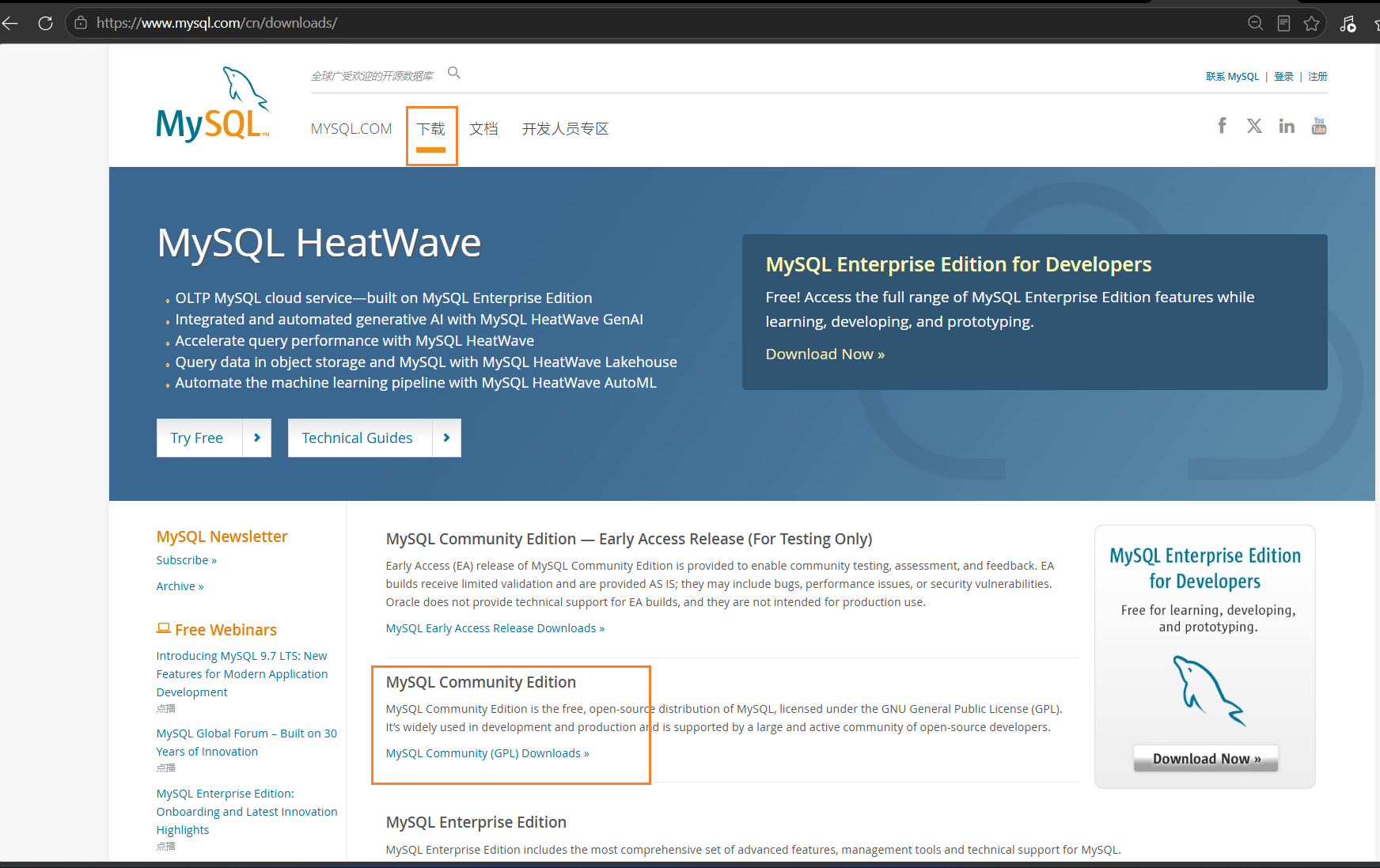
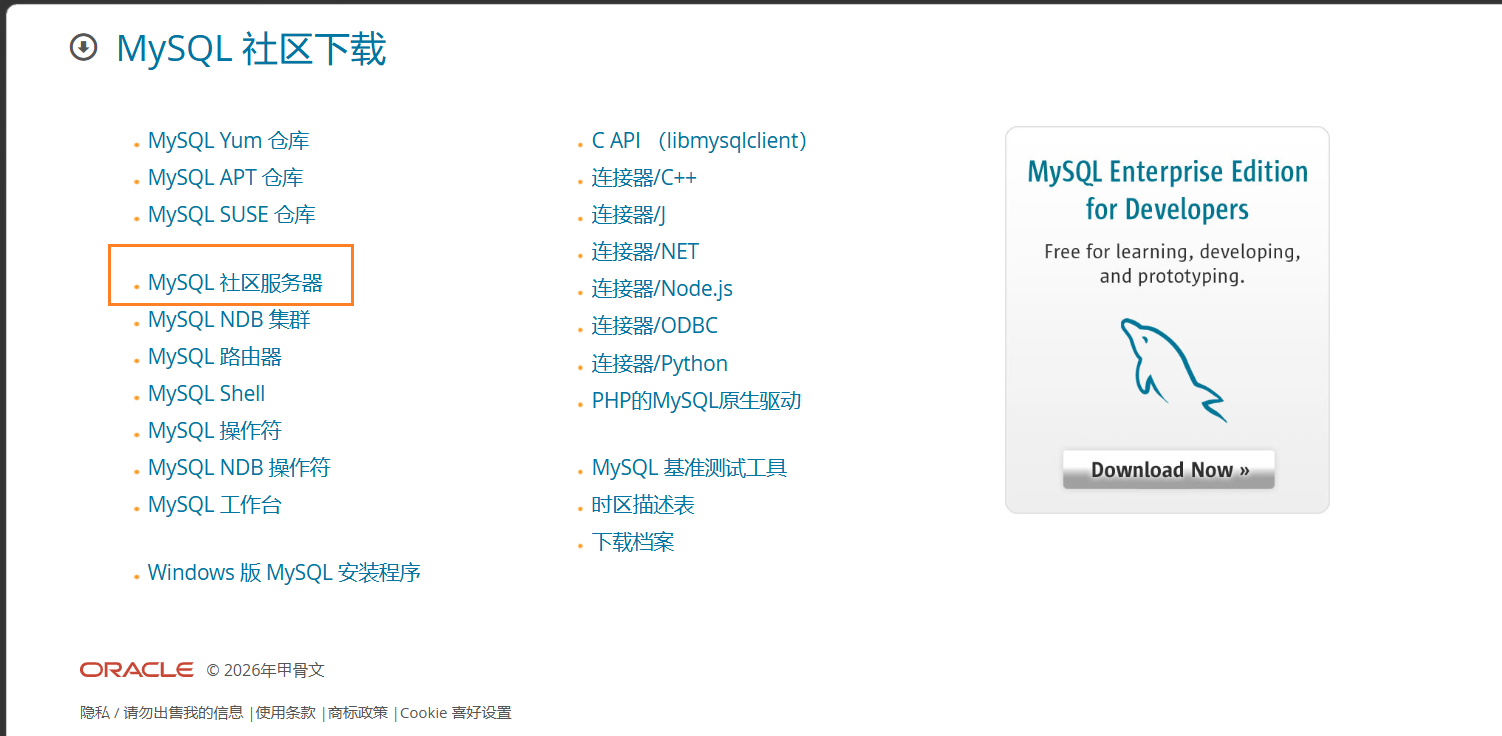
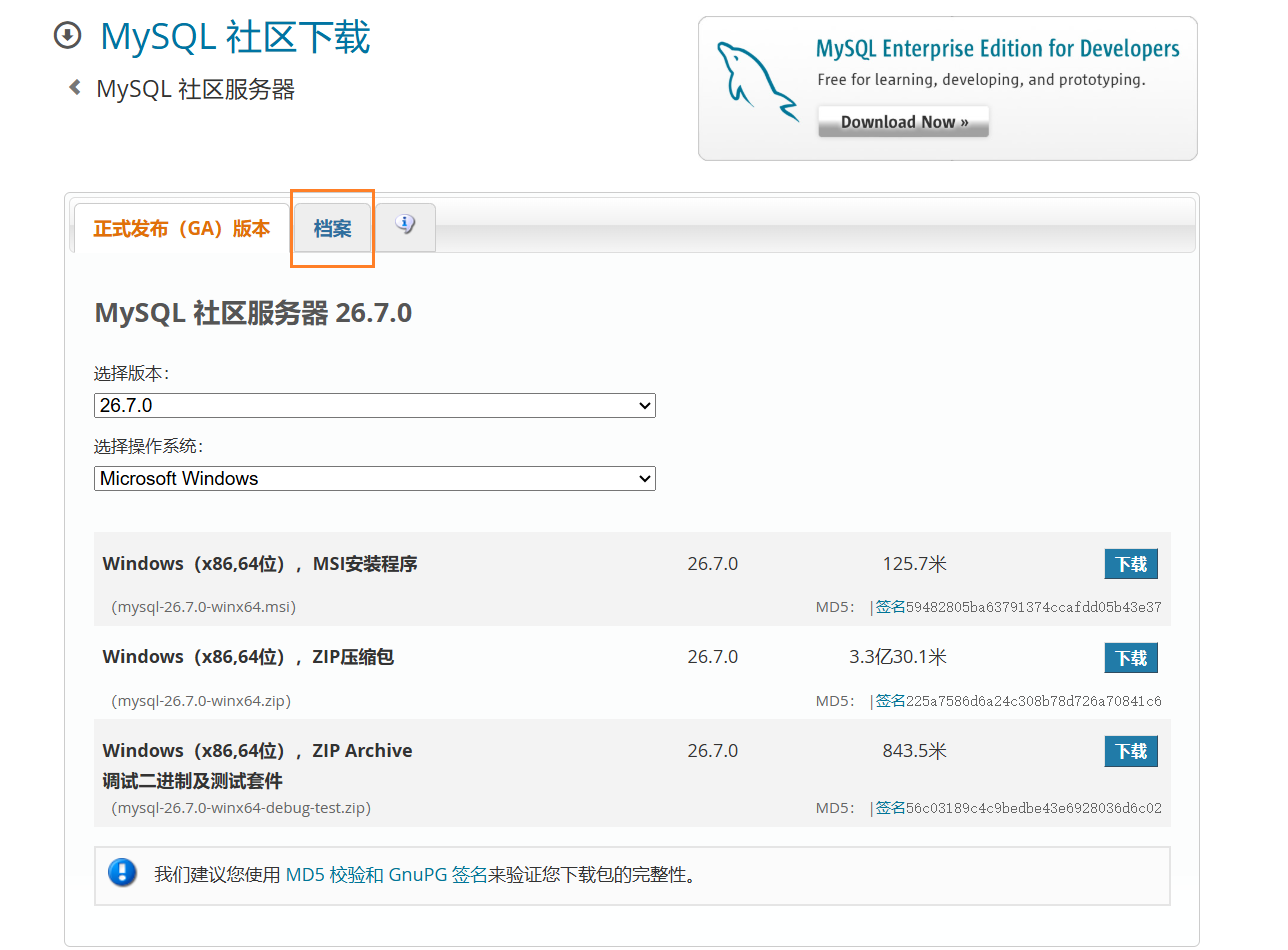
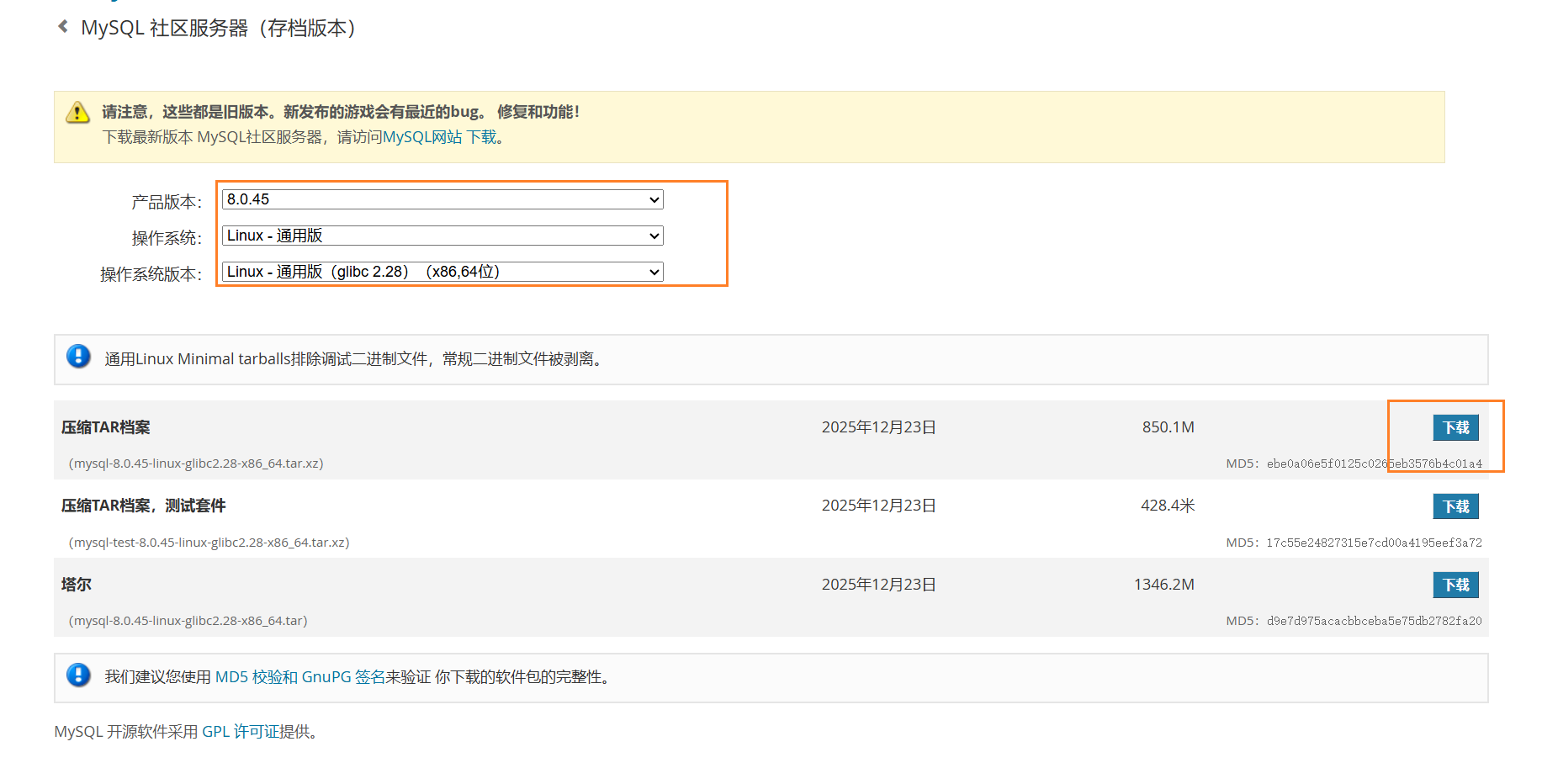
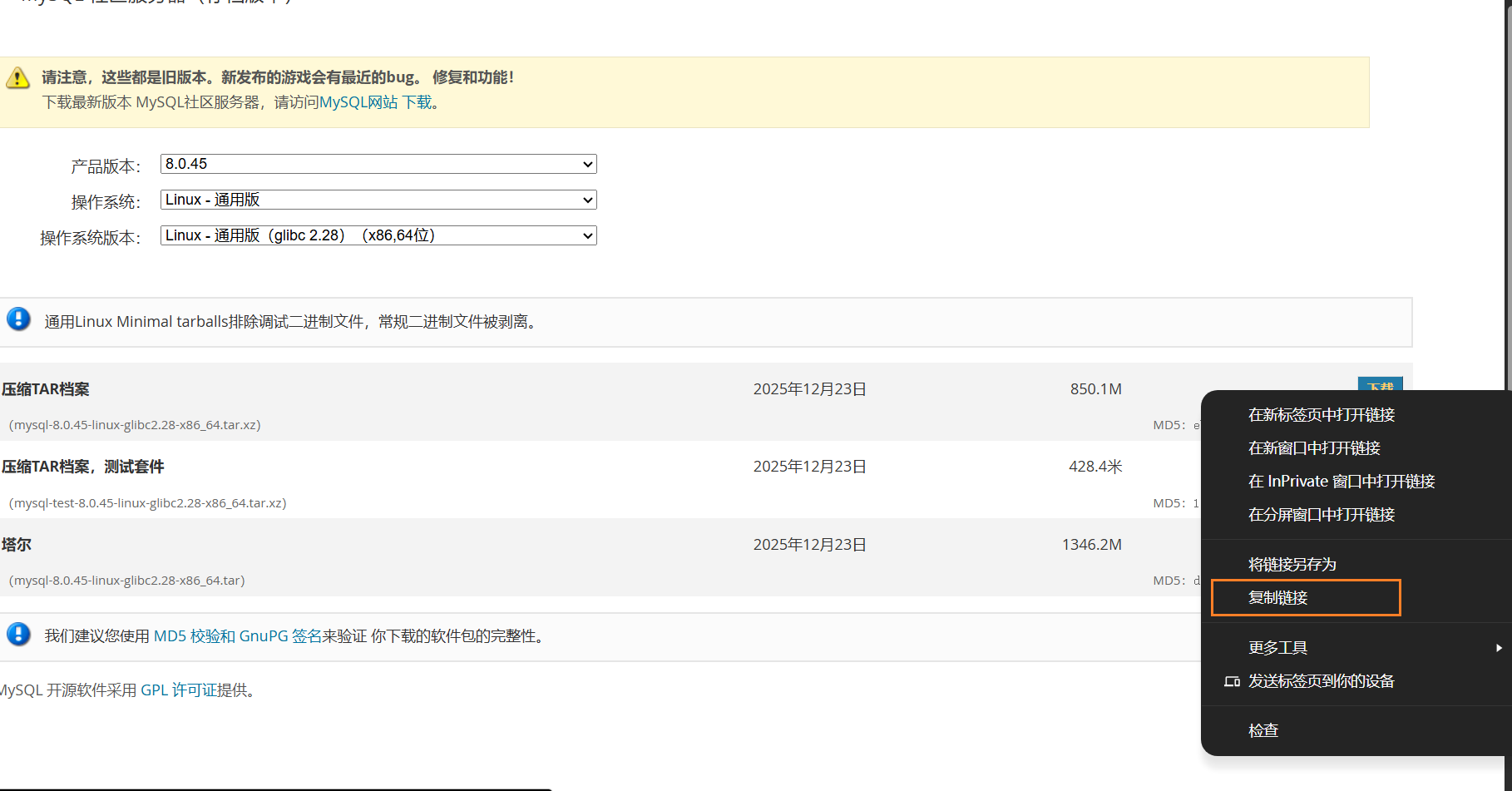
我们可以直接下载,再通过远程连接设备上传到虚拟机。或者直接复制下载链接
cpp
[root@localhost mysql]# wget  https://downloads.mysql.com/archives/get/p/23/file/mysql-8.0.45-linux-glibc2.28-x86_64.tar.xz

[root@localhost /]# tar -xJf mysql-8.0.45-linux-glibc2.28-x86_64.tar.xz
[root@localhost /]# ls
afs   dev   lib         media                                mysql-8.0.45-linux-glibc2.28-x86_64.tar.xz  root  srv  usr
bin   etc   lib64       mnt                                  opt                                         run   sys  var
boot  home  lost+found  mysql-8.0.45-linux-glibc2.28-x86_64  proc                                        sbin  tmp
[root@localhost /]# mv /mysql-8.0.45-linux-glibc2.28-x86_64  /usr/local/mysql
cpp
[root@localhost /]# cd /usr/local/
[root@localhost local]# ls
bin  etc  games  include  lib  lib64  libexec  mysql  sbin  share  src
[root@localhost local]# cd mysql/
[root@localhost mysql]# ls
bin  docs  include  lib  LICENSE  man  README  share  support-files
[root@localhost mysql]#
[root@localhost mysql]# groupadd mysql
[root@localhost mysql]# tail -1 /etc/group
mysql:x:1001:
[root@localhost mysql]# useradd -r -g mysql -s /sbin/nologin mysql
[root@localhost mysql]# id mysql
用户id=987(mysql) 组id=1001(mysql) 组=1001(mysql)
[root@localhost mysql]# pwd
/usr/local/mysql
[root@localhost mysql]# mkdir data
[root@localhost mysql]# chown -R mysql.mysql  /usr/local/mysql
[root@localhost mysql]# ls bin
ibd2sdi         myisampack         mysql_config         mysqldump                  mysqlshow            zlib_decompress
innochecksum    my_print_defaults  mysql_config_editor  mysqldumpslow              mysqlslap
lz4_decompress  mysql              mysqld               mysqlimport                mysql_ssl_rsa_setup
myisamchk       mysqladmin         mysqld-debug         mysql_migrate_keyring      mysql_tzinfo_to_sql
myisam_ftdump   mysqlbinlog        mysqld_multi         mysqlpump                  mysql_upgrade
myisamlog       mysqlcheck         mysqld_safe          mysql_secure_installation  perror
[root@localhost mysql]# bin/mysqld  --initialize  --user=mysql  --basedir=/usr/local/mysql   --datadir=/usr/local/mysql/data
2026-08-07T11:32:22.271746Z 0 [System] [MY-013169] [Server] /usr/local/mysql/bin/mysqld (mysqld 8.0.45) initializing of server in progress as process 2074
2026-08-07T11:32:22.275491Z 1 [System] [MY-013576] [InnoDB] InnoDB initialization has started.
2026-08-07T11:32:22.425913Z 1 [System] [MY-013577] [InnoDB] InnoDB initialization has ended.
2026-08-07T11:32:23.301042Z 6 [Note] [MY-010454] [Server] A temporary password is generated for root@localhost: Mc%sehwAf8xo
[root@localhost mysql]# bin/mysql_safe  --user=mysql &
[1] 2116
[root@localhost mysql]# -bash: bin/mysql_safe: No such file or directory
[root@localhost mysql]# bin/mysql  --user=mysql &
mysql                      mysqlcheck                 mysqld                     mysqld_safe                mysqlimport                mysql_secure_installation  mysql_ssl_rsa_setup
mysqladmin                 mysql_config               mysqld-debug               mysqldump                  mysql_migrate_keyring      mysqlshow                  mysql_tzinfo_to_sql
mysqlbinlog                mysql_config_editor        mysqld_multi               mysqldumpslow              mysqlpump                  mysqlslap                  mysql_upgrade
[root@localhost mysql]# bin/mysqld_safe  --user=mysql &
[2] 2194
[1]   退出 127              bin/mysql_safe --user=mysql
[root@localhost mysql]# Logging to '/usr/local/mysql/data/localhost.localdomain.err'.
2026-08-07T11:40:05.790961Z mysqld_safe Starting mysqld daemon with databases from /usr/local/mysql/data
cpp
#登录mysql
[root@localhost mysql]# bin/mysql  -uroot  -p
Enter password:
Welcome to the MySQL monitor.  Commands end with ; or \g.
Your MySQL connection id is 8
Server version: 8.0.45

Copyright (c) 2000, 2026, Oracle and/or its affiliates.

Oracle is a registered trademark of Oracle Corporation and/or its
affiliates. Other names may be trademarks of their respective
owners.

Type 'help;' or '\h' for help. Type '\c' to clear the current input statement.

mysql>
cpp
mysql> alter user 'root'@'localhost'  identified with mysql_native_password by '123';
Query OK, 0 rows affected (0.00 sec)

mysql> flush privileges;
Query OK, 0 rows affected (0.00 sec)

mysql> use mysql;
Reading table information for completion of table and column names
You can turn off this feature to get a quicker startup with -A

Database changed
mysql> select user,host,plugin from mysql.user;
+------------------+-----------+-----------------------+
| user             | host      | plugin                |
+------------------+-----------+-----------------------+
| mysql.infoschema | localhost | caching_sha2_password |
| mysql.session    | localhost | caching_sha2_password |
| mysql.sys        | localhost | caching_sha2_password |
| root             | localhost | mysql_native_password |
+------------------+-----------+-----------------------+
4 rows in set (0.00 sec)

mysql>
cpp
[root@localhost mysql]# vim /etc/my.cnf
[client]
port = 3306
socket = /tmp/mysql.sock

[mysqld]
port = 3306
basedir = /usr/local/mysql
datadir = /usr/local/mysql/data
tmpdir = /tmp
socket = /tmp/mysql.sock
character-set-server = utf8mb4
collation-server = utf8mb4_general_ci
default-storage-engine=INNODB
log_error = error.log
cpp
[root@localhost mysql]# vim /usr/lib/systemd/system/mysqld.service
[Unit]
Description=MySQL Server
After=network.target remote-fs.target nss-lookup.target

[Service]
Type=notify
User=mysql
Group=mysql
ExecStart=/usr/local/mysql/bin/mysqld --defaults-file=/etc/my.cnf
LimitNOFILE=65535
LimitNPROC=65535
Restart=on-failure
RestartPreventExitStatus=1
TimeoutSec=0

[Install]
WantedBy=multi-user.target
cpp
[root@localhost mysql]# systemctl daemon-reload
[root@localhost mysql]# systemctl start mysqld
[root@localhost mysql]# systemctl enable mysqld
Created symlink /etc/systemd/system/multi-user.target.wants/mysqld.service → /usr/lib/systemd/system/mysqld.service.
[root@localhost mysql]# systemctl status mysqld
● mysqld.service - MySQL Server
cpp
[root@localhost mysql]# vim ~/.bash_profile
PATH=$PATH:$HOME/bin:/usr/local/mysql/bin

[root@localhost mysql]# source ~/.bash_profile
[root@localhost mysql]# mysql -uroot -p
Enter password:
Welcome to the MySQL monitor.  Commands end with ; or \g.
Your MySQL connection id is 8
Server version: 8.0.45 MySQL Community Server - GPL

Copyright (c) 2000, 2026, Oracle and/or its affiliates.

Oracle is a registered trademark of Oracle Corporation and/or its
affiliates. Other names may be trademarks of their respective
owners.

Type 'help;' or '\h' for help. Type '\c' to clear the current input statement.

mysql> exit
Bye
最后,环境和配置完成。