别人的网站很好,我写了一个差不多的。
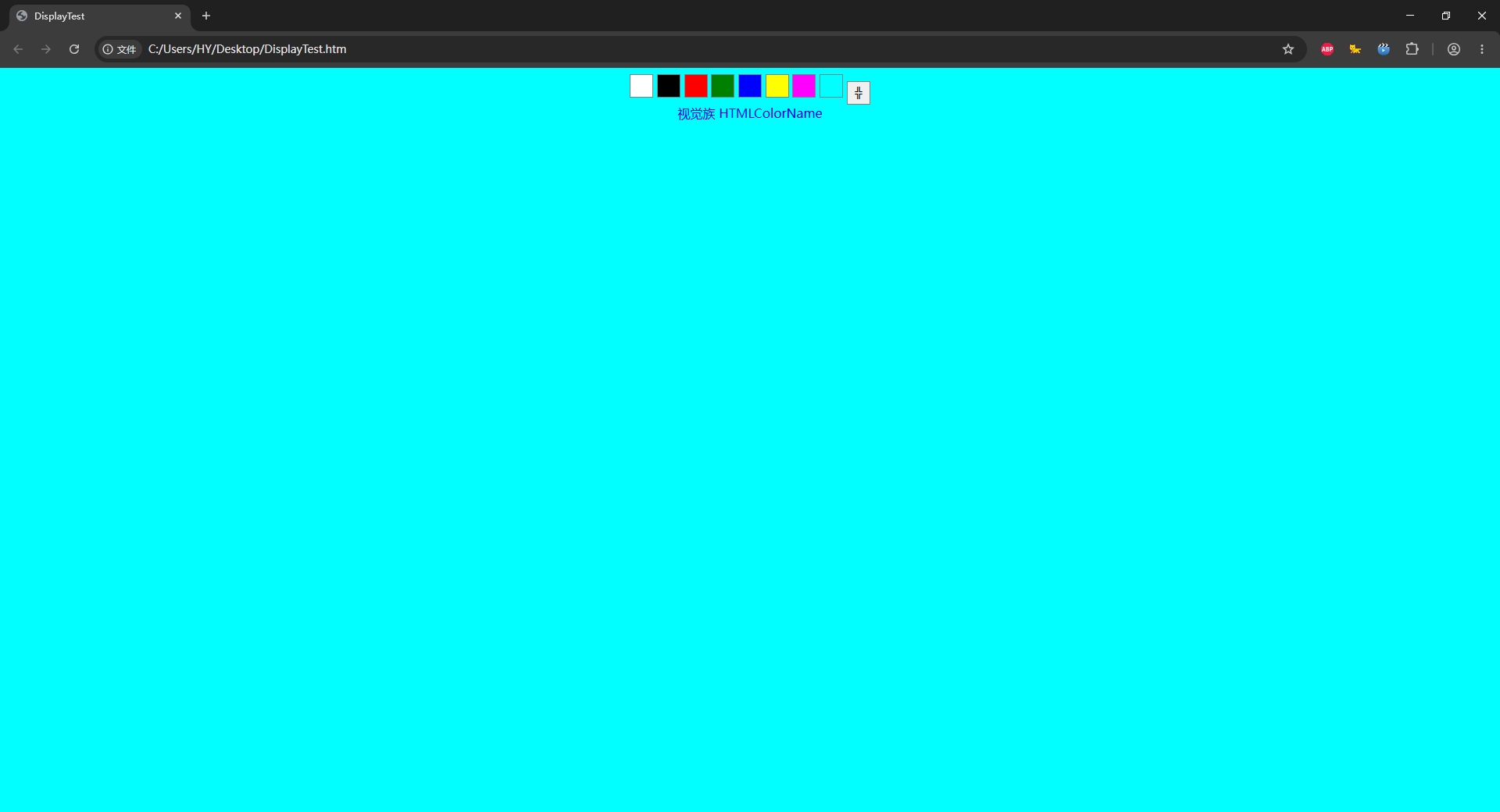
html
<html>
<head>
<meta name="viewport" content="width=device-width, initial-scale=1.0, maximum-scale=1.0, user-scalable=no"/>
<title>DisplayTest</title>
</head>
<style>
body {  }
button { width:30px; height:30px; border:1px solid gray; }
a { text-decoration:none; }
#panel { text-align:center; }
</style>
<body>
<div id="panel">
<button class="button_color"></button> <button class="button_color"></button> <button class="button_color"></button> <button class="button_color"></button> <button class="button_color"></button> <button class="button_color"></button> <button class="button_color"></button> <button class="button_color"></button> <button id="button_fullscreen">↕</button><br>
<a href="https://www.shijuezu.com/" target="_blank">视觉族</a> <a href="https://www.htmlcolorname.com/" target="_blank">HTMLColorName</a>
</div>
<script>
var colors = [ 'white', 'black', 'red', 'green', 'blue', 'yellow', 'fuchsia', 'cyan' ];
var id = 0;
var timerId;
var delay = 2000;

var buttons = document.querySelectorAll('.button_color');
for (i=0; i<buttons.length; i++) {
	buttons[i].style.background = colors[i];
    buttons[i].addEventListener('click', function() {
		id = Array.prototype.indexOf.call(buttons, this);
		document.body.style.background = colors[id];
		timerId = setTimeout(() => { panel.style.display = 'none'; document.documentElement.style.cursor = 'none'; }, delay);
	});
}

function EEFullscreen() {
	if (!document.fullscreenElement){
		document.documentElement.requestFullscreen();
		button_fullscreen.textContent = '╬';
	} else {
		document.exitFullscreen();
		button_fullscreen.textContent = '↕';
	}
}

function hidePanel() {
	panel.style.display = 'none';
	document.documentElement.style.cursor = 'none';
}

button_fullscreen.onclick = function(){
	EEFullscreen();
}

document.onkeydown = function(e){
	//console.log(e.code);
	if (e.code === 'KeyF') {
		EEFullscreen();
	} else if (e.code === 'ArrowLeft') {
		if (id == 0) {
			id = colors.length - 1;
		} else {
			id--;
		}
		buttons[id].focus();
		document.body.style.background = colors[id];
		timerId = setTimeout(() => {  }, delay);
	} else if (e.code === 'ArrowRight') {
		if (id == colors.length - 1) {
			id = 0;
		} else {
			id++;
		}
		buttons[id].focus();
		document.body.style.background = colors[id];
		timerId = setTimeout(() => { hidePanel(); }, delay);
	}
}

document.onmousemove = function(e){
	clearTimeout(timerId);
	panel.style.display = 'block';
	document.documentElement.style.cursor = 'auto';
	timerId = setTimeout(() => { hidePanel(); }, delay);
}

timerId = setTimeout(() => { hidePanel(); }, delay);
</script>
</body>
</html>