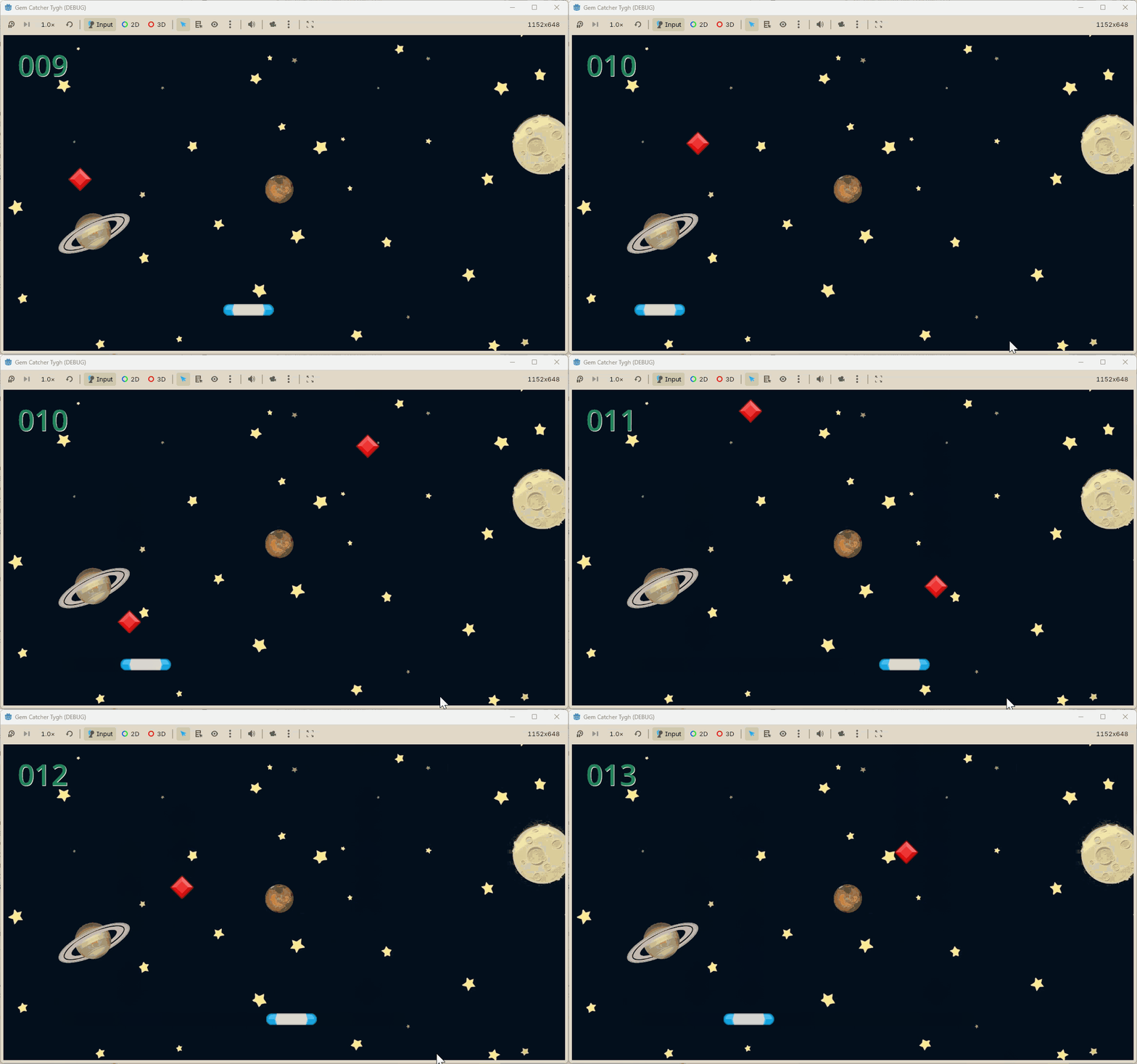
添加音效
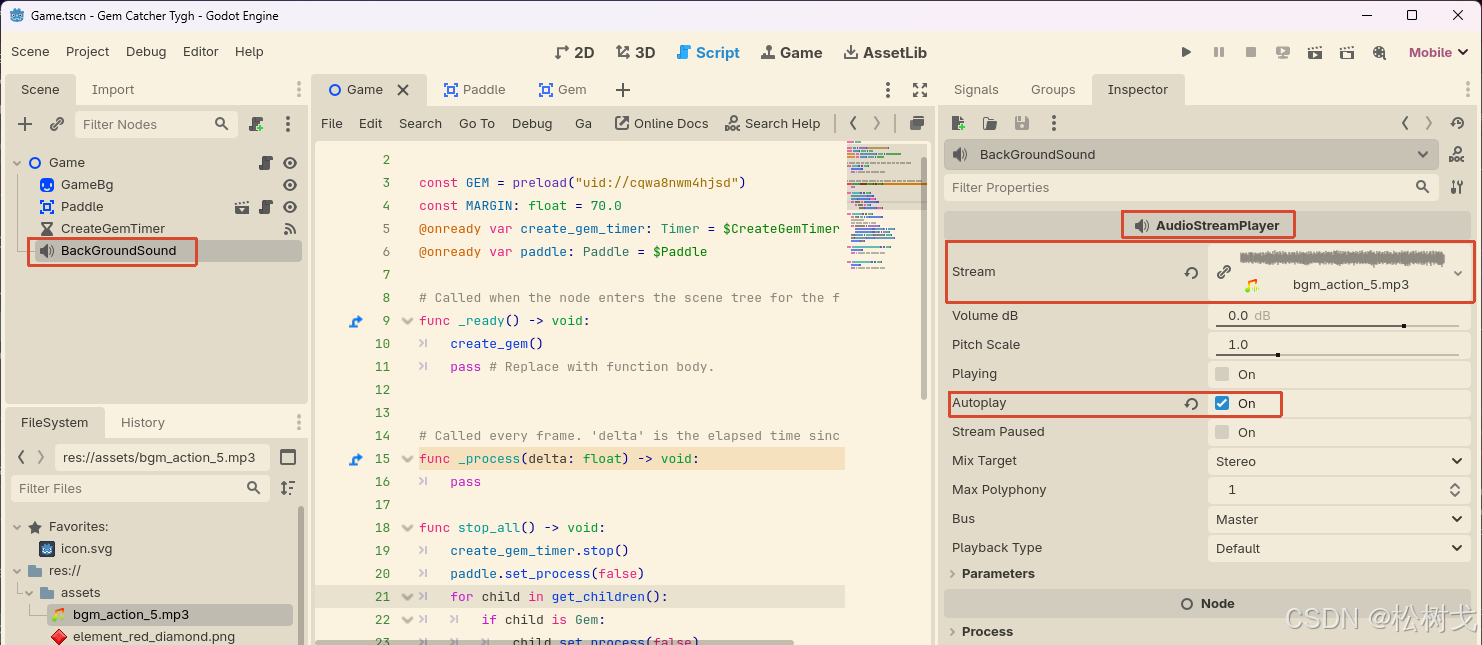
介绍一个新的节点------AudioStreamPlayer
主要用来设置背景音乐,新增节点后,将音频素材拖拽到Stream位置
介绍一下主要参数
Volumn dB (音量大小)可以用默认值
Autoplay (自动播放)此处用作背景音,勾选为默认开启
再介绍另一个节点AudioStreamPlayer2D
将Stream加载设置音频
并且在主场景中进行引入
用来播放碰撞的声音。
游戏结束时的声音处理
需要停止正常播放的游戏背景营,将其替换为游戏结束的声音
完整代码可参考
python
extends Node2D

const GEM = preload("uid://cqwa8nwm4hjsd")
const MARGIN: float = 70.0
@onready var create_gem_timer: Timer = $CreateGemTimer
@onready var paddle: Paddle = $Paddle
@onready var catch_sound: AudioStreamPlayer2D = $CatchSound
@onready var back_ground_sound: AudioStreamPlayer = $BackGroundSound
const EXPLODE = preload("uid://b1ney2ber2dds")

# Called when the node enters the scene tree for the first time.
func _ready() -> void:
	create_gem()
	pass # Replace with function body.


# Called every frame. 'delta' is the elapsed time since the previous frame.
func _process(delta: float) -> void:
	pass

func stop_all() -> void:
	create_gem_timer.stop()
	paddle.set_process(false)
	for child in get_children():
		if child is Gem:
			child.set_process(false)
	# 处理音频停止 切换
	back_ground_sound.stop()
	back_ground_sound.stream = EXPLODE
	back_ground_sound.play()

func create_gem() -> void:
	var gem: Gem = GEM.instantiate()
	#对x轴的数值先硬编码写死
	#var x_pos: float = 100.0
	var init_x_pos = randf_range(
		get_viewport_rect().position.x + MARGIN,
		get_viewport_rect().end.x - MARGIN)
	gem.position = Vector2(init_x_pos, -50.0)
	gem.touch_floor.connect(_on_gem_touch_floor)
	add_child(gem)

func _on_create_gem_timer_timeout() -> void:
	create_gem()
	pass # Replace with function body.


func _on_gem_touch_floor() -> void:
	stop_all()
	pass # Replace with function body.


func _on_paddle_area_entered(area: Area2D) -> void:
	if area is Gem:
		catch_sound.play()
	pass # Replace with function body.
记分实现
记分画面实现
引入新的节点Label
给Label稍微设置一下样式
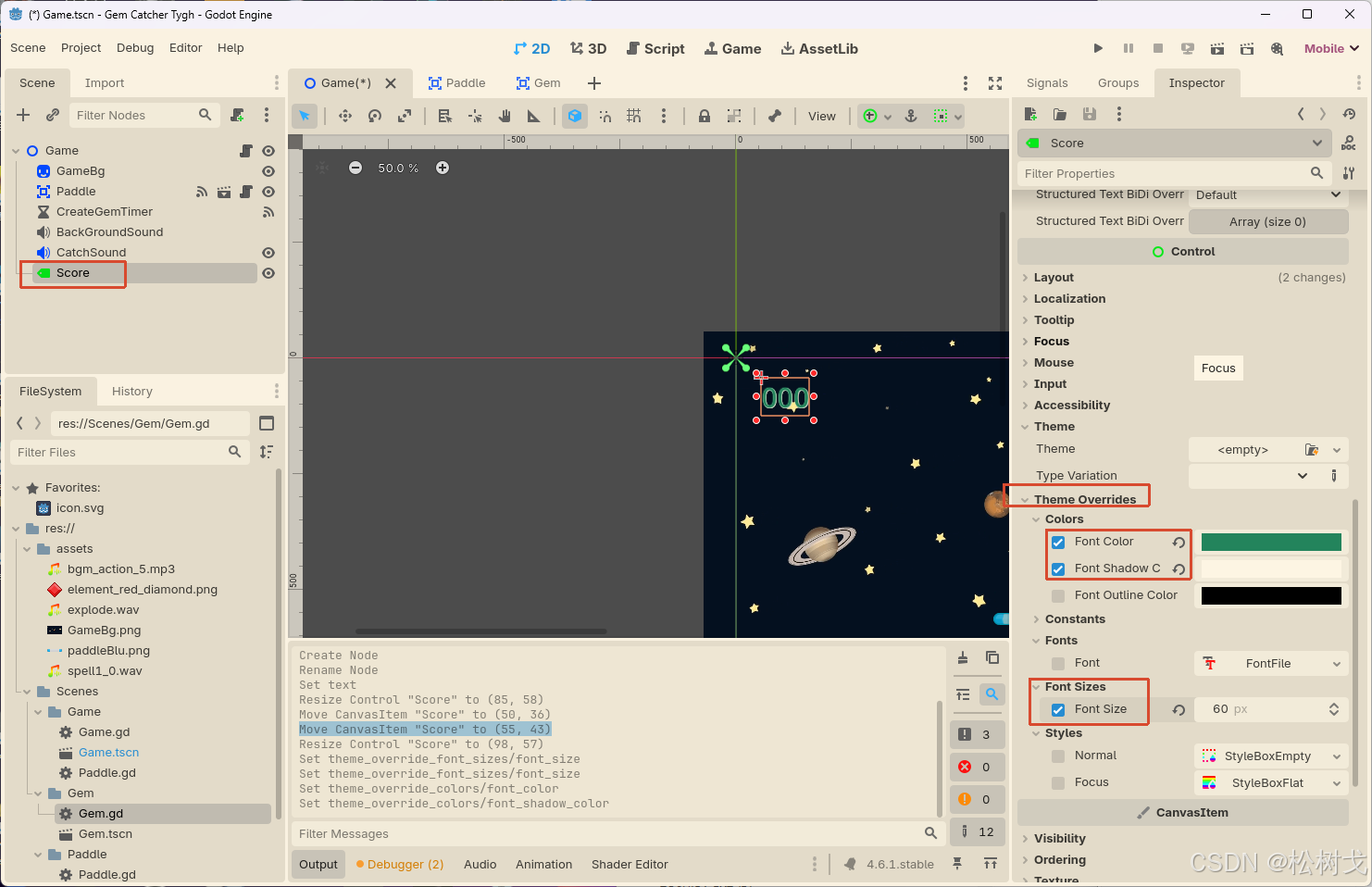
选择Label节点,在右边的观察器编辑Theme Overrides下面的属性
颜色:设置为绿色
字体大小:60PX
微调一下,将Label节点重命名为ScoreLabel
记分脚本实现
步骤一:
需要涉及到int类型转文本,int类型用于计算分数,Label具体显示的为文本,需要使用str()函数,在宝石碰到挡板的信号接收方法处补充逻辑
python
func _on_paddle_area_entered(area: Area2D) -> void:
	if area is Gem:
		#分数加一
		_score += 1
		score_label.text = str(_score)
		catch_sound.play()
	pass # Replace with function body.
步骤二:
处理数值转成字符串时的格式化,原型图上需要在前面补充两个0,下面提供了新旧两种方式
python
func _on_paddle_area_entered(area: Area2D) -> void:
	if area is Gem:
		#分数加一
		_score += 1
		#score_label.text = str(_score)
		#旧的前面补0方式
		#score_label.text = "%03d" % _score
		#新的前面补0方式
		score_label.text = str(_score).pad_zeros(3)
		catch_sound.play()
	pass # Replace with function body.
演示
主场景完整代码
python
extends Node2D

const GEM = preload("uid://cqwa8nwm4hjsd")
const MARGIN: float = 70.0
@onready var create_gem_timer: Timer = $CreateGemTimer
@onready var paddle: Paddle = $Paddle
@onready var catch_sound: AudioStreamPlayer2D = $CatchSound
@onready var back_ground_sound: AudioStreamPlayer = $BackGroundSound
const EXPLODE = preload("uid://b1ney2ber2dds")
@onready var score_label: Label = $ScoreLabel

var _score: int = 0

# Called when the node enters the scene tree for the first time.
func _ready() -> void:
	create_gem()
	pass # Replace with function body.


# Called every frame. 'delta' is the elapsed time since the previous frame.
func _process(delta: float) -> void:
	pass

func stop_all() -> void:
	#timer节点停止
	create_gem_timer.stop()
	#挡板停止帧渲染
	paddle.set_process(false)
	#宝石停止帧渲染
	for child in get_children():
		if child is Gem:
			child.set_process(false)
	# 处理音频停止 切换
	back_ground_sound.stop()
	back_ground_sound.stream = EXPLODE
	back_ground_sound.play()

func create_gem() -> void:
	var gem: Gem = GEM.instantiate()
	#对x轴的数值先硬编码写死
	#var x_pos: float = 100.0
	var init_x_pos = randf_range(
		get_viewport_rect().position.x + MARGIN,
		get_viewport_rect().end.x - MARGIN)
	gem.position = Vector2(init_x_pos, -50.0)
	gem.touch_floor.connect(_on_gem_touch_floor)
	add_child(gem)

func _on_create_gem_timer_timeout() -> void:
	create_gem()
	pass # Replace with function body.


func _on_gem_touch_floor() -> void:
	stop_all()
	pass # Replace with function body.


func _on_paddle_area_entered(area: Area2D) -> void:
	if area is Gem:
		#分数加一
		_score += 1
		#score_label.text = str(_score)
		#旧的前面补0方式
		#score_label.text = "%03d" % _score
		#新的前面补0方式
		score_label.text = str(_score).pad_zeros(3)
		catch_sound.play()
	pass # Replace with function body.
效果演示