使用Python操作MySQL数据库
在Windows系统中安装好MySQL8.0.23和Python3.8.7,然后再完成下面题目中的各项操作。
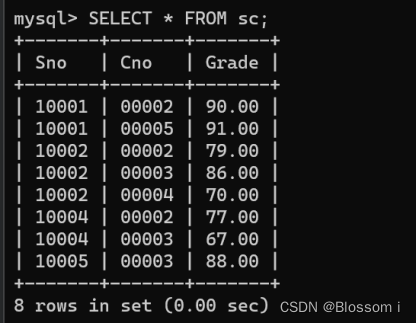
现有以下三个表格:
表1 学生表:Student(主码为Sno)
|---------|-----------|----------|----------|-------------|
| 学号(Sno) | 姓名(Sname) | 性别(Ssex) | 年龄(Sage) | 所在系别(Sdept) |
| 10001 | Jack | 男 | 21 | CS |
| 10002 | Rose | 女 | 20 | SE |
| 10003 | Michael | 男 | 21 | IS |
| 10004 | Hepburn | 女 | 19 | CS |
| 10005 | Lisa | 女 | 20 | SE |
表2 课程表:Course(主码为Cno)
|----------|------------------|------------|
| 课程号(Cno) | 课程名(Cname) | 学分(Credit) |
| 00001 | DataBase | 4 |
| 00002 | DataStructure | 4 |
| 00003 | Algorithms | 3 |
| 00004 | OperatingSystems | 5 |
| 00005 | ComputerNetwork | 4 |
表3 选课表:SC(主码为Sno,Cno)
|---------|----------|-----------|
| 学号(Sno) | 课程号(Cno) | 成绩(Grade) |
| 10002 | 00003 | 86 |
| 10001 | 00002 | 90 |
| 10002 | 00004 | 70 |
| 10003 | 00001 | 85 |
| 10004 | 00002 | 77 |
| 10005 | 00003 | 88 |
| 10001 | 00005 | 91 |
| 10002 | 00002 | 79 |
| 10003 | 00002 | 83 |
| 10004 | 00003 | 67 |
通过编程实现以下题目:
- 查询学号为10002学生的所有成绩,结果中需包含学号、姓名、所在系别、课程号、课程名以及对应成绩。
- 查询每位学生成绩大于85的课程,结果中需包含学号、姓名、所在系别、课程号、课程名以及对应成绩。
- 由于培养计划改,现需将课程号为00001、课程名为DataBase的学分改为5学分。
- 将学号为10005的学生, OperatingSystems(00004)成绩为73分这一记录写入选课表中。
将学号为10003的学生从这三个表中删除。
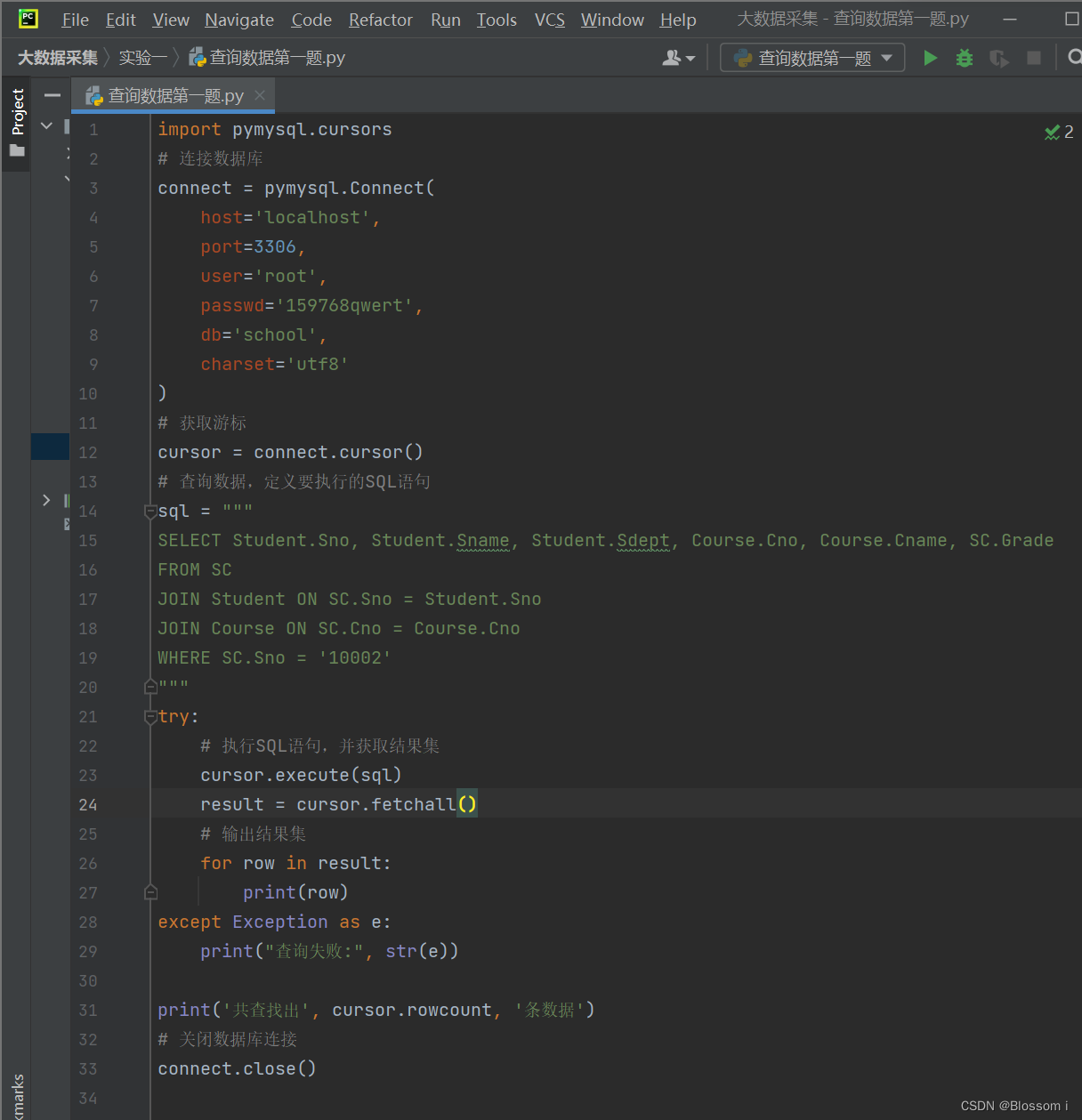
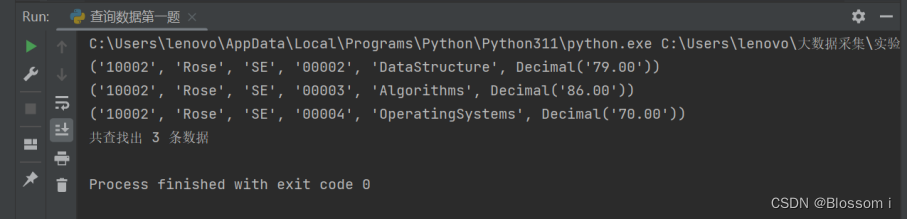
查询学号为10002学生的所有成绩,结果中需包含学号、姓名、所在系别、课程号、课程名以及对应成绩。
在SQL中,我们可以使用JOIN语句将多个表连接起来,并进行联合查询。假设需要查询学号为10002的学生的所有成绩,以及相关课程和教师的信息,可以按照以下步骤进行:
- 使用"SELECT"语句选择所需的列,包括学号、姓名、所在系别、课程号、课程名和成绩。
- 使用"FROM"语句指定需要连接的表,包括"SC"表、"Student"表和"Course"表。
- 使用"JOIN"语句连接"SC"表和"Student"表,以获取学生的姓名和所在系别。
- 使用"JOIN"语句连接"SC"表和"Course"表,以获取课程的名称。
- 使用"WHERE"语句指定查询条件,即学号为10002的学生。
- 执行SQL语句,并输出结果。
python
import pymysql.cursors
# 连接数据库
connect = pymysql.Connect(
    host='localhost',
    port=3306,
    user='root',
    passwd='159768qwert',
    db='school',
    charset='utf8'
)
# 获取游标
cursor = connect.cursor()
# 查询数据,定义要执行的SQL语句
sql = """
SELECT Student.Sno, Student.Sname, Student.Sdept, Course.Cno, Course.Cname, SC.Grade
FROM SC
JOIN Student ON SC.Sno = Student.Sno
JOIN Course ON SC.Cno = Course.Cno
WHERE SC.Sno = '10002'
"""
try:
    # 执行SQL语句,并获取结果集
    cursor.execute(sql)
    result = cursor.fetchall()
    # 输出结果集
    for row in result:
        print(row)
except Exception as e:
    print("查询失败:", str(e))

print('共查找出', cursor.rowcount, '条数据')
# 关闭数据库连接
connect.close()
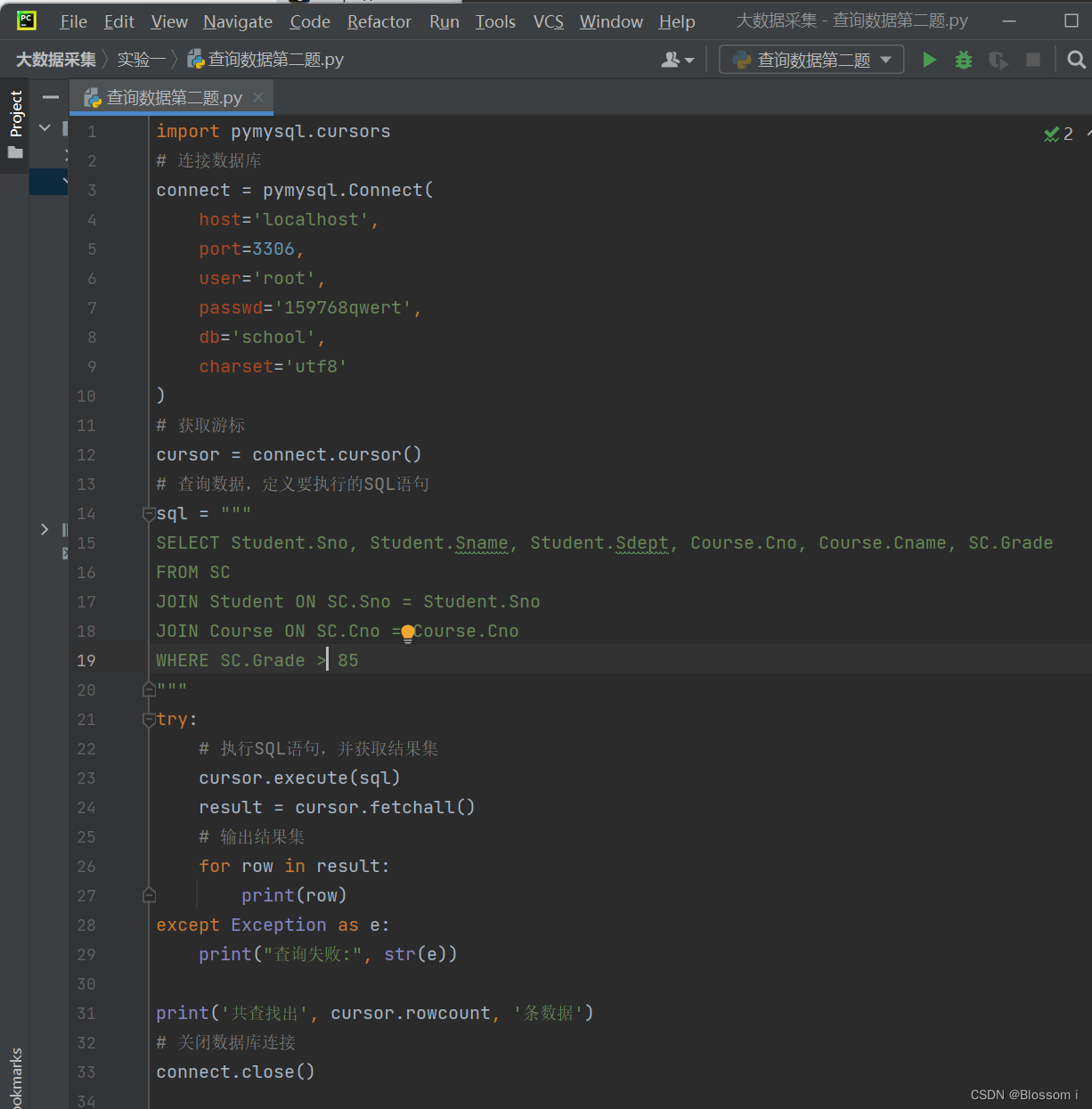
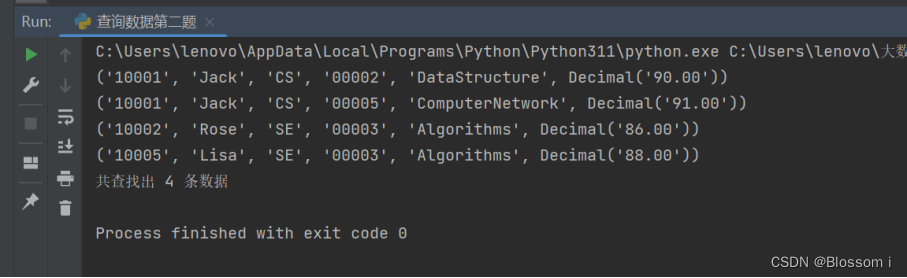
查询每位学生成绩大于85的课程,结果中需包含学号、姓名、所在系别、课程号、课程名以及对应成绩。
python
import pymysql.cursors
# 连接数据库
connect = pymysql.Connect(
    host='localhost',
    port=3306,
    user='root',
    passwd='159768qwert',
    db='school',
    charset='utf8'
)
# 获取游标
cursor = connect.cursor()
# 查询数据,定义要执行的SQL语句
sql = """
SELECT Student.Sno, Student.Sname, Student.Sdept, Course.Cno, Course.Cname, SC.Grade
FROM SC
JOIN Student ON SC.Sno = Student.Sno
JOIN Course ON SC.Cno = Course.Cno
WHERE SC.Grade > 85
"""
try:
    # 执行SQL语句,并获取结果集
    cursor.execute(sql)
    result = cursor.fetchall()
    # 输出结果集
    for row in result:
        print(row)
except Exception as e:
    print("查询失败:", str(e))

print('共查找出', cursor.rowcount, '条数据')
# 关闭数据库连接
connect.close()
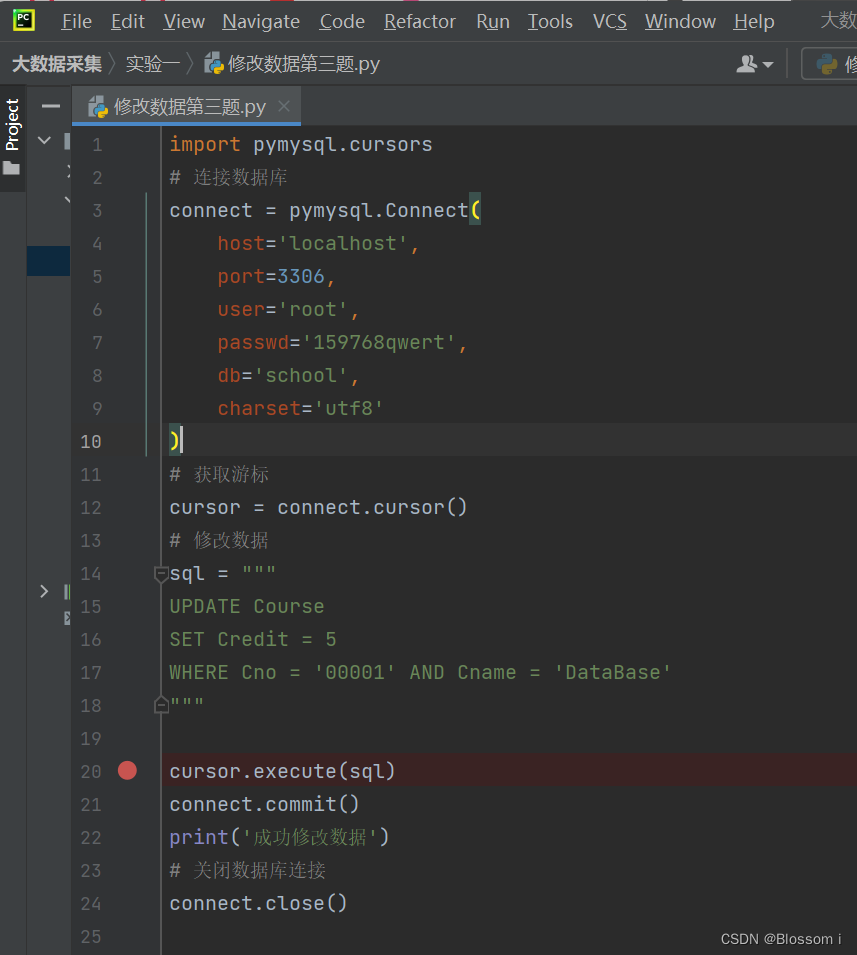
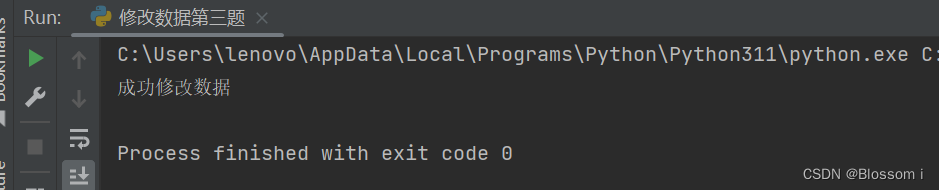
由于培养计划改,现需将课程号为00001、课程名为DataBase的学分改为5学分。
原来的
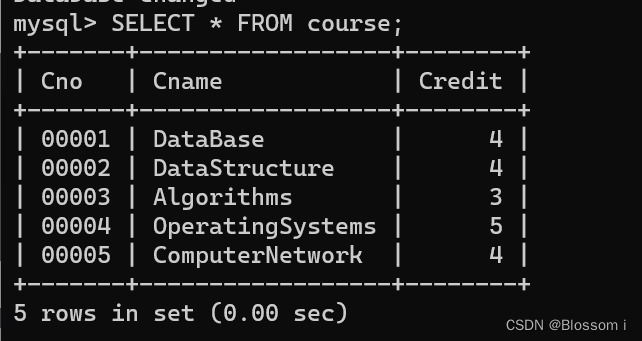
修改后
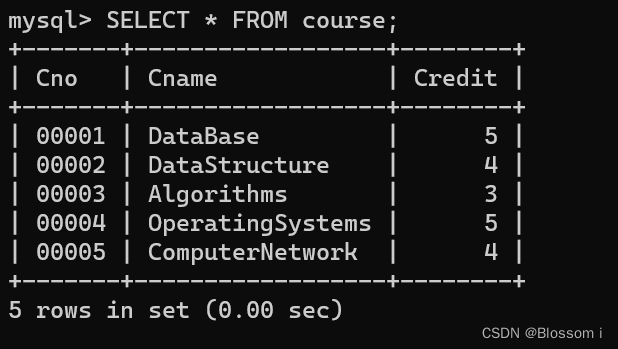
运行代码
python
import pymysql.cursors
# 连接数据库
connect = pymysql.Connect(
    host='localhost',
    port=3306,
    user='root',
    passwd='159768qwert',
    db='school',
    charset='utf8'
)
# 获取游标
cursor = connect.cursor()
# 修改数据
sql = """
UPDATE Course
SET Credit = 5
WHERE Cno = '00001' AND Cname = 'DataBase'
"""

cursor.execute(sql)
connect.commit()
print('成功修改数据')
# 关闭数据库连接
connect.close()
- 将学号为10005的学生, OperatingSystems ( 00004) 成绩为73分这一记录写入选课表中。
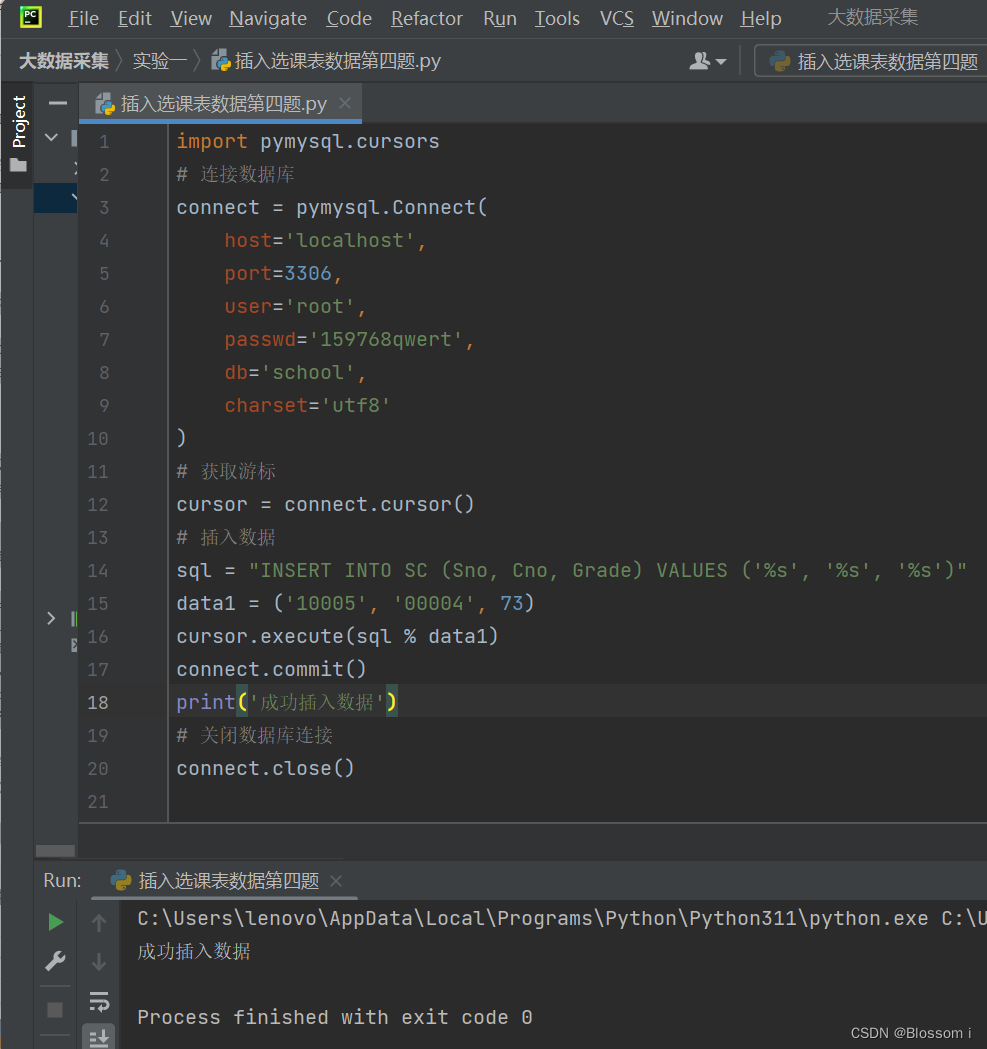
修改前
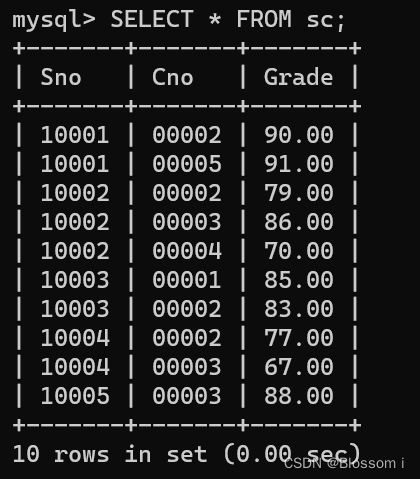
修改后
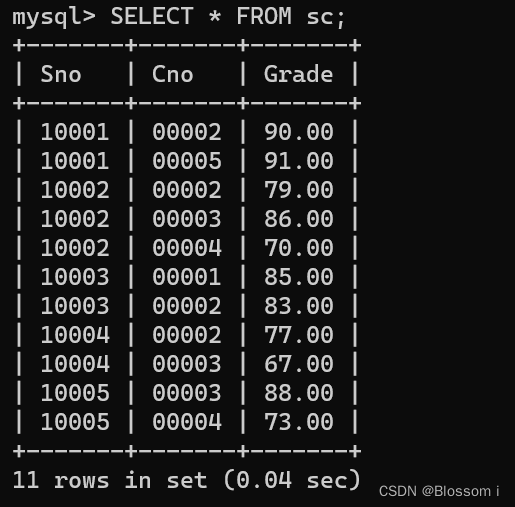
运行代码
python
import pymysql.cursors
# 连接数据库
connect = pymysql.Connect(
    host='localhost',
    port=3306,
    user='root',
    passwd='159768qwert',
    db='school',
    charset='utf8'
)
# 获取游标
cursor = connect.cursor()
# 插入数据
sql = "INSERT INTO SC (Sno, Cno, Grade) VALUES ('%s', '%s', '%s')"
data1 = ('10005', '00004', 73)
cursor.execute(sql % data1)
connect.commit()
print('成功插入数据')

# # 定义要执行的SQL语句
# sql = """
# INSERT INTO SC (Sno, Cno, Grade)
# VALUES ('10005', '00004', 73)
# """
#
# try:
#     # 执行SQL语句,进行插入操作
#     cursor.execute(sql)
#
#     # 提交事务
#     conn.commit()
#
#     # 输出成功插入记录的主键ID
#     print("成功插入记录,插入记录的ID为:", cursor.lastrowid)
# except Exception as e:
#     # 发生错误时回滚事务
#     conn.rollback()
#     print("插入失败:", str(e))

# 关闭数据库连接
connect.close()
- 将学号为10003的学生从这三个表中删除。
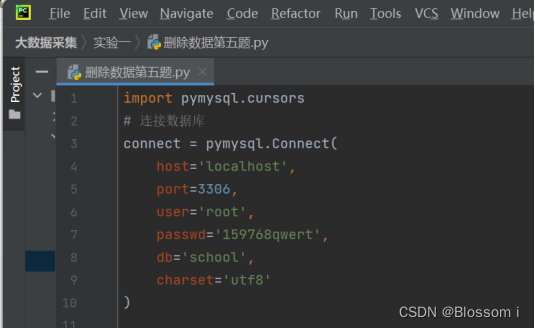
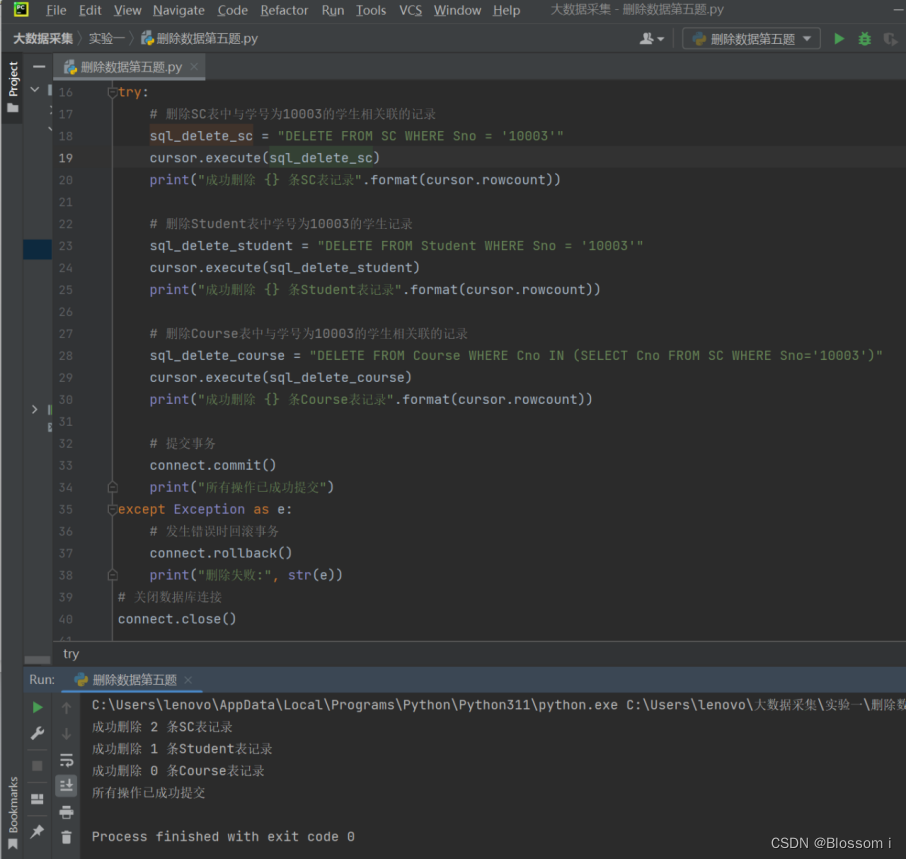
python
import pymysql.cursors
# 连接数据库
connect = pymysql.Connect(
    host='localhost',
    port=3306,
    user='root',
    passwd='159768qwert',
    db='school',
    charset='utf8'
)

# 获取游标
cursor = connect.cursor()
# 删除数据
# 定义要执行的SQL语句列表
try:
    # 删除SC表中与学号为10003的学生相关联的记录
    sql_delete_sc = "DELETE FROM SC WHERE Sno = '10003'"
    cursor.execute(sql_delete_sc)
    print("成功删除 {} 条SC表记录".format(cursor.rowcount))

    # 删除Student表中学号为10003的学生记录
    sql_delete_student = "DELETE FROM Student WHERE Sno = '10003'"
    cursor.execute(sql_delete_student)
    print("成功删除 {} 条Student表记录".format(cursor.rowcount))

    # 删除Course表中与学号为10003的学生相关联的记录
    sql_delete_course = "DELETE FROM Course WHERE Cno IN (SELECT Cno FROM SC WHERE Sno='10003')"
    cursor.execute(sql_delete_course)
    print("成功删除 {} 条Course表记录".format(cursor.rowcount))

    # 提交事务
    connect.commit()
    print("所有操作已成功提交")
except Exception as e:
    # 发生错误时回滚事务
    connect.rollback()
    print("删除失败:", str(e))
# 关闭数据库连接
connect.close()
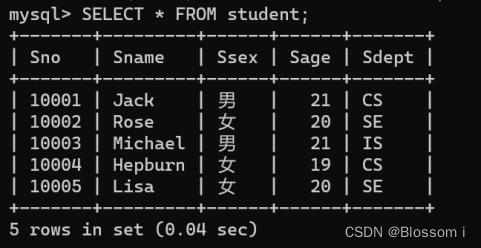
原来的学生表数据
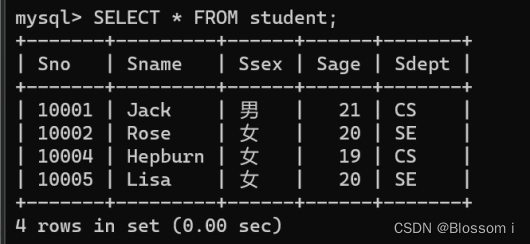
修改后的学生表数据
原来的选课表数据
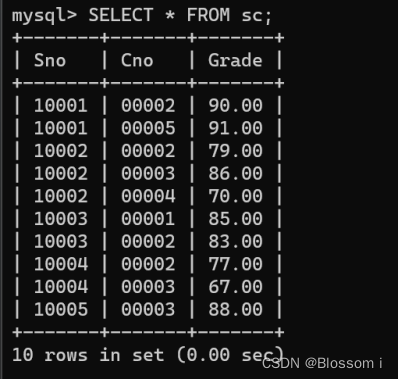
修改后的选课表数据