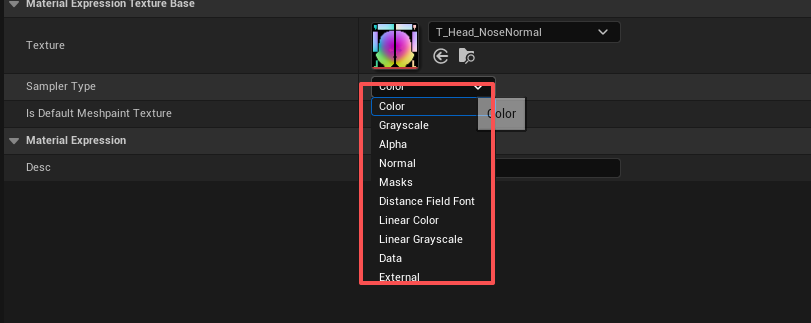
这里的 Sampler Type 更像是:告诉 UE 这张纹理里的数字应该按什么语义解码。
通用流程大概是:
raw = Texture.Sample(SamplerState, UV);  // 所有类型都先做这一步
value = DecodeBySamplerType(raw); // 差别主要在这里| 你要用的 Sampler Type | Texture 资源应该怎么设 | 典型用途 |
|---|---|---|
Color |
Compression Settings = Default,sRGB = On |
BaseColor、UI 彩色图、Emissive 彩色图 |
Grayscale |
Compression Settings = Grayscale,通常 sRGB = On |
视觉灰度颜色图,不是数值 mask |
Alpha |
Compression Settings = Alpha,sRGB = Off |
单通道透明度/Alpha Mask |
Normal |
Compression Settings = Normalmap,sRGB = Off |
法线贴图 |
Masks |
Compression Settings = Masks (no sRGB),sRGB = Off |
ORM/RMA/AO/Roughness/Metallic 打包图 |
Linear Color |
Compression Settings = Default / HDR / VectorDisplacement,sRGB = Off |
线性 RGB 数据、FlowMap、LUT、向量数据 |
Linear Grayscale |
Compression Settings = Grayscale / Displacement / Alpha,sRGB = Off |
高度、粗糙度单图、密度、权重 |
Data |
sRGB = Off,最好 Compression = None / HDR / Float,Filter = Nearest,Mipmaps = Off |
VAT、模拟数据、查表数据 |
Distance Field Font |
Compression Settings = Distance Field Font |
SDF 字体 |
External |
使用 Media Texture / 外部纹理资源 | 视频、摄像头、平台外部纹理 |
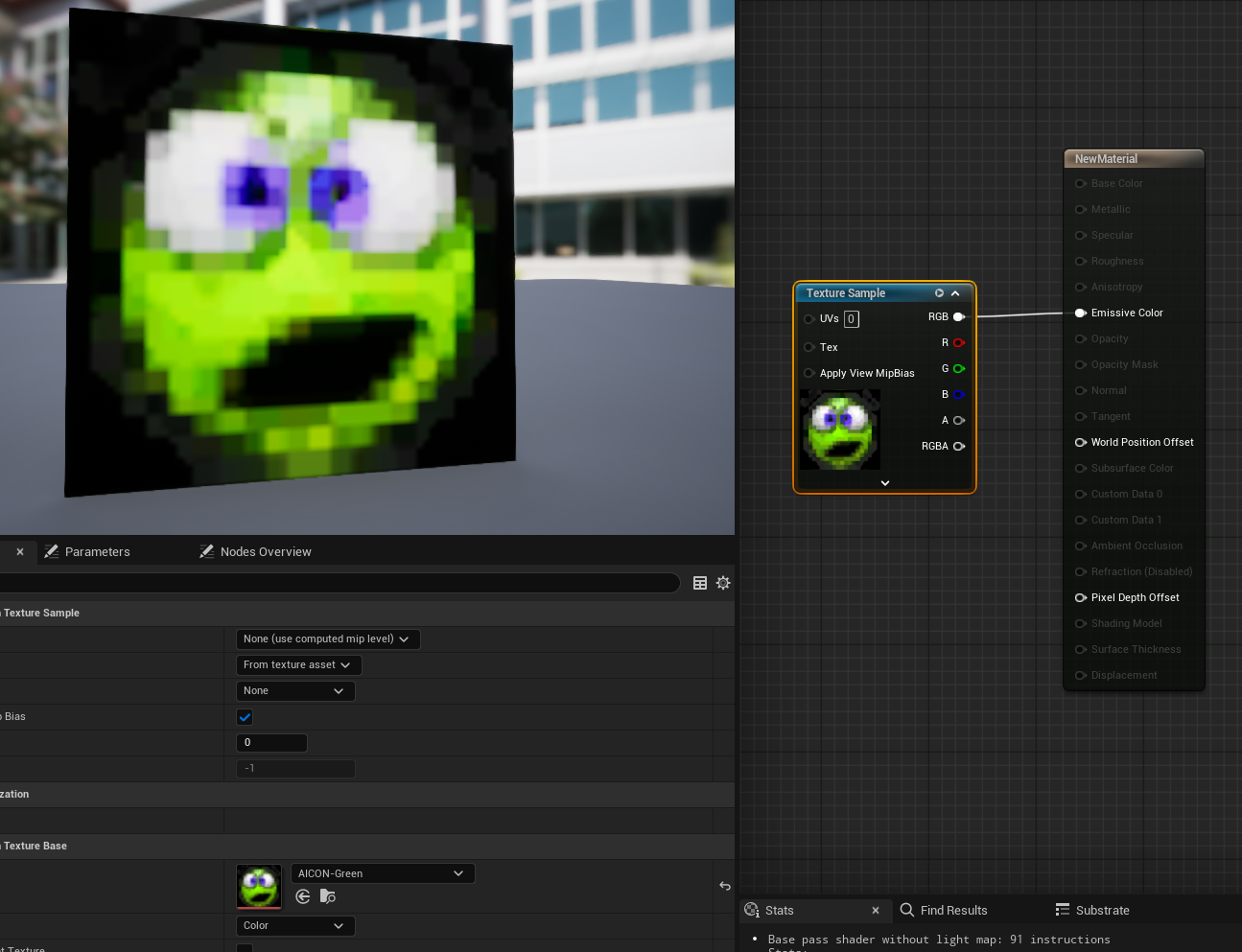
1、Color
算法重点是 sRGB → Linear:
linear.rgb = SRGBToLinear(raw.rgb);
linear.a   = raw.a;
sRGB → Linear 的标准算法是分段函数:
float SRGBToLinear(float c)
{
    if (c <= 0.04045)
    {
        return c / 12.92;
    }
    else
    {
        return pow((c + 0.055) / 1.055, 2.4);
    }
}
可以看到,除了 0 和 1 不变,中间大部分值都会变小。越靠近暗部,压得越明显。
2、Grayscale
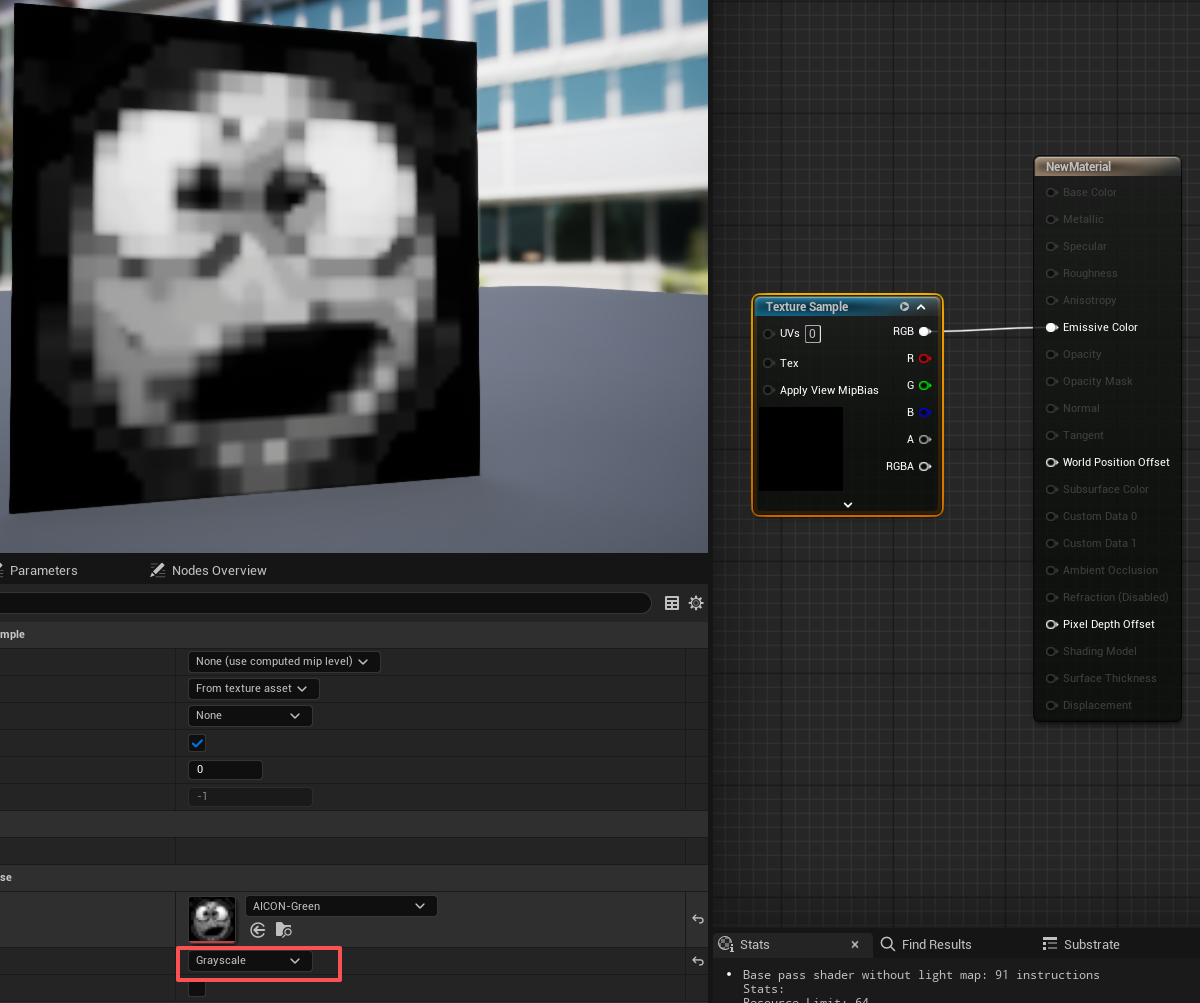
灰度图,但它仍然可以被当成"颜色亮度"处理。
如果纹理开启了 sRGB,采样时会做 sRGB → Linear。
近似算法:
float r = raw.r;

// 如果纹理是 sRGB 灰度
float g = SRGBToLinear(r);

// 输出灰度
return g;
如果是 8-bit 灰度图:
贴图值 128 / 255 = 0.502
进入材质后 ≈ 0.216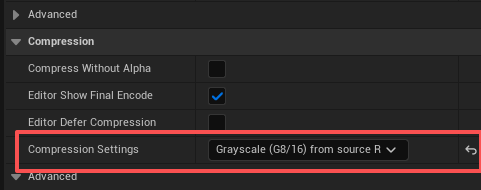
3、Alpha
Alpha 通常是线性数据,不做 sRGB 转换。
算法接近:
float a = raw.a; // 或 raw.r,取决于纹理压缩/通道布局
return a;
如果你的 alpha mask 里像素是:
128 / 255 = 0.502进材质后还是:
0.5024、Normal
Normal 最特殊,因为贴图里存的是 0..1,但真实法线方向要是 -1..1。
典型切线空间法线解码:
float3 n;

n.xy = raw.xy * 2.0 - 1.0;
n.z  = sqrt(saturate(1.0 - dot(n.xy, n.xy)));

n = normalize(n);
return n;
举个例子,法线贴图常见平面颜色大概是:
RGB = (0.5, 0.5, 1.0)解码后:
x = 0.5 * 2 - 1 = 0
y = 0.5 * 2 - 1 = 0
z = 1
normal = (0, 0, 1)
5、Masks
Masks 是线性通道数据,不做 sRGB,也不做法线解包。
算法就是:
float4 masks = raw;
return masks;
比如 ORM 图:
R = AO
G = Roughness
B = Metallic
如果贴图里 G 通道是 0.5,材质里就应该还是:
Roughness = 0.56、Linear Color
线性颜色,不做 sRGB 转换。
算法:
float4 value = raw;
return value;
7、Linear Grayscale
线性灰度,单通道数学数据。
算法:
float g = raw.r;
return g;
8、Data
Data 是"别把它当颜色,也别帮我做艺术处理,我要原始数值"。
算法近似:
float4 data = raw;
return data;但是要注意,Data 不代表绝对无损。你还要配合纹理设置:
sRGB: Off
Compression: None / Float / HDR
Filter: Nearest
Mipmaps: Off
Address: Clamp
比如 VAT、模拟缓存、查找表,如果你要读取某个精确像素:
float2 uv = (float2(pixelX, pixelY) + 0.5) / TextureSize;
float4 data = Texture.SampleLevel(PointSampler, uv, 0);
这里 + 0.5 很重要,是采样像素中心。
否则你采到像素边界,线性过滤可能会把相邻像素混在一起。
9、External
External 是外部纹理,比如视频、Media Texture、摄像头、平台特殊图像。它可能不是普通 RGBA Texture2D。
背后可能做:
YUV -> RGB
外部 sampler 读取
平台色彩空间转换
视频解码纹理绑定
概念算法可以理解为:
externalRaw = ExternalTexture.Sample(UV);
rgb = ConvertExternalFormatToRGB(externalRaw);
return rgb;