广告位招租!
知识无价,人有情,无偿分享知识,希望本条信息对你有用!
本工具基于Python3.10,实现以无痕模式启动Chome浏览器,登录并重启中国移动光猫:
光猫型号:ZXHN G7611V2
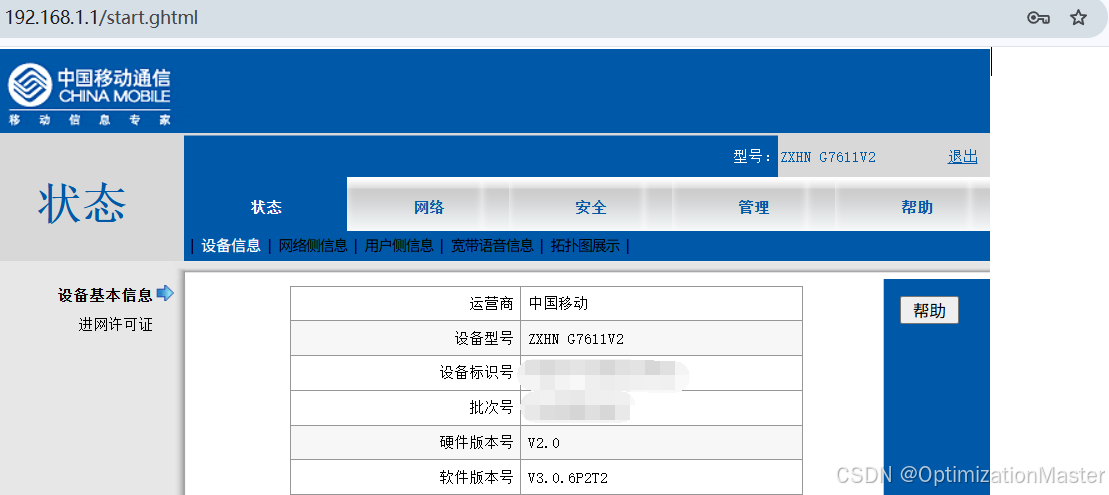
配置环境可能需要用的代码
python
pip3.10 install selenium
pip install selenium
需要下载并配置Chrome的webdriver
恭祝各位使用愉快!
完整可运行的Python代码
python
import requests
from requests.auth import HTTPBasicAuth
import os
import webbrowser
from bs4 import BeautifulSoup
import re


from selenium import webdriver
from selenium.webdriver.chrome.options import Options
from selenium.webdriver.common.keys import Keys
from selenium.webdriver.common.by import By
from selenium.webdriver.support.ui import WebDriverWait
from selenium.webdriver.support import expected_conditions as EC
from selenium.webdriver.chrome.service import Service
from selenium.webdriver import ActionChains
from selenium.webdriver.common.actions.action_builder import ActionBuilder
from selenium.webdriver.common.actions.mouse_button import MouseButton


# 指定 ChromeDriver 的路径
service = Service(r'C:\Users\David\Desktop\Reboot_Modem\chromedriver-win64\chromedriver.exe')

# 创建Chrome选项对象
chrome_options = Options()

# 添加无痕模式参数
chrome_options.add_argument("--incognito")

# 初始化 Chrome WebDriver
driver = webdriver.Chrome(service=service, options=chrome_options)

# 打开网页
driver.get("http://192.168.1.1")

ModemUser = "user" # 替换为你的用户名
ModemPassWord = "UserPassword" # 替换为你的密码


# 等待页面加载完成(可选)
wait = WebDriverWait(driver, 15)
username = wait.until(EC.presence_of_element_located((By.NAME, "Username")))
password = driver.find_element(By.NAME, "Password")
username.send_keys(ModemUser)
password.send_keys(ModemPassWord)
password.send_keys(Keys.RETURN)  # 提交表单

wait = WebDriverWait(driver, 20)
# 打开网页
driver.get("http://192.168.1.1/start.ghtml")
wait = WebDriverWait(driver, 15)

iframe = driver.find_element(By.ID, 'mainFrame')
#iframe=wait.until(EC.presence_of_element_located((By.NAME, 'mainFrame')))
driver.switch_to.frame(iframe)


button = driver.find_element(By.ID, "mmManager")
button.click()

wait = WebDriverWait(driver, 5)

button = driver.find_element(By.ID, "smSysMgr")
button.click()
wait = WebDriverWait(driver, 10)

button = driver.find_element(By.NAME, "Submit1")
button.click()

button = driver.find_element(By.ID, "msgconfirmb")
button.click()

# 关闭浏览器
driver.quit()