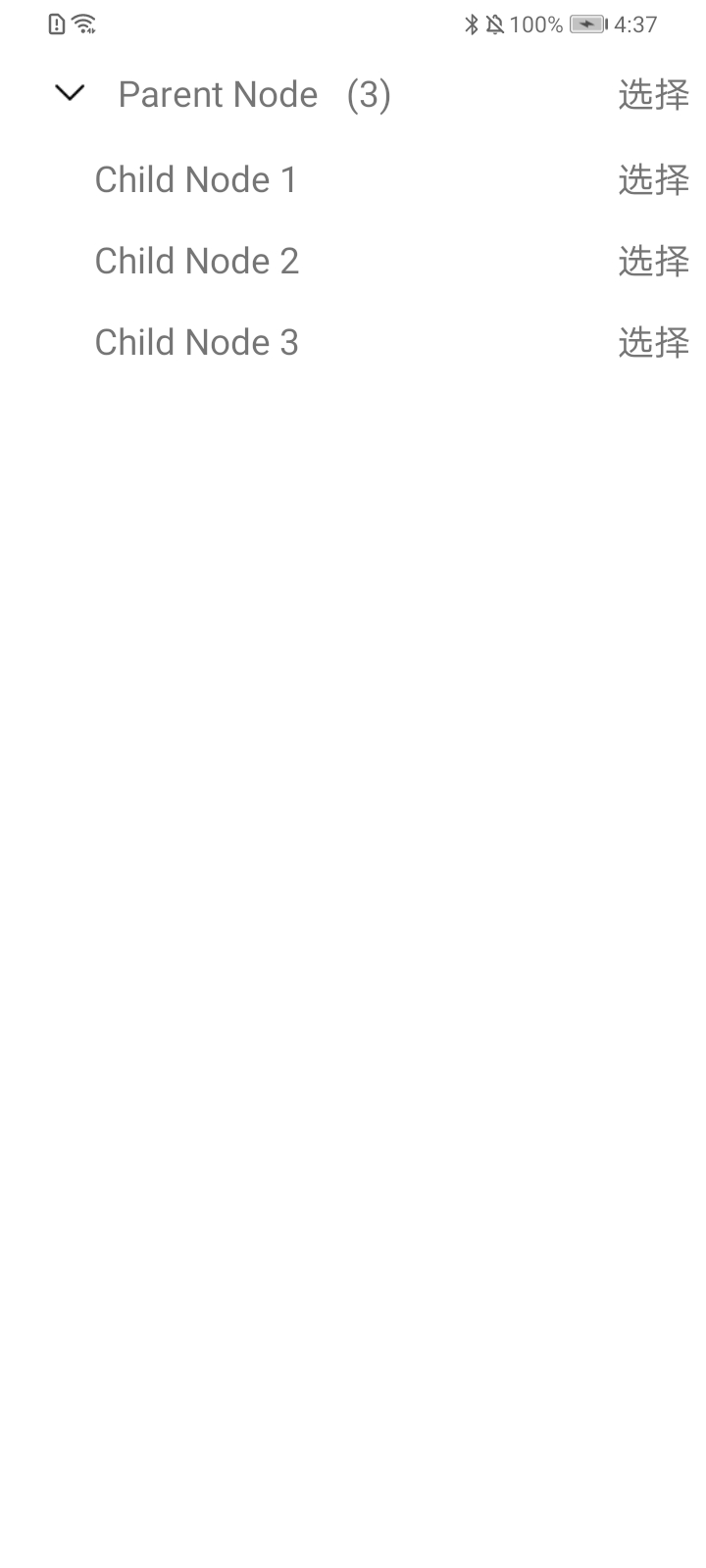
- 在 Android 开发中,使用 AndroidTreeView 时,自定义视图无法撑满父容器
- 在 XML 布局文件中定义效果是这样的
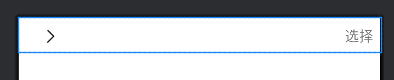
- 实际显示效果是这样的
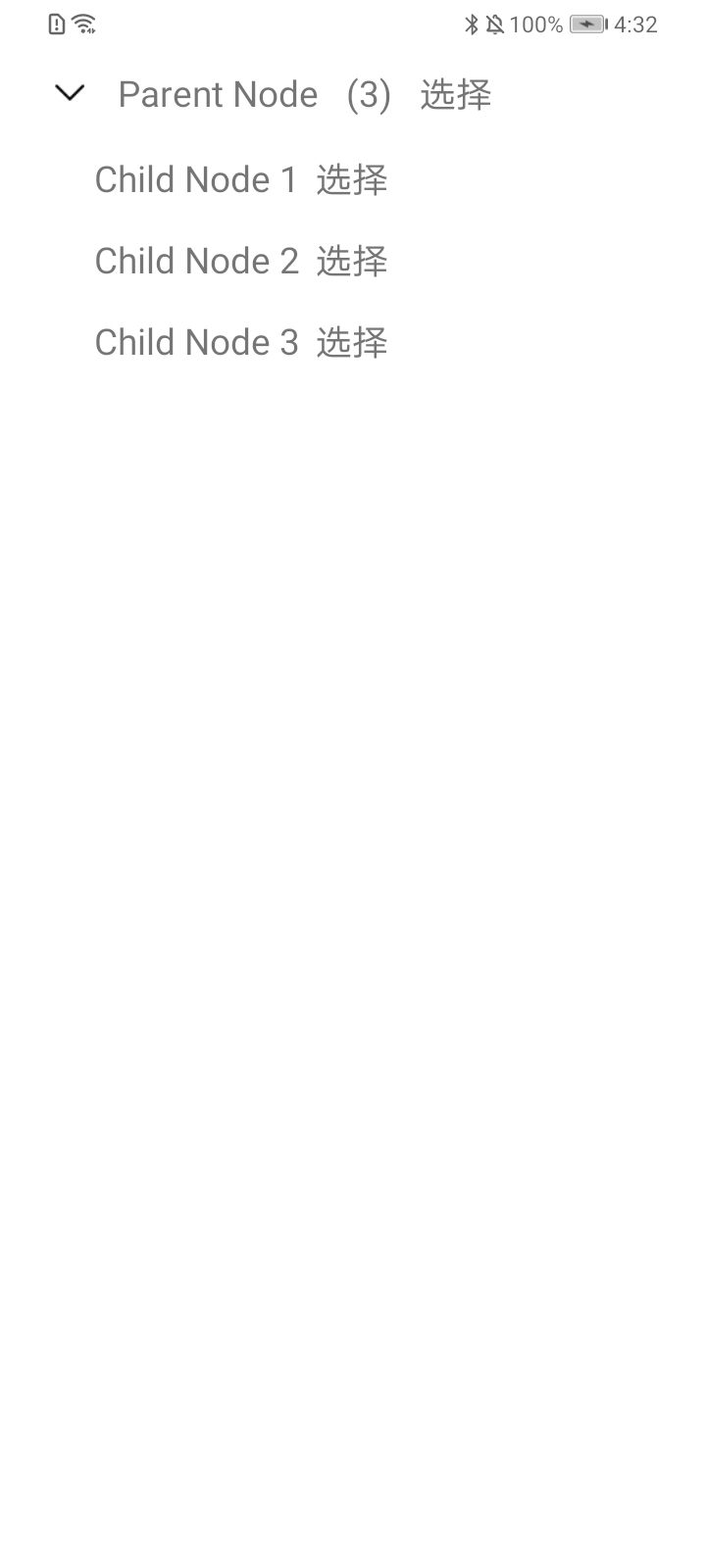
问题背景
(1)ViewHolder
- android_tree_view_item_my_node.xml
xml
<?xml version="1.0" encoding="utf-8"?>
<LinearLayout xmlns:android="http://schemas.android.com/apk/res/android"
    android:layout_width="match_parent"
    android:layout_height="wrap_content"
    android:gravity="center|start"
    android:orientation="horizontal"
    android:paddingHorizontal="8dp"
    android:paddingVertical="8dp"
    android:paddingStart="16dp">

    <!-- 缩进空间,根据层级动态调整 -->
    <View
        android:id="@+id/v_space"
        android:layout_width="0dp"
        android:layout_height="1dp" />

    <!-- 展开 / 折叠图标,仅父节点显示 -->
    <ImageView
        android:id="@+id/iv_expand_icon"
        android:layout_width="24dp"
        android:layout_height="24dp"
        android:layout_marginStart="8dp"
        android:scaleType="center"
        android:src="@mipmap/arrow_right"
        android:visibility="visible" />

    <!-- 节点文本 -->
    <TextView
        android:id="@+id/tv_node_text"
        android:layout_width="wrap_content"
        android:layout_height="wrap_content"
        android:layout_marginStart="12dp"
        android:gravity="center_vertical"
        android:textSize="16sp" />

    <!-- 子节点数量提示,仅父节点显示 -->
    <TextView
        android:id="@+id/tv_child_count"
        android:layout_width="wrap_content"
        android:layout_height="wrap_content"
        android:layout_marginStart="8dp"
        android:paddingHorizontal="6dp"
        android:paddingVertical="2dp"
        android:textSize="16sp"
        android:visibility="gone" />

    <LinearLayout
        android:layout_width="0dp"
        android:layout_height="wrap_content"
        android:layout_weight="1"
        android:gravity="center|end"
        android:orientation="horizontal">

        <TextView
            android:id="@+id/tv_select"
            android:layout_width="wrap_content"
            android:layout_height="wrap_content"
            android:layout_marginStart="8dp"
            android:text="选择"
            android:textSize="16sp" />
    </LinearLayout>
</LinearLayout>- MyNodeViewHolder.java
java
public class MyNodeViewHolder extends TreeNode.BaseNodeViewHolder<Object> {

    private OnSelectObserver onSelectObserver;

    private ImageView ivExpandIcon;

    public MyNodeViewHolder(Context context, OnSelectObserver onSelectObserver) {
        super(context);
        this.onSelectObserver = onSelectObserver;
    }

    @Override
    public View createNodeView(TreeNode node, Object value) {
        LayoutInflater layoutInflater = LayoutInflater.from(context);
        View view = layoutInflater.inflate(R.layout.android_tree_view_item_my_node, null, false);

        View vSpace = view.findViewById(R.id.v_space);
        ivExpandIcon = view.findViewById(R.id.iv_expand_icon);
        TextView tvNodeText = view.findViewById(R.id.tv_node_text);
        TextView tvChildCount = view.findViewById(R.id.tv_child_count);
        TextView tvSelect = view.findViewById(R.id.tv_select);

        int level = node.getLevel();
        if (level > 1) {
            LinearLayout.LayoutParams params = (LinearLayout.LayoutParams) vSpace.getLayoutParams();
            int indentWidth = (level - 1) * 20;
            params.width = (int) (indentWidth * context.getResources().getDisplayMetrics().density);
            vSpace.setLayoutParams(params);
        }

        tvNodeText.setText(value.toString());

        List<TreeNode> children = node.getChildren();
        if (children != null && !children.isEmpty()) {
            ivExpandIcon.setVisibility(View.VISIBLE);
            tvChildCount.setText("(" + children.size() + ")");
            tvChildCount.setVisibility(View.VISIBLE);
        } else {
            ivExpandIcon.setVisibility(View.GONE);
            tvChildCount.setVisibility(View.GONE);
        }

        tvSelect.setOnClickListener(v -> {
            if (onSelectObserver != null) {
                onSelectObserver.onSelect(node);
            }
        });

        return view;
    }

    @Override
    public void toggle(boolean active) {
        ivExpandIcon.setImageResource(active ? R.mipmap.arrow_down : R.mipmap.arrow_right);
    }
}
(2)Activity
xml
<?xml version="1.0" encoding="utf-8"?>
<androidx.constraintlayout.widget.ConstraintLayout xmlns:android="http://schemas.android.com/apk/res/android"
    xmlns:app="http://schemas.android.com/apk/res-auto"
    xmlns:tools="http://schemas.android.com/tools"
    android:id="@+id/main"
    android:layout_width="match_parent"
    android:layout_height="match_parent"
    tools:context=".viewlinkage.AndroidTreeViewActivity">

    <LinearLayout
        android:id="@+id/ll_container"
        android:layout_width="match_parent"
        android:layout_height="match_parent"
        android:orientation="vertical" />
</androidx.constraintlayout.widget.ConstraintLayout>
java
OnSelectObserver onSelectObserver = treeNode -> {
    Log.i(TAG, "选择了" + treeNode.getValue());
};

TreeNode rootNode = TreeNode.root();

TreeNode parentNode = new TreeNode("Parent Node");

parentNode.setViewHolder(new MyNodeViewHolder(this, onSelectObserver));

TreeNode childNode1 = new TreeNode("Child Node 1");
TreeNode childNode2 = new TreeNode("Child Node 2");
TreeNode childNode3 = new TreeNode("Child Node 3");

childNode1.setViewHolder(new MyNodeViewHolder(this, onSelectObserver));
childNode2.setViewHolder(new MyNodeViewHolder(this, onSelectObserver));
childNode3.setViewHolder(new MyNodeViewHolder(this, onSelectObserver));

parentNode.addChildren(childNode1, childNode2, childNode3);

rootNode.addChildren(parentNode);

// ----------------------------------------------------------------------------------------------------

ViewGroup container = findViewById(R.id.ll_container);

AndroidTreeView androidTreeView = new AndroidTreeView(this, rootNode);

container.addView(androidTreeView.getView());
问题跟踪
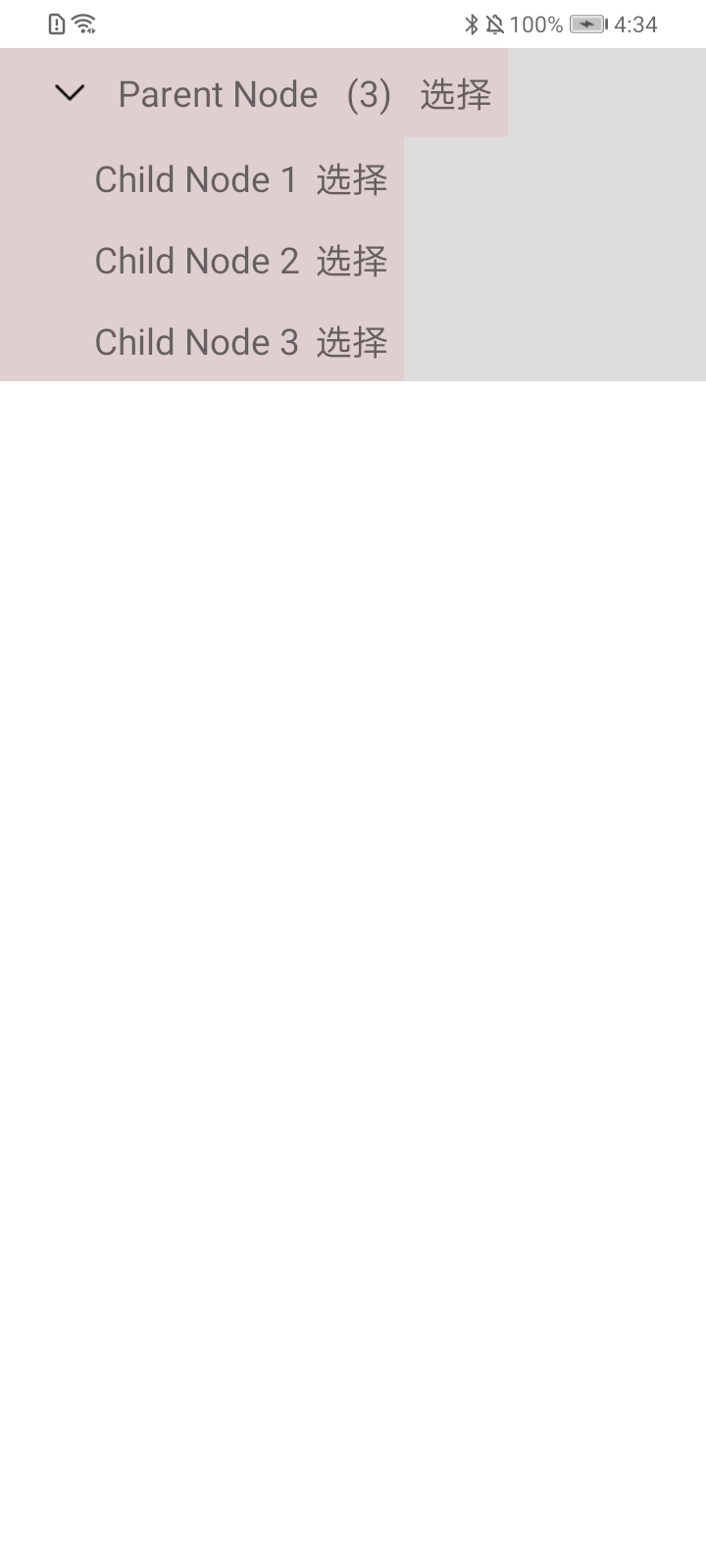
- 给 AndroidTreeView 设置背景色,给自定义视图设置背景色
java
...

View view = androidTreeView.getView();

view.setBackgroundColor(0x22000000);

container.addView(view);
xml
android:background="#10FF0000"- 实际显示效果如下,说明自定义视图设置的
android:layout_width="match_parent"无效
处理策略
- 在 ViewHolder 中,给自定义视图设置布局参数,实际显示效果如下
java
@Override
public View createNodeView(TreeNode node, Object value) {

    ...

    view.setLayoutParams(new ViewGroup.LayoutParams(
            ViewGroup.LayoutParams.MATCH_PARENT,
            ViewGroup.LayoutParams.WRAP_CONTENT
    ));

    return view;
}