我梳理了C#开发WS接口供SAP调试的几个注意事项 。
1、开发方式选项
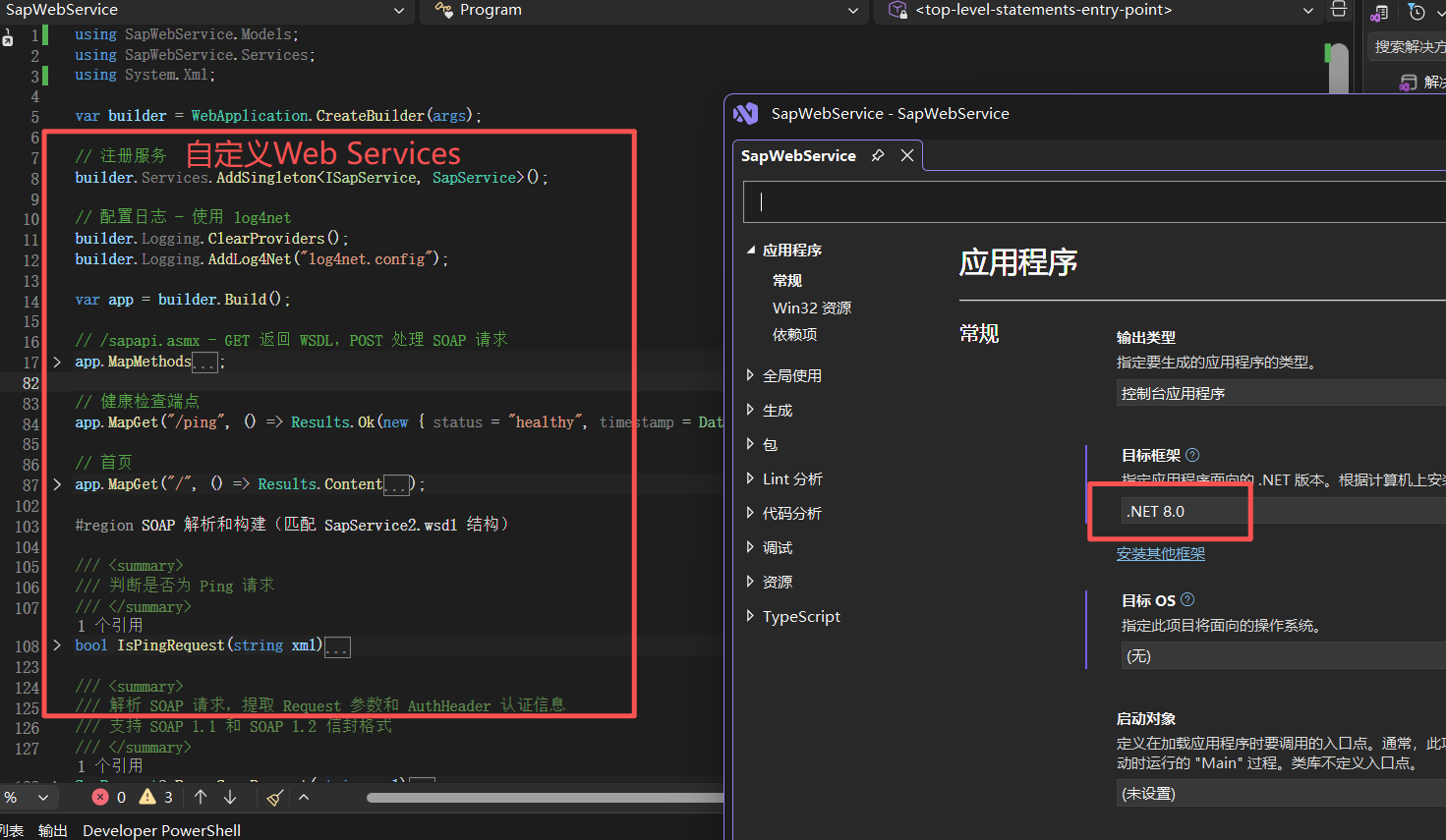
此版本的SAP并不支持所有方式开发的Web Services,对WSDL格式的解析较弱,已知有两种方式:1、net framework下它只支持WCF框架下开发的WS服务;2、.net core下不能使用soapCore,需要自定义WSDL文件以及实现所有WS服务。下图是不基于任务架构,自定义Web Services服务:
2、返回值格式:
XML
<soap:Envelope   xmlns:soap="http://schemas.xmlsoap.org/soap/envelope/" >
    <soap:Body>
        <sapResponse xmlns="http://xxxcom/abc">
            <code>1</code>
            <msg>ok</msg>
            <data></data>
        </sapResponse>
    </soap:Body>
</soap:Envelope>
注意:xml开头不要带:<?xml version="1.0" encoding="utf-8"?>
3、身份验证
asp把用户名名和密码放到http 的header中,名称 叫Proxy-Authorization,值的是:Basic d21zMDAxOndtc0AyMDI2,转成名文:wms001:wms@2026, 前面是用户名,后面是密码,中间用逗号分隔。下面给一段示例 代码用于获取header中的授权信息:
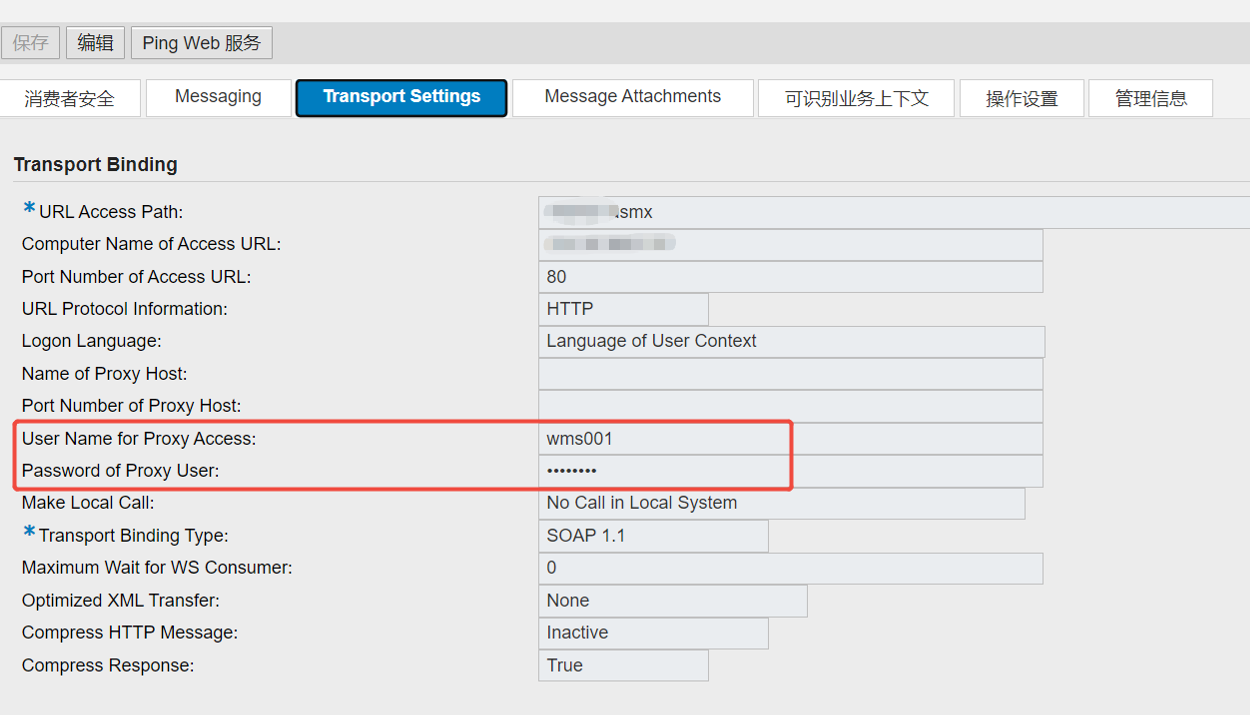
上图是SAP配置用户名和密码的界面
cs
/// <summary>
/// 读取SAP配置的用户名和密码
/// </summary>
/// <param name="userName">输出:User Name for Proxy Access </param>
/// <param name="password">输出:Password of Proxy User</param>
/// <returns>true=请求头存在Basic认证</returns>
bool ReadTransportBasicAuth(HttpContext context, ILogger<Program> logger, out string userName, out string password)
{
    userName = null;
    password = null;

    //sap的帐号密码在Proxy-Authorization头中
    string authHeader = context.Request.Headers["Proxy-Authorization"];


    if (!authHeader.StartsWith("Basic ", StringComparison.OrdinalIgnoreCase))
        return false;

    string base64Content = authHeader.Substring("Basic ".Length).Trim();
    byte[] rawBytes = Convert.FromBase64String(base64Content);
    string rawText = System.Text.Encoding.UTF8.GetString(rawBytes);

    // 分割 用户名:密码
    string[] userPwd = rawText.Split(new[] { ':' }, 2);
    if (userPwd.Length != 2)
        return false;

    userName = userPwd[0];
    password = userPwd[1];

    //开始认证
    logger.LogInformation($"获取到的用户名和密码: {userName}: {password}");
    return true;
}
4、接口没有问题正常情况下SAP解析后的结果如下图所示:
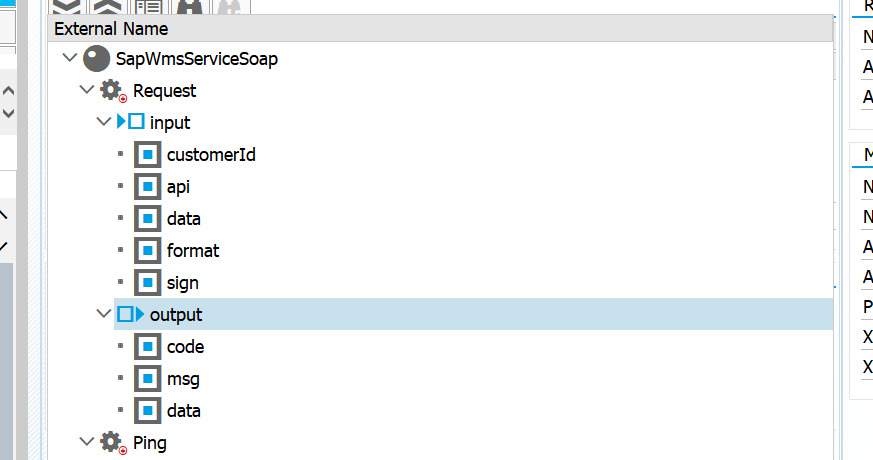
注:input下是入参,output下是出参。
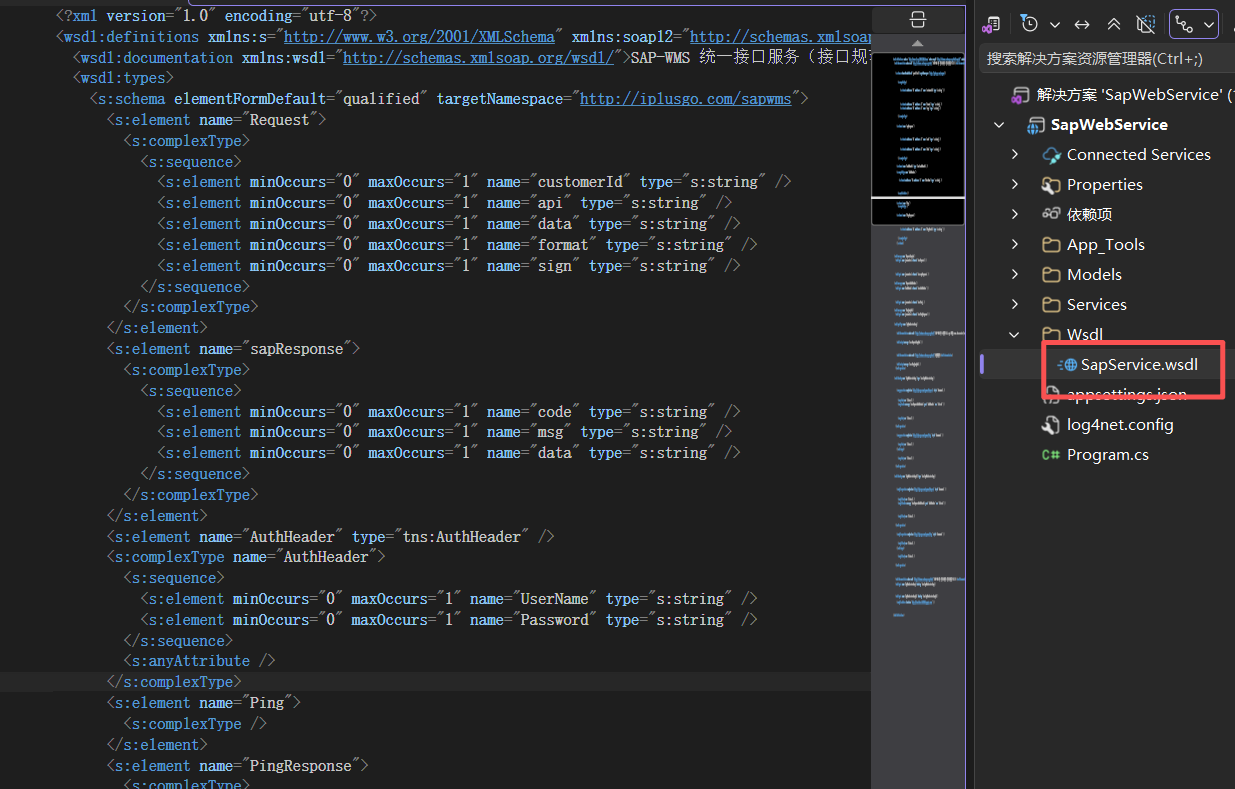
5、最关键是WSDL的定义,并不是所有 格式SAP都可以解析,下图是我手工定义的格式部分截图: