
目录
- 一、背景:为什么需要适配
- [二、原理对比:Intent 和 Want 有什么区别](#二、原理对比:Intent 和 Want 有什么区别)
- [2.1 核心差异](#2.1 核心差异)
- [2.2 Want 对象的结构](#2.2 Want 对象的结构)
- [2.3 设置类型与 URI 映射表](#2.3 设置类型与 URI 映射表)
- [三、适配实现:ArkTS 插件开发](#三、适配实现:ArkTS 插件开发)
- [3.1 项目结构](#3.1 项目结构)
- [3.2 package.json5](#3.2 package.json5)
- [3.3 核心插件类](#3.3 核心插件类)
- [3.4 入口文件](#3.4 入口文件)
- [3.5 权限配置](#3.5 权限配置)
- [四、Dart 层适配](#四、Dart 层适配)
- [4.1 官方 Dart 层逻辑](#4.1 官方 Dart 层逻辑)
- [4.2 适配后的 Dart 层](#4.2 适配后的 Dart 层)
- 五、依赖配置
- [5.1 pubspec.yaml](#5.1 pubspec.yaml)
- [5.2 版本对照](#5.2 版本对照)
- 六、实战示例:权限引导页面
- [6.1 调用链路](#6.1 调用链路)
- 七、避坑指南
- 八、总结
- 参考资源
本次适配的核心在于理解 Android Intent 与 OpenHarmony Want 的本质差异:前者用 Action 字符串标识目标页面,后者用结构化的 bundleName + abilityName + uri 组合。适配方案通过在 ArkTS 层实现 FlutterPlugin + MethodCallHandler,接收 Dart 侧传来的设置类型参数,映射为对应的 Want 对象,最终调用 startAbility 完成跳转。整个过程 Dart 层零改动,业务代码无需任何修改即可在鸿蒙设备上运行。
一、背景:为什么需要适配
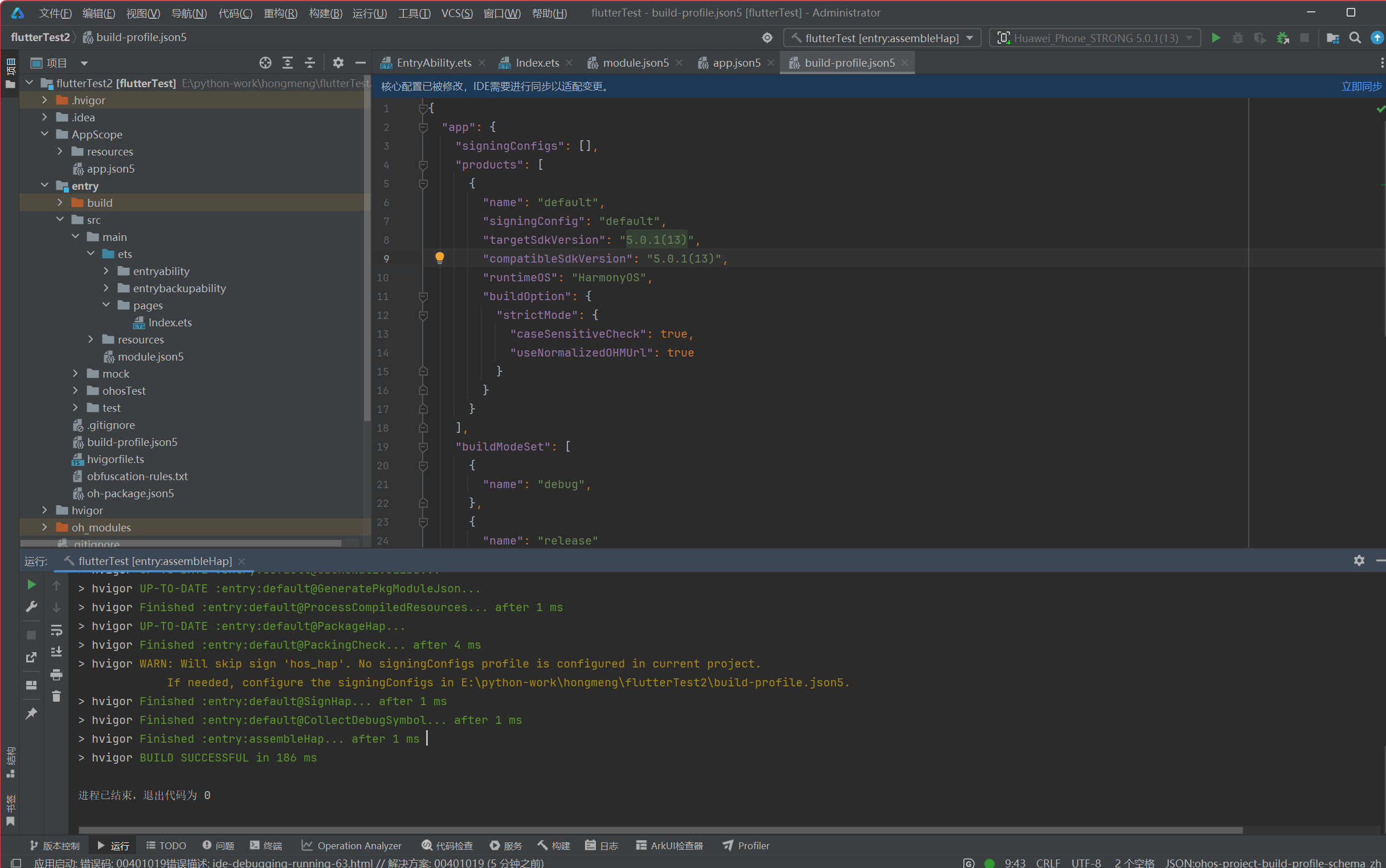
做过 Android/iOS 开发的同学对 app_settings 应该不陌生------这是 Flutter 生态里最常用的「跳转到系统设置」插件。调一行代码就能把用户带到 WiFi、蓝牙、定位、通知、应用详情等系统页面,用起来很爽。
但拿到 OpenHarmony 设备上一跑,直接报错:
PlatformException(code: 'UNSUPPORTED_PLATFORM')原因很直接:Android 用 Intent Action 字符串跳转,iOS 用 URL Scheme,OpenHarmony 用的是 Want 对象------这三个完全不兼容。官方包只写了 Android/iOS,鸿蒙上自然跑不起来。
适配的目标很简单:新增 OpenHarmony 平台实现,保持 Dart API 不变,让现有代码零改动就能在鸿蒙上跑。
二、原理对比:Intent 和 Want 有什么区别
先搞清楚 Android 和 OpenHarmony 在跳转机制上的差异,这是适配的基础。
2.1 核心差异
| 维度 | Android | OpenHarmony |
|---|---|---|
| 跳转载体 | Intent |
Want |
| 启动方法 | context.startActivity(intent) |
context.startAbility(want) |
| 目标标识 | Intent.ACTION_* Action 字符串 |
bundleName + abilityName + uri |
| 系统设置包名 | 无固定包名 | com.huawei.hmos.settings |
| 页面路由 | Action 字符串决定 | uri 字段决定具体页面 |
Android 的 Intent 用字符串标识目标页面,比如 ACTION_WIFI_SETTINGS,系统内部解析这个字符串找到对应页面。OpenHarmony 换了套玩法,用结构化的 Want 对象描述跳转意图,其中 uri 字段决定跳转到哪个具体页面。
2.2 Want 对象的结构
dart
// OpenHarmony Want 对象
let want: Want = {
  bundleName: 'com.huawei.hmos.settings', // 目标应用包名(固定值)
  abilityName: 'com.huawei.hmos.settings.MainAbility', // 目标 Ability(固定值)
  uri: 'wifi_entry', // 具体页面路由
  parameters: {
    pushParams: bundleName, // 部分页面需要传入当前应用包名
  }
};
三个字段的作用:
- bundleName :目标应用的唯一标识,系统设置应用固定是
com.huawei.hmos.settings - abilityName :目标 Ability 的完整名称,固定值
MainAbility - uri:跳转到哪个具体设置页面,这是适配的核心------需要把 Dart 侧的设置类型映射为 OpenHarmony 的页面路由
2.3 设置类型与 URI 映射表
系统设置应用支持以下页面路由:
| 设置类型 | Android Intent Action | OpenHarmony uri | 支持状态 |
|---|---|---|---|
| WiFi | ACTION_WIFI_SETTINGS |
wifi_entry |
✅ |
| 蓝牙 | ACTION_BLUETOOTH_SETTINGS |
bluetooth_entry |
✅ |
| 定位 | ACTION_LOCATION_SOURCE_SETTINGS |
location_entry |
✅ |
| 通知 | --- | notification_entry |
✅ |
| 显示 | ACTION_DISPLAY_SETTINGS |
display_entry |
✅ |
| 声音 | ACTION_SOUND_SETTINGS |
sound_entry |
✅ |
| 电池 | ACTION_BATTERY_SAVER_SETTINGS |
battery_entry |
✅ |
| 安全 | ACTION_SECURITY_SETTINGS |
security_entry |
✅ |
| 应用详情 | ACTION_APPLICATION_DETAILS_SETTINGS |
application_info_entry |
✅ |
| 开发者选项 | ACTION_APPLICATION_DEVELOPMENT_SETTINGS |
development_entry |
✅ |
| VPN | ACTION_VPN_SETTINGS |
vpn_entry |
✅ |
| 日期时间 | ACTION_DATE_SETTINGS |
date_time_entry |
✅ |
| 存储 | ACTION_INTERNAL_STORAGE_SETTINGS |
storage_entry |
✅ |
| 无障碍 | ACTION_ACCESSIBILITY_SETTINGS |
accessibility_entry |
✅ |
| 网络热点 | --- | hotspot_entry |
✅ |
| 移动网络 | --- | network_entry |
✅ |
| 锁屏密码 | ACTION_LOCK_SCREEN_SETTINGS |
lock_password_entry |
✅ |
| NFC | ACTION_NFC_SETTINGS |
nfc_entry |
✅ |
| 语言设置 | ACTION_LOCALE_SETTINGS |
locale_entry |
⚠️ 部分支持 |
提示:语言设置(locale)在某些 HarmonyOS 版本上可能不支持,建议在真机上验证。
三、适配实现:ArkTS 插件开发
框架 :Flutter OpenHarmony
适配库 :
atomgit.com/CPF-Flutter/fluttertpc_app_settings(分支br_v5.1.1_ohos)适合读者 :有 Flutter 开发经验的开发者,需要在鸿蒙设备上实现跳转到系统设置页面
Flutter SDK 版本 :推荐 Flutter 3.35+(支持 OpenHarmony)
说明:本文为「三方库适配」类投稿,官方 pub.dev 版本不支持鸿蒙,必须使用 CPF-Flutter 适配版本
3.1 项目结构
在插件仓库根目录新建 ohos/ 目录,与现有的 android/、ios/ 同级:
app_settings/
├── lib/
│   └── app_settings.dart          ← Dart 层(无需修改)
├── android/                       ← Android 实现(已存在)
├── ios/                           ← iOS 实现(已存在)
└── ohos/                          ← 新增:OpenHarmony 实现
    ├── src/main/
    │   ├── ets/
    │   │   └── app_settings_ohos_plugin.ets   ← 核心插件类
    │   └── module.json5           ← 权限配置
    ├── package.json5
    └── index.ets                  ← 插件入口
3.2 package.json5
json5
{
  "name": "app_settings_ohos",
  "version": "1.0.0",
  "description": "OpenHarmony platform implementation for app_settings",
  "main": "./index.ets",
  "license": "BSD-3-Clause",
  "types": "./index.d.ts"
}
3.3 核心插件类
这是适配的核心代码。Flutter 插件在 OpenHarmony 上需要实现两个接口:
- FlutterPlugin:管理插件生命周期(初始化/销毁)
- MethodCallHandler:处理 Dart 侧通过 MethodChannel 发来的方法调用
ets
import { FlutterPlugin, FlutterPluginBinding, MethodCall, MethodCallHandler, MethodResult } from '@ohos/flutter_ohos';
import { common, Want } from '@kit.AbilityKit';

export default class AppSettingsPlugin implements FlutterPlugin, MethodCallHandler {
  private channel: any = null;
  private abilityContext: common.UIAbilityContext | null = null;

  // ===== 生命周期:插件初始化 =====
  onAttachedToEngine(binding: FlutterPluginBinding): void {
    // 获取 Ability 上下文,这是调用 startAbility 的必要条件
    this.abilityContext = binding.getUIAbilityContext();

    // 创建 MethodChannel,名称必须与 Dart 侧一致
    this.channel = binding.getBinaryMessenger().createMethodChannel('app_settings');

    // 注册方法处理器,后续 Dart 侧 invokeMethod() 会路由到 onMethodCall
    this.channel.setMethodCallHandler(this);
  }

  // ===== 生命周期:插件销毁 =====
  onDetachedFromEngine(binding: FlutterPluginBinding): void {
    if (this.channel) {
      this.channel.setMethodCallHandler(null);
      this.channel = null;
    }
    this.abilityContext = null;
  }

  // ===== 方法调用入口 =====
  onMethodCall(call: MethodCall, result: MethodResult): void {
    const args = call.arguments as Record<string, string>;
    const type: string = args['type'];

    switch (call.method) {
      case 'openAppSettings':
        this.handleOpenAppSettings(type, result);
        break;
      default:
        result.notImplemented();
        break;
    }
  }

  // ===== 跳转逻辑 =====
  private handleOpenAppSettings(type: string | undefined, result: MethodResult): void {
    if (!this.abilityContext) {
      result.error('NO_CONTEXT', 'AbilityContext is not available', null);
      return;
    }

    const want: Want = this.buildWant(type);

    // 调用 OpenHarmony 原生 API 启动目标 Ability
    this.abilityContext.startAbility(want)
      .then(() => {
        // 跳转成功:通知 Dart 侧 Future 完成
        result.success(null);
      })
      .catch((err: BusinessError) => {
        // 跳转失败:通知 Dart 侧抛出 PlatformException
        console.error(`[app_settings_ohos] startAbility failed: ${err.code} - ${err.message}`);
        result.error(`ERR_${err.code}`, err.message, null);
      });
  }

  // ===== 构建 Want 对象(核心:URI 映射)=====
  private buildWant(type: string | undefined): Want {
    const baseWant: Want = {
      bundleName: 'com.huawei.hmos.settings',
      abilityName: 'com.huawei.hmos.settings.MainAbility',
    };

    // 设置类型 → URI 映射表
    const uriMap: Record<string, string> = {
      'wifi': 'wifi_entry',
      'location': 'location_entry',
      'bluetooth': 'bluetooth_entry',
      'notification': 'notification_entry',
      'display': 'display_entry',
      'sound': 'sound_entry',
      'battery': 'battery_entry',
      'security': 'security_entry',
      'settings': 'application_info_entry',
      'accessibility': 'accessibility_entry',
      'internalStorage': 'storage_entry',
      'vpn': 'vpn_entry',
      'lockAndPassword': 'lock_password_entry',
      'nfc': 'nfc_entry',
      'developer': 'development_entry',
      'dataRoaming': 'network_entry',
      'hotspot': 'hotspot_entry',
      'date': 'date_time_entry',
      'apn': 'apn_entry',
      'generalSettings': 'general_entry',
      'appLocale': 'locale_entry',
      'subscriptions': 'subscriptions_entry',
      'wireless': 'wireless_entry',
    };

    const uri = type ? (uriMap[type] || 'application_info_entry') : 'application_info_entry';

    // 应用详情页需要额外传参:当前应用包名
    if (uri === 'application_info_entry') {
      const bundleName = this.getSelfBundleName();
      return {
        ...baseWant,
        uri: uri,
        parameters: {
          pushParams: bundleName,
        },
      };
    }

    return {
      ...baseWant,
      uri: uri,
    };
  }

  // 获取当前应用包名
  private getSelfBundleName(): string {
    const context = this.abilityContext!;
    try {
      return (context as any).info?.bundleName || 'unknown';
    } catch {
      return 'unknown';
    }
  }
}
代码要点解析:
- onAttachedToEngine :插件被 Flutter 引擎加载时调用,在这里初始化
abilityContext和MethodChannel - onMethodCall :Dart 侧调用
invokeMethod()时触发,解析参数后分发到具体处理逻辑 - handleOpenAppSettings :构建 Want 对象并调用
startAbility,处理成功/失败的回调 - buildWant:核心映射逻辑,把 Dart 侧传来的设置类型转换为 OpenHarmony 的页面 URI
3.4 入口文件
ets
import AppSettingsPlugin from './src/main/ets/app_settings_ohos_plugin';

// Flutter 引擎的标准插件注册函数
// 引擎启动时加载 .so 库,自动执行此函数完成插件注册
export default function onRegisterWith(engine: any): void {
  engine.addPlugin(new AppSettingsPlugin());
}
3.5 权限配置
app_settings 本身跳转到系统设置是系统能力,不需要额外权限。但插件可能用于引导用户开启某些权限,建议在示例应用的 module.json5 中提前声明:
json5
{
  "module": {
    "requestPermissions": [
      {
        "name": "ohos.permission.LOCATION",
        "reason": "$string:location_reason",
        "usedScene": {
          "abilities": ["EntryAbility"],
          "when": "inuse"
        }
      },
      {
        "name": "ohos.permission.BLUETOOTH",
        "reason": "$string:bluetooth_reason",
        "usedScene": {
          "abilities": ["EntryAbility"],
          "when": "inuse"
        }
      }
    ]
  }
}
对应的字符串资源:
json
{
  "string": [
    {
      "name": "location_reason",
      "value": "用于开启位置服务,以便应用获取位置信息"
    },
    {
      "name": "bluetooth_reason",
      "value": "用于开启蓝牙功能"
    }
  ]
}
四、Dart 层适配
4.1 官方 Dart 层逻辑
官方包的 Dart 层通过 Platform.isAndroid/Platform.isIOS 判断平台:
dart
class AppSettings {
  static Future<void> openAppSettings({
    AppSettingsType type = AppSettingsType.settings,
  }) async {
    if (Platform.isAndroid) {
      final android = AndroidAppSettings();
      return android.openAppSettings(type);
    }
    if (Platform.isIOS) {
      final ios = IosEmbeddedSettings();
      return ios.openAppSettings();
    }
    // 未适配的平台直接报错
    throw PlatformException(
      code: 'UNSUPPORTED_PLATFORM',
      message: 'App settings not supported on this platform',
    );
  }
}
4.2 适配后的 Dart 层
只需要新增一个 Platform.isOhos 分支:
dart
import 'dart:io';
import 'package:flutter/services.dart';

class AppSettings {
  static const _channel = MethodChannel('app_settings');

  static Future<void> openAppSettings({
    AppSettingsType type = AppSettingsType.settings,
  }) async {
    // Android
    if (Platform.isAndroid) {
      final android = AndroidAppSettings();
      return android.openAppSettings(type);
    }

    // iOS
    if (Platform.isIOS) {
      final ios = IosEmbeddedSettings();
      return ios.openAppSettings();
    }

    // ===== 新增:OpenHarmony =====
    if (Platform.isOhos) {
      try {
        await _channel.invokeMethod('openAppSettings', {
          'type': _mapTypeToString(type),
        });
      } on PlatformException catch (e) {
        throw PlatformException(
          code: e.code,
          message: 'OpenHarmony: ${e.message}',
        );
      }
      return;
    }

    throw PlatformException(
      code: 'UNSUPPORTED_PLATFORM',
      message: 'App settings not supported on platform: ${Platform.operatingSystem}',
    );
  }

  // AppSettingsType 枚举 → 字符串映射
  static String _mapTypeToString(AppSettingsType type) {
    switch (type) {
      case AppSettingsType.wifi: return 'wifi';
      case AppSettingsType.location: return 'location';
      case AppSettingsType.bluetooth: return 'bluetooth';
      case AppSettingsType.notification: return 'notification';
      case AppSettingsType.display: return 'display';
      case AppSettingsType.sound: return 'sound';
      case AppSettingsType.batteryOptimization: return 'battery';
      case AppSettingsType.security: return 'security';
      case AppSettingsType.settings: return 'settings';
      case AppSettingsType.accessibility: return 'accessibility';
      case AppSettingsType.internalStorage: return 'internalStorage';
      case AppSettingsType.vpn: return 'vpn';
      case AppSettingsType.lockAndPassword: return 'lockAndPassword';
      case AppSettingsType.nfc: return 'nfc';
      case AppSettingsType.developer: return 'developer';
      case AppSettingsType.dataRoaming: return 'dataRoaming';
      case AppSettingsType.hotspot: return 'hotspot';
      case AppSettingsType.date: return 'date';
      case AppSettingsType.apn: return 'apn';
      case AppSettingsType.generalSettings: return 'generalSettings';
      case AppSettingsType.appLocale: return 'appLocale';
      case AppSettingsType.subscriptions: return 'subscriptions';
      case AppSettingsType.wireless: return 'wireless';
    }
  }
}
Dart 层的改动很小 :新增一个 Platform.isOhos 分支,通过 invokeMethod 把设置类型传给 ArkTS 侧,整个适配对业务代码透明。
五、依赖配置
5.1 pubspec.yaml
必须使用 git 依赖引入适配版本:
yaml
dependencies:
  flutter:
    sdk: flutter
  # 主包:提供统一的 Dart API
  app_settings:
    git:
      url: "https://gitcode.com/CPF-Flutter/fluttertpc_app_settings.git"
      ref: "5.1.1-ohos.1.0.1-beta.1"

dev_dependencies:
  flutter_test:
    sdk: flutter
  # 鸿蒙平台原生实现:plugin_registrar 会自动加载
  app_settings_ohos:
    git:
      url: "https://gitcode.com/CPF-Flutter/fluttertpc_app_settings.git"
      path: "./ohos"
      ref: "5.1.1-ohos.1.0.1-beta.1"
注意 :不能直接用
pub.dev上的版本号,官方版不含 OpenHarmony 实现。
5.2 版本对照
| Flutter 框架版本 | 对应 TAG |
|---|---|
| 3.7.x | 5.1.1-ohos.1.0.1-beta.1 |
| 3.22.x | 5.1.1-ohos.1.0.1-beta.1 |
| 3.27.x | 5.1.1-ohos.1.0.1-beta.1 |
| 3.35.x | 5.1.1-ohos.1.0.1-beta.1 |
六、实战示例:权限引导页面
这是 app_settings 最常见的使用场景------用户拒绝了某个权限,引导他去系统设置手动开启:
dart
import 'package:flutter/material.dart';
import 'package:permission_handler/permission_handler.dart';
import 'package:app_settings/app_settings.dart';

class PermissionGuidePage extends StatelessWidget {
  const PermissionGuidePage({super.key});

  Future<void> _handleCameraPermission(BuildContext context) async {
    final status = await Permission.camera.status;

    if (status.isGranted) {
      if (context.mounted) {
        ScaffoldMessenger.of(context).showSnackBar(
          const SnackBar(content: Text('相机权限已开启')),
        );
      }
    } else if (status.isDenied) {
      final result = await Permission.camera.request();
      if (result.isDenied && context.mounted) {
        _showGuideDialog(context);
      }
    } else if (status.isPermanentlyDenied) {
      _showGuideDialog(context);
    }
  }

  void _showGuideDialog(BuildContext context) {
    showDialog(
      context: context,
      builder: (ctx) => AlertDialog(
        title: const Text('需要相机权限'),
        content: const Text('请在系统设置中手动开启相机权限。'),
        actions: [
          TextButton(
            onPressed: () => Navigator.pop(ctx),
            child: const Text('取消'),
          ),
          FilledButton(
            onPressed: () {
              Navigator.pop(ctx);
              // 跳转到系统设置 → 应用详情页
              // OpenHarmony 上通过 app_settings_ohos 插件实现
              AppSettings.openAppSettings(type: AppSettingsType.settings);
            },
            child: const Text('去设置'),
          ),
        ],
      ),
    );
  }

  @override
  Widget build(BuildContext context) {
    return Scaffold(
      appBar: AppBar(title: const Text('权限引导示例')),
      body: ListView(
        children: [
          ListTile(
            leading: const Icon(Icons.camera_alt, size: 32),
            title: const Text('相机'),
            subtitle: const Text('用于拍照和录像'),
            trailing: const Icon(Icons.chevron_right),
            onTap: () => _handleCameraPermission(context),
          ),
          ListTile(
            leading: const Icon(Icons.location_on, size: 32),
            title: const Text('位置信息'),
            subtitle: const Text('用于定位和导航'),
            trailing: const Icon(Icons.chevron_right),
            onTap: () async {
              final status = await Permission.location.status;
              if (status.isPermanentlyDenied) {
                AppSettings.openAppSettings(type: AppSettingsType.location);
              }
            },
          ),
          ListTile(
            leading: const Icon(Icons.notifications, size: 32),
            title: const Text('通知'),
            subtitle: const Text('用于接收推送消息'),
            trailing: const Icon(Icons.chevron_right),
            onTap: () {
              AppSettings.openAppSettings(type: AppSettingsType.notification);
            },
          ),
          ListTile(
            leading: const Icon(Icons.wifi, size: 32),
            title: const Text('WiFi 设置'),
            subtitle: const Text('跳转到 WiFi 设置页'),
            trailing: const Icon(Icons.chevron_right),
            onTap: () {
              AppSettings.openAppSettings(type: AppSettingsType.wifi);
            },
          ),
        ],
      ),
    );
  }
}
6.1 调用链路
以点击"去设置"按钮为例,完整调用链路:
Flutter App (Dart)
  │
  │ AppSettings.openAppSettings(type: AppSettingsType.settings)
  │   _channel.invokeMethod('openAppSettings', {'type': 'settings'})
  │
  ▼
Flutter Engine (Platform Channel)
  │   序列化为二进制消息
  │
  ▼
app_settings_ohos_plugin.ets (ArkTS)
  │   onMethodCall → type='settings'
  │   buildWant() → uri='application_info_entry', pushParams='com.example.myapp'
  │   abilityContext.startAbility(want)
  │
  ▼
OpenHarmony 系统设置应用
  │   展示当前应用详情页
  │
  ▼
用户操作:在权限管理中开启相机权限
七、避坑指南
坑 1:pub.dev 官方版不支持鸿蒙
现象 :调用时抛出 PlatformException(code: 'UNSUPPORTED_PLATFORM')
原因:官方包只实现了 Android/iOS
解决 :必须使用 git 依赖引入适配版,添加 app_settings_ohos 作为 dev_dependency
坑 2:应用详情页跳转后页面空白
现象:跳转到应用详情页时显示空白
原因 :Want.parameters.pushParams 必须传入当前应用自身的包名。如果不传或传错,系统设置找不到对应应用信息,页面空白
解决 :确保 ArkTS 侧正确获取 context.abilityInfo.bundleName 并填入 pushParams
坑 3:部分设置类型无对应 uri
现象:跳转某些不常见设置类型时无反应
原因:OpenHarmony 系统设置并非所有页面都有公开 uri 路由,部分仅限系统应用使用
解决:参考本文第二节的映射表,只使用确认支持的类型
坑 4:旧版 HarmonyOS 设备兼容性问题
现象:在某些旧版设备上跳转失败(错误码 16000001)
原因 :com.huawei.hmos.settings 应用的 Ability 名称在不同 ROM 版本间可能变化
解决:建议在 5.0.0(12) 及以上版本测试
坑 5:混淆 app_settings 和 permission_handler 的职责
现象 :调用 openAppSettings() 后期望直接弹出权限对话框
原因 :app_settings 只负责跳转,不负责申请。权限申请用 permission_handler
解决 :区分职责------permission_handler 申请权限,app_settings 跳转设置
八、总结
这次适配的工作量集中在一层 ArkTS 代码,但揭示了 Flutter 平台适配的核心:
- 问题本质:Android Intent Action 字符串路由 vs OpenHarmony Want bundleName + uri 路由,机制完全不同
- 适配思路 :实现
FlutterPlugin+MethodCallHandler,接收 Dart 侧参数,转换为 Want 对象,调用startAbility跳转 - Dart 层零改动:业务代码无需任何修改,平台判断全部在插件内部完成
适配成果
| 项目 | 内容 |
|---|---|
| 适配库 | app_settings |
| 适配平台 | OpenHarmony |
| 原生实现 | app_settings_ohos (ArkTS) |
| 仓库 | atomgit.com/CPF-Flutter/fluttertpc_app_settings |
| 适配分支 | br_v5.1.1_ohos |
| 支持 Flutter 版本 | 3.7 / 3.22 / 3.27 / 3.35 |
| 支持设置类型 | 25 种 |
可复用的适配模式
app_settings 的适配路径是一个通用模板,适用于所有需要调用系统能力的 Flutter 插件。核心套路是:实现 FlutterPlugin 接收 MethodCall → 根据方法名分发逻辑 → 用 Want + startAbility 替代 Android Intent → 在 Dart 侧添加 Platform.isOhos 分支。掌握这个套路后,适配其他跳转类插件(如 url_launcher、connectivity_plus 等)都能复用同样的思路。
这个适配路径是一个模板,适用于所有需要跳转到系统设置或系统应用的 Flutter 插件:
1. 在 ohos/ 目录创建插件结构
2. 实现 FlutterPlugin + MethodCallHandler
3. 在 onMethodCall 中路由方法名
4. 用 Want { bundleName, abilityName, uri } + startAbility 替代 Android Intent
5. 在 Dart 侧添加 Platform.isOhos 分支
6. 编写 README 说明依赖配置和 API 支持矩阵
这次适配只新增了一百多行 ArkTS 代码,但解决了一个高频痛点------鸿蒙设备上无法引导用户跳转到系统设置页面。配合之前适配的 permission_handler,现在可以实现完整的权限管理闭环:先用 permission_handler 动态申请权限,用户永久拒绝后用 app_settings 引导他去设置页手动开启。两者结合,权限管理的体验基本和 Android/iOS 持平。
参考资源
- 适配仓库 :
atomgit.com/CPF-Flutter/fluttertpc_app_settings - Flutter OpenHarmony 官方文档:https://gitee.com/CPF-Flutter/flutter_flutter
- 仓颉征文活动主页:https://atomgit.com/oh-tpc/cangjie-call