下载亚马逊分类账
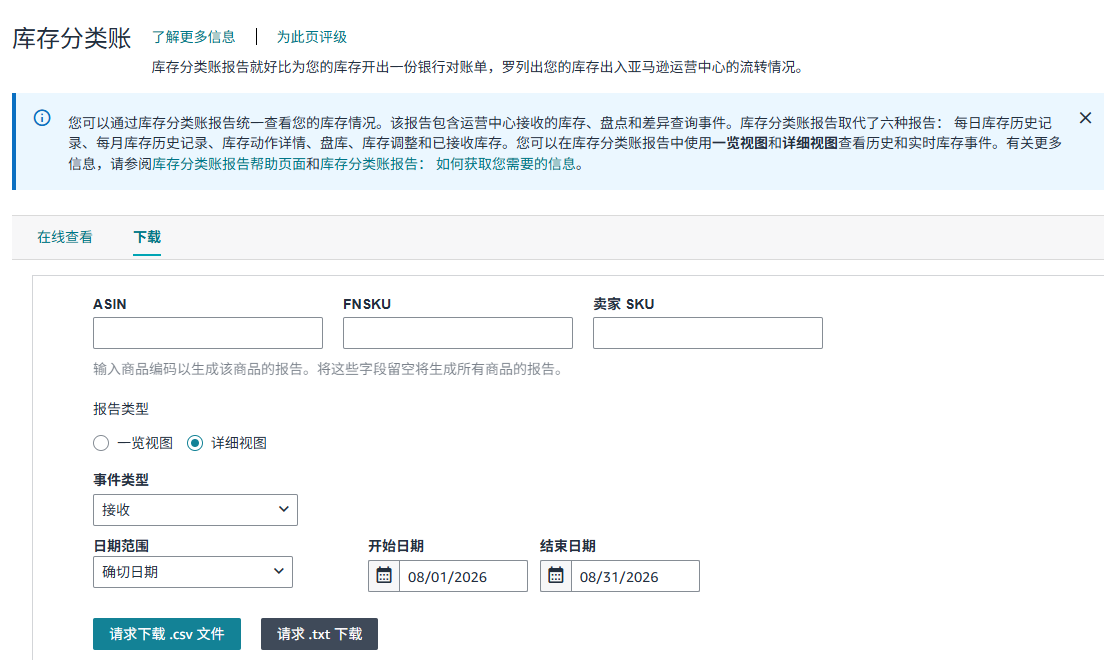
import time
import uiautomation as auto


def handle_date(window, start_time='08/01/2026', end_time='08/31/2026'):
    """
    日期范围
    :param start_time: 开始日期
    :param end_time: 结束日期
    :return:
    """
    # 开始日期
    from_edit = window.EditControl(Name='开始日期')
    from_edit.Click()
    time.sleep(1)
    from_edit.Press_Hotkey("ctrl", "a")
    from_edit.Press_Hotkey("backspace")
    time.sleep(1.5)
    auto.SetClipboardText(start_time)
    from_edit.Press_Hotkey('ctrl', 'v')
    time.sleep(0.5)
    from_edit.Press_Hotkey("enter")

    # 结束日期
    to_edit = window.EditControl(Name='结束日期')
    time.sleep(1)
    to_edit.Press_Hotkey("ctrl", "a")
    to_edit.Press_Hotkey("backspace")
    time.sleep(1.5)
    auto.SetClipboardText(end_time)
    to_edit.Press_Hotkey('ctrl', 'v')
    time.sleep(0.5)
    to_edit.Press_Hotkey("enter")

    daterange = window.TextControl(Name='日期范围')
    if daterange.Exists(1):
        daterange.Click()

    eventdate = window.TextControl(Name='事件日期')
    if eventdate.Exists(1):
        eventdate.Click()


def inventory_classification():
    """
    库存分类
    访问链接: https://sellercentral.amazon.com/reportcentral/LEDGER_REPORT/1
    流程: 一览视图->事件类型-任何状况 -> 日期范围-确切日期->设置日期范围->请求下载.csv文件
    :return:
    """
    window = auto.PaneControl(ClassName='Chrome_WidgetWin_1', RegexName='.*Chromium')
    # Name	一览视图
    overview = window.RadioButtonControl(Name='一览视图')
    if not overview.GetSelectionItemPattern().IsSelected:
        overview.Click()

    # Name	亚马逊运营中心
    amazon_center = window.RadioButtonControl(Name='亚马逊运营中心')
    if not amazon_center.GetSelectionItemPattern().IsSelected:
        amazon_center.Click()

    # Name	请求下载 .csv 文件  滚动页面展示
    down_file = window.ButtonControl(Name='请求下载 .csv 文件')
    down_file.ScrollIntoView()

    # Name	按时间段汇总报告
    # 先定位按时间段汇总报告文本控件,根据文本控件再定位其下方的下拉框控件
    summarize_report = window.TextControl(Name='按时间段汇总报告')
    summarize_report_combox = auto.GroupControl().Below(summarize_report)
    summarize_report_combox.Click()
    list_item = window.ListItemControl(Name='每月')
    if list_item.Exists(1):
        list_item.Click()
    time.sleep(1)


    # Name	日期范围
    daterange = window.TextControl(Name='日期范围')
    daterange_combox = auto.GroupControl().Below(daterange)
    daterange_combox.Click()
    list_item1 = window.ListItemControl(Name='具体月份')
    if list_item1.Exists(1):
        list_item1.Click()
    time.sleep(1)

    handle_date(window)