目录
[3.5 综合案例](#3.5 综合案例)
[3.5.1 猜数字](#3.5.1 猜数字)
[3.5.2 表白墙](#3.5.2 表白墙)
注:以下案例均使用 JQuery 实现,原生态 JavaScript 实现参考👇
3.5 综合案例
3.5.1 猜数字
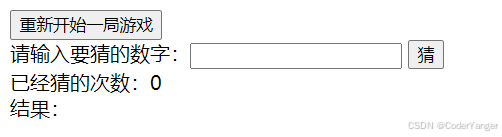
预期效果:
1.构造整体框架
html<!DOCTYPE html> <html lang="en"> <head> <meta charset="UTF-8"> <meta name="viewport" content="width=device-width, initial-scale=1.0"> <title>Document</title> </head> <body> <button id="reset">重新开始一局游戏</button><br/> <span>请输入要猜的数字:</span> <input type="text" name="" id=""> <button id="guess">猜</button><br/> <span>已经猜的次数:</span><span id="count">0</span><br/> <span>结果:</span><span id="result"></span> </body> </html>效果展示👇
2.实现各个功能
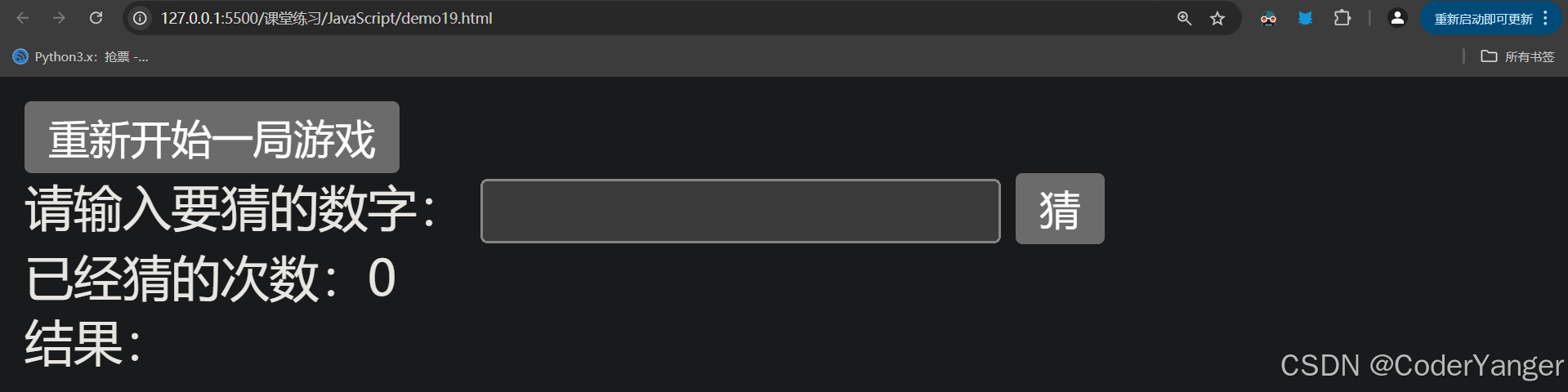
html<!DOCTYPE html> <html lang="en"> <head> <meta charset="UTF-8"> <meta name="viewport" content="width=device-width, initial-scale=1.0"> <title>Document</title> <!-- 引入JQuery --> <script src="jquery-3.7.1.min.js"></script> </head> <body> <button id="reset">重新开始一局游戏</button><br/> <span>请输入要猜的数字:</span> <input type="text" id="guessNum"> <button id="guess">猜</button><br/> <span>已经猜的次数:</span><span id="count">0</span><br/> <span>结果:</span><span id="result"></span> <script> //记录猜的次数 let count = 0; //生成一个数字 //Math.random():[0,1)的数 //Math.random()*100:[0~100)的数,可能出现0.9 //Math.floor(Math.random()*100):向下取整,得到 [0.99]的数 let number = Math.floor(Math.random()*100)+1;//1~100的数字 console.log(number) $("#guess").click(function(){ count++; $("#count").text(count);//次数累加 //先拿到要猜的值 let guessNum = $("#guessNum").val(); if(number<guessNum){ $("#result").text("猜大了"); $("#result").css("color","red"); }else if(number>guessNum){ $("#result").text("猜小了"); $("#result").css("color","red"); }else{ $("#result").text("猜对了"); $("#result").css("color","green"); } }); //重置 $("#reset").click(function(){ number = Math.floor(Math.random()*100)+1;//1~100的数字 console.log(number); count = 0; $("#result").text(""); $("#count").text(count);//次数归0 $("#guessNum").val(""); }); </script> </body> </html>效果展示👇
JQuery实现猜数字
3.5.2 表白墙
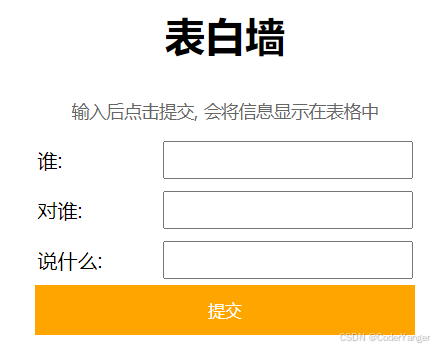
预期效果
需求:按要求在文本框中输入内容,点击提交按钮,输入内容显示在页面下方
代码实现
1.提前准备如下 HTML 和 CSS 代码
html<!DOCTYPE html> <html lang="en"> <head> <meta charset="UTF-8"> <meta name="viewport" content="width=device-width, initial-scale=1.0"> <title>留言板</title> <style> .container { width: 350px; height: 300px; margin: 0 auto; /* border: 1px black solid; */ text-align: center; } .grey { color: grey; } .container .row { width: 350px; height: 40px; display: flex; justify-content: space-between; align-items: center; } .container .row input { width: 260px; height: 30px; } #submit { width: 350px; height: 40px; background-color: orange; color: white; border: none; margin: 10px; border-radius: 5px; font-size: 20px; } </style> </head> <body> <div class="container"> <h1>留言板</h1> <p class="grey">输入后点击提交, 会将信息显示下方空白处</p> <div class="row"> <span>谁:</span> <input type="text" name="" id="from"> </div> <div class="row"> <span>对谁:</span> <input type="text" name="" id="to"> </div> <div class="row"> <span>说什么:</span> <input type="text" name="" id="say"> </div> <input type="button" value="提交" id="submit" onclick="submit()"> <!-- <div>A 对 B 说: hello</div> --> </div> </body> </html>2.实现提交
html<!DOCTYPE html> <html lang="en"> <head> <meta charset="UTF-8"> <meta name="viewport" content="width=device-width, initial-scale=1.0"> <title>留言板</title> <style> .container { width: 350px; height: 300px; margin: 0 auto; /* border: 1px black solid; */ text-align: center; } .grey { color: grey; } .container .row { width: 350px; height: 40px; display: flex; justify-content: space-between; align-items: center; } .container .row input { width: 260px; height: 30px; } #submit { width: 350px; height: 40px; background-color: orange; color: white; border: none; margin: 10px; border-radius: 5px; font-size: 20px; } </style> </head> <body> <div class="container"> <h1>留言板</h1> <p class="grey">输入后点击提交, 会将信息显示下方空白处</p> <div class="row"> <span>谁:</span> <input type="text" name="" id="from"> </div> <div class="row"> <span>对谁:</span> <input type="text" name="" id="to"> </div> <div class="row"> <span>说什么:</span> <input type="text" name="" id="say"> </div> <input type="button" value="提交" id="submit" onclick="submit()"> <!-- <div>A 对 B 说: hello</div> --> </div> <script src="jquery-3.7.1.min.js"></script> <script> function submit(){ //1. 获取留言的内容 let from = $('#from').val(); let to = $('#to').val(); let say = $('#say').val(); if (from== '' || to == '' || say == '') { return;//啥也不干,直接返回 } //2. 拼接字符串 let html = "<div>"+from +"对" + to + "说:" + say+"</div>"; //3. 把节点添加到页面上 $(".container").append(html); //4. 清空输入框的值 $('#from').val(""); $('#to').val(""); $('#say').val(""); } </script> </body> </html>效果展示👇
JQuery实现留言板
4.总结
1.HTML 是一种超文本标记语言,主要用于页面内容的显示和排版,如果需要更漂亮的样式展示和页面效果,需要搭配 CSS 和 JavaScript 来使用
2.学习 HTML 主要是学习标签,HTML 的标签特别多,了解基本语法即可
3.CSS 重点是学习 CSS 的选择器使用
4.JavaScript 是一个脚本语言,和 Java 没有关系,JQuery 是一个 JavaScript 框架,使用 JQuery 可以轻松地选择和操作 HTML 元素,提高我们的开发效率
5.前端开发对于后端开发人员而言不是很重要,不必花费过多时间在这个上面,达到借助网络能阅读代码的水平即可