OpenStack使用
文章目录
WEB界面实验
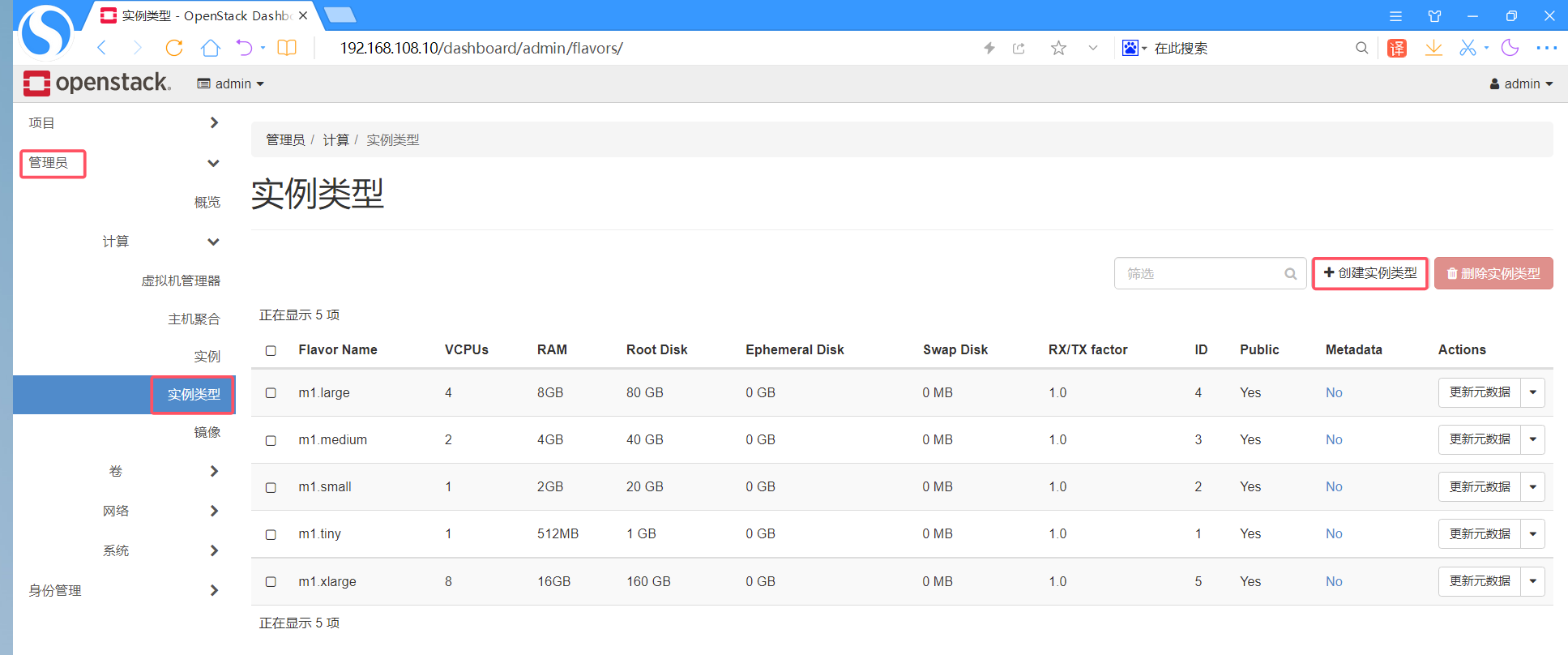
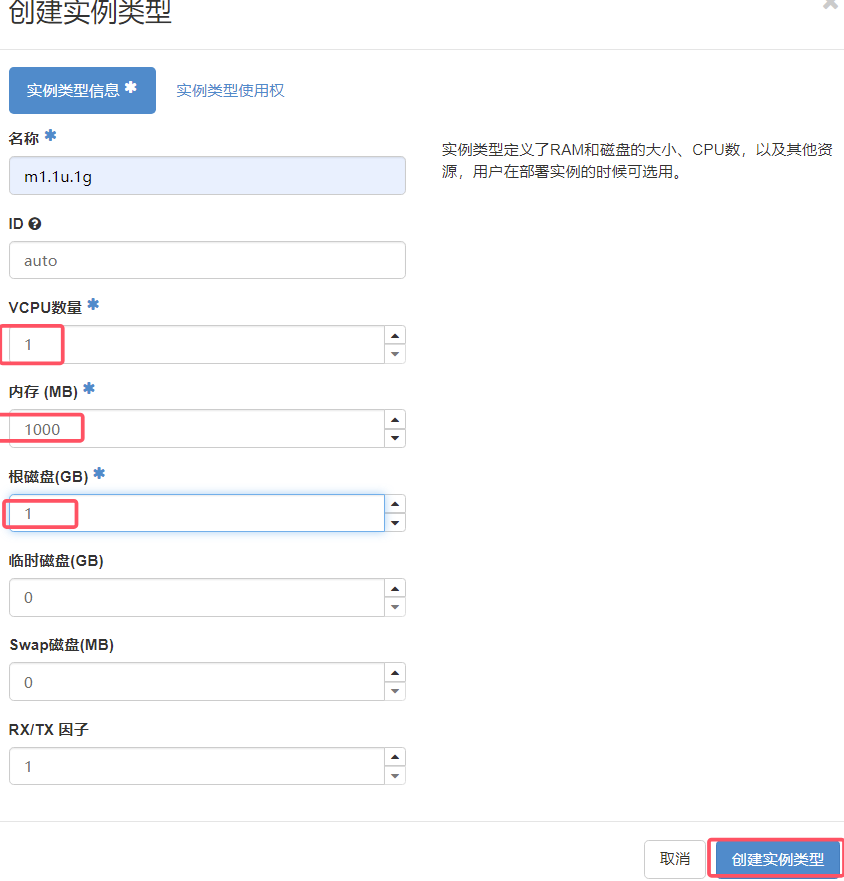
创建实例类型(规格)
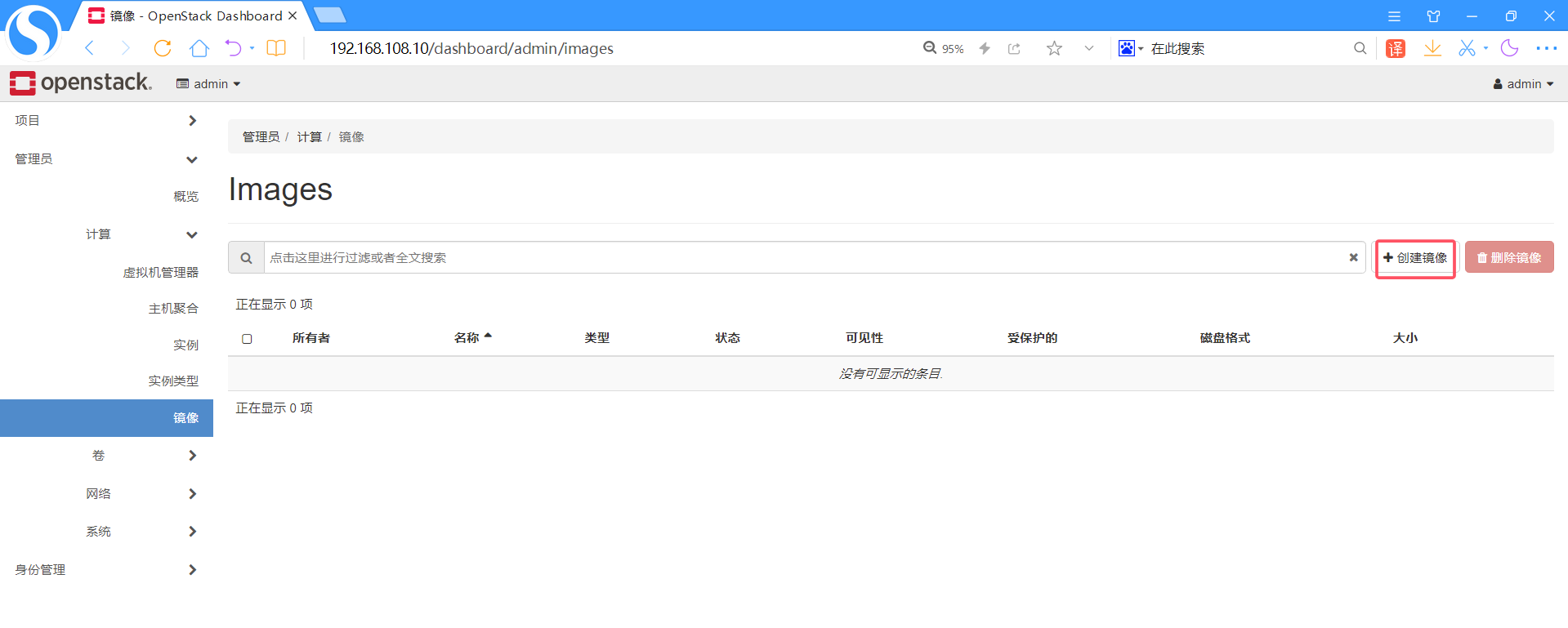
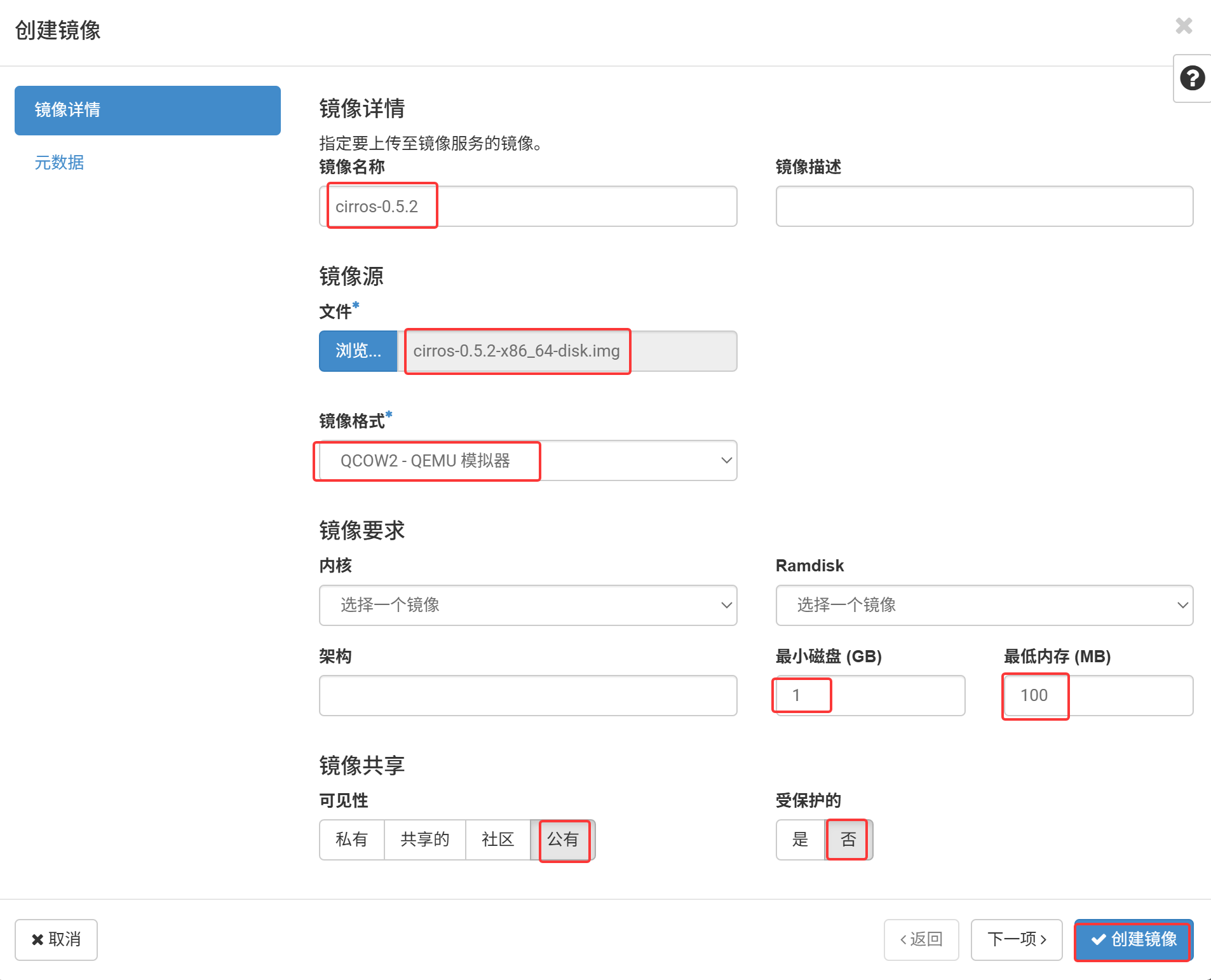
上传镜像
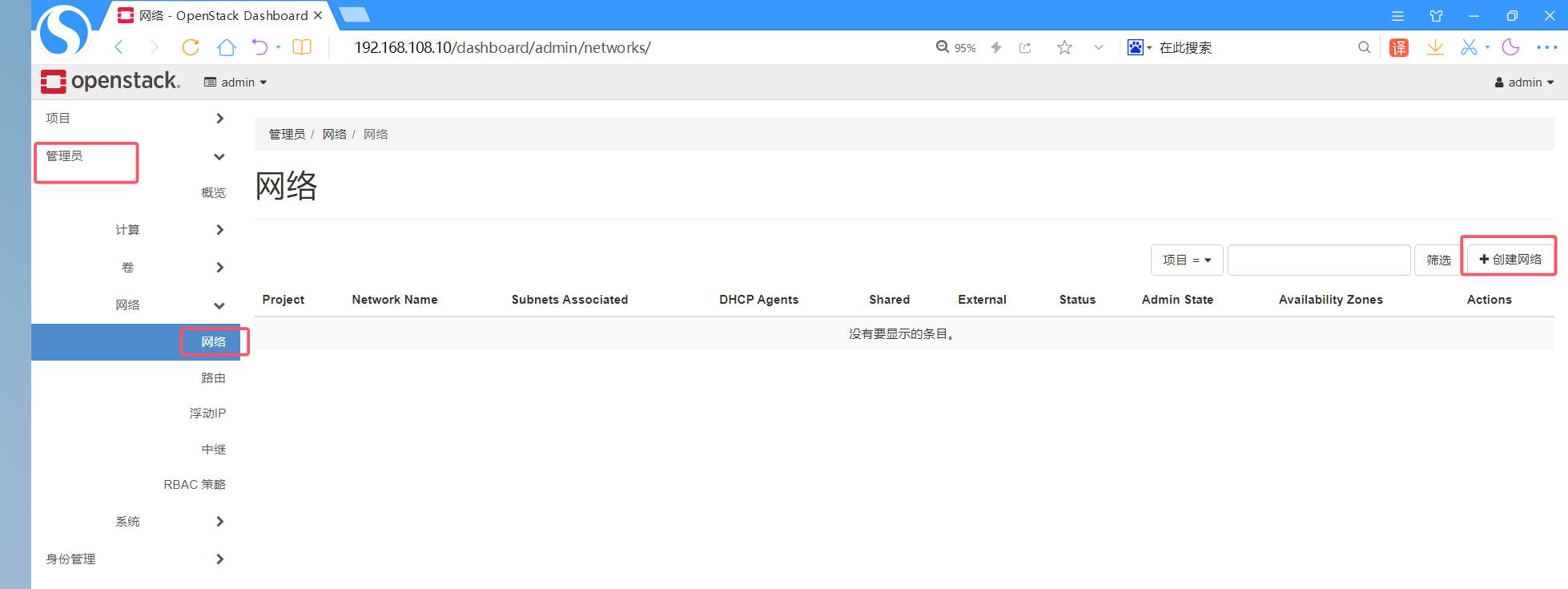
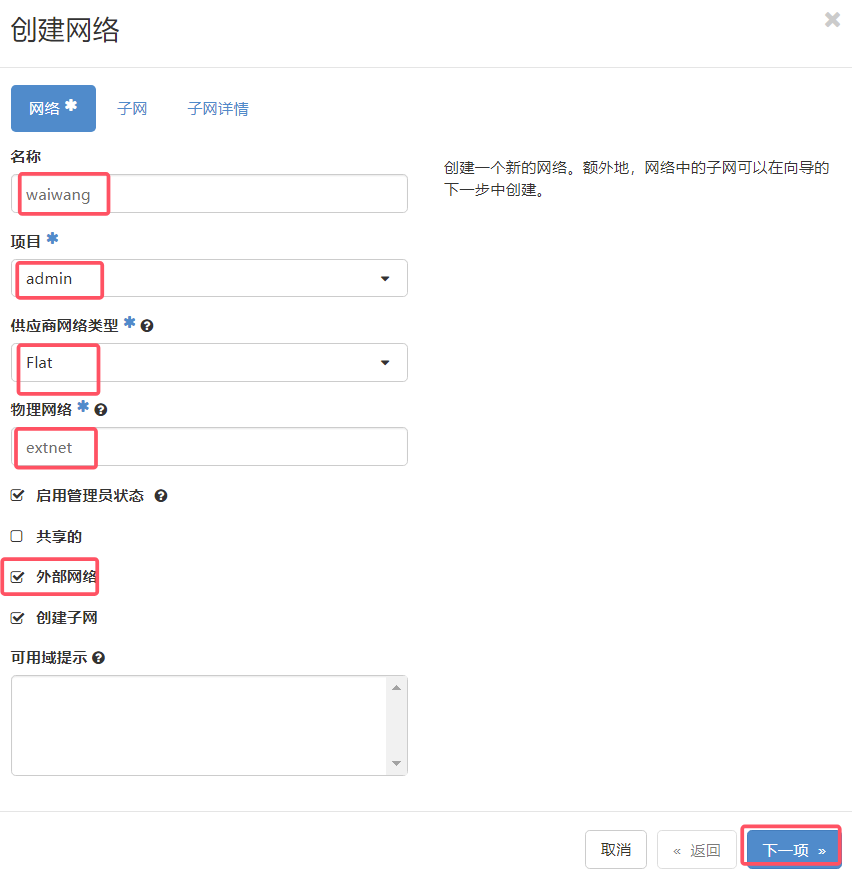
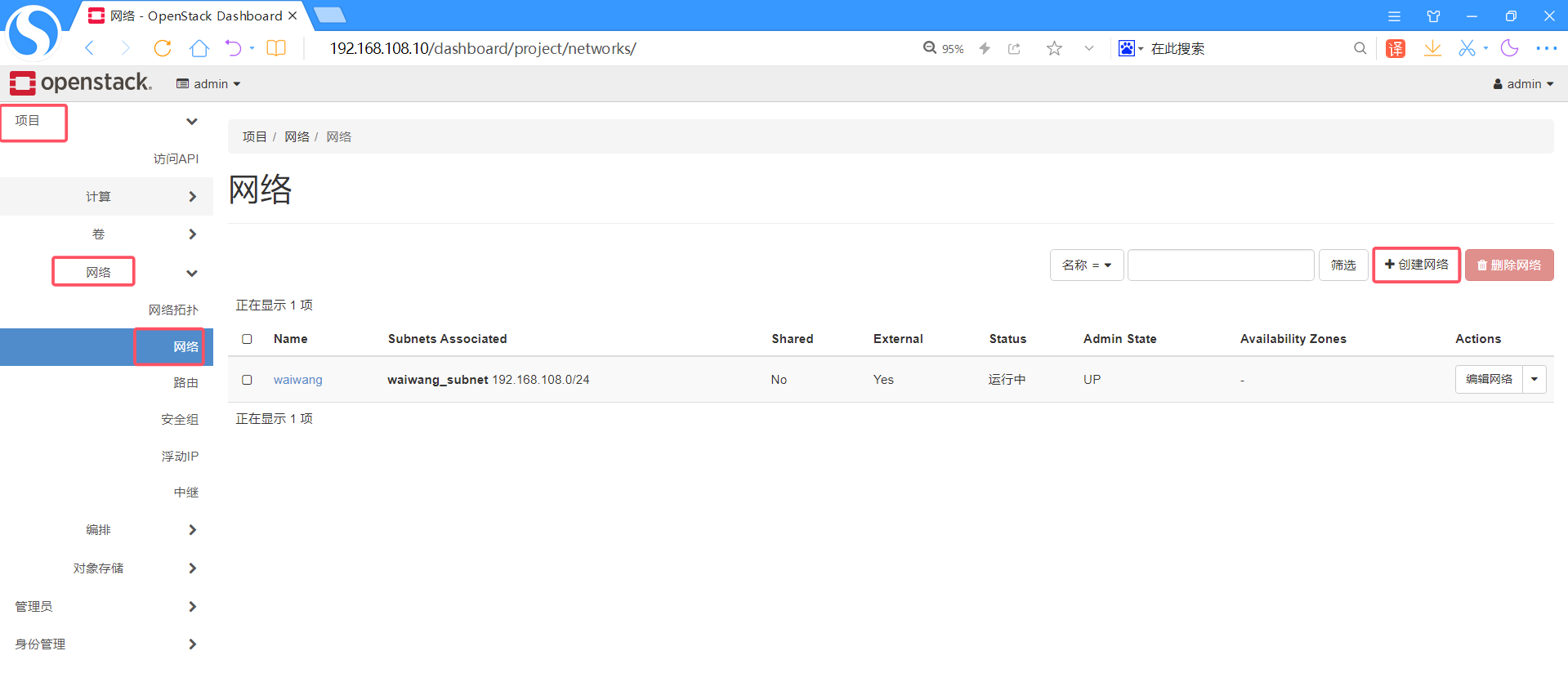
创建外部网络
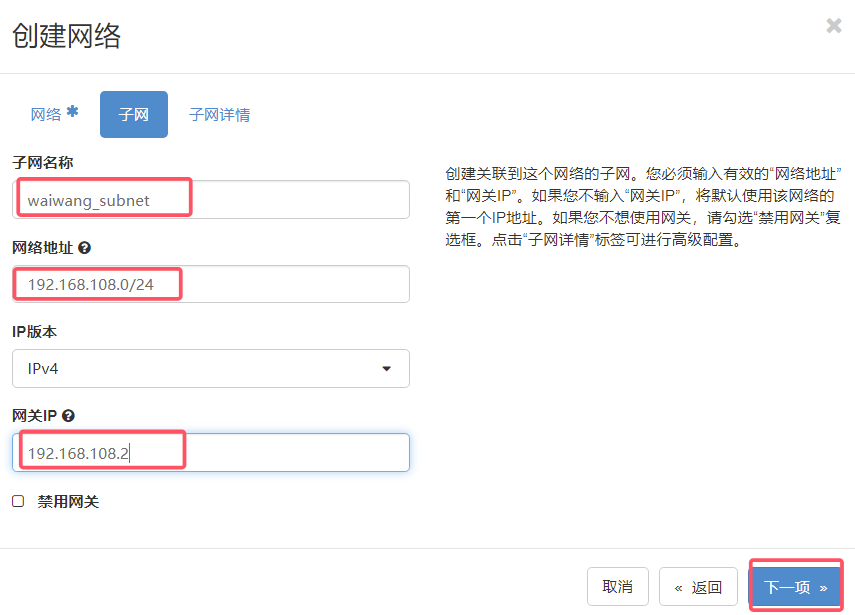
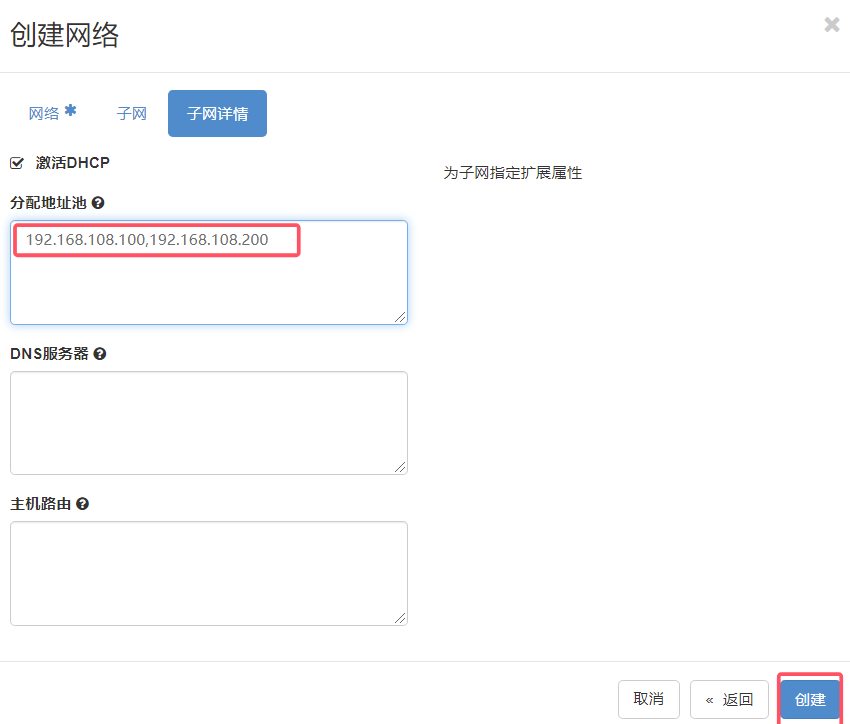
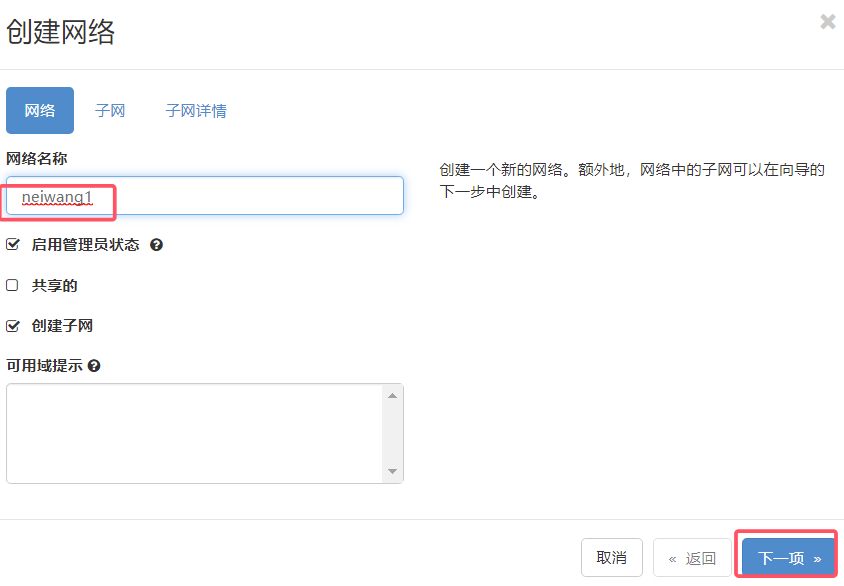
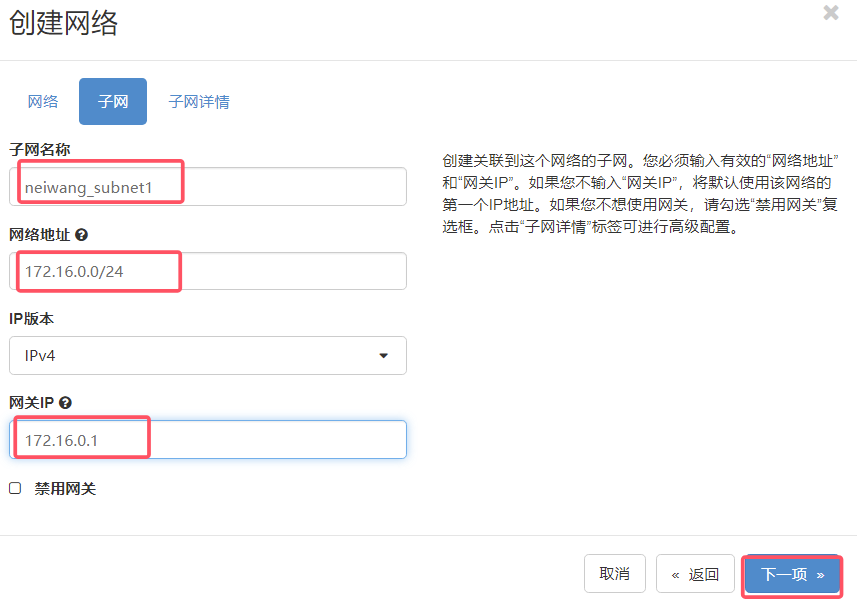
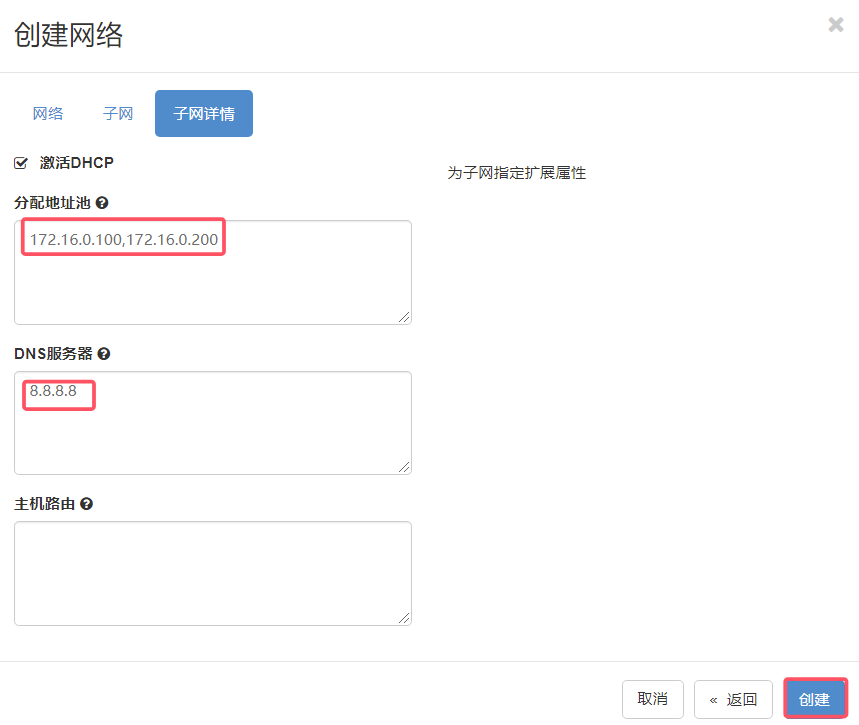
创建内网
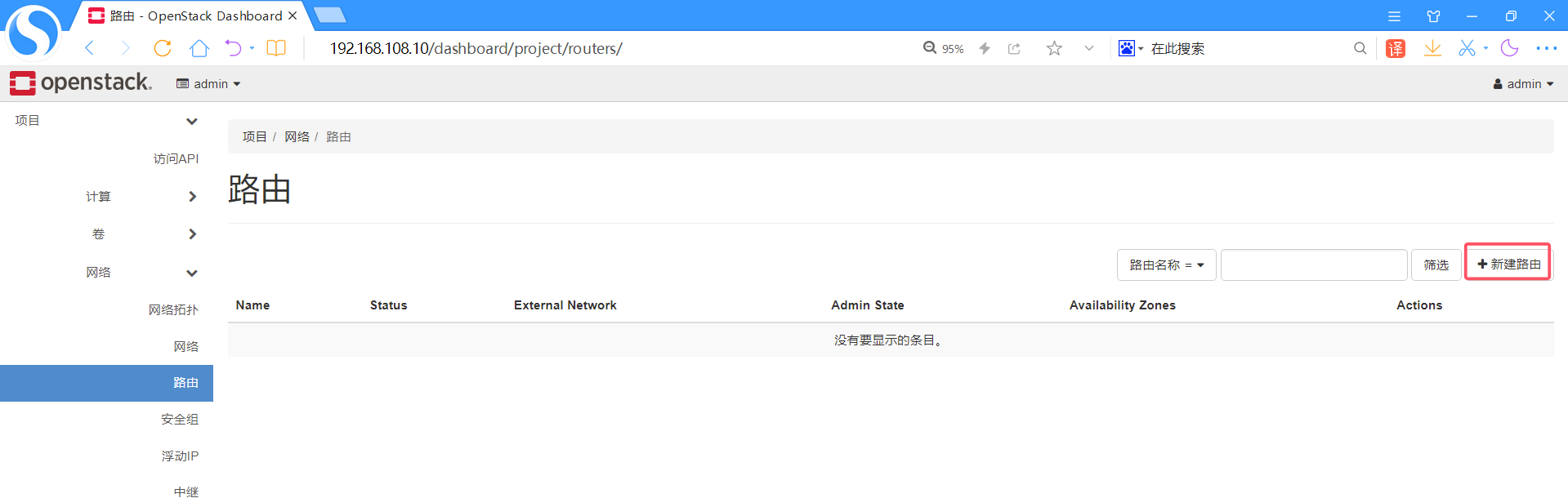
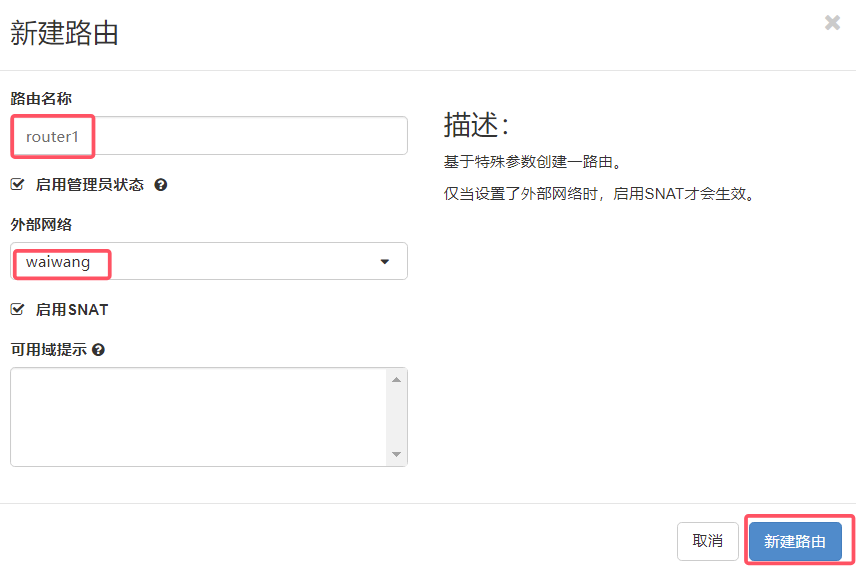
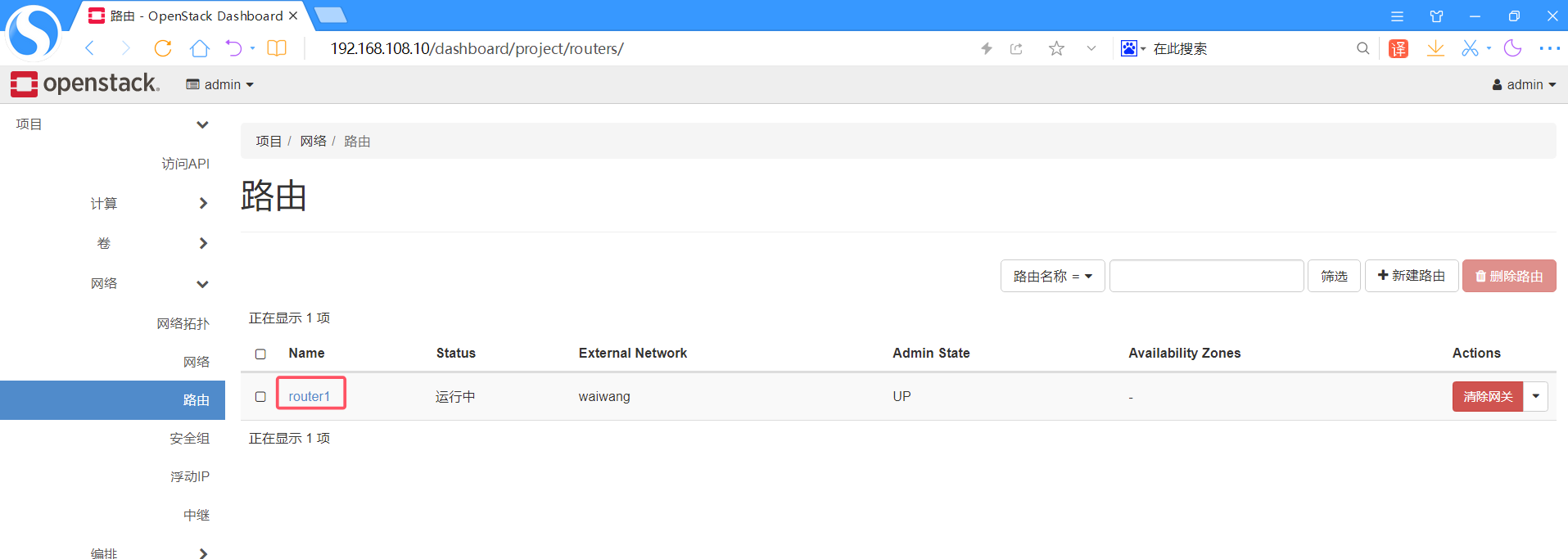
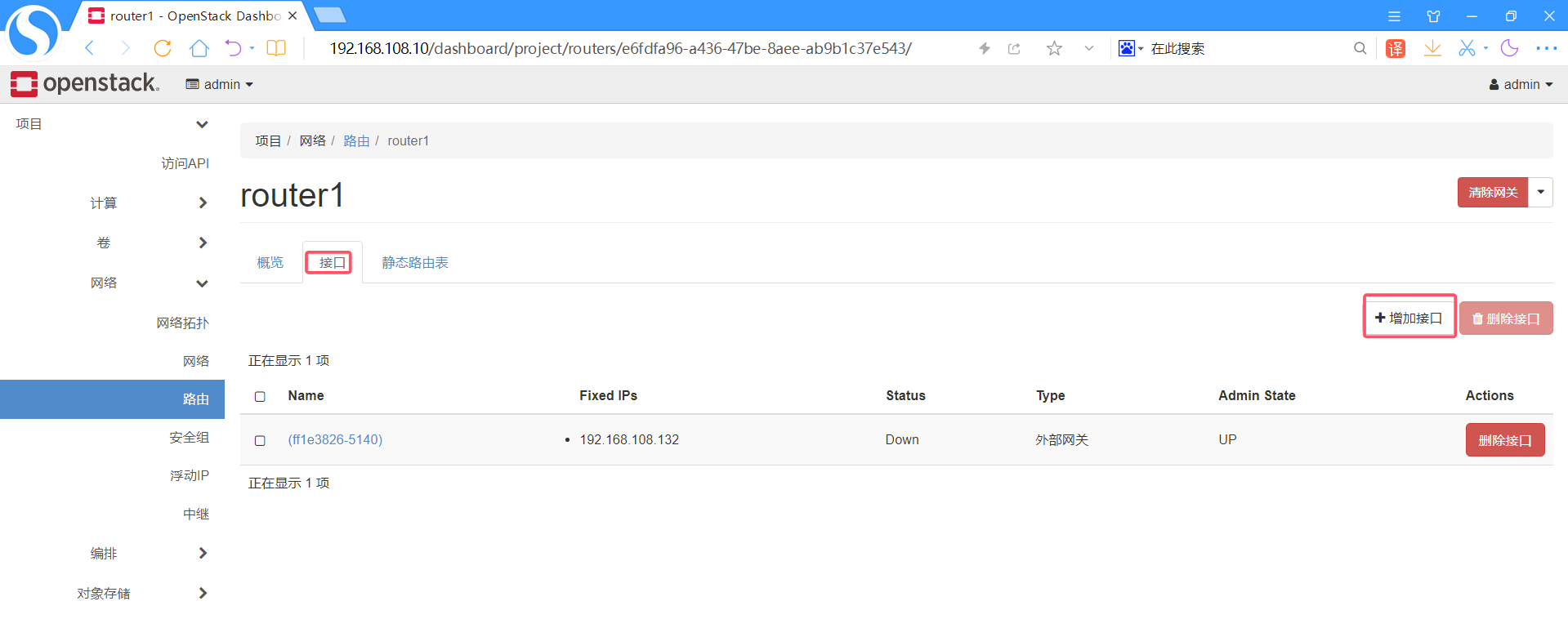
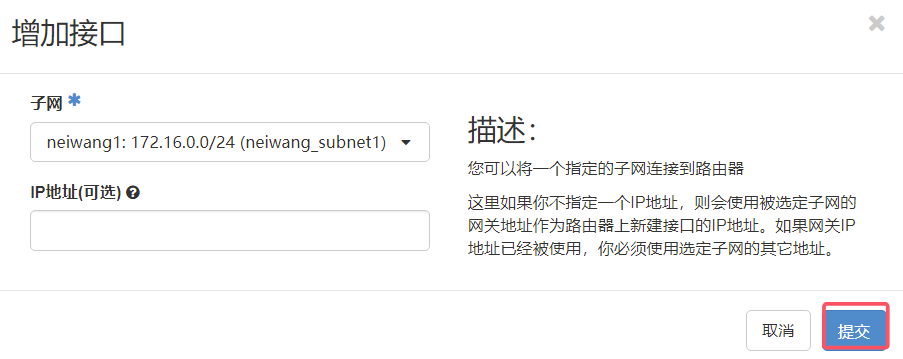
创建路由器
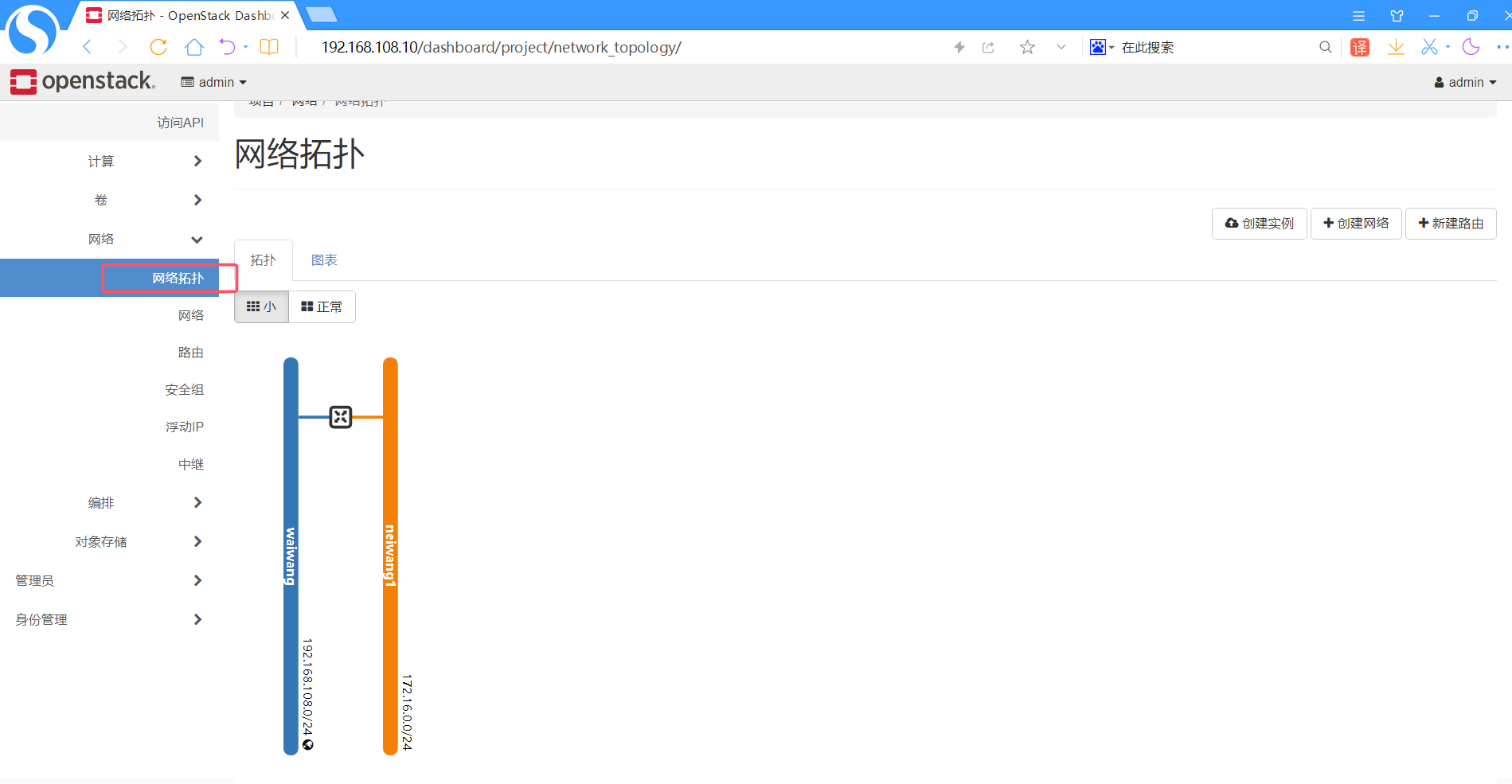
观察此刻网络拓扑
创建实例
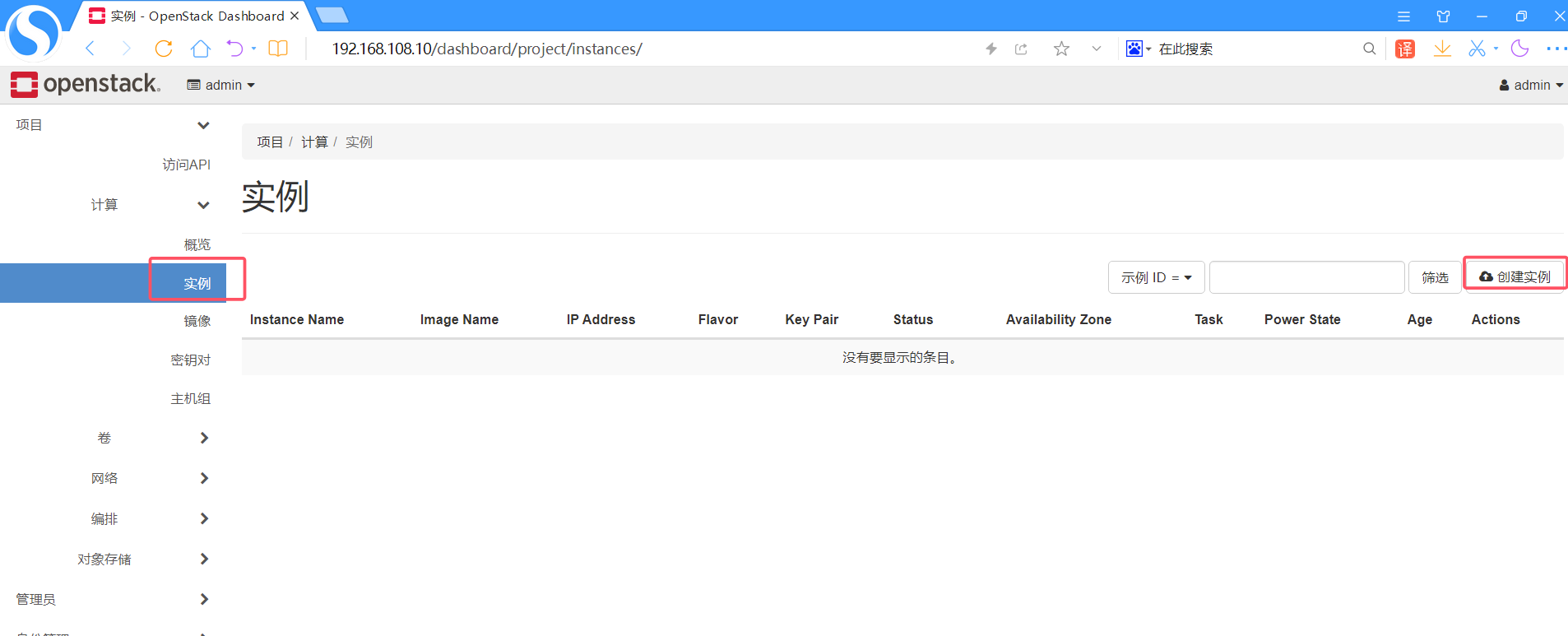
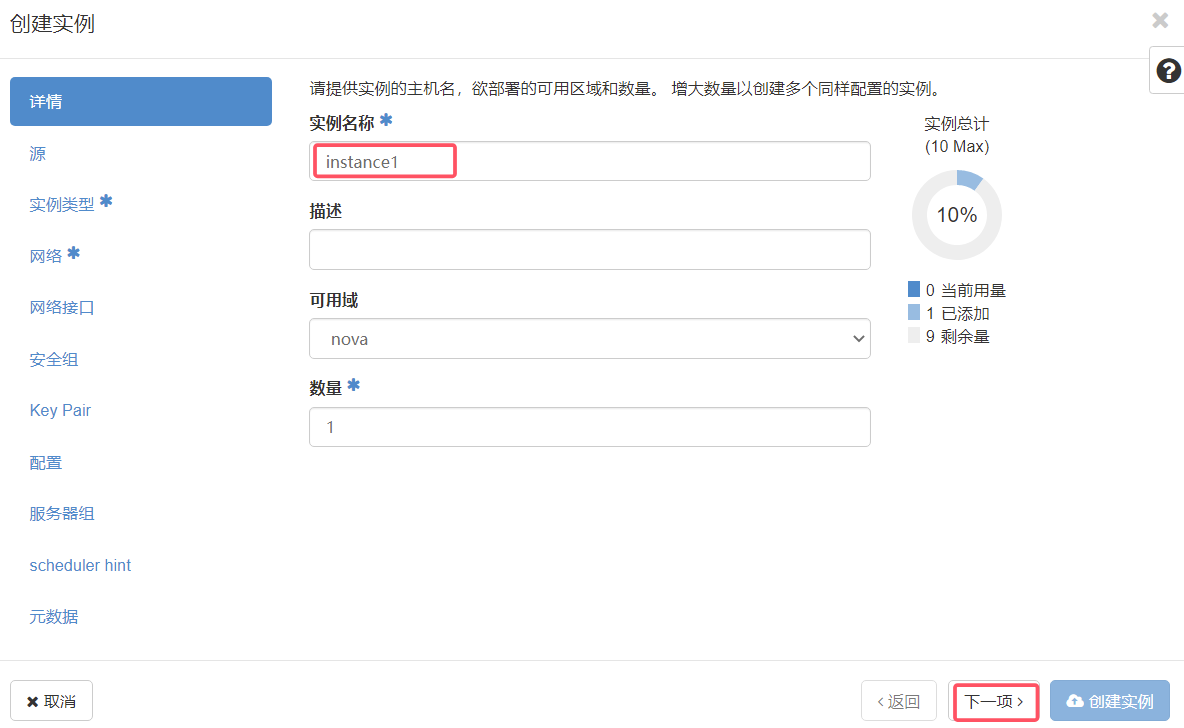
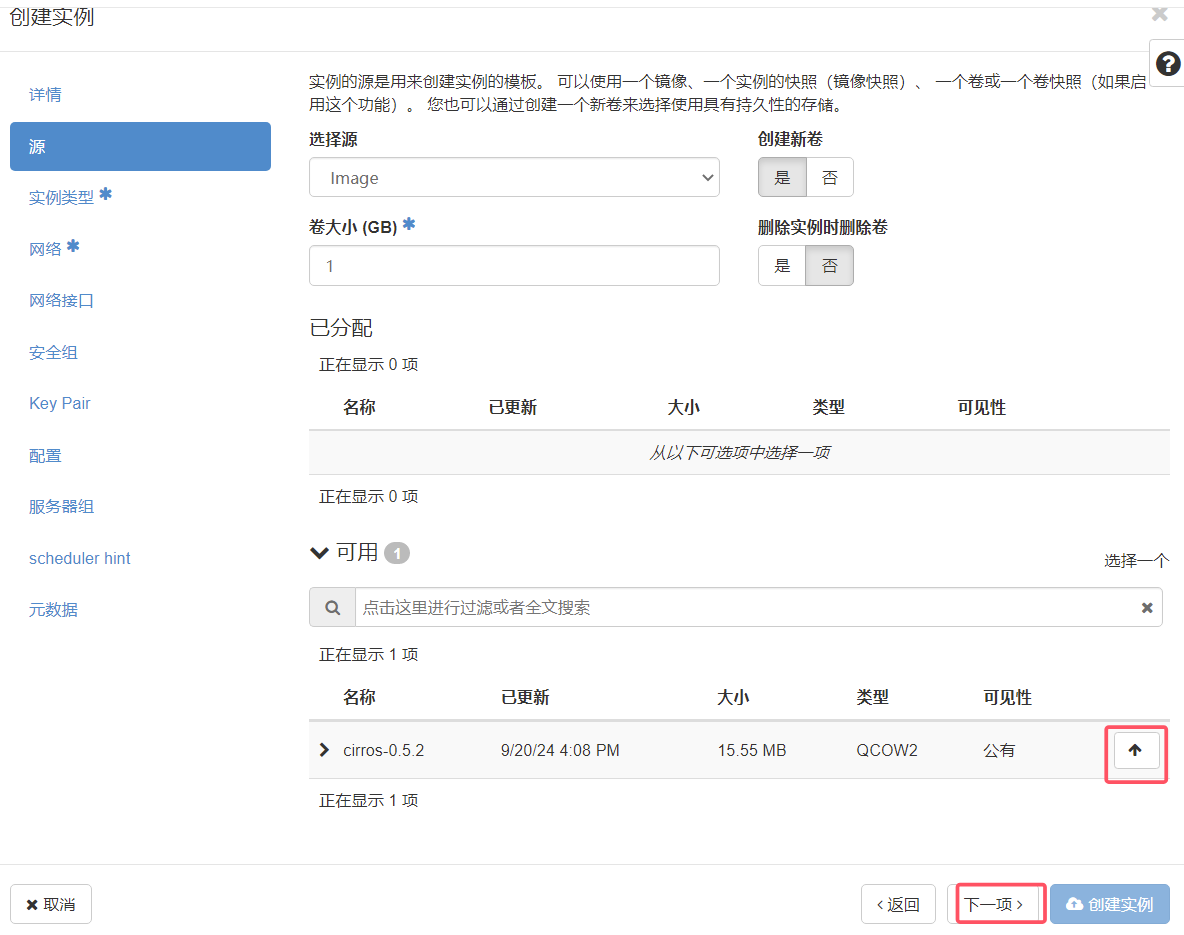
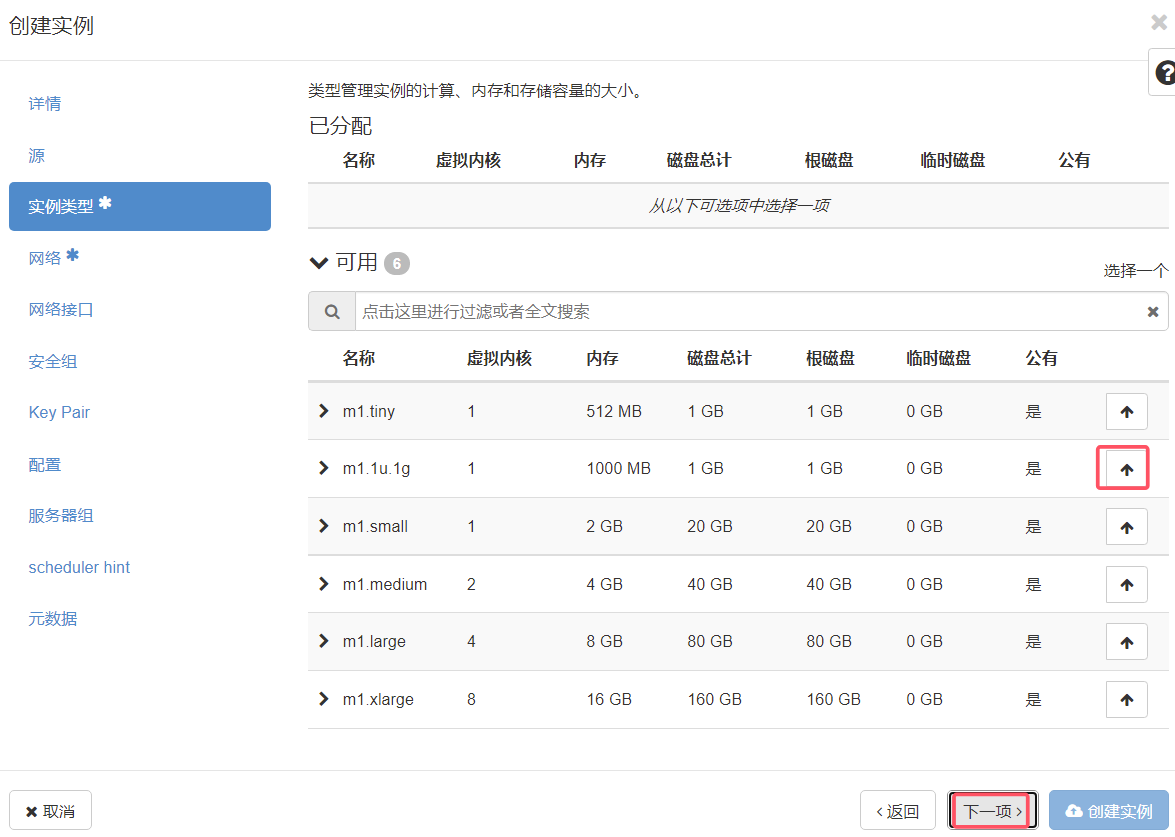
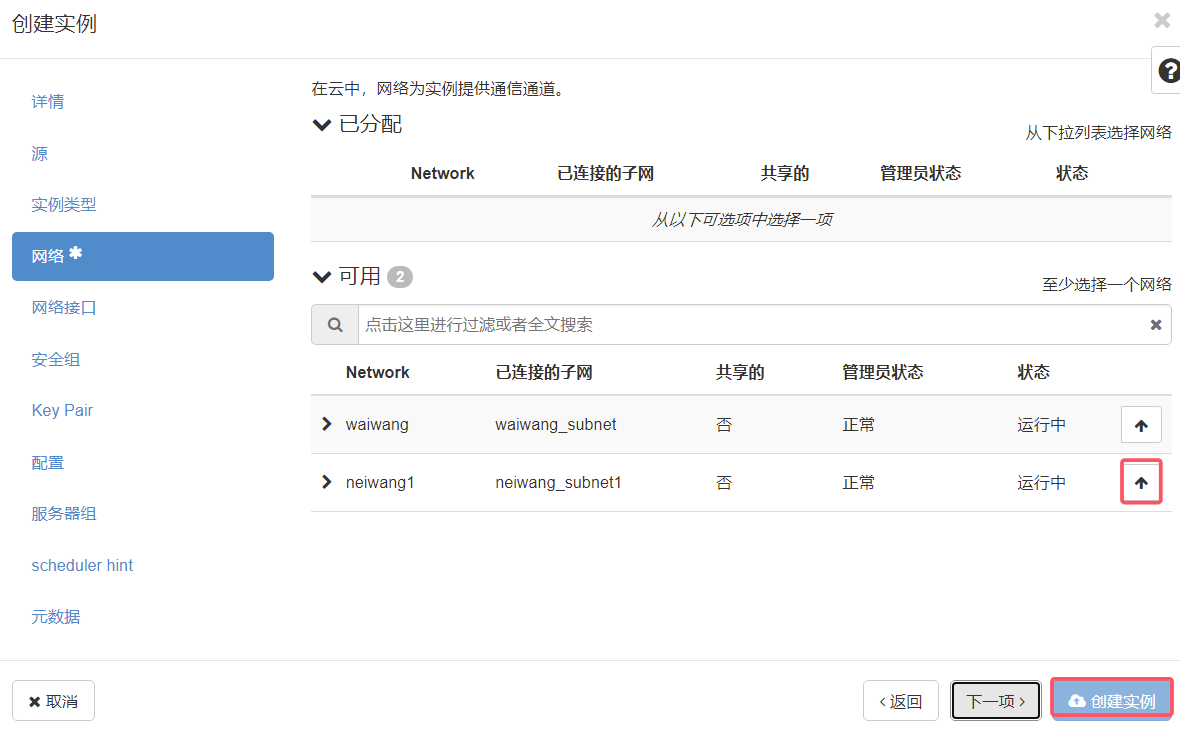
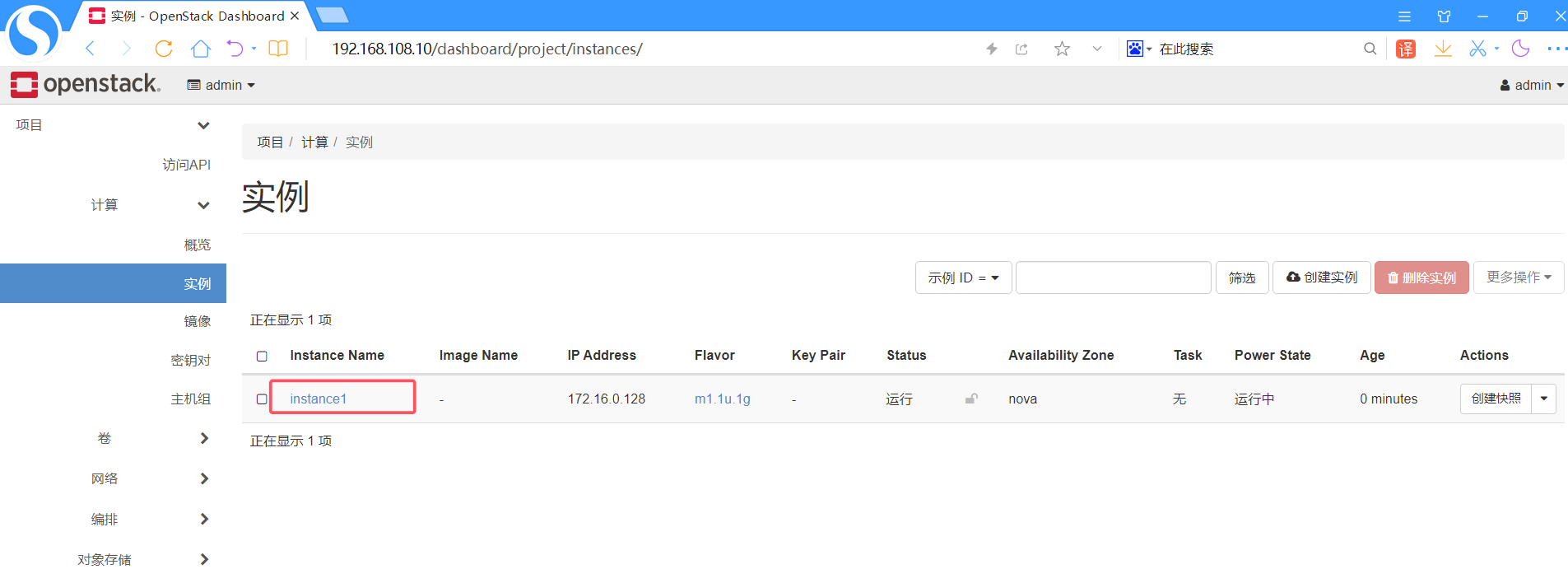
实例创建成功
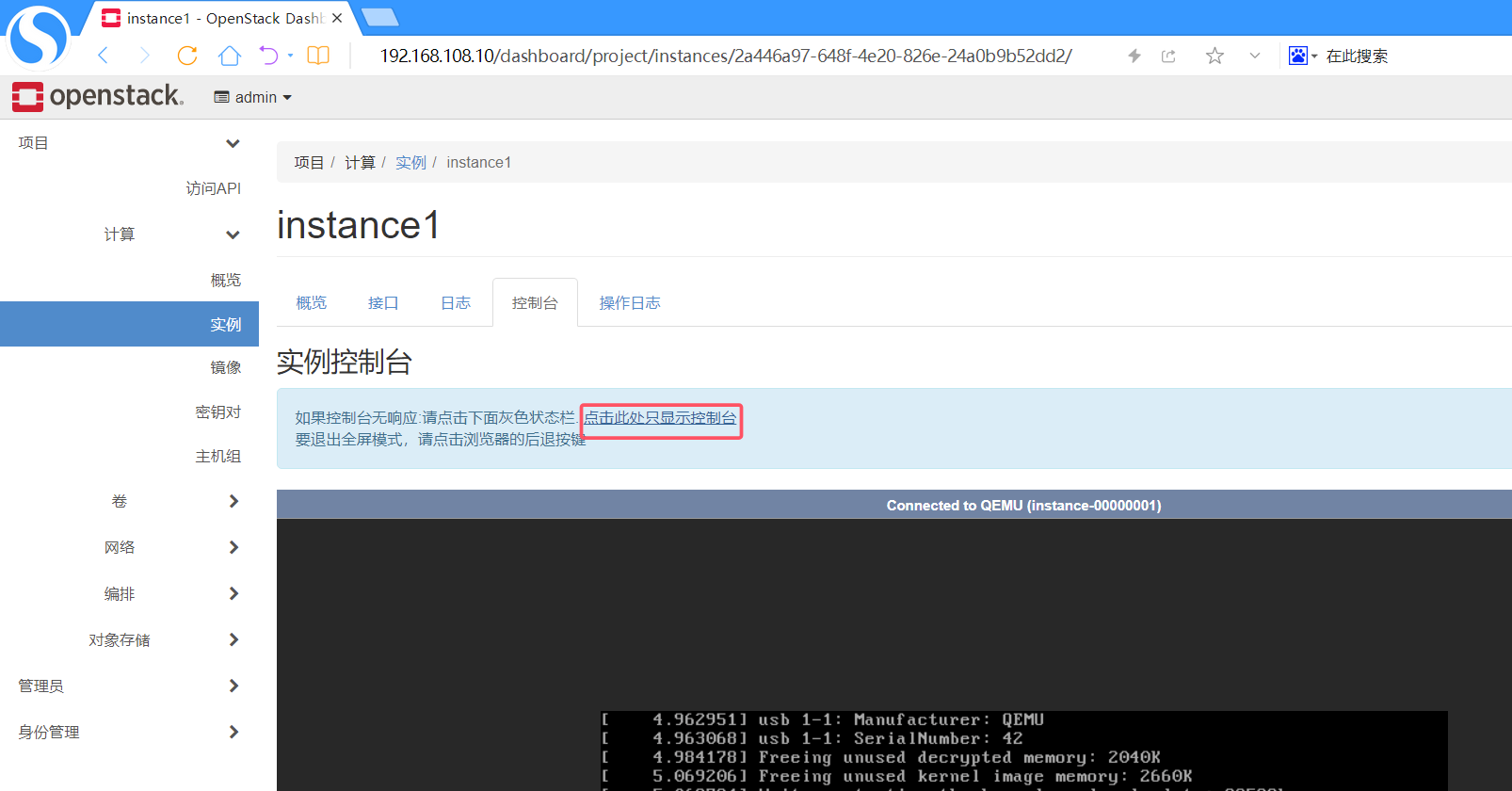
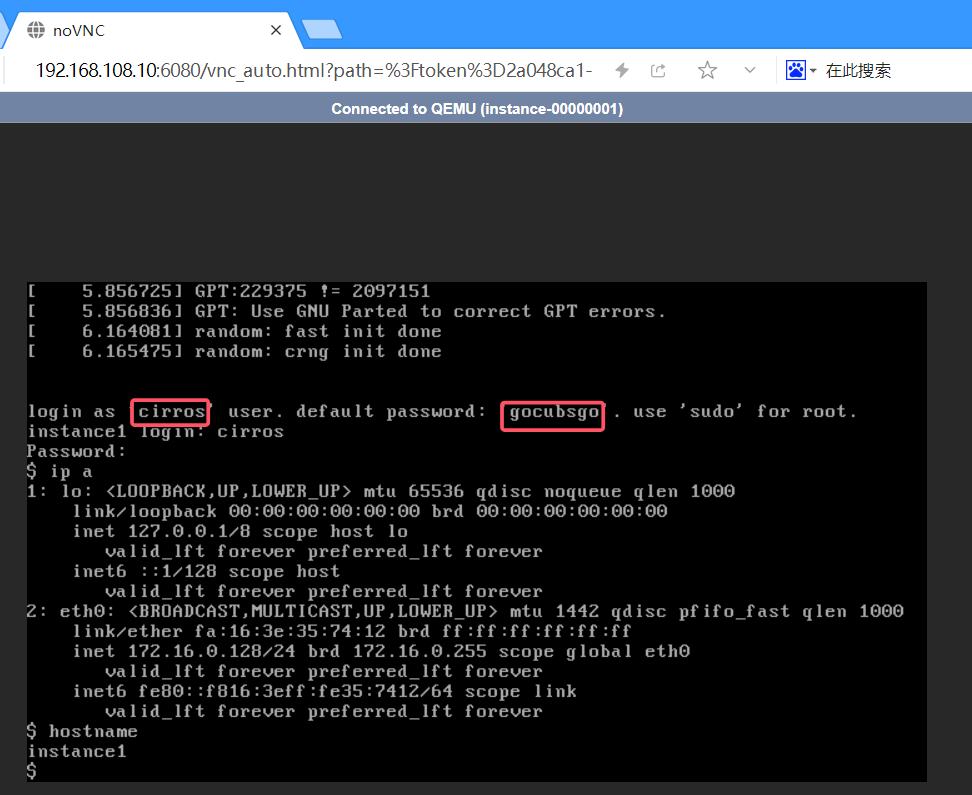
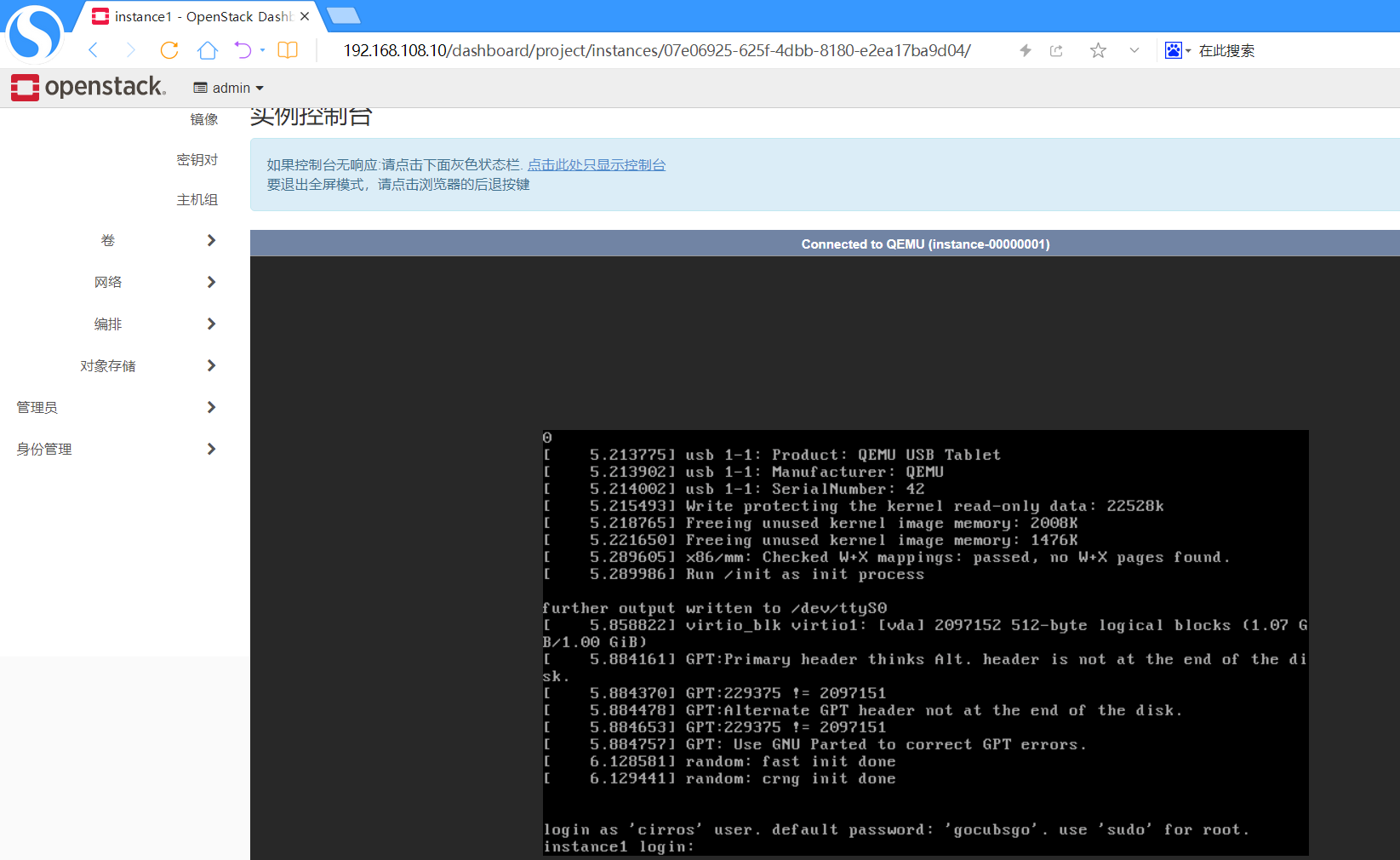
VNC登录
右击,在新标签页中打开连接
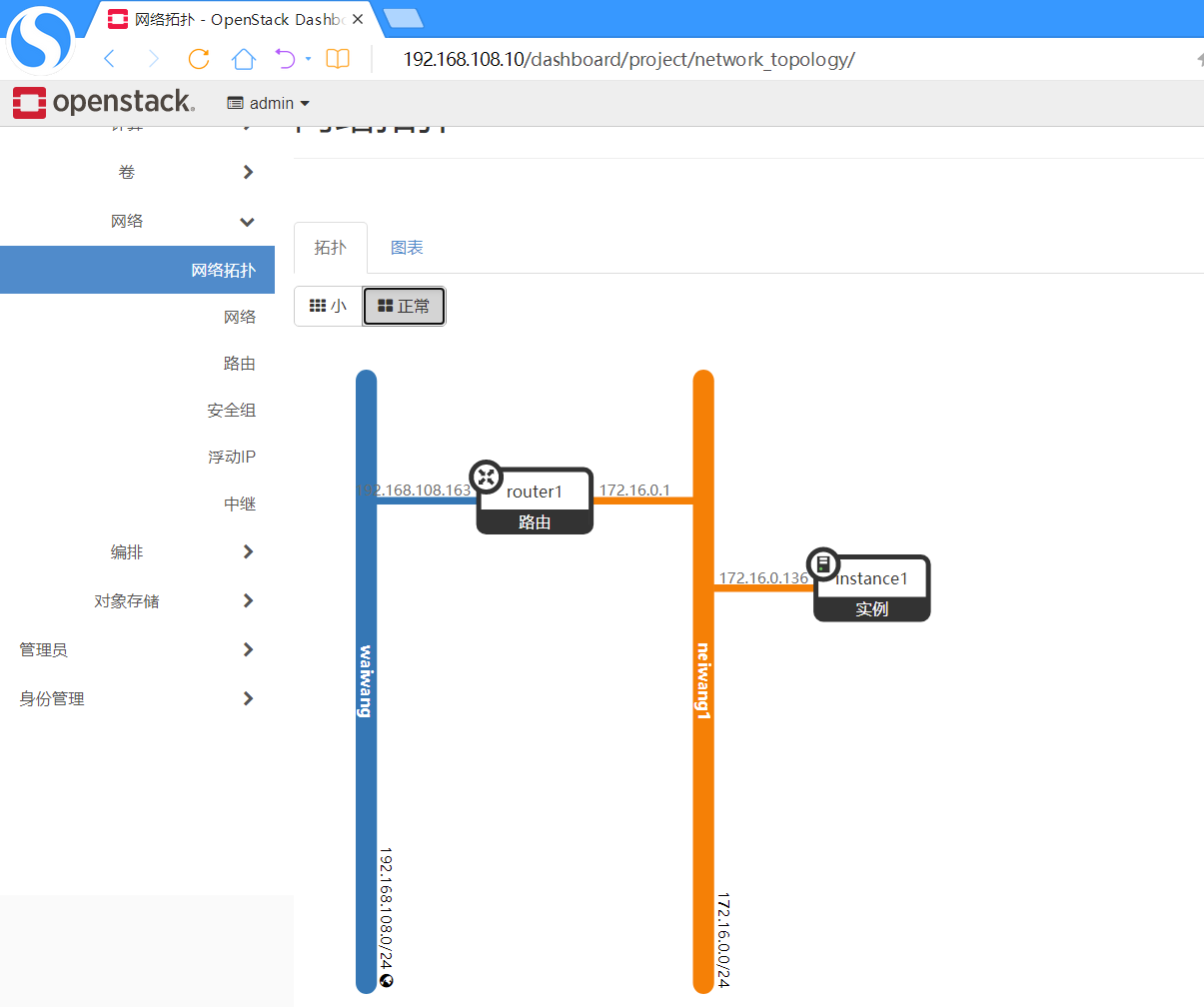
观察此刻网络拓扑
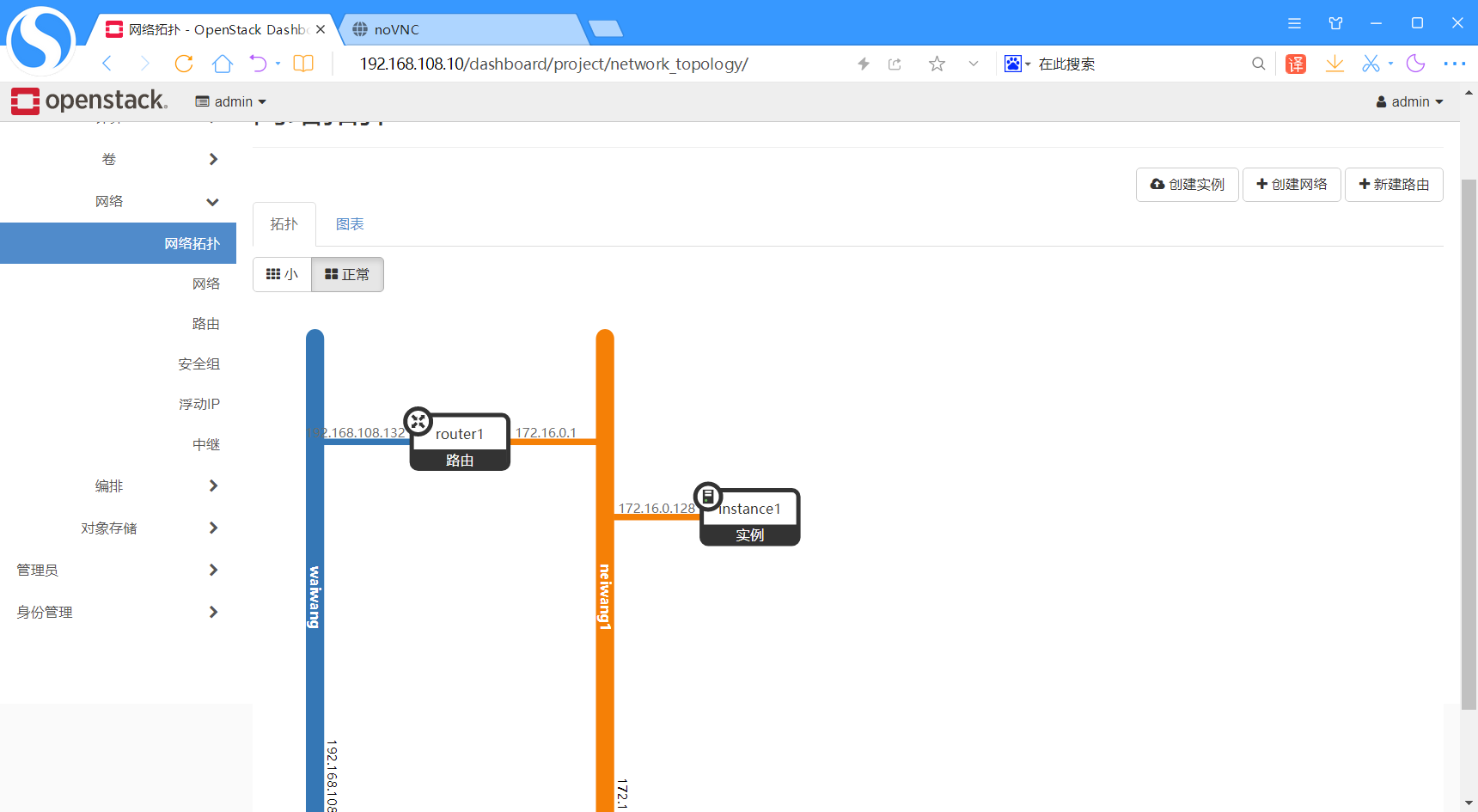
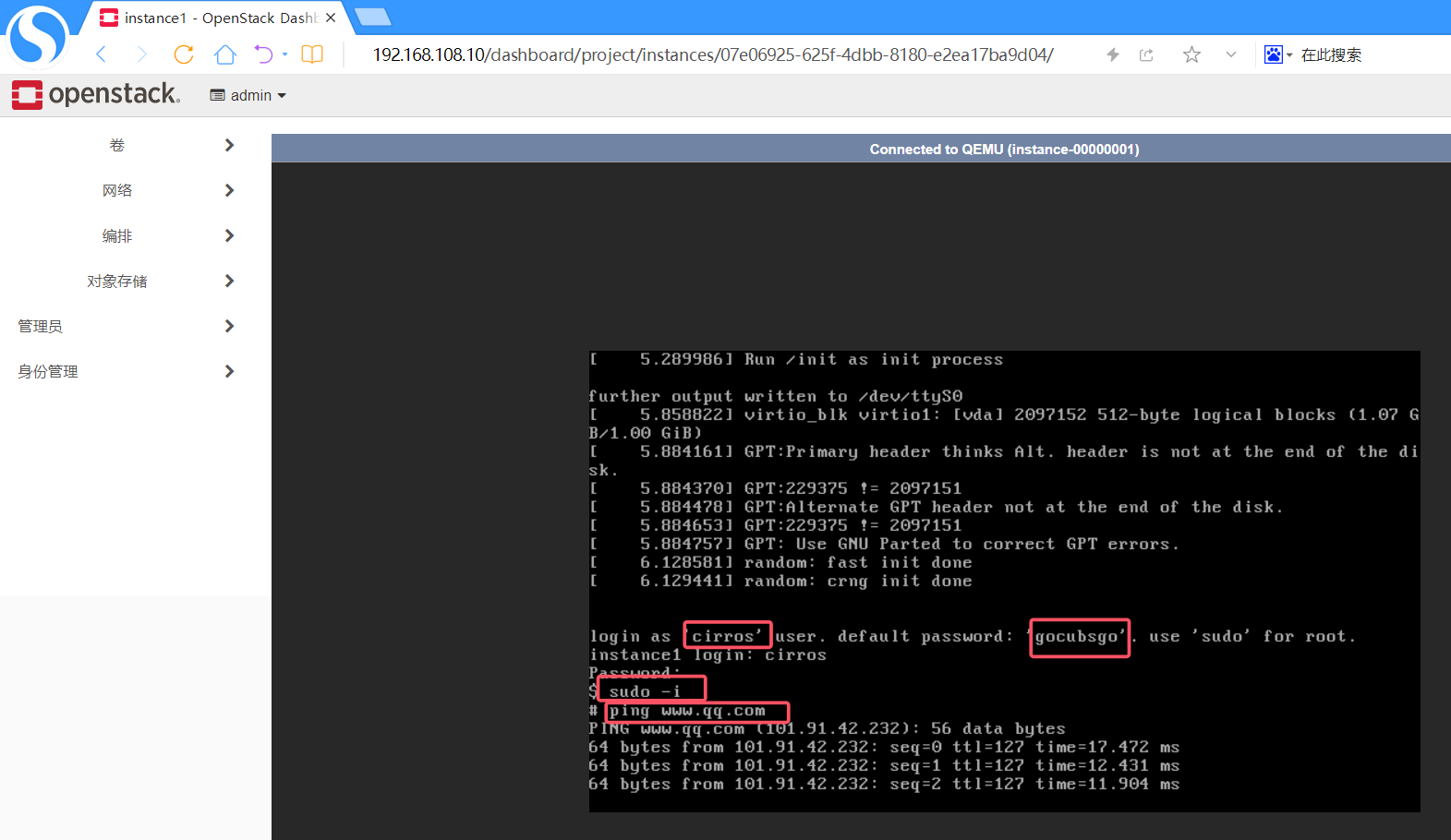
instance1 外网通信测试
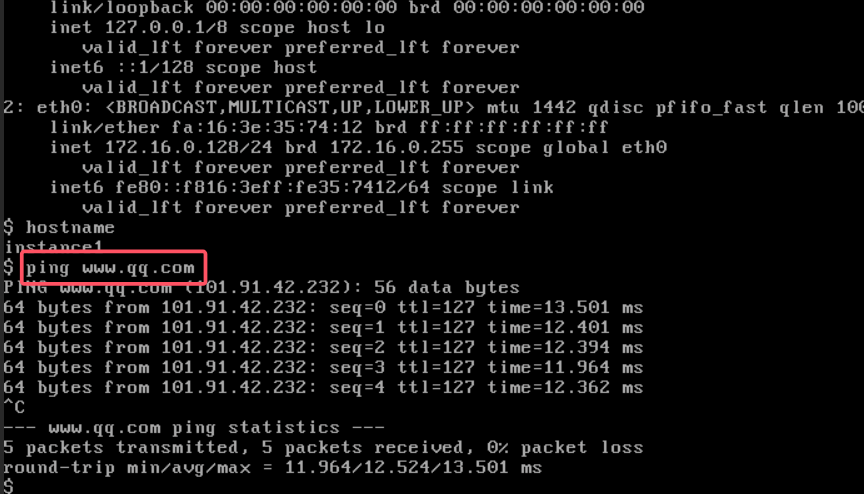
CLI实验
还原快照,照着WEB一摸一样再来一遍
创建实例类型(规格)
bash
# 加载admin环境变量
source keystonerc_admin

# 查看flavor create命令帮助
openstack flavor create --help
bash
usage: openstack flavor create [-h] [-f {json,shell,table,value,yaml}]
                               [-c COLUMN] [--noindent] [--prefix PREFIX]
                               [--max-width <integer>] [--fit-width]
                               [--print-empty] [--id <id>] [--ram <size-mb>]
                               [--disk <size-gb>] [--ephemeral <size-gb>]
                               [--swap <size-mb>] [--vcpus <vcpus>]
                               [--rxtx-factor <factor>] [--public | --private]
                               [--property <key=value>] [--project <project>]
                               [--description <description>]
                               [--project-domain <project-domain>]
                               <flavor-name>
Create new flavor
positional arguments:
  <flavor-name>         New flavor name
optional arguments:
  -h, --help            show this help message and exit
  --id <id>             Unique flavor ID; 'auto' creates a UUID (default:
                        auto)
  --ram <size-mb>       Memory size in MB (default 256M)
  --disk <size-gb>      Disk size in GB (default 0G)
  --ephemeral <size-gb>
                        Ephemeral disk size in GB (default 0G)
  --swap <size-mb>      Additional swap space size in MB (default 0M)
  --vcpus <vcpus>       Number of vcpus (default 1)
  --rxtx-factor <factor>
                        RX/TX factor (default 1.0)
  --public              Flavor is available to other projects (default)
  --private             Flavor is not available to other projects
  --property <key=value>
                        Property to add for this flavor (repeat option to set
                        multiple properties)
  --project <project>   Allow <project> to access private flavor (name or ID)
                        (Must be used with --private option)
  --description <description>
                        Description for the flavor.(Supported by API versions
                        '2.55' - '2.latest'
  --project-domain <project-domain>
                        Domain the project belongs to (name or ID). This can
                        be used in case collisions between project names
                        exist.
output formatters:
  output formatter options
  -f {json,shell,table,value,yaml}, --format {json,shell,table,value,yaml}
                        the output format, defaults to table
  -c COLUMN, --column COLUMN
                        specify the column(s) to include, can be repeated to
                        show multiple columns
json formatter:
  --noindent            whether to disable indenting the JSON
shell formatter:
  a format a UNIX shell can parse (variable="value")
  --prefix PREFIX       add a prefix to all variable names
table formatter:
  --max-width <integer>
                        Maximum display width, <1 to disable. You can also use
                        the CLIFF_MAX_TERM_WIDTH environment variable, but the
                        parameter takes precedence.
  --fit-width           Fit the table to the display width. Implied if --max-
                        width greater than 0. Set the environment variable
                        CLIFF_FIT_WIDTH=1 to always enable
  --print-empty         Print empty table if there is no data to show.
bash
# 创建实例规格:1核CPU、1000MB内存、1GB磁盘,名称m1.1u.1g
openstack flavor create --vcpus 1 --ram 1000 --disk 1 m1.1u.1g
bash
+----------------------------+--------------------------------------+
| Field                      | Value                                |
+----------------------------+--------------------------------------+
| OS-FLV-DISABLED:disabled   | False                                |
| OS-FLV-EXT-DATA:ephemeral  | 0                                    |
| disk                       | 1                                    |
| id                         | b09812ee-8c91-49b9-b17b-f68bf21ba04c |
| name                       | m1.1u.1g                             |
| os-flavor-access:is_public | True                                 |
| properties                 |                                      |
| ram                        | 1000                                 |
| rxtx_factor                | 1.0                                  |
| swap                       |                                      |
| vcpus                      | 1                                    |
+----------------------------+--------------------------------------+
上传镜像
将镜像,通过SFTP上传到controller节点/root目录
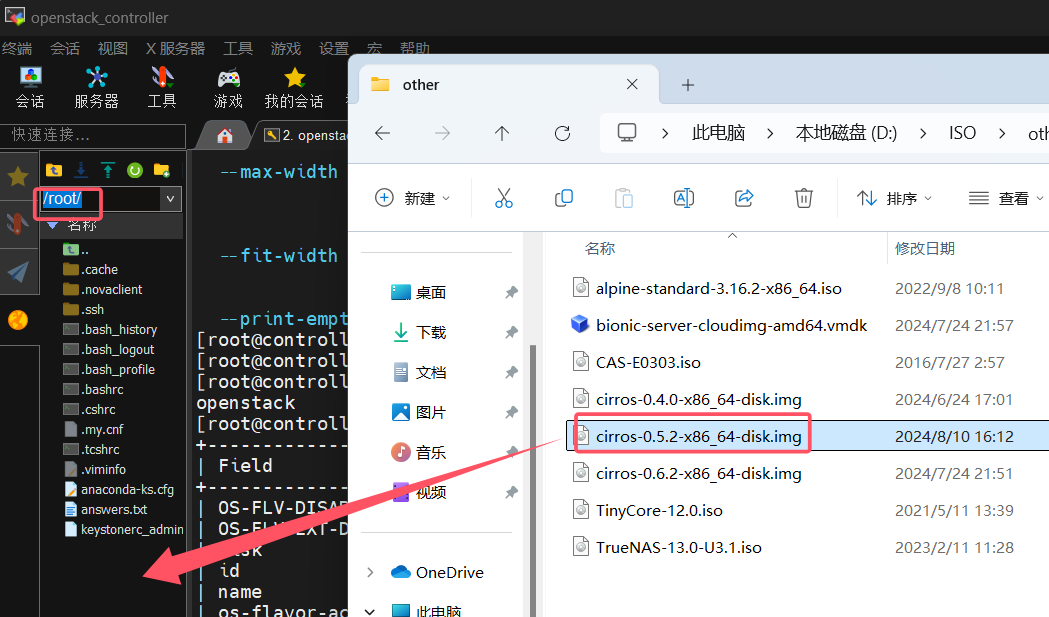
上传镜像到openstack
bash
# 创建镜像:指定镜像文件路径、磁盘格式qcow2、公开属性,名称cirros-0.5.2
openstack image create --file /root/cirros-0.5.2-x86_64-disk.img --disk-format qcow2 --public cirros-0.5.2
创建外部网络
bash
# 创建外部网络:flat类型、物理网络extnet、标记为外部网络
openstack network create --project-domain admin --provider-network-type flat --provider-physical-network extnet --external waiwang

# 创建外部网络子网:网段192.168.108.0/24、网关192.168.108.2、地址池范围100-200
openstack subnet create --subnet-range 192.168.108.0/24 --gateway 192.168.108.2 --allocation-pool start=192.168.108.100,end=192.168.108.200 --network waiwang waiwang_subnet
创建内网
bash
# 创建内网
openstack network create --project-domain admin neiwang1

# 创建内网子网:网段172.16.0.0/24、网关172.16.0.1、地址池范围100-200、DNS 8.8.8.8
openstack subnet create --subnet-range 172.16.0.0/24 --gateway 172.16.0.1 --allocation-pool start=172.16.0.100,end=172.16.0.200 --dns-nameserver 8.8.8.8 --network neiwang1 neiwang_subnet1
创建路由器
bash
# 创建路由器router1
openstack router create router1

# 设置路由器外部网关为waiwang网络
openstack router set --external-gateway waiwang router1

# 将内网子网neiwang_subnet1添加到路由器
openstack router add subnet router1 neiwang_subnet1
观察此刻网络拓扑
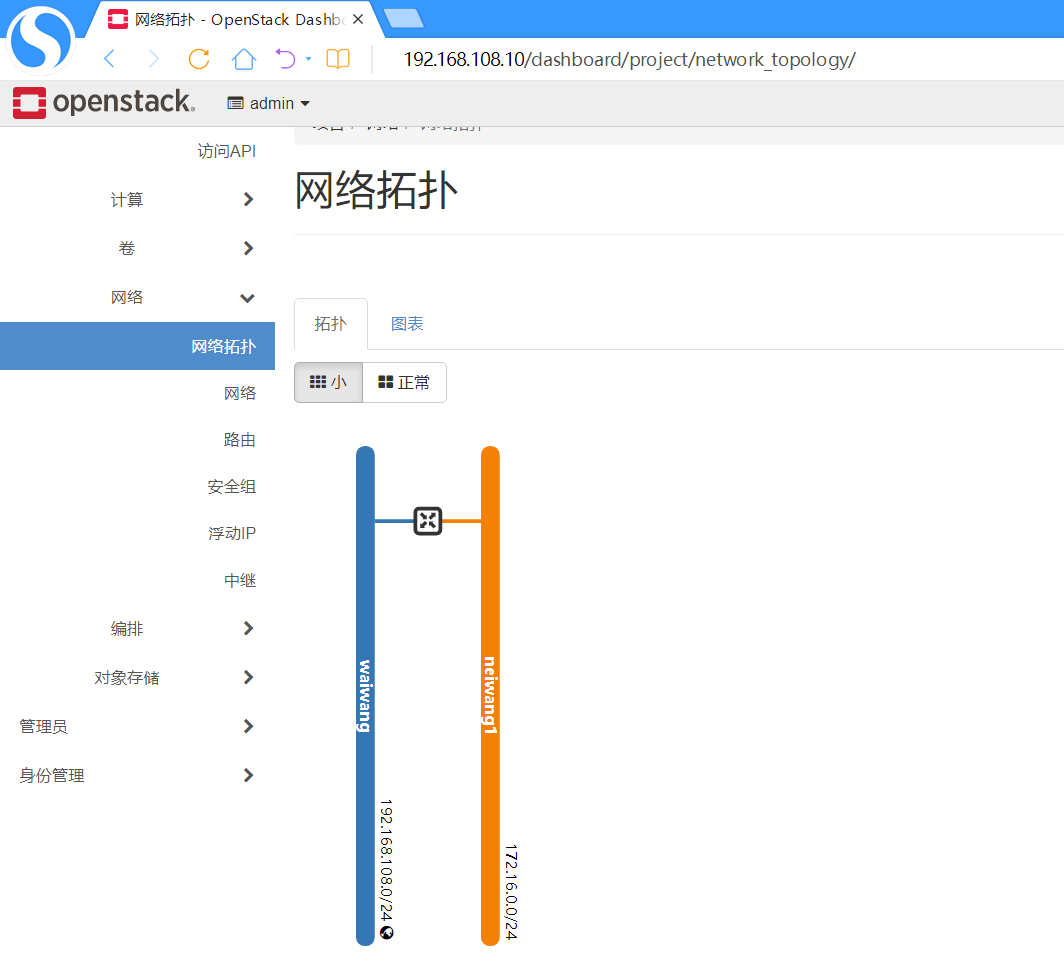
创建实例
bash
# 创建实例:使用cirros-0.5.2镜像、m1.1u.1g规格、neiwang1网络,名称instance1
openstack server create --image cirros-0.5.2 --flavor m1.1u.1g --network neiwang1 instance1
实例创建成功
查看有哪些实例
bash
# 列出所有实例
openstack server list
bash
+--------------------------------------+-----------+--------+-------------------+--------------+----------+
| ID                                   | Name      | Status | Networks          | Image        | Flavor   |
+--------------------------------------+-----------+--------+-------------------+--------------+----------+
| 07e06925-625f-4dbb-8180-e2ea17ba9d04 | instance1 | ACTIVE | neiwang1=172.16.0.136 | cirros-0.5.2 | m1.1u.1g |
+--------------------------------------+-----------+--------+-------------------+--------------+----------+
查看实例instance1详细信息
bash
# 查看instance1实例详细信息
openstack server show instance1
bash
+-------------------------------------+------------------------------------------+
| Field                               | Value                                    |
+-------------------------------------+------------------------------------------+
| OS-DCF:diskConfig                   | MANUAL                                   |
| OS-EXT-AZ:availability_zone        | nova                                     |
| OS-EXT-SRV-ATTR:host                | compute                                  |
| OS-EXT-SRV-ATTR:hypervisor_hostname | compute                                  |
| OS-EXT-SRV-ATTR:instance_name       | instance-00000001                        |
| OS-EXT-STS:power_state             | Running                                  |
| OS-EXT-STS:task_state               | None                                     |
| OS-EXT-STS:vm_state                 | active                                   |
| OS-SRV-USG:launched_at             | 2024-09-23T03:07:57.000000               |
| OS-SRV-USG:terminated_at           | None                                     |
| accessIPv4                          |                                          |
| accessIPv6                          |                                          |
| addresses                           | neiwang1=172.16.0.136                    |
| config_drive                        |                                          |
| created                             | 2024-09-23T03:07:54Z                     |
| flavor                              | m1.1u.1g (b09812ee-8c91-49b9-b17b-f68bf21ba04c) |
| hostId                              | f00630fce60ba860032d71e9058332f335ee93e9d368814f519aa57e |
| id                                  | 07e06925-625f-4dbb-8180-e2ea17ba9d04     |
| image                               | cirros-0.5.2 (720f9ec0-d58c-4456-8d50-d6624bf11831) |
| key_name                            | None                                     |
| name                                | instance1                                |
| progress                            | 0                                        |
| project_id                          | 03e49a46342d48ab9607b4919925e42c         |
| properties                          |                                          |
| security_groups                     | name='default'                           |
| status                              | ACTIVE                                   |
| updated                             | 2024-09-23T03:08:00Z                     |
| user_id                             | 7ef9147a8abe485889ece90dce340ab1         |
| volumes_attached                    |                                          |
+-------------------------------------+------------------------------------------+
VNC登录,后续可以SSH登录
观察此刻网络拓扑
instance1 外网通信测试