BlueTooth蓝牙串口助手(Android+Studio源码).rar
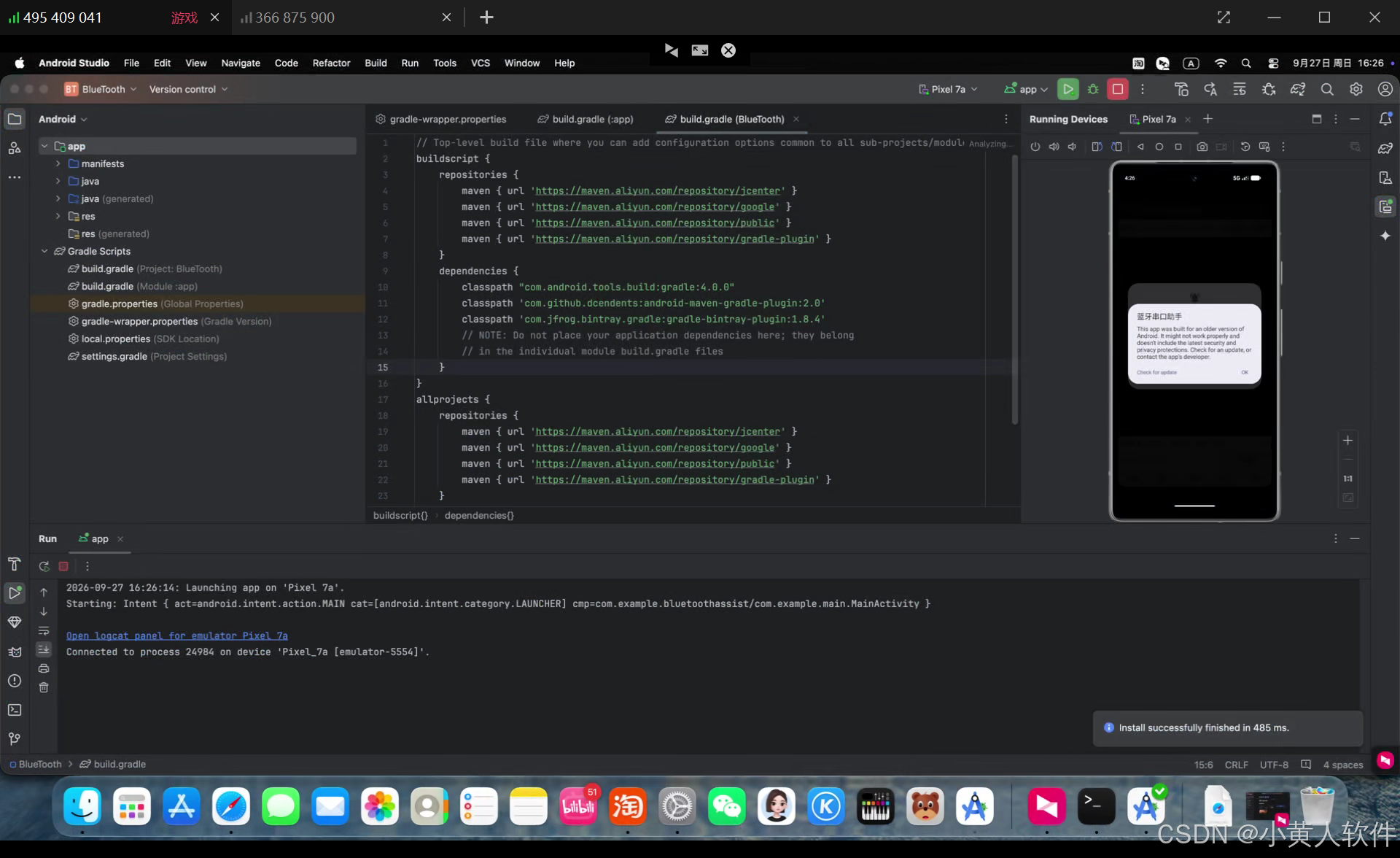
已经编译并安装了 打开app了。模拟器没有蓝牙,需要手机上运行app。
下载androidstudio2024。 safari下载中断了,怎么办 M4.
Android Studio Koala | 2024.1.1 Patch 1 macos下载 M4
bash
curl -L -C - -o ~/Downloads/android-studio-2024.1.1.12-mac_arm.dmg "https://redirector.gvt1.com/edgedl/android/studio/install/2024.1.1.12/android-studio-2024.1.1.12-mac_arm.dmg"卡了,强制结束
bash
pkill -9 -f "Android Studio"在anroid studio里下载JDK 8 macOS x64
The project is using an incompatible version (AGP 4.0.0) of the Android Gradle plugin. Minimum supported version is AGP 7.2.0.
See Android Studio & AGP compatibility options.
老项目需要
Android Studio
↓
AGP 4.0.0
↓
Gradle 6.1.1
↓
JDK 8
下载gradle超时 方法。
bash
distributionUrl=https\://mirrors.cloud.tencent.com/gradle/gradle-6.1.1-all.zipapp
bash
// Top-level build file where you can add configuration options common to all sub-projects/modules.
apply from: "config.gradle"

buildscript {
    repositories {
        maven { url 'https://maven.aliyun.com/repository/jcenter' }
        maven { url 'https://maven.aliyun.com/repository/google' }
        maven { url 'https://maven.aliyun.com/repository/public' }
        maven { url 'https://maven.aliyun.com/repository/gradle-plugin' }
    }
    dependencies {
        classpath "com.android.tools.build:gradle:4.0.0"
        classpath 'com.github.dcendents:android-maven-gradle-plugin:2.0'
        classpath 'com.jfrog.bintray.gradle:gradle-bintray-plugin:1.8.4'
        // NOTE: Do not place your application dependencies here; they belong
        // in the individual module build.gradle files
    }
}

allprojects {
    repositories {
        maven { url 'https://maven.aliyun.com/repository/jcenter' }
        maven { url 'https://maven.aliyun.com/repository/google' }
        maven { url 'https://maven.aliyun.com/repository/public' }
        maven { url 'https://maven.aliyun.com/repository/gradle-plugin' }
    }
}

task clean(type: Delete) {
    delete rootProject.buildDir
}
com.android.builder.internal.aapt.v2.Aapt2Daemon.checkStarted(Aapt2Daemon.kt:55) ... 32 more Caused by: java.io.IOException: error=86, Bad CPU type in executable
bash
softwareupdate --install-rosetta --agree-to-license