其实也非后台统计
非完整系统
这文章,只是一个最小化的报表 Report 实现
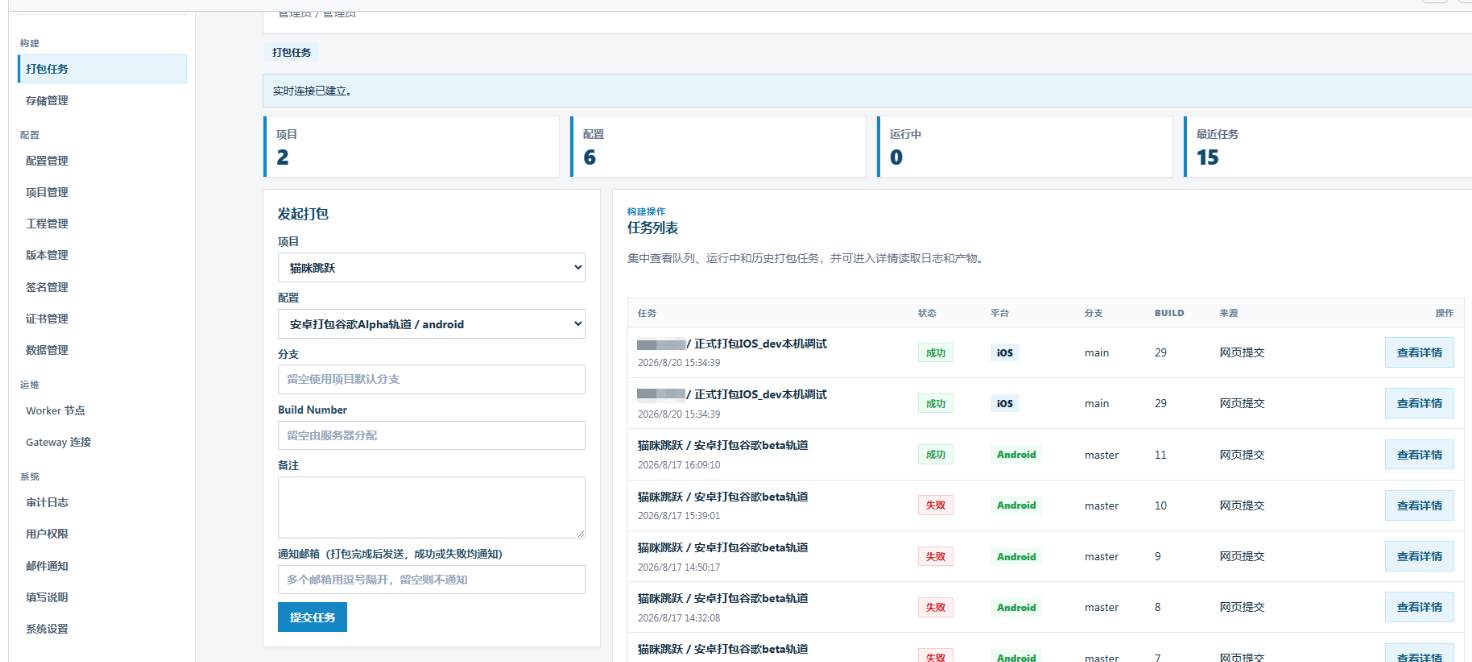
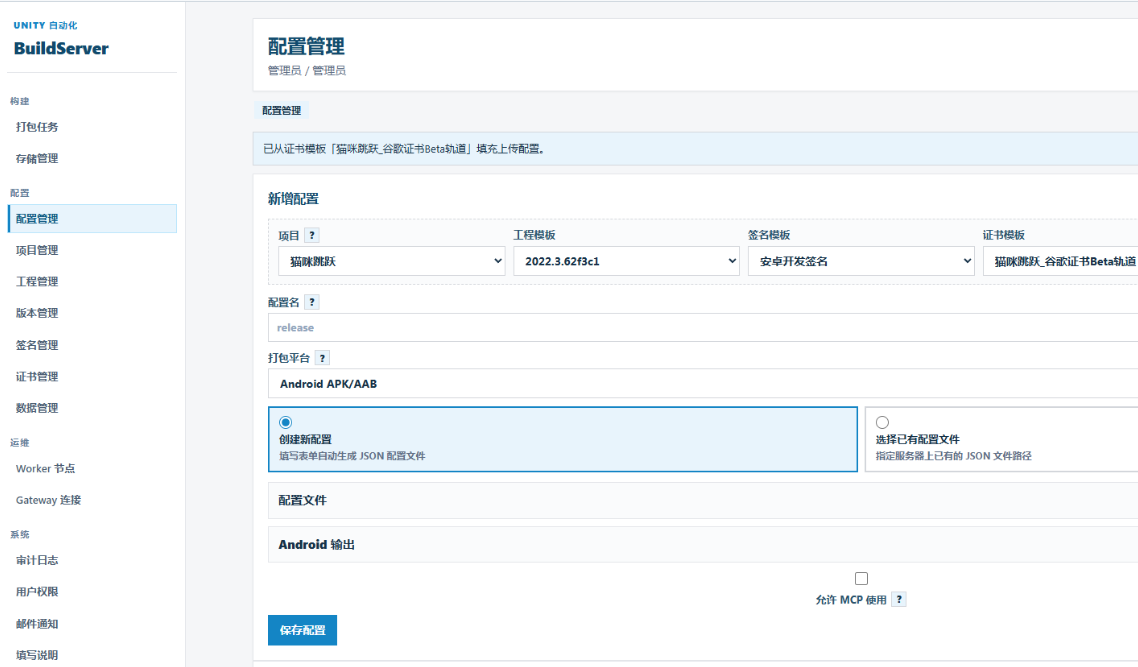
还是介绍啊一下这个项目 - 一般的团队可能根本用不上
帮忙分析一下这个项目有几个模块,入门启动的步骤是?https://github.com/chenfengyimei/AutomationUnityBuild/tree/master
AutomationUnityBuild 是一个基于 .NET 8 开发的开源自托管 Unity 全平台自动化构建与发布工具链,旨在实现从代码仓库到应用商店的全链路闭环。其核心模块划分如下:
1. 核心构建与发布模块
这是工具链的基础能力层,按目标平台划分:
-
iOS 构建模块 :负责从 Git 同步代码,驱动 Unity 导出 Xcode 工程,再通过
xcodebuild归档导出,并自动上传至 App Store Connect / TestFlight。 -
Android 构建模块:支持构建并签名 APK / AAB 双格式包,并能通过 API 直传 Google Play,支持灰度发布比例配置。
-
TikTok 小游戏模块:独立模块,负责构建 WebGL 包并通过 TikTok 开放平台 API 自动上传。
2. 操作入口与协作模块
提供了两种主要的使用方式,以适应不同场景:
-
CLI(命令行)核心 :所有构建与上传能力的底层实现,支持数字快捷指令、交互式配置向导和
dry-run(试运行)环境检查,适合脚本化集成。 -
BuildServer(网页端):基于 CLI 能力扩展的多人协作层,提供登录、项目与配置管理、任务队列、实时日志和产物下载等功能。
-
DesktopApp(桌面客户端):基于 Avalonia UI 的 Windows 原生客户端,支持离线配置管理与构建。
看出来了么??这个项目重点是
重点是:用 C# 开发的
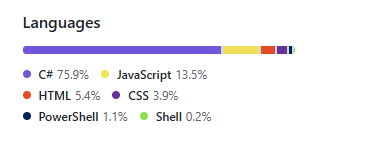
又跨平台,又全链路的,但是 C# 就是和我们常用启动方法很不同(很卡手)
运行 :
powershell
dotnet run
提示:
bash
   Hosting failed to start
      System.InvalidOperationException: Unable to configure HTTPS endpoint. No server certificate was specified, and the default developer certificate could not be found or is out of date.
      To generate a developer certificate run 'dotnet dev-certs https'. To trust the certificate (Windows and macOS only) run 'dotnet dev-certs https --trust'.
      For more information on configuring HTTPS see https://go.microsoft.com/fwlink/?linkid=848054.
         at Microsoft.AspNetCore.Hosting.ListenOptionsHttpsExtensions.UseHttps(ListenOptions listenOptions, Action`1 configureOptions)
         at Microsoft.AspNetCore.Server.Kestrel.Core.Internal.AddressBinder.AddressesStrategy.BindAsync(AddressBindContext context, CancellationToken cancellationToken)
         at Microsoft.AspNetCore.Server.Kestrel.Core.Internal.AddressBinder.BindAsync(ListenOptions[] listenOptions, AddressBindContext context, Func`2 useHttps, CancellationToken cancellationToken)
         at Microsoft.AspNetCore.Server.Kestrel.Core.KestrelServerImpl.BindAsync(CancellationToken cancellationToken)
         at Microsoft.AspNetCore.Server.Kestrel.Core.KestrelServerImpl.StartAsync[TContext](IHttpApplication`1 application, CancellationToken cancellationToken)
         at Microsoft.AspNetCore.Hosting.GenericWebHostService.StartAsync(CancellationToken cancellationToken)
         at Microsoft.Extensions.Hosting.Internal.Host.<StartAsync>b__15_1(IHostedService service, CancellationToken token)
         at Microsoft.Extensions.Hosting.Internal.Host.ForeachService[T](IEnumerable`1 services, CancellationToken token, Boolean concurrent, Boolean abortOnFirstException, List`1 exceptions, Func`3 operation)
fail: Microsoft.Extensions.Hosting.Internal.Host[9]
      BackgroundService failed
      System.Threading.Tasks.TaskCanceledException: A task was canceled.
         at BuildServer.Services.MaintenanceService.ExecuteAsync(CancellationToken stoppingToken) in F:\360Downloads\2027Unity\AutomationUnityBuild-master\BuildServer\Services\MaintenanceService.cs:line 30
         at Microsoft.Extensions.Hosting.Internal.Host.TryExecuteBackgroundServiceAsync(BackgroundService backgroundService)
Unhandled exception. crit: Microsoft.Extensions.Hosting.Internal.Host[10]
      The HostOptions.BackgroundServiceExceptionBehavior is configured to StopHost. A BackgroundService has thrown an unhandled exception, and the IHost instance is stopping. To avoid this behavior, configure this to Ignore; however the BackgroundService will not be restarted.
      System.Threading.Tasks.TaskCanceledException: A task was canceled.
         at BuildServer.Services.MaintenanceService.ExecuteAsync(CancellationToken stoppingToken) in F:\360DoSystem.InvalidOperationException: Unable to configure HTTPS endpoint. No server certificate was specified, and the default developer certificate could not be found or is out of date.
To generate a developer certificate run 'dotnet dev-certs https'. To trust the certificate (Windows and macOS only) run 'dotnet dev-certs https --trust'.
For more information on configuring HTTPS see https://go.microsoft.com/fwlink/?linkid=848054.
   at Microsoft.AspNetCore.Hosting.ListenOptionsHttpsExtensions.UseHttps(ListenOptions listenOptions, Action`1 configureOptions)
   at Microsoft.AspNetCore.Server.Kestrel.Core.Internal.AddressBinder.AddressesStrategy.BindAsync(AddressBindContext context, CancellationToken cancellationToken)
   at Microsoft.AspNetCore.Server.Kestrel.Core.Internal.AddressBinder.BindAsync(ListenOptions[] listenOptions, AddressBindContext context, Func`2 useHttps, CancellationToken cancellationToken)
   at Microsoft.AspNetCore.Server.Kestrel.Core.KestrelServerImpl.BindAsync(CancellationToken cancellationToken)
   at Microsoft.AspNetCore.Server.Kestrel.Core.KestrelServerImpl.StartAsync[TContext](IHttpApplication`1 application, CancellationToken cancellationToken)
   at Microsoft.AspNetCore.Hosting.GenericWebHostService.StartAsync(CancellationToken cancellationToken)
   at Microsoft.Extensions.Hosting.Internal.Host.<StartAsync>b__15_1(IHostedService service, CancellationToken token)
   at Microsoft.Extensions.Hosting.Internal.Host.ForeachService[T](IEnumerable`1 services, CancellationToken token, Boolean concurrent, Boolean abortOnFirstException, List`1 exceptions, Func`3 operation)
   at Microsoft.Extensions.Hosting.Internal.Host.StartAsync(CancellationToken cancellationToken)
   at Microsoft.Extensions.Hosting.HostingAbstractionsHostExtensions.RunAsync(IHost host, CancellationToken token)
   at Microsoft.Extensions.Hosting.HostingAbstractionsHostExtensions.RunAsync(IHost host, CancellationToken token)
   at Microsoft.Extensions.Hosting.HostingAbstractionsHostExtensions.Run(IHost host)
   at Program.<Main>$(String[] args) in F:\360Downloads\2027Unity\AutomationUnityBuild-master\BuildServer\Program.cs:line 94
   at Program.<Main>(String[] args)wnloads\2027Unity\AutomationUnityBuild-master\BuildServer\Services\MaintenanceService.cs:line 30
         at Microsoft.Extensions.Hosting.Internal.Host.TryExecuteBackgroundServiceAsync(BackgroundService backgroundService)
据说是证书问题
万万没想到,居然成功饿了
第一步:生成并信任开发证书(最直接的方法)
在命令行中执行:
powershell
dotnet dev-certs https --trust
Windows 系统会弹出一个安全警告窗口,点击 "是" 即可信任证书。如果提示"A valid HTTPS certificate is already present",说明证书已存在,可能是过期或损坏,需要执行第二步。
第二步:
powershell
dotnet run --urls "http://localhost:5088"
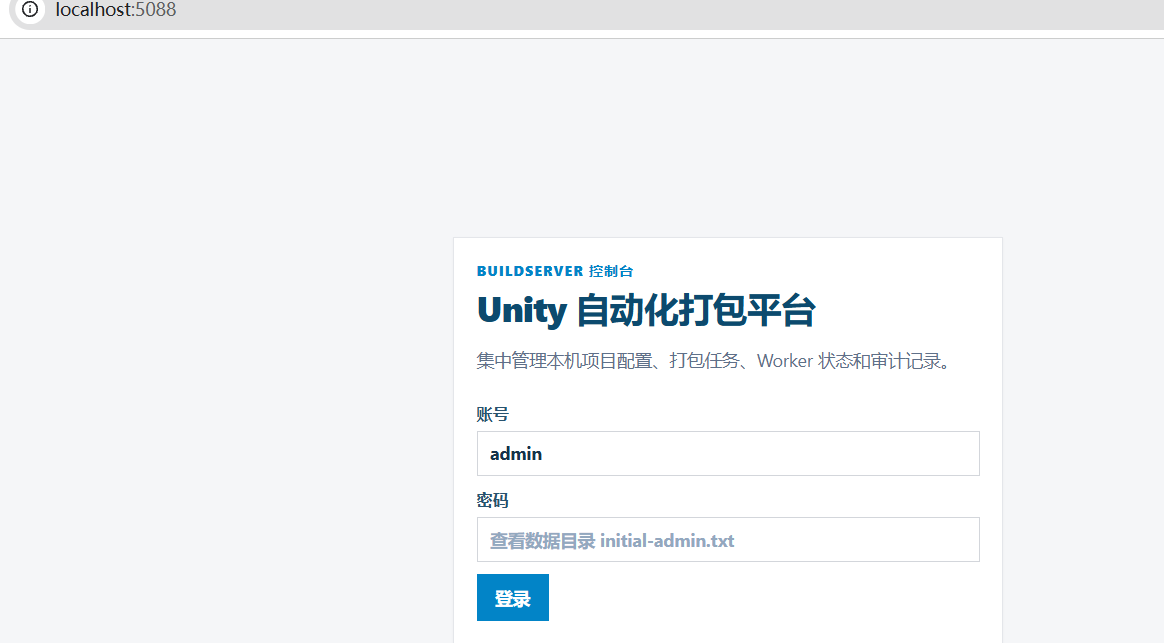
dotnet run 执行了什么
大概率是用了 WebApplication.CreateBuilder()
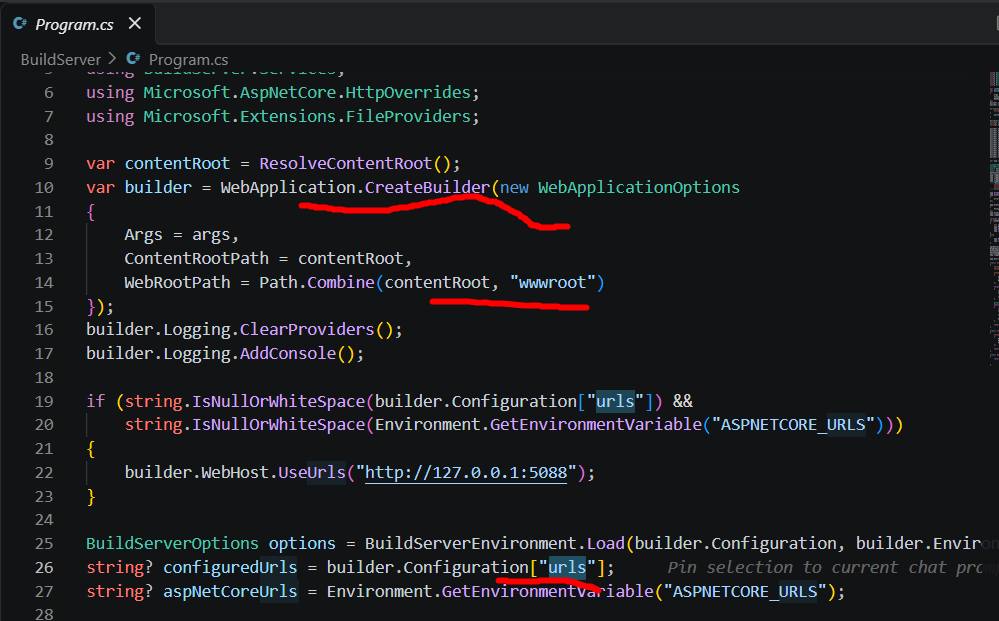
下面这段AI写的,**但我真的一个字都删不了,**AI牛逼
基于 BuildServer 的目录结构,具体执行了这些文件:
1. 读取项目文件(决定"怎么编译")
-
BuildServer.csproj:这是最核心的配置。dotnet run首先会找到它,读取里面的目标框架(如net8.0)、引用的 NuGet 包、编译选项等。 -
appsettings.json和appsettings.Development.json(如果有):虽然不参与编译,但程序启动时会读取它们来加载配置(比如端口、数据库连接字符串)。dotnet run默认会设置环境为Development,所以会优先加载appsettings.Development.json。
2. 还原与编译(生成可执行文件)
dotnet run 会自动隐式执行 dotnet restore 和 dotnet build。这个过程会:
-
根据
.csproj下载缺失的 NuGet 包。 -
把所有的
.cs文件 (如你截图里的Program.cs、ApiRoutes.cs、Models.cs,以及Services/、Security/等子目录里的所有 C# 文件)编译成程序集。 -
编译结果默认输出到
bin/Debug/net8.0/目录下,生成BuildServer.dll和BuildServer.exe。
3. 启动程序(真正"跑起来")
编译成功后,dotnet run 会启动生成的 BuildServer.dll。此时程序开始执行:
-
入口点 :
Program.cs里的Main方法(你日志里显示在第 94 行Run方法处崩溃)。这是整个程序的起点,它负责配置 Web 主机、注册服务、设置路由和中间件。 -
后台服务 :
Program.cs中注册的MaintenanceService等BackgroundService也会随之启动,这就是你日志里第二个错误出现的地方。 -
静态文件 :如果
Program.cs里启用了UseStaticFiles,那么wwwroot目录下的前端文件(HTML、JS、CSS)就会作为网页资源被提供。 -
配置文件 :
appsettings.json在启动时被读取,用于配置 Kestrel 服务器(比如监听哪个端口、是否启用 HTTPS)。
总结一下
你执行 dotnet run 后,它实际按顺序做了:
- 找
BuildServer.csproj→ 2. 还原 NuGet 包 → 3. 编译 所有.cs文件 → 4. 生成bin/Debug/net8.0/BuildServer.dll→ 5. 运行 这个 DLL,从Program.cs的Main开始,读取appsettings.json,启动 Web 服务器和后台服务。
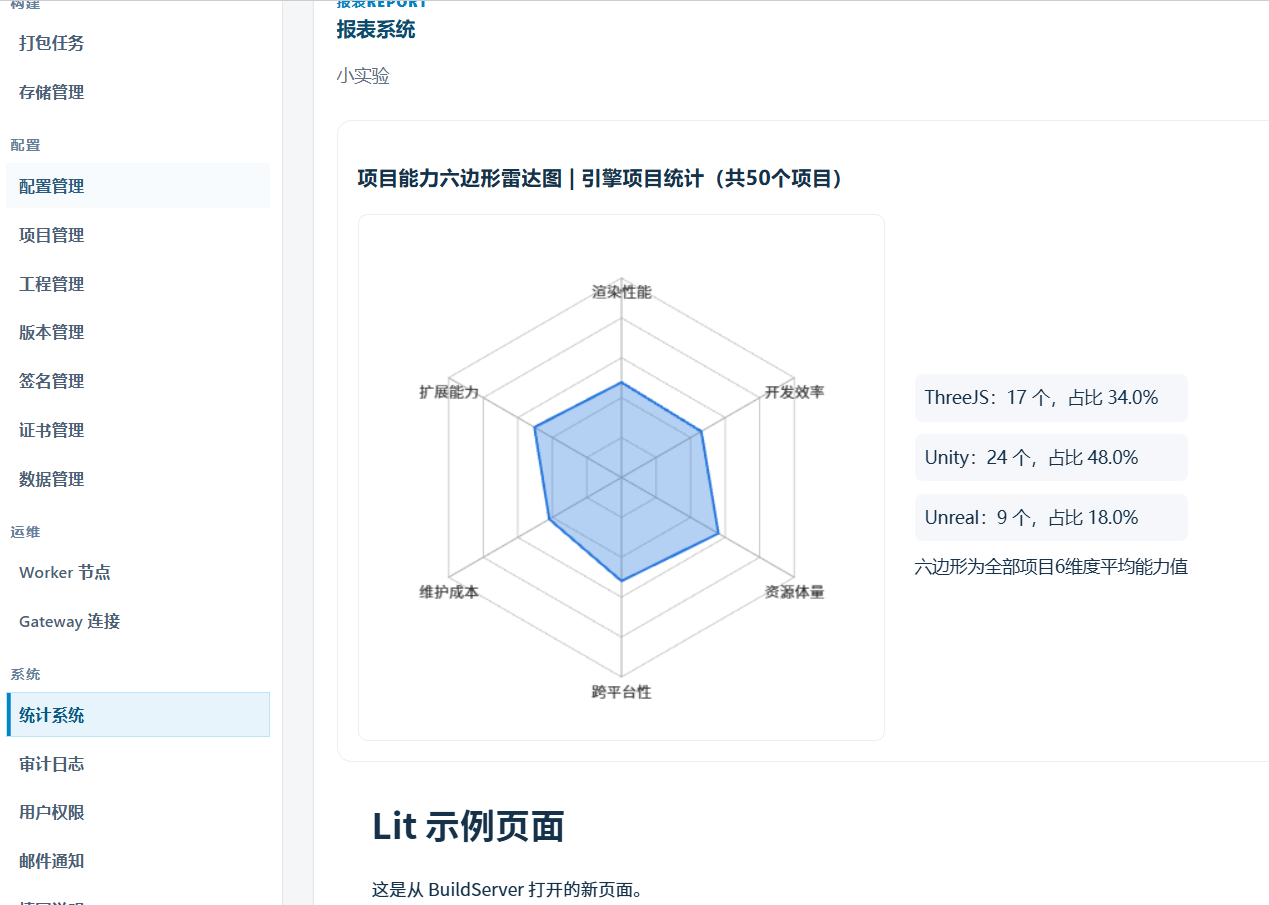
接入了一个报表
《不是很复杂》,但是过程就不贴出来了
结果如下
参考 - 无厘头
《无什么用参考》
几个占用时长


占用分类分别是
|---------------------------|---|
| IL2CPP | |
| Build Native Unity binary | |
| Exporting project | |
| Building Gradle | |
| | |
| | |
参考开源项目: