作者:来自 Elastic David Pilato
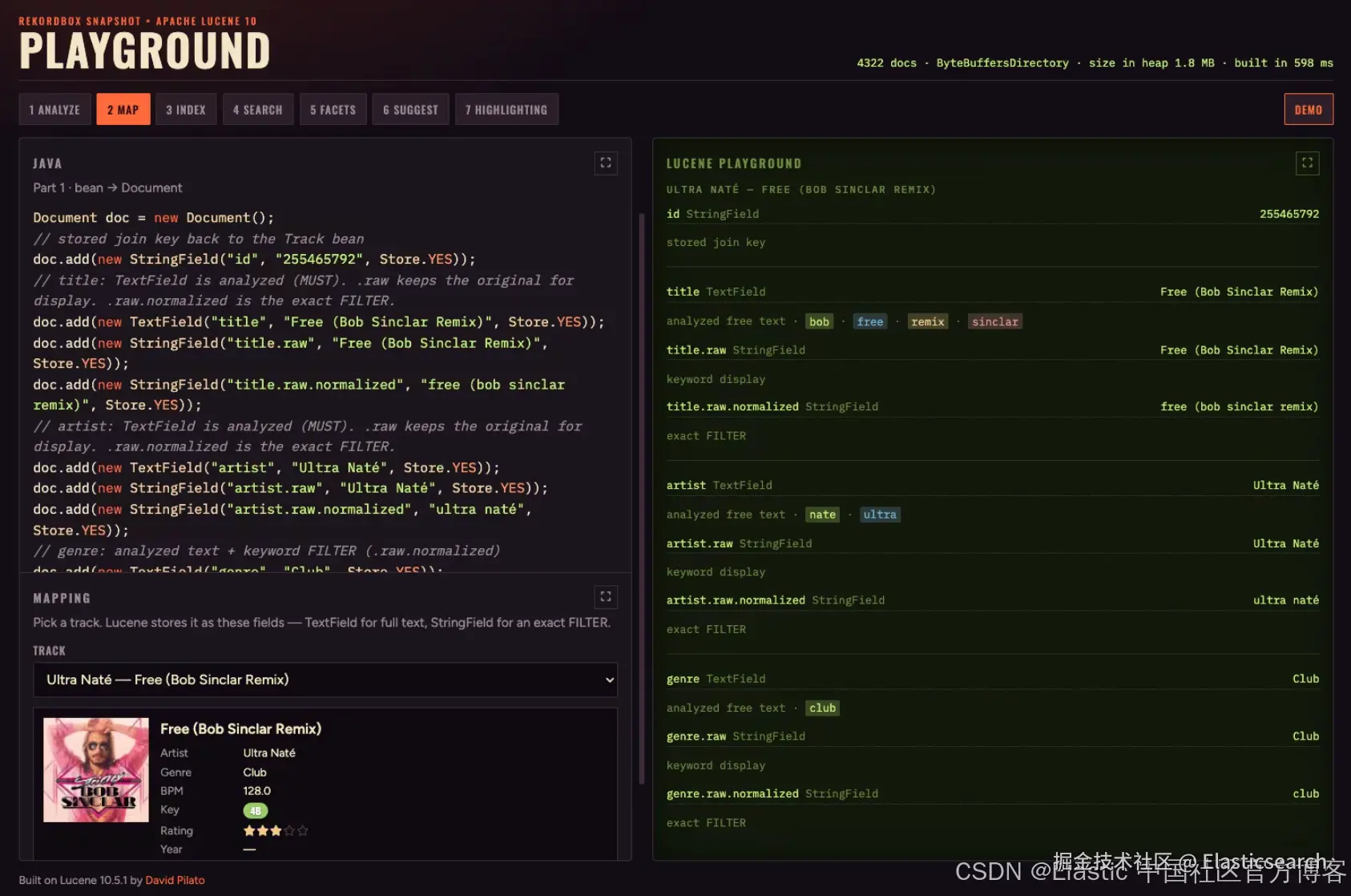
本教程将 Apache Lucene 作为进程内搜索索引嵌入,用于搜索领域 Bean ------ 这里使用的是 Rekordbox 风格音乐库中的 Track 记录。同样的模式也适用于任何 Java Bean。
Lucene 作为一个派生缓存 位于你的对象旁边,而不是事实来源。将数据库作为系统的权威记录:将 Bean 映射为 Document,执行搜索,将命中的 id 与原始列表关联起来,并在成功写入后重新构建或 upsert Lucene。这篇文章只介绍映射 ------ 先介绍 analyzer,然后介绍字段。
将 Lucene 添加到 Maven
一个项目,两个 artifact,使用相同版本 。实现时,请在 Maven Central 上查找最新的稳定 Lucene 版本;本系列使用 10.5.1。
xml
`
1. <!-- Index, search, documents, queries -->
2. <dependency>
3. <groupId>org.apache.lucene</groupId>
4. <artifactId>lucene-core</artifactId>
5. <version>10.5.1</version>
6. </dependency>
7. <!-- Tokenizers / filters -->
8. <dependency>
9. <groupId>org.apache.lucene</groupId>
10. <artifactId>lucene-analysis-common</artifactId>
11. <version>10.5.1</version>
12. </dependency>
`AI写代码Lucene 是纯 Java:它可以被打包到 fat-jar 中,无需任何本地库。
从你现有的 Bean 开始
补充现有 Bean 的 Java 代码翻译并补全后续示例内容说明 fat-jar 和本地库
markdown
`
1. public record Track(
2. String id,
3. String title,
4. Artist artist,
5. Genre genre,
6. MusicalKey key,
7. double bpm,
8. int ratingStars,
9. int year
10. // ... album, comment, paths, ...
11. ) {}
`AI写代码为需要查找文档的内容建立索引;完整的 Bean 保存在其他地方,并在搜索后通过 id 进行关联。
-
稳定的 id ---
Track.id,用于 upsert 和删除。 -
全文搜索 --- 用户输入的字符串(title、artist)。
-
过滤 / 范围查询 --- 精确的 keyword 或数值(genre、rating、bpm、year)。
选择 analyzer
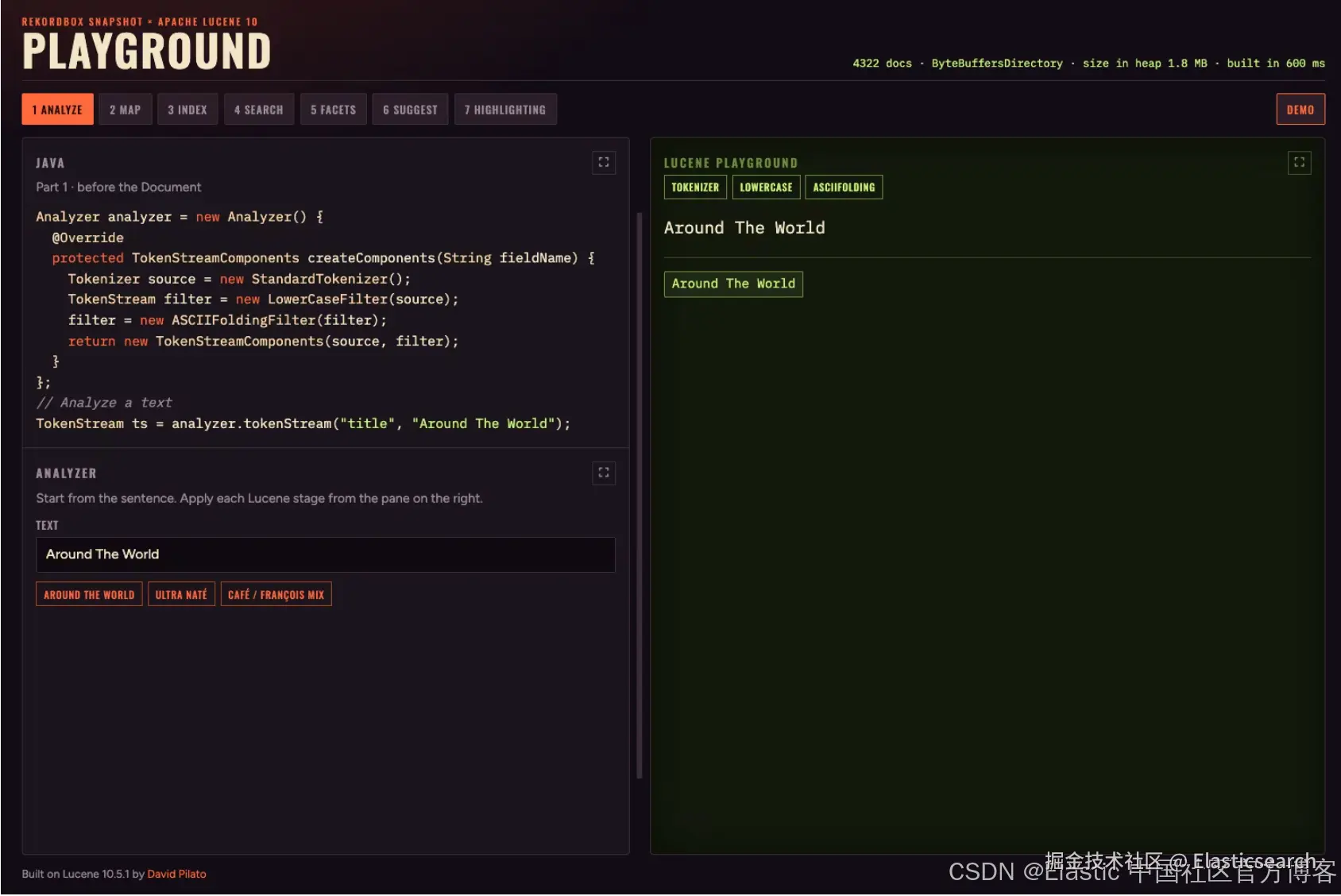
Around The World 经过 StandardTokenizer → LowerCaseFilter → ASCIIFoldingFilter。
对于 TextField,analyzer 会在索引时运行,并且应该与查询时生成的 token 保持一致:
补充查询时的 analyzer 示例说明各个 token filter 的作用完善 Java 代码示例
ini
`
1. Analyzer analyzer = new Analyzer() {
2. @Override
3. protected TokenStreamComponents createComponents(String fieldName) {
4. Tokenizer source = new StandardTokenizer();
5. TokenStream filter = new LowerCaseFilter(source);
6. filter = new ASCIIFoldingFilter(filter);
7. return new TokenStreamComponents(source, filter);
8. }
9. };
11. // Analyze a text
12. TokenStream ts = analyzer.tokenStream("title", "Around The World");
`AI写代码不进行 stemming(artist 名称保持完整),不使用停用词(Around The World 仍然可以被搜索)。ASCII folding 会将 café / François 转换为 cafe / francois:
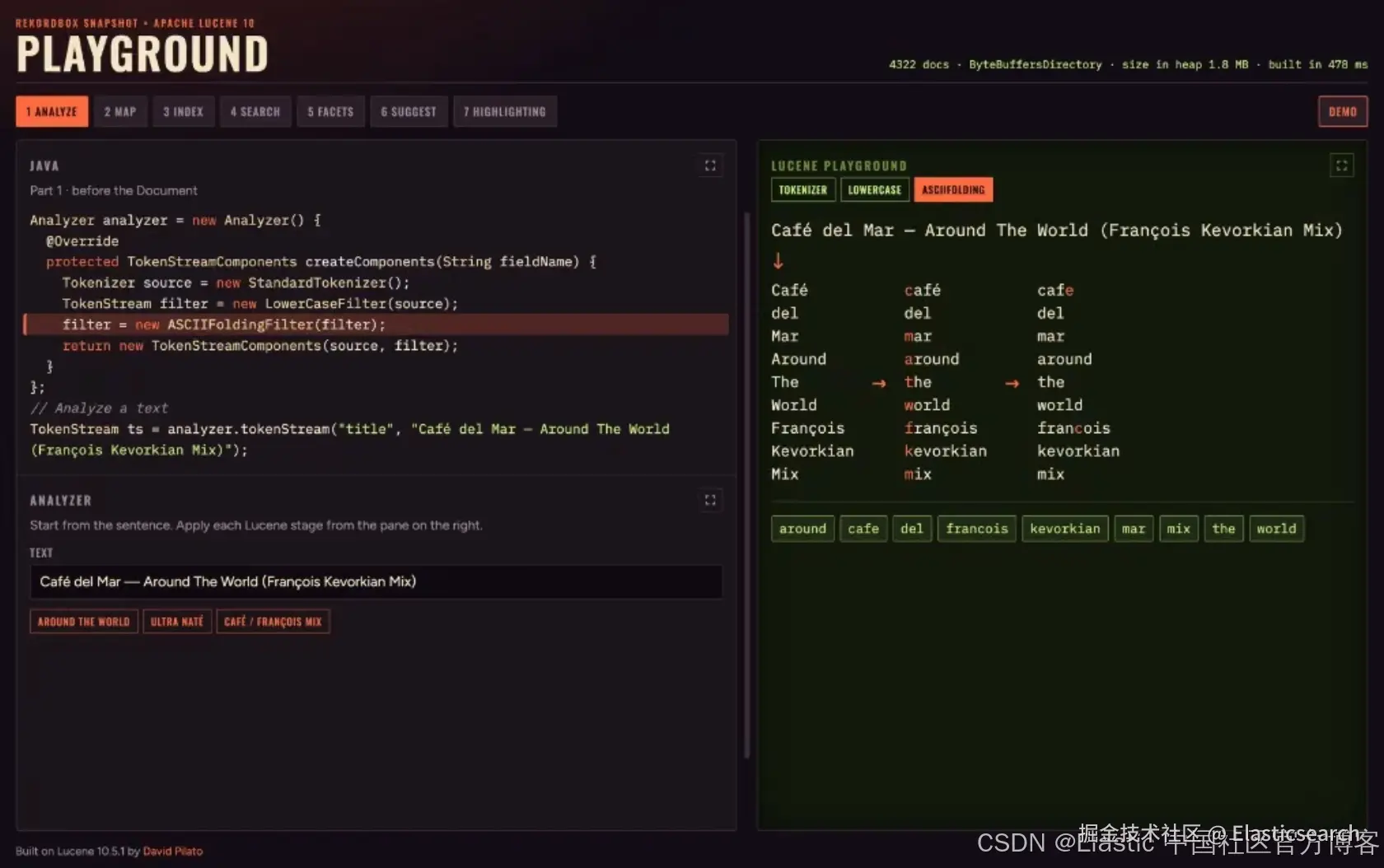
Café del Mar --- Around The World (François Kevorkian Mix) --- tokenizer → lowercase → ASCII folding;重音符号会在最后一个阶段进行折叠。
最终的 token 会以排序后的 形式进入索引(around、cafe、del......)------就像一本书最后的索引一样。字母顺序让人们无需阅读每一页就能快速找到某个词条;Lucene 采用了相同的思路,因此查找时可以直接跳转到所需的 term,而不是扫描整个词典。
在输入和输出时使用相同的 analyzer。
将 Bean 映射为 Lucene Document
补充完整 Bean 映射示例统一术语与格式风格澄清 analyzer 的使用时机
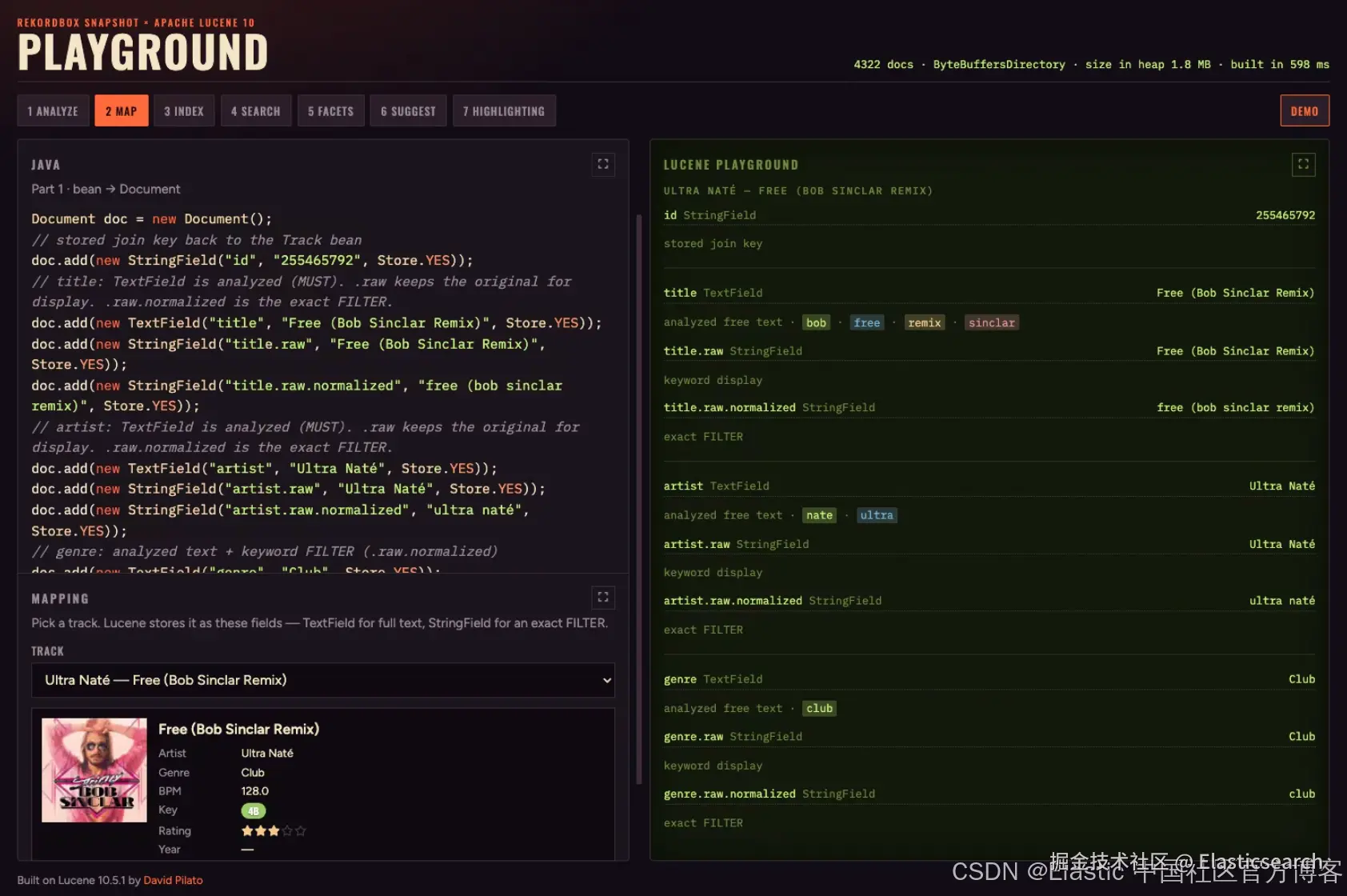
选择一条 track;Lucene 会存储一个可用于搜索的 Document(TextField / StringField / 数值字段)。
| 模式 | 示例 | Lucene 类型 |
|---|---|---|
| 分析后的文本 | title、artist |
TextField |
| 精确 keyword | id、genre.raw |
StringField |
| 数值 | bpm、rating、year |
DoubleField / IntField |
TextField 会进行 token 化(用于搜索)。StringField 不会进行 token 化(用于 id、过滤条件)。数值字段用于范围过滤和排序------暂时还不用于直方图。存储你需要用来呈现匹配结果的数据(Field.Store.YES);无论如何都要存储 id。
这就是一个可用于搜索的 Document:
less
`
1. Document doc = new Document();
2. // stored join key back to the Track bean
3. doc.add(new StringField("id", "172523747", Store.YES));
4. // title: TextField is analyzed (MUST). .raw keeps the original for display. .raw.normalized is the exact FILTER.
5. doc.add(new TextField("title", "Around The World", Store.YES));
6. doc.add(new StringField("title.raw", "Around The World", Store.YES));
7. doc.add(new StringField("title.raw.normalized", "around the world", Store.YES));
8. // artist: TextField is analyzed (MUST). .raw keeps the original for display. .raw.normalized is the exact FILTER.
9. doc.add(new TextField("artist", "Daft Punk", Store.YES));
10. doc.add(new StringField("artist.raw", "Daft Punk", Store.YES));
11. doc.add(new StringField("artist.raw.normalized", "daft punk", Store.YES));
12. // genre: analyzed text + keyword FILTER (.raw.normalized)
13. doc.add(new TextField("genre", "Club", Store.YES));
14. doc.add(new StringField("genre.raw", "Club", Store.YES));
15. doc.add(new StringField("genre.raw.normalized", "club", Store.YES));
16. // numeric range / sort. numericValue() is IEEE 754 bits; read storedValue().getDoubleValue()
17. doc.add(new DoubleField("bpm", 121.29, Store.YES));
18. // Camelot key --- exact FILTER / MUST_NOT (lowercased)
19. doc.add(new StringField("key.code", "9a", Store.YES));
20. // rating: numeric filter / sort
21. doc.add(new IntField("rating", 5, Store.YES));
22. // year: numeric filter / sort
23. doc.add(new IntField("year", 1997, Store.YES));
24. // album: analyzed free text only --- no keyword twin
25. doc.add(new TextField("album", "", Store.YES));
26. // label: analyzed free text only --- no keyword twin
27. doc.add(new TextField("label", "", Store.YES));
28. // comment: analyzed free text only --- no keyword twin
29. doc.add(new TextField("comment", "09A - Energy 7", Store.YES))
`AI写代码完整演示代码位于 GitHub :lucene-search-tracks。