📌 课程简介(Introduction)
-
本课程将探索四种不同的网络拓扑,通过 Cisco Modeling Labs 帮助学习者逐步精通实际网络中使用的各类网络技术。
-
课程涵盖的四大核心技术领域:
-
生成树协议(Spanning Tree Protocol, STP);
-
开放最短路径优先(Open Shortest Path First, OSPF);
-
防火墙技术(firewalling);
-
IPsec 虚拟专用网络(IPsec VPNs)。
-
-
学习目标:在探索上述领域的过程中,学习者将完成指定功能配置 、故障排查 以及运行状态监控,使用的均为最新协议版本(如 OSPFv3、IKEv2)。
-
页面导航:可返回「Learning Path Overview(学习路径概览)」,下一步为「Explore Sample Lab Topologies(探索示例实验拓扑)」。
🔬 示例实验拓扑探索(Explore Sample Lab Topologies)
核心优势
-
无需从零开始搭建实验拓扑:Cisco Modeling Labs 内置大量由官方或其他用户定义的拓扑,可随时直接使用。
-
支持拓扑共享:学习者可与同伴共享拓扑,适用于自主学习和故障排查练习场景。
实验环境说明
-
键盘布局 :默认使用美式英语(US English)键盘布局,实验初始化后无法更改。
-
设备帮助:如需了解操作系统键盘布局修改、屏幕分辨率调整等操作,可在实验初始化后访问「Device Help」。
-
初始化规则:开始初始化实验后可离开当前页面,设备准备就绪后会收到通知。
-
操作入口:页面提供「Initialize Lab(初始化实验)」按钮。
左侧任务栏:Load a Sample Lab(加载示例实验)
- 操作指引:本任务中的说明可作为导入 Cisco Modeling Labs 拓扑的通用参考;学习者可自主调整实验方案、选择不同的实验拓扑。
🌳 实验一:生成树协议(STP)配置
实验主题
Use Cisco Modeling Labs to Explore Spanning Tree Protocol
- 子任务:Configure Spanning Tree Root Bridges(配置生成树根桥)
实验目标
-
探索生成树协议(STP)的运行原理,拓扑包含 4 台交换机,默认运行 STP 模式。
-
链路配置为中继模式(trunking),VLAN 范围为 1-200,用于网络中 STP 根路径的计算。
-
操作流程:
-
通过指定**主根桥(primary root bridge)和次根桥(secondary root bridge)**优化 STP 运行。
-
配置端口通道(port channel),并启用 PortFast Edge 特性。
-
使用抓包工具验证配置结果,并通过交换机命令查看运行状态。
-
初始配置信息
| 配置项 | 详情 |
|---|---|
| 交换机间接口 | 均配置为 802.1Q 中继端口 |
| VLAN 范围 | 1-200(实验中使用,需在所有交换机上定义) |
| 接入端口 | PC1/PC2 对应的接口为 VLAN 100 的接入端口 |
| 设备 IP 地址 | 所有设备均位于 VLAN 100,子网为 10.0.100.0/24: • DS1:10.0.100.1/24 • DS2:10.0.100.2/24 • AS1:10.0.100.3/24 • AS2:10.0.100.4/24 • PC1:10.0.100.5/24 • PC2:10.0.100.6/24 |
🛤️ 实验二:OSPF 基础配置
实验主题
Use Cisco Modeling Labs to Explore OSPF Basics
- 子任务:Complete OSPFv3 Configuration for IPv4(完成 IPv4 环境下的 OSPFv3 配置)
实验背景与价值
-
Cisco Modeling Labs 非常适合探索网络技术、测试新功能;即使学习者此前仅使用过传统 OSPFv2,也可通过实验快速熟悉 OSPFv3。
-
OSPFv3 同时支持 IPv4 和 IPv6 的路由进程,涵盖数据库交换、邻接建立等核心特性。
-
实验优势:无需在真实物理环境中搭建复杂拓扑,即可快速启动并完成测试。
实验任务
-
查看已配置的 OSPF 拓扑。
-
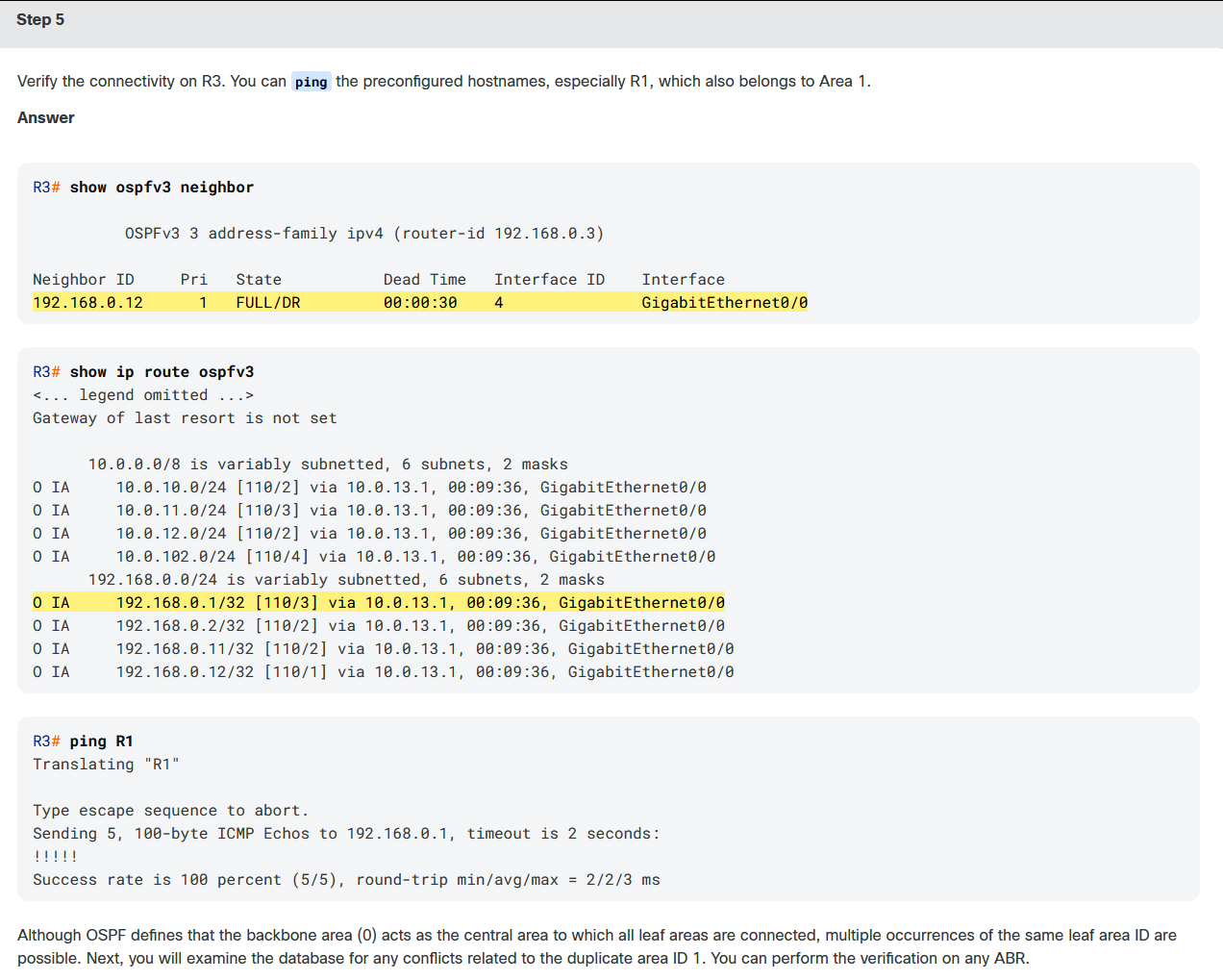
在 R3 路由器上完成 OSPFv3 配置,仅聚焦 IPv4 场景。
🛡️ 实验三:防火墙功能探索
实验主题
Use Cisco Modeling Labs to Explore Firewall Functionalities
- 子任务:Examine Inbound Connectivity(检查入站连接)
实验背景与价值
-
Cisco Modeling Labs 是探索网络安全技术的优秀工具;即使学习者不熟悉防火墙技术,也可通过 hands-on 实验环境掌握相关配置。
-
实验基于 Cisco ASAv 防火墙,可在实验环境中创建多种拓扑并测试各类"假设性(what-if)"场景。
实验场景
-
网络拓扑:分支机构(branch office)通过 Cisco ASAv 防火墙访问前端服务器(front-end server)。
-
实验流程:
-
查看预配置的分支机构到前端服务器的入站访问规则。
-
启用 Cisco ASAv 的出站互联网连接功能。
-
实验任务
-
检查通过 Cisco ASAv 防火墙实现入站访问所需的配置。
-
拓扑角色说明:
• 客户端:位于分支机构,连接到防火墙 Branch 接口。
• 前端服务器:连接到防火墙 Server 接口。
🔐 实验四:IPsec VPN 配置
实验主题
Use Cisco Modeling Labs to Explore IPsec VPNs
- 子任务:Test IKEv2 IPsec Tunnel Between Cisco Router and ASAv(测试思科路由器与 ASAv 之间的 IKEv2 IPsec 隧道)
实验背景与价值
-
Cisco Modeling Labs 可快速搭建包含多种设备类型的复杂拓扑,大幅节省物理环境部署时间。
-
本次实验聚焦站点到站点(site-to-site)IPsec VPN,涉及 Cisco IOS 路由器和 ASAv 两种平台。
-
采用最新版互联网密钥交换协议 IKEv2(Internet Key Exchange Version 2),非常适合用于概念验证(proof of concept)场景。
实验任务
-
完成多个验证步骤,用于 IPsec 隧道的故障排查。
-
生成测试流量,验证隧道的连通性。
📝 课程总结(Summary)
-
课程完成提示:恭喜完成 Cisco Modeling Labs 示例拓扑课程!
-
四大实验拓扑核心要点总结:
| 技术领域 | 核心价值与功能 |
|---|---|
| 生成树协议(STP) | 可在交换网络中实现并测试 STP,捕获 BPDU 报文并进行详细协议分析;额外优势:可在不影响生产环境的前提下,模拟网络连通性中断的风险场景 |
| OSPF | 支持配置 OSPFv3,同时实现 IPv4 和 IPv6 路由;提供易用工具,可全面查看 OSPFv3 的调优选项 |
| 防火墙(Firewalling) | 内置丰富的虚拟设备,可直接导入 Cisco Modeling Labs 使用;Cisco ASAv 包含在默认设备库中,可实现开箱即用的防火墙功能 |
| IPsec VPN | 提供便捷平台,可在单一拓扑中组合多种 IPsec 设备并进行测试;官方推荐使用 IKEv2 等最新特性 |
- 页面导航:可返回「Learning Path Overview(学习路径概览)」。
课程实验1:
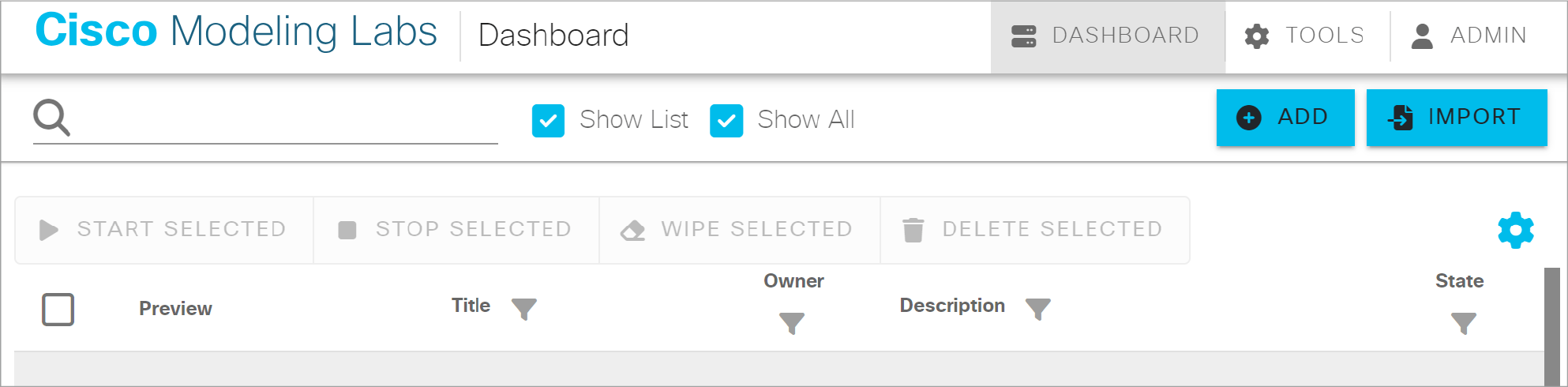
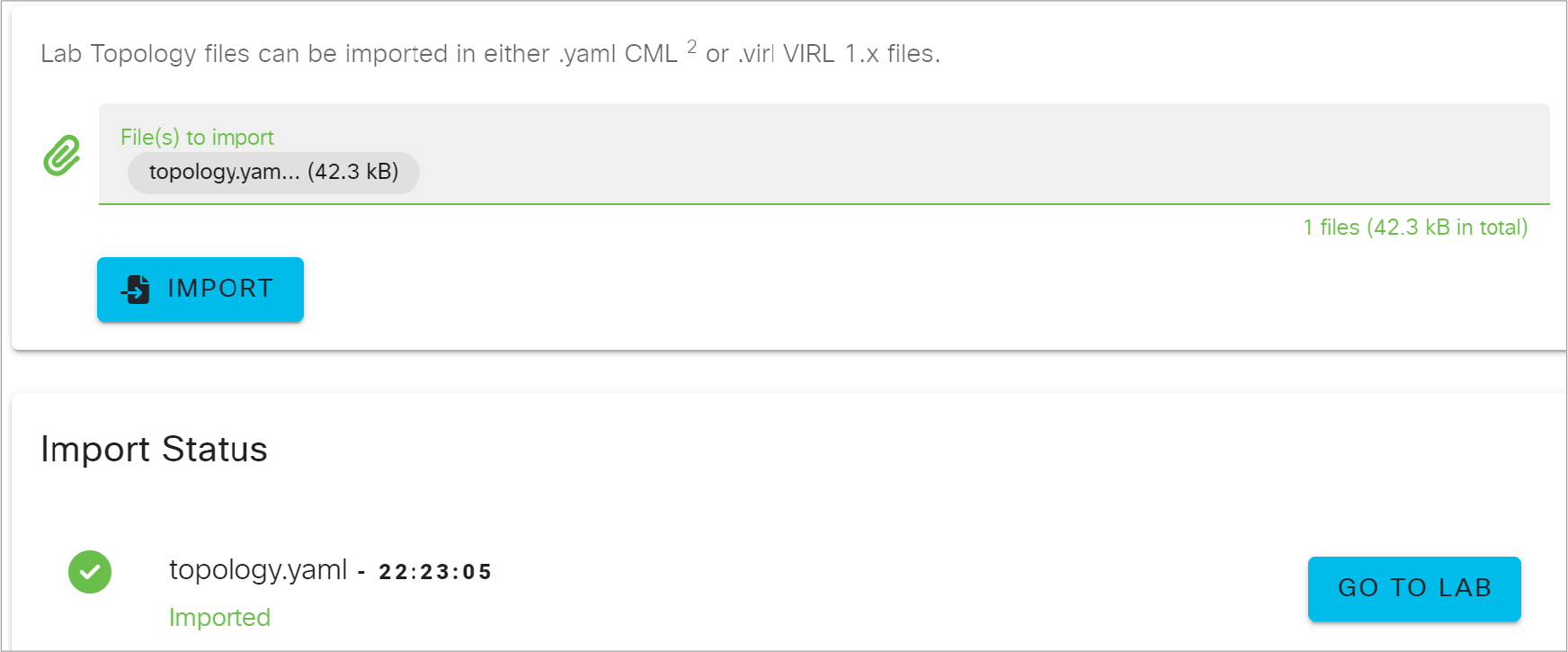
CML的好处之一是你不需要从头开始构建实验室拓扑。其他人定义了许多拓扑,你可以随时使用。此外,你可以与同事分享你的拓扑结构。这对于研究甚至故障排除非常有用。
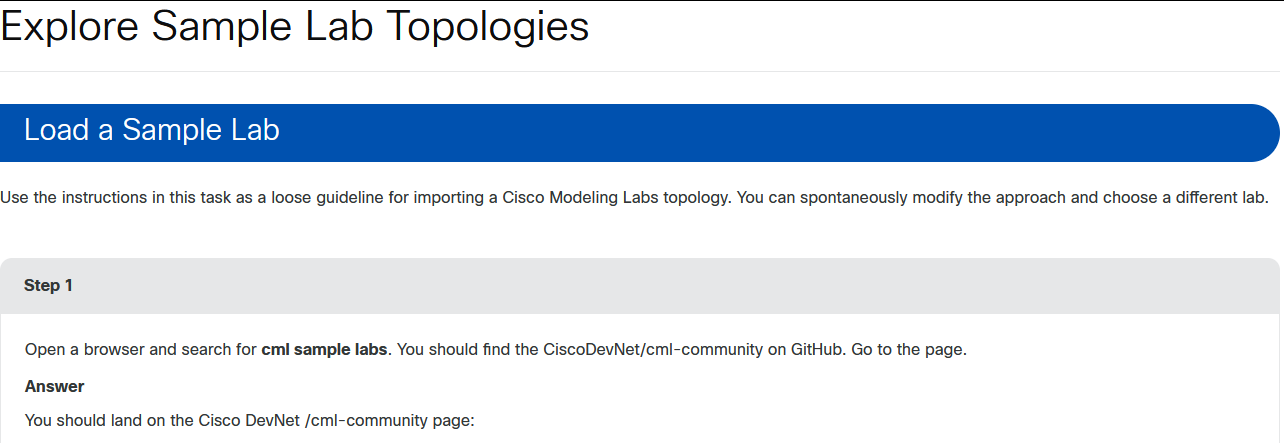
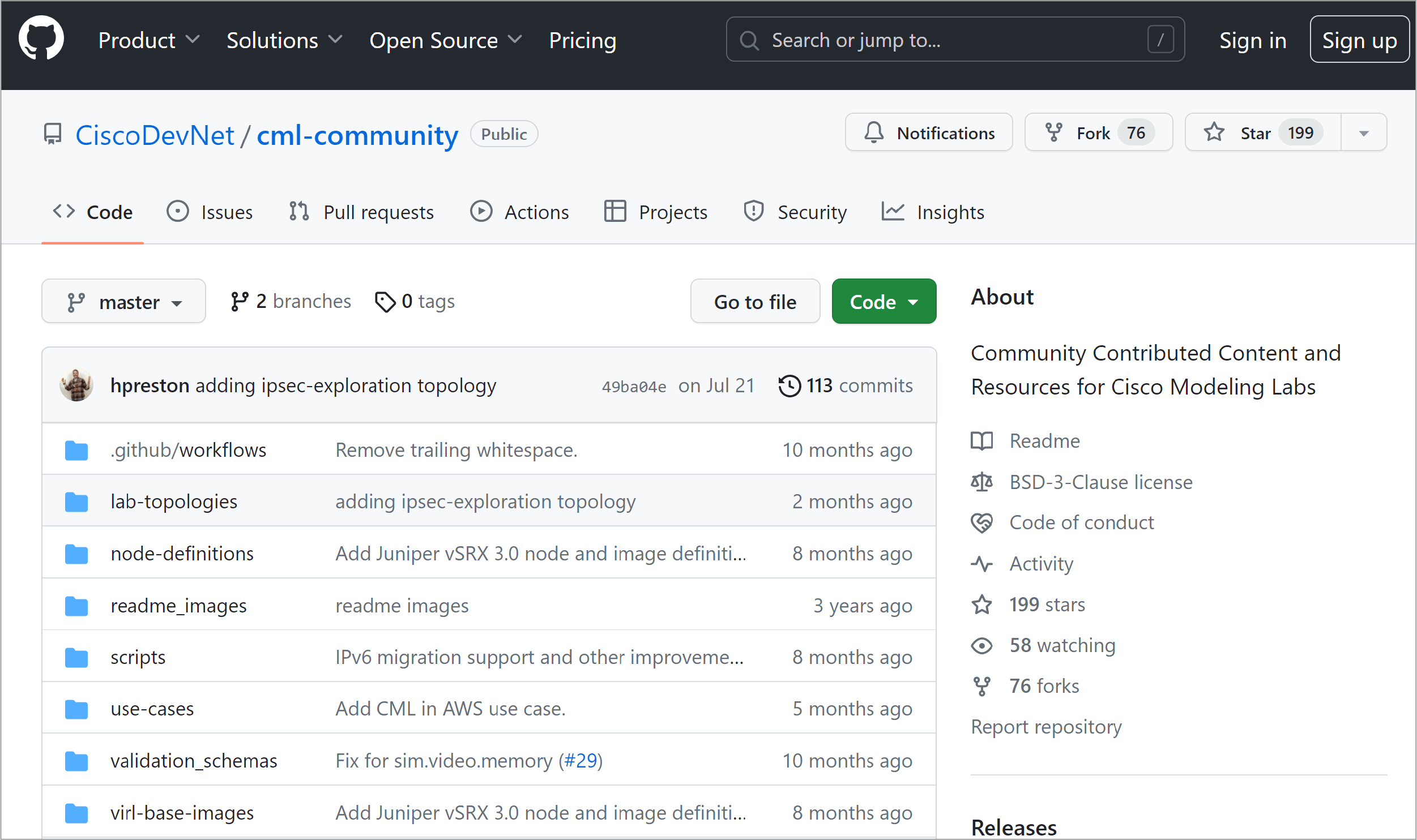

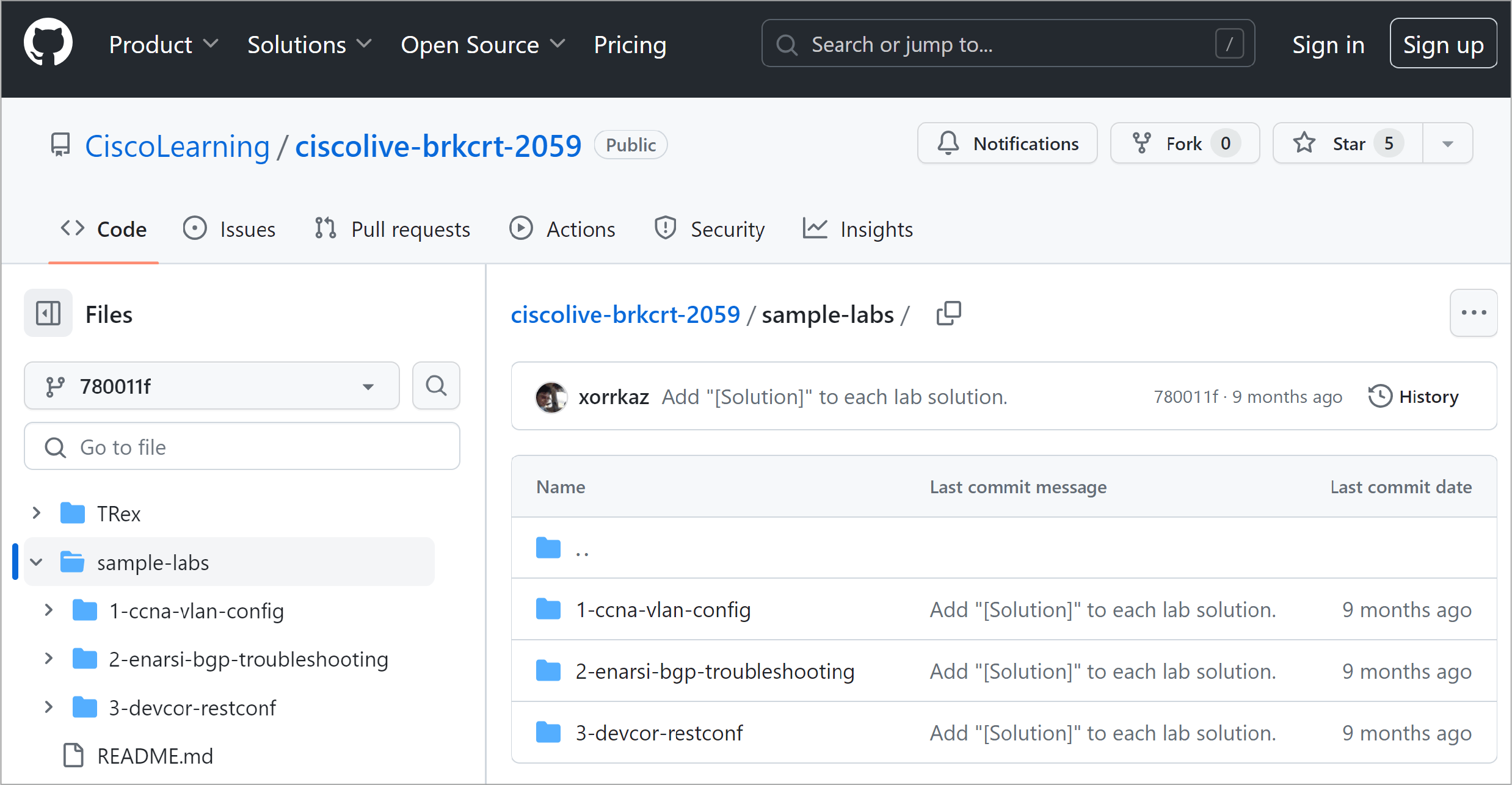
The content of the repository changes over time. You may find other results.

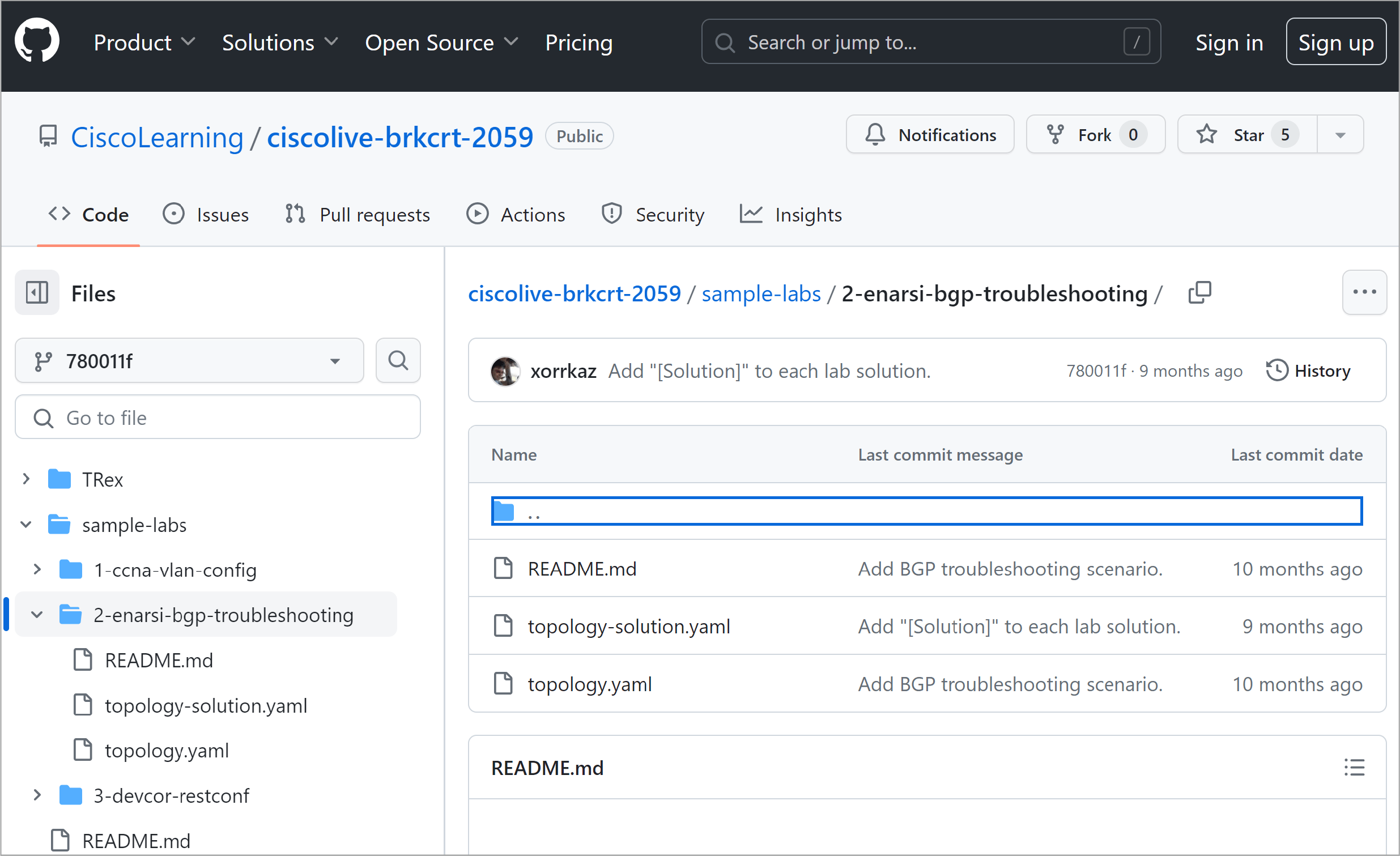
This troubleshooting lab contains a topology prepared for troubleshooting (with injected trouble tickets, troubleshooting guidelines, and the solution).

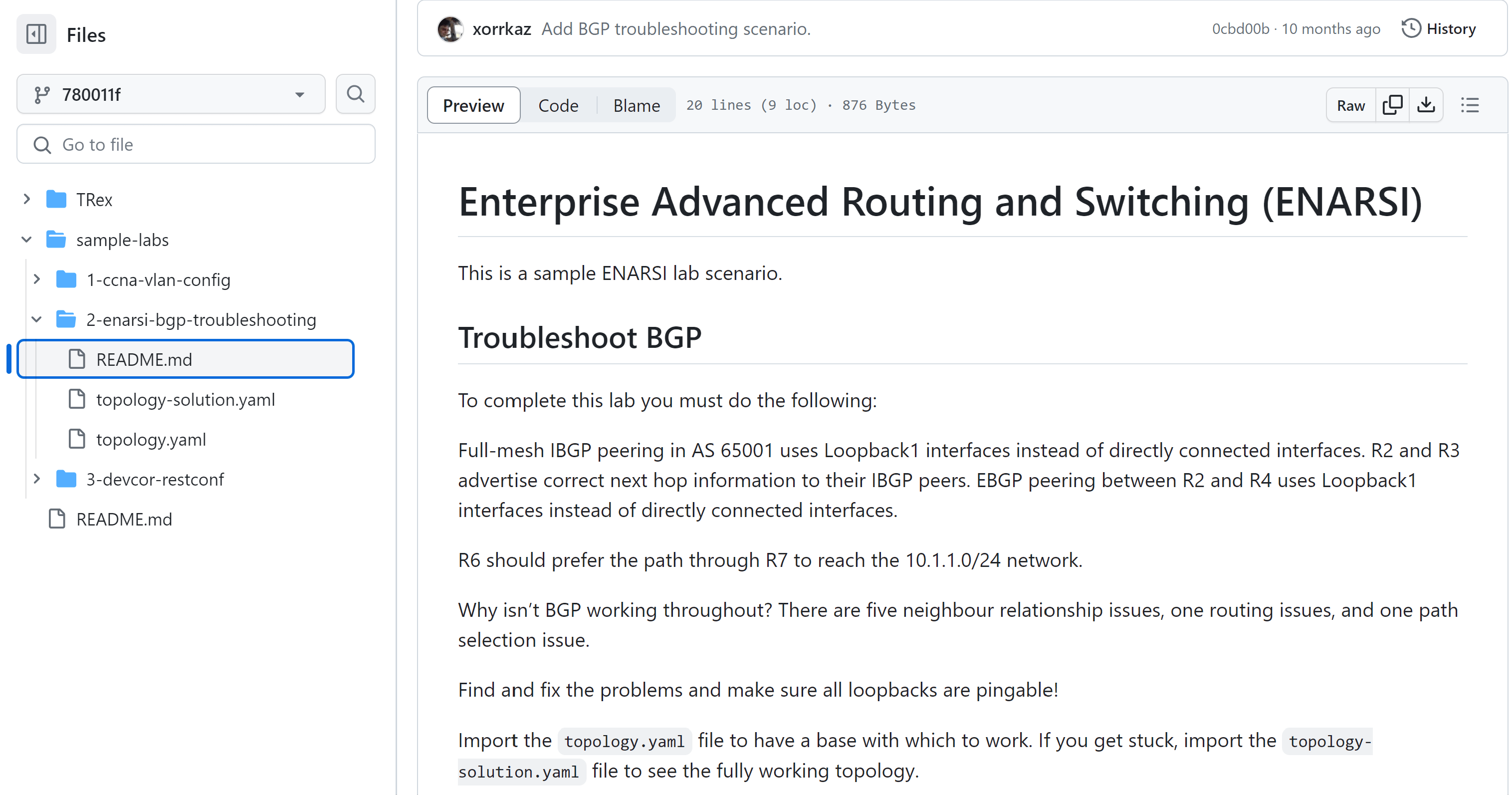



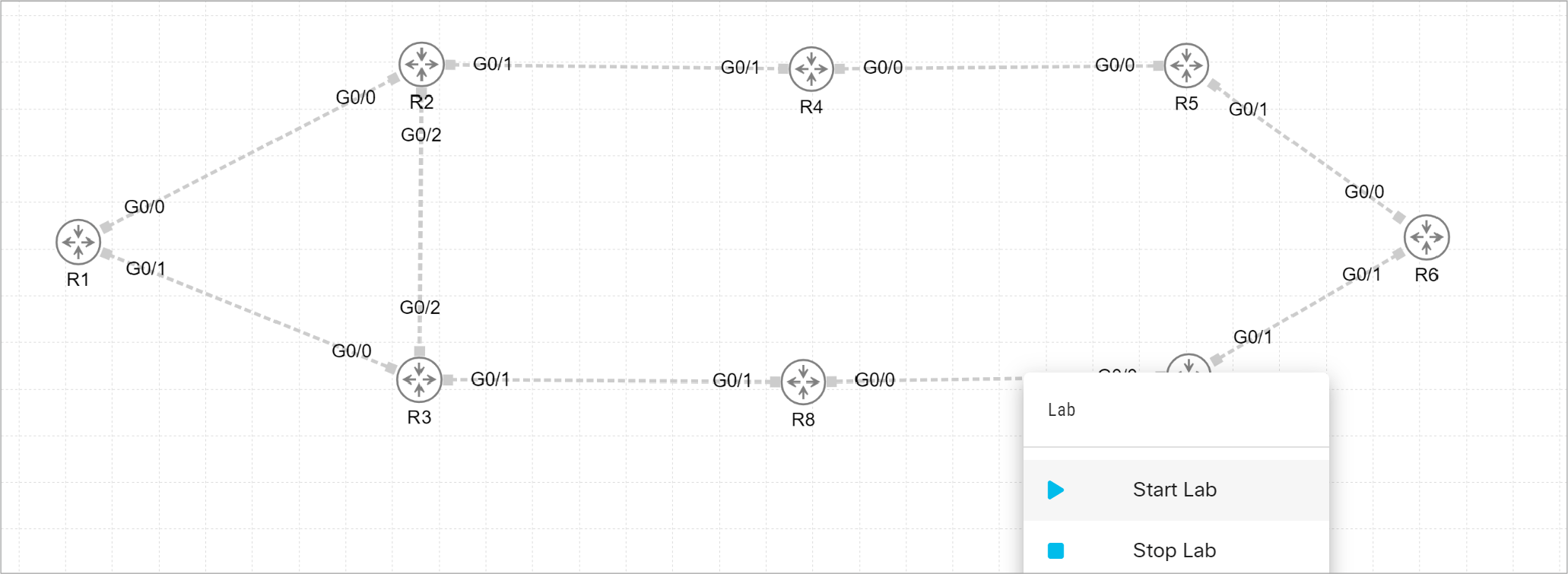
If you go through the troubleshooting process, you may want to load the topology-solution.yaml to check the expected final state.
课堂实验2:
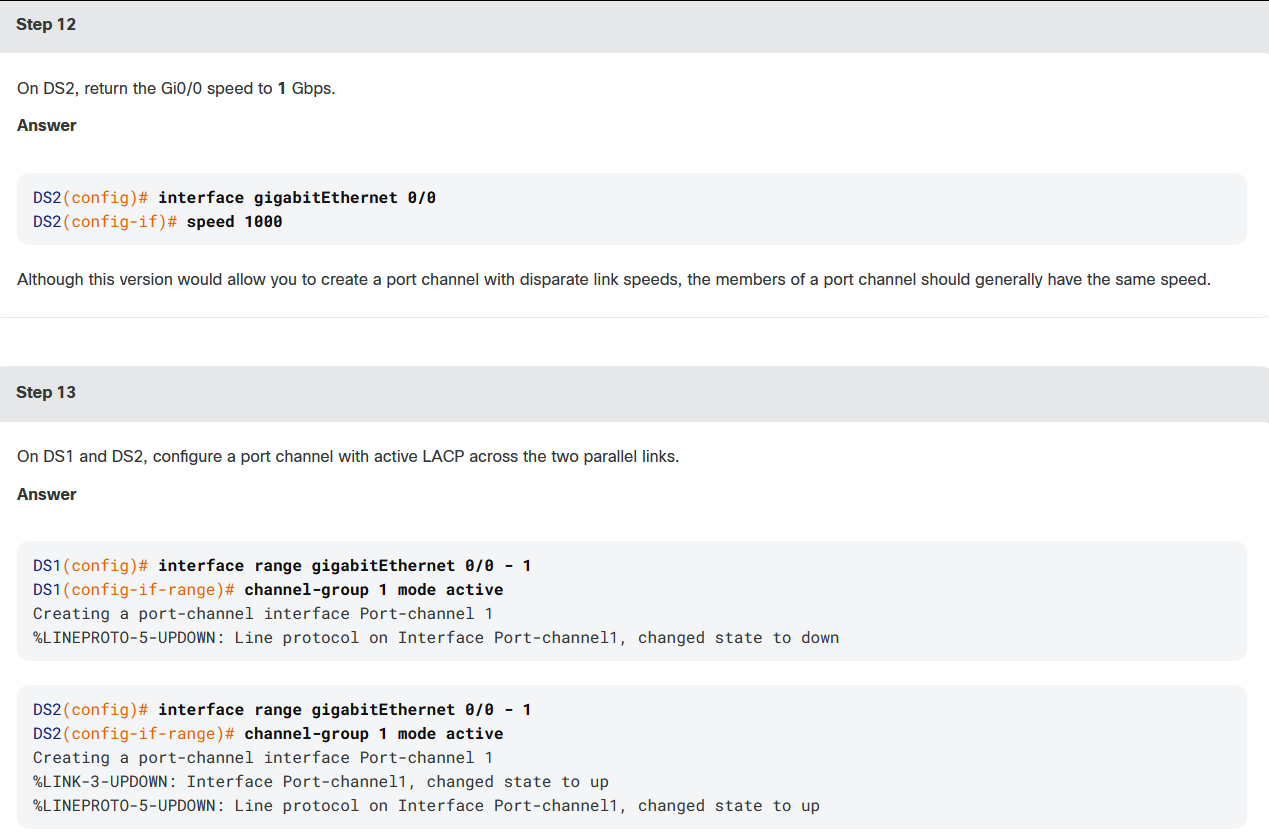
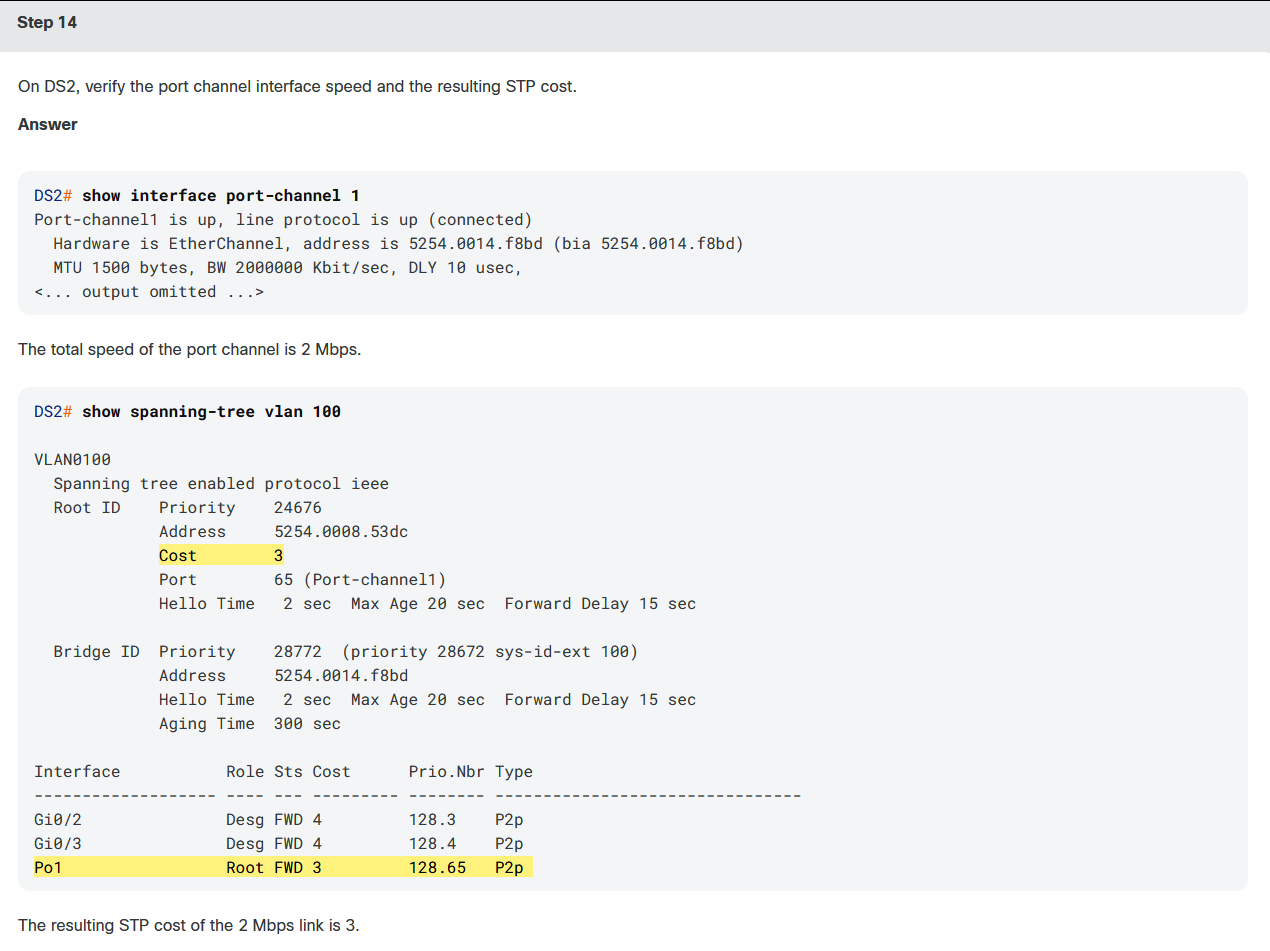
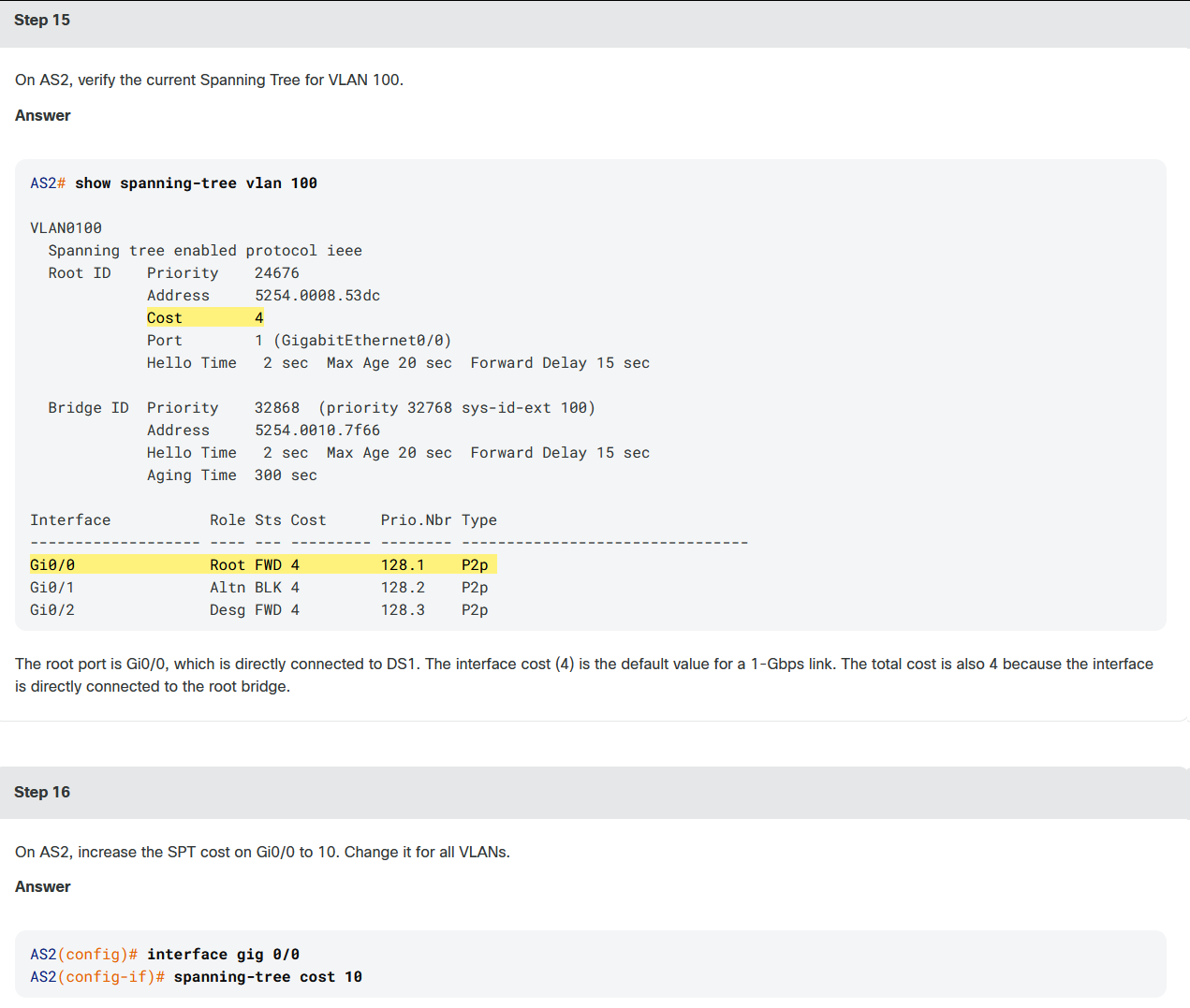
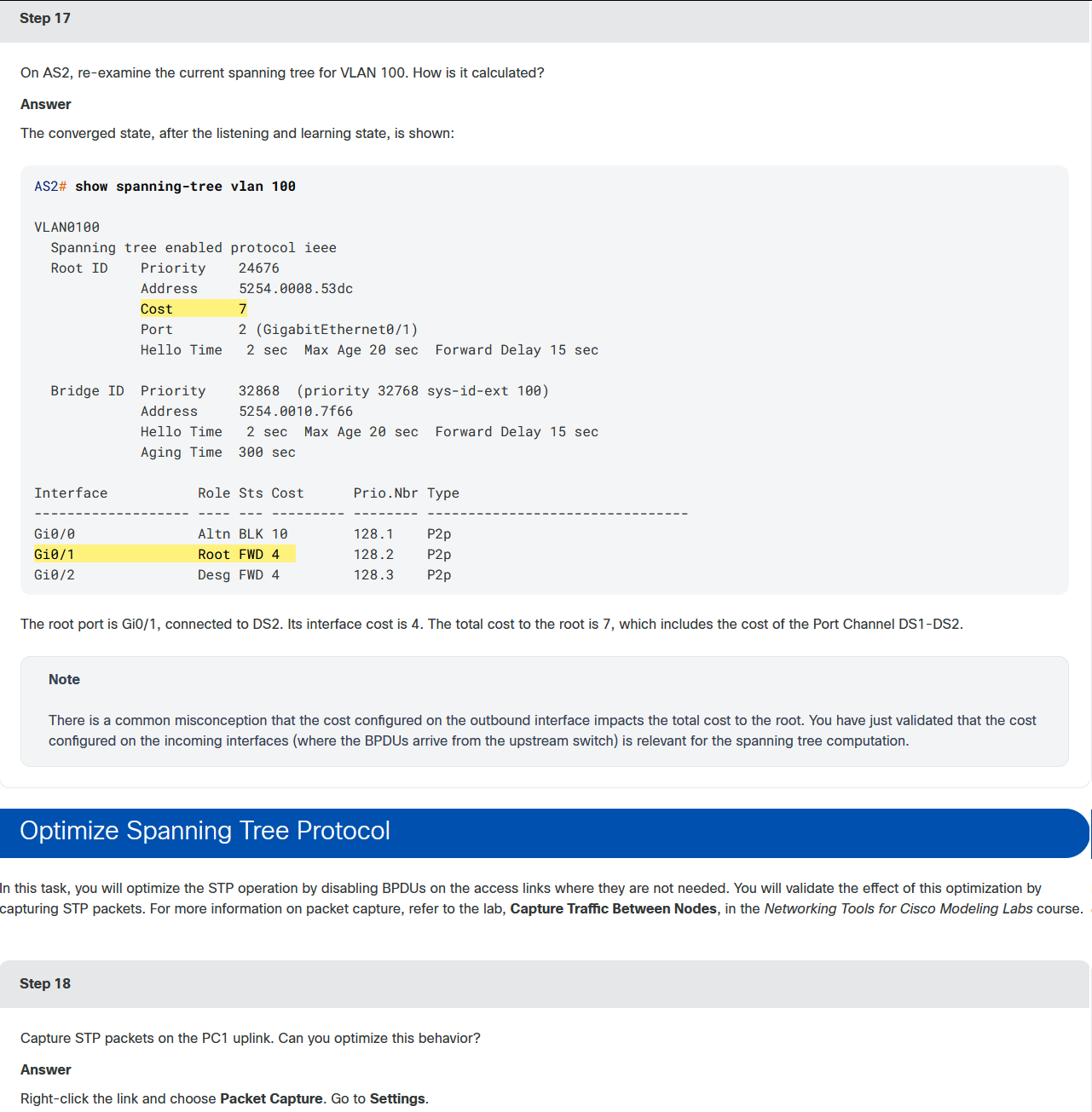
在本实验中,你将探究生成树协议的工作原理。该拓扑由四台运行默认STP模式的交换机组成。这些链路是为中继配置的。网络中使用VLAN测距1-200。你将从指定主根桥和次根桥开始,然后探究STP根路径的计算。然后,你将通过配置端口通道和PortFast Edge功能来优化STP操作,同时使用数据包捕获和适当的交换机命令来验证结果。
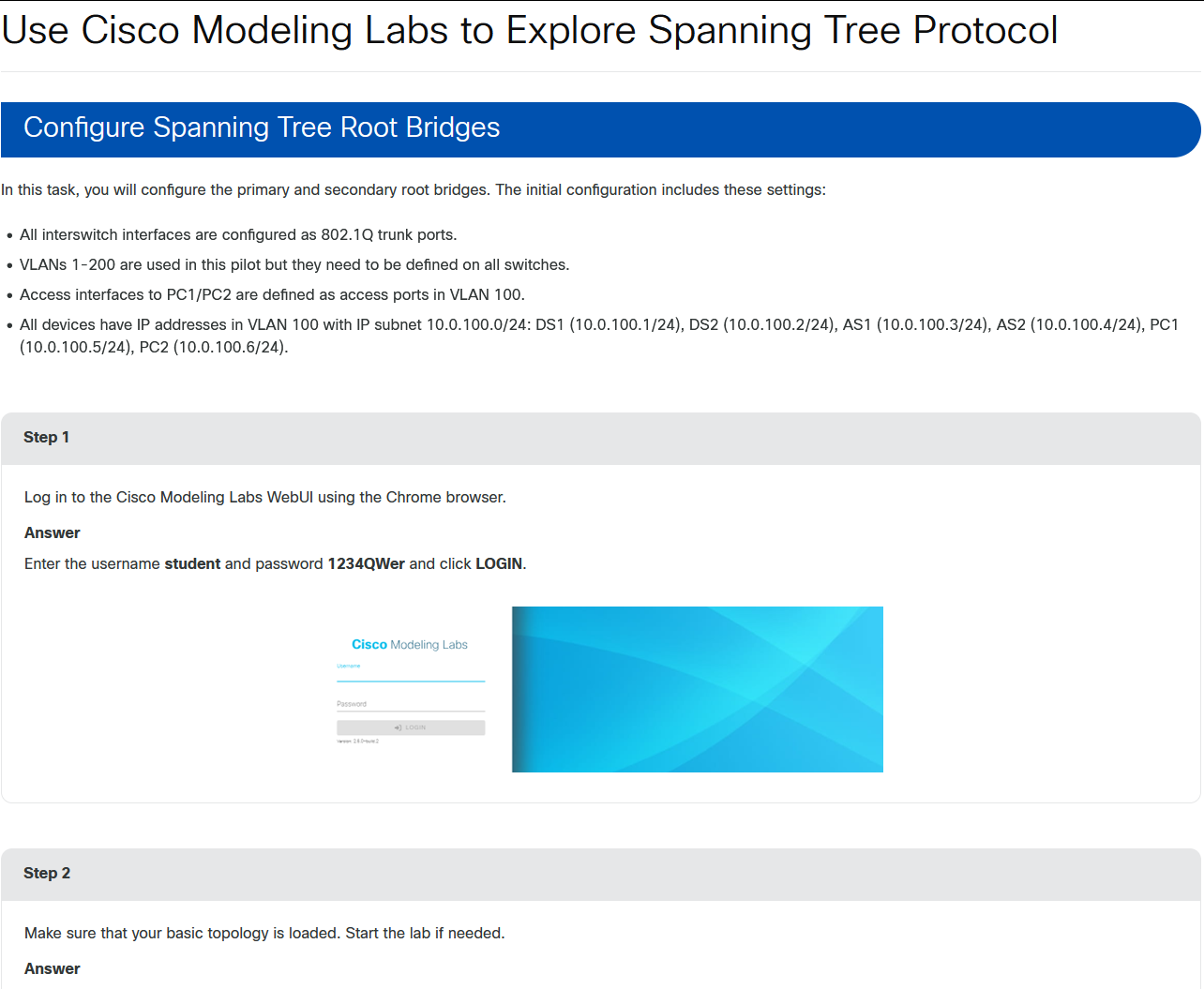
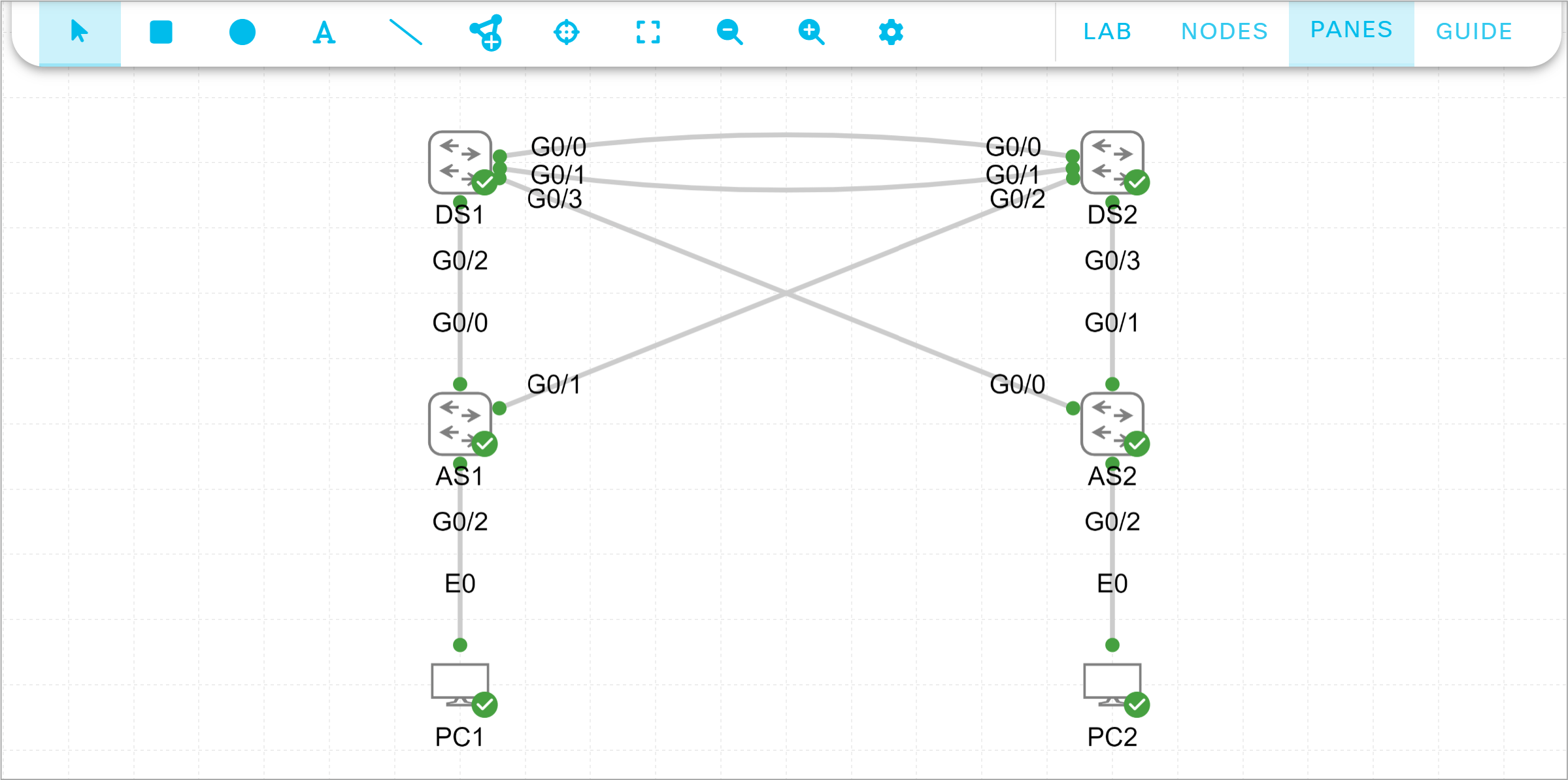
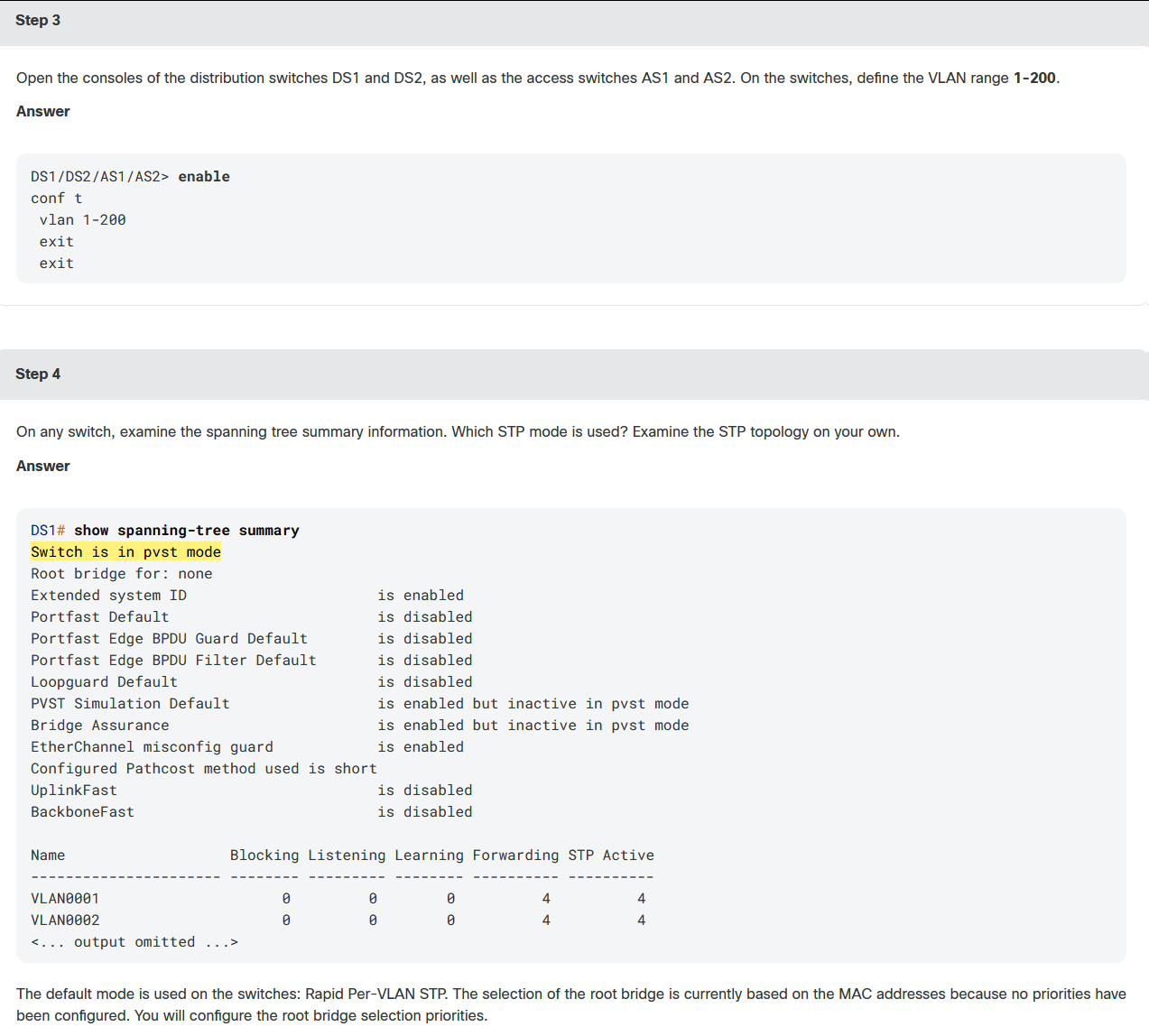
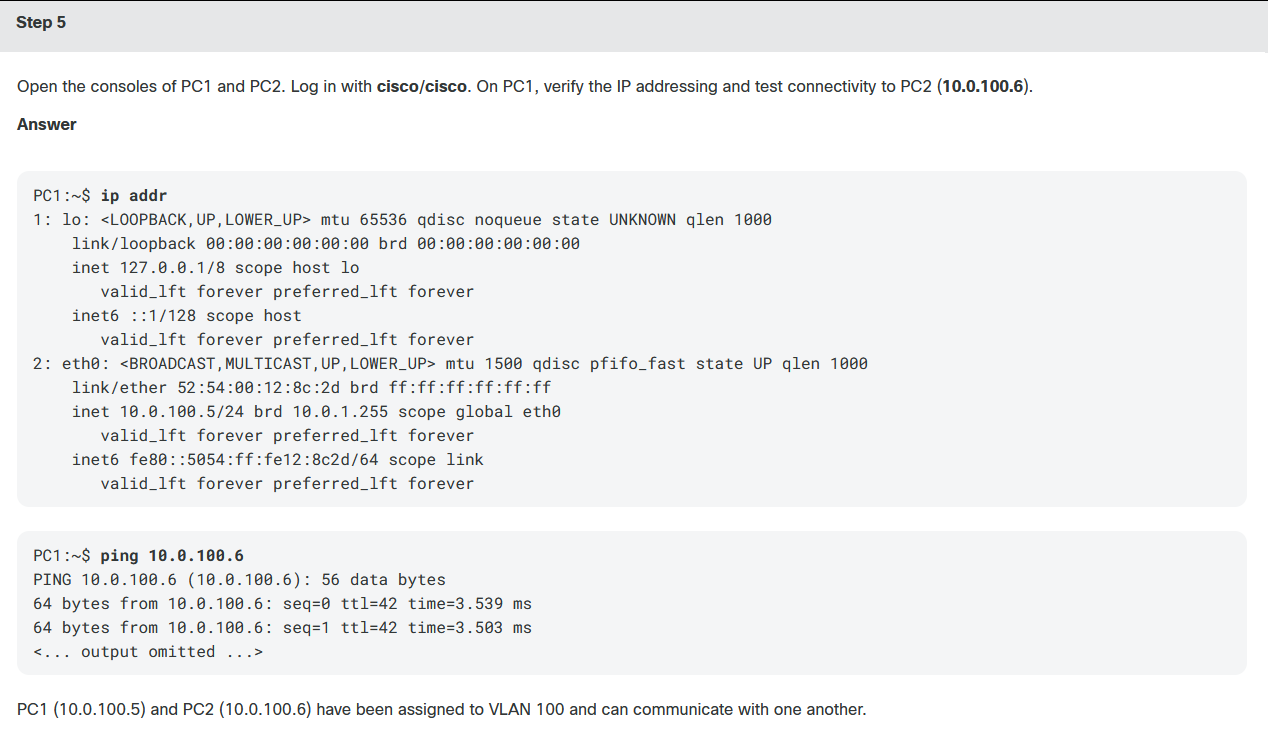
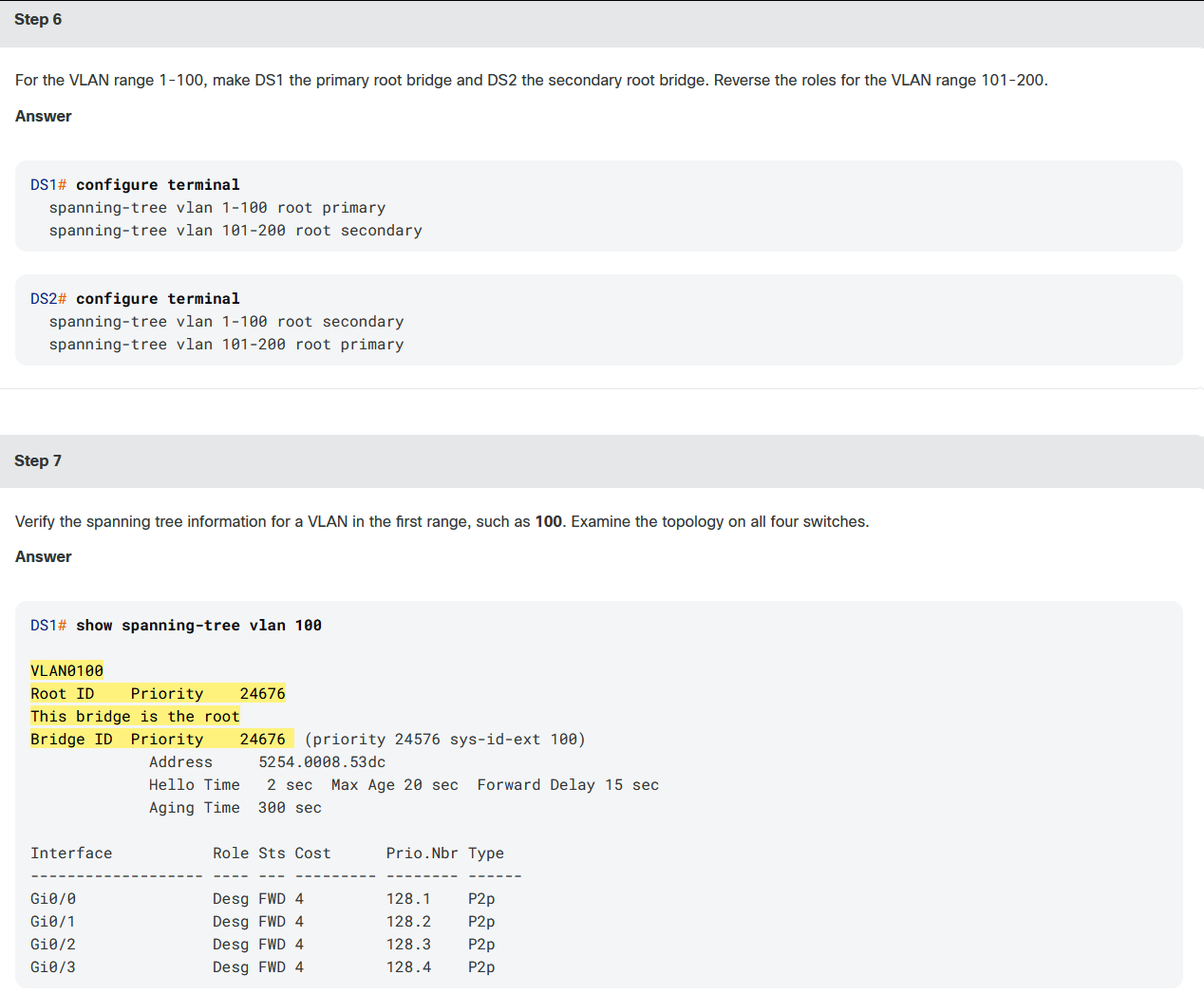
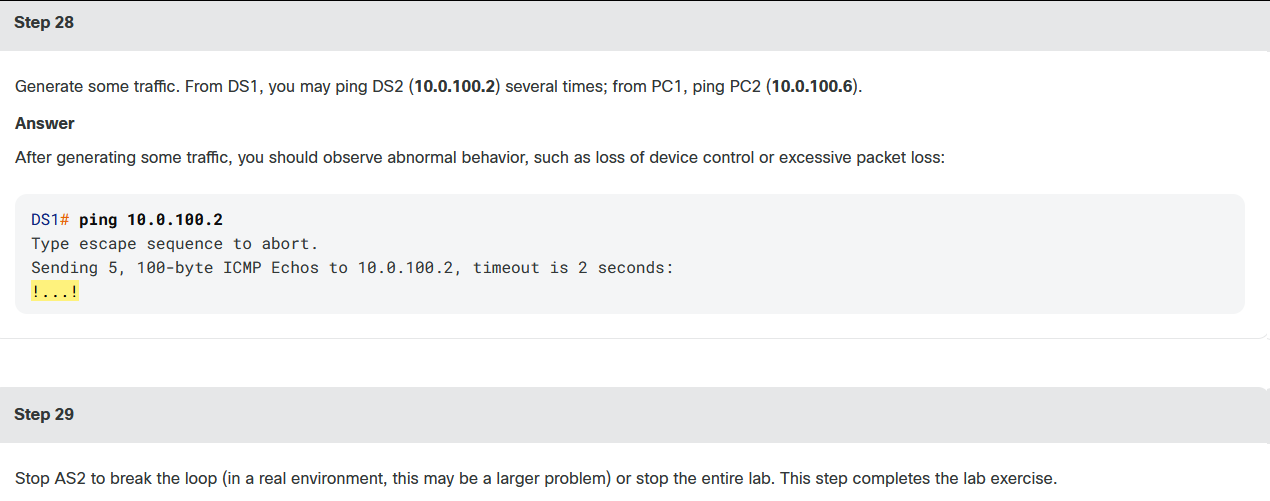
Next, you will divide the VLANs into two ranges: 1-100 and 101-200. For the first range, DS1 should be the primary root bridge and DS2 the secondary root bridge. Reverse the roles for the second range. You do not need to modify the priorities on the access switches.
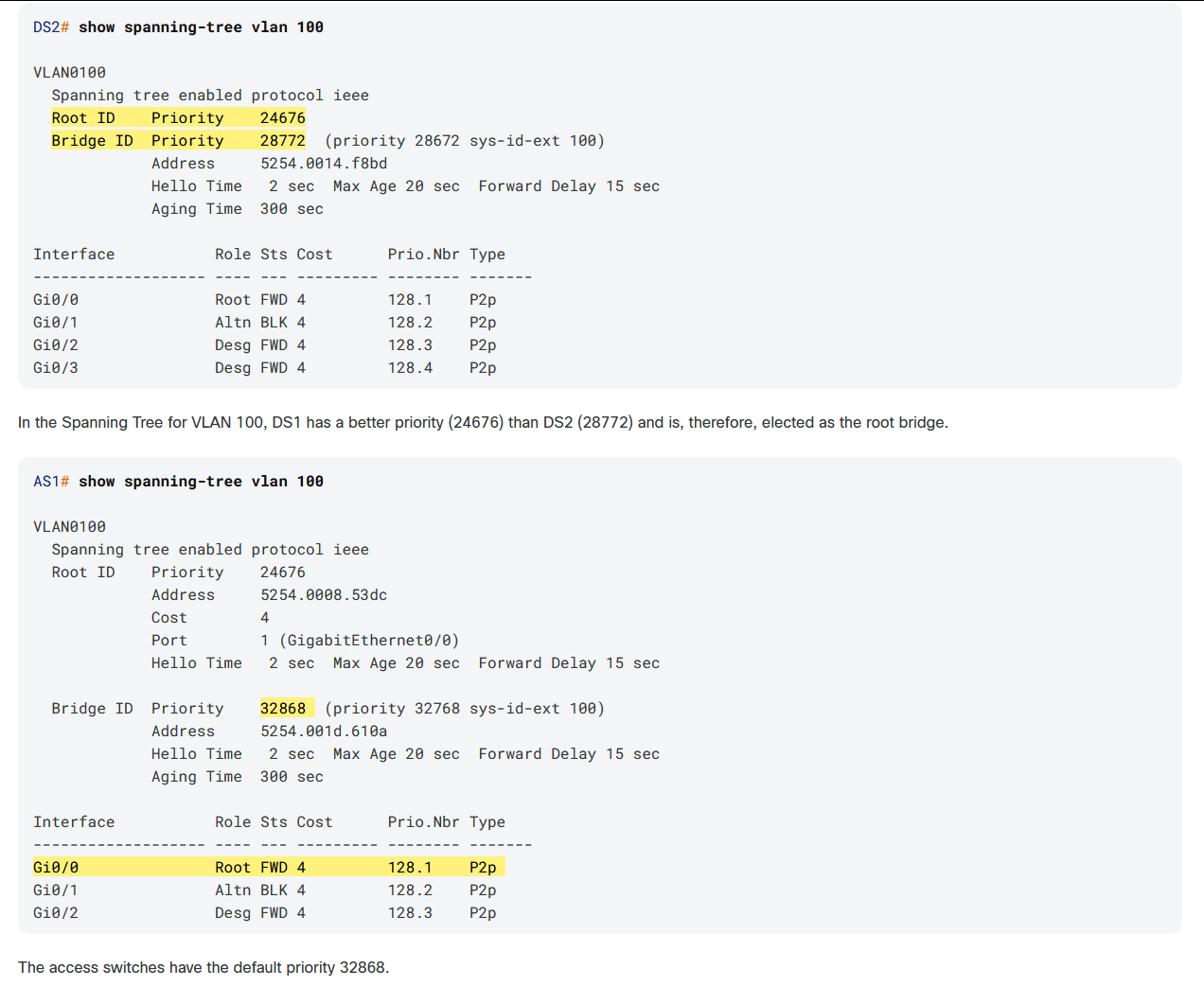
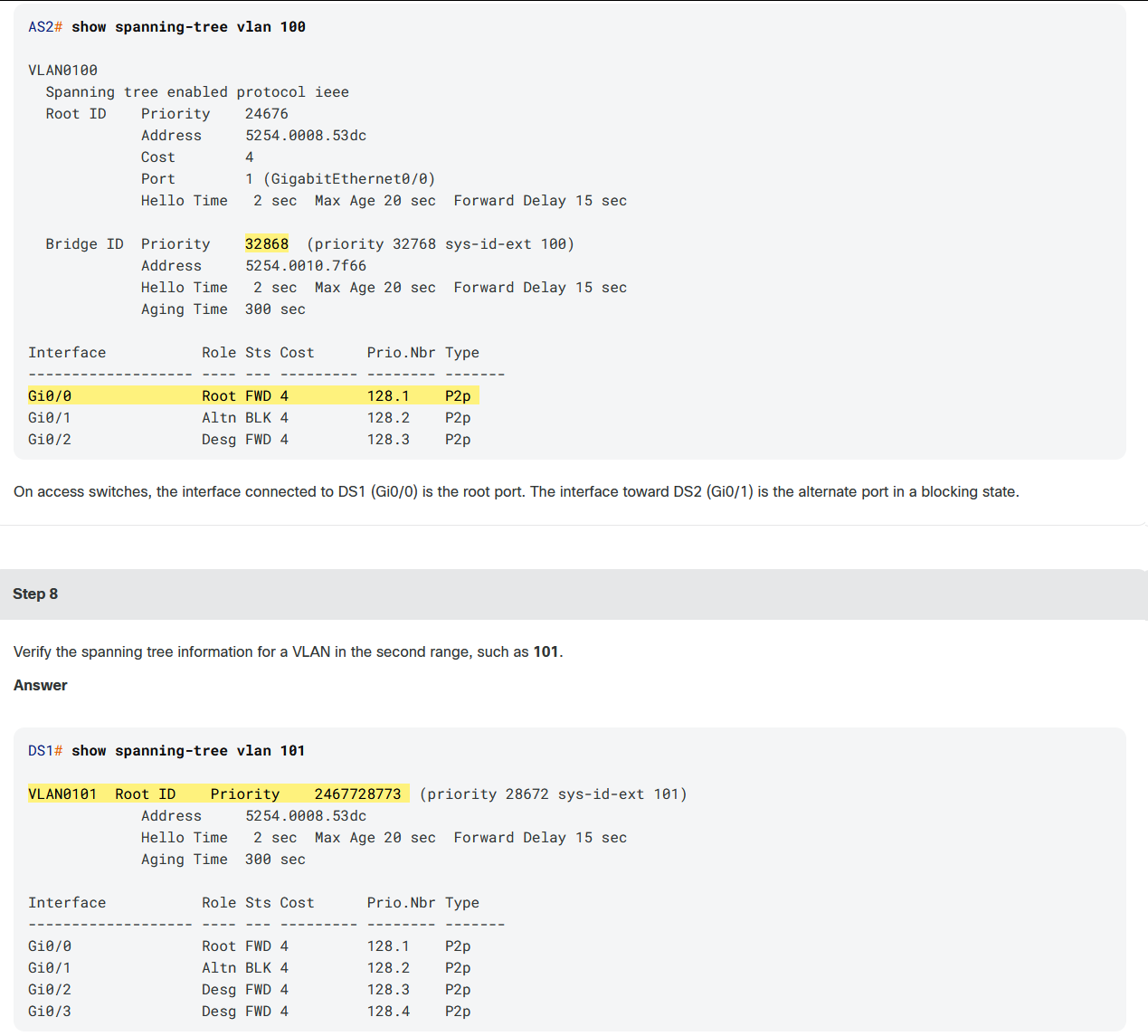
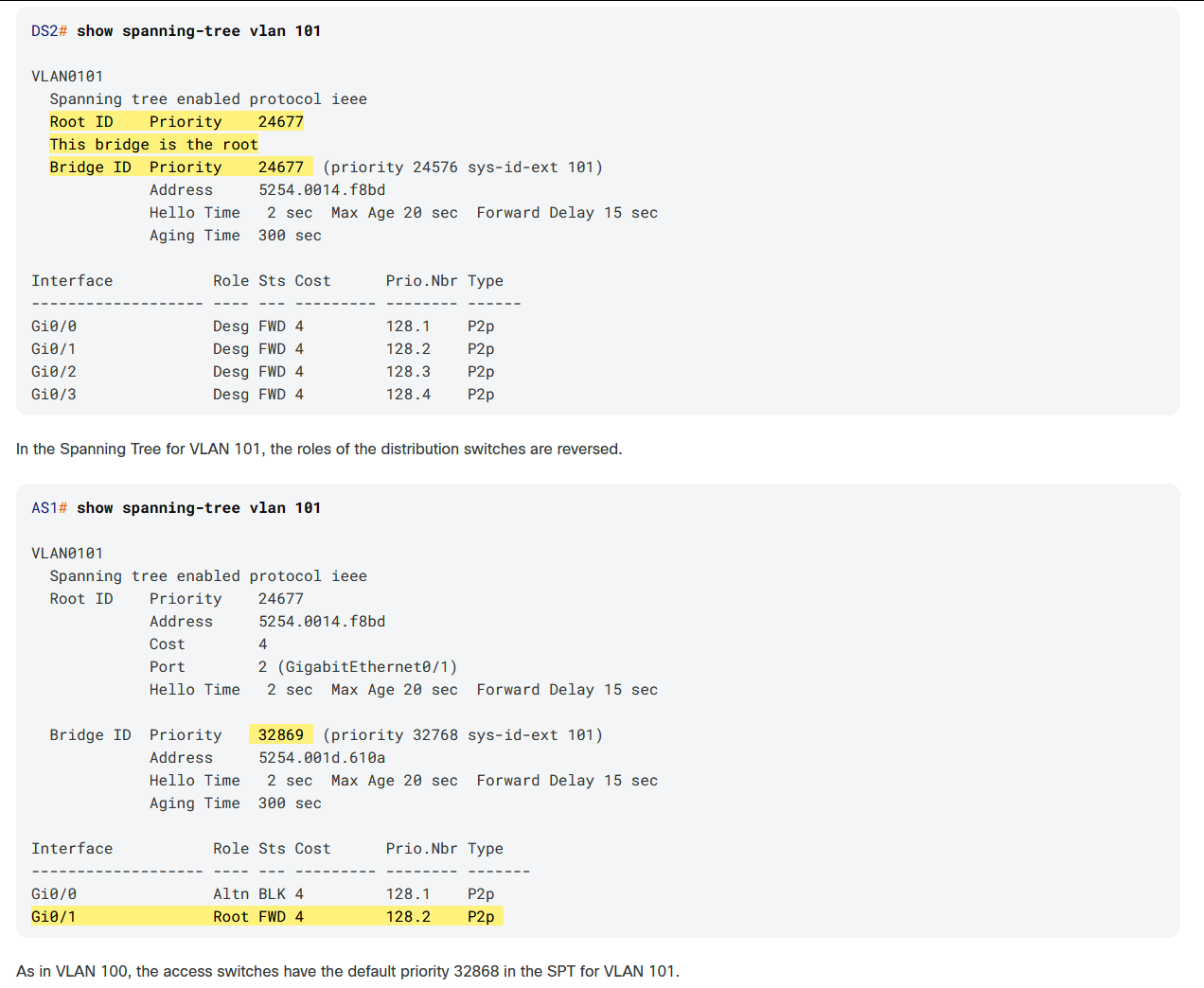
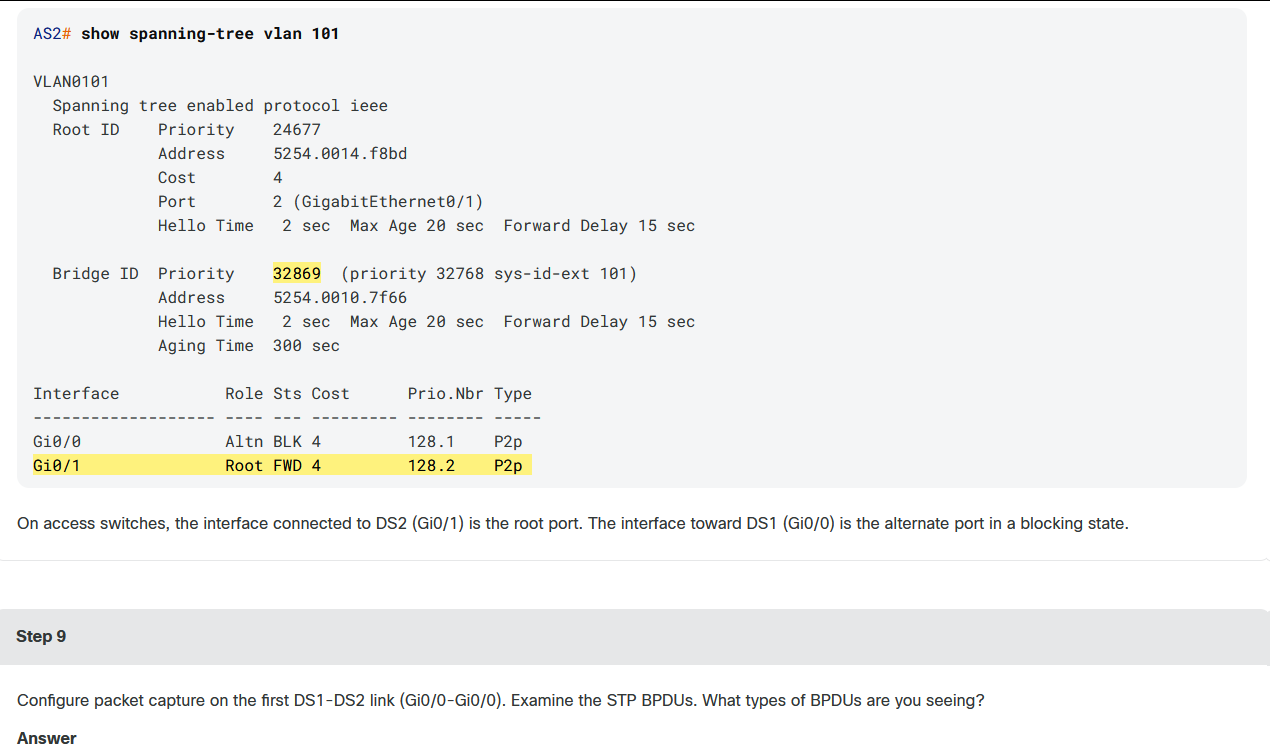
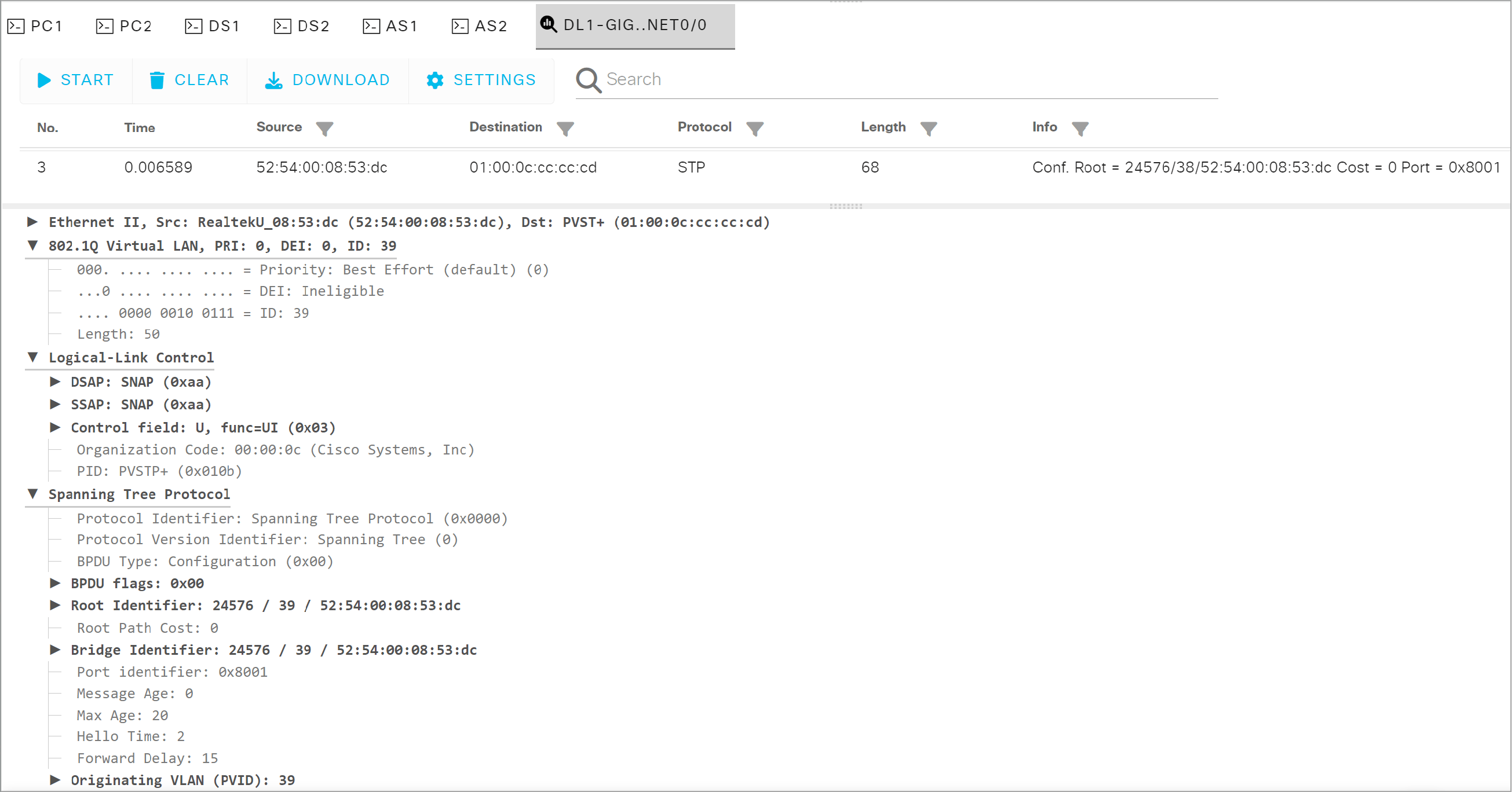
Each distribution switch sends BPDUs for each VLAN that it is serving as the root bridge. The BPDUs are sent across the respective VLANs. In this example capture, DS1 is sending a BPDU for VLAN 39, and the BPDU is encapsulated in VLAN 39. This is an expected PVST operation.
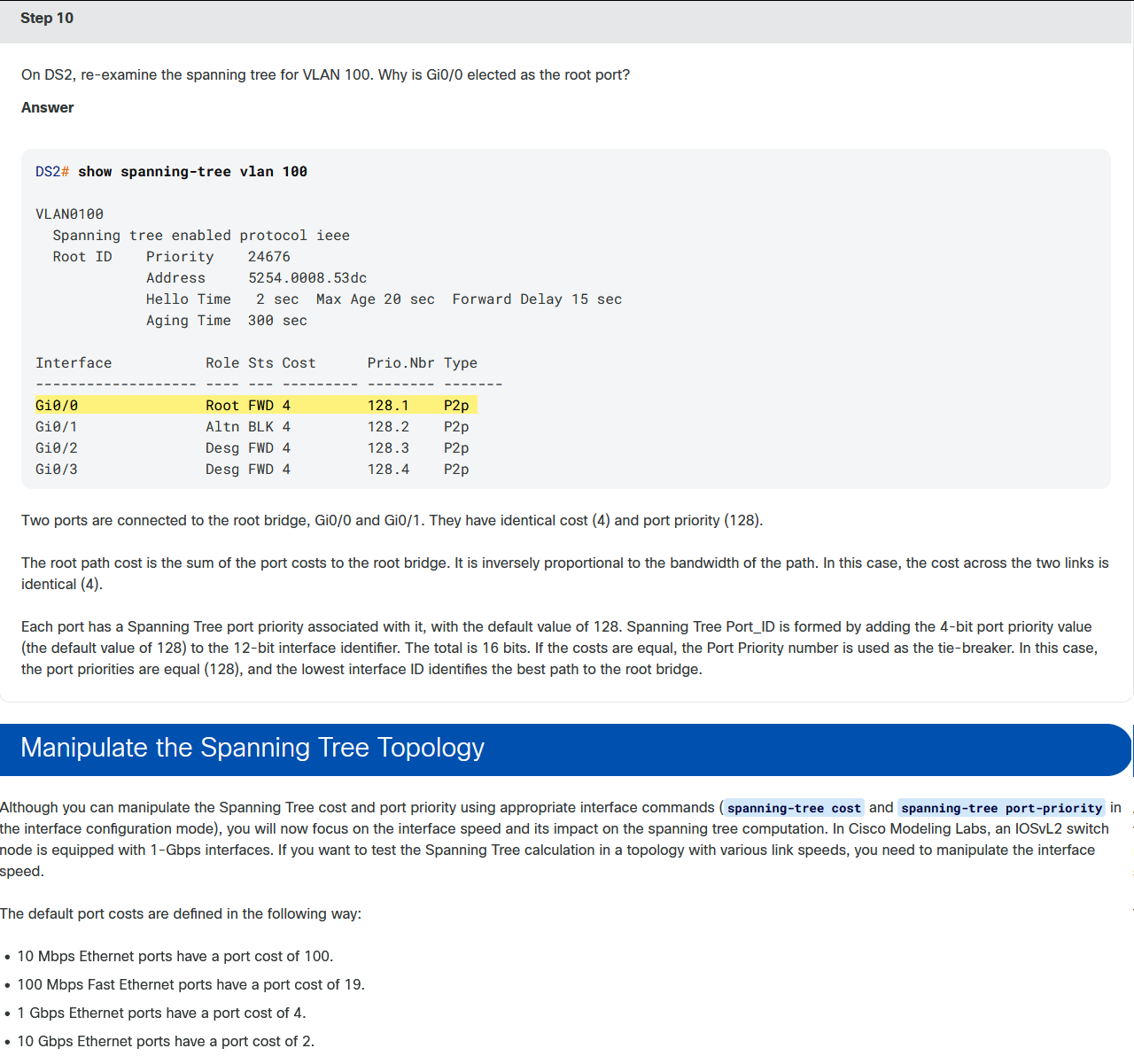
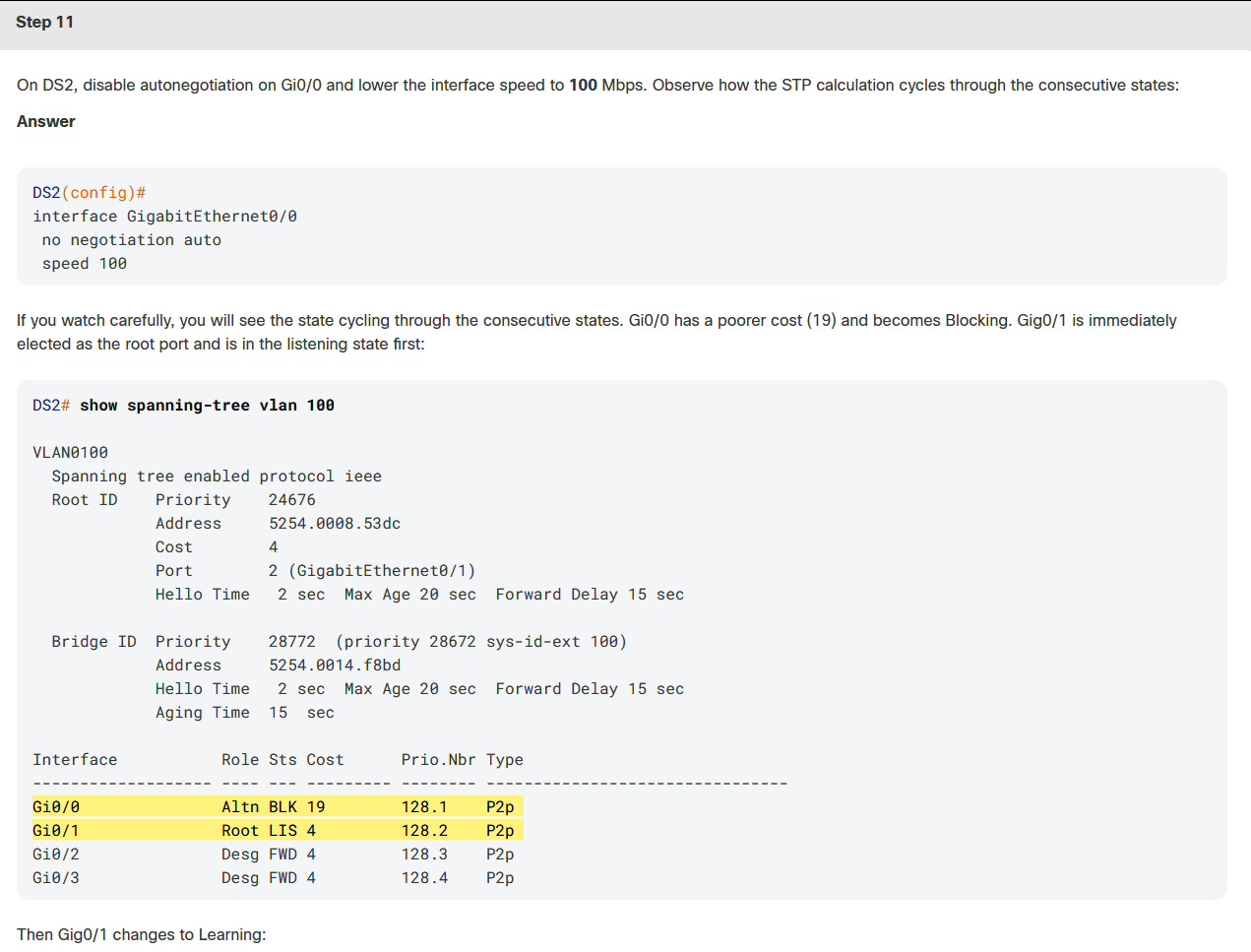
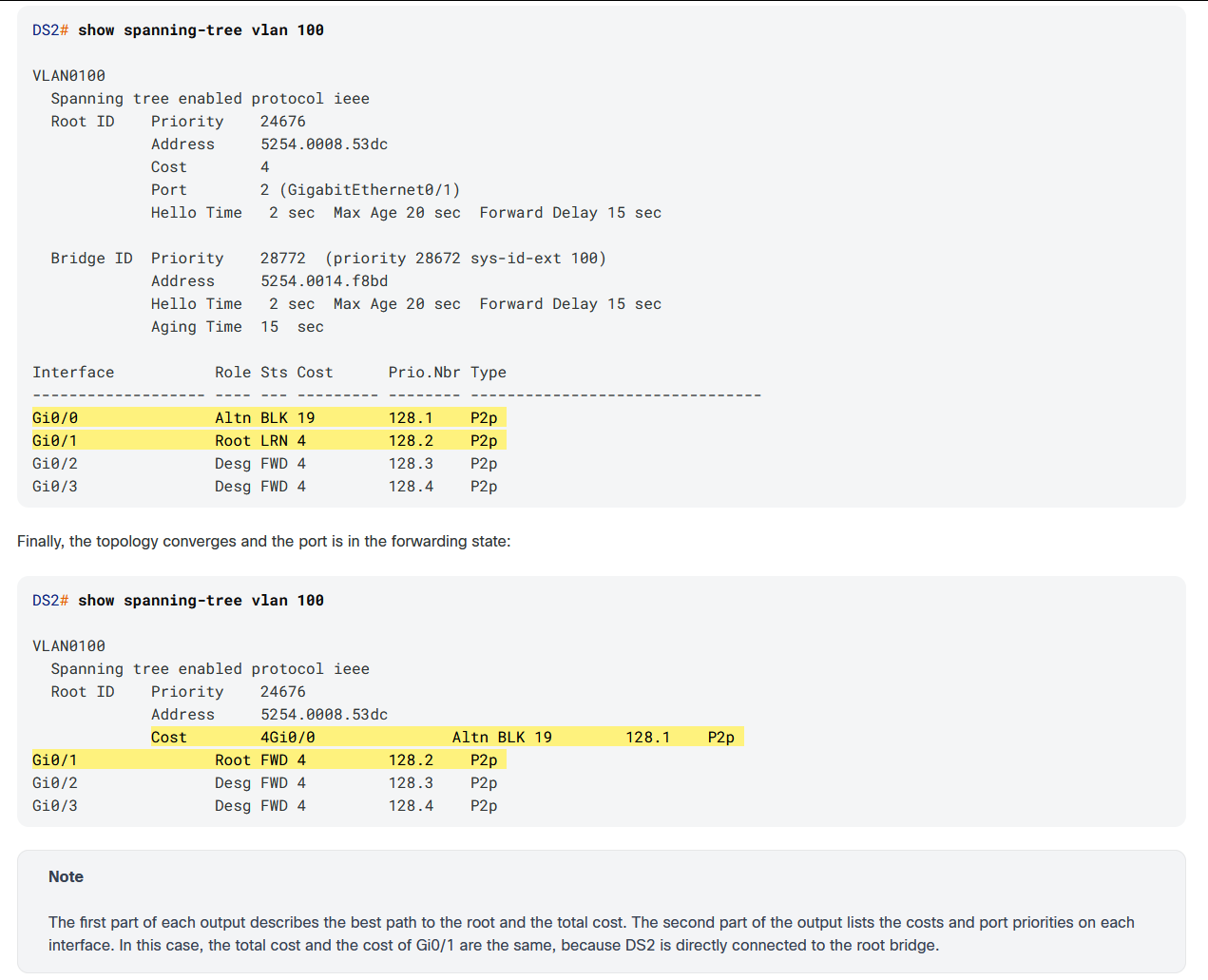
You have delved into details on how STP eliminates redundant links but your task is to optimize the network. What is the easiest way for using both parallel links between the distribution switches? A port channel.
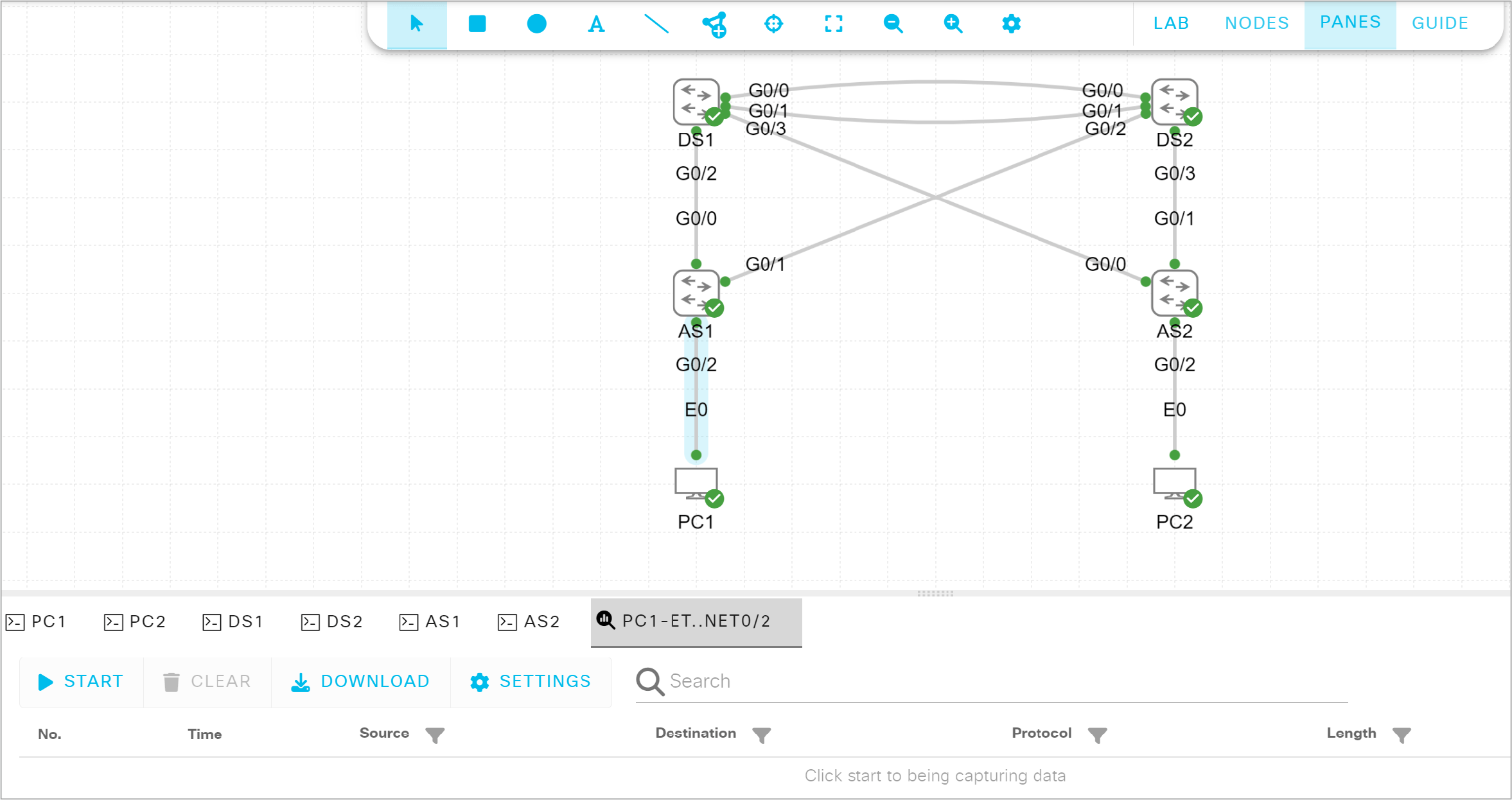
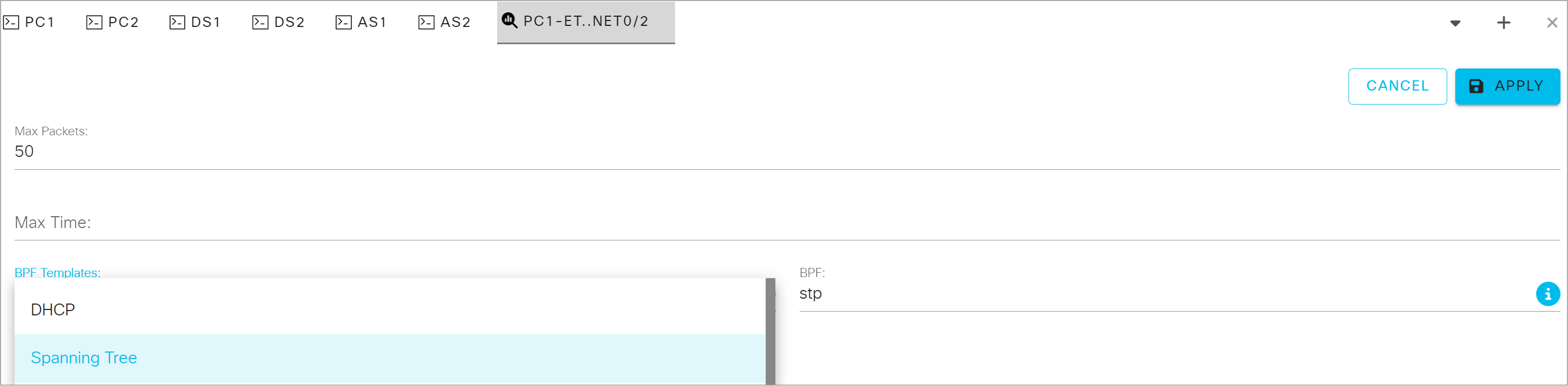
From the BPF Templates, choose Spanning Tree and click Apply.
Start the capture and examine an intercepted BPDU.
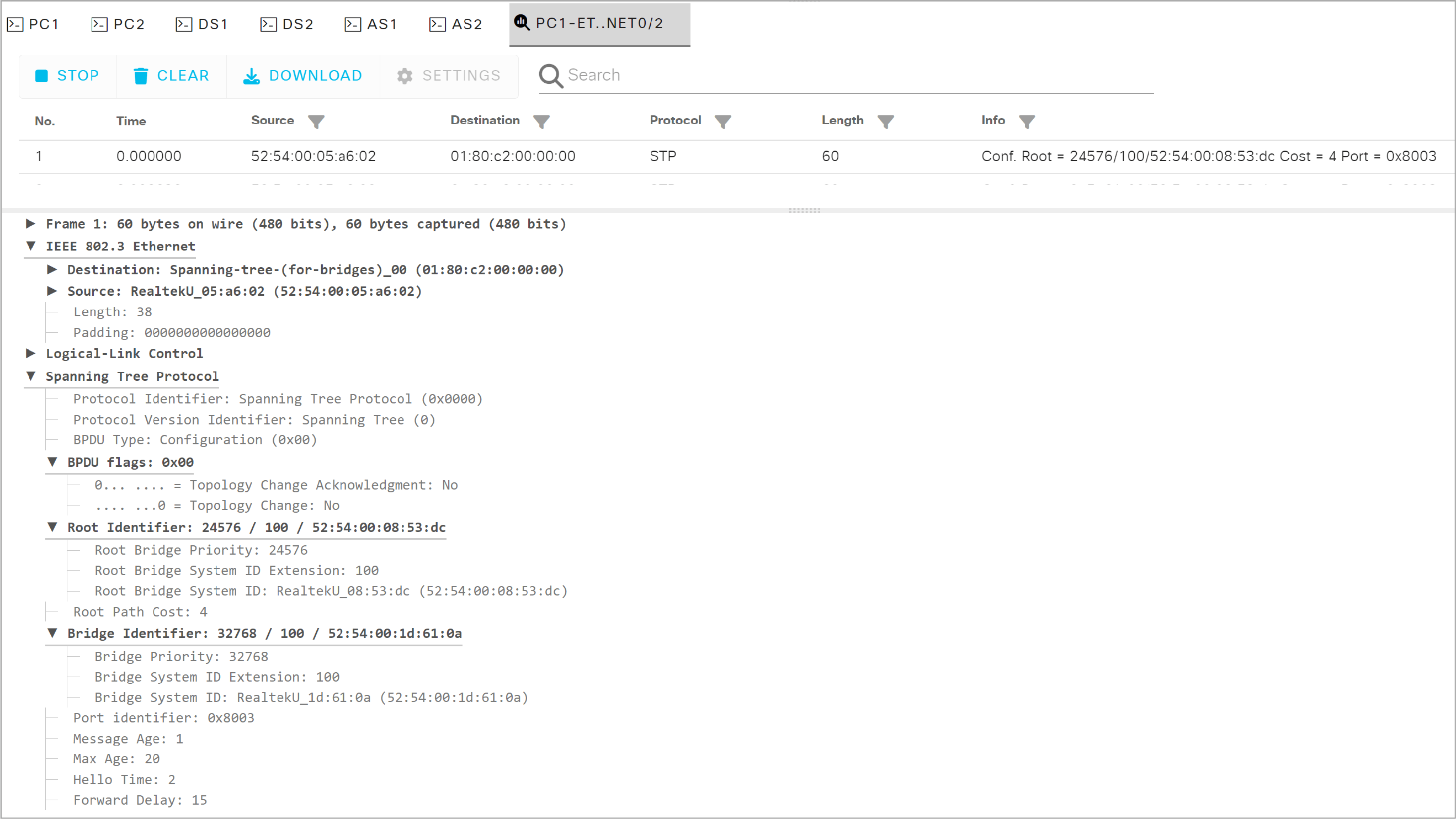
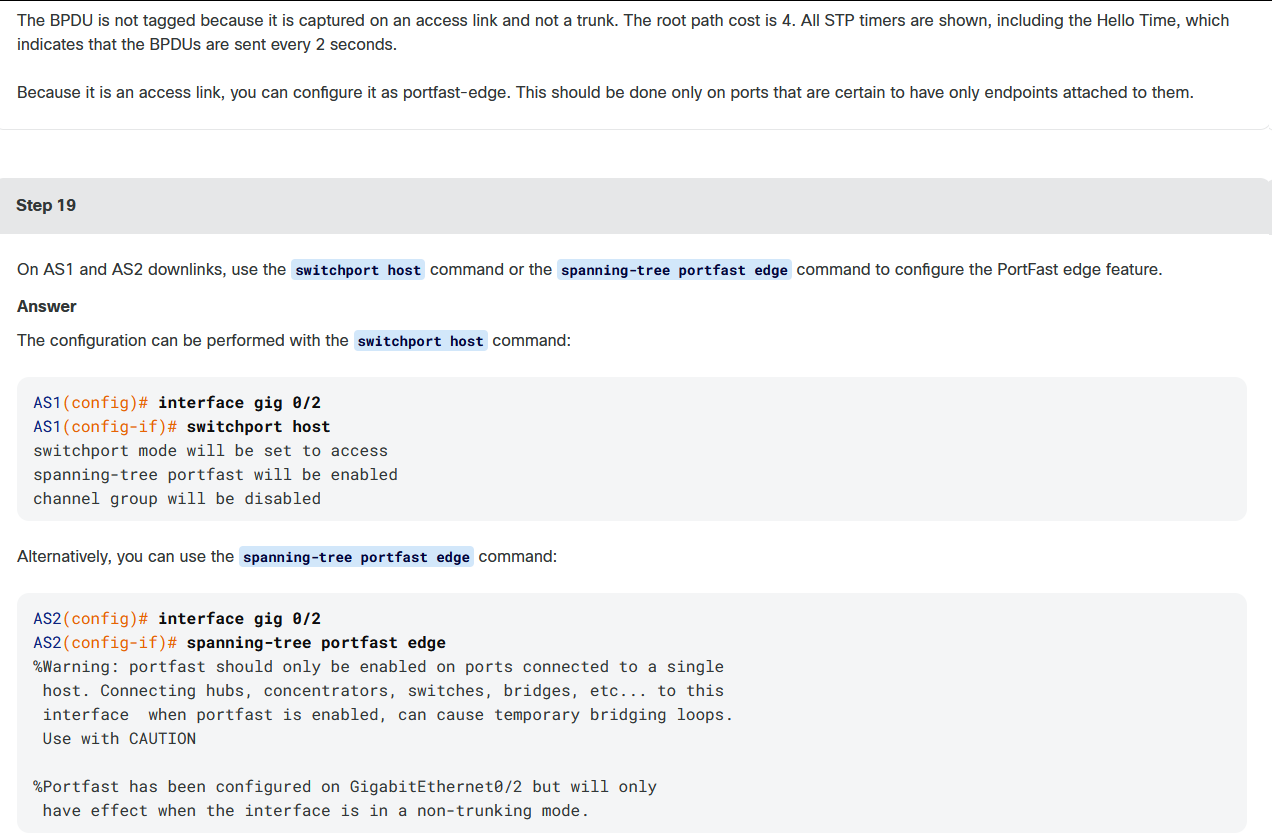
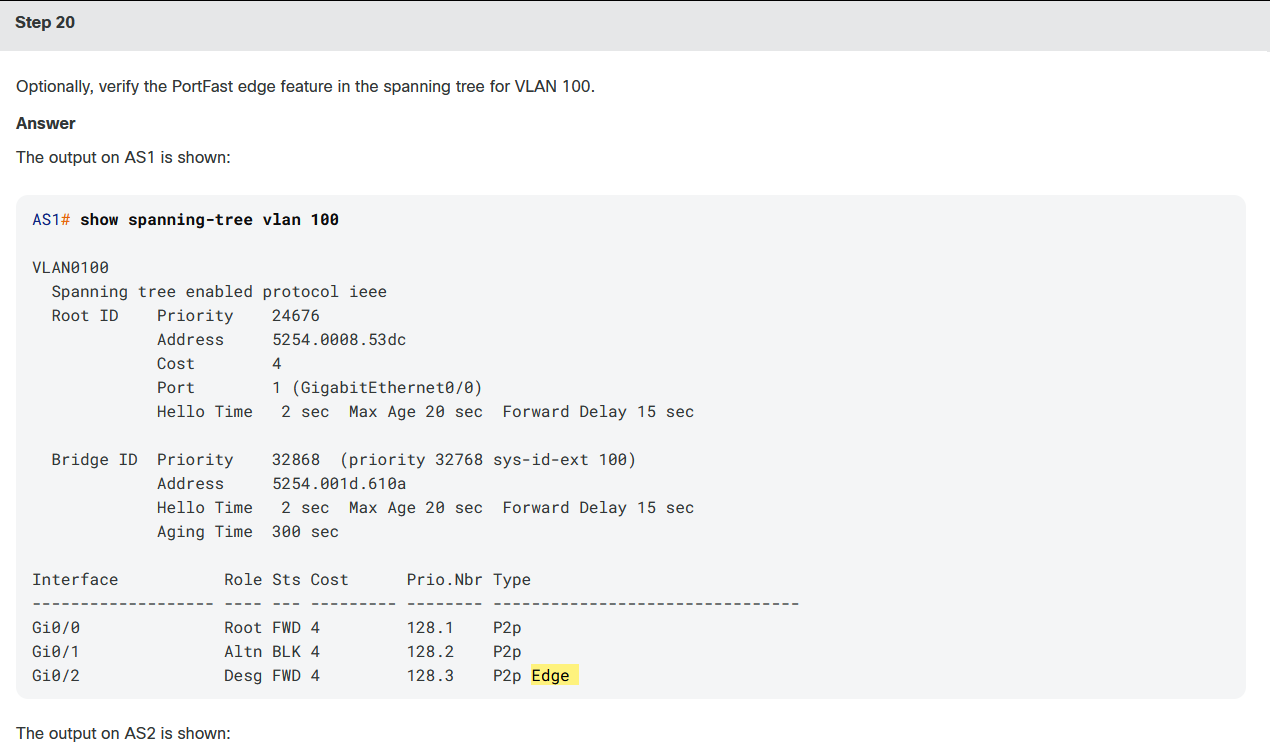
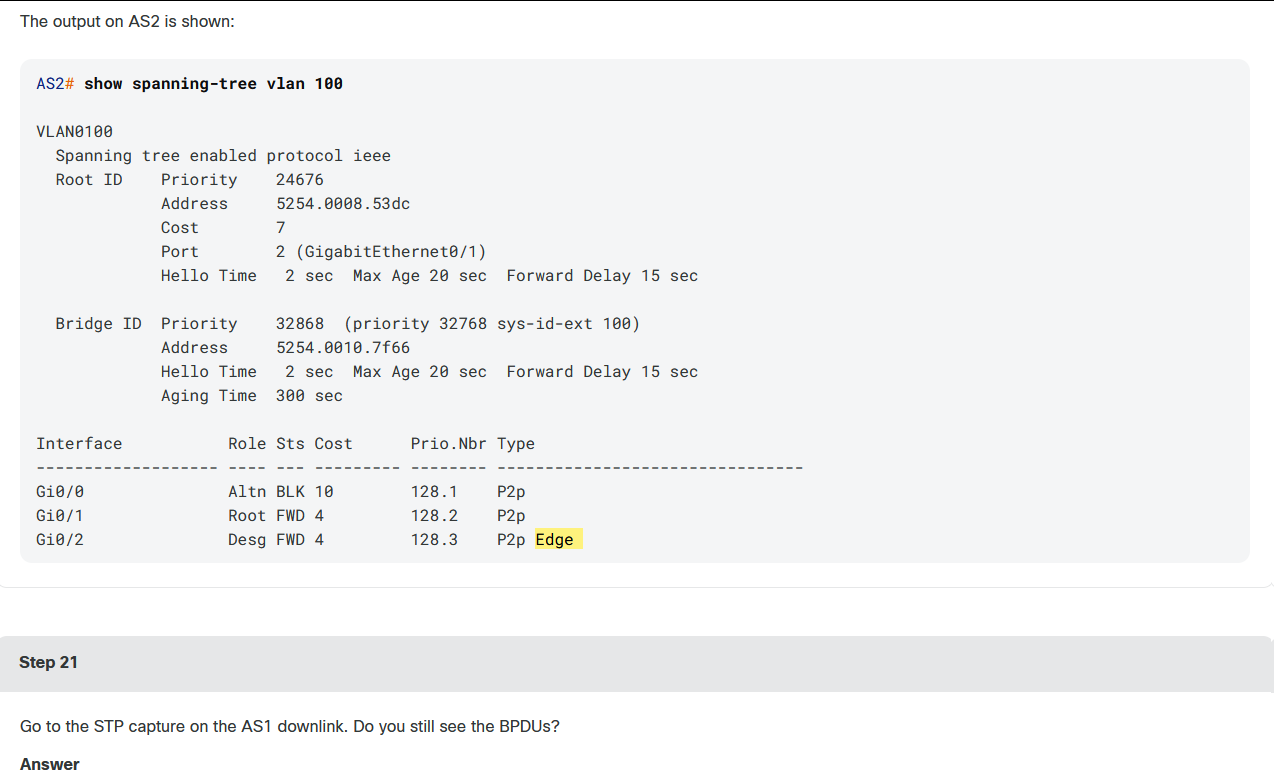
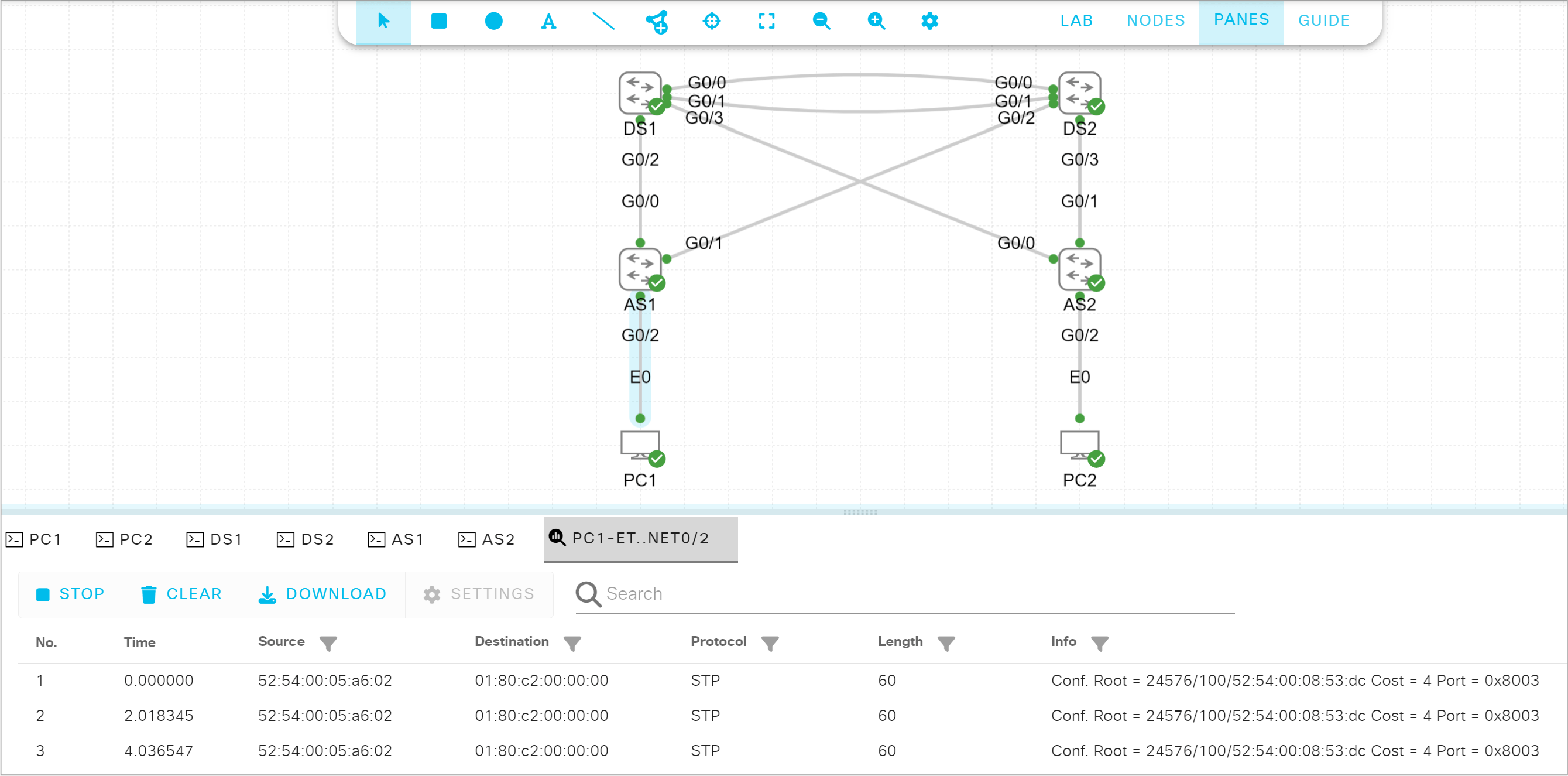
The BPDUs are still being sent. The PortFast edge feature does not disable them. An edge port directly transitions to the forwarding state, and skips the listening and learning stages. However, when a BPDU is received, the interface immediately loses its edge port status and becomes a normal spanning-tree port.
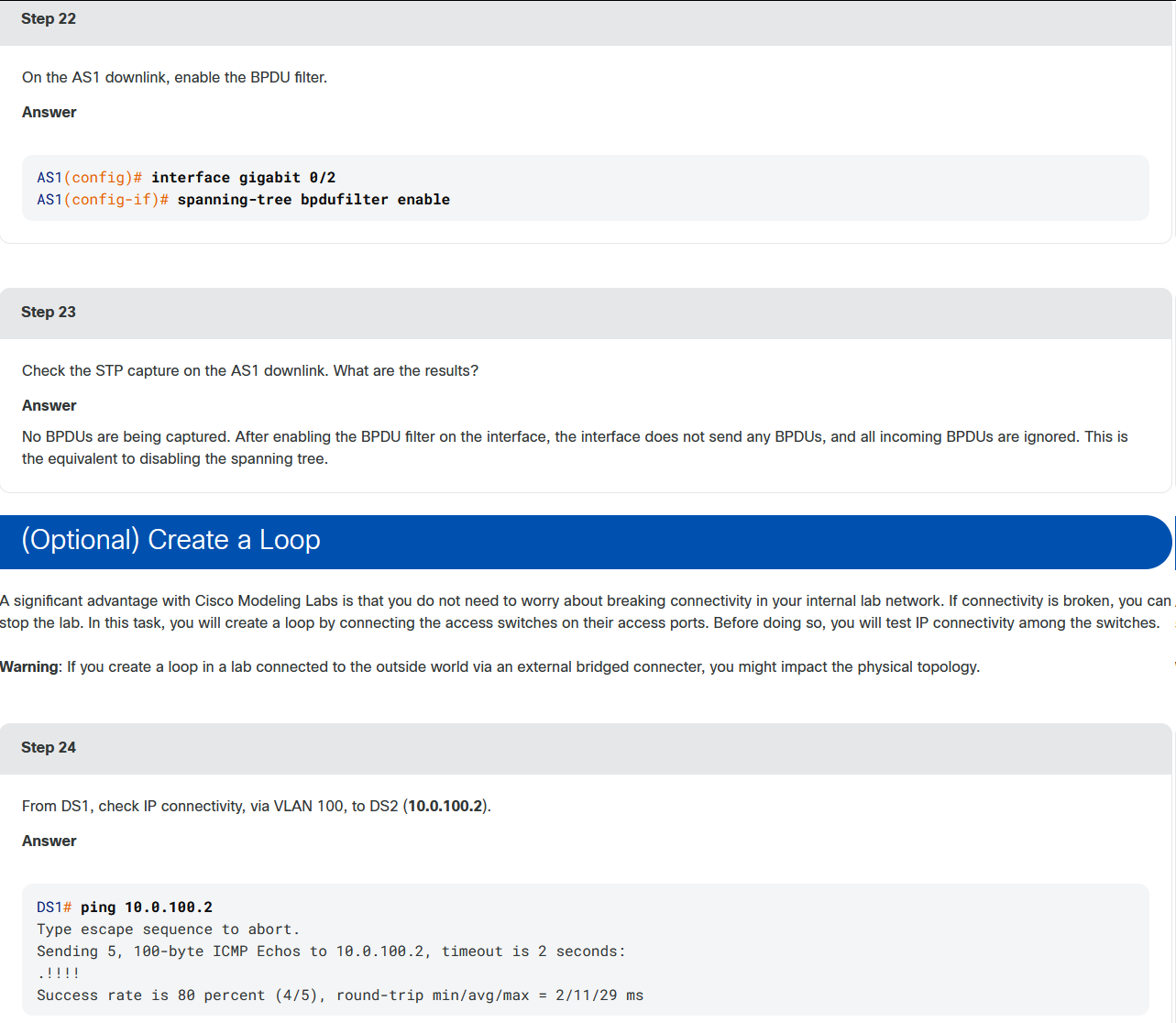

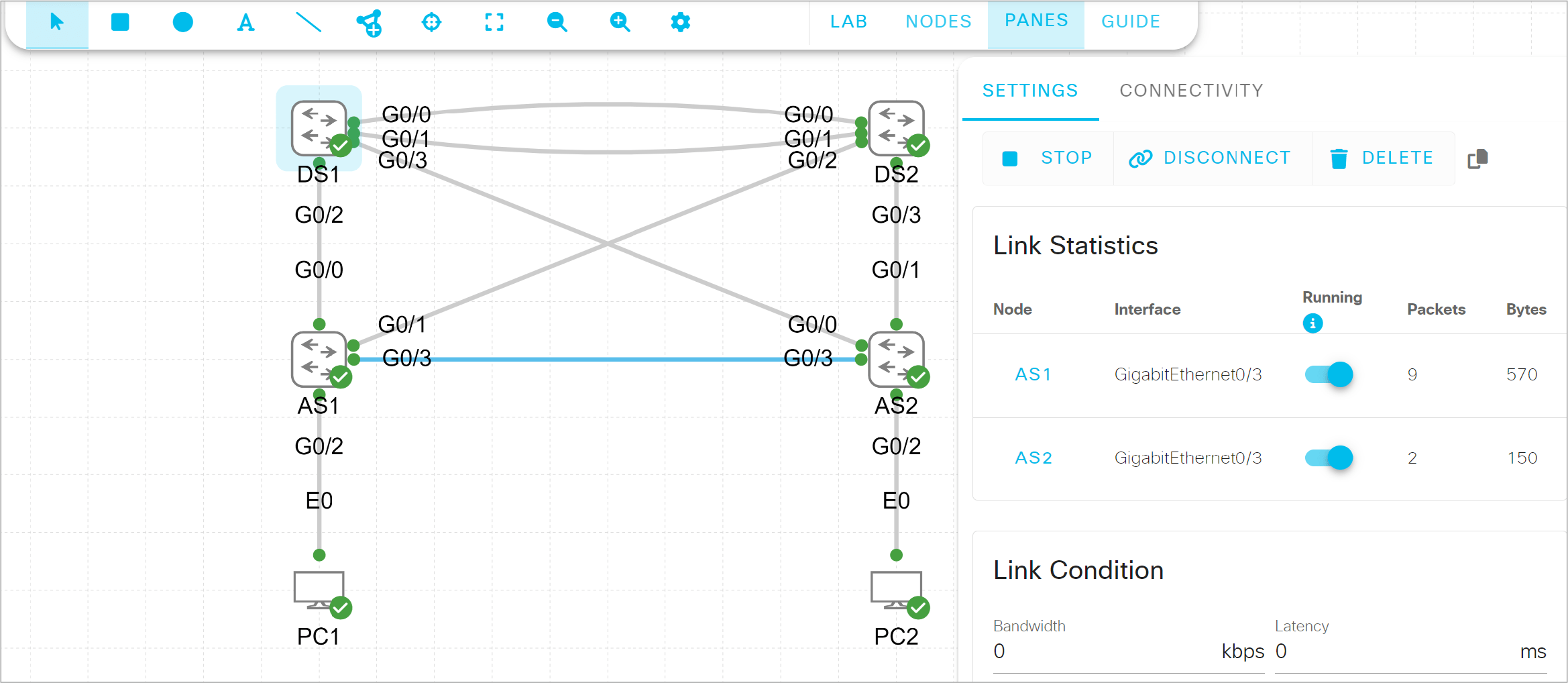
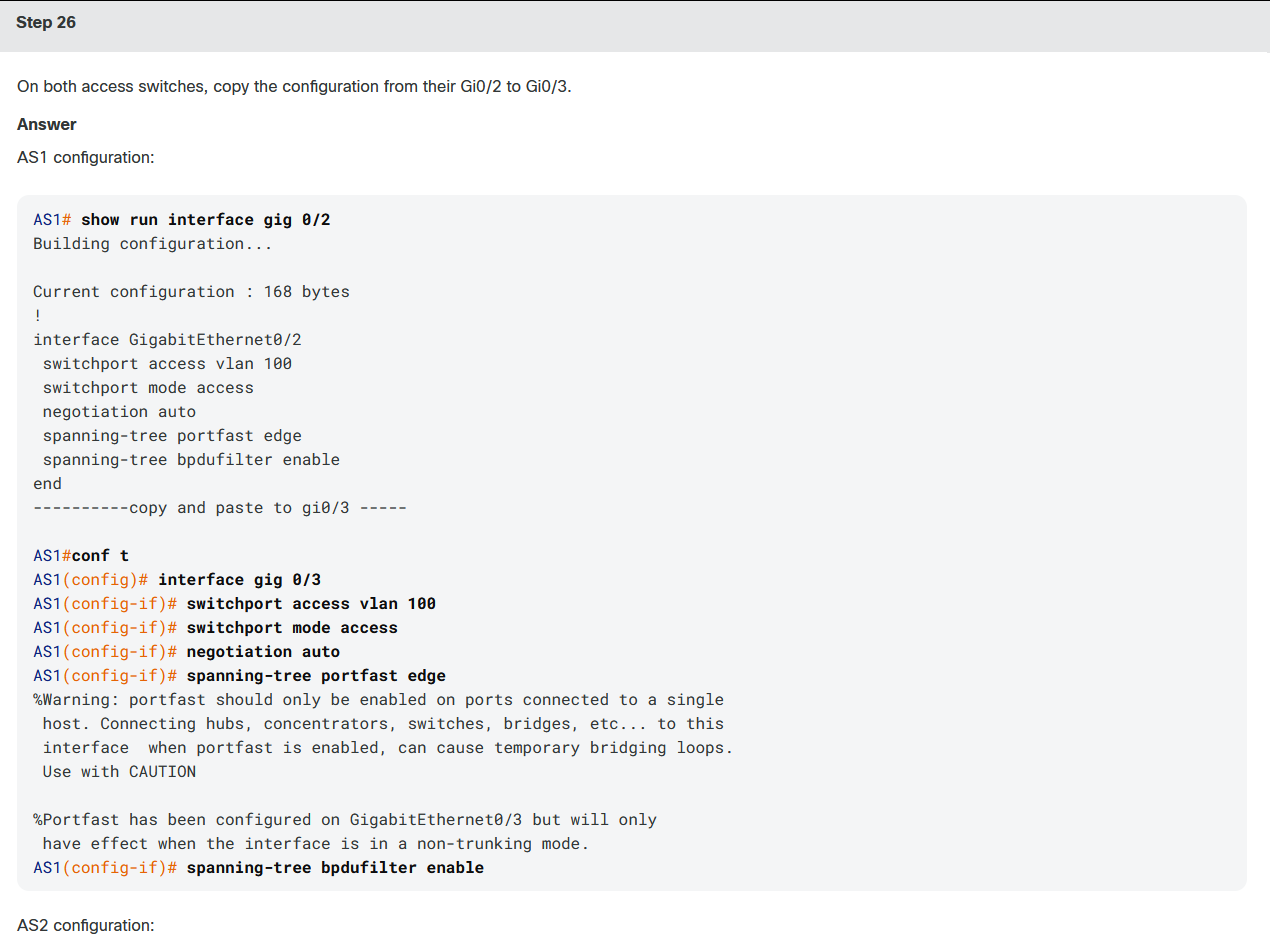
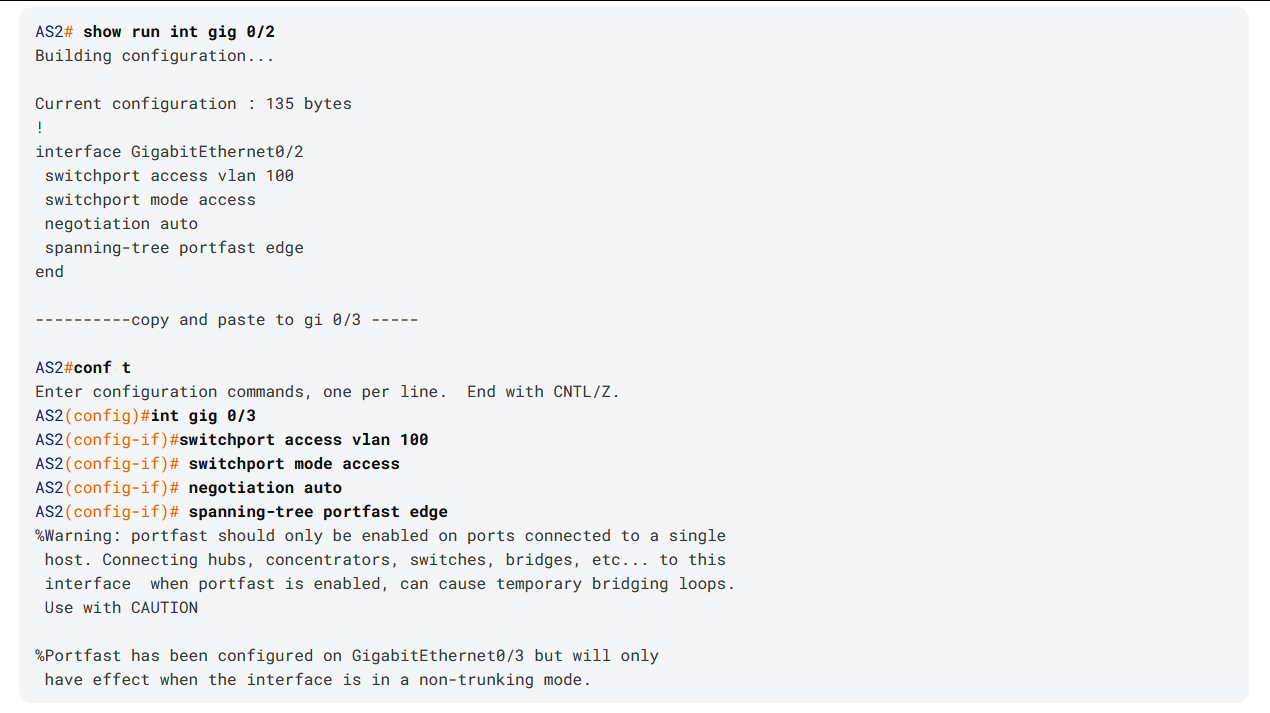
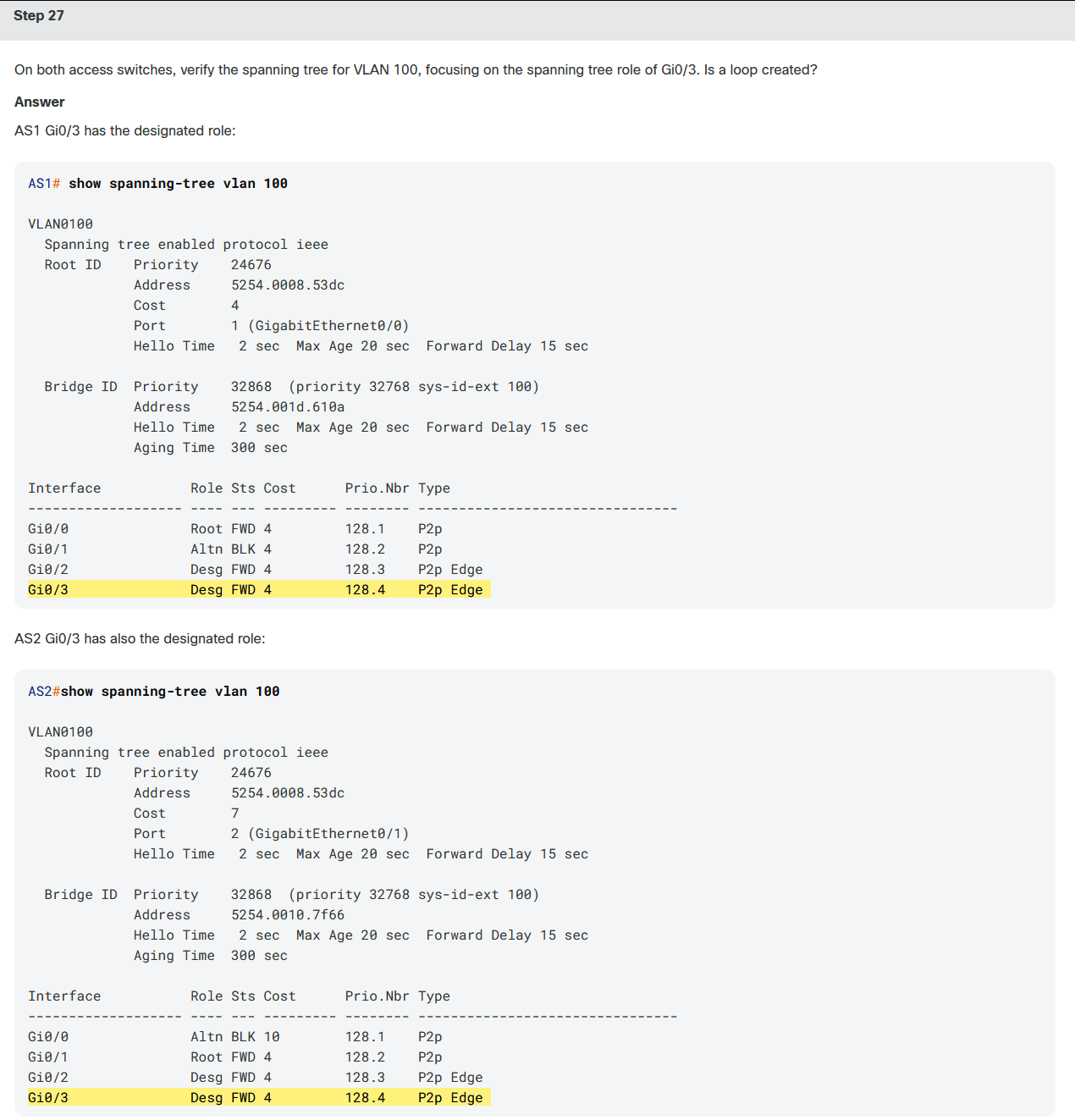
You cannot disconnect the endpoints and reconnect the ports quickly, without stopping the nodes. That is why you are using an additional interface. You will have to copy the interface configuration.
课堂实验3:
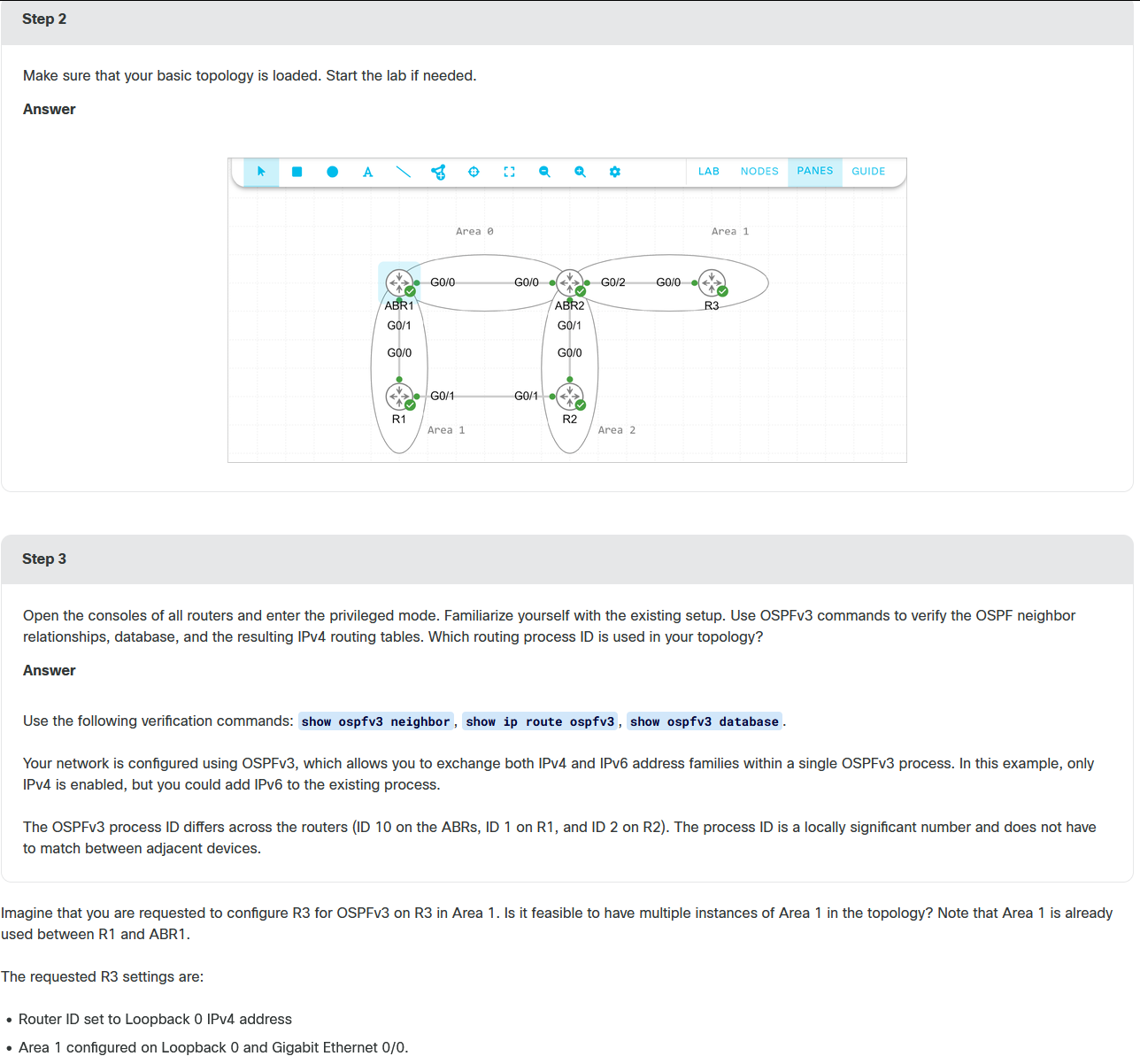
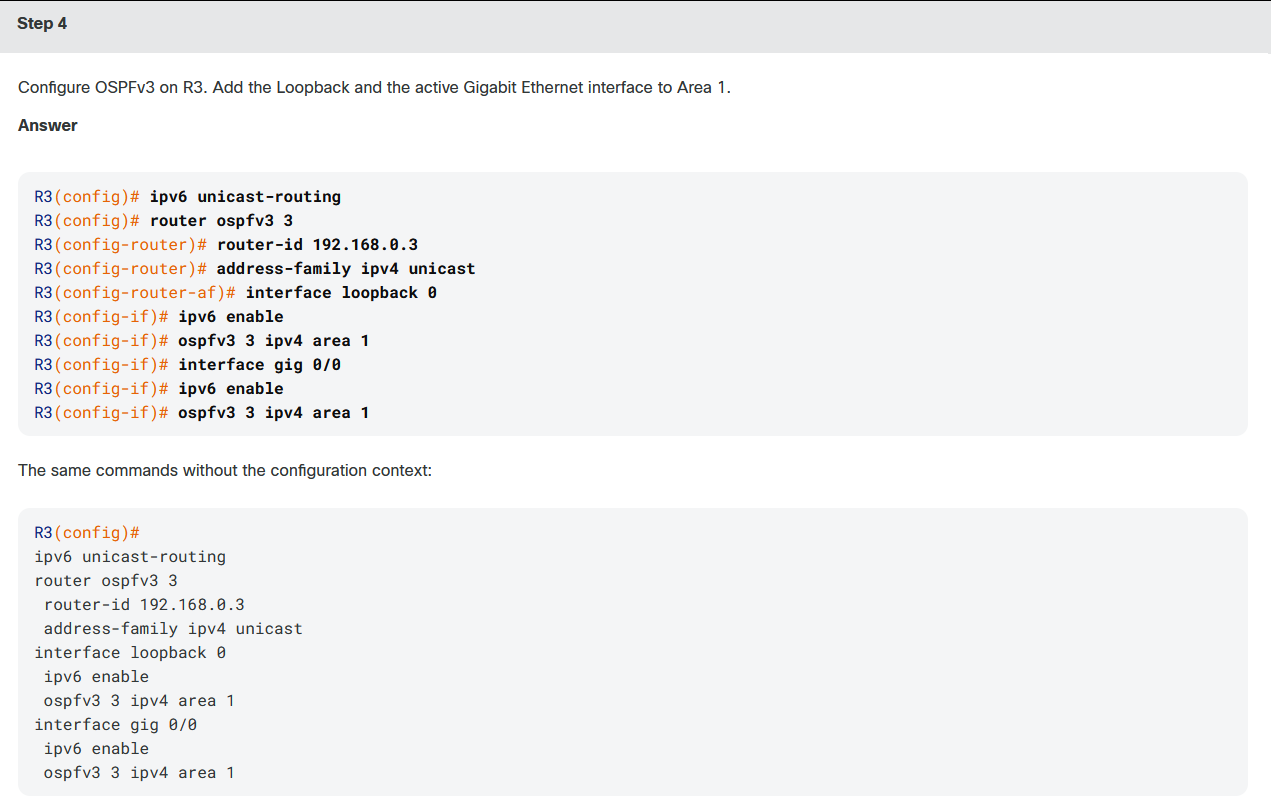
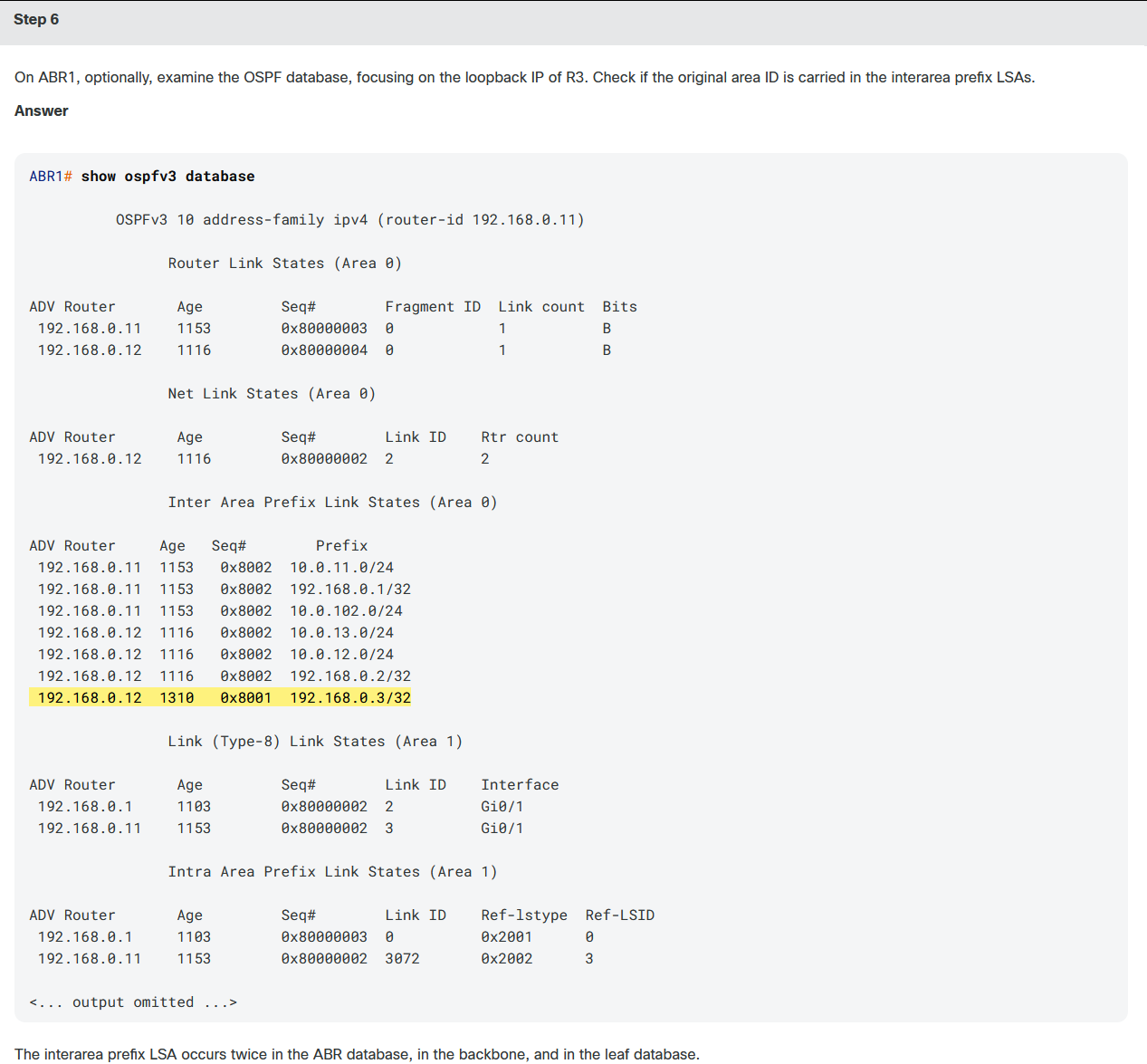
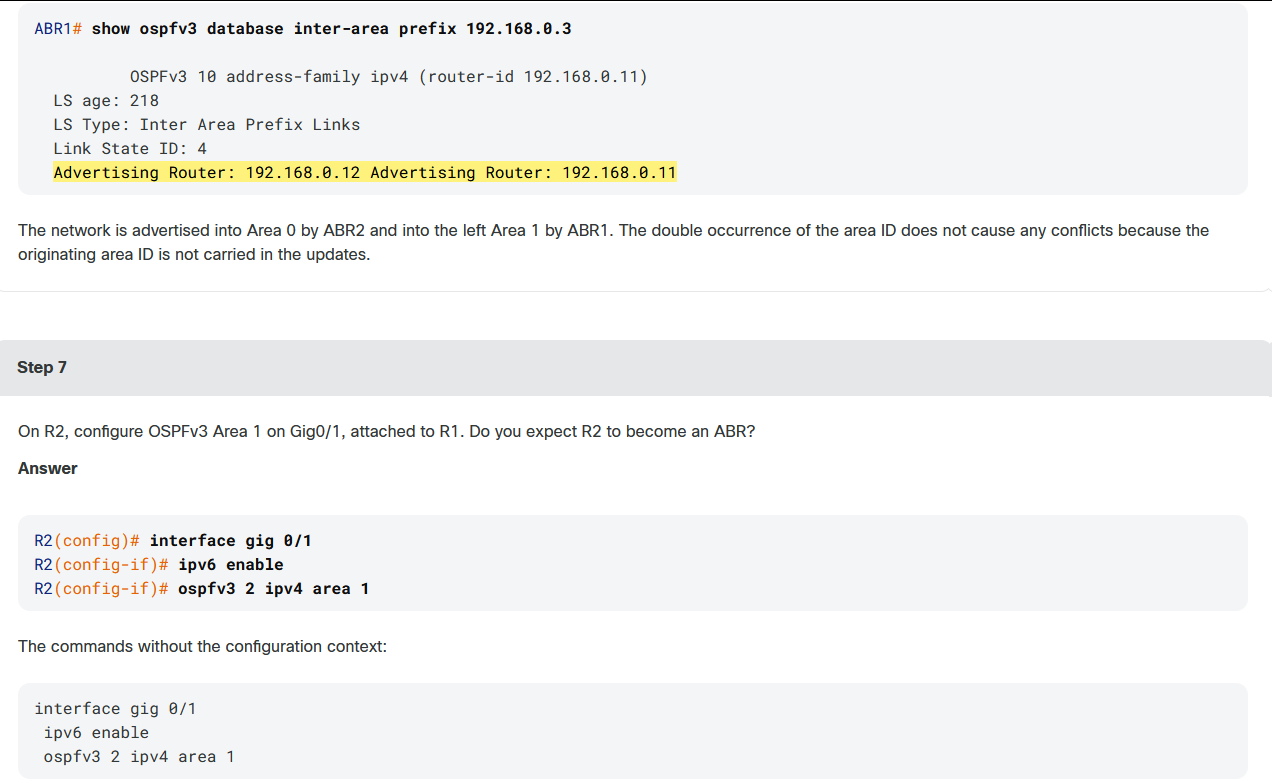
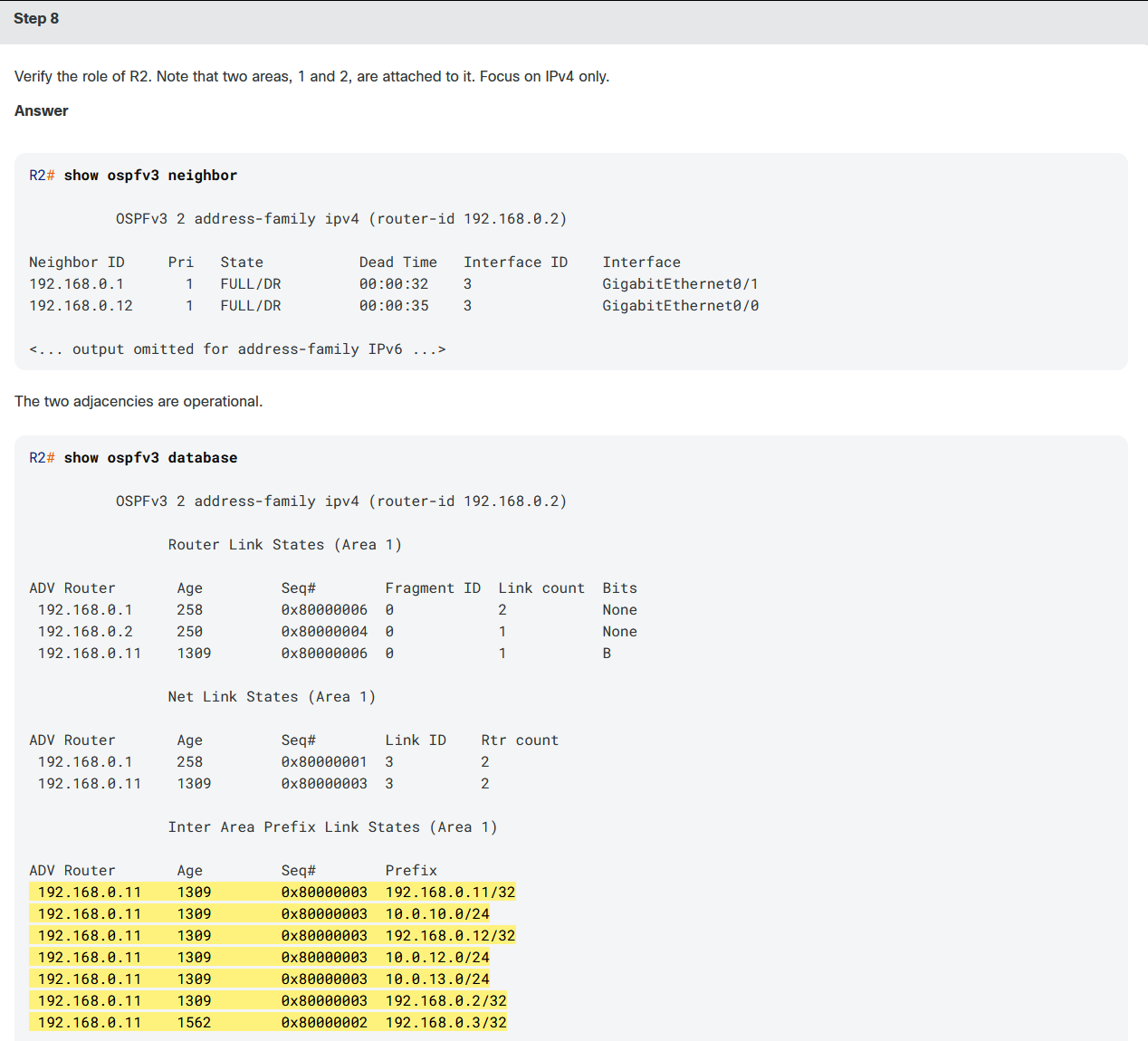
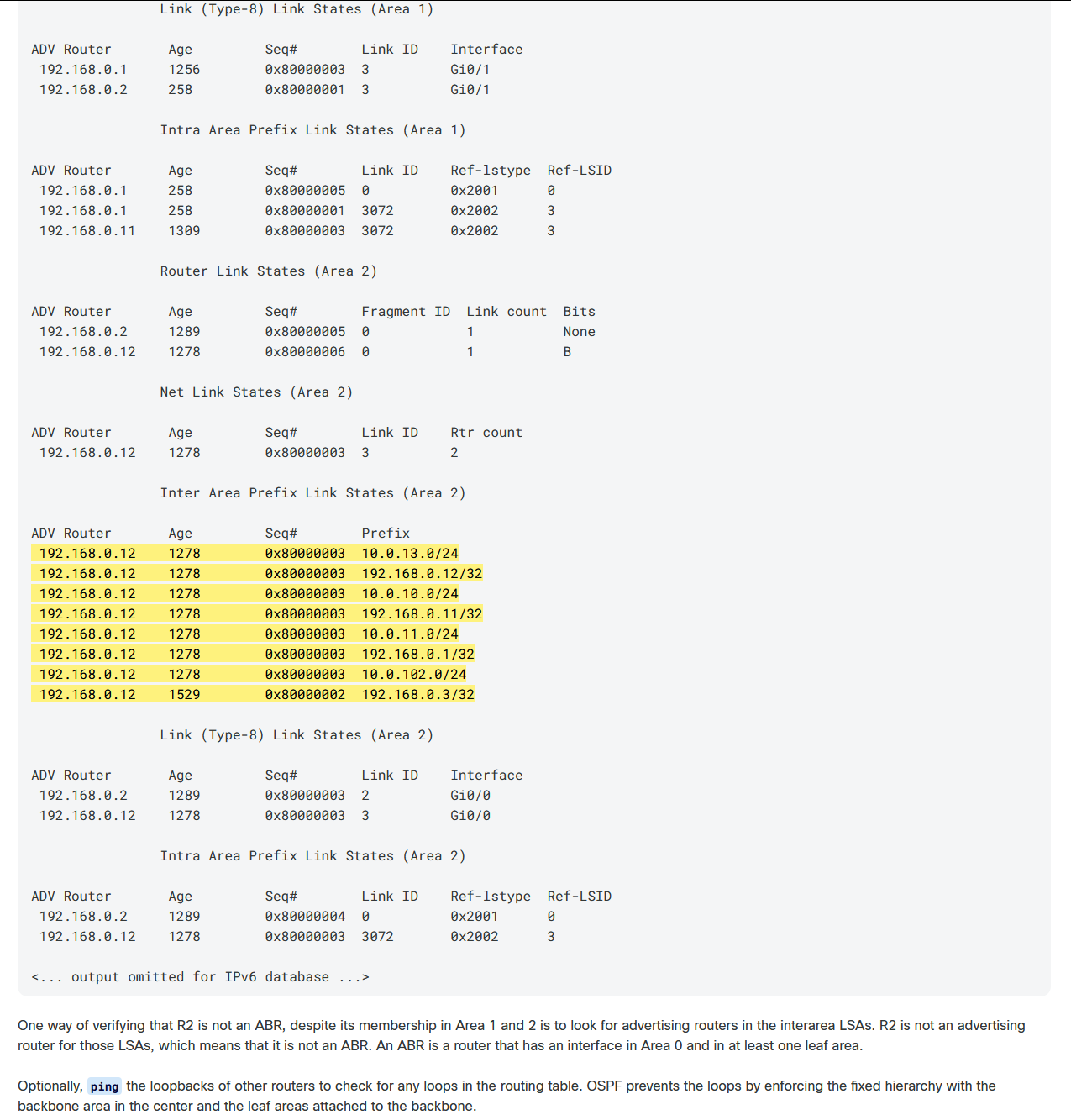
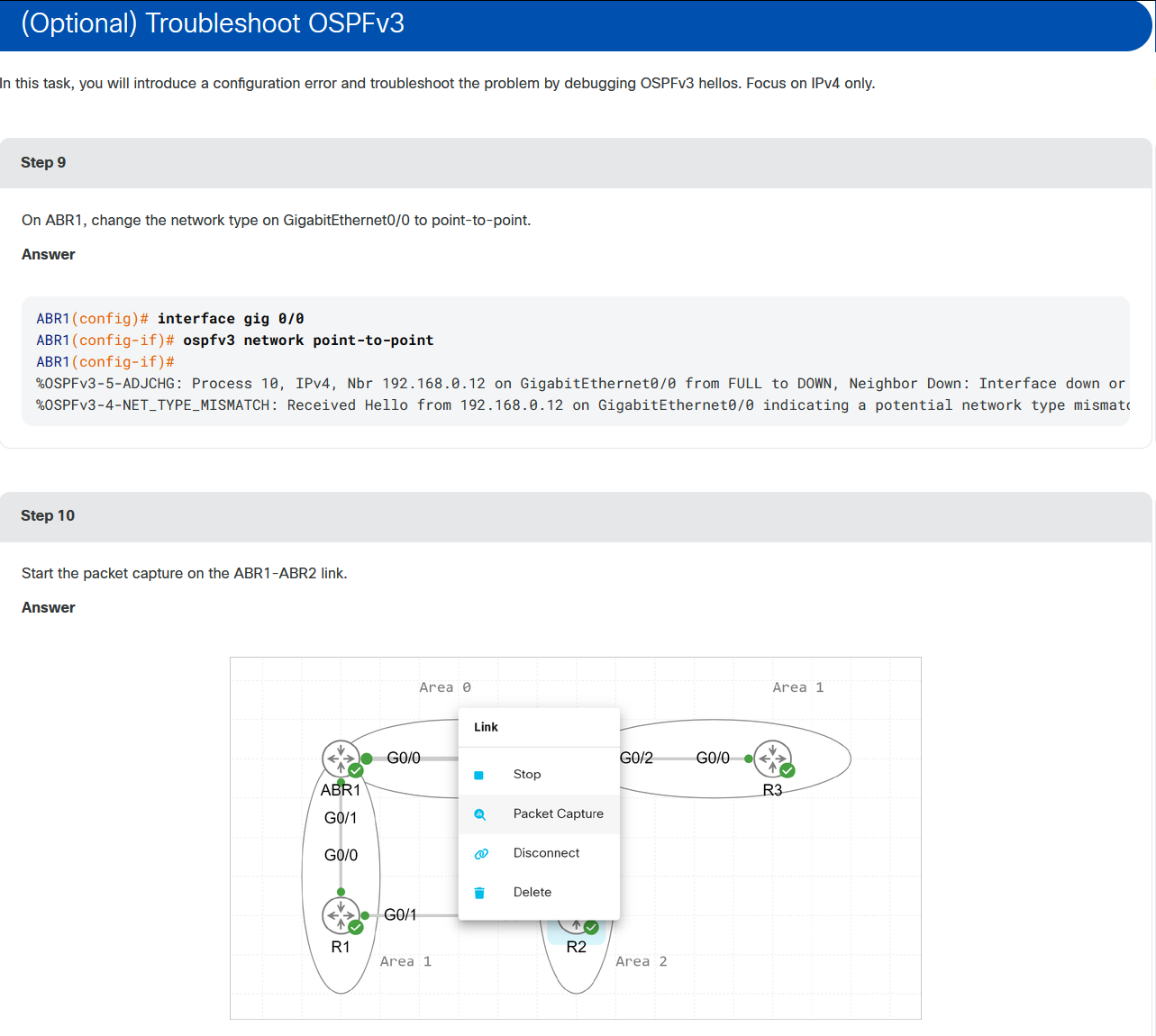
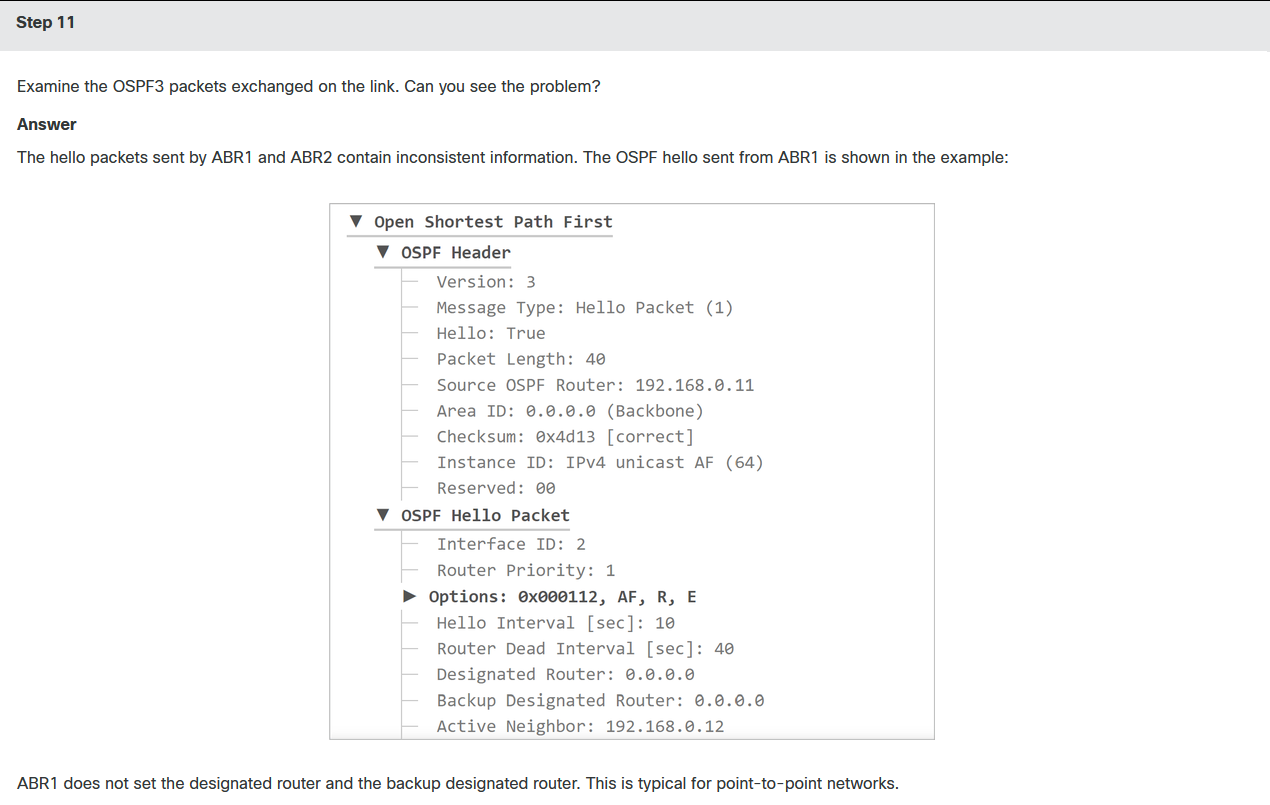
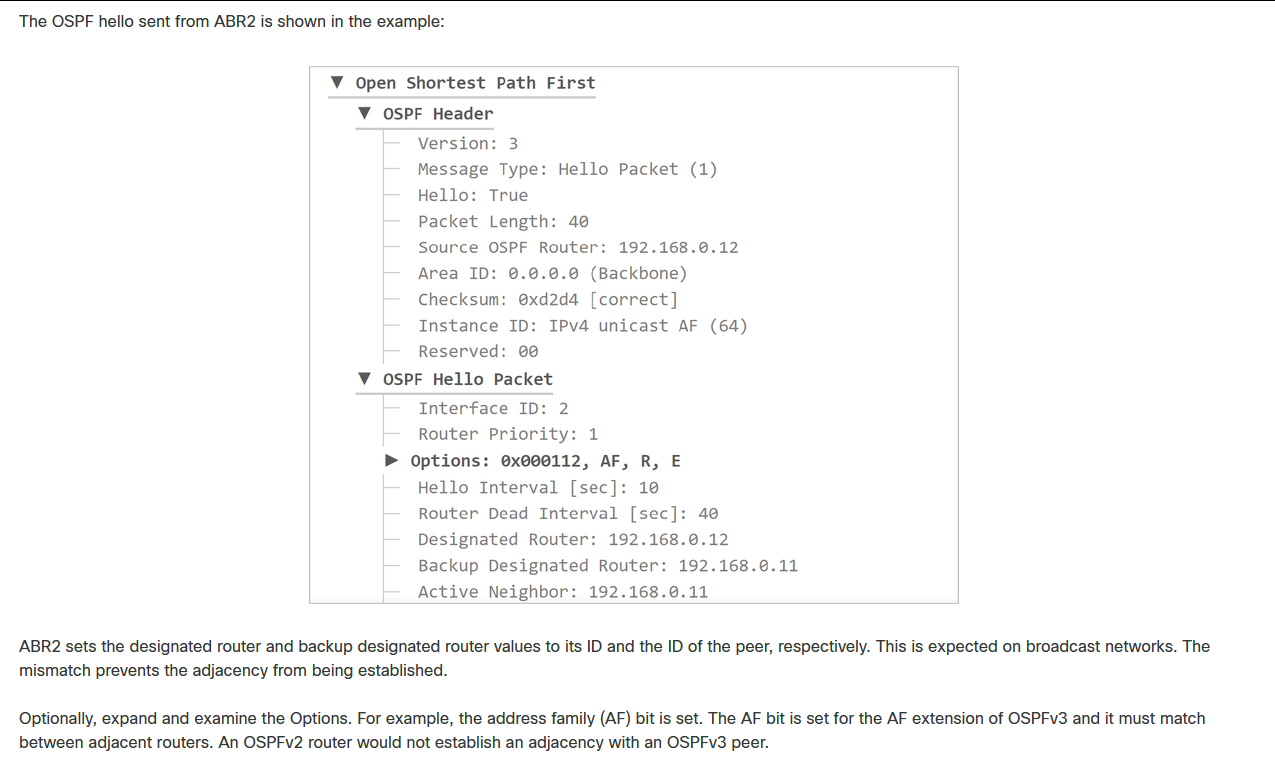
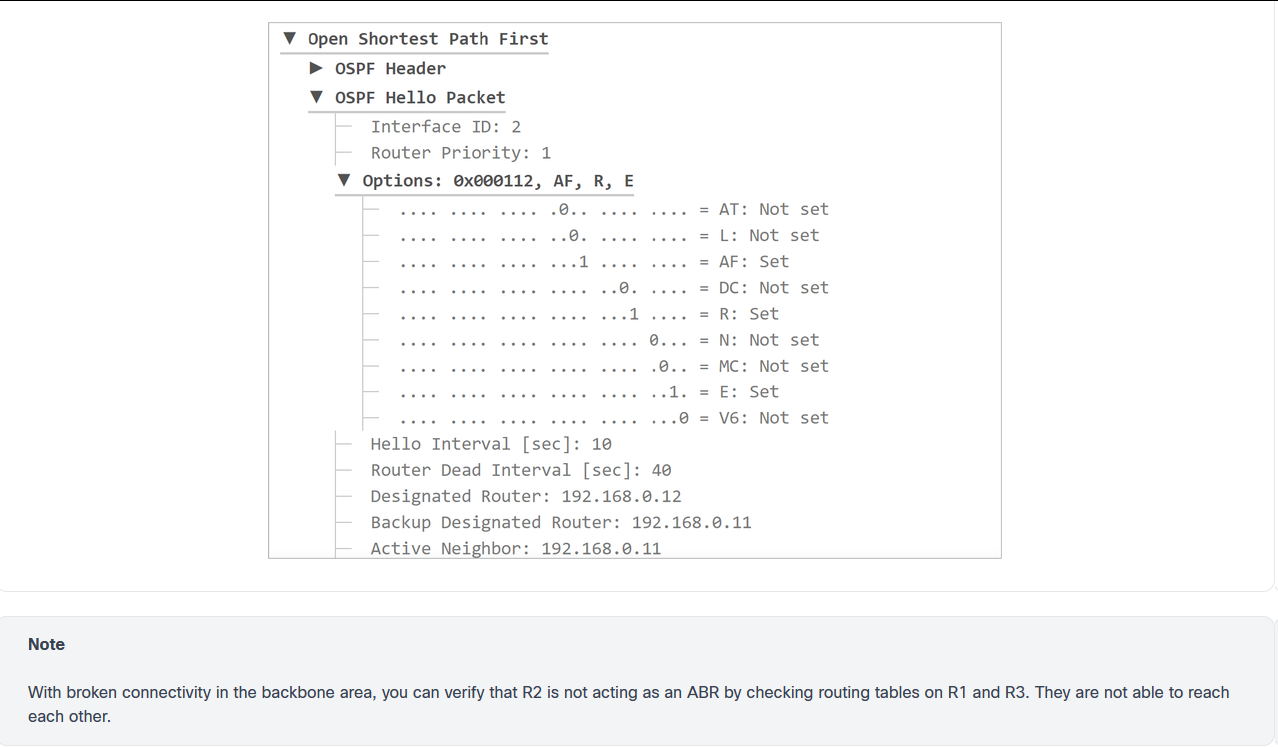
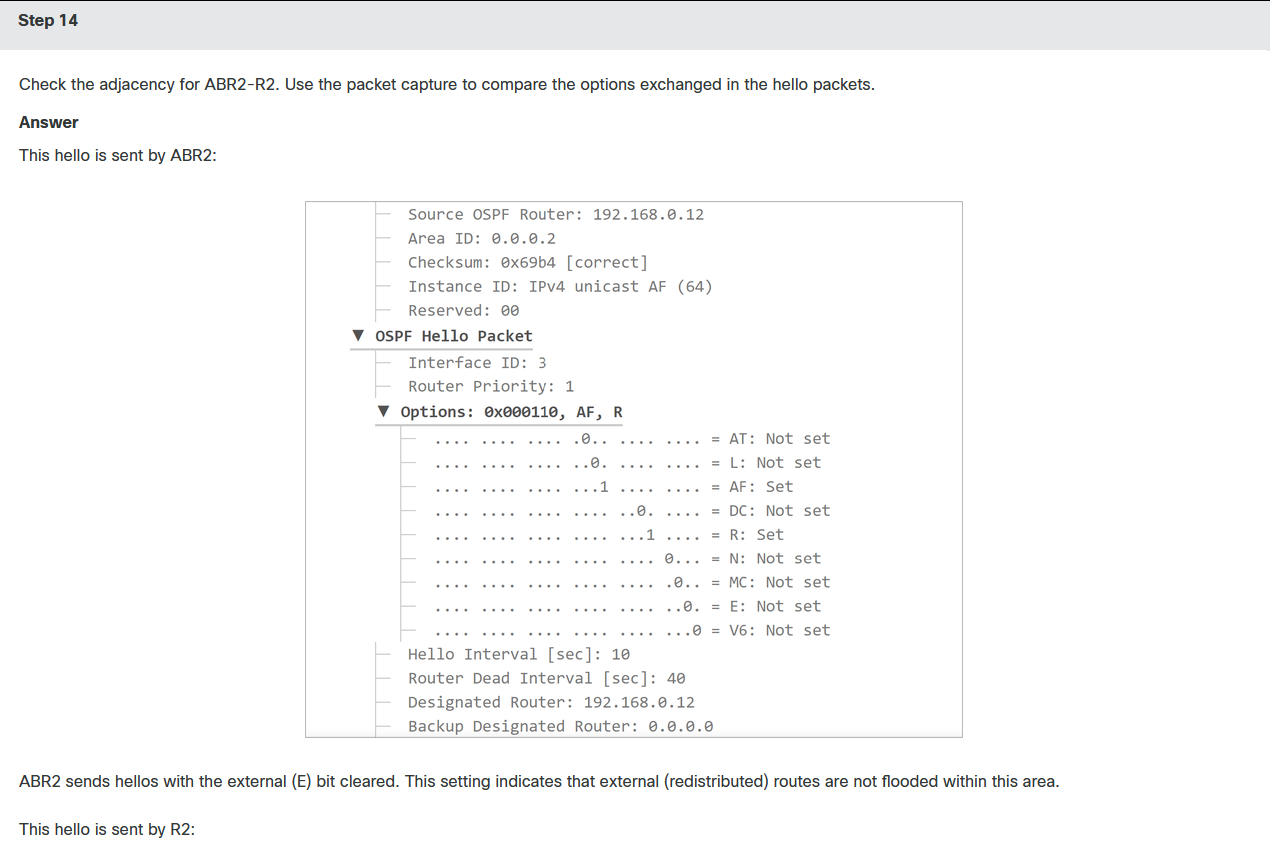
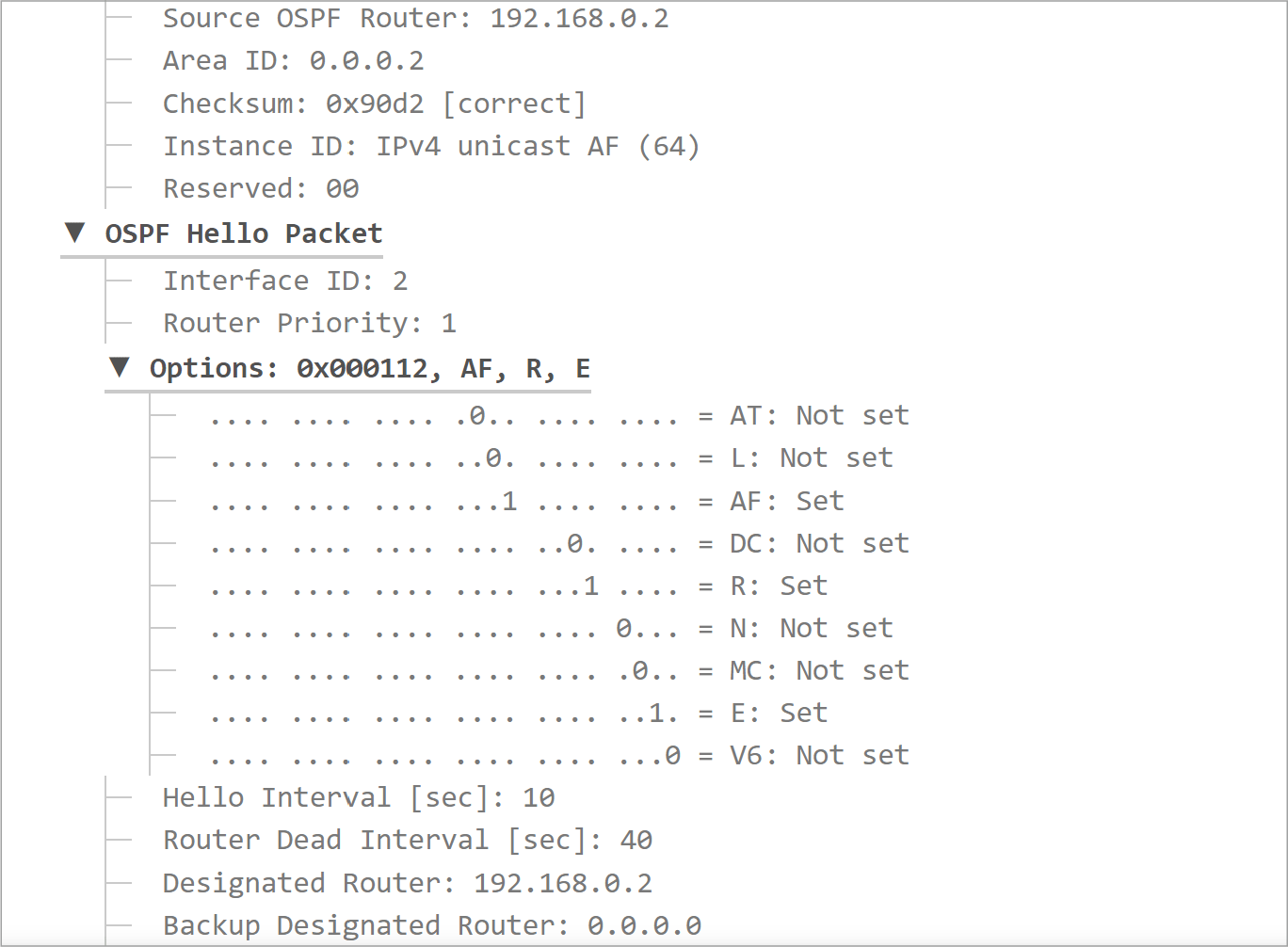
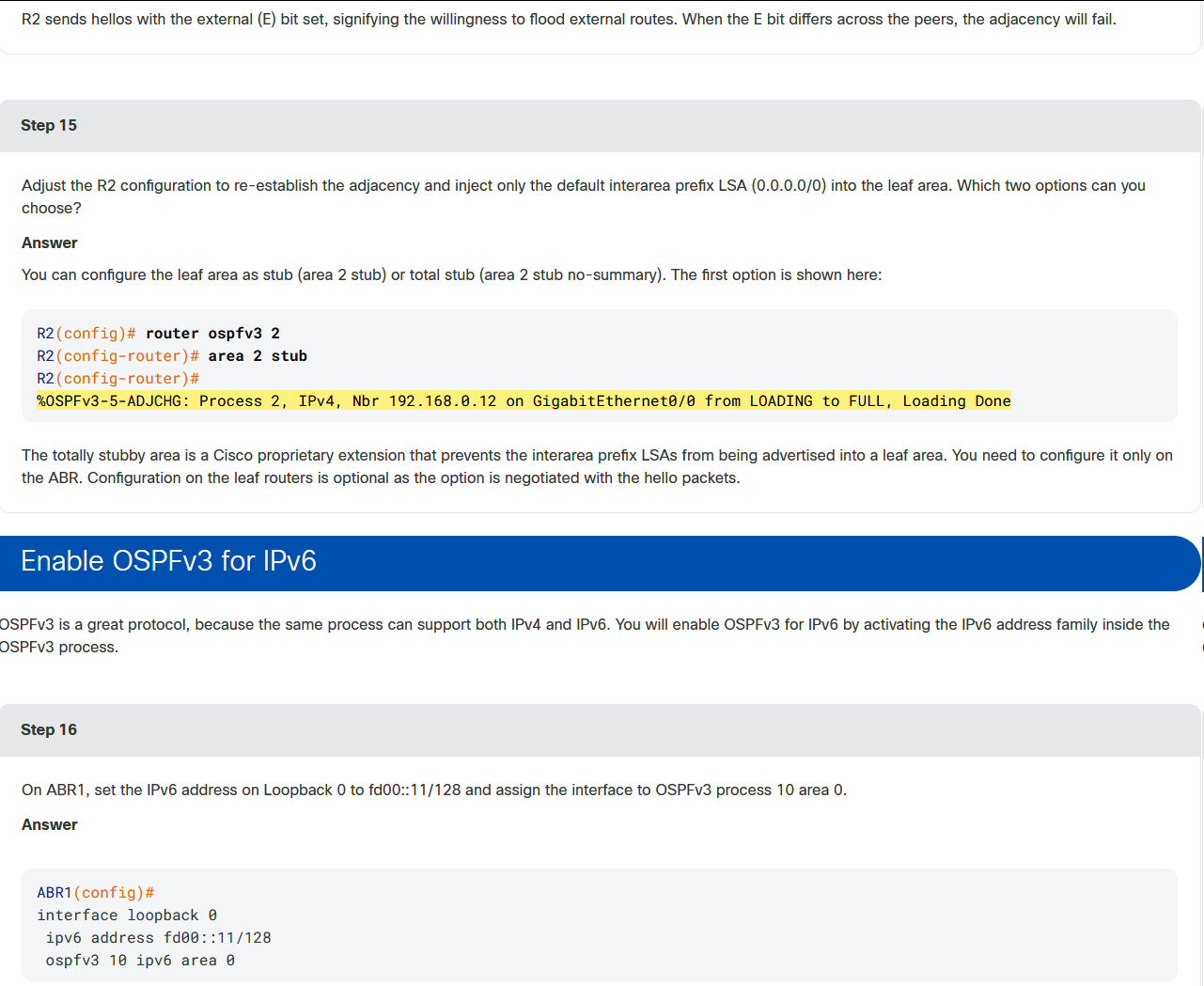
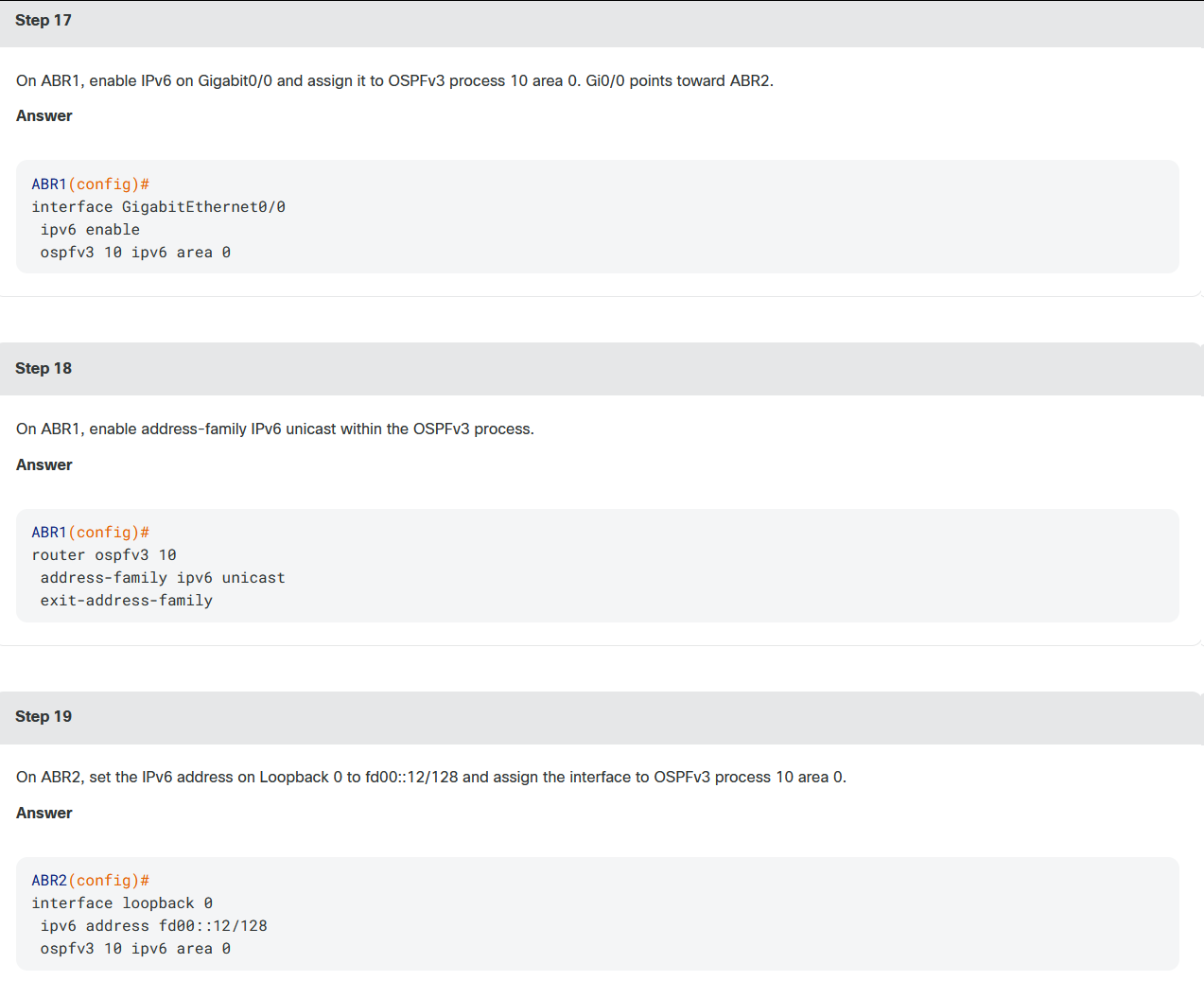
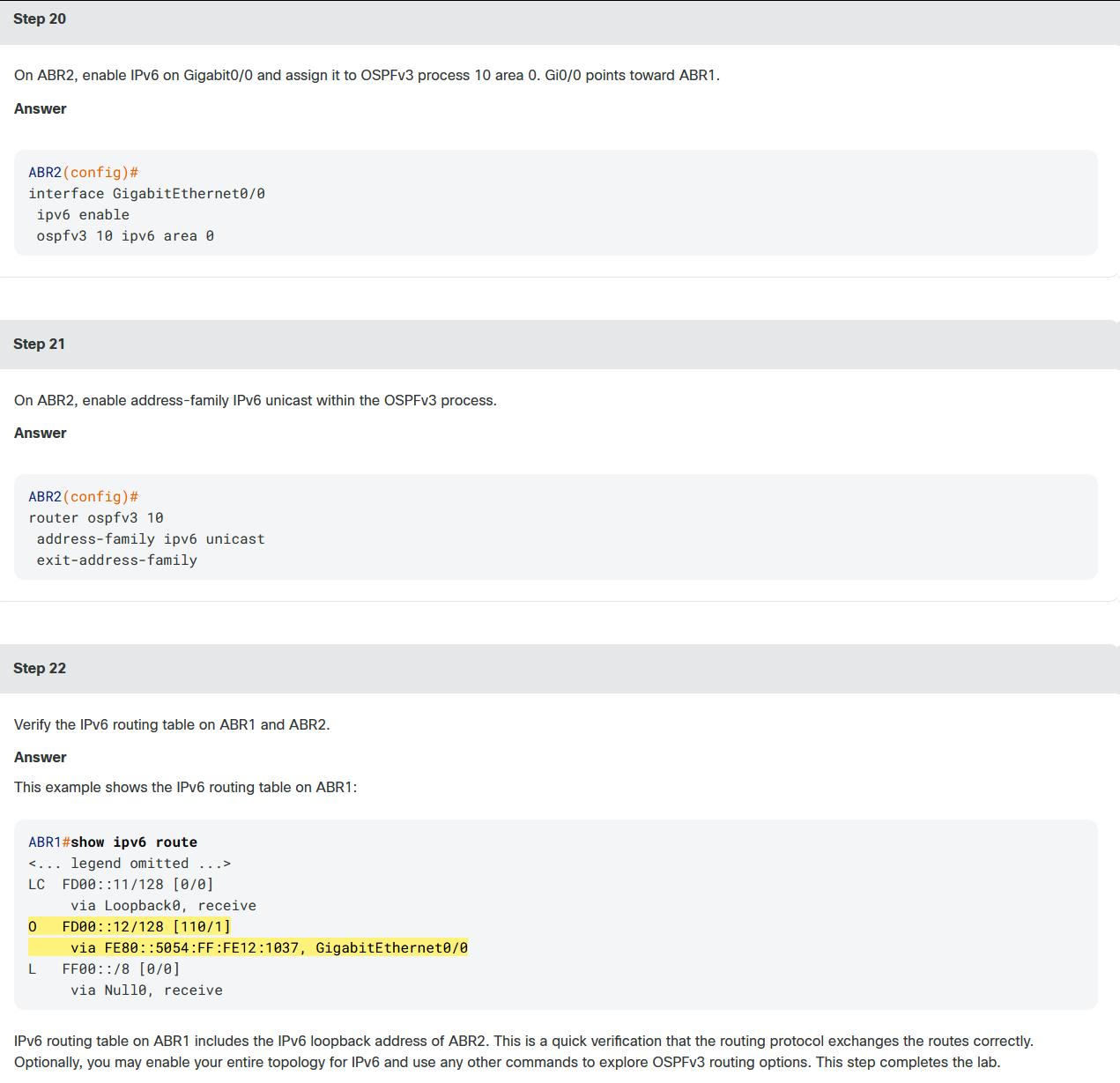
CML是探索网络技术和测试新功能的实用工具。假设你之前已经使用过传统的OSPFv2,但你希望熟悉OSPFv3,因为你计划对IPv4和IPv6使用相同的OSPF进程。除此之外,你还想测试一些与数据库交换和邻接建立相关的特性。你可以在这个实验室或一个类似的你可以很容易建立起来的实验室里做所有这些。

bash
ABR1# debug ospfv3 adj
OSPFv3 adjacency debugging is on for process 10, IPv4, Default vrf
ABR1#conf t
Enter configuration commands, one per line.  End with CNTL/Z.
ABR1(config)# interface gig 0/0
ABR1(config-if)# ospfv3 network broadcast
ABR1(config-if)#
*Sep 10 05:54:31.181: OSPFv3-10-IPv4 ADJ   Gi0/0: Interface GigabitEthernet0/0 going Down
*Sep 10 05:54:31.181: OSPFv3-10-IPv4 ADJ   Gi0/0: 192.168.0.12 address FE80::5054:FF:FE13:9779 is dead, state DOWN
*Sep 10 05:54:31.181: %OSPFv3-5-ADJCHG: Process 10, IPv4, Nbr 192.168.0.12 on GigabitEthernet0/0 from FULL to DOWN, Neighbor Down: Interface down or detached
*Sep 10 05:54:31.181: OSPFv3-10-IPv4 ADJ   Gi0/0: OSPF interface GigabitEthernet0/0 going Up
*Sep 10 05:54:31.189: OSPFv3-10-IPv4 ADJ   Gi0/0: Added 192.168.0.12 to nbr list
*Sep 10 05:54:31.189: OSPFv3-10-IPv4 ADJ   Gi0/0: 2 Way Communication to 192.168.0.12, state 2WAY
*Sep 10 05:54:31.189: OSPFv3-10-IPv4 ADJ   Gi0/0: Backup seen Event before WAIT timer
*Sep 10 05:54:31.189: OSPFv3-10-IPv4 ADJ   Gi0/0: DR/BDR election
*Sep 10 05:54:31.189: OSPFv3-10-IPv4 ADJ   Gi0/0: Elect BDR 192.168.0.11
*Sep 10 05:54:31.189: OSPFv3-10-IPv4 ADJ   Gi0/0: Elect DR 192.168.0.12
*Sep 10 05:54:31.189: OSPFv3-10-IPv4 ADJ   Gi0/0: Elect BDR 192.168.0.11
*Sep 10 05:54:31.189: OSPFv3-10-IPv4 ADJ   Gi0/0: Elect DR 192.168.0.12
*Sep 10 05:54:31.190: OSPFv3-10-IPv4 ADJ   Gi0/0: DR: 192.168.0.12 (Id)
*Sep 10 05:54:31.190: OSPFv3-10-IPv4 ADJ   Gi0/0:    BDR: 192.168.0.11 (Id)
*Sep 10 05:54:31.190: OSPFv3-10-IPv4 ADJ   Gi0/0: Nbr 192.168.0.12: Prepare dbase exchange
*Sep 10 05:54:31.190: OSPFv3-10-IPv4 ADJ   Gi0/0: Send DBD to 192.168.0.12 seq 0x3A676984 opt 0x112 flag 0x7 len 28
*Sep 10 05:54:31.193: OSPFv3-10-IPv4 ADJ   Gi0/0: Rcv DBD from 192.168.0.12 seq 0x19BF02A1 opt 0x112 flag 0x7 len 28 mtu 1500 state EXSTART
*Sep 10 05:54:31.193: OSPFv3-10-IPv4 ADJ   Gi0/0: NBR Negotiation Done. We are the SLAVE
*Sep 10 05:54:31.194: OSPFv3-10-IPv4 ADJ   Gi0/0: Nbr 192.168.0.12: Summary list built, size 15
*Sep 10 05:54:31.194: OSPFv3-10-IPv4 ADJ   Gi0/0: Send DBD to 192.168.0.12 seq 0x19BF02A1 opt 0x112 flag 0x2 len 328
*Sep 10 05:54:31.199: OSPFv3-10-IPv4 ADJ   Gi0/0: Rcv DBD from 192.168.0.12 seq 0x19BF02A2 opt 0x112 flag 0x1 len 48 mtu 1500 state EXCHANGE
*Sep 10 05:54:31.199: OSPFv3-10-IPv4 ADJ   Gi0/0: Exchange Done with 192.168.0.12
*Sep 10 05:54:31.199: OSPFv3-10-IPv4 ADJ   Gi0/0: Synchronized with 192.168.0.12, state FULL
*Sep 10 05:54:31.199: %OSPFv3-5-ADJCHG: Process 10, IPv4, Nbr 192.168.0.12 on GigabitEthernet0/0 from LOADING to FULL, Loading Done
*Sep 10 05:54:31.200: OSPFv3-10-IPv4 ADJ   Gi0/0: Send DBD to 192.168.0.12 seq 0x19BF02A2 opt 0x112 flag 0x0 len 28
*Sep 10 05:54:37.369: OSPFv3-10-IPv4 ADJ   Gi0/0: Neighbor change Event
*Sep 10 05:54:37.369: OSPFv3-10-IPv4 ADJ   Gi0/0: DR/BDR election
*Sep 10 05:54:37.369: OSPFv3-10-IPv4 ADJ   Gi0/0: Elect BDR 192.168.0.11
*Sep 10 05:54:37.369: OSPFv3-10-IPv4 ADJ   Gi0/0: Elect DR 192.168.0.12
*Sep 10 05:54:37.369: OSPFv3-10-IPv4 ADJ   Gi0/0: DR: 192.168.0.12 (Id)
*Sep 10 05:54:37.370: OSPFv3-10-IPv4 ADJ   Gi0/0:    BDR: 192.168.0.11 (Id)
*Sep 10 05:54:46.199: OSPFv3-10-IPv4 ADJ   Gi0/0: Nbr 192.168.0.12: Clean-up dbase exchange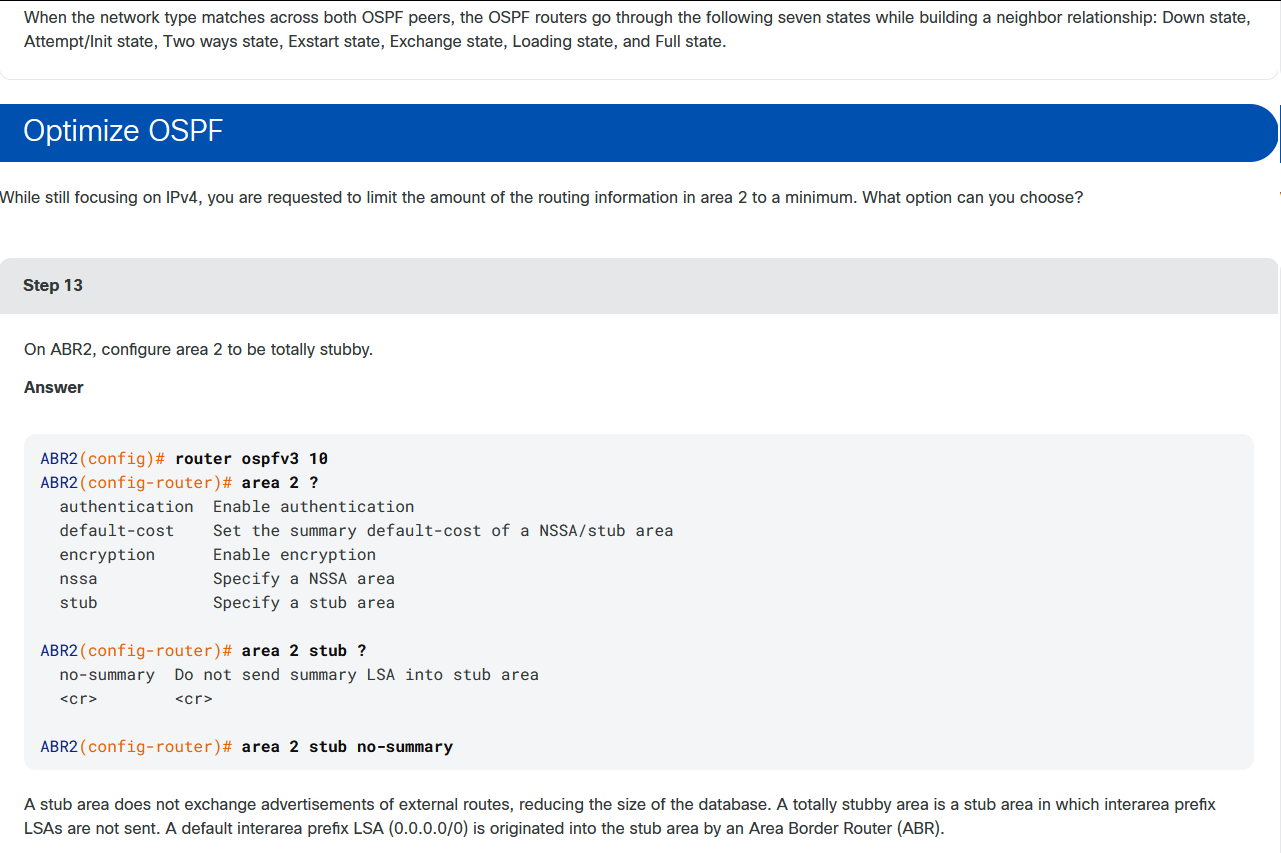
课堂实验4:
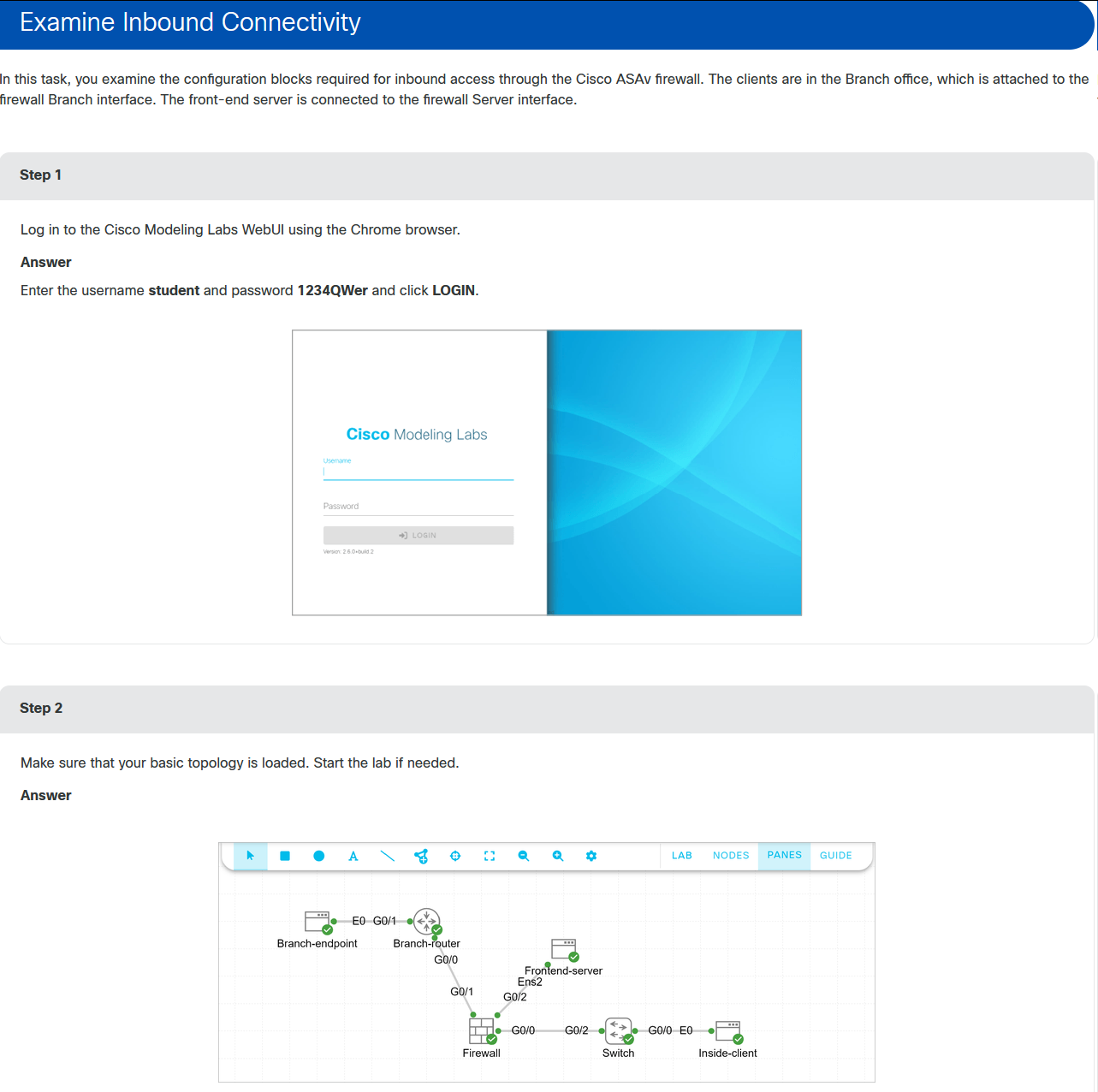
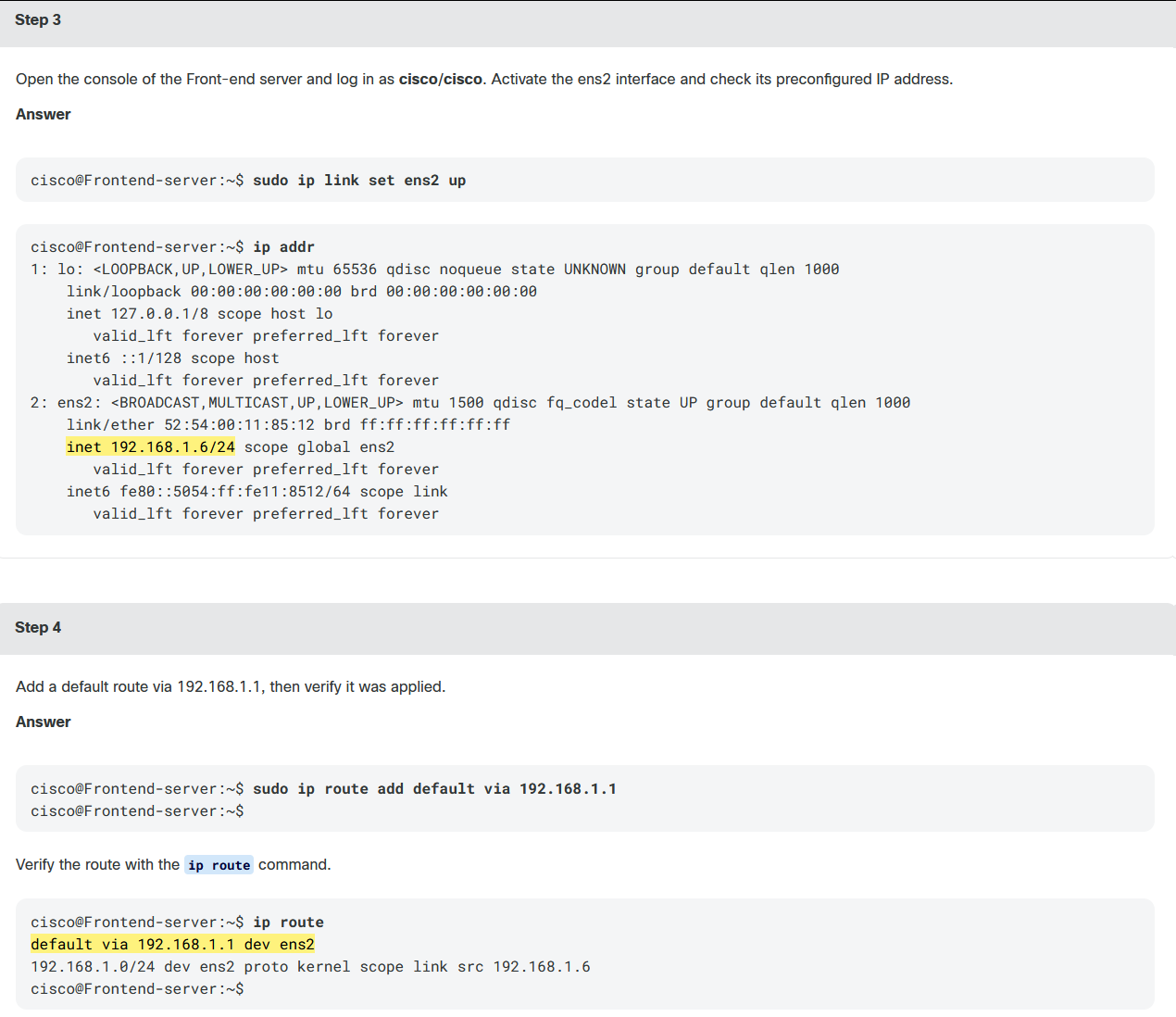
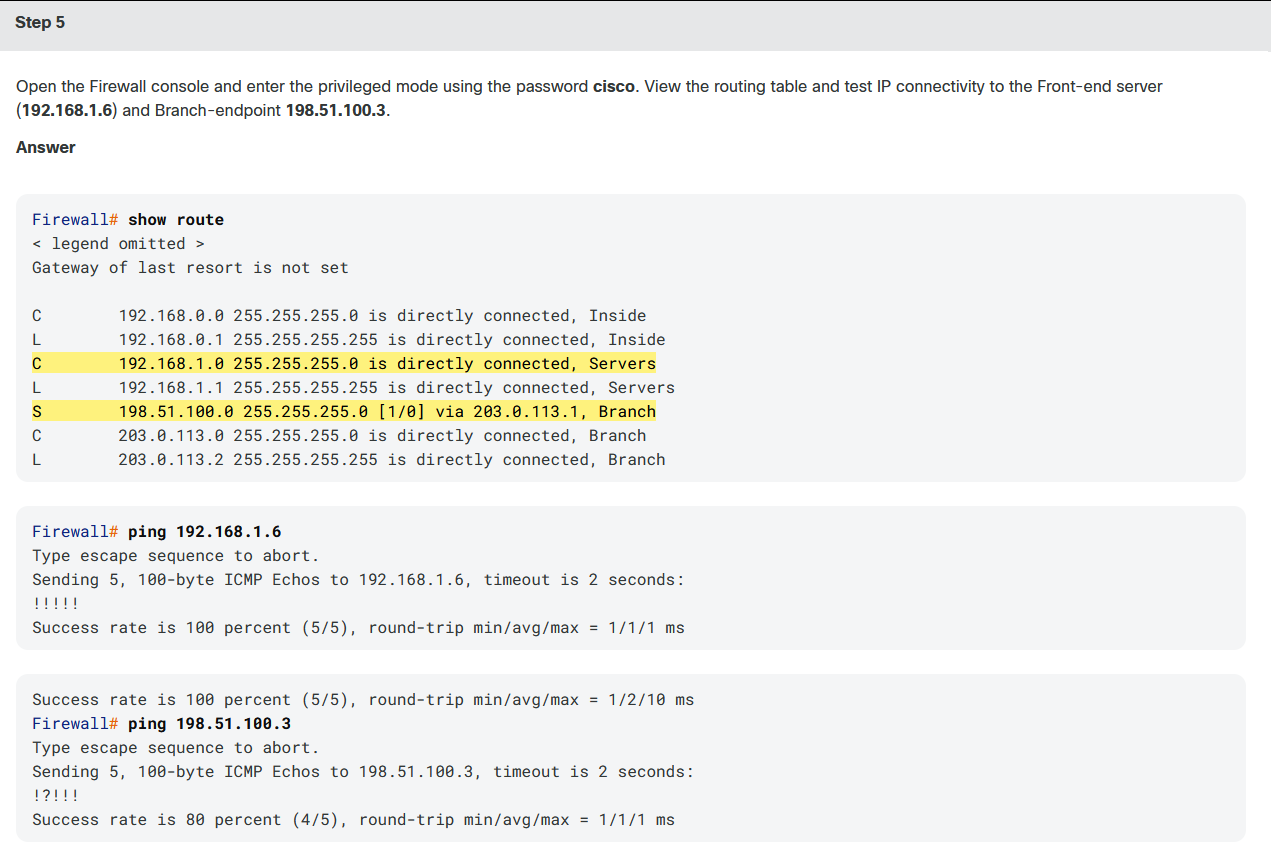
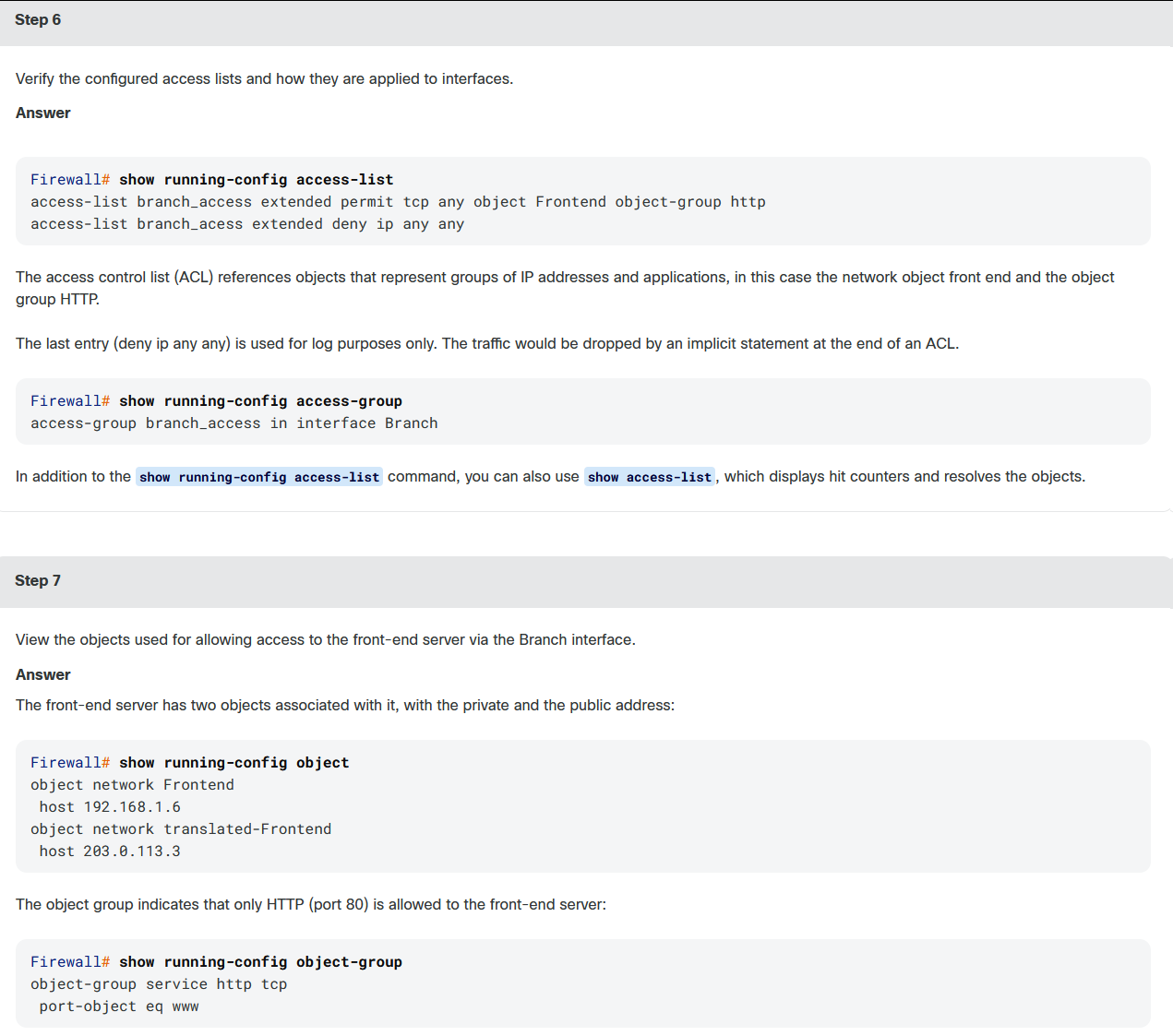
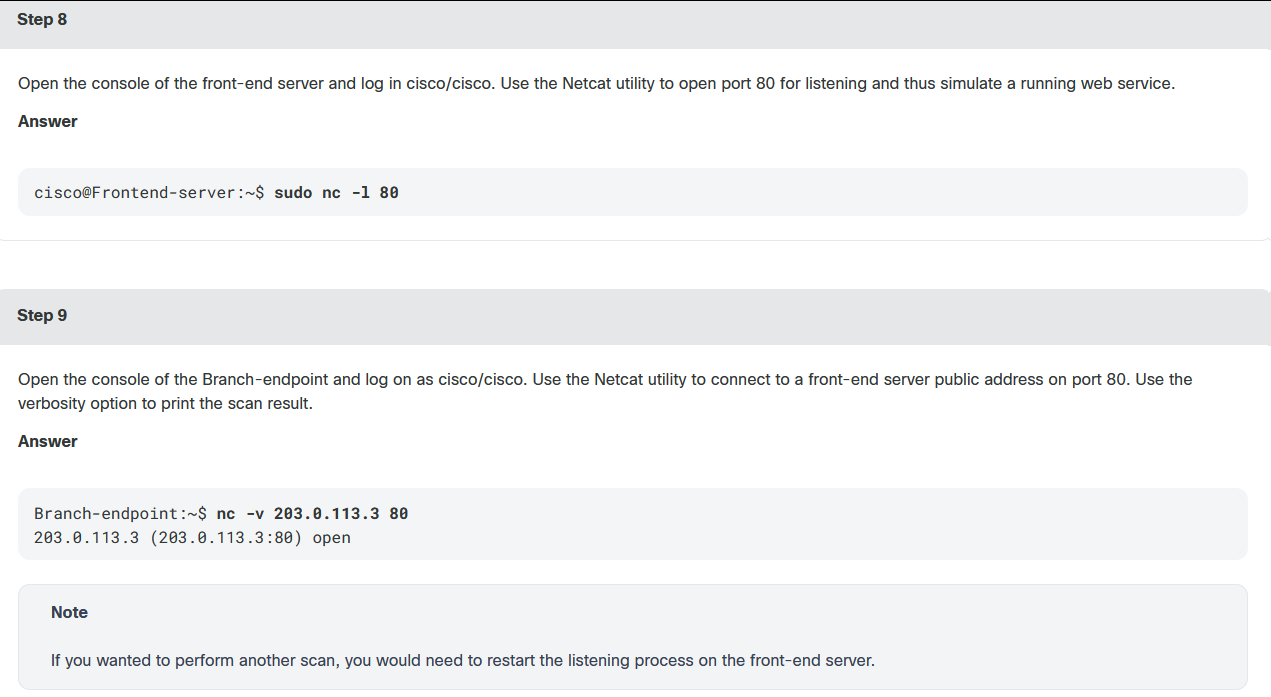
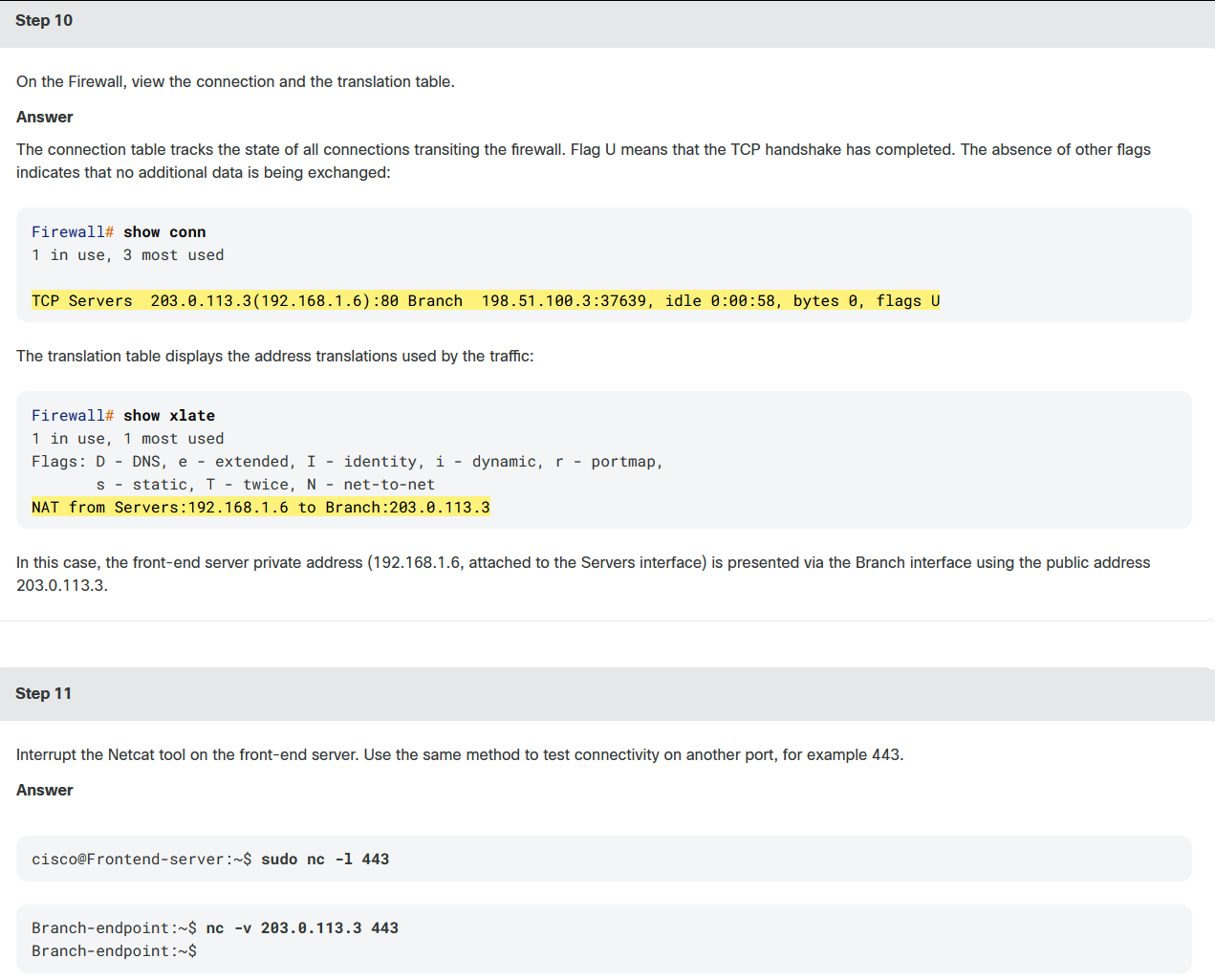
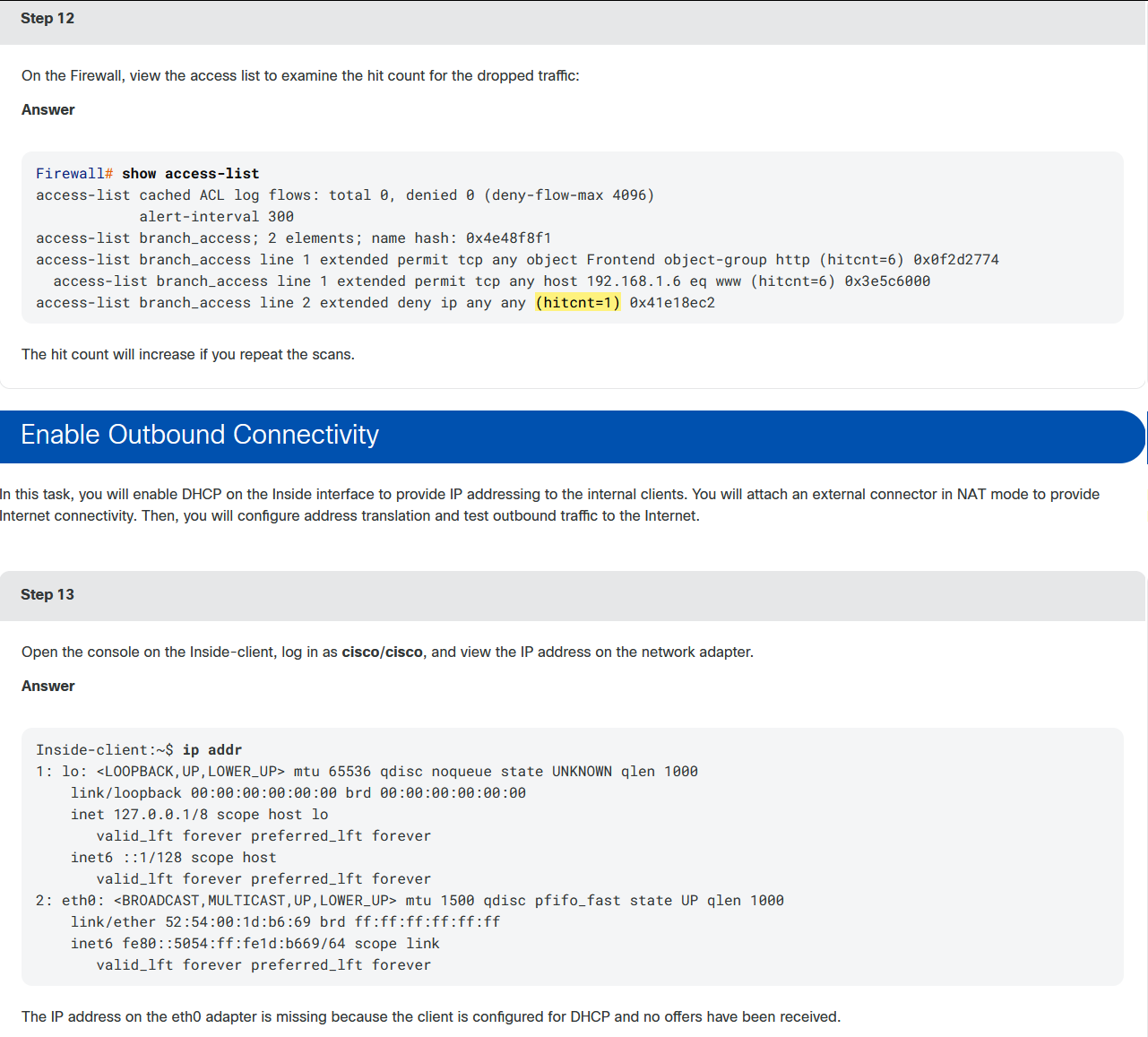
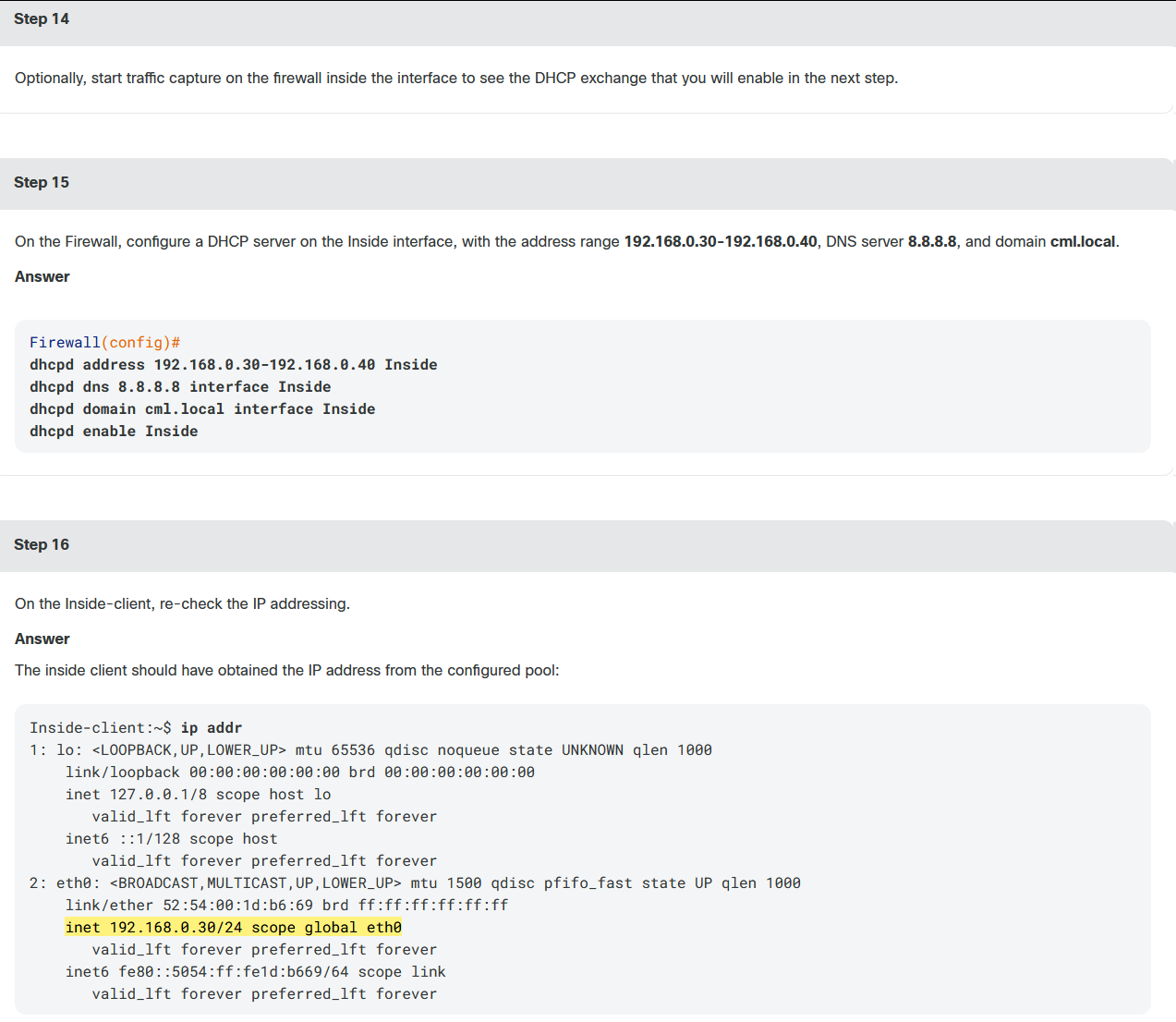
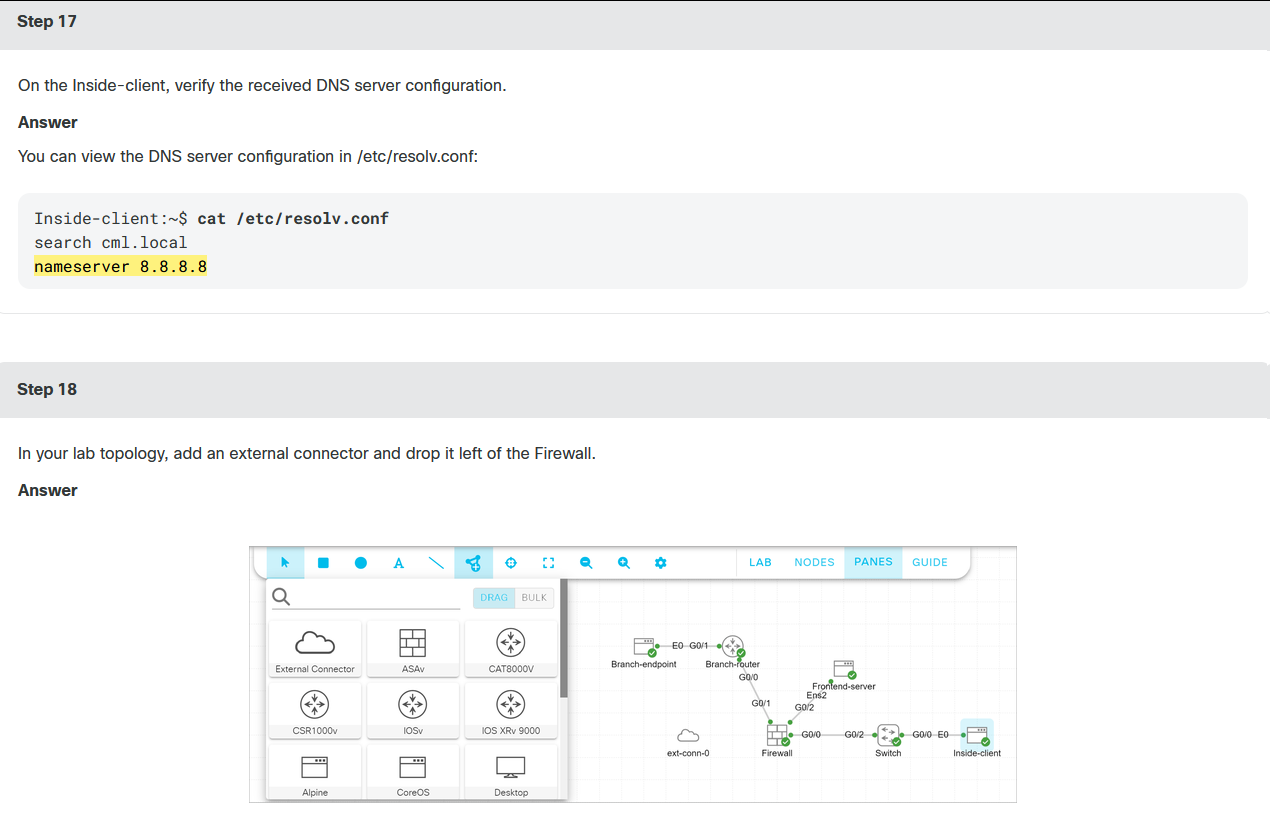
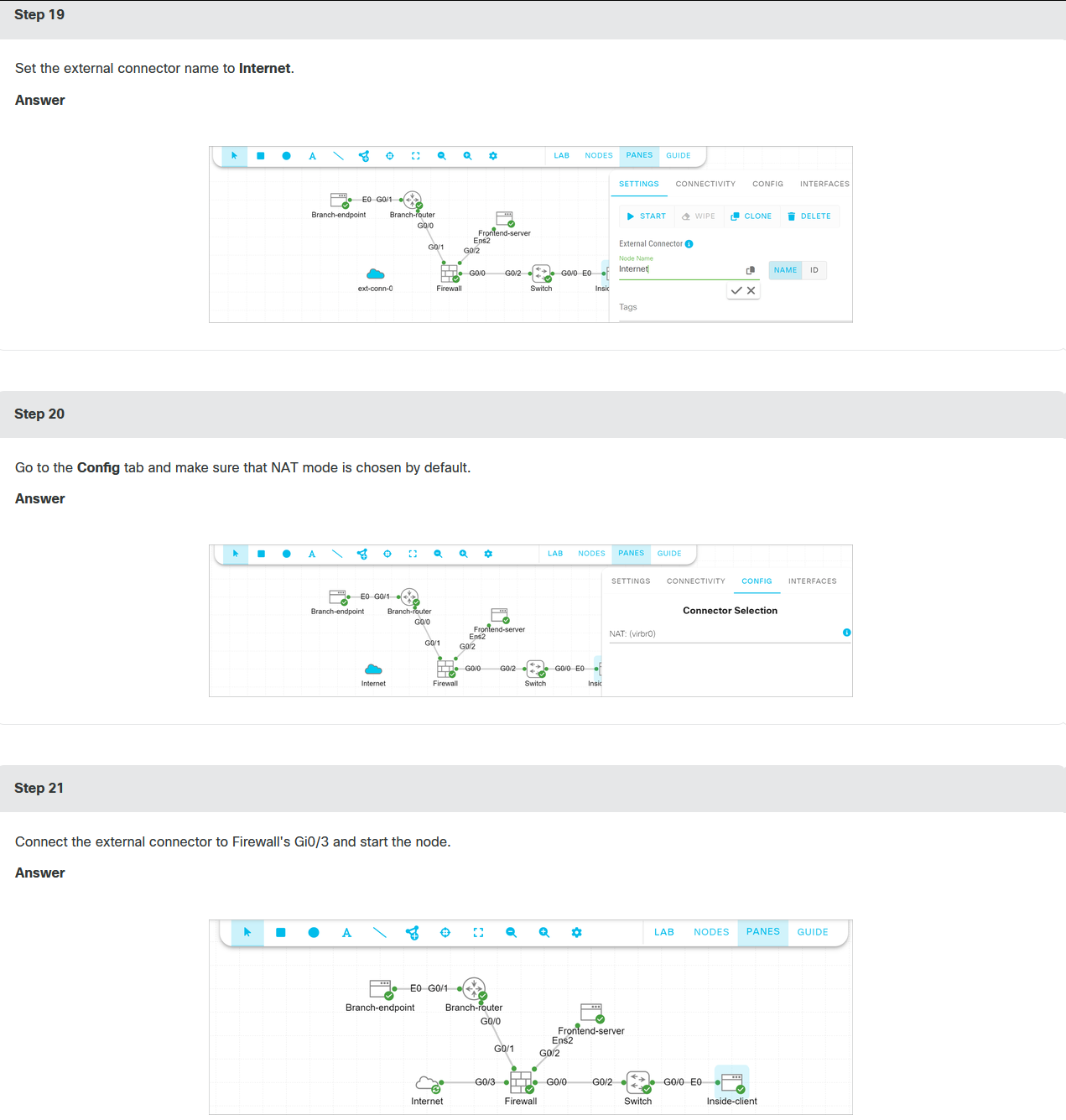
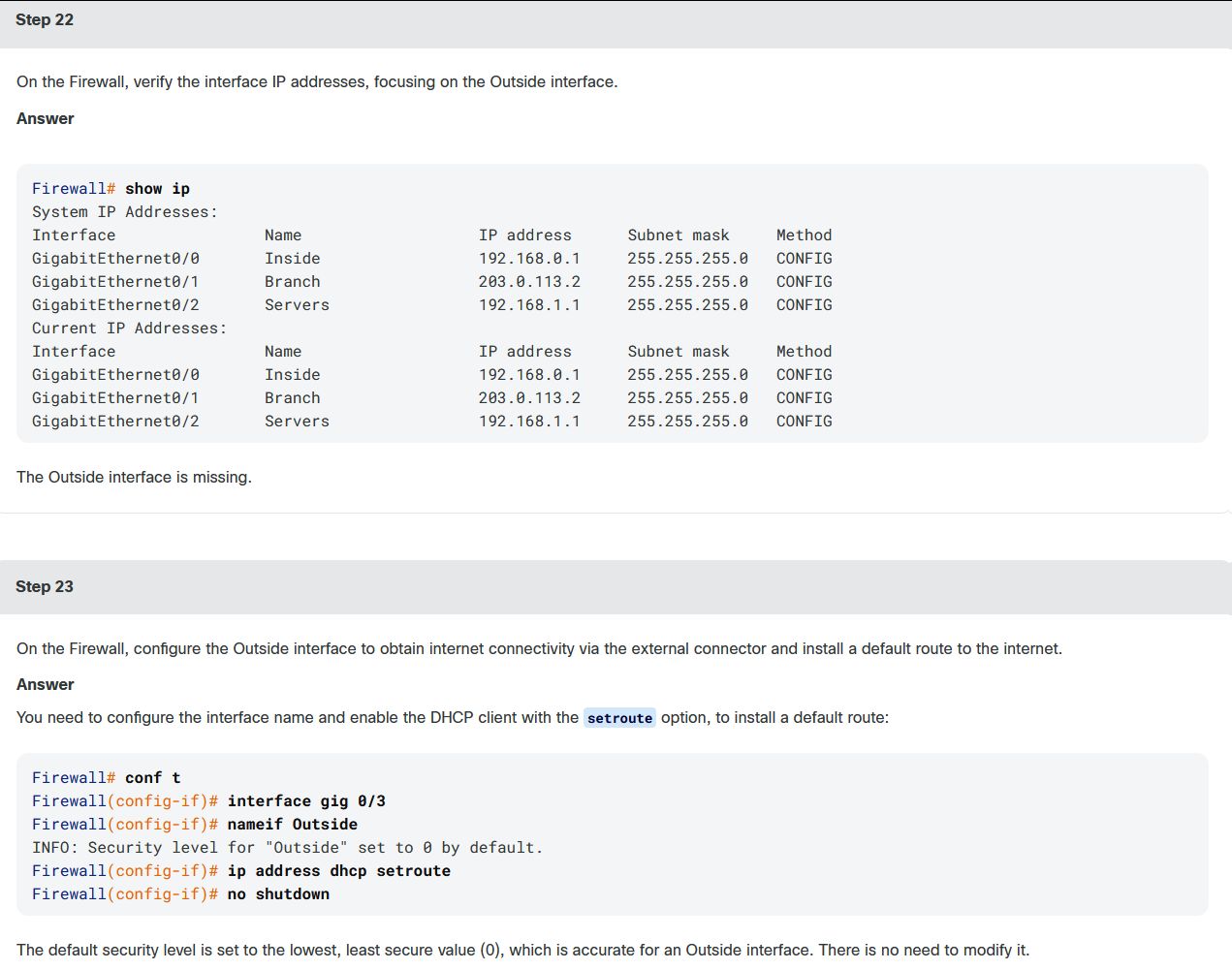
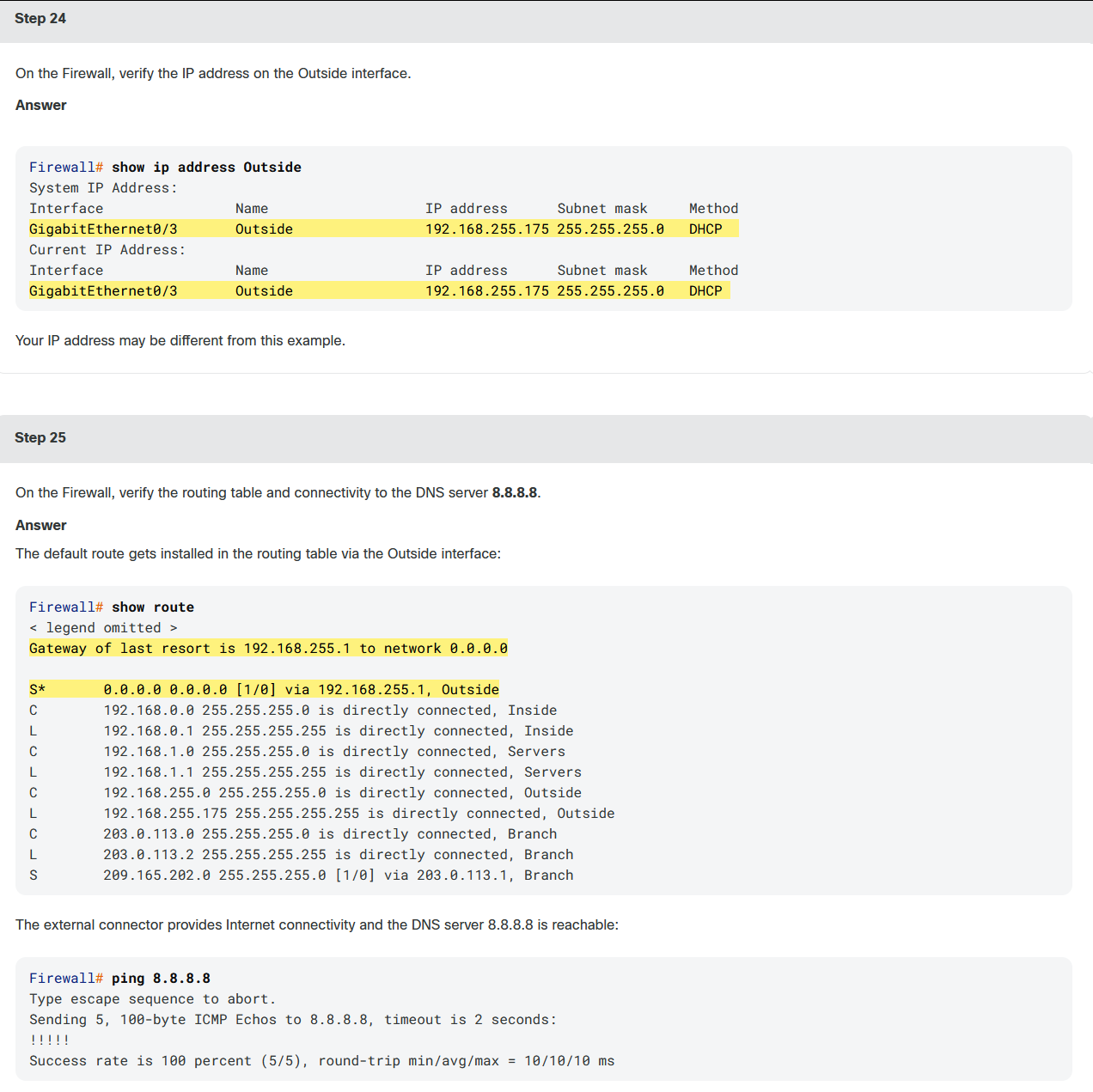
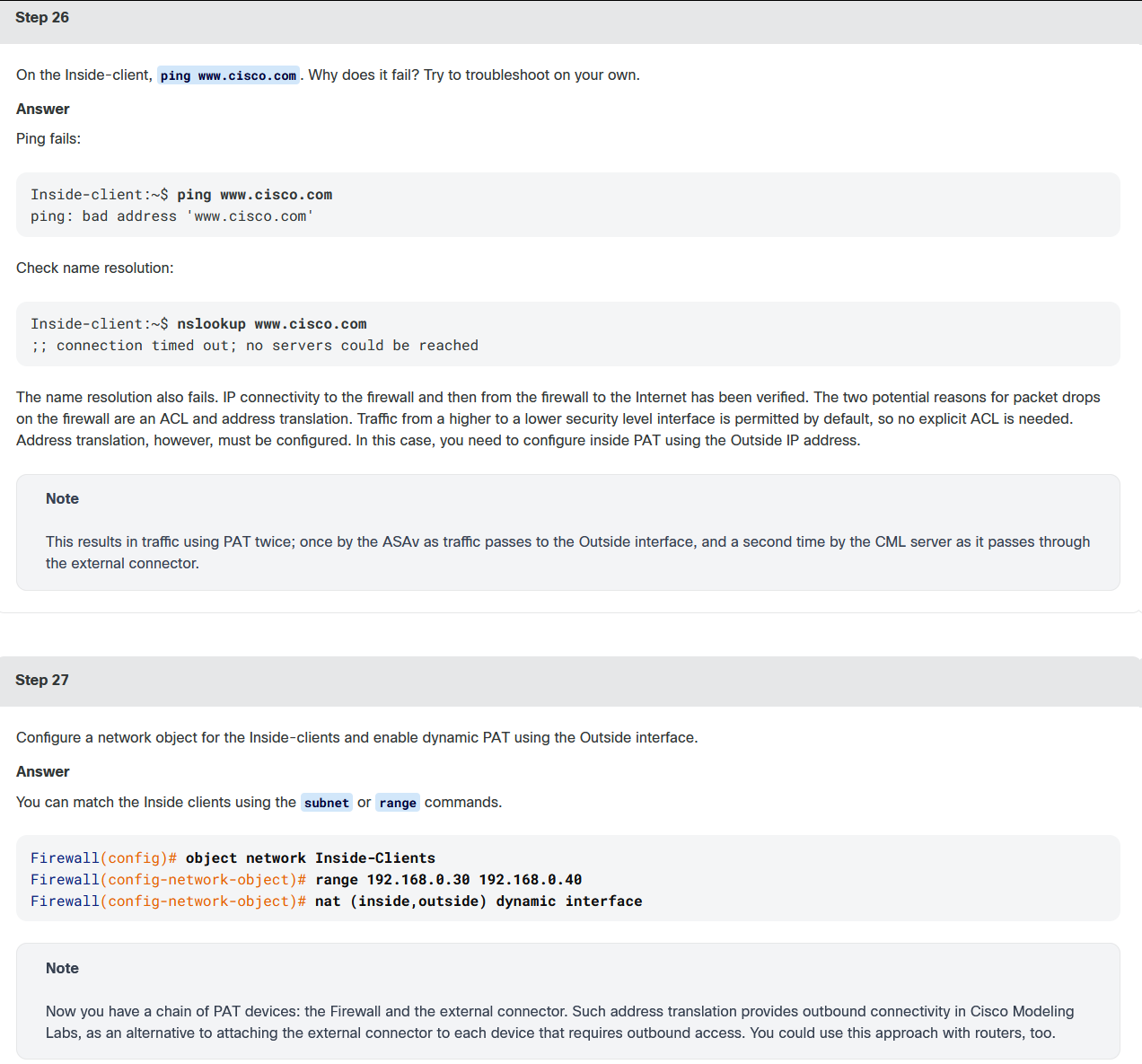
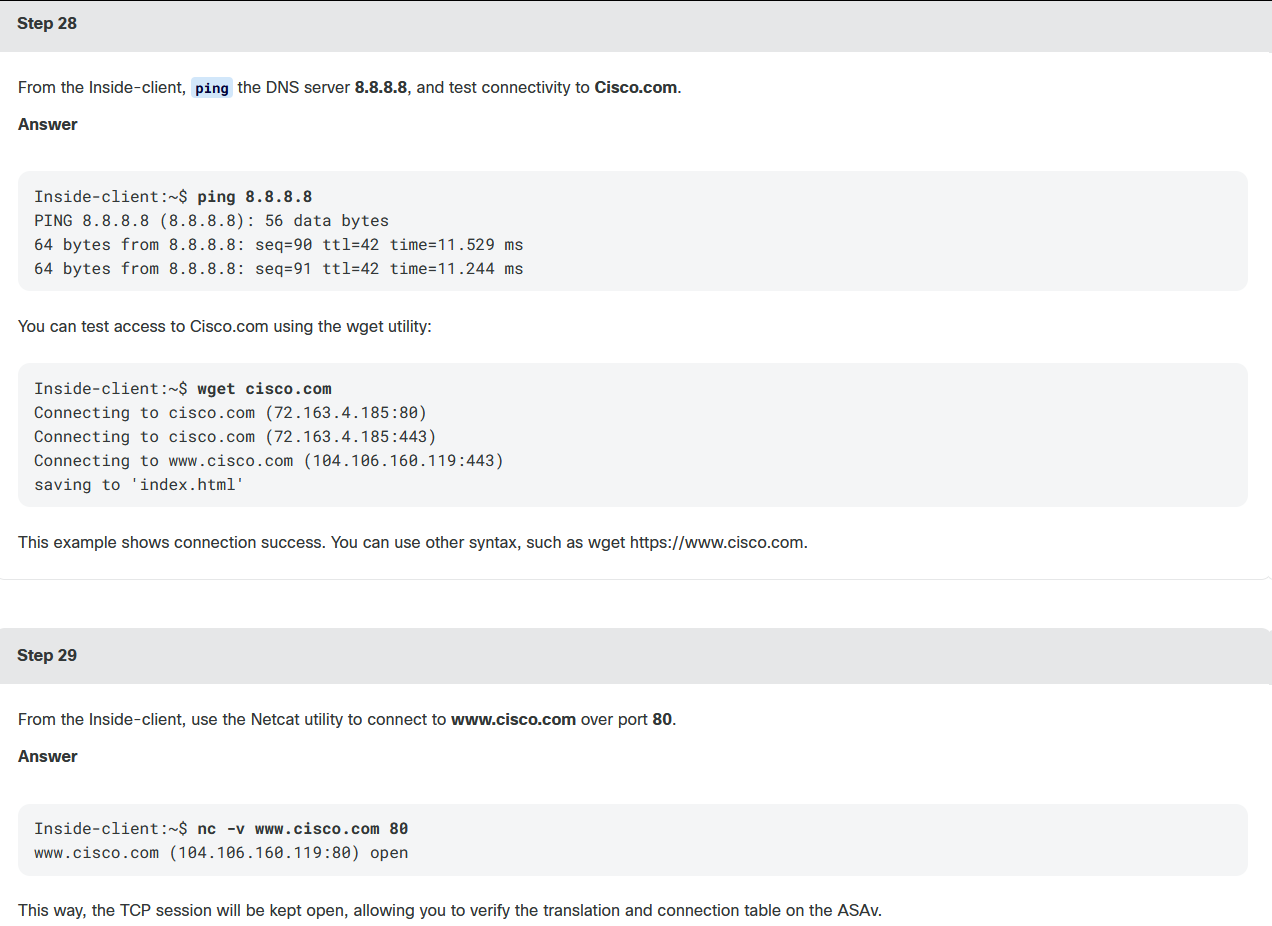
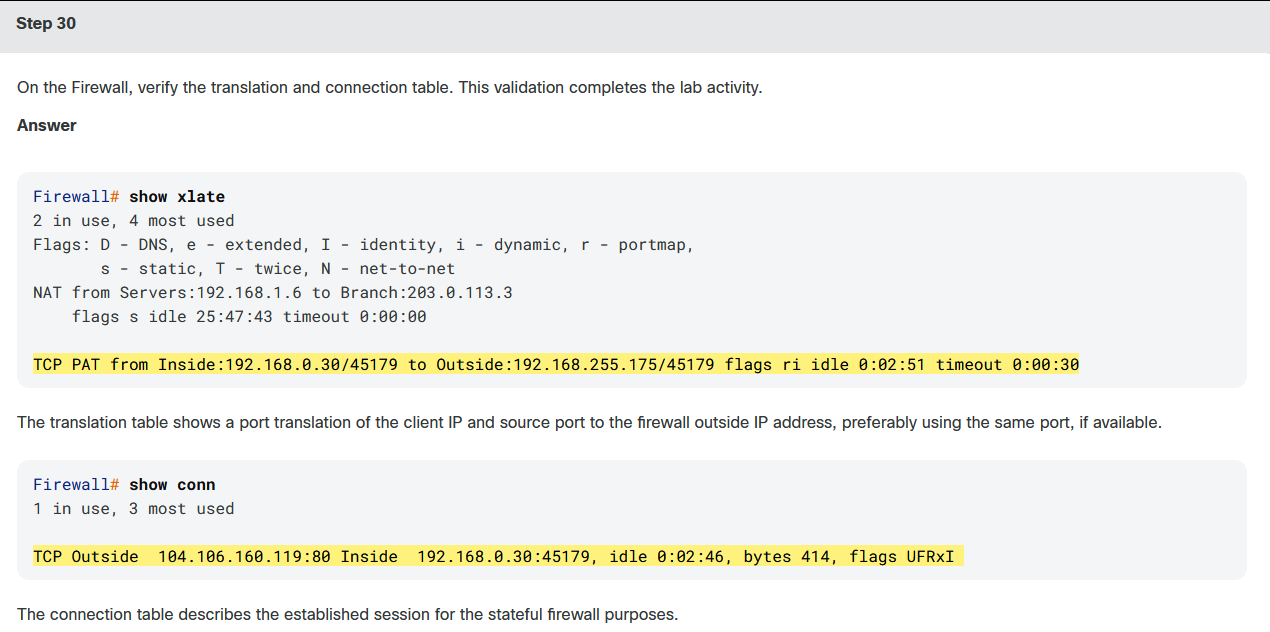
CML是探索网络技术的绝佳工具。假设你不完全熟悉防火墙技术。你可以创建一个有趣的拓扑,并在动手实验环境中测试"假设"情景。本实验以Cisco ASAv防火墙为中心。你将首先检查从分支机构到前端服务器的预配置入站访问,然后在Cisco ASAv上启用出站互联网连接。
课程实验5:
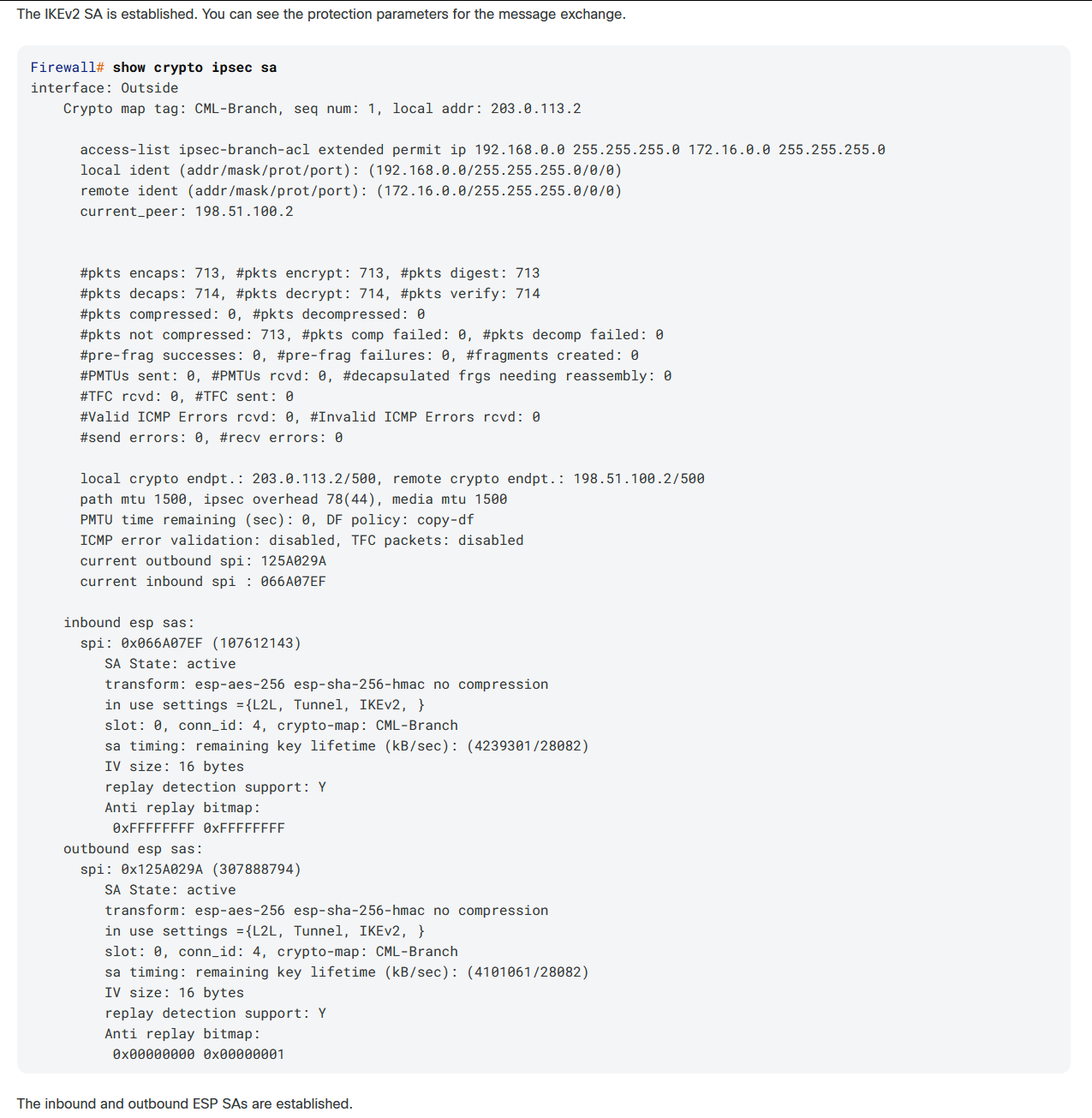
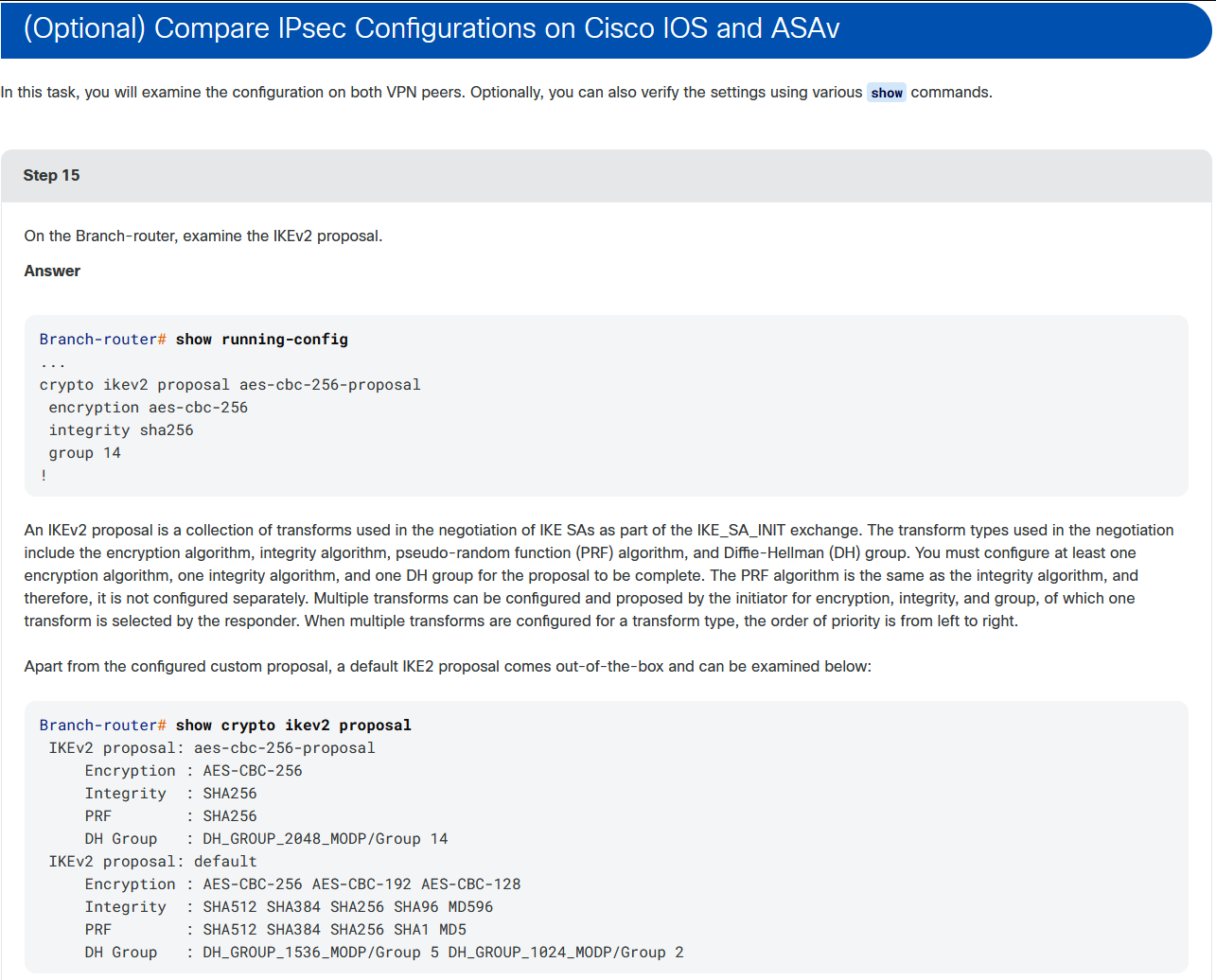
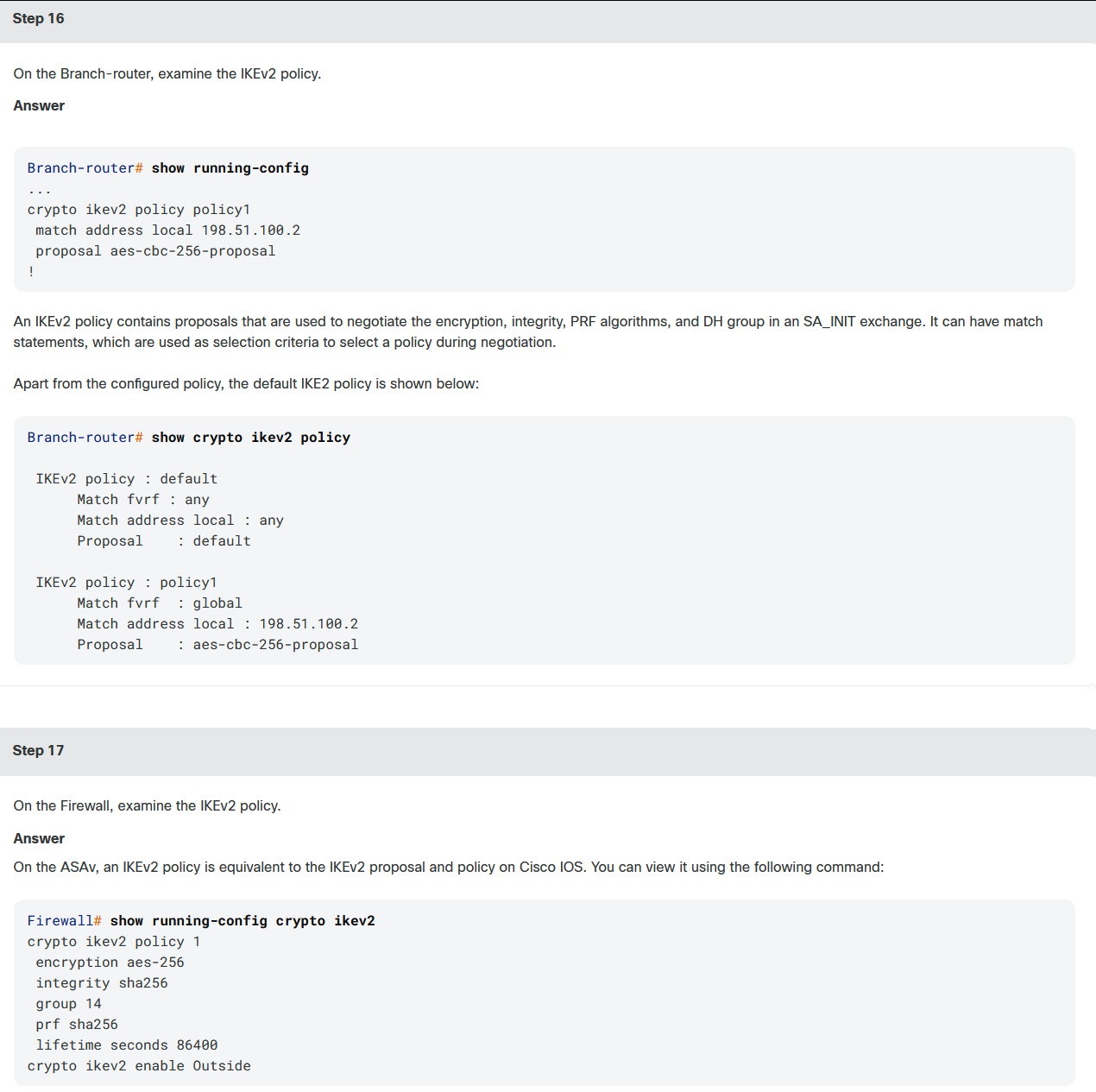
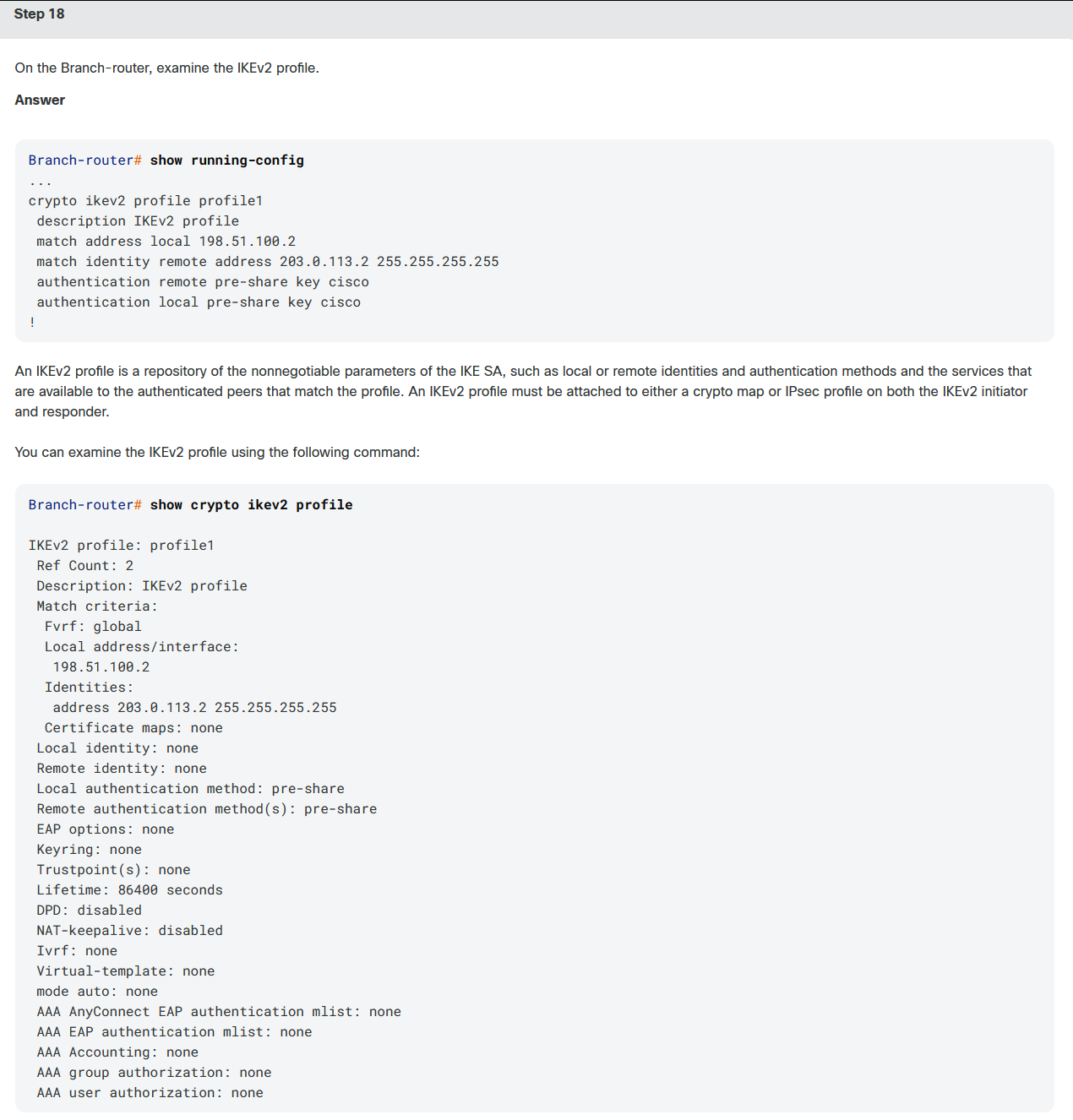
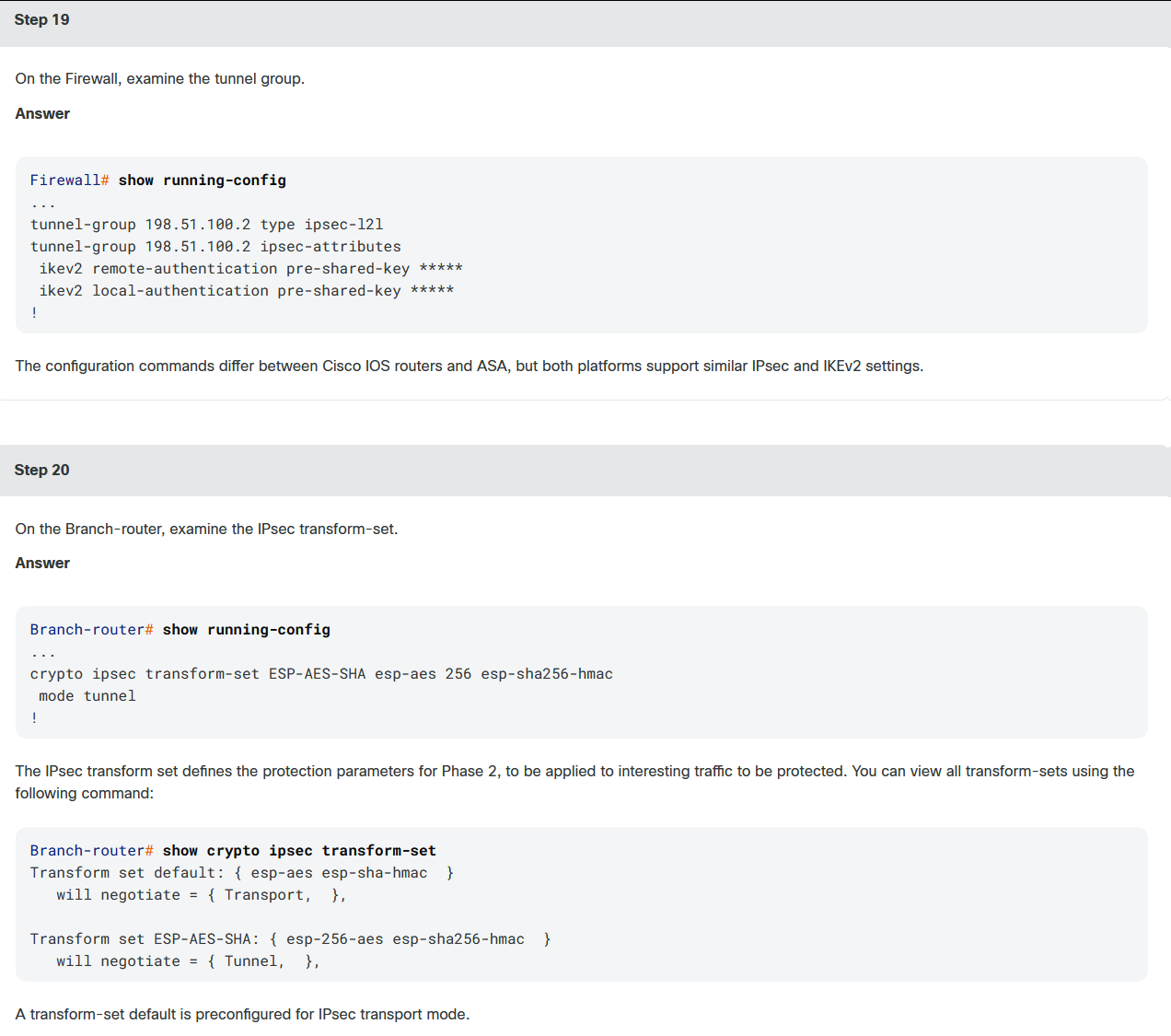
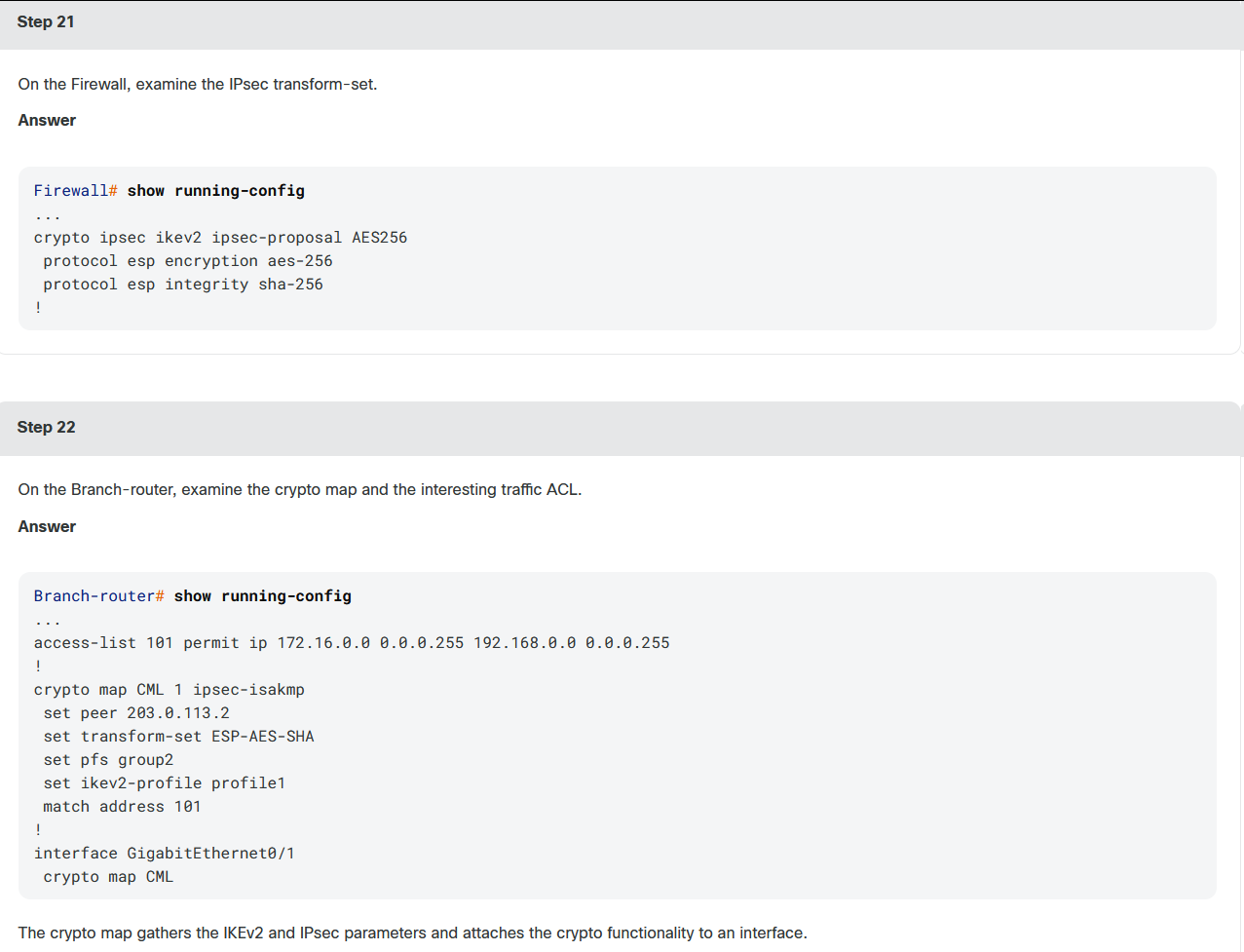
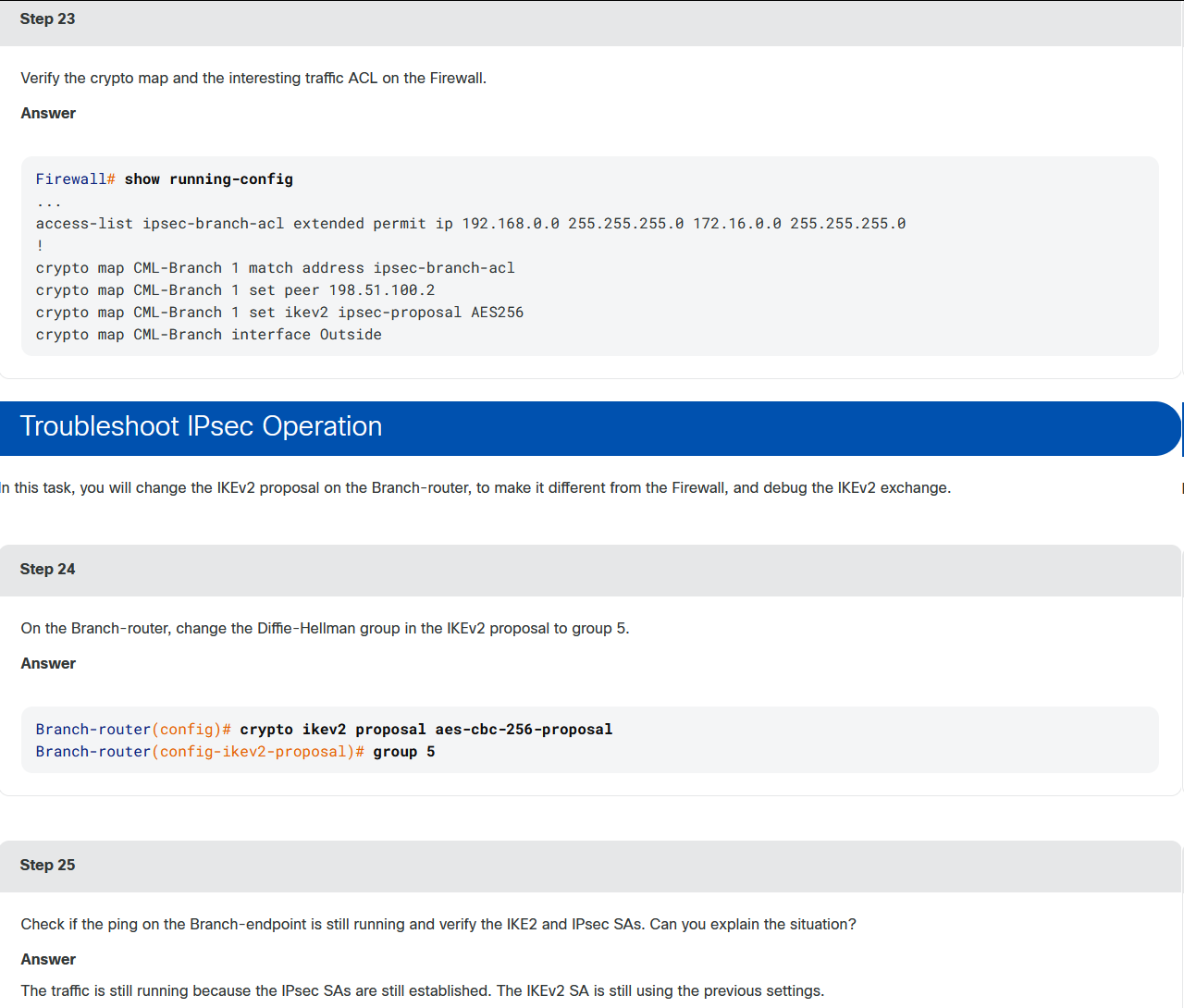
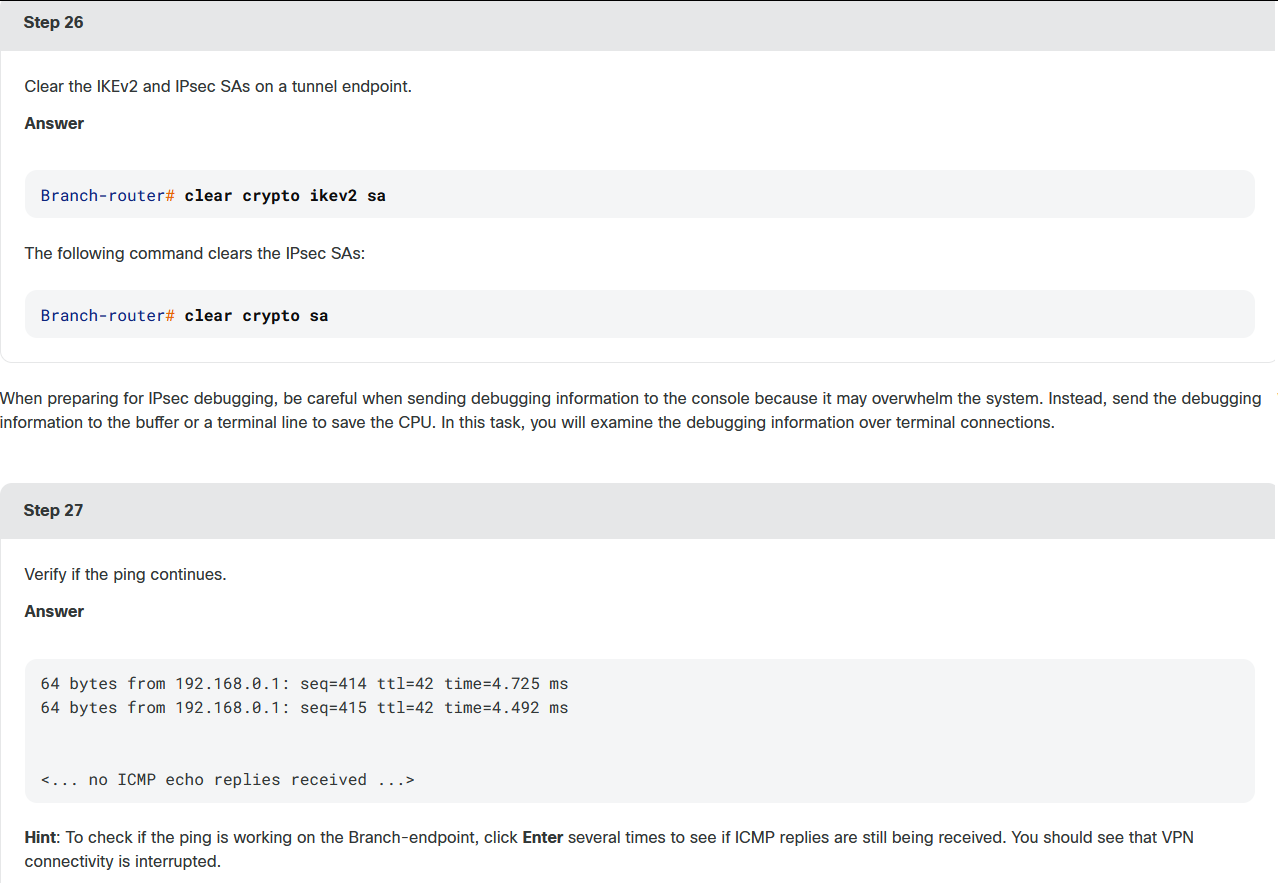
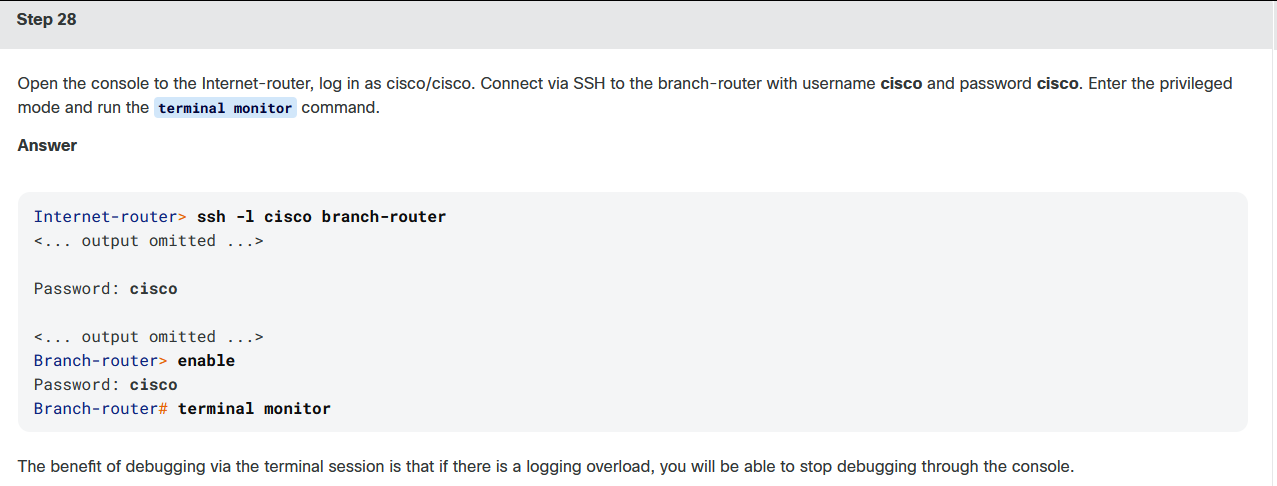
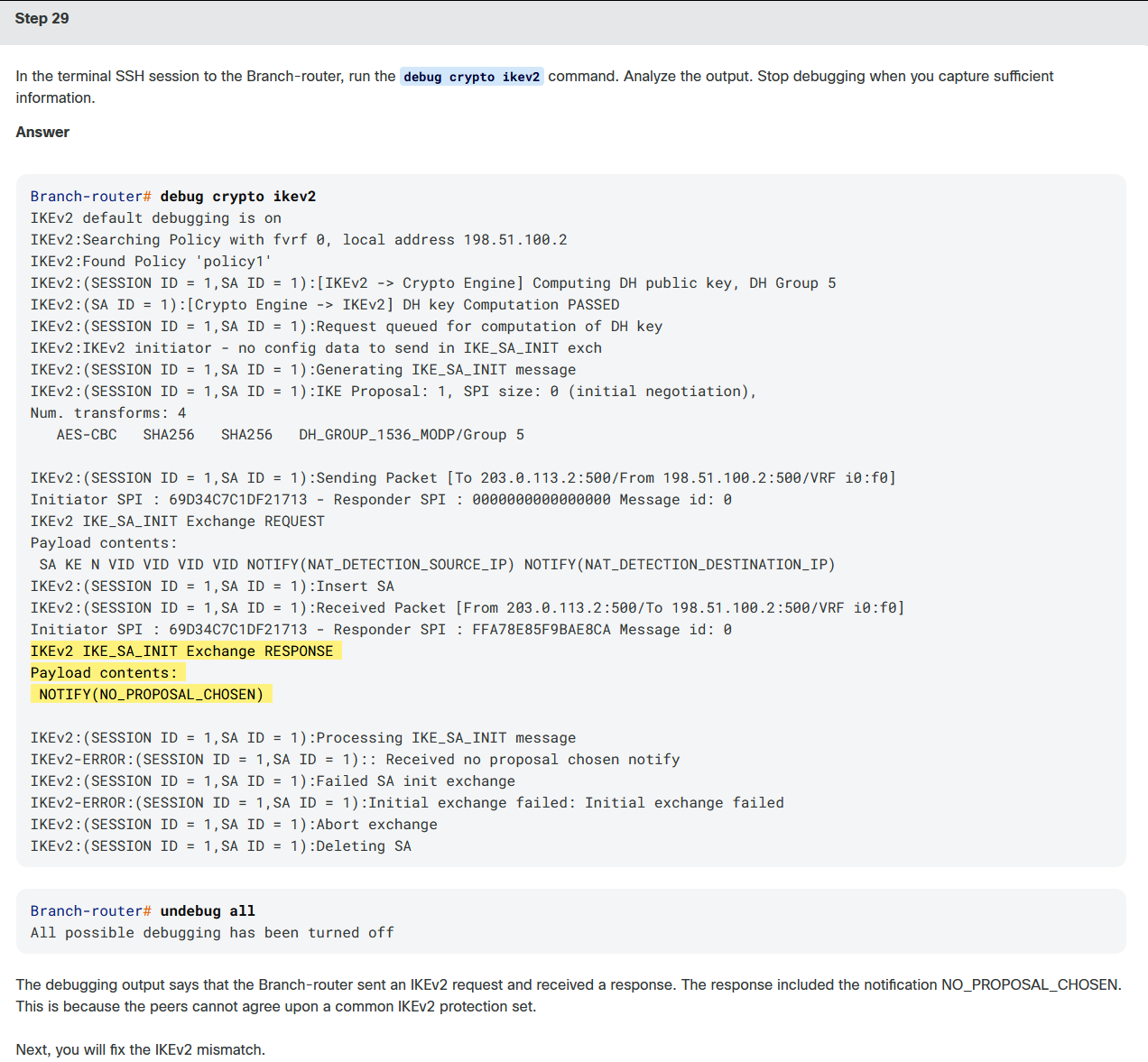
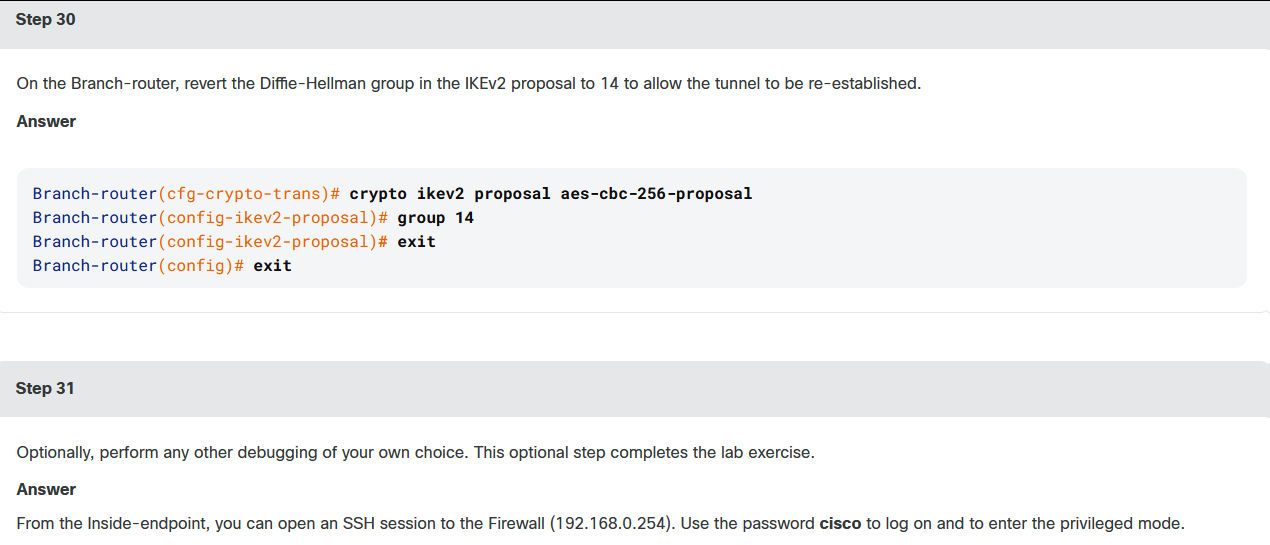
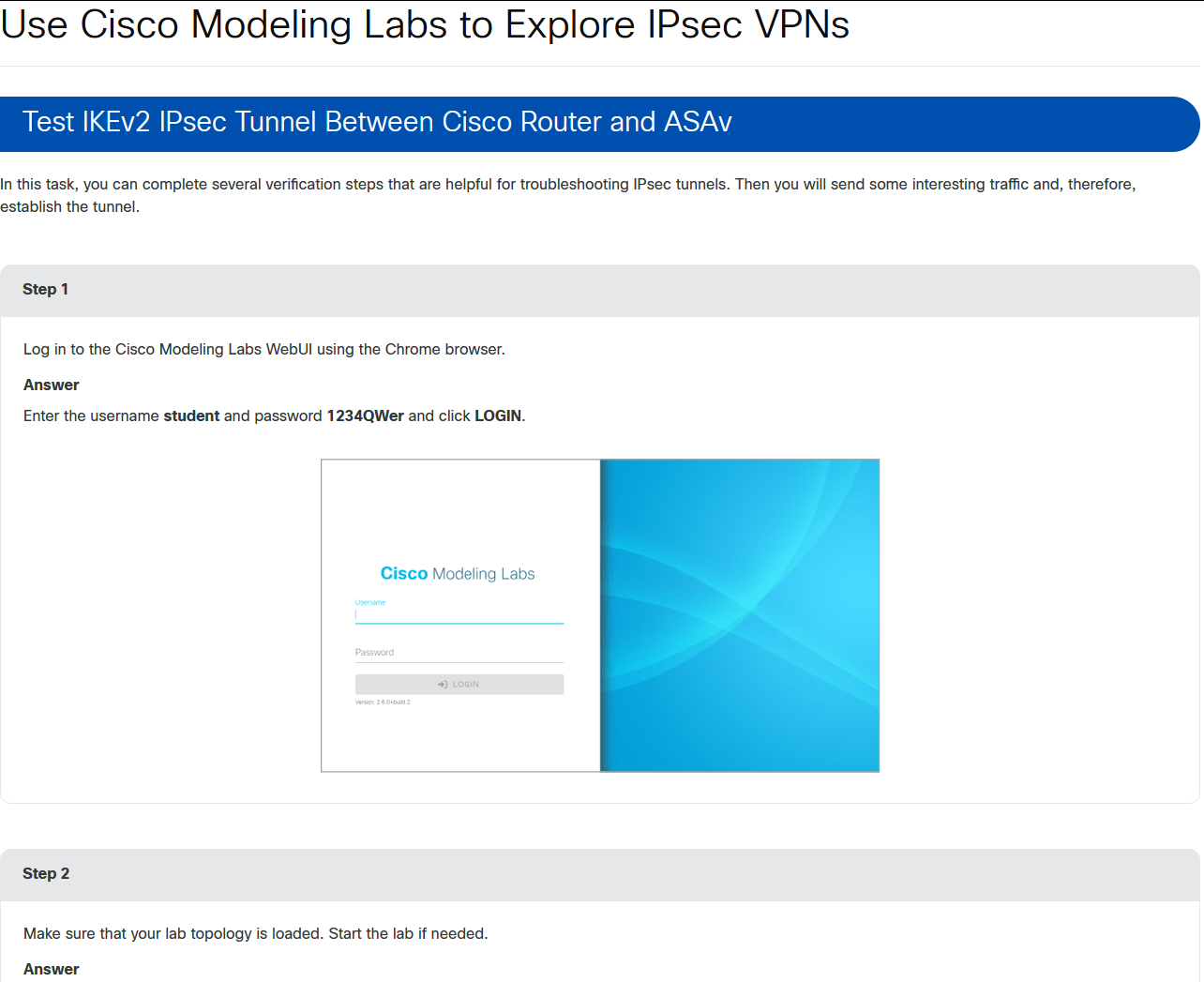
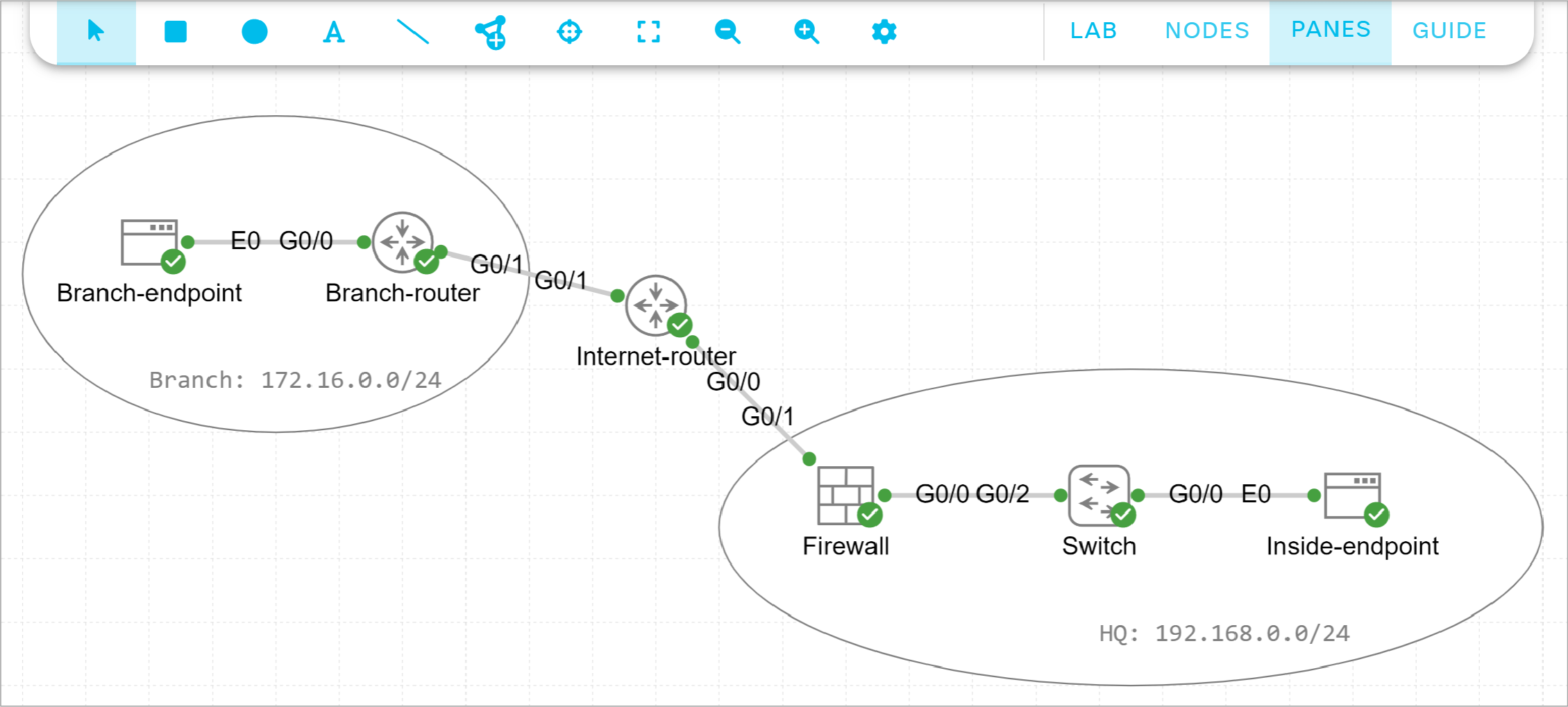
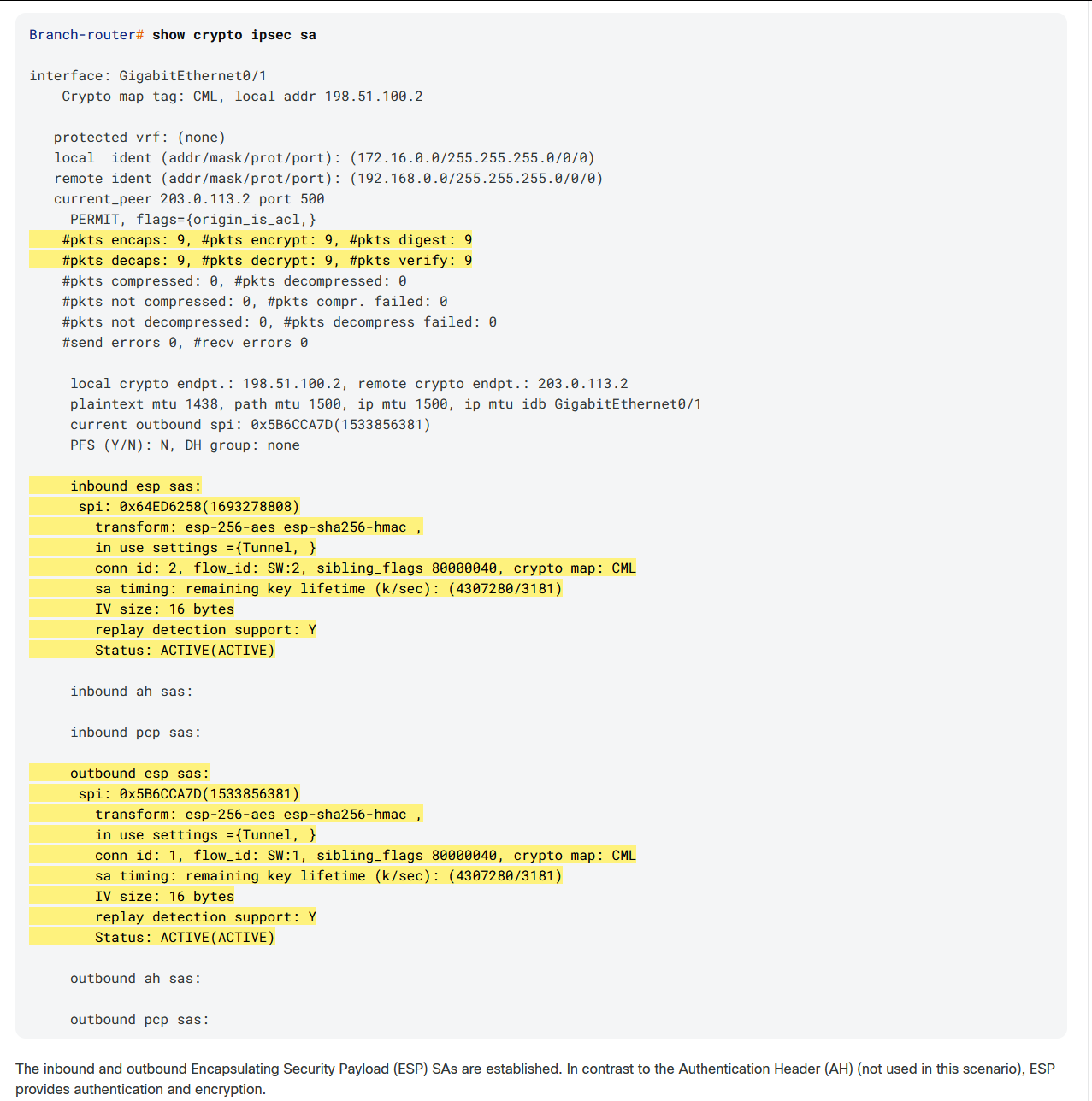
CML是一个使你能够在几乎没有时间的情况下使用各种设备类型构建复杂的拓扑的工具。在本实验中,你将探索Cisco IOS路由器和ASAv上的IPsec VPNs。站点到站点已经过预配置,你将检查这两个平台的相似之处和不同之处。最重要的是,最新版本的互联网密钥交换,IKEv2,使用,使测试理想的概念证明。
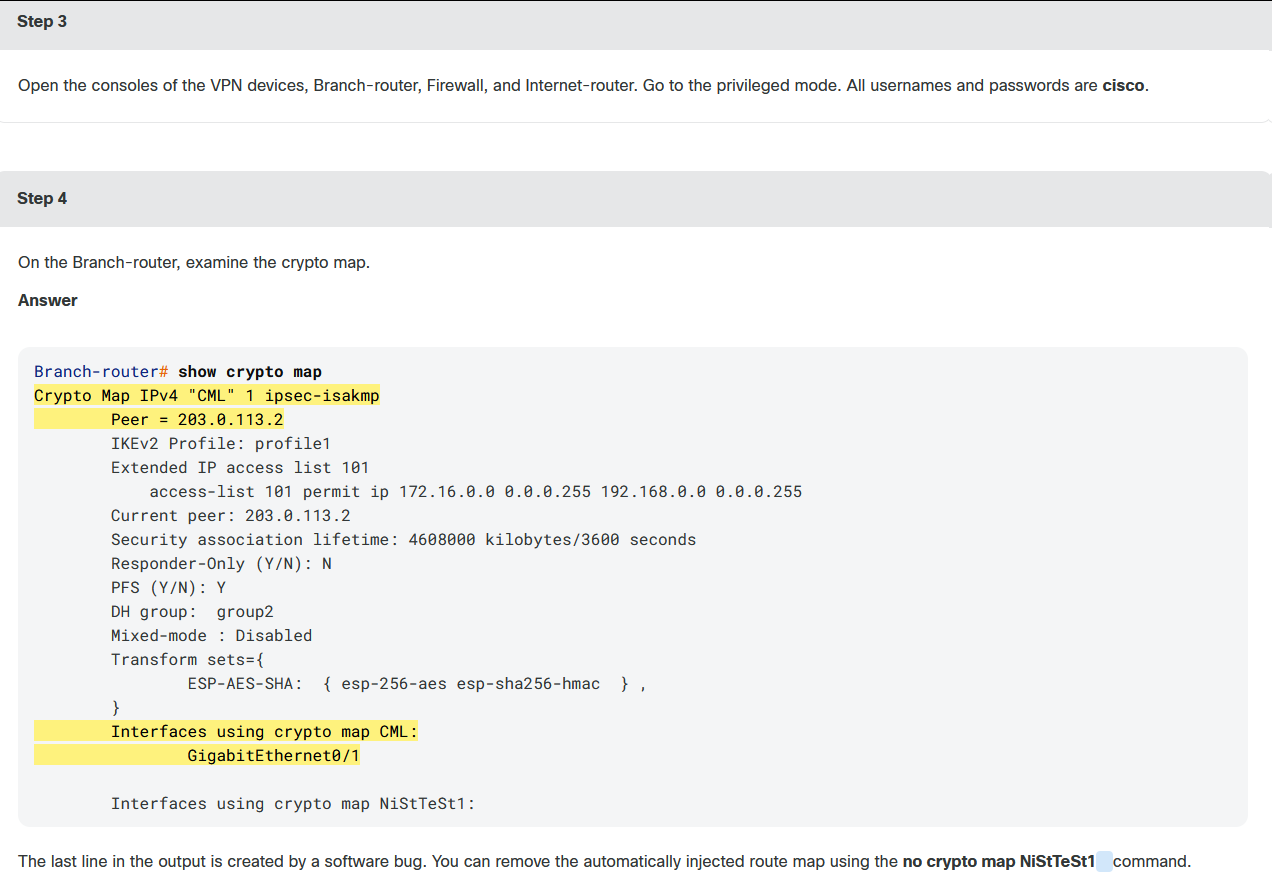
The most important settings in a crypto map include:
-
The peer, which identifies the remote tunnel headend. In this case, it is the Firewall's outside interface IP address.
-
IKEv2 profile, which defines the local and remote identities and IKEv2 authentication method.
-
Interesting traffic, which is defined with an extended ACL. In this case, all traffic from the Branch network 172.16.0.0/24 to the remote subnet 192.168.0.0/24 will be encrypted.
-
Tunnel negotiation parameters, such as perfect forward secrecy (PFS) and Diffie-Hellman (DH) group.
-
IPsec transform set, which defines the encryption and authentication protocols applied to the protected traffic.
-
The interface to which the crypto map is applied. When traffic goes out toward the Internet-router, the access-list is matched to identify which packets must be protected.
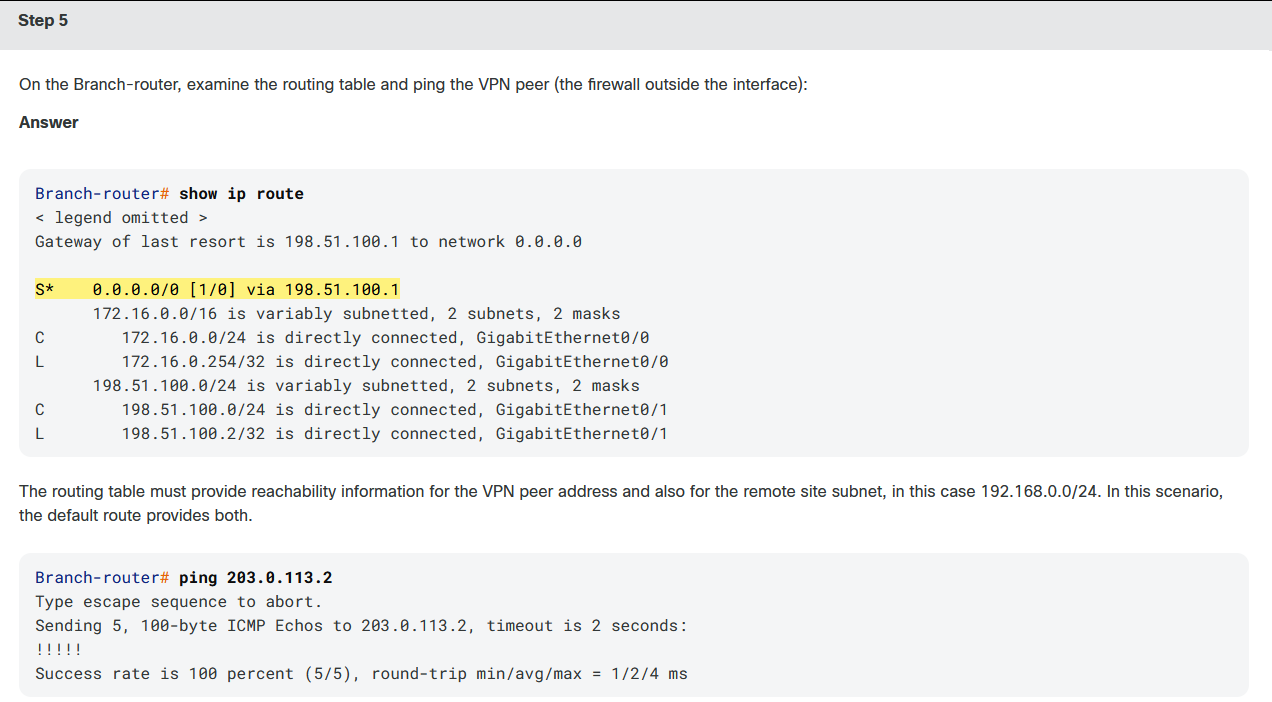
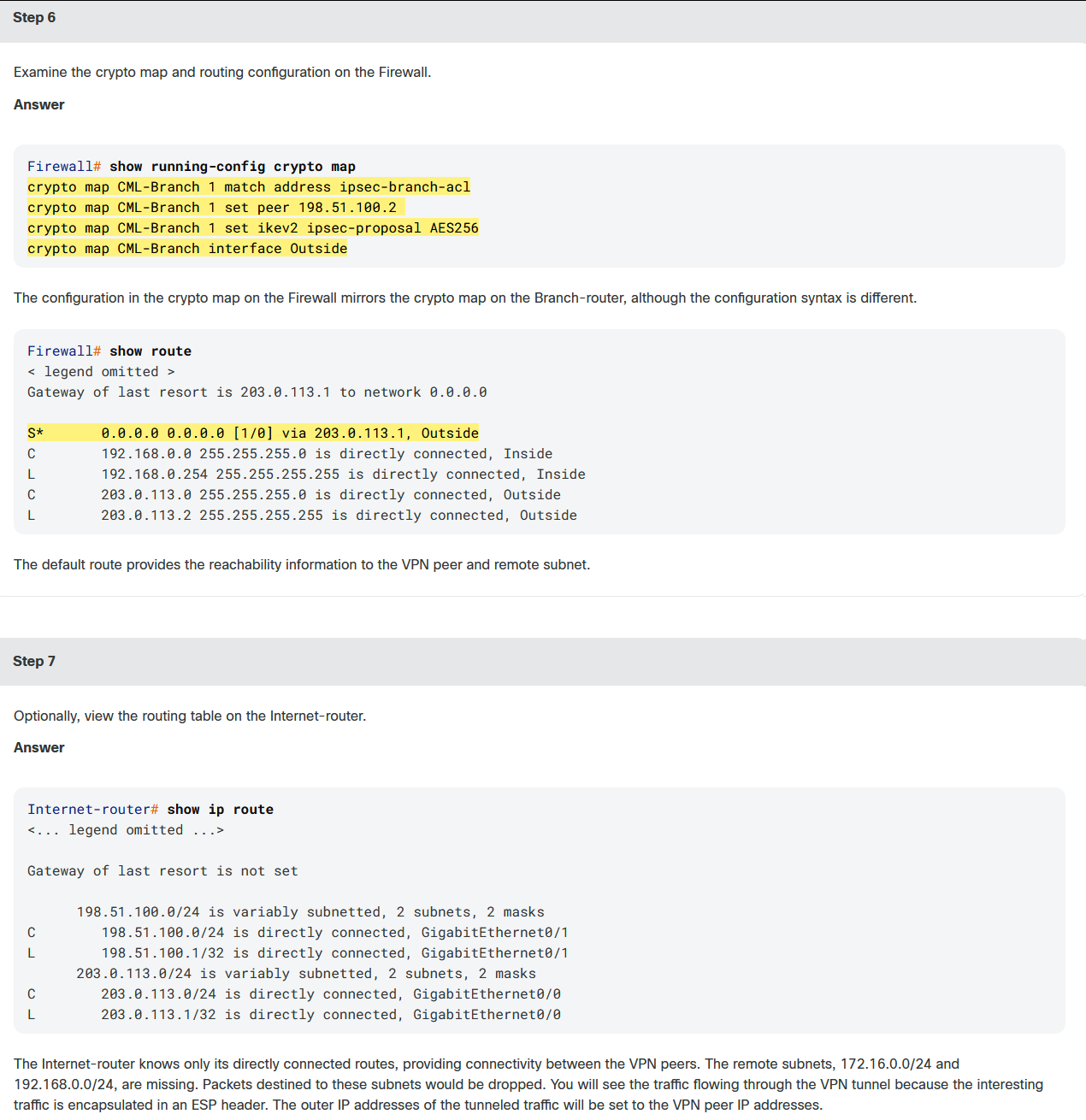
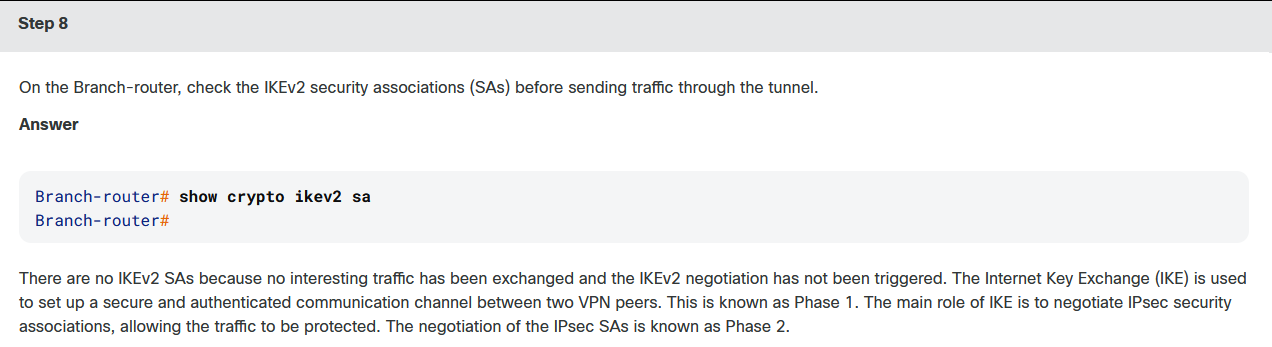
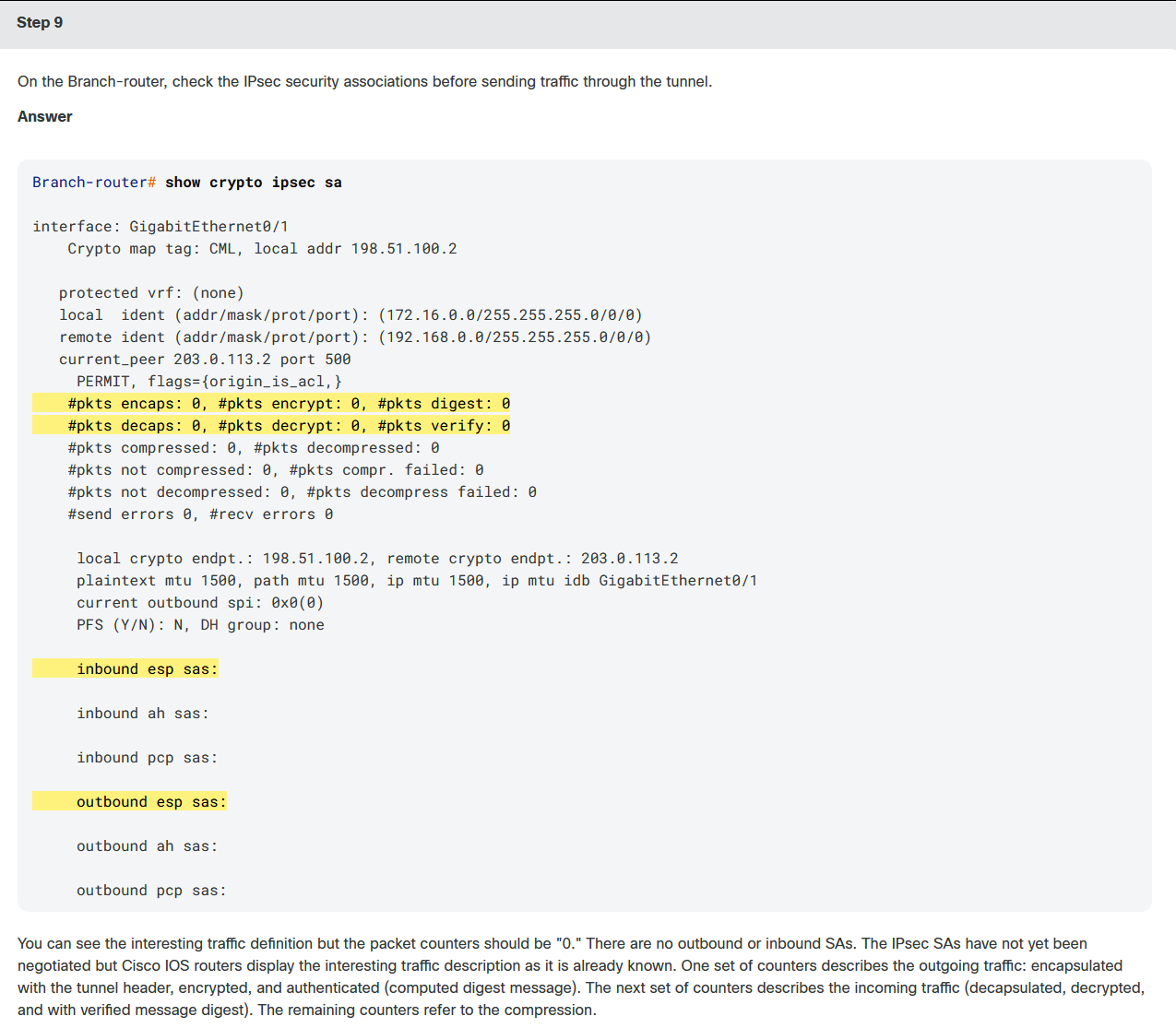
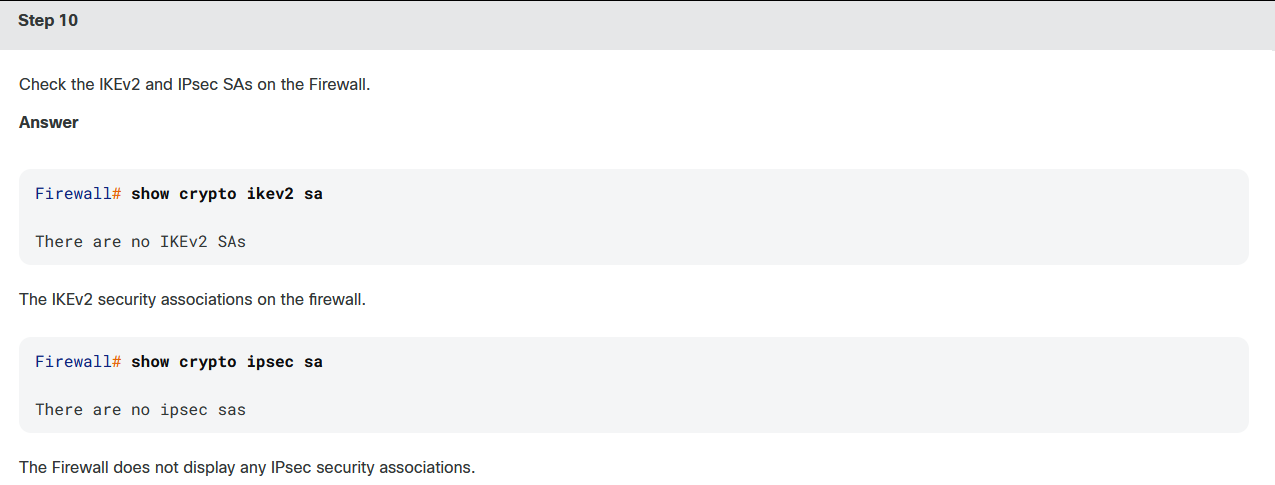
In this lab, IKEv1 is not used at all. IKEv2 provides several enhancements compared to IKEv1, including:
-
EAP authentication. IKEv2 can use an authentication, authorization, and accounting (AAA) server to remotely authenticate mobile and PC users and assign private addresses to these users. IKEv1 does not provide this function and must use Layer 2 Tunneling Protocol (L2TP) to assign private addresses.
-
IKEv2 simplifies the SA negotiation process. IKEv2 uses two exchanges (a total of four messages) to create an IKE SA and a pair of IPsec SAs, as compared to the six messages exchanged in IKE v1. To create multiple pairs of IPsec SAs, only one additional exchange is needed for each additional pair of SAs.
-
Support for asymmetric authentication.
-
Built-in NAT traversal.
-
Support for FlexVPN.
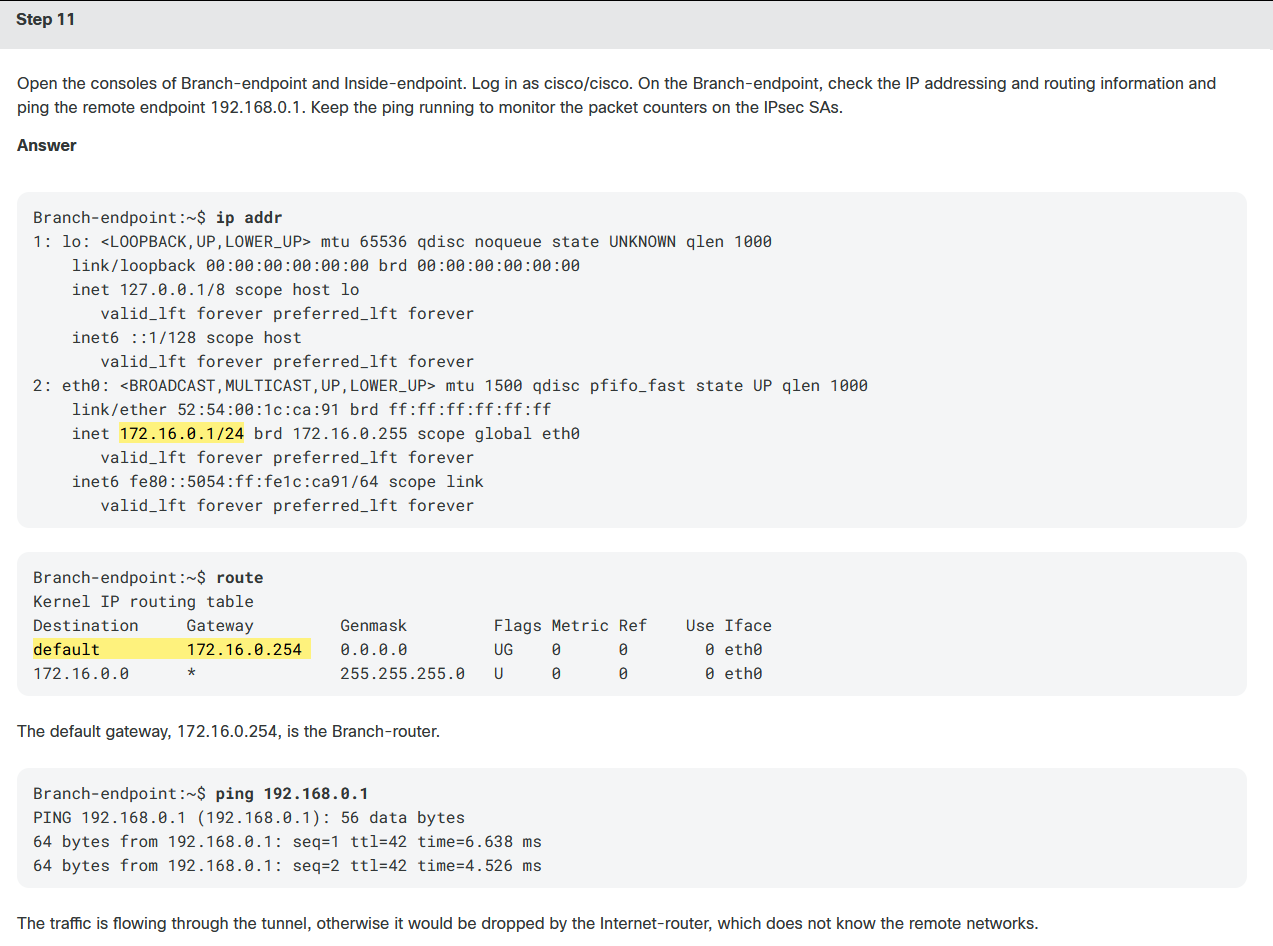
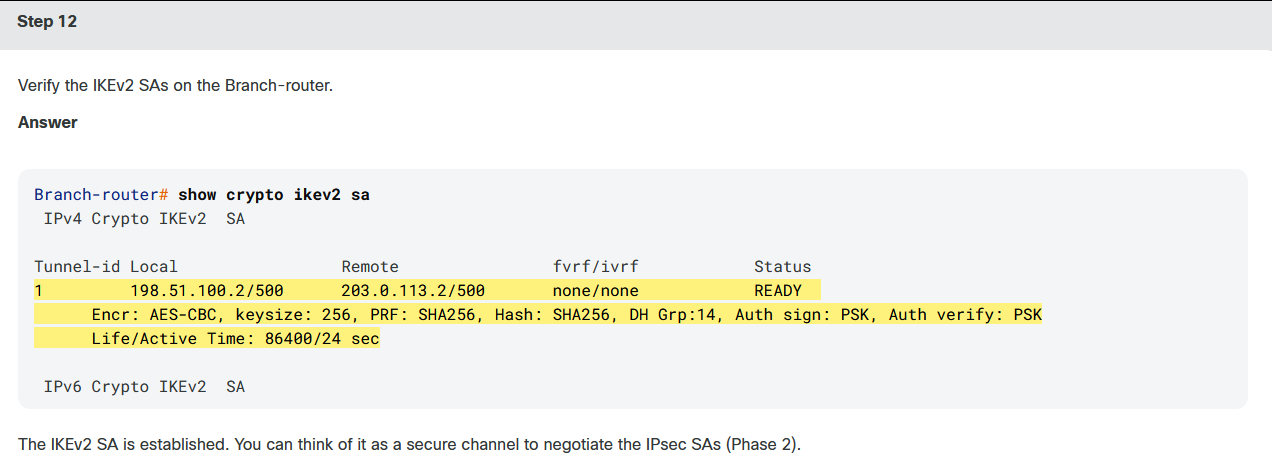


bash
Firewall# show crypto ikev2 sa

IKEv2 SAs:

Session-id:4, Status:UP-ACTIVE, IKE count:1, CHILD count:1

Tunnel-id Local                                               Remote                                                  Status         Role
  2339599 203.0.113.2/500                                     198.51.100.2/500                                         READY    RESPONDER
      Encr: AES-CBC, keysize: 256, Hash: SHA256, DH Grp:14, Auth sign: PSK, Auth verify: PSK
      Life/Active Time: 86400/136 sec
Child sa: local selector  192.168.0.0/0 - 192.168.0.255/65535
          remote selector 172.16.0.0/0 - 172.16.0.255/65535
ESP spi in/out: 0xaa6a41a5/0x4d597c91