需求
元素:活动标题、活动规则按钮、跑马灯、游园进度条、主地图、游园图鉴、单次骰子、多次骰子、活动榜单、骰子任务
-
跑马灯信息滚动展示
-
游园进度展示
-
地图展示50个格子,其中随机12个有特殊格子,特殊格子包括前进x步、后退y步、道具宝箱
-
点击摇骰子,触发摇骰子动效,展示骰子点数,开始走动
-
走动需要一步步走,结束前进的时候需要判断当前格子是否是特殊位置,如果是触发特殊效果
-
走到最后一格通关,通关的时候如果还有剩余的步数,则计到下一轮
-
二次打开活动页面,初始化的时候走到用户之前的位置
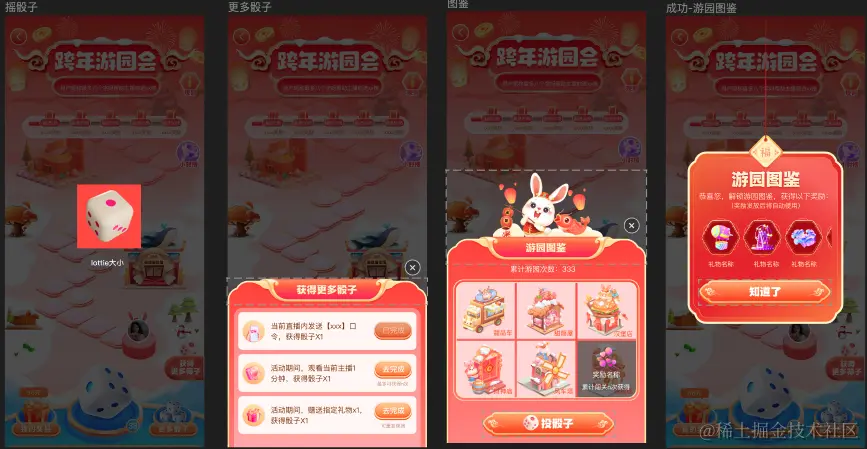
大致效果展示
设计稿
首页全尺寸:

其他部分:
实现过程
注:这里只描述主地图开发过程,对业务层提供游戏myGame实例,业务部分这里不做描述
一、绘制静态地图
查看figma ui稿,地图格子位置为固定的,只有其中12格子特殊标记的格子。相隔的格子有两种关系,N的后一格N+1在N的左斜后方或者右斜后方,利用这层关系我们成一份地图坐标,1为在上一个的左后方,2为在上一个的右后方。

需求上特殊格子为实时生成,服务端由于技术问题,无法服务端实时生成。改变需求方案,前后端固定十组底提方案,随机从这十组里面去抽1组给用户玩,通关后换新的一组玩。
根据需求写出mapSpecialPositionInfo变量,共十个子属性1-10,子属性也是对象,里面对应特殊格子坐标信息。follow为0代表特殊格子,展示获奖信息(奖品信息接口下发)、follow大于0代表前进几步、follow小于0代表后退几步。例如3: { follow: 2 }表示第三格是特殊格子,可以前进2步。
getMapSpecialPosition函数根据传入地图id返回新的地图特殊格子坐标信息
css
// 地图特殊格子位置 这边使用特殊标记
const mapSpecialPositionInfo: { [key: number]: any } = {
  1: {
    3: { follow: 2 },
    5: { follow: 0 },
    11: { follow: -2 },
    14: { follow: 0 },
    19: { follow: 4 },
    22: { follow: -6 },
    27: { follow: 0 },
    32: { follow: -4 },
    35: { follow: 6 },
    39: { follow: -2 },
    44: { follow: 2 },
    48: { follow: 0 },
  },
  2: {
    3: { follow: 4 },
    7: { follow: -2 },
    9: { follow: 0 },
    13: { follow: 2 },
    15: { follow: -4 },
    19: { follow: 0 },
    22: { follow: 6 },
    28: { follow: -2 },
    32: { follow: 0 },
    37: { follow: 2 },
    39: { follow: -6 },
    43: { follow: 0 },
  },
  3: {
    2: { follow: 0 },
    5: { follow: 6 },
    11: { follow: -4 },
    13: { follow: 0 },
    17: { follow: 4 },
    21: { follow: -2 },
    25: { follow: 2 },
    29: { follow: 0 },
    35: { follow: -6 },
    39: { follow: 2 },
    43: { follow: -2 },
    46: { follow: 0 },
  },
  4: {
    1: { follow: 0 },
    5: { follow: 2 },
    9: { follow: 4 },
    11: { follow: 0 },
    13: { follow: -6 },
    18: { follow: 6 },
    21: { follow: 0 },
    24: { follow: -4 },
    28: { follow: -2 },
    34: { follow: 2 },
    39: { follow: -2 },
    45: { follow: 0 },
  },
  5: {
    3: { follow: 6 },
    6: { follow: 0 },
    9: { follow: -4 },
    12: { follow: 2 },
    14: { follow: 0 },
    16: { follow: -2 },
    21: { follow: 4 },
    25: { follow: 0 },
    31: { follow: -6 },
    37: { follow: 2 },
    39: { follow: 0 },
    45: { follow: -2 },
  },
  6: {
    1: { follow: 2 },
    4: { follow: 0 },
    9: { follow: 4 },
    13: { follow: -2 },
    16: { follow: 6 },
    19: { follow: -4 },
    22: { follow: 0 },
    24: { follow: -2 },
    32: { follow: -6 },
    39: { follow: 2 },
    41: { follow: 0 },
    46: { follow: 0 },
  },
  7: {
    3: { follow: 0 },
    5: { follow: -2 },
    10: { follow: 0 },
    14: { follow: -4 },
    19: { follow: 0 },
    22: { follow: 4 },
    25: { follow: -6 },
    29: { follow: 2 },
    34: { follow: 6 },
    40: { follow: 0 },
    42: { follow: -2 },
    48: { follow: 2 },
  },
  8: {
    1: { follow: 4 },
    5: { follow: 0 },
    9: { follow: -2 },
    14: { follow: 6 },
    20: { follow: -2 },
    23: { follow: 2 },
    25: { follow: 0 },
    31: { follow: -4 },
    33: { follow: 2 },
    39: { follow: 6 },
    41: { follow: 0 },
    46: { follow: 0 },
  },
  9: {
    2: { follow: 6 },
    6: { follow: 0 },
    8: { follow: -2 },
    14: { follow: 4 },
    16: { follow: 0 },
    18: { follow: -2 },
    24: { follow: 2 },
    26: { follow: 0 },
    30: { follow: -6 },
    37: { follow: 2 },
    39: { follow: 0 },
    41: { follow: -4 },
  },
  10: {
    1: { follow: 0 },
    7: { follow: -6 },
    11: { follow: 0 },
    15: { follow: -4 },
    20: { follow: 6 },
    26: { follow: 0 },
    30: { follow: 2 },
    34: { follow: -2 },
    38: { follow: 4 },
    42: { follow: 0 },
    44: { follow: -2 },
    46: { follow: 2 },
  },
}

const getMapSpecialPosition = (id: number) => {
  let mapSpecialPosition = {}
  if (mapSpecialPositionInfo[`${id}`]) {
    mapSpecialPosition = mapSpecialPositionInfo[`${id}`]
  }
  return mapSpecialPosition
}
Dom
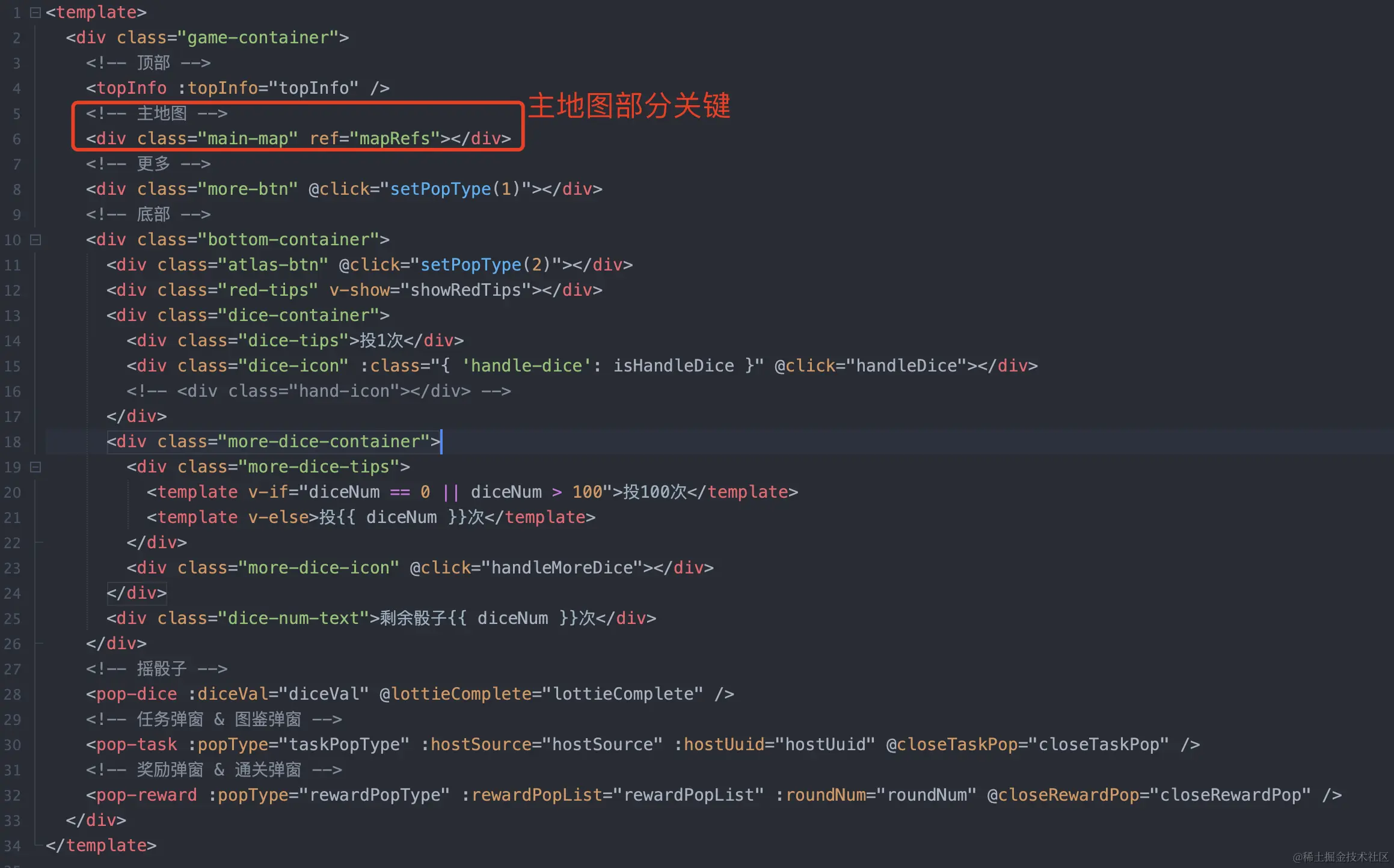
main-map元素是地图部分主要用pixi来绘制,其他部分为其他业务需求
Js
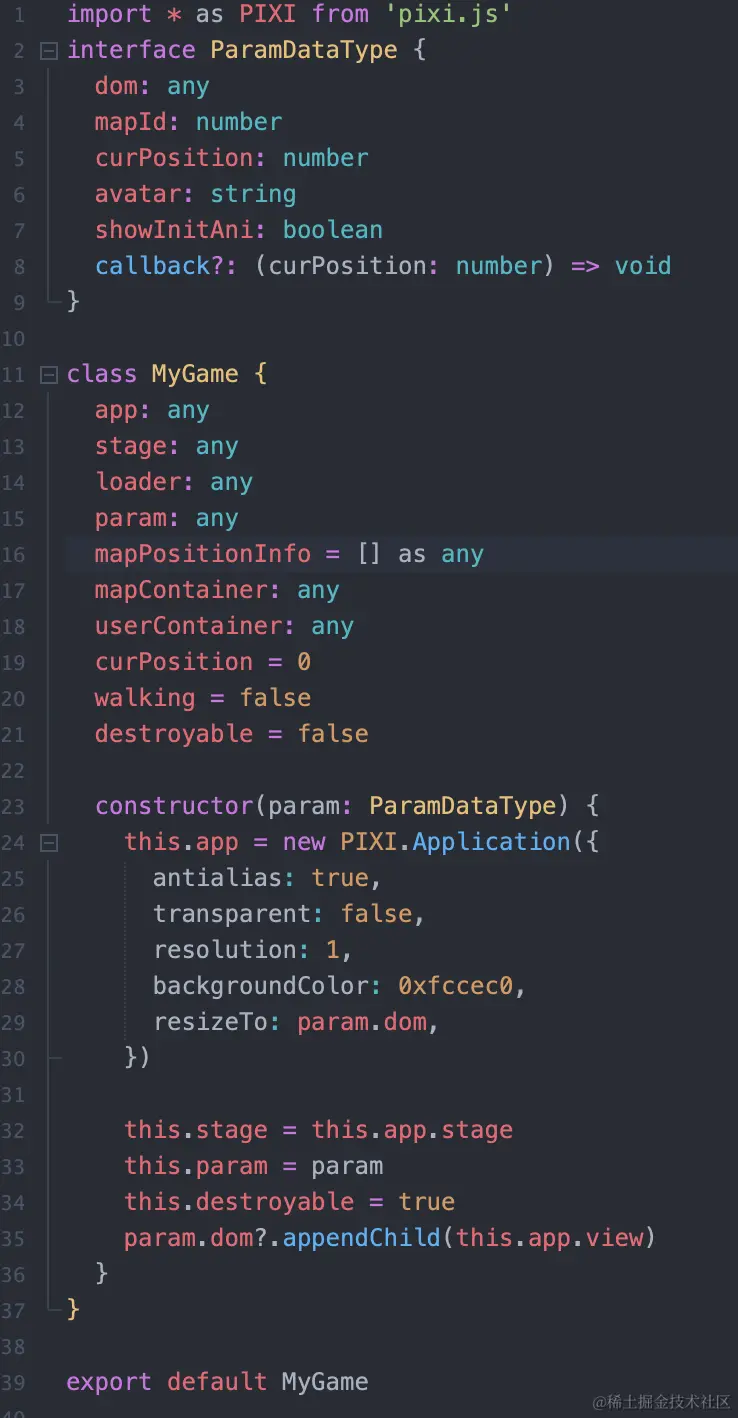
创建一个MyGame类,绘制创建Pixi舞台,并将画面展示到我们创建的main-map元素容器内
至此,页面已经能显示一个红色canvas区域,完成pixi舞台搭建

开始加载地图静态资源,创建getResource函数,将地图所需的静态图片资源提前加载好
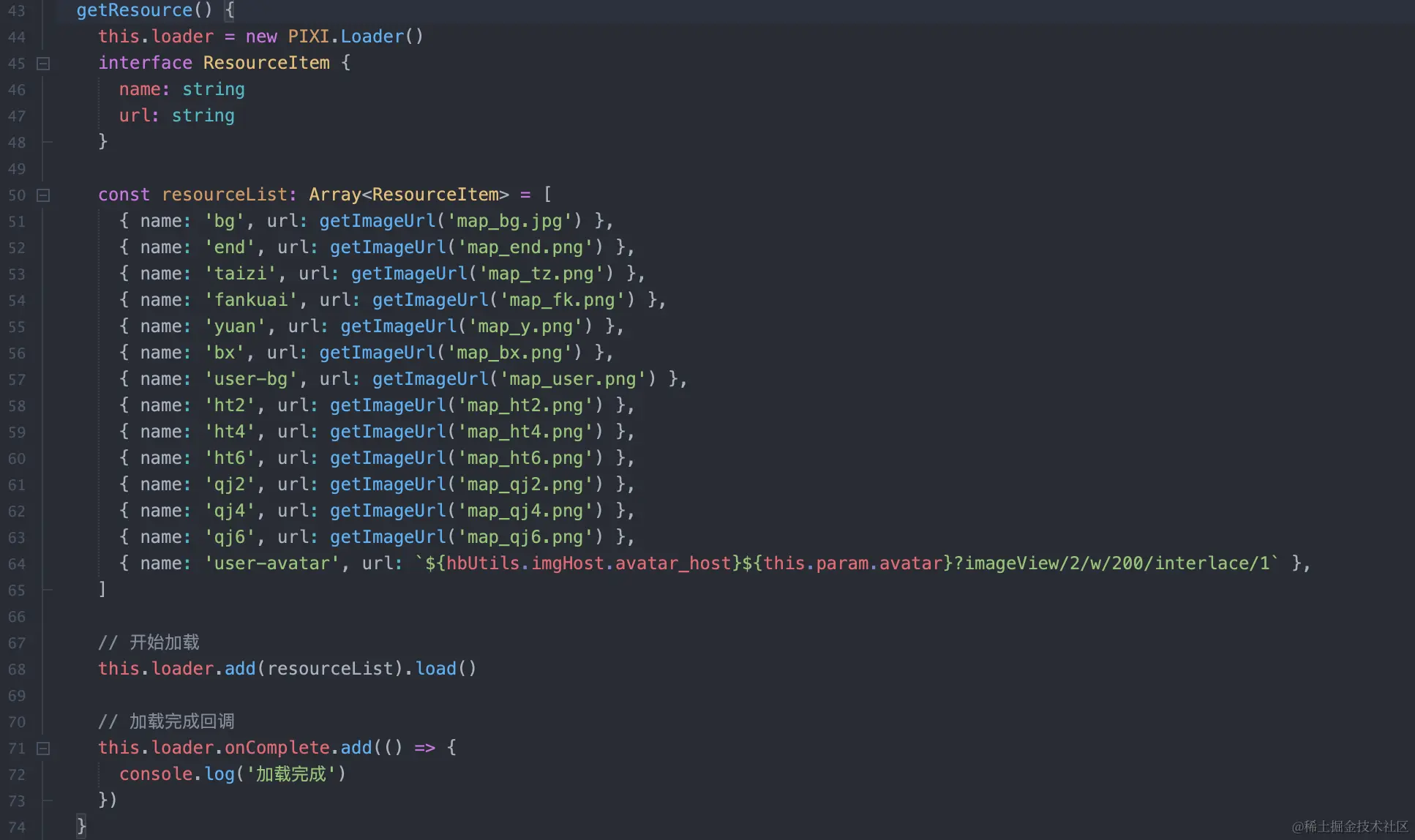
静态资源加载完成,我们开始地图数据准备
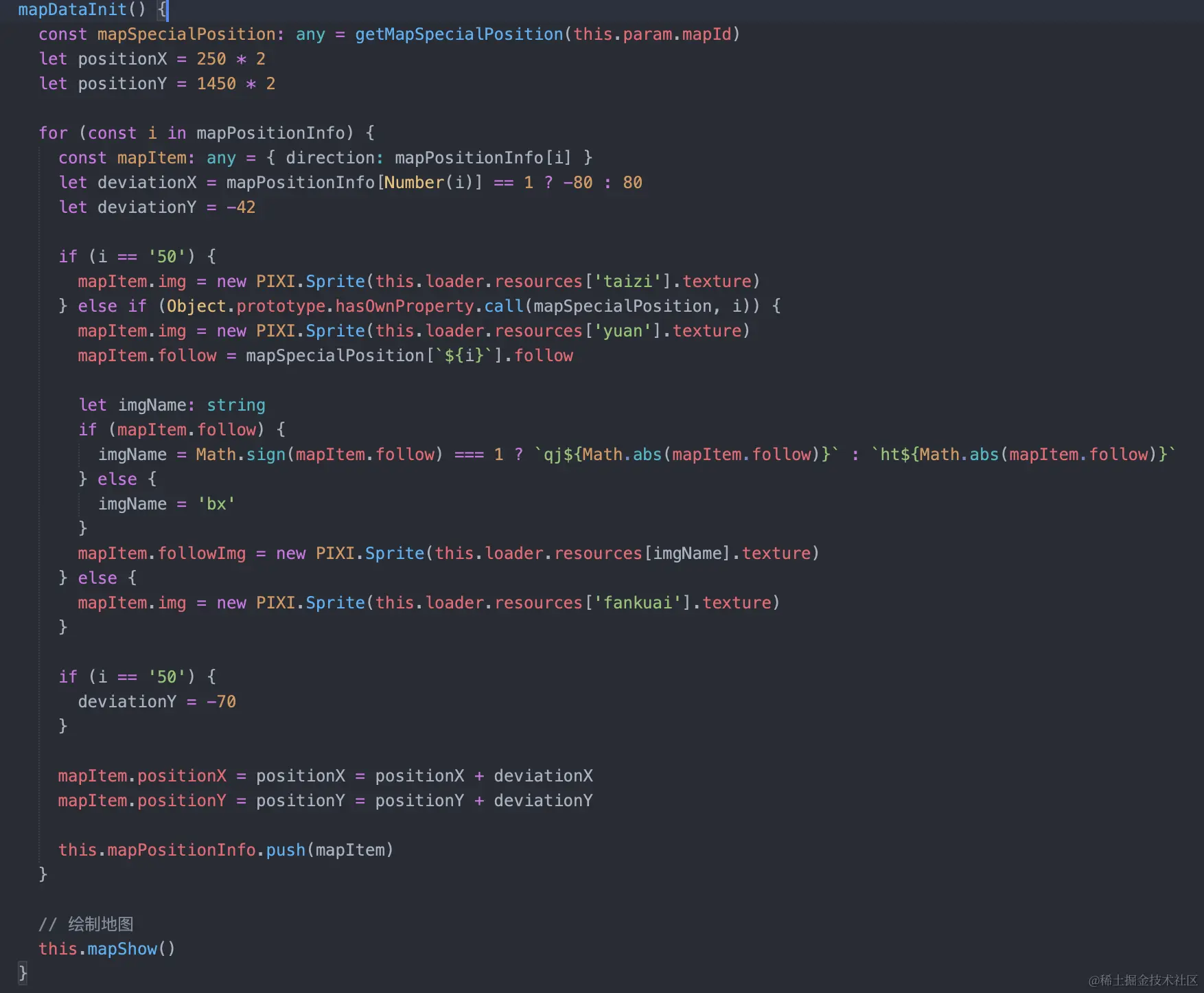
将地图id传入getMapSpecialPosition获取地图特殊格子信息。positionX,positionY初始化为第一个格子的坐标。
遍历mapPositionInfo,知道后一格是在前一格的位置,deviationX为两者的X坐标差,deviationY两者Y坐标差为固定42(通过ui稿测量值);当格子为最后一格,增加终点台子,且因为deviationY需要增加到70(一样通过ui稿测量值);如果为特殊格子展示为圆形格子,其余默认展示方形格子;
开始绘制地图
kotlin
// 绘制地图
  mapShow() {
    this.mapContainer = new PIXI.Container()
    this.mapContainer.sortableChildren = true

    // 背景图
    const bgImg = new PIXI.Sprite(this.loader.resources['bg'].texture)
    this.mapContainer.addChild(bgImg)

    // 终点
    const endImg = new PIXI.Sprite(this.loader.resources['end'].texture)
    endImg.position.set(360, 530)
    this.mapContainer.addChild(endImg)

    // 绘制棋盘
    for (const i in this.mapPositionInfo) {
      const stepContainer = new PIXI.Container()

      const item = this.mapPositionInfo[Number(i)]
      const stepitem = item.img

      stepitem.position.set(item.positionX, item.positionY)

      stepContainer.addChild(stepitem)
      stepContainer.zIndex = 100 - Number(i)

      this.mapContainer.addChild(stepContainer)

      if (item.followImg) {
        const followImg = item.followImg

        followImg.anchor.set(0.5, 0.5)
        followImg.position.set(item.positionX + 70, item.positionY + 10)
        followImg.zIndex = 101 - Number(i)
        this.mapContainer.addChild(item.followImg)
      }
    }

    // 绘制用户
    this.userContainer = new PIXI.Container()
    this.userContainer.zIndex = 101

    const userBg = new PIXI.Sprite(this.loader.resources['user-bg'].texture)
    this.userContainer.addChild(userBg)

    // 设置蒙版
    const mask = new PIXI.Graphics()
    mask.beginFill(0xffffff)
    mask.drawCircle(0, 0, 41.5)
    mask.endFill()
    mask.position.set(50, 50)
    this.userContainer.addChild(mask)

    const userAvatar = new PIXI.Sprite(this.loader.resources['user-avatar'].texture)
    userAvatar.width = userAvatar.height = 90
    userAvatar.position.set(8, 8)
    userAvatar.mask = mask
    this.userContainer.addChild(userAvatar)

    // 设置用户坐标
    const curMapPosition = this.mapPositionInfo[this.curPosition]
    this.userContainer.position.set(curMapPosition.positionX + 30, curMapPosition.positionY - 90)

    this.mapContainer.addChild(this.userContainer)

    // 设置mapContainer初始化位置并加入视图
    this.mapContainer.y = document.body.clientHeight - GAMP_HEIGHT
    this.stage.addChild(this.mapContainer)

    this.param.callback(this.param.curPosition)
  }
创建主容器mapContainer,将背景图、终点、单独绘制到mapContainer
便利mapPositionInfo绘制棋盘每个格子到mapPositionInfo
绘制用户,并设置用户在第几格上,这里注意用户层可以单独设置zIndex,避免展示的时候用户层被地图遮挡
到这里静态地图绘制完成,效果如下
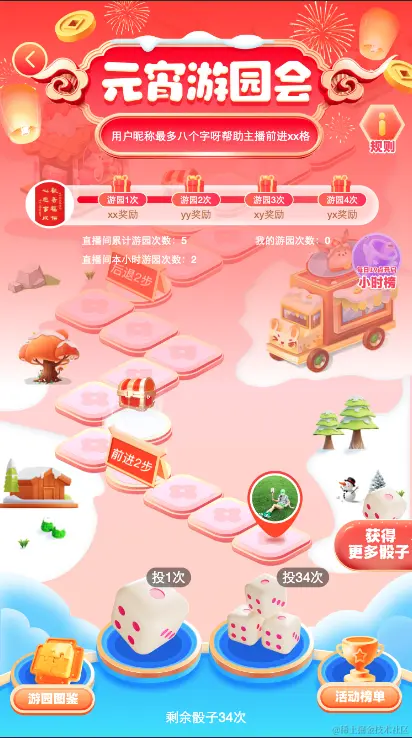
二、让画面动起来
完成上面的步骤,我们页面能展示最初效果,用户在摇骰子后需要让地图动起来
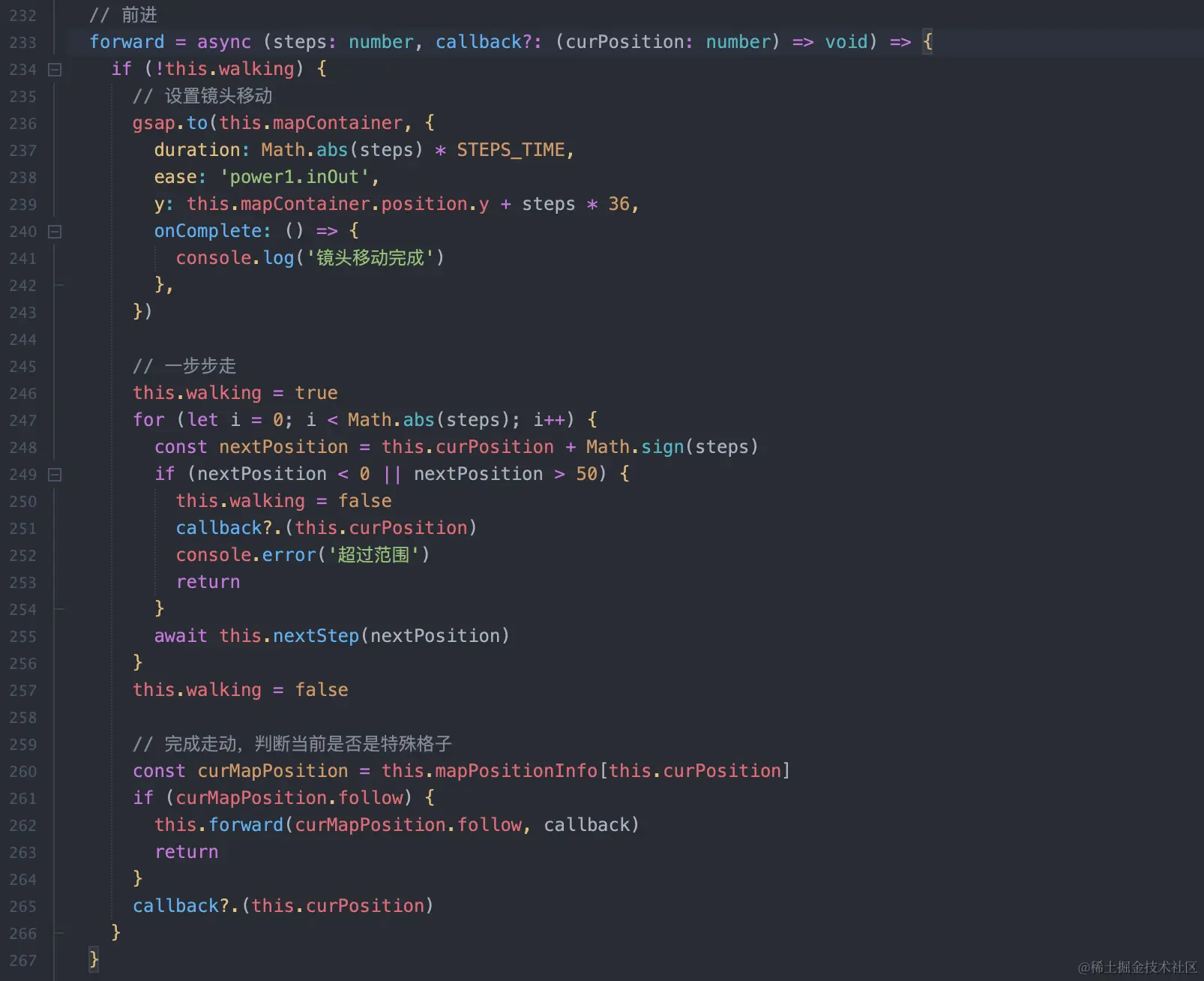
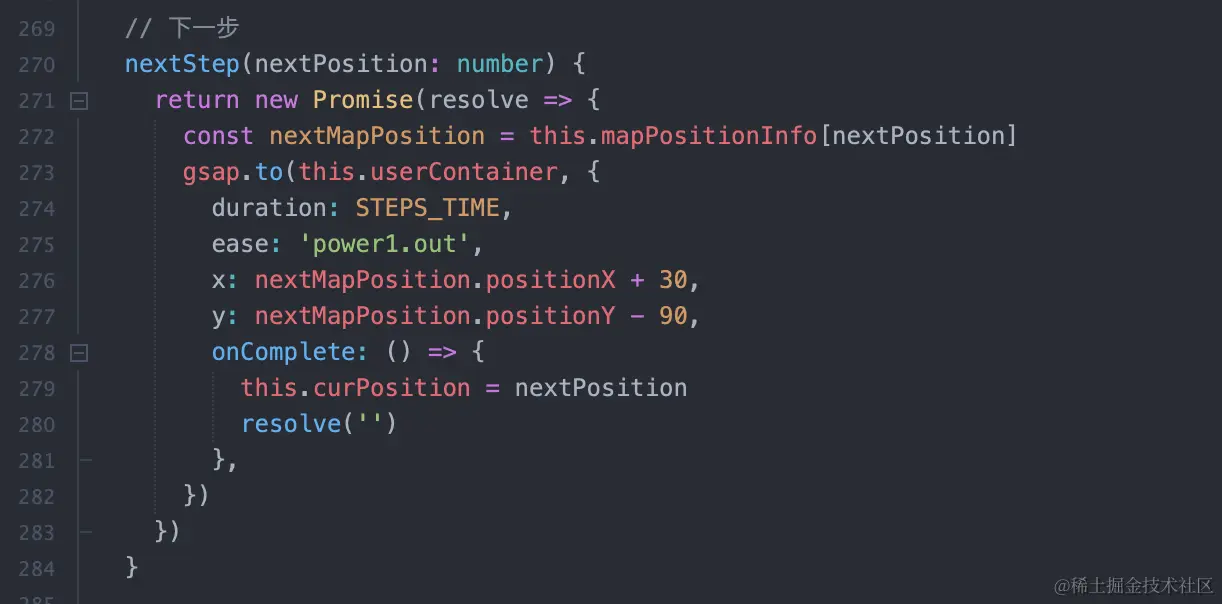
创建forward函数,接收两个参数,steps:前进步数量(正为前进,负为后退)callback:完成走动后的回调函数
将每次走动当成一组,已知当前组要前进还是后退,控制镜头缓慢移动跟上我们的"角色"位置;同时"角色"开始一步步走动,并判断是否到头(到第0格和50格,如果触发给出提示,调用回调函数)
注:这里走路的补间动画用到gsap,参考greensock.com/get-started...
当"角色"走完一组后,判断是否是特殊格子,如果是可能要继续前进/后退,函数递归开始新一组动画
此时效果
暂时无法在{app_display_name}文档外展示此内容
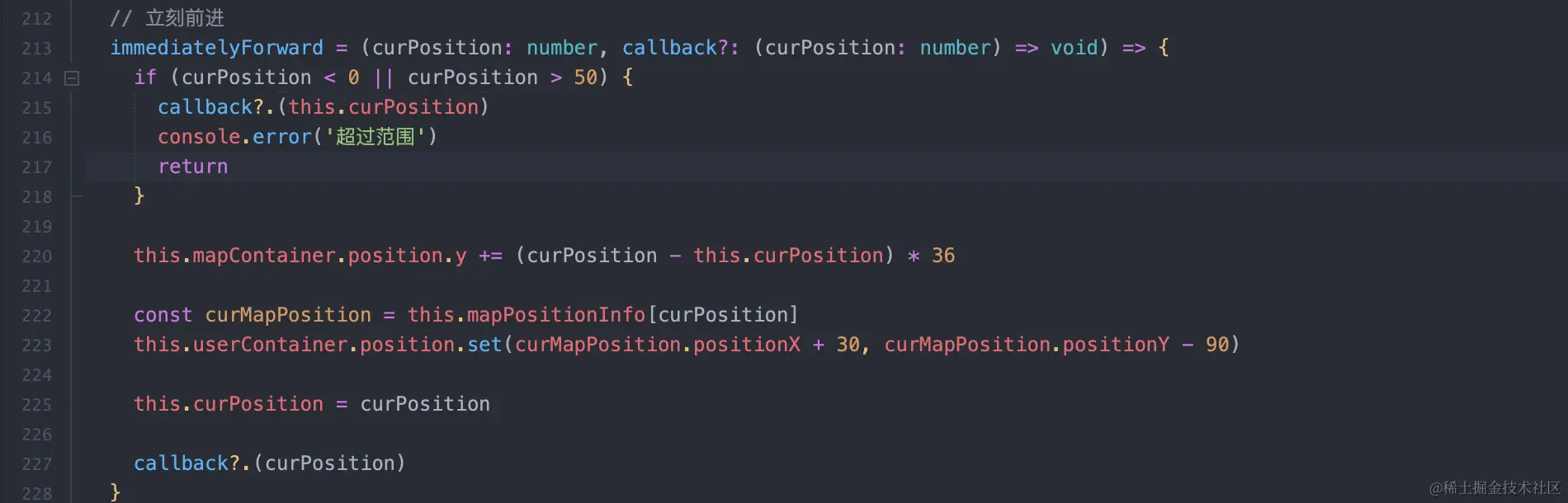
补充:后期在需求调整下,要求部分情况是直接展示最后的位置,不缓慢暂时走动的过程
新增immediatelyForward方法,直接将镜头和"角色"位置更新到最后的位置上
三、地图更新
在更新地图前,我们需要先销毁上次的myGameFrame实例
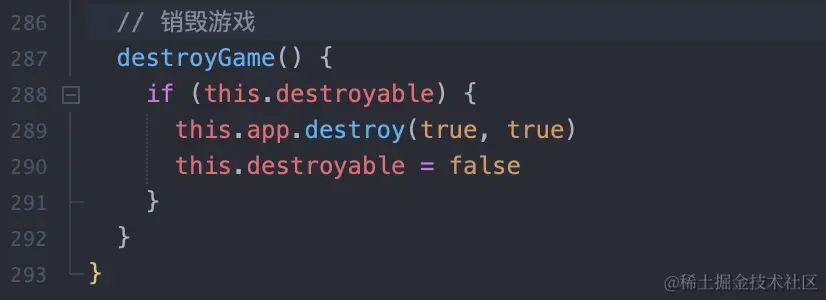
对外提供destroyGame,销毁当前实例,外部种新new实例即可实现地图更新重绘
完整代码
gameUtils.ts
css
// 地图信息 这边使用特殊标记
const mapPositionInfo = [1, 1, 1, 1, 1, 2, 1, 2, 2, 1, 1, 2, 2, 2, 1, 2, 2, 2, 1, 1, 1, 1, 2, 1, 2, 2, 2, 2, 1, 1, 1, 2, 1, 2, 2, 2, 1, 1, 1, 1, 2, 2, 2, 2, 1, 1, 1, 1, 2, 2, 2]

// 地图特殊格子位置 这边使用特殊标记
const mapSpecialPositionInfo: { [key: number]: any } = {
  1: {
    3: { follow: 2 },
    5: { follow: 0 },
    11: { follow: -2 },
    14: { follow: 0 },
    19: { follow: 4 },
    22: { follow: -6 },
    27: { follow: 0 },
    32: { follow: -4 },
    35: { follow: 6 },
    39: { follow: -2 },
    44: { follow: 2 },
    48: { follow: 0 }
  },
  2: {
    3: { follow: 4 },
    7: { follow: -2 },
    9: { follow: 0 },
    13: { follow: 2 },
    15: { follow: -4 },
    19: { follow: 0 },
    22: { follow: 6 },
    28: { follow: -2 },
    32: { follow: 0 },
    37: { follow: 2 },
    39: { follow: -6 },
    43: { follow: 0 }
  },
  3: {
    2: { follow: 0 },
    5: { follow: 6 },
    11: { follow: -4 },
    13: { follow: 0 },
    17: { follow: 4 },
    21: { follow: -2 },
    25: { follow: 2 },
    29: { follow: 0 },
    35: { follow: -6 },
    39: { follow: 2 },
    43: { follow: -2 },
    46: { follow: 0 }
  },
  4: {
    1: { follow: 0 },
    5: { follow: 2 },
    9: { follow: 4 },
    11: { follow: 0 },
    13: { follow: -6 },
    18: { follow: 6 },
    21: { follow: 0 },
    24: { follow: -4 },
    28: { follow: -2 },
    34: { follow: 2 },
    39: { follow: -2 },
    45: { follow: 0 }
  },
  5: {
    3: { follow: 6 },
    6: { follow: 0 },
    9: { follow: -4 },
    12: { follow: 2 },
    14: { follow: 0 },
    16: { follow: -2 },
    21: { follow: 4 },
    25: { follow: 0 },
    31: { follow: -6 },
    37: { follow: 2 },
    39: { follow: 0 },
    45: { follow: -2 }
  },
  6: {
    1: { follow: 2 },
    4: { follow: 0 },
    9: { follow: 4 },
    13: { follow: -2 },
    16: { follow: 6 },
    19: { follow: -4 },
    22: { follow: 0 },
    24: { follow: -2 },
    32: { follow: -6 },
    39: { follow: 2 },
    41: { follow: 0 },
    46: { follow: 0 }
  },
  7: {
    3: { follow: 0 },
    5: { follow: -2 },
    10: { follow: 0 },
    14: { follow: -4 },
    19: { follow: 0 },
    22: { follow: 4 },
    25: { follow: -6 },
    29: { follow: 2 },
    34: { follow: 6 },
    40: { follow: 0 },
    42: { follow: -2 },
    48: { follow: 2 }
  },
  8: {
    1: { follow: 4 },
    5: { follow: 0 },
    9: { follow: -2 },
    14: { follow: 6 },
    20: { follow: -2 },
    23: { follow: 2 },
    25: { follow: 0 },
    31: { follow: -4 },
    33: { follow: 2 },
    39: { follow: 6 },
    41: { follow: 0 },
    46: { follow: 0 }
  },
  9: {
    2: { follow: 6 },
    6: { follow: 0 },
    8: { follow: -2 },
    14: { follow: 4 },
    16: { follow: 0 },
    18: { follow: -2 },
    24: { follow: 2 },
    26: { follow: 0 },
    30: { follow: -6 },
    37: { follow: 2 },
    39: { follow: 0 },
    41: { follow: -4 }
  },
  10: {
    1: { follow: 0 },
    7: { follow: -6 },
    11: { follow: 0 },
    15: { follow: -4 },
    20: { follow: 6 },
    26: { follow: 0 },
    30: { follow: 2 },
    34: { follow: -2 },
    38: { follow: 4 },
    42: { follow: 0 },
    44: { follow: -2 },
    46: { follow: 2 }
  }
}

const getMapSpecialPosition = (id: number) => {
  let mapSpecialPosition = {}
  if (mapSpecialPositionInfo[`${id}`]) {
    mapSpecialPosition = mapSpecialPositionInfo[`${id}`]
  }
  return mapSpecialPosition
}

// 获取图片
const getImageUrl = (name: string): string => {
  return new URL(`../assets/img/${name}`, import.meta.url).href
}

export { mapPositionInfo, getMapSpecialPosition, getImageUrl }
MyGame.ts
kotlin
import * as PIXI from 'pixi.js'
import { gsap } from 'gsap'
import { mapPositionInfo, getMapSpecialPosition, getImageUrl } from './gameUtils'

const hbUtils = window.HBUtils

// 步伐频率/秒
const STEPS_TIME = 0.7

// 游戏高度
const GAMP_HEIGHT = 3250

interface ResourceItem {
  name: string
  url: string
}
interface ParamDataType {
  dom: any
  mapId: number
  curPosition: number
  avatar: string
  showInitAni: boolean
  callback?: (curPosition: number) => void
}

class MyGame {
  app: any
  stage: any
  loader: any
  param: any
  mapPositionInfo = [] as any
  mapContainer: any
  userContainer: any
  curPosition = 0
  walking = false
  destroyable = false

  constructor(param: ParamDataType) {
    this.app = new PIXI.Application({
      antialias: true,
      transparent: false,
      resolution: 1,
      backgroundColor: 0xfccec0,
      resizeTo: param.dom
    })

    this.stage = this.app.stage
    this.param = param
    this.destroyable = true
    param.dom?.appendChild(this.app.view)

    // 加载资源
    this.getResource()
  }

  // 资源加载
  getResource() {
    this.loader = new PIXI.Loader()

    const resourceList: Array<ResourceItem> = [
      { name: 'bg', url: getImageUrl('map_bg.jpg') },
      { name: 'end', url: getImageUrl('map_end.png') },
      { name: 'taizi', url: getImageUrl('map_tz.png') },
      { name: 'fankuai', url: getImageUrl('map_fk.png') },
      { name: 'yuan', url: getImageUrl('map_y.png') },
      { name: 'bx', url: getImageUrl('map_bx.png') },
      { name: 'user-bg', url: getImageUrl('map_user.png') },
      { name: 'ht2', url: getImageUrl('map_ht2.png') },
      { name: 'ht4', url: getImageUrl('map_ht4.png') },
      { name: 'ht6', url: getImageUrl('map_ht6.png') },
      { name: 'qj2', url: getImageUrl('map_qj2.png') },
      { name: 'qj4', url: getImageUrl('map_qj4.png') },
      { name: 'qj6', url: getImageUrl('map_qj6.png') },
      { name: 'user-avatar', url: `${hbUtils.imgHost.avatar_host}${this.param.avatar}?imageView/2/w/200/interlace/1` }
    ]

    // 开始加载
    this.loader.add(resourceList).load()

    // 加载完成回调
    this.loader.onComplete.add(() => {
      // 地图准备
      this.mapDataInit()
    })
  }

  // 地图数据准备
  mapDataInit() {
    const mapSpecialPosition: any = getMapSpecialPosition(this.param.mapId)
    let positionX = 250 * 2
    let positionY = 1450 * 2

    for (const i in mapPositionInfo) {
      const mapItem: any = { direction: mapPositionInfo[i] }
      let deviationX = 0
      let deviationY = -42

      if (i == '50') {
        mapItem.img = new PIXI.Sprite(this.loader.resources['taizi'].texture)
      } else if (Object.prototype.hasOwnProperty.call(mapSpecialPosition, i)) {
        mapItem.img = new PIXI.Sprite(this.loader.resources['yuan'].texture)
        mapItem.follow = mapSpecialPosition[`${i}`].follow

        let imgName: string
        if (mapItem.follow) {
          imgName = Math.sign(mapItem.follow) === 1 ? `qj${Math.abs(mapItem.follow)}` : `ht${Math.abs(mapItem.follow)}`
        } else {
          imgName = 'bx'
        }
        mapItem.followImg = new PIXI.Sprite(this.loader.resources[imgName].texture)
      } else {
        mapItem.img = new PIXI.Sprite(this.loader.resources['fankuai'].texture)
      }

      deviationX = mapPositionInfo[Number(i)] == 1 ? -80 : 80

      if (i == '50') {
        deviationY = -70
      }

      mapItem.positionX = positionX = positionX + deviationX
      mapItem.positionY = positionY = positionY + deviationY

      this.mapPositionInfo.push(mapItem)
    }

    // 绘制地图
    this.mapShow()
  }

  // 绘制地图
  mapShow() {
    this.mapContainer = new PIXI.Container()
    this.mapContainer.sortableChildren = true

    // 背景图
    const bgImg = new PIXI.Sprite(this.loader.resources['bg'].texture)
    this.mapContainer.addChild(bgImg)

    // 终点
    const endImg = new PIXI.Sprite(this.loader.resources['end'].texture)
    endImg.position.set(360, 530)
    this.mapContainer.addChild(endImg)

    // 绘制棋盘
    for (const i in this.mapPositionInfo) {
      const stepContainer = new PIXI.Container()

      const item = this.mapPositionInfo[Number(i)]
      const stepitem = item.img

      stepitem.position.set(item.positionX, item.positionY)

      stepContainer.addChild(stepitem)
      stepContainer.zIndex = 100 - Number(i)

      this.mapContainer.addChild(stepContainer)

      if (item.followImg) {
        const followImg = item.followImg

        followImg.anchor.set(0.5, 0.5)
        followImg.position.set(item.positionX + 70, item.positionY + 10)
        followImg.zIndex = 101 - Number(i)
        this.mapContainer.addChild(item.followImg)
      }
    }

    // 绘制用户
    this.userContainer = new PIXI.Container()
    this.userContainer.zIndex = 101

    const userBg = new PIXI.Sprite(this.loader.resources['user-bg'].texture)
    this.userContainer.addChild(userBg)

    // 设置蒙版
    const mask = new PIXI.Graphics()
    mask.beginFill(0xffffff)
    mask.drawCircle(0, 0, 41.5)
    mask.endFill()
    mask.position.set(50, 50)
    this.userContainer.addChild(mask)

    const userAvatar = new PIXI.Sprite(this.loader.resources['user-avatar'].texture)
    userAvatar.width = userAvatar.height = 90
    userAvatar.position.set(8, 8)
    userAvatar.mask = mask
    this.userContainer.addChild(userAvatar)

    // 设置用户坐标
    const curMapPosition = this.mapPositionInfo[this.curPosition]
    this.userContainer.position.set(curMapPosition.positionX + 30, curMapPosition.positionY - 90)

    this.mapContainer.addChild(this.userContainer)

    // 设置mapContainer初始化位置并加入视图
    this.mapContainer.y = document.body.clientHeight - GAMP_HEIGHT
    this.stage.addChild(this.mapContainer)

    // 前进
    if (this.param.curPosition) {
      if (this.param.showInitAni) {
        this.forward(this.param.curPosition, this.param.callback)
      } else {
        this.immediatelyForward(this.param.curPosition, this.param.callback)
      }
    } else {
      this.param.callback(this.param.curPosition)
    }
  }

  // 立刻前进
  immediatelyForward = (curPosition: number, callback?: (curPosition: number) => void) => {
    if (curPosition < 0 || curPosition > 50) {
      callback?.(this.curPosition)
      console.error('超过范围')
      return
    }

    this.mapContainer.position.y += (curPosition - this.curPosition) * 36

    const curMapPosition = this.mapPositionInfo[curPosition]
    this.userContainer.position.set(curMapPosition.positionX + 30, curMapPosition.positionY - 90)

    this.curPosition = curPosition

    callback?.(curPosition)
  }

  // 前进
  forward = async (steps: number, callback?: (curPosition: number) => void) => {
    if (!this.walking) {
      // 设置镜头移动
      gsap.to(this.mapContainer, {
        duration: Math.abs(steps) * STEPS_TIME,
        ease: 'power1.inOut',
        y: this.mapContainer.position.y + steps * 36,
        onComplete: () => {
          console.log('镜头移动完成')
        }
      })

      // 一步步走
      this.walking = true
      for (let i = 0; i < Math.abs(steps); i++) {
        const nextPosition = this.curPosition + Math.sign(steps)
        if (nextPosition < 0 || nextPosition > 50) {
          this.walking = false
          callback?.(this.curPosition)
          console.error('超过范围')
          return
        }
        await this.nextStep(nextPosition)
      }
      this.walking = false

      // 完成走动,判断当前是否是特殊格子
      const curMapPosition = this.mapPositionInfo[this.curPosition]
      if (curMapPosition.follow) {
        this.forward(curMapPosition.follow, callback)
        return
      }
      callback?.(this.curPosition)
    }
  }

  // 下一步
  nextStep(nextPosition: number) {
    return new Promise(resolve => {
      const nextMapPosition = this.mapPositionInfo[nextPosition]
      gsap.to(this.userContainer, {
        duration: STEPS_TIME,
        ease: 'power1.out',
        x: nextMapPosition.positionX + 30,
        y: nextMapPosition.positionY - 90,
        onComplete: () => {
          this.curPosition = nextPosition
          resolve('')
        }
      })
    })
  }

  // 销毁游戏
  destroyGame() {
    if (this.destroyable) {
      this.app.destroy(true, true)
      this.destroyable = false
    }
  }
}

export default MyGame