老规矩:初始化相机,场景,渲染器等,这里不过多赘述,详情看上一篇文章。
基本使用
只要在文件中引入这个即可:
const loader = new GLTFLoader();
loader.load("https://threejs.org/examples/models/gltf/Soldier.glb", (gltf) => {
  window.gltf = gltf
  scene.add(gltf.scene);
});GLTF模型中可以存储3D建模软件中做好的动画。创建好的动画会存储在模型对象的animatinos属性中,Three.js只需要调用播放动画即可。
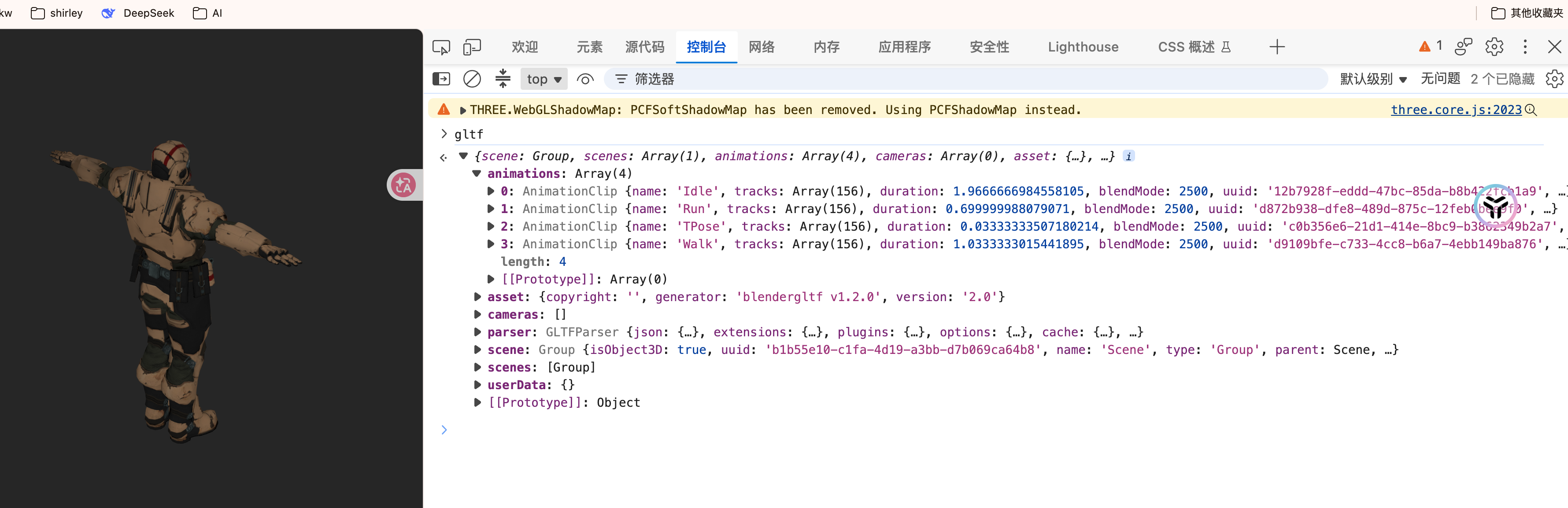
动画调用
//设置动画
const animations = gltf.animations;
//初始化动画混合器
mixer = new THREE.AnimationMixer(model);
//添加动画 (播放第二个动画 )
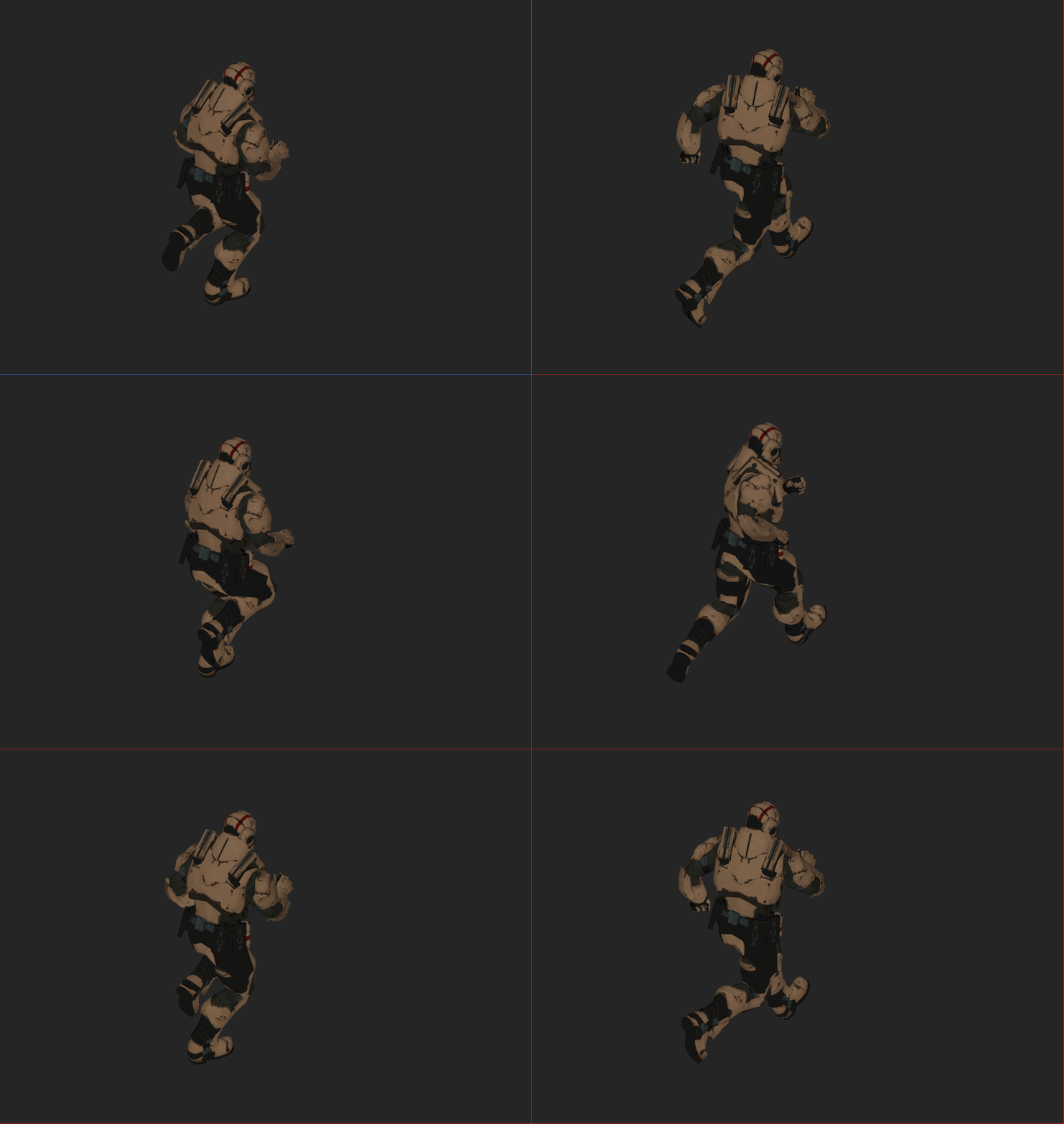
mixer.clipAction(animations[1]).play();
//或者找到某一个动画效果
//const walkAnimation = animations.find(animation => animation.name === "Walk");

// 最后在动画循环中一调用即可
function animate() {
  requestAnimationFrame(animate);
  //更新动画混合器
  mixer.update(0.016);
  controls.update();
  renderer.render(scene, camera);
}

animate();
最后你就可以看到一个动态的模型啦!!
源码:
// 使用现有3d模型
import "./style.css";
import * as THREE from "three";
import { OrbitControls } from "three/examples/jsm/controls/OrbitControls.js";
import { GLTFLoader } from "three/examples/jsm/loaders/GLTFLoader.js";


// 初始化相机、场景、渲染器等
const canvas = document.getElementById("webgl");
const camera = new THREE.PerspectiveCamera(30, window.innerWidth / window.innerHeight, 1, 3000);
camera.position.set(100, 100, 100);
camera.lookAt(0, 0, 0);

// 创建场景
const scene = new THREE.Scene();

// 创建渲染器
const renderer = new THREE.WebGLRenderer({ antialias: true, canvas: canvas });
renderer.setPixelRatio(window.devicePixelRatio);
renderer.setSize(window.innerWidth, window.innerHeight);

// 创建控制器
const controls = new OrbitControls(camera, renderer.domElement);
controls.target.set(0, 0, 0);
controls.update();

//开启阴影支持
renderer.shadowMap.enabled = true
//设置阴影类型,PCFSoftShadowMap 是软阴影(边缘带有模糊效果),PCFShadowMap 是硬阴影
renderer.shadowMap.type = THREE.PCFSoftShadowMap;
//设置场景背景颜色,改为浅灰色,方便更好形成明暗对比
renderer.setClearColor(0x262626);


//布局灯光
// 环境光
const ambientLight = new THREE.AmbientLight(0xffffff, 0.5);
scene.add(ambientLight);
//平行光:
const sunLight = new THREE.DirectionalLight(0xffffff, 1);
sunLight.position.set(1, 1, 1);
scene.add(sunLight);
//开启主光源的阴影
sunLight.castShadow = true;
// // 优化阴影的精细度
// // 默认的阴影贴图可能比较糊,这里将其分辨率调大一倍 (默认是 512x512)
// sunLight.shadow.mapSize.width = 1024;
// sunLight.shadow.mapSize.height = 1024;

//声明动画混合器变量
let mixer: THREE.AnimationMixer;
//引入模型
const loader = new GLTFLoader();
loader.load("https://threejs.org/examples/models/gltf/Soldier.glb", (gltf) => {
  const model = gltf.scene;
  //设置模型位置为中心场景,方便观察
  model.position.y = 0;
  model.scale.setScalar(20);

  //设置动画
  const animations = gltf.animations;
  //初始化动画混合器
  mixer = new THREE.AnimationMixer(model);
  //添加动画 (播放第二个动画 )
  mixer.clipAction(animations[1]).play();
  //const walkAnimation = animations.find(animation => animation.name === "Walk");
  scene.add(model);
});

// 动画循环
function animate() {
  requestAnimationFrame(animate);
  //更新动画混合器
  mixer.update(0.016);
  controls.update();
  renderer.render(scene, camera);
}

animate();