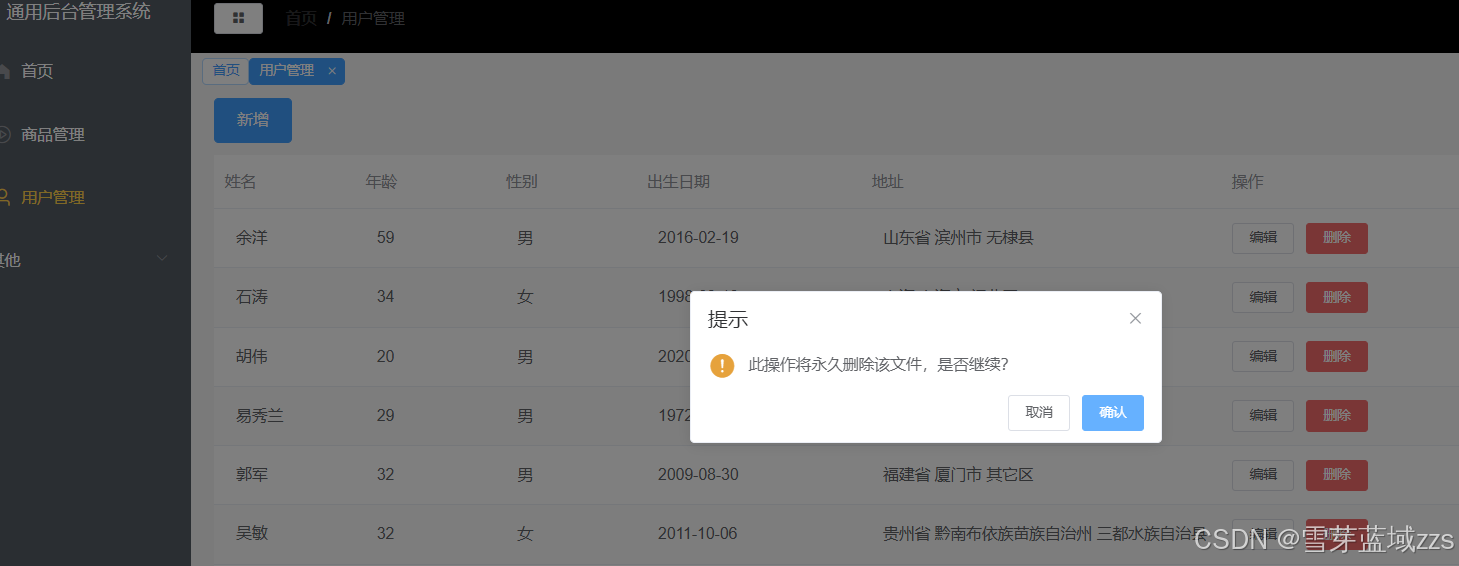
1. 用户管理新增,搜索,编辑,删除
本节课完成用户列表表单设计,使用table组件,同样模块化组件,CommonTable.vue组件,并且在User页面中引入,mock实现数据模拟,最终完成用户列表多项功能,实现新增,搜索,编辑,删除功能。

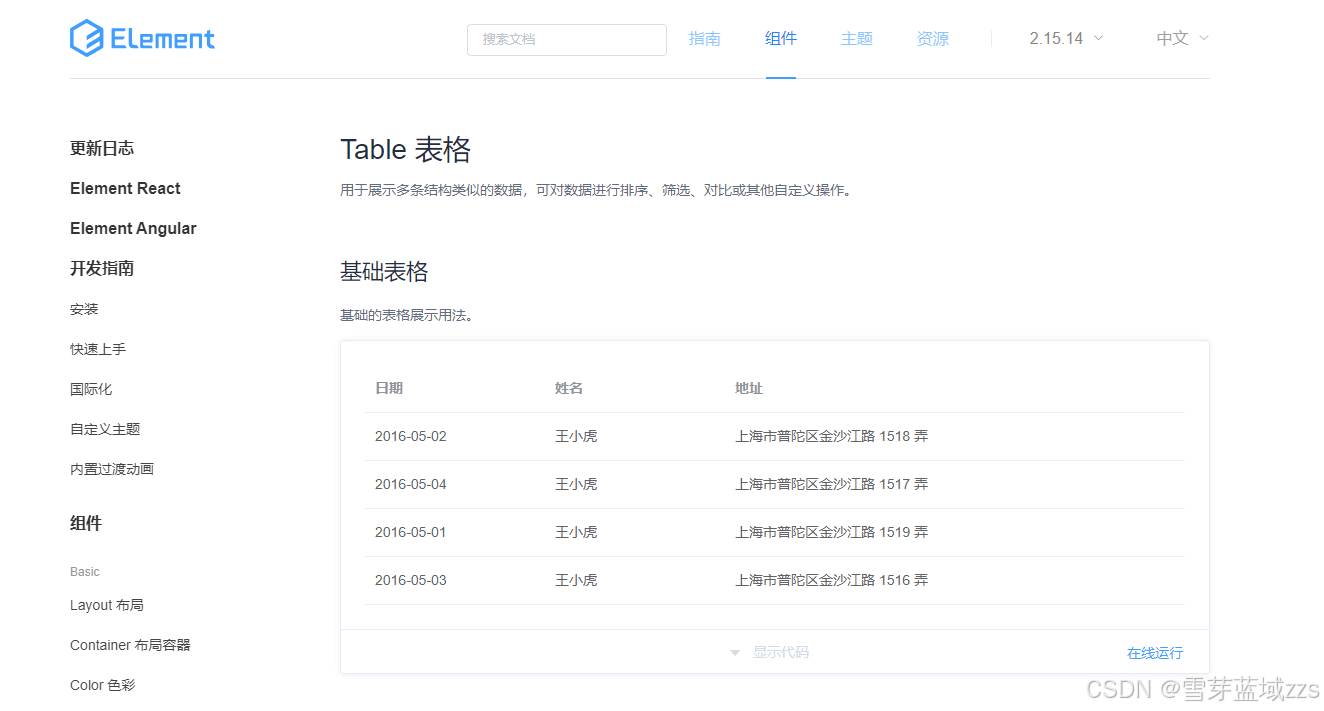
首先是基本信息页面el-table的data属性用于接收table的外部数据tableData,因此添加props,类型是Array,高度90%,stripe属性表示斑马条纹样式。el-table-column表示表头和第一行的内容,后面数据可以循环使用。show-overflow-tooltip表示过长数据用tooltip样式显示。props添加tableLabel,类型为Array,v-for遍历tableLabel(姓名、年龄、性别、出生日期、地址),label就主键名,设置宽度width,如果数据自带宽度就使用item.width,没有则设置125。,这是一个固定写法。slot是插槽,有两个重要性质,显示或不显示、怎样显示都是由父组件决定。{{ scope.rowitem.prop }}拿到列的数据并进行渲染。
接下来操作页,表头显示"操作",表内显示"编辑、删除"。el-table-column下存在两个button。两个button都要设置点击事件,用函数方式。
分页组件使用Pagination组件,在el-table下方添加el-pagination,layout属性,total表示总的数据的数量。在props添加config,total是config下的一个属性,类型是Object。current-page.sync表示当前的页面数,添加点击事件changePage。page-size表示一页里有多少条数据,这里设置20。
更改样式,表格相对定位,页数绝对定位。
1.1. 新建CommonTable.vue
在src/components下建CommonTable.vue文件
javascript
//src/components/CommonTable.vue
<template>
    <div class="common-table">
        <el-table :data="tableData" height="90%" stripe>
            <el-table-column
                    show-overflow-tooltip
                    v-for="item in tableLabel"
                    :key="item.prop"
                    :label="item.label"
                    :width="item.width ? item.width : 125">
                <!--获取插槽数据(固定样式)-->
                <template slot-scope="scope">
                    <span style="margin-left: 10px">
                        {{ scope.row[item.prop] }}
                    </span>
                </template>
            </el-table-column>
            <el-table-column label="操作" min-width="180">
                <template slot-scope="scope">
                    <el-button size="mini"
                               @click="handleEdit(scope.row)">编辑</el-button>
                    <el-button size="mini" type="danger"
                               @click="handleDelete(scope.row)">删除</el-button>
                </template>
            </el-table-column>
        </el-table>
        <!--分页组件-->
        <el-pagination
                class="pager"
                layout="prev,pager,next"
                :total="config.total"
                :current-page.sync="config.page"
                @current-change="changePage"
                :page-size="20">
        </el-pagination>
    </div>
</template>
<script>
    export default {
        name: "CommonTable",
        props: {
            tableData: Array,
            tableLabel: Array,
            config: Object,
        },
        data() {
            return {};
        },
        methods: {
            handleEdit(row) {
                this.$emit('edit', row)
            },
            handleDelete(row) {
                this.$emit('del', row)
            },
            changePage(page) {
                this.$emit('changePage', page)
            }
        },
    };
</script>
<style lang="less" scoped>
    .common-table {
        height: calc(100% - 62px);
        background-color: #fff;
        // position: relative;
        .pager {
            position: absolute;
            bottom: 0;
            right: 20px;
        }
    }
</style>
在src/components/CommonTable.vue编写数据上传函数,row、page表示数据提交的数据,$emit可以将数据提交到父组件,edit、del、changePage为自定义名称。
javascript
//src/components/CommonTable.vue
  methods: {
    handleEdit(row) {
        this.$emit('edit',row)
    },
    handleDelete(row) {
        this.$emit('del',row)
    },
    changePage(page) {
        this.$emit('changePage',page)
    }
  },
1.2. 引入CommonTable组件
1.2.2. src/views/user/index.vue内容编写
(1)在User页面引入CommonTable组件
javascript
//src/views/user/index.vue
import CommonTable from '../../components/CommonTable.vue'
components:{
    CommonTable
},
(2)正式使用组件,tableData暂时为空数组,tableLabel为表头的主键。地址和出生日期较长,我们加上宽度。config为分页数据,page为1,表示默认为第一页,total为总页数设置为30(不清楚)。common-form还需要添加三个事件,changePage、edit、del事件。三个事件均为函数。
javascript
//src/views/user/index.vue  组件
        <common-table
            :tableData="tableData"
            :tableLabel="tableLabel"
            :config="config"
            @changePage="getList()"
            @edit="editUser"
            @del="delUser">
            </common-table>
javascript
//src/views/user/index.vue  data
                tableData:[],
                tableLabel:[
                    {
                        prop:"name",
                        label:"姓名"
                    },
                    {
                        prop:"age",
                        label:"年龄"
                    },
                    {
                        prop:"sexLabel",
                        label:"性别"
                    },
                    {
                        prop:"birth",
                        label:"出生日期",
                        width:200
                    },
                    {
                        prop:"addr",
                        label:"地址",
                        width:320
                    },
                ],
                config:{
                    page:1,
                    total:30,
                },

            }
        },
javascript
//src/views/user/index.vue   methods
            editUser(){
            },
            delUser(){
            },
            getList(){
            }
(3)src/views/user/index.vue完整代码
javascript
//src/views/user/index.vue  组件
<template>
    <div class="manage">
        <!-- dialog为弹窗内容 -->
        <el-dialog
                :title="operateType === 'add' ? '新增用户' : '更新用户'"
                :visible.sync="isShow">
            <!-- 这里冒号是将数据传送给CommonForm组件。 -->
            <common-form
                    :formLabel="operateFormLabel"
                    :form="operateForm"
                    :inline="true"
                    ref="form">
            </common-form>
            <div slot="footer" class="dialog-footer">
                <el-button @click="isShow = false">取消</el-button>
                <el-button type="primary" @click="confirm">确认</el-button>
            </div>
        </el-dialog>
        <div class="manage-header">
            <el-button type="primary" @click="addUser">新增</el-button>
            <common-form ref="form"
                         :formLabel="formLabel"
                         :form="searchFrom"
                         :inline="true">
                <el-button type="primary" @click='getList'>搜索</el-button>
            </common-form>
        </div>
        <common-table
                :tableData="tableData"
                :tableLabel="tableLabel"
                :config="config"
                @changePage="getList()"
                @edit="editUser"
                @del="delUser">
        </common-table>
    </div>
</template>
<script>
    import CommonForm from '../../components/CommonForm.vue'
    import CommonTable from '../../components/CommonTable.vue'

    export default {
        name: 'User',
        components: {
            CommonForm, CommonTable
        },
        data() {
            return {
                operateType: 'add',
                isShow: false,
                operateFormLabel: [
                    {
                        model: 'name',
                        label: '姓名',
                        type: 'input'
                    },
                    {
                        model: 'age',
                        label: '年龄',
                        type: 'input'
                    },
                    {
                        model: 'sex',
                        label: '性别',
                        type: 'select',
                        opts: [
                            {
                                label: '男',
                                value: 1
                            },
                            {
                                label: '女',
                                value: 0
                            }
                        ]
                    },
                    {
                        model: 'birth',
                        label: '出生日期',
                        type: 'date'
                    },
                    {
                        model: 'addr',
                        label: '地址',
                        type: 'input'
                    }
                ],
                operateForm: {
                    name: '',
                    addr: '',
                    age: '',
                    birth: '',
                    sex: ''
                },
                formLabel: [
                    {
                        model: "keyword",
                        label: '',
                        type: 'input'
                    },
                ],
                searchFrom: {
                    keyword: '',
                },
                tableData:[],
                tableLabel:[
                    {
                        prop:"name",
                        label:"姓名"
                    },
                    {
                        prop:"age",
                        label:"年龄"
                    },
                    {
                        prop:"sexLabel",
                        label:"性别"
                    },
                    {
                        prop:"birth",
                        label:"出生日期",
                        width:200
                    },
                    {
                        prop:"addr",
                        label:"地址",
                        width:320
                    },
                ],
                config:{
                    page:1,
                    total:30,
                },
            }
        },
        methods: {
            confirm() {
                if (this.operateType === 'edit') {
                    this.$http.post('/user/edit', this.operateForm).then(res => {
                        console.log(res)
                        this.isShow = false
                        this.getList()
                    })
                } else {
                    this.$http.post('/user/add', this.operateForm).then(res => {
                        console.log(res)
                        this.isShow = false
                        this.getList()
                    })
                }
            },
            addUser() {
                this.isShow = true,
                    this.operateType = 'add',
                    this.operateForm = {
                        name: '',
                        addr: '',
                        age: '',
                        birth: '',
                        sex: ''
                    }
            },
            getList() {

            }
        }
    }
</script>
<style lang="less" scoped>
    .manage-header {
        display: flex;
        flex-direction: row;
        justify-content: space-between;
        align-items: center;
    }

</style>
1.3. mock数据
(1)mockServeData文件夹中提前放入user.js文件,在tableData需要用mock引入,用mock生成数据。在mock.js中进行拦截ajax,getUserList是User.js的函数,这里写的是拦截器。
javascript
//src/api/mock.js
import userApi from './mockServeData/user.js'
Mock.mock(/user\/getUser/,'get',userApi.getUserList)
(2)在src/api/data.js调用mock拦截器,拦截器和接口调用要一致。
javascript
//src/api/data.js
export const getUser = (params) => {
    return axios.request({
        url:'/user/getUser',
        method:'get',
        params
    })
}
(3)回到src/views/user/index.vue页面对接口就进行引入调用。
javascript
//src/views/user/index.vue
import { getUser } from '../../api/data'
在getList()调用,传入参数name,name默认为空。判断name存不存在,如果name存在,那么将当前页码置为1。如果不存在,页码置空。
javascript
            getList(name=''){
                    this.config.loading = true
                    name ? (this.config.pag = 1) : ''
                    getUser({
                        page:this.config.page,
                        name
                    }).then(({ data:res })=>{
                        console.log(res,'res')
                        this.tableData = res.list.map(item=>{
                            item.sexLabel = item.sex === 0 ? "女" : "男"
                            return item
                        })
                        this.config.total = res.count
                        this.config.loading = false
                    })
            }
添加生命周期对getList()方法进行调用
javascript
        created(){
            this.getList()
        },
在confirm()发最后调用getList()函数。
javascript
            confirm(){
                if(this.operateType === 'edit'){
                    this.$http.post('/user/edit',this.operateForm).then(res => {
                        console.log(res)
                        this.isShow = false
                        this.getList()
                    })
                }else{
                    this.$http.post('/user/add',this.operateForm).then(res => {
                        console.log(res)
                        this.isShow = false
                        this.getList()
                    })
                }
            },
定义editUser()
javascript
            editUser(row){
                this.operateType = 'edit'
                this.isShow = true
                this.operateForm = row
            },
定义delUser(),接收参数$confirm,第一个参数是提示内容,第二个参数是提示标题,第三个是参数是按钮文本,弹窗类型为warning。箭头函数,拿到当前数据,拿到id,调用api进行删除,删除api为"/user/del",并且需要传入数据的id,给出提示信息,并且调用getList。
javascript
            delUser(row){
                this.$confirm("此操作将永久删除该文件,是否继续?","提示",{
                    confirmButtonText:"确认",
                    canceIButtonText:"取消",
                    type:"warning"
                }).then(()=>{
                    const id = row.id
                    this.$http.post("/user/del",{
                        params:{ id }
                    }).then(()=>{
                        this.$message({
                            type:'success',
                            message:'删除成功'
                        })
                        this.getList()
                    })
                })
            },
定义mock删除,deleteUser为mock里user.js的函数
javascript
//src/api/mock.js
Mock.mock(/user\/del/,'post',userApi.deleteUser)
(4)src/views/user/index.vue完整代码
javascript
//src/views/user/index.vue
<template>
    <div class="manage">
        <!-- dialog为弹窗内容 -->
        <el-dialog
                :title="operateType === 'add' ? '新增用户' : '更新用户'"
                :visible.sync="isShow">
            <!-- 这里冒号是将数据传送给CommonForm组件。 -->
            <common-form
                    :formLabel="operateFormLabel"
                    :form="operateForm"
                    :inline="true"
                    ref="form">
            </common-form>
            <div slot="footer" class="dialog-footer">
                <el-button @click="isShow = false">取消</el-button>
                <el-button type="primary" @click="confirm">确认</el-button>
            </div>
        </el-dialog>
        <div class="manage-header">
            <el-button type="primary" @click="addUser">新增</el-button>
            <common-form ref="form"
                         :formLabel="formLabel"
                         :form="searchFrom"
                         :inline="true">
                <el-button type="primary" @click='getList'>搜索</el-button>
            </common-form>
        </div>
        <common-table
                :tableData="tableData"
                :tableLabel="tableLabel"
                :config="config"
                @changePage="getList()"
                @edit="editUser"
                @del="delUser">
        </common-table>
    </div>
</template>
<script>
    import CommonForm from '../../components/CommonForm.vue'
    import CommonTable from '../../components/CommonTable.vue'
    import { getUser } from '@/api/data'
    export default {
        name: 'User',
        components: {
            CommonForm, CommonTable
        },
        data() {
            return {
                operateType: 'add',
                isShow: false,
                operateFormLabel: [
                    {
                        model: 'name',
                        label: '姓名',
                        type: 'input'
                    },
                    {
                        model: 'age',
                        label: '年龄',
                        type: 'input'
                    },
                    {
                        model: 'sex',
                        label: '性别',
                        type: 'select',
                        opts: [
                            {
                                label: '男',
                                value: 1
                            },
                            {
                                label: '女',
                                value: 0
                            }
                        ]
                    },
                    {
                        model: 'birth',
                        label: '出生日期',
                        type: 'date'
                    },
                    {
                        model: 'addr',
                        label: '地址',
                        type: 'input'
                    }
                ],
                operateForm: {
                    name: '',
                    addr: '',
                    age: '',
                    birth: '',
                    sex: ''
                },
                formLabel: [
                    {
                        model: "keyword",
                        label: '',
                        type: 'input'
                    },
                ],
                searchFrom: {
                    keyword: '',
                },
                tableData:[],
                tableLabel:[
                    {
                        prop:"name",
                        label:"姓名"
                    },
                    {
                        prop:"age",
                        label:"年龄"
                    },
                    {
                        prop:"sexLabel",
                        label:"性别"
                    },
                    {
                        prop:"birth",
                        label:"出生日期",
                        width:200
                    },
                    {
                        prop:"addr",
                        label:"地址",
                        width:320
                    },
                ],
                config:{
                    page:1,
                    total:30,
                },
            }
        },
        created(){
            //添加生命周期对getList()方法进行调用
            this.getList()
        },
        methods: {
            confirm() {
                if (this.operateType === 'edit') {
                    this.$http.post('/user/edit',
                        this.operateForm).then(res => {
                        console.log(res)
                        this.isShow = false
                        this.getList()
                    })
                } else {
                    this.$http.post('/user/add',
                        this.operateForm).then(res => {
                        console.log(res)
                        this.isShow = false
                        this.getList()
                    })
                }
            },
            addUser() {
                this.isShow = true,
                    this.operateType = 'add',
                    this.operateForm = {
                        name: '',
                        addr: '',
                        age: '',
                        birth: '',
                        sex: ''
                    }
            },
            getList(name=''){
                this.config.loading = true
                name ? (this.config.page = 1) : ''
                getUser({
                    page:this.config.page,
                    name
                }).then(({ data:res })=>{
                    console.log("rf=====",res.data)
                    this.tableData = res.data.list.map(item=>{
                        item.sexLabel = item.sex === 0 ? "女" : "男"
                        return item
                    })
                    this.config.total = res.data.count
                    this.config.loading = false
                })
            },
            editUser(row){
                this.operateType = 'edit'
                this.isShow = true
                this.operateForm = row
            },
            delUser(row){
                this.$confirm("此操作将永久删除该文件,是否继续?","提示",{
                    confirmButtonText:"确认",
                    canceIButtonText:"取消",
                    type:"warning"
                }).then(()=>{
                    const id = row.id
                    this.$http.post("/user/del",{
                        params:{ id }
                    }).then(()=>{
                        this.$message({
                            type:'success',
                            message:'删除成功'
                        })
                        this.getList()
                    })
                })
            },
        }
    }
</script>
<style lang="less" scoped>
    .manage-header {
        display: flex;
        flex-direction: row;
        justify-content: space-between;
        align-items: center;
    }
</style>
效果图

1.3. 继续完善
1.3.1. 搜索功能
添加searchFrom.keyword即可,sharchFrom之前有定义过,里面的keyword字段默认为空。
javascript
//src/views/user/index.vue
<el-button type="primary" @click='getList(searchFrom.keyword)'>搜索</el-button>
效果

1.3.2. 编辑
在点击编辑时调用handledit,这里需要用拿到数据,然后将原有的两个button放在template里面。
javascript
//src/components/CommonTable.vue
<el-table-column label="操作" min-width="180">
     <template slot-scope="scope">
             <el-button size="mini"
                        @click="handleEdit(scope.row)">编辑
             </el-button>
             <el-button size="mini" type="danger"
                        @click="handleDelete(scope.row)">删除
             </el-button>
   </template>
</el-table-column>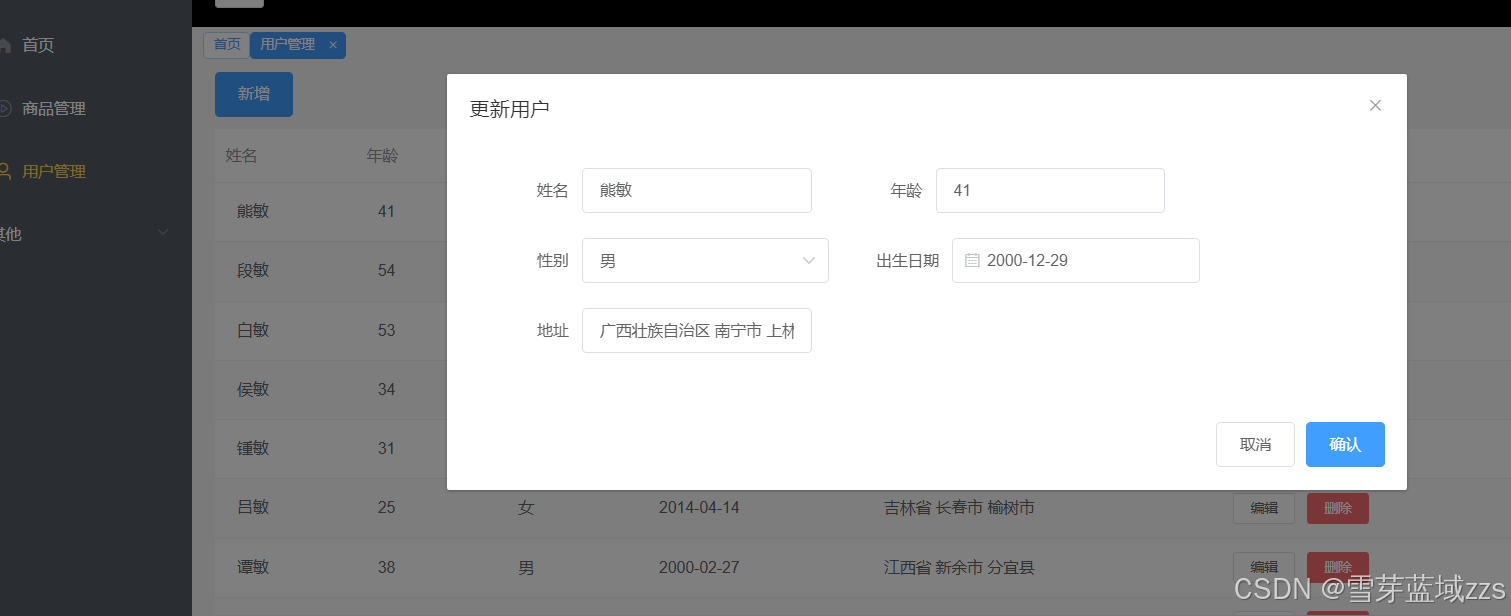
1.3.1. 删除
此时点击删除功能是没有反应的,需要引入element-ui MessageBox ,添加MessageBox、Message组件,!!!请注意,就是之前是全局引入,这里也必须单独引入MessageBox、Message(原因未知)。并且绑定到prototype属性上。

javascript
//src/mian.js
import { Message,MessageBox } from 'element-ui';
Vue.prototype.$confirm = MessageBox.confirm
Vue.prototype.$message = Message