1. 打印一棵简单的圣诞树
python
def print_christmas_tree(height):
    for i in range(height):
        # 打印每一层的空格
        print(" " * (height - i - 1), end="")
        # 打印每一层的星号
        print("*" * (2 * i + 1))
    # 打印树干
    for _ in range(2):
        print(" " * (height - 1) + "|")

# 调用函数打印圣诞树
tree_height = 8  # 你可以修改树的高度
print_christmas_tree(tree_height)
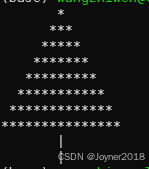
结果
2. 更炫酷的圣诞树代码
python
import random

def print_cool_christmas_tree(height):
    decorations = ['*', 'o', 'x', '+']  # 树的装饰品
    for i in range(height):
        # 打印每一层的空格
        print(" " * (height - i - 1), end="")
        # 打印每一层的装饰品或星号
        for j in range(2 * i + 1):
            if random.random() > 0.8:  # 随机决定是否放装饰品
                print(random.choice(decorations), end="")
            else:
                print("*", end="")
        print()  # 换行

    # 打印树干
    for _ in range(3):
        print(" " * (height - 2) + "|||")

# 调用函数打印圣诞树
tree_height = 10  # 可以修改树的高度
print_cool_christmas_tree(tree_height)
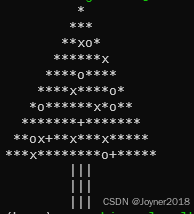
结果
3. 带颜色的圣诞树
python
from colorama import Fore, Style, init
import random
import time

# 初始化 colorama
init(autoreset=True)

def print_colored_christmas_tree(height):
    decorations = [Fore.RED + '*', Fore.GREEN + 'o', Fore.YELLOW + 'x', Fore.CYAN + '+']
    for i in range(height):
        # 打印空格
        print(" " * (height - i - 1), end="")
        # 打印随机装饰品
        for j in range(2 * i + 1):
            if random.random() > 0.8:  # 控制装饰品概率
                print(random.choice(decorations), end="")
            else:
                print(Fore.GREEN + "*", end="")
        print()  # 换行

    # 打印彩色树干
    for _ in range(3):
        print(" " * (height - 2) + Fore.MAGENTA + "|||")

# 动态打印圣诞树
def dynamic_christmas_tree(height):
    for _ in range(5):  # 打印5次变化的树
        print("\033c", end="")  # 清屏
        print_colored_christmas_tree(height)
        time.sleep(0.5)  # 暂停0.5秒

# 调用函数
dynamic_christmas_tree(10)
结果
