目录
4.1后(返回值)任何值:username/password
[4.1.3返回 用户名+密码 结果](#4.1.3返回 用户名+密码 结果)
(4.2.1app.py)用户名/密码正确,返回index首页,否则,返回error404_n页面
[(5.1 app.py的注册部分)](#(5.1 app.py的注册部分))
[(5.2 register.html 注册表)](#(5.2 register.html 注册表))
[**500:目录结构 / 内容错误](#**500:目录结构 / 内容错误)
1.基础知识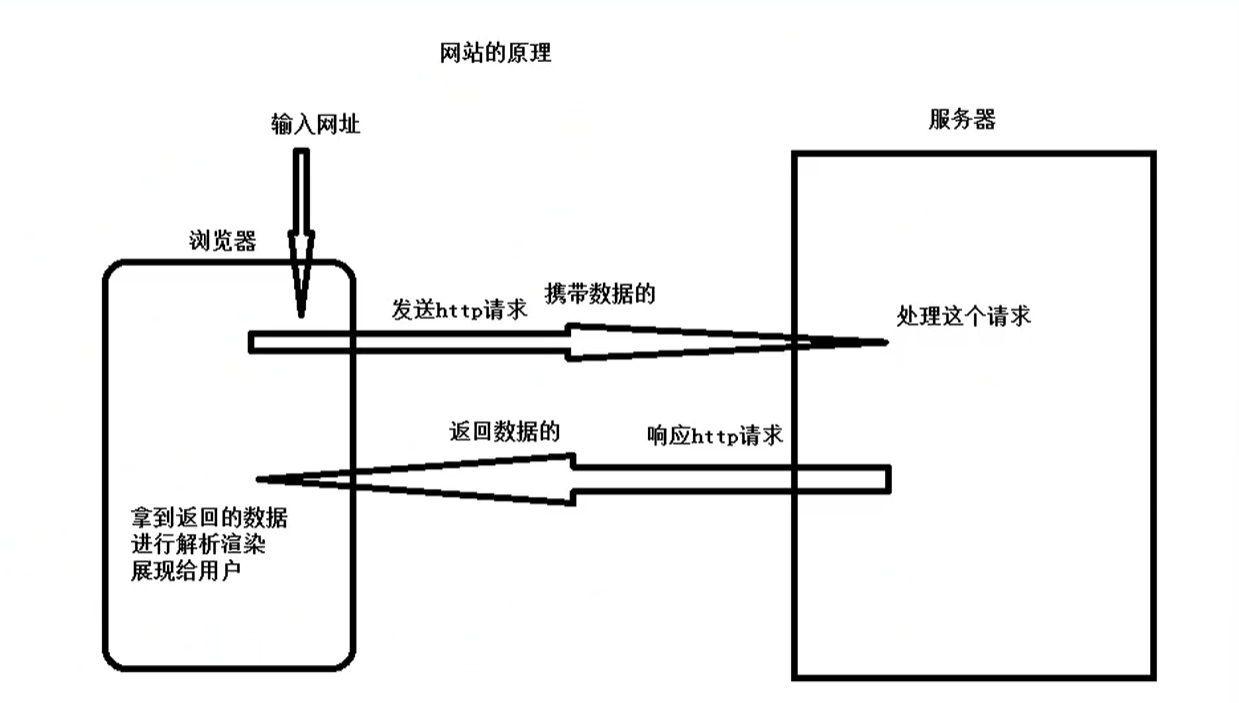
Linux写法
2.脚手架(模版)
(1)打印hello world
python
#!/usr/bin/env python
#-*- coding:utf-8 -*-

from tornado import web, httpserver, ioloop
#1.逻辑处理模块
class LoginHandler(web.RequestHandler):
    def get(self,*args,**kwargs):
        self.write("hello world")
        #self.render("login.html")

#2.路由
application=web.Application([
        (r"/login",LoginHandler),
    ])

#3.socket服务端
if __name__=='__main__':
    http_server=httpserver.HTTPServer(application)
    print("http://127.0.0.1:8080/login")
    http_server.listen(8080)
    ioloop.IOLoop.current().start()
(2)网页login
1).py
python
self.render("login.html") #渲染- .html
html
<!DOCTYPE html>
<html lang="en">
<head>
    <meta charset="UTF-8">
    <title>Title</title>
</head>
<body>
    <h1 style="color:pink;">hi</h1>
</body>
</html>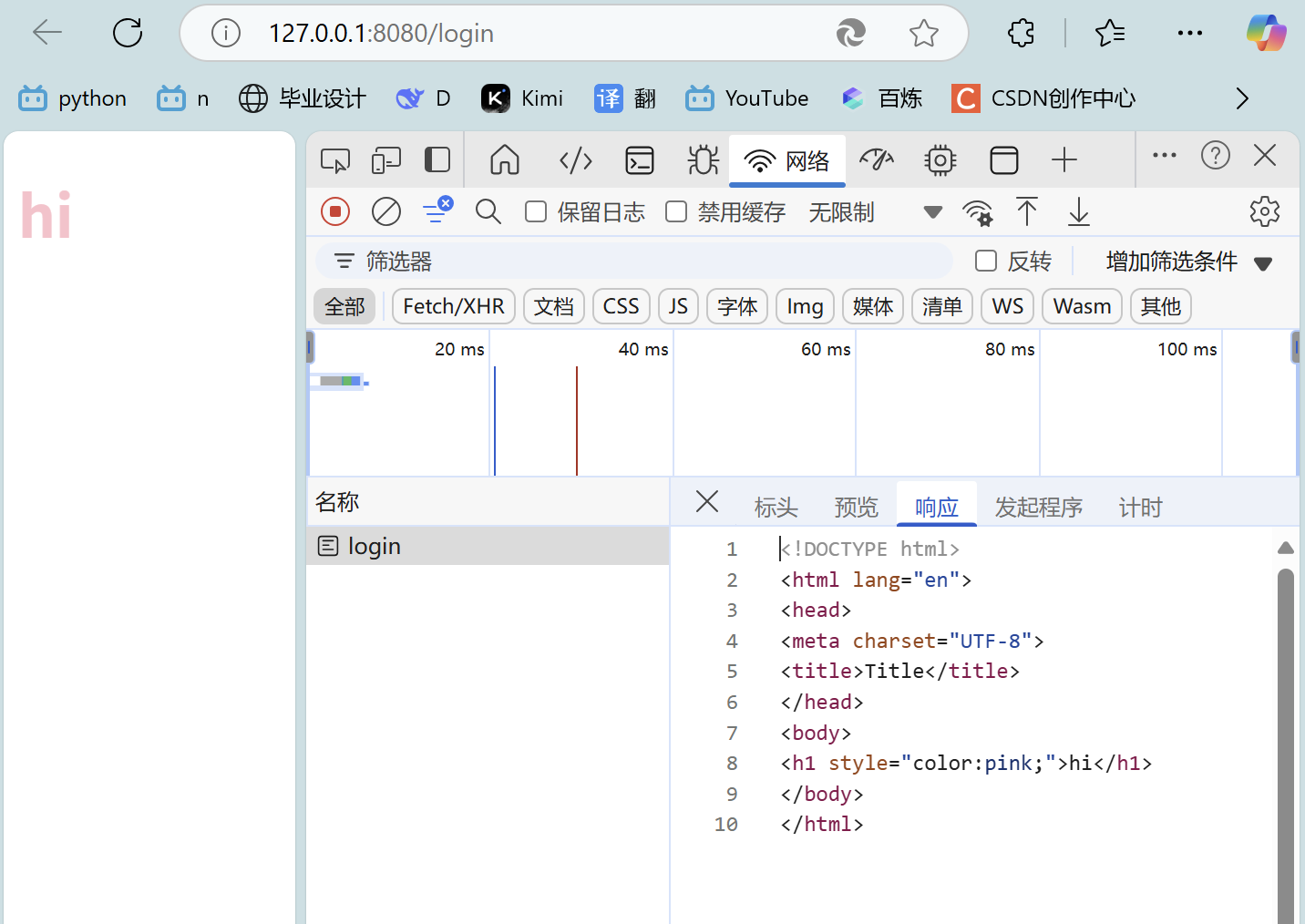
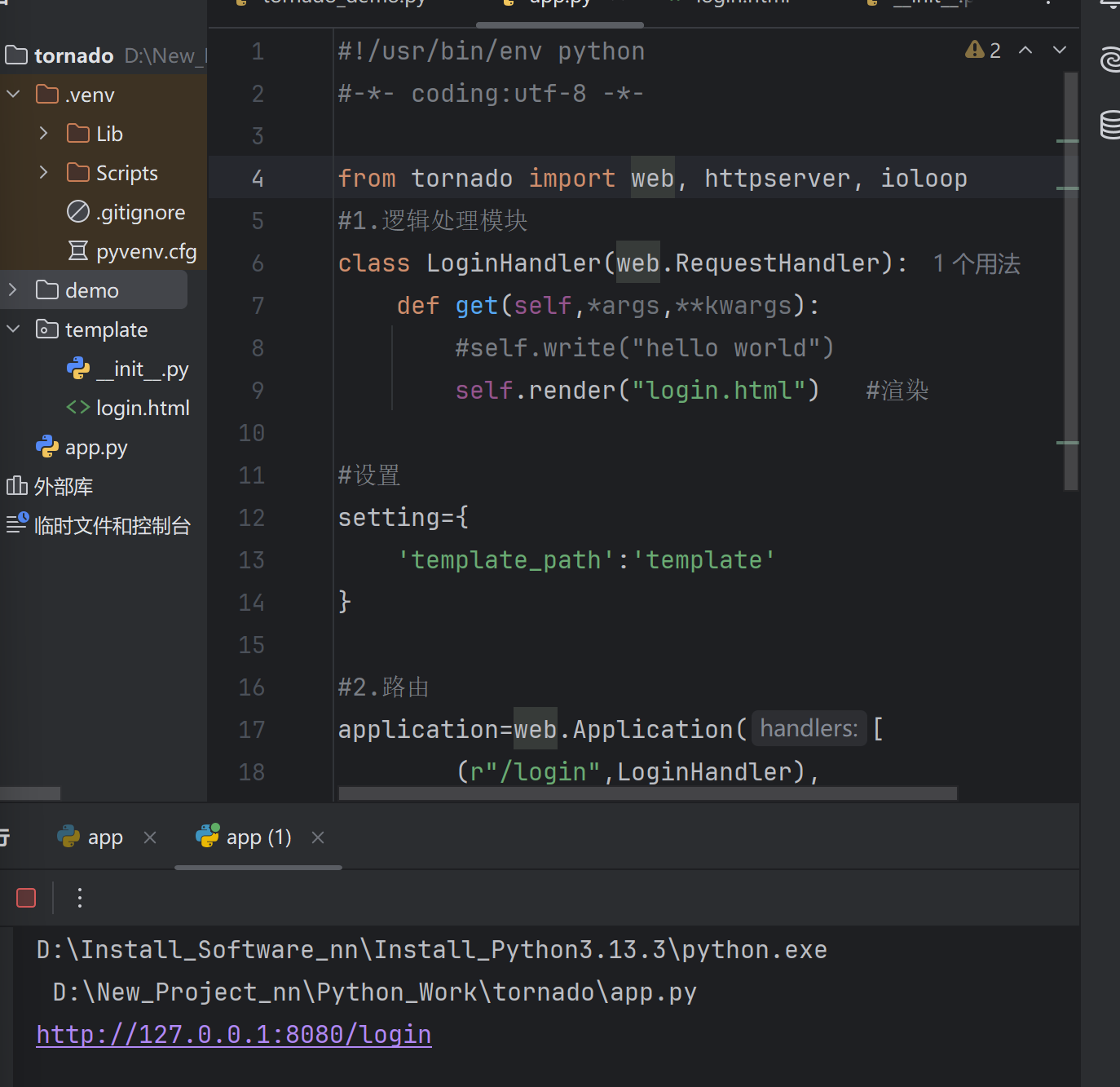
**报错500,目录结构
3.登录流程图(processon)
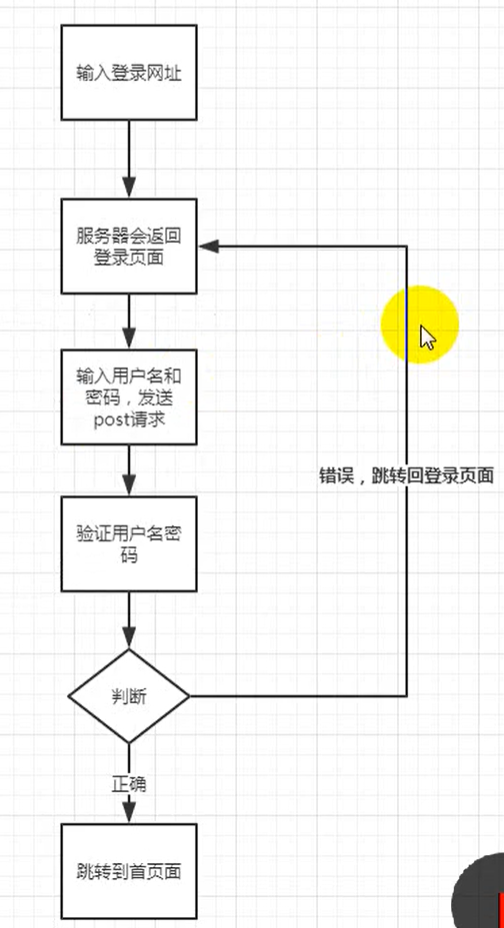
4.登录表单
4.1后(返回值)任何值:username/password
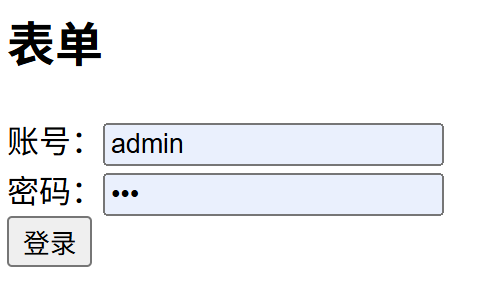
**基于这个前端页面,用tornado框架,写后端api接口代码,调用get、post请求。
(4.1.1)app.py
python
#!/usr/bin/env python
#-*- coding:utf-8 -*-

from tornado import web, httpserver, ioloop
#1.逻辑处理模块
class LoginHandler(web.RequestHandler):
    def get(self,*args,**kwargs):
        #self.write("hello world")
        #返回登录页面
        #self.render("login.html")   #渲染
        self.render("表单.html")   #渲染

    def post(self,*args,**kwargs):
        #验证用户密码(获取)
        username=self.get_argument("username")
        passward=self.get_argument("password")
        print(username,passward)

#设置
setting={
    'template_path':'template'
}

#2.路由
application=web.Application([
        (r"/login",LoginHandler),   #这个对应着/login
    ],**setting)

#3.socket服务端
if __name__=='__main__':
    http_server=httpserver.HTTPServer(application)
    print("http://127.0.0.1:8080/login")
    http_server.listen(8080)
    ioloop.IOLoop.current().start()
(4.1.2)表单.html
html
<!DOCTYPE html>
<html lang="en">
<head>
    <meta charset="UTF-8">
    <title>表单</title>
</head>
<body>
    <h2>表单</h2>
    <form action="/login" method="post">    <!--这里的、login对应着app.py里面的路由-->
        账号:<input type="text" name="username"/><br/>
        密码:<input type="password" name="password"/><br/>
        <input type="submit" value="登录"/>
    </form>

</body>
</html>(4.3)login.py(没啥用,充当第二页的跳转页面)
html
<!DOCTYPE html>
<html lang="en">
<head>
    <meta charset="UTF-8">
    <title>Title</title>
</head>
<body>
    <h1 style="color:pink;">hi</h1>
</body>
</html>
4.1.3返回 用户名+密码 结果
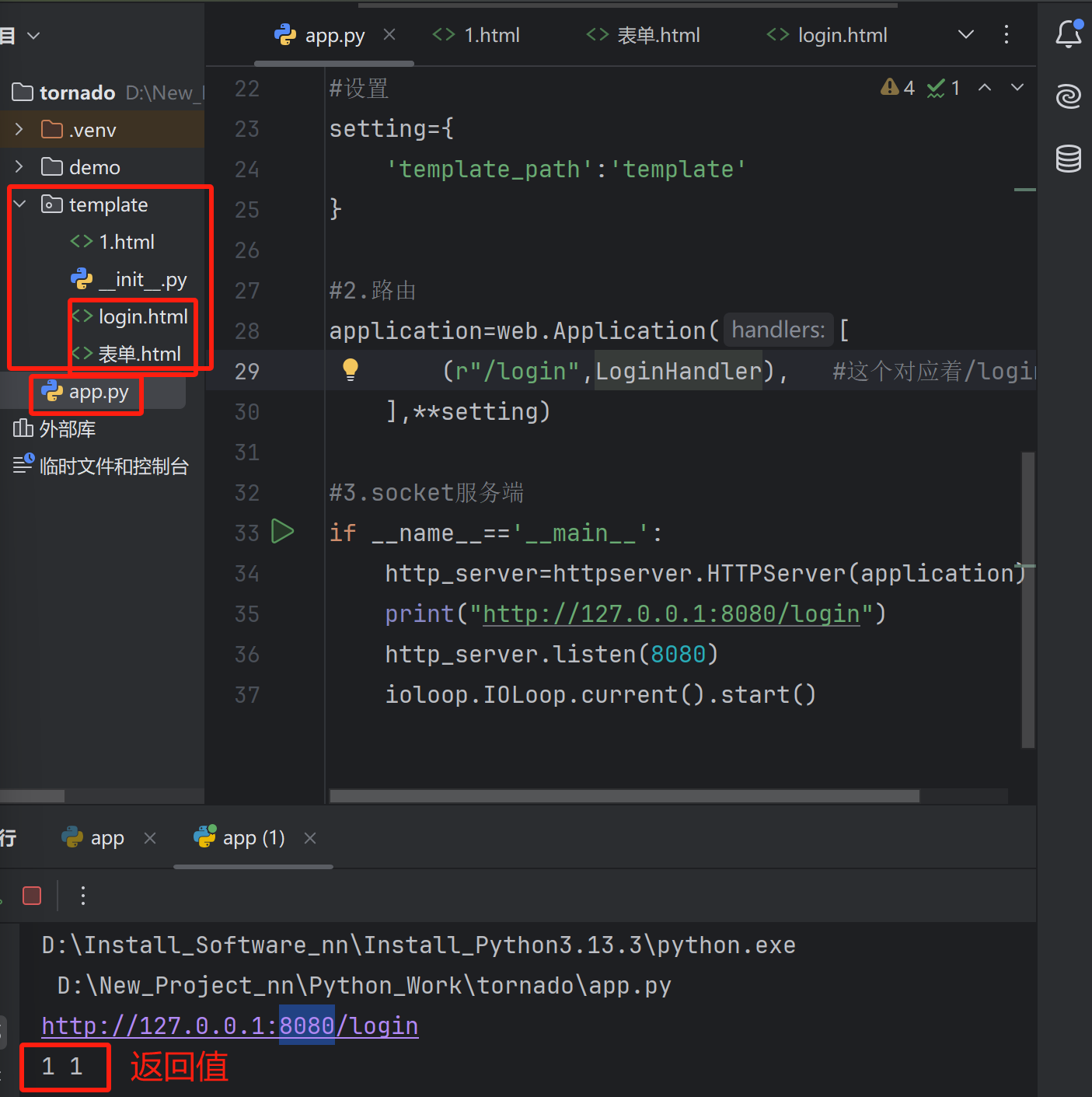
4.2写死 admin/123 ##,返回index首页
(4.2.1app.py)用户名/密码正确,返回index首页,否则,返回error404_n页面
python
#!/usr/bin/env python
#-*- coding:utf-8 -*-

from tornado import web, httpserver, ioloop
#1.逻辑处理模块
#登录
class LoginHandler(web.RequestHandler):
    def get(self,*args,**kwargs):
        #self.write("hello world")
        #返回登录页面
        #self.render("login.html")   #渲染
        self.render("表单.html")   #渲染

    def post(self,*args,**kwargs):
        #验证用户密码(获取)
        username=self.get_argument("username")
        passward=self.get_argument("password")
        #print(username,passward)
        #写死,if正确进入
        if username=='admin' and passward=='123':
            self.redirect('/index')##跳转
        else:
            self.render('error.html')

##跳转首页面模块
class IndexHandler(web.RequestHandler):
    def get(self,*args,**kwargs):
        self.render("index.html")

#设置
setting={
    'template_path':'template'
}

#2.路由
application=web.Application([
        (r"/login",LoginHandler),   #这个对应着/login
        (r"/index",IndexHandler),##首页面路由
    ],**setting)

#3.socket服务端
if __name__=='__main__':
    http_server=httpserver.HTTPServer(application)
    print("http://127.0.0.1:8080/login")
    http_server.listen(8080)
    ioloop.IOLoop.current().start()
(4.2.2index.html)首页
html
<!DOCTYPE html>
<html lang="en">
<head>
    <meta charset="UTF-8">
    <title>login2</title>
</head>
<body>
    <h2 style="color:pink">I am index</h2>

</body>
</html>
(4.2.3error.html)404_n
html
<h2 style="color:purple">输入错误404_n</h2>5.注册表单(后台)
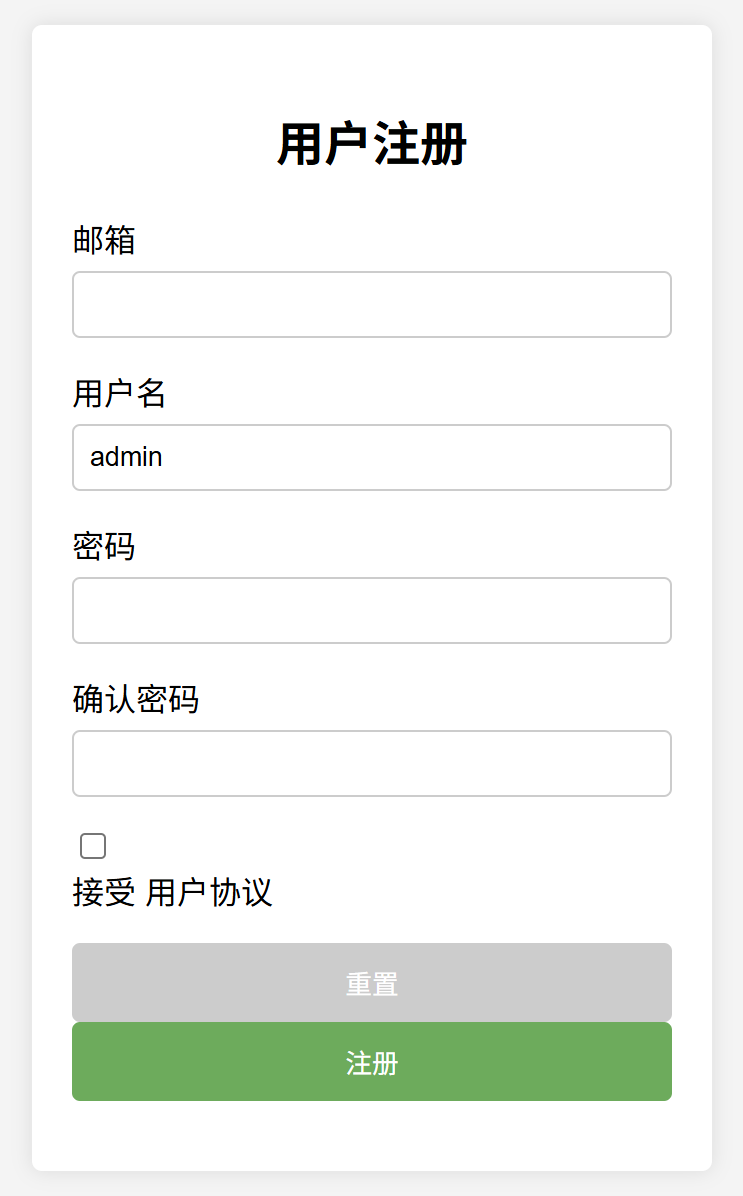
(5.1 app.py的注册部分)
python
###全局变量
user_info={}
python
###注册 post获取
class RegisterHandler(web.RequestHandler):
    def post(self,*args,**kwargs):
        email = self.get_argument("emial")
        username = self.get_argument("username")
        password = self.get_argument("password")
        password1 = self.get_argument("password1")
        access = self.get_argument("access", default=None)
        if access:  #用email当key
            if password==password1:
                UNER_INFO[email]={
                    "username":username,
                    "password":password,
                }
                self.render("success.html",info={'stauts':True,
                                                 'info':'注册成功',
                                                 'second':3})
            else:
                self.render('error.html', info={
                    'status': False,
                    'info': '密码不一致',
                    'second': 3,  # 倒计时3秒
                    'url': '/register'})  # 跳转

        else:
            self.render('error.html', info={
                'status': False,
                'info': '请同意协议',
                'second': 3,  # 倒计时3秒
                'url':'/register'})  # 跳转

    def get(self,*args,**kwargs):
        self.render("表单.html",type='register')

###收到数据后要存储起来
###用数据库/全局变量(√)上面
(5.2 register.html 注册表)
python
<!DOCTYPE html>
<html lang="zh-CN">
<head>
    <meta charset="UTF-8">
    <meta name="viewport" content="width=device-width, initial-scale=1.0">
    <title>用户注册</title>
    <style>
        body {
            font-family: Arial, sans-serif;
            background-color: #f4f4f4;
            display: flex;
            justify-content: center;
            align-items: center;
            height: 100vh;
            margin: 0;
        }
        .container {
            background-color: white;
            padding: 20px;
            border-radius: 5px;
            box-shadow: 0 0 10px rgba(0, 0, 0, 0.1);
            width: 300px;
        }
        .container h2 {
            text-align: center;
            margin-bottom: 20px;
        }
        .form-group {
            margin-bottom: 15px;
        }
        .form-group label {
            display: block;
            margin-bottom: 5px;
        }
        .form-group input[type="email"],
        .form-group input[type="text"],
        .form-group input[type="password"] {
            width: 100%;
            padding: 8px;
            box-sizing: border-box;
            border: 1px solid #ccc;
            border-radius: 4px;
        }
        .form-group input[type="checkbox"] {
            margin-right: 5px;
        }
        .form-group button {
            width: 100%;
            padding: 10px;
            background-color: #4CAF50;
            color: white;
            border: none;
            border-radius: 4px;
            cursor: pointer;
        }
        .form-group button:hover {
            background-color: #45a049;
        }
        .form-group .reset {
            background-color: #ccc;
        }
        .form-group .reset:hover {
            background-color: #bbb;
        }
    </style>
</head>
<body>
    <div class="container">
        <h2>用户注册</h2>
        <form>
            <div class="form-group">
                <label for="email">邮箱</label>
                <input type="email" id="email" name="email" required>
            </div>
            <div class="form-group">
                <label for="username">用户名</label>
                <input type="text" id="username" name="username" value="admin" required>
            </div>
            <div class="form-group">
                <label for="password">密码</label>
                <input type="password" id="password" name="password" required>
            </div>
            <div class="form-group">
                <label for="confirm-password">确认密码</label>
                <input type="password" id="confirm-password" name="confirm-password" required>
            </div>
            <div class="form-group">
                <input type="checkbox" id="agreement" name="agreement" required>
                <label for="agreement">接受 用户协议</label>
            </div>
            <div class="form-group">
                <button type="reset" class="reset">重置</button>
                <button type="submit">注册</button>
            </div>
        </form>
    </div>
</body>
</html>