Airflow
Server
bash
mkdir airflow_server
mkdir airflow_worker

cd airflow_server
curl -LfO 'https://airflow.apache.org/docs/apache-airflow/2.10.5/docker-compose.yaml'

# cd airflow_server

# Make expected directories and set an expected environment variable
mkdir -p ./dags ./logs ./plugins
echo -e "AIRFLOW_UID=$(id -u)" > .env
chmod -R 777 ./dags
chmod -R 777 ./logs
chmod -R 777 ./plugins
修改docker-compose.yml
基本上就是增加了一个网络,端口改成配置
yaml
# Licensed to the Apache Software Foundation (ASF) under one
# or more contributor license agreements.  See the NOTICE file
# distributed with this work for additional information
# regarding copyright ownership.  The ASF licenses this file
# to you under the Apache License, Version 2.0 (the
# "License"); you may not use this file except in compliance
# with the License.  You may obtain a copy of the License at
#
#   http://www.apache.org/licenses/LICENSE-2.0
#
# Unless required by applicable law or agreed to in writing,
# software distributed under the License is distributed on an
# "AS IS" BASIS, WITHOUT WARRANTIES OR CONDITIONS OF ANY
# KIND, either express or implied.  See the License for the
# specific language governing permissions and limitations
# under the License.
#

# Basic Airflow cluster configuration for CeleryExecutor with Redis and PostgreSQL.
#
# WARNING: This configuration is for local development. Do not use it in a production deployment.
#
# This configuration supports basic configuration using environment variables or an .env file
# The following variables are supported:
#
# AIRFLOW_IMAGE_NAME           - Docker image name used to run Airflow.
#                                Default: apache/airflow:2.10.5
# AIRFLOW_UID                  - User ID in Airflow containers
#                                Default: 50000
# AIRFLOW_PROJ_DIR             - Base path to which all the files will be volumed.
#                                Default: .
# Those configurations are useful mostly in case of standalone testing/running Airflow in test/try-out mode
#
# _AIRFLOW_WWW_USER_USERNAME   - Username for the administrator account (if requested).
#                                Default: airflow
# _AIRFLOW_WWW_USER_PASSWORD   - Password for the administrator account (if requested).
#                                Default: airflow
# _PIP_ADDITIONAL_REQUIREMENTS - Additional PIP requirements to add when starting all containers.
#                                Use this option ONLY for quick checks. Installing requirements at container
#                                startup is done EVERY TIME the service is started.
#                                A better way is to build a custom image or extend the official image
#                                as described in https://airflow.apache.org/docs/docker-stack/build.html.
#                                Default: ''
#
# Feel free to modify this file to suit your needs.
---
x-airflow-common:
  &airflow-common
  # In order to add custom dependencies or upgrade provider packages you can use your extended image.
  # Comment the image line, place your Dockerfile in the directory where you placed the docker-compose.yaml
  # and uncomment the "build" line below, Then run `docker-compose build` to build the images.
  image: ${AIRFLOW_IMAGE_NAME:-apache/airflow:2.10.5}
  # build: .
  environment:
    &airflow-common-env
    AIRFLOW__CORE__EXECUTOR: ${AIRFLOW__CORE__EXECUTOR:-CeleryExecutor}
    AIRFLOW__DATABASE__SQL_ALCHEMY_CONN: postgresql+psycopg2://${POSTGRES_USER}:${POSTGRES_PASSWORD}@postgres/airflow
    AIRFLOW__CELERY__RESULT_BACKEND: db+postgresql://${POSTGRES_USER}:${POSTGRES_PASSWORD}@postgres/airflow
    AIRFLOW__CELERY__BROKER_URL: redis://:${REDIS_PASSWORD}@redis:6379/0
    AIRFLOW__CORE__FERNET_KEY: ''
    AIRFLOW__CORE__DAGS_ARE_PAUSED_AT_CREATION: 'true'
    AIRFLOW__CORE__LOAD_EXAMPLES: 'false'
    AIRFLOW__API__AUTH_BACKENDS: 'airflow.api.auth.backend.basic_auth,airflow.api.auth.backend.session'
    # yamllint disable rule:line-length
    # Use simple http server on scheduler for health checks
    # See https://airflow.apache.org/docs/apache-airflow/stable/administration-and-deployment/logging-monitoring/check-health.html#scheduler-health-check-server
    # yamllint enable rule:line-length
    AIRFLOW__SCHEDULER__ENABLE_HEALTH_CHECK: 'true'
    # WARNING: Use _PIP_ADDITIONAL_REQUIREMENTS option ONLY for a quick checks
    # for other purpose (development, test and especially production usage) build/extend Airflow image.
    _PIP_ADDITIONAL_REQUIREMENTS: ${_PIP_ADDITIONAL_REQUIREMENTS:-}
    # The following line can be used to set a custom config file, stored in the local config folder
    # If you want to use it, outcomment it and replace airflow.cfg with the name of your config file
    # AIRFLOW_CONFIG: '/opt/airflow/config/airflow.cfg'
  volumes:
    - ${AIRFLOW_PROJ_DIR:-.}/dags:/opt/airflow/dags
    - ${AIRFLOW_PROJ_DIR:-.}/logs:/opt/airflow/logs
    - ${AIRFLOW_PROJ_DIR:-.}/config:/opt/airflow/config
    - ${AIRFLOW_PROJ_DIR:-.}/plugins:/opt/airflow/plugins
  user: "${AIRFLOW_UID:-50000}:0"
  depends_on:
    &airflow-common-depends-on
    redis:
      condition: service_healthy
    postgres:
      condition: service_healthy

services:
  postgres:
    image: postgres:13
    environment:
      POSTGRES_USER: ${POSTGRES_USER}
      POSTGRES_PASSWORD: ${POSTGRES_PASSWORD}
      POSTGRES_DB: ${POSTGRES_DB}
    ports:
      - "${POSTGRES_PORT}:5432"
    volumes:
      - postgres-db-volume:/var/lib/postgresql/data
    healthcheck:
      test: ["CMD", "pg_isready", "-U", "${POSTGRES_USER}"]
      interval: 10s
      retries: 5
      start_period: 5s
    restart: always
    networks:
      - airflow-network

  redis:
    # Redis is limited to 7.2-bookworm due to licencing change
    # https://redis.io/blog/redis-adopts-dual-source-available-licensing/
    image: redis:7.2-bookworm
    command: ["redis-server", "--requirepass", "${REDIS_PASSWORD}"]
    ports:
      - "${REDIS_PORT}:6379"
    healthcheck:
      test: ["CMD", "redis-cli", "-a", "${REDIS_PASSWORD}", "ping"]
      interval: 10s
      timeout: 30s
      retries: 50
      start_period: 30s
    restart: always
    networks:
      - airflow-network

  airflow-webserver:
    <<: *airflow-common
    command: webserver
    ports:
      - "${WEBSERVER_PORT}:8080"
    healthcheck:
      test: ["CMD", "curl", "--fail", "http://localhost:8080/health"]
      interval: 30s
      timeout: 10s
      retries: 5
      start_period: 30s
    restart: always
    depends_on:
      <<: *airflow-common-depends-on
      airflow-init:
        condition: service_completed_successfully
    networks:
      - airflow-network

  airflow-scheduler:
    <<: *airflow-common
    command: scheduler
    healthcheck:
      test: ["CMD", "curl", "--fail", "http://localhost:8974/health"]
      interval: 30s
      timeout: 10s
      retries: 5
      start_period: 30s
    restart: always
    depends_on:
      <<: *airflow-common-depends-on
      airflow-init:
        condition: service_completed_successfully
    networks:
      - airflow-network

  airflow-worker:
    <<: *airflow-common
    command: celery worker
    healthcheck:
      # yamllint disable rule:line-length
      test:
        - "CMD-SHELL"
        - 'celery --app airflow.providers.celery.executors.celery_executor.app inspect ping -d "celery@$${HOSTNAME}" || celery --app airflow.executors.celery_executor.app inspect ping -d "celery@$${HOSTNAME}"'
      interval: 30s
      timeout: 10s
      retries: 5
      start_period: 30s
    environment:
      <<: *airflow-common-env
      # Required to handle warm shutdown of the celery workers properly
      # See https://airflow.apache.org/docs/docker-stack/entrypoint.html#signal-propagation
      DUMB_INIT_SETSID: "0"
    restart: always
    depends_on:
      <<: *airflow-common-depends-on
      airflow-init:
        condition: service_completed_successfully
    networks:
      - airflow-network

  airflow-triggerer:
    <<: *airflow-common
    command: triggerer
    healthcheck:
      test: ["CMD-SHELL", 'airflow jobs check --job-type TriggererJob --hostname "$${HOSTNAME}"']
      interval: 30s
      timeout: 10s
      retries: 5
      start_period: 30s
    restart: always
    depends_on:
      <<: *airflow-common-depends-on
      airflow-init:
        condition: service_completed_successfully
    networks:
      - airflow-network

  airflow-init:
    <<: *airflow-common
    entrypoint: /bin/bash
    # yamllint disable rule:line-length
    command:
      - -c
      - |
        if [[ -z "${AIRFLOW_UID}" ]]; then
          echo
          echo -e "\033[1;33mWARNING!!!: AIRFLOW_UID not set!\e[0m"
          echo "If you are on Linux, you SHOULD follow the instructions below to set "
          echo "AIRFLOW_UID environment variable, otherwise files will be owned by root."
          echo "For other operating systems you can get rid of the warning with manually created .env file:"
          echo "    See: https://airflow.apache.org/docs/apache-airflow/stable/howto/docker-compose/index.html#setting-the-right-airflow-user"
          echo
        fi
        one_meg=1048576
        mem_available=$$(($$(getconf _PHYS_PAGES) * $$(getconf PAGE_SIZE) / one_meg))
        cpus_available=$$(grep -cE 'cpu[0-9]+' /proc/stat)
        disk_available=$$(df / | tail -1 | awk '{print $$4}')
        warning_resources="false"
        if (( mem_available < 4000 )) ; then
          echo
          echo -e "\033[1;33mWARNING!!!: Not enough memory available for Docker.\e[0m"
          echo "At least 4GB of memory required. You have $$(numfmt --to iec $$((mem_available * one_meg)))"
          echo
          warning_resources="true"
        fi
        if (( cpus_available < 2 )); then
          echo
          echo -e "\033[1;33mWARNING!!!: Not enough CPUS available for Docker.\e[0m"
          echo "At least 2 CPUs recommended. You have $${cpus_available}"
          echo
          warning_resources="true"
        fi
        if (( disk_available < one_meg * 10 )); then
          echo
          echo -e "\033[1;33mWARNING!!!: Not enough Disk space available for Docker.\e[0m"
          echo "At least 10 GBs recommended. You have $$(numfmt --to iec $$((disk_available * 1024 )))"
          echo
          warning_resources="true"
        fi
        if [[ $${warning_resources} == "true" ]]; then
          echo
          echo -e "\033[1;33mWARNING!!!: You have not enough resources to run Airflow (see above)!\e[0m"
          echo "Please follow the instructions to increase amount of resources available:"
          echo "   https://airflow.apache.org/docs/apache-airflow/stable/howto/docker-compose/index.html#before-you-begin"
          echo
        fi
        mkdir -p /sources/logs /sources/dags /sources/plugins
        chown -R "${AIRFLOW_UID}:0" /sources/{logs,dags,plugins}
        exec /entrypoint airflow version
    # yamllint enable rule:line-length
    environment:
      <<: *airflow-common-env
      _AIRFLOW_DB_MIGRATE: 'true'
      _AIRFLOW_WWW_USER_CREATE: 'true'
      _AIRFLOW_WWW_USER_USERNAME: ${_AIRFLOW_WWW_USER_USERNAME:-airflow}
      _AIRFLOW_WWW_USER_PASSWORD: ${_AIRFLOW_WWW_USER_PASSWORD:-airflow}
      _PIP_ADDITIONAL_REQUIREMENTS: ''
    user: "0:0"
    volumes:
      - ${AIRFLOW_PROJ_DIR:-.}:/sources
    networks:
      - airflow-network

  airflow-cli:
    <<: *airflow-common
    profiles:
      - debug
    environment:
      <<: *airflow-common-env
      CONNECTION_CHECK_MAX_COUNT: "0"
    # Workaround for entrypoint issue. See: https://github.com/apache/airflow/issues/16252
    command:
      - bash
      - -c
      - airflow
    networks:
      - airflow-network

  # You can enable flower by adding "--profile flower" option e.g. docker-compose --profile flower up
  # or by explicitly targeted on the command line e.g. docker-compose up flower.
  # See: https://docs.docker.com/compose/profiles/
  flower:
    <<: *airflow-common
    command: celery flower
    profiles:
      - flower
    ports:
      - "${FLOWER_PORT}:5555"
    environment:
      <<: *airflow-common-env
      AIRFLOW__CELERY__FLOWER_BASIC_AUTH: "${AIRFLOW_ADMIN_USER}:${AIRFLOW_ADMIN_PASSWORD}"
    healthcheck:
      test: ["CMD", "curl", "--fail", "http://localhost:5555/"]
      interval: 30s
      timeout: 10s
      retries: 5
      start_period: 30s
    restart: always
    depends_on:
      <<: *airflow-common-depends-on
      airflow-init:
        condition: service_completed_successfully
    networks:
      - airflow-network

volumes:
  postgres-db-volume:
networks:
  airflow-network:
    name: airflow-network
    driver: bridge
.env
第一行是之前用命令行加进来的
_AIRFLOW_WWW_USER是访问web的账号
AIRFLOW_SERVER_DIR是server目录
AIRFLOW_ADMIN是flower的账号
其他看着修改
bash
AIRFLOW_UID=1000
# pypiserver
PYPI_USER=test
PYPI_PWD=123456
PYPI_HOST=172.27.59.246
PYPI_PORT=10005

AIRFLOW__CORE__EXECUTOR=CeleryExecutor
_AIRFLOW_WWW_USER_USERNAME=airflow
_AIRFLOW_WWW_USER_PASSWORD=123456
AIRFLOW_SERVER_DIR=/home/test/airflow_server

REDIS_PASSWORD=123456

# flower
AIRFLOW_ADMIN_USER=nightmare
AIRFLOW_ADMIN_PASSWORD=123456

# port
REDIS_PORT=16381
WEBSERVER_PORT=18080
FLOWER_PORT=15555

# PostgreSQL
POSTGRES_USER=airflow
POSTGRES_PASSWORD=114514
POSTGRES_DB=airflow
POSTGRES_HOST=172.27.59.246
POSTGRES_PORT=15323
启动server
最后确认一下目录结构
bash
airflow_server
├── .env
├── dags
├── docker-compose.yaml
├── logs
└── plugins
初始化
bash
cd airflow_server
# Initialize the database
docker compose up airflow-init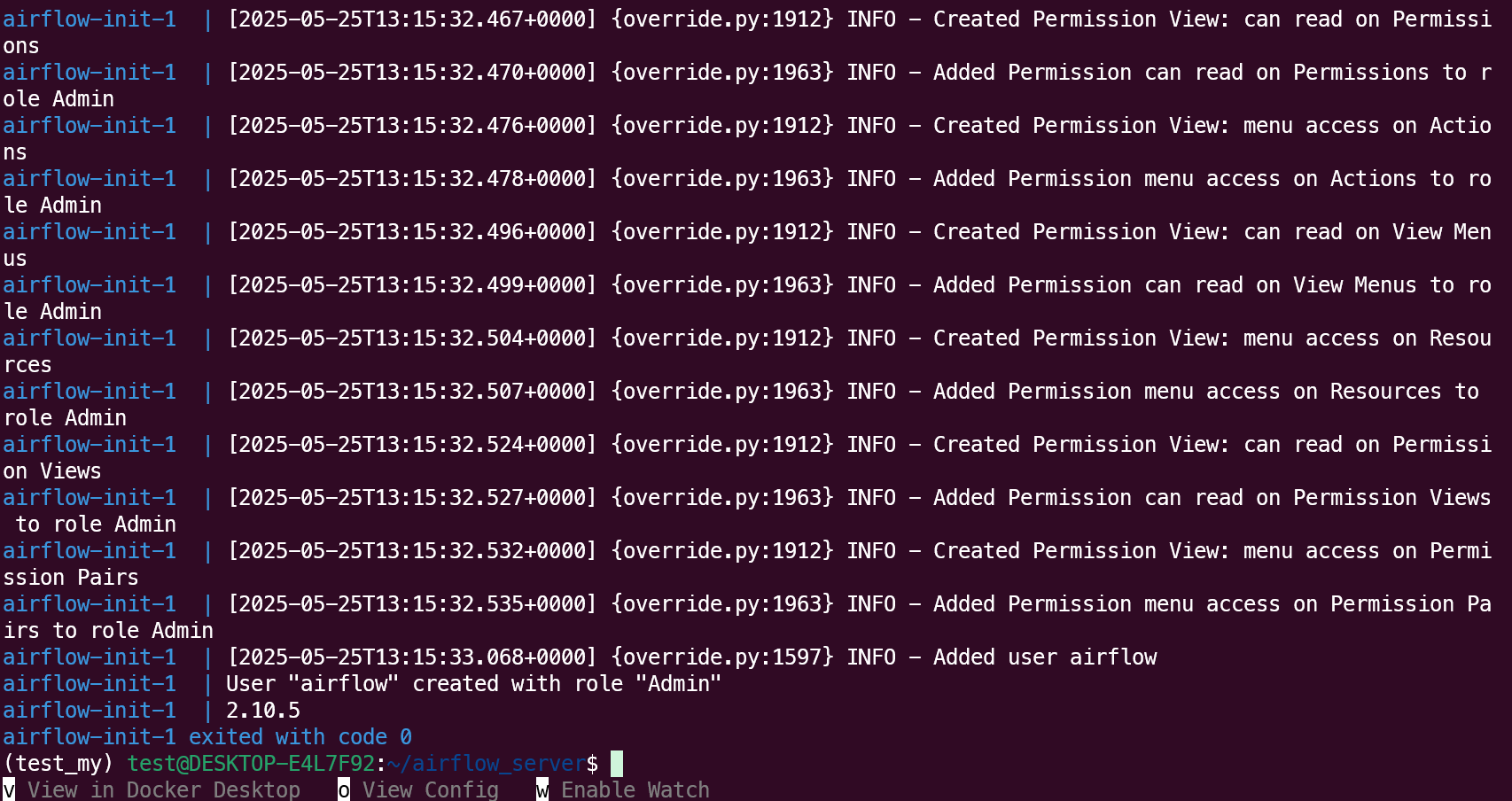
如果上面正常的话就能正式启动了
bash
# Start up all services
docker compose up -d
# Start up all services + flower
docker compose --profile flower up -d
WebServer http://localhost:18080
账号:airflow
密码:123456
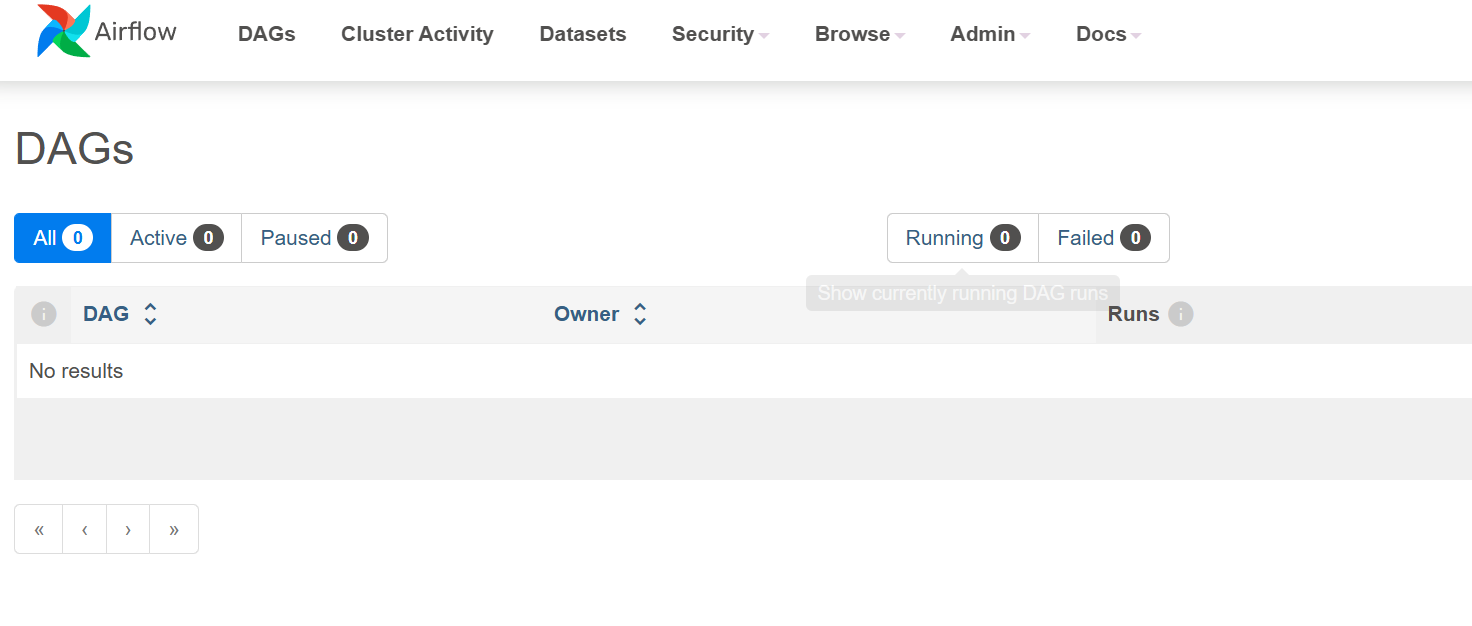
flower http://localhost:15555
账号:nightmare
密码:123456

pg数据库
账号:airflow
密码:114514
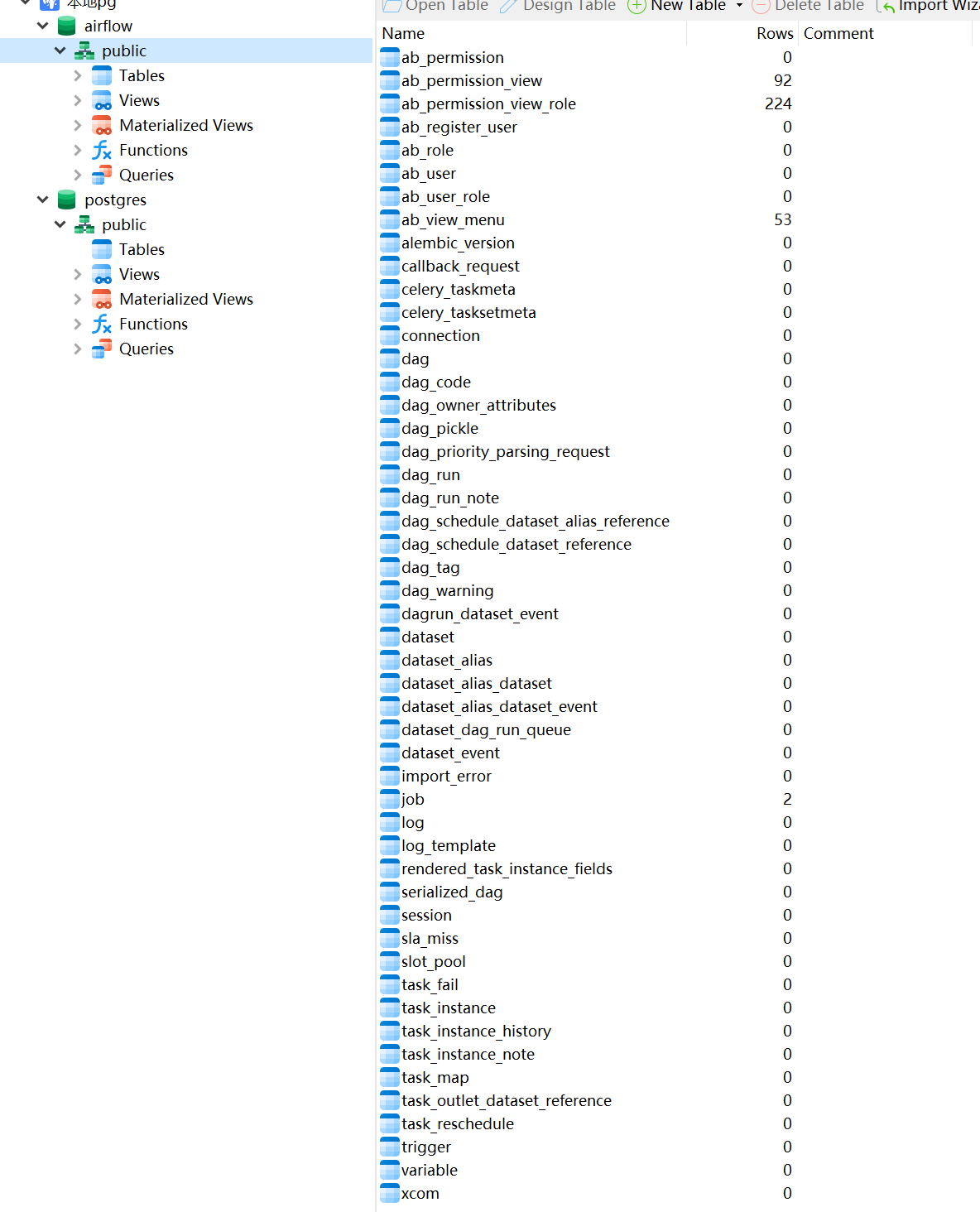
如果要清空server
bash
docker compose down -v
docker compose --profile flower down -v
docker network prune -f
worker
dag
airflow_server/dags/dag1/dag1.py
dag都要放在airflow_server/dags下,但是也可以是这个目录的子目录下
例如:
- airflow_server/dags/dag1/dag1.py
- airflow_server/dags/dag1.py
放入后webserver不一定马上就会看到,server会有一个定时扫描,每隔dag_dir_list_interval扫描一次,默认是5min
python
# airflow_server/dags/dag1/dag1.py

from datetime import datetime, timedelta
from airflow import DAG
from airflow.operators.python import PythonOperator

# 默认参数里指定使用 dag1_queue
default_args = {
    'owner': 'airflow',
    'depends_on_past': False,
    'retries': 1,
    'retry_delay': timedelta(minutes=5),
    'queue': 'dag1_queue',       # 👈 这里指定队列
}

def hello_world():
    print("Hello from dag1!")

with DAG(
    dag_id='dag1',
    default_args=default_args,
    description='示例 DAG1,仅打印一句话',
    schedule_interval='@daily',
    start_date=datetime(2025, 1, 1),
    catchup=False,
    tags=['example'],
) as dag:

    task_hello = PythonOperator(
        task_id='hello_task',
        python_callable=hello_world,
    )

    task_hello
.env
airflow_worker/dag1/.env
bash
# AIRFLOW_UID=1000
# pypiserver
PYPI_USER=test
PYPI_PWD=123456
PYPI_HOST=172.27.59.246
PYPI_PORT=10005

AIRFLOW__CORE__EXECUTOR=CeleryExecutor
AIRFLOW_SERVER_DIR=/home/test/airflow_server

REDIS_PASSWORD=123456

# PostgreSQL
POSTGRES_USER=airflow
POSTGRES_PASSWORD=114514
POSTGRES_DB=airflow
POSTGRES_HOST=172.27.59.246
POSTGRES_PORT=15323
docker-compose.yml
修改dag1_queue,改成dag中的queue
修改dag1-worker,名字随意
yaml
# airflow_worker/dag1/docker-compose.yaml
version: '3.8'

services:
  dag1-worker: # service名字,注意修改
    image: ${AIRFLOW_IMAGE_NAME:-apache/airflow:2.10.5}
    restart: always

    entrypoint:
      - /usr/bin/dumb-init
      - --
      - /start.sh

    command:
      - celery
      - worker
      - "-q"
      - dag1_queue # dag的queue,注意修改
#      - "--hostname"
#      - "celery@$$HOSTNAME"
#      - "--pool=solo"

    environment:
      # --------- Airflow 核心配置 ---------
      AIRFLOW__CORE__EXECUTOR: ${AIRFLOW__CORE__EXECUTOR}
      AIRFLOW__DATABASE__SQL_ALCHEMY_CONN: postgresql+psycopg2://${POSTGRES_USER}:${POSTGRES_PASSWORD}@postgres/airflow
      AIRFLOW__CELERY__BROKER_URL: redis://:${REDIS_PASSWORD}@redis:6379/0
      AIRFLOW__CELERY__RESULT_BACKEND: db+postgresql://${POSTGRES_USER}:${POSTGRES_PASSWORD}@postgres/airflow

      # AIRFLOW__CELERY__WORKER_CONCURRENCY: 1 # 并发数

      # 本地 PyPI 源
      PIP_INDEX_URL: http://${PYPI_USER}:${PYPI_PWD}@${PYPI_HOST}:${PYPI_PORT}/simple
      PIP_TRUSTED_HOST: ${PYPI_HOST}

      # 禁用官方 entrypoint 里可能带的 _PIP_ADDITIONAL_REQUIREMENTS
      _PIP_ADDITIONAL_REQUIREMENTS: ''

    volumes:
      - ${AIRFLOW_SERVER_DIR}/dags:/opt/airflow/dags
      - ./requirements.txt:/requirements.txt:ro
      - ./start.sh:/start.sh:ro
      - ${AIRFLOW_SERVER_DIR}/logs:/opt/airflow/logs
      - ${AIRFLOW_SERVER_DIR}/config:/opt/airflow/config
      - ${AIRFLOW_SERVER_DIR}/plugins:/opt/airflow/plugins
    # 下面挂载你们自己的目录和配置文件
      # - ./mark.txt:/opt/airflow/cx/mark.txt
      # - ./model:/opt/airflow/cx/model

    # 不再 depends_on 外部服务,依赖网络连接即可
    networks:
      - airflow-network

networks:
  airflow-network:
    external: true
requirements.txt
airflow_worker/dag1/requirements.txt
dag中需要的requirements都需要放进来
requestsstart.sh
airflow_worker/dag1/start.sh
用来从pypiserver中安装包,然后启动
bash
#!/usr/bin/env bash
set -e

# 提取实际要安装的包(非注释、非空行)
pkgs=$(grep -E '^[[:space:]]*[^#[:space:]]+' /requirements.txt || true)

if [ -n "$pkgs" ]; then
  echo "发现以下需要安装的包:"
  echo "$pkgs"
  echo "开始安装依赖..."

  # 1) 卸载旧依赖(如果不存在也不报错)
  pip uninstall -y -r /requirements.txt || true

  # 2) 从本地 pypiserver 安装/更新依赖
  pip install --no-cache-dir \
      -r /requirements.txt \
      --index-url "${PIP_INDEX_URL}" \
      --trusted-host "${PIP_TRUSTED_HOST}"

  # 3) 输出已安装的包版本,方便排查
  echo ">>> Installed packages:"
  echo "$pkgs" | xargs -n1 pip show
else
  echo "无需安装的包,跳过依赖安装。"
fi

# 4) 执行 Airflow 官方 entrypoint 并传入 compose 的 command
exec /entrypoint "$@"
启动worker
wiki
airflow_worker/dag1
├── docker-compose.yml
├── .env
├── requirements.txt
└── start.sh
修改权限,将需要挂载进去的文件(尤其是要写入的)
bash
sudo chmod -R 777 start.sh
sudo chmod -R 777 xxx
bash
docker compose up -d看看flower里有没有出现
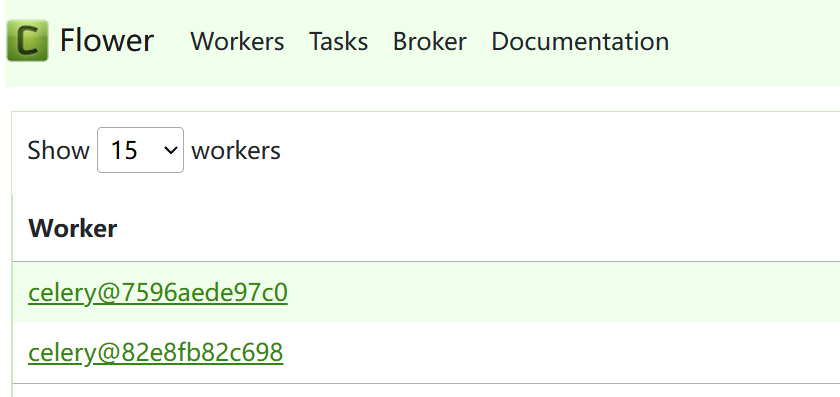
进入WebServer http://localhost:18080
打开这个开关,看看有没有启动,如果没有就刷新一下看看,还没有就点一下右边的三角

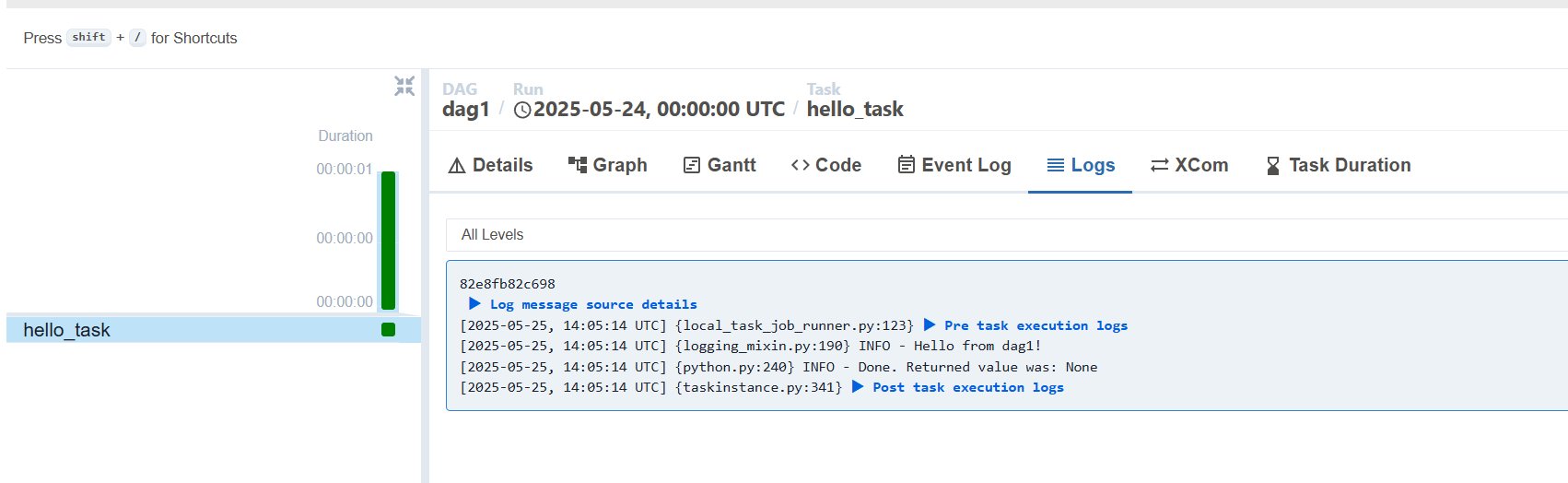
添加配置
webserver中
Admin->Connections中
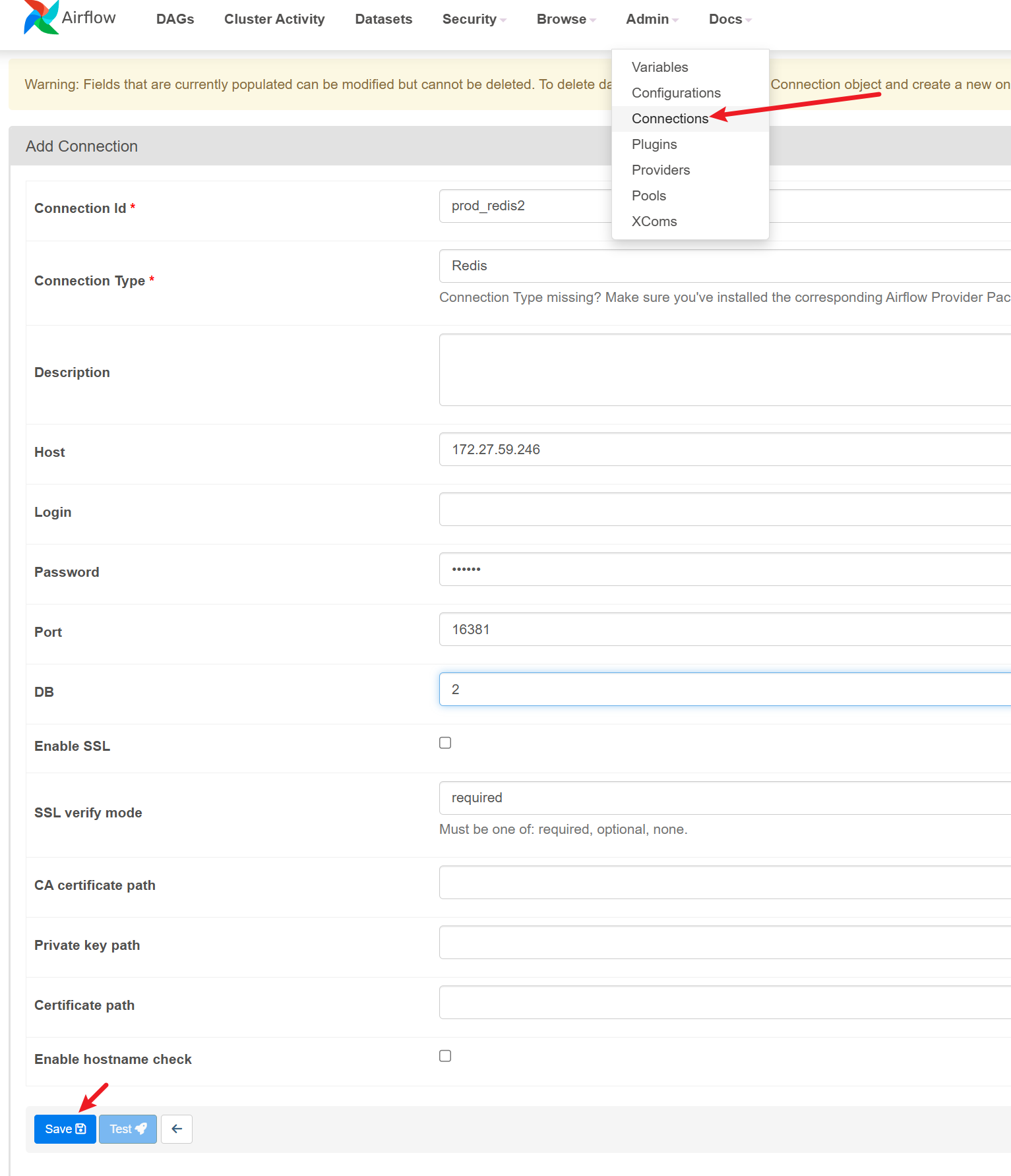
写dag的时候就可以用下面这句来获取这个配置了
python
from airflow.hooks.base import BaseHook
BaseHook.get_connection("prod_redis2")
本地测试
bash
airflow connections add "prod_pg2" --conn-type "Postgres" --conn-host "172.27.59.246" --conn-login "airflow" --conn-password "114514" --conn-port 15323 --conn-schema "airflow"

# for win
airflow connections add "prod_redis2" --conn-type "redis" --conn-host "172.27.59.246" --conn-password "123456" --conn-port 16381 --conn-extra "{""db"": 2}"
# for linux
airflow connections add "prod_redis2" --conn-type "redis" --conn-host "172.27.59.246" --conn-password "123456" --conn-port 16381 --conn-extra '{"db": 2}'
自定义容器
背景:如果你直接打包一个whl到pypiserver,然后安装的话就会发现需要安装的包太多了,尤其是要装torch的时候,因此可以自定义一个容器,以后worker直接用自定义的镜像就会快很多
Dockerfile
bash
# 默认python3.12
FROM apache/airflow:2.10.5

# 安装你需要的 Python 包
COPY requirements.txt /requirements.txt
# 切换回 airflow 用户
# USER airflow
RUN pip install --no-cache-dir -r /requirements.txt --index-url "http://test:123456@172.27.59.246:10005/simple" --trusted-host "172.27.59.246"

USER airflow
requirements.txt
bash
apache-airflow==2.10.5
# numpy>=2.2.1
pandas==2.1.4
# pyarrow==19.0.0
requests
# shutil
scipy
colorama
psycopg2-binary==2.9.10
torch==2.5.1
scikit-learn>=1.6.1
matplotlib==3.8.4
plotly==5.24.1
redis==5.2.1
openTSNE
schedule
pytz
retrying
opencv-python-headless
pyyaml
clickhouse-connect==0.8.14
tqdm==4.66.2
SQLAlchemy==1.4.54
seaborn>=0.13.0
这里构建一个名为my_airflow的镜像
bash
docker build -t my_airflow .