今日内容
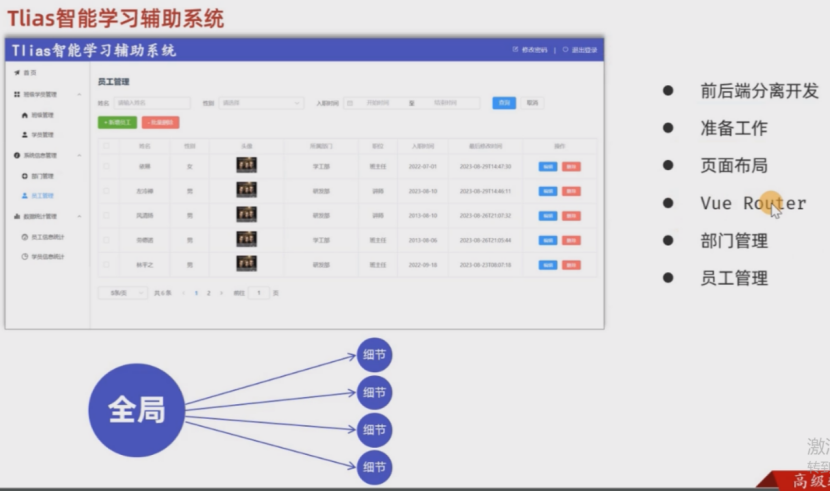
前后端分离开发
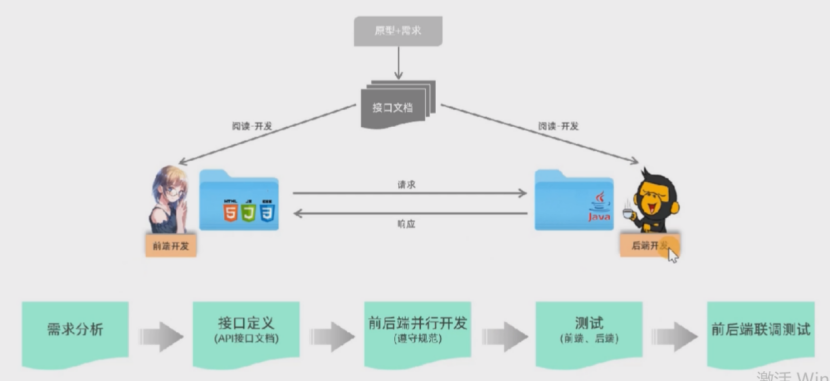
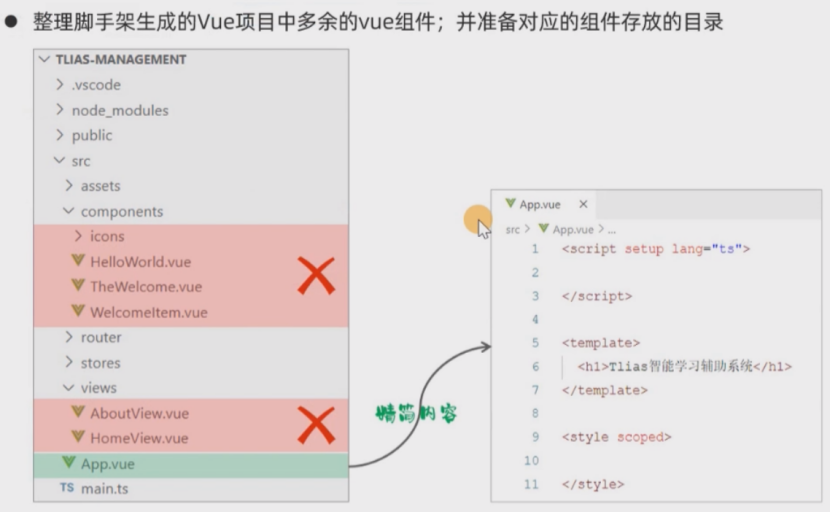
准备工作
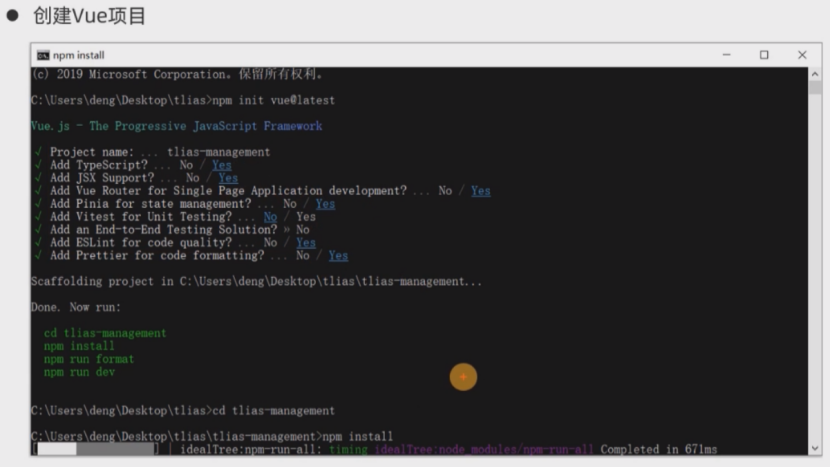
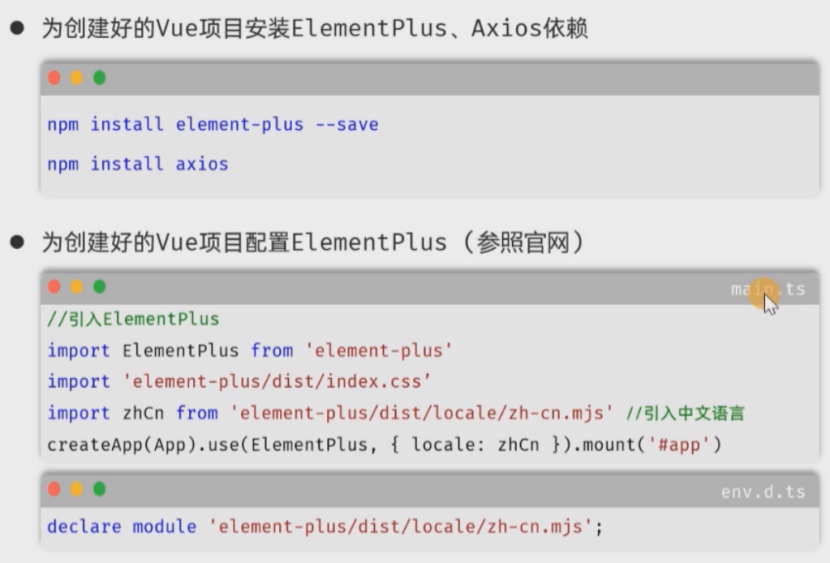
页面布局
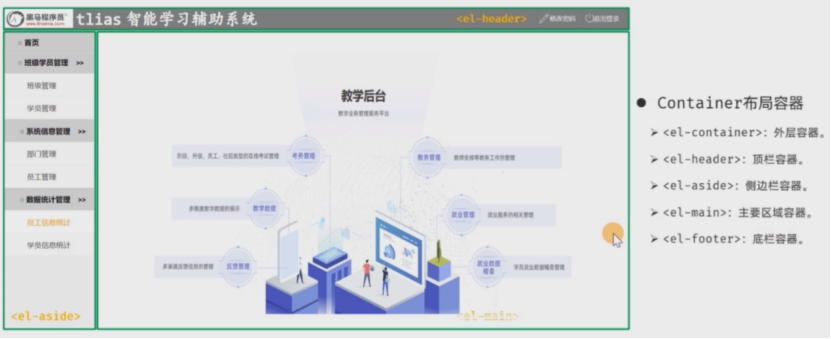
整体布局-头部布局
Container 布局容器

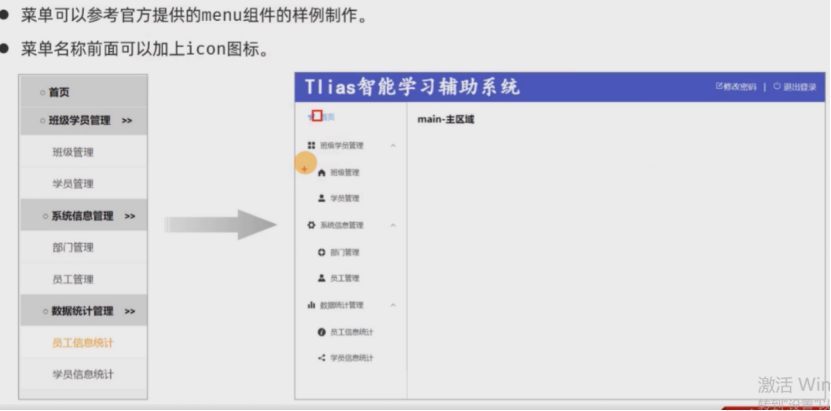
左侧布局
资料\04. 基础文件\layout/index.vue
javascript
<script setup lang="ts">
</script>
<template>
<div class="common-layout">
<el-container>
<el-header class="header">
<span class="title">Tlias智能学习辅助系统</span>
<span class="right_tool">
<a href="">
<el-icon><EditPen /></el-icon>修改密码 |
</a>
<a href="">
<el-icon><SwitchButton /></el-icon>退出登录
</a>
</span>
</el-header>
<!-- 左侧菜单及右侧主区域 -->
<el-container>
<!-- 左侧菜单 -->
<el-aside width="200px" class="aside">
<el-scrollbar>
<el-menu>
<!-- 首页菜单 -->
<el-menu-item index="/index">
<el-icon><Promotion /></el-icon> 首页
</el-menu-item>
<!-- 班级管理菜单 -->
<el-sub-menu index="/manage">
<template #title>
<el-icon><Menu /></el-icon> 班级学员管理
</template>
<el-menu-item index="/clazz">
<el-icon><HomeFilled /></el-icon>班级管理
</el-menu-item>
<el-menu-item index="/stu">
<el-icon><UserFilled /></el-icon>学员管理
</el-menu-item>
</el-sub-menu>
<!-- 系统信息管理 -->
<el-sub-menu index="/system">
<template #title>
<el-icon><Tools /></el-icon>系统信息管理
</template>
<el-menu-item index="/dept">
<el-icon><HelpFilled /></el-icon>部门管理
</el-menu-item>
<el-menu-item index="/emp">
<el-icon><Avatar /></el-icon>员工管理
</el-menu-item>
</el-sub-menu>
<!-- 数据统计管理 -->
<el-sub-menu index="/report">
<template #title>
<el-icon><Histogram /></el-icon>数据统计管理
</template>
<el-menu-item index="/empReport">
<el-icon><InfoFilled /></el-icon>员工信息统计
</el-menu-item>
<el-menu-item index="/stuReport">
<el-icon><Share /></el-icon>学员信息统计
</el-menu-item>
<el-menu-item index="/log">
<el-icon><Document /></el-icon>日志信息统计
</el-menu-item>
</el-sub-menu>
</el-menu>
</el-scrollbar>
</el-aside>
<!-- 右侧主区域 -->
<el-main>
Main 主区域
</el-main>
</el-container>
</el-container>
</div>
</template>
<style scoped>
.header {
background-image: linear-gradient(to right, #b414d2, #c24cd6, #ce70db, #d890df, #e1afe4);
}
.title {
font-size: 40px;
color: white;
font-family: 楷体;
font-weight: bold;
line-height: 60px;
}
.right_tool {
float: right;
line-height: 60px;
}
a {
text-decoration: none;
color: white;
}
.aside {
width: 220px;
border: 1px solid #ccc;
height: 690px;
}
</style>Vue Router
介绍和使用
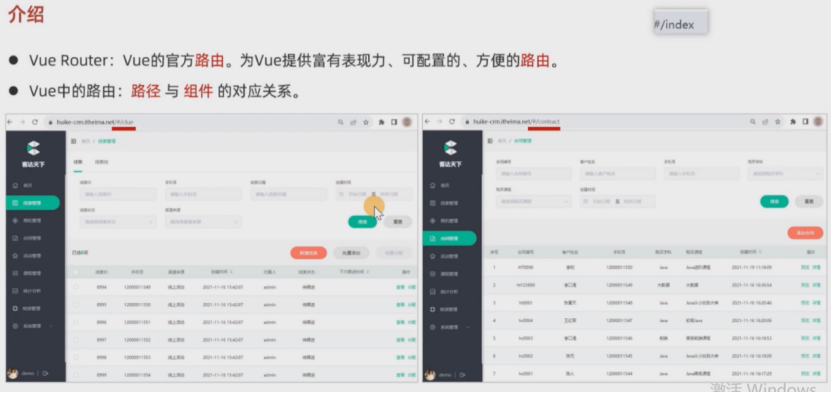
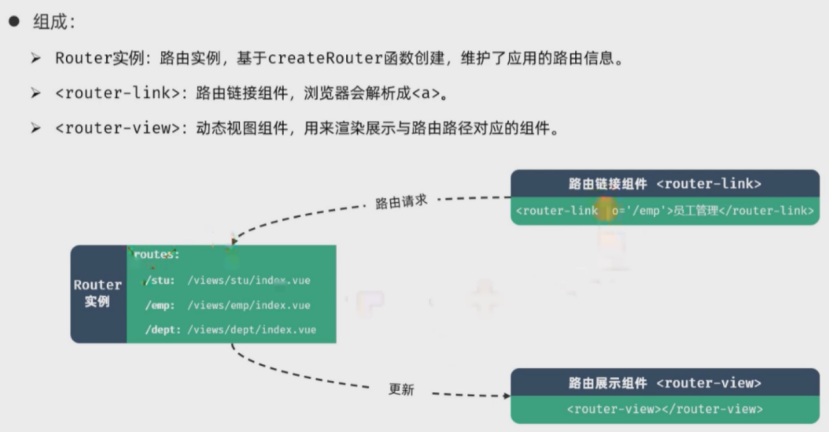
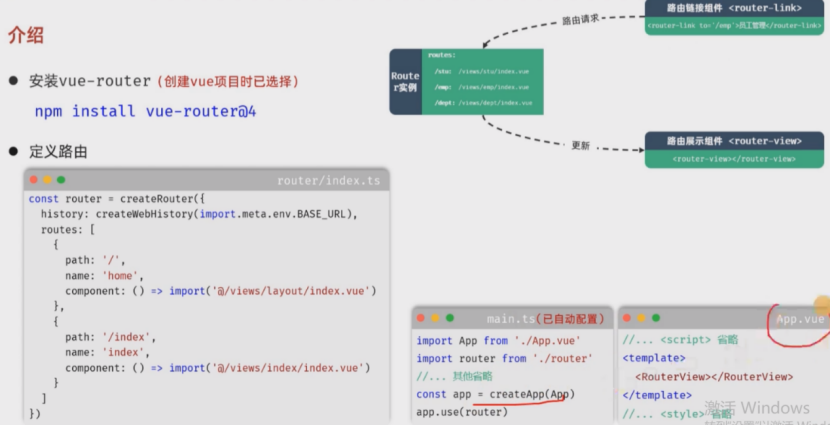
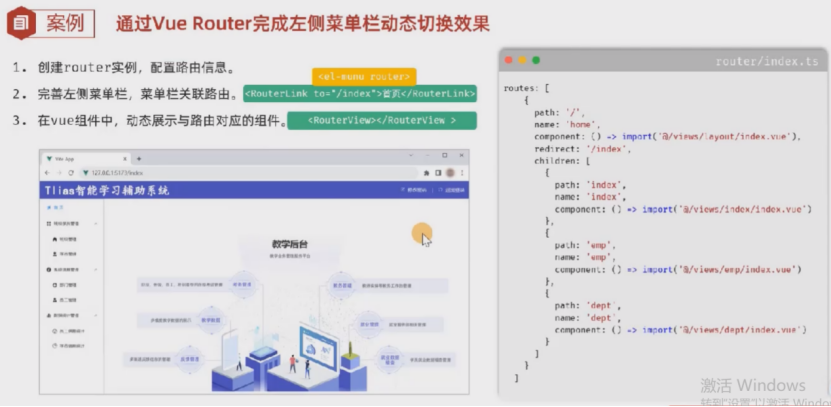
嵌套路由
重定向
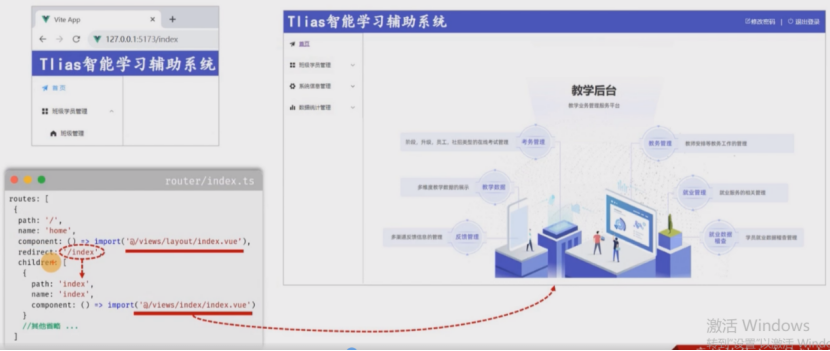
javascript
 routes: [
    {
      path: '/',
      name: 'home',
      component: () => import('../views/layout/index.vue'),
      redirect: '/index',
      children: [
        {
          path: 'index',
          name: 'index',
          component: () => import('../views/index/index.vue') //首页
        },
        {
          path: 'emp',
          name: 'emp',
          component: () => import('../views/emp/index.vue') //员工管理
        },
        {
          path: 'dept',
          name: 'dept',
          component: () => import('../views/dept/index.vue') //部门管理
        },
        {
          path: 'clazz',
          name: 'clazz',
          component: () => import('../views/clazz/index.vue') //班级管理
        },
        {
          path: 'stu',
          name: 'stu',
          component: () => import('../views/stu/index.vue') //学员管理
        }
      ]
    }
  ]
部门管理
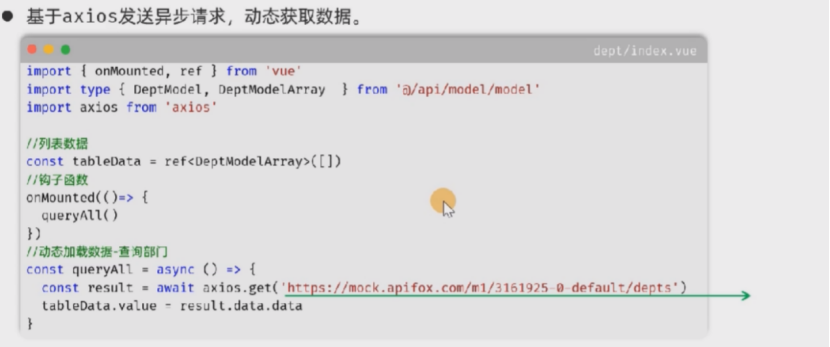
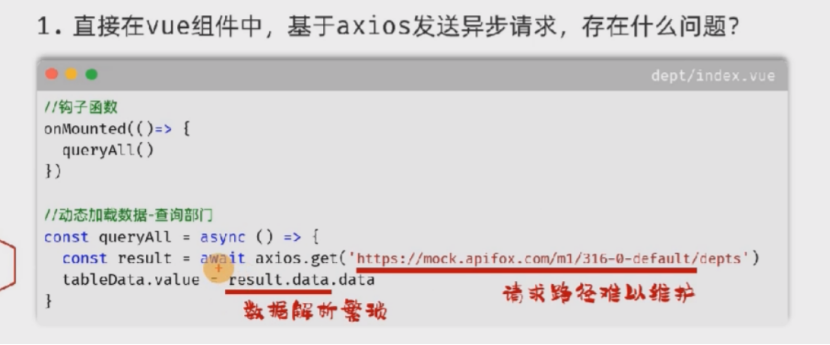
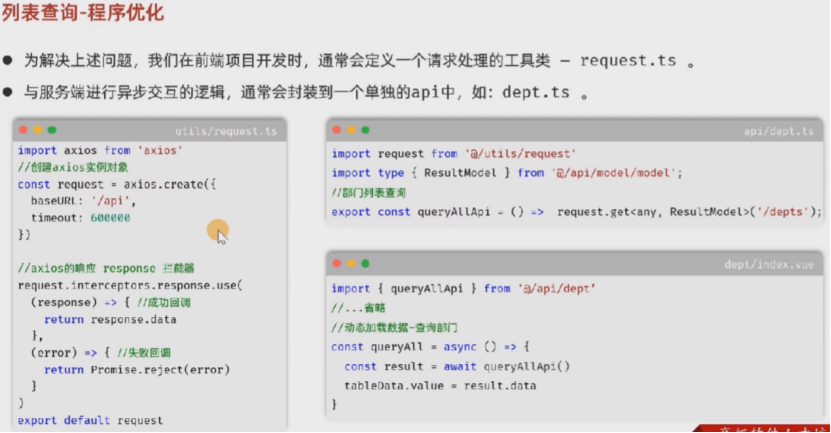
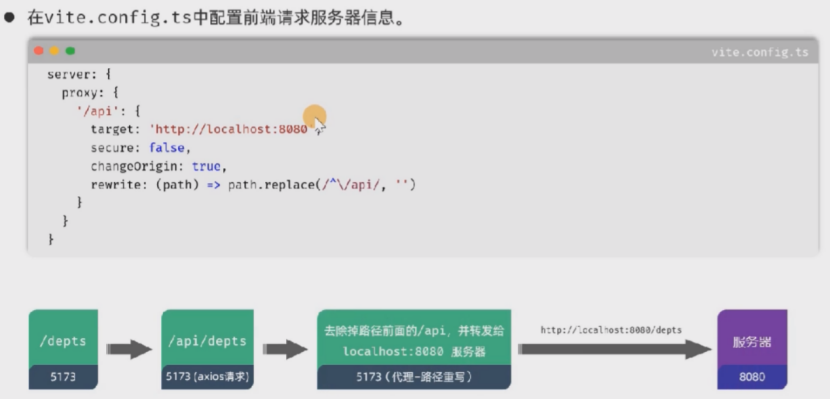
列表查询
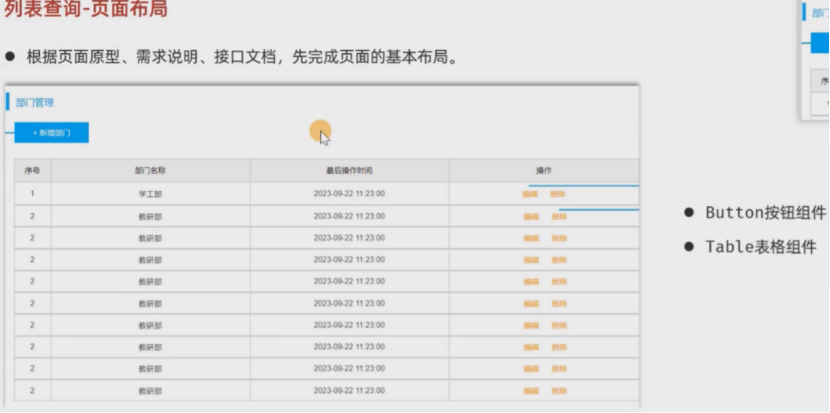
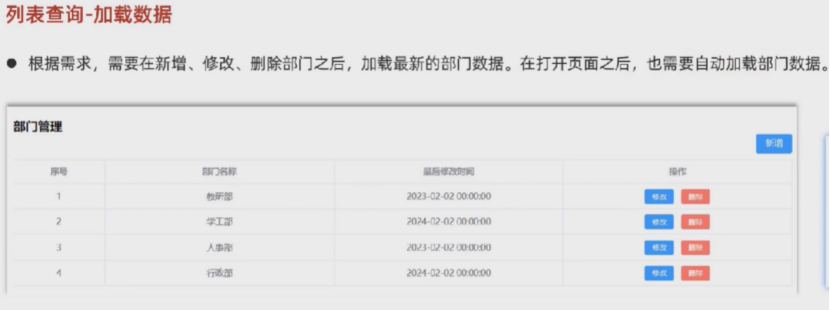
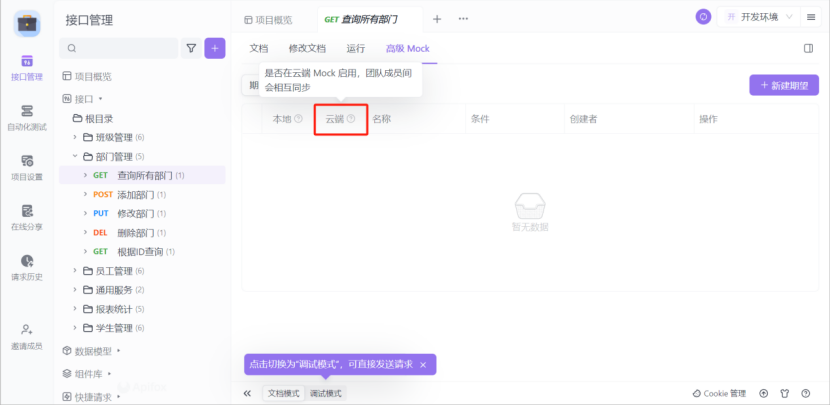
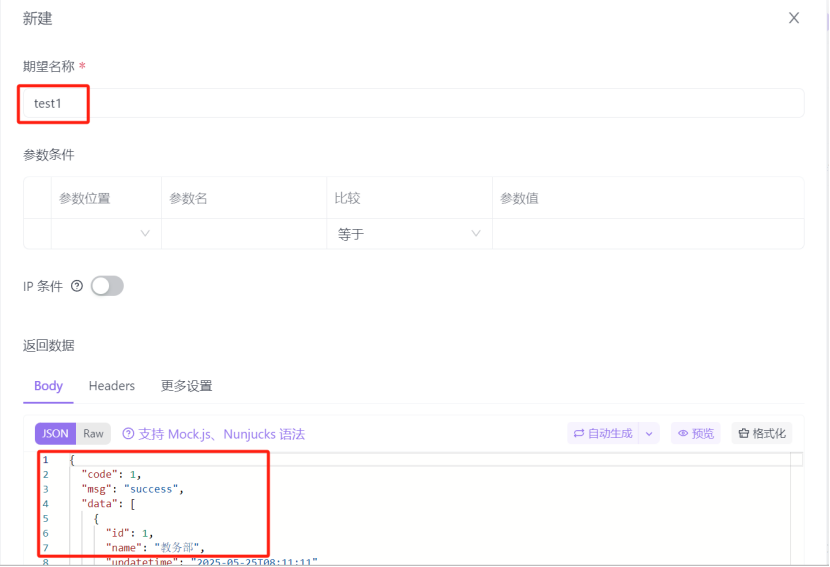
查询所有部门-高级Mock(云端)-新建期望
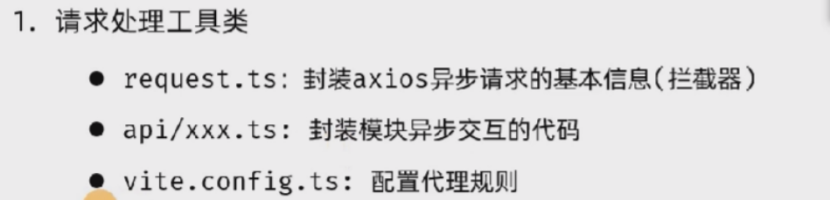
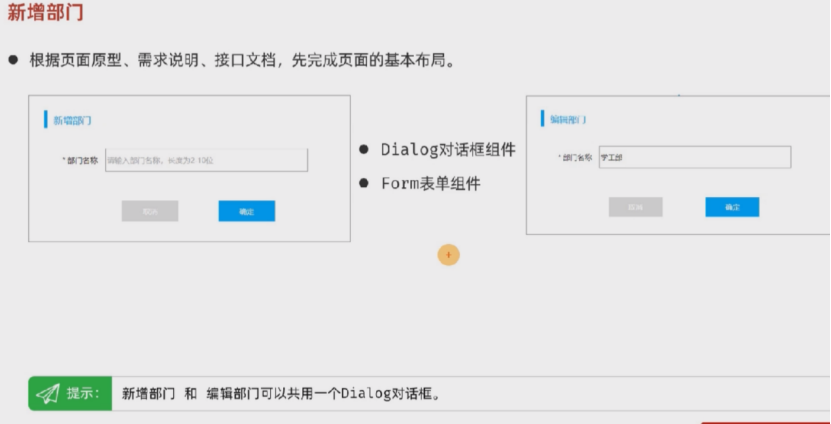
新增部门
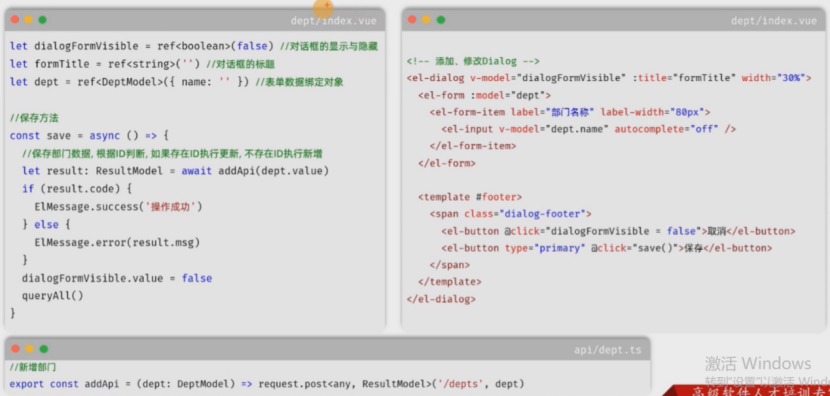
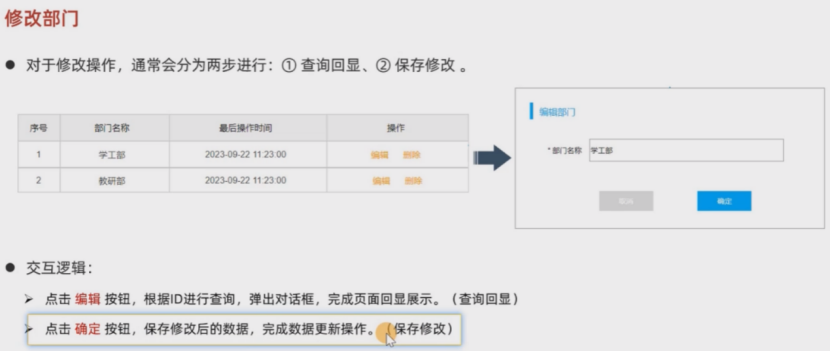
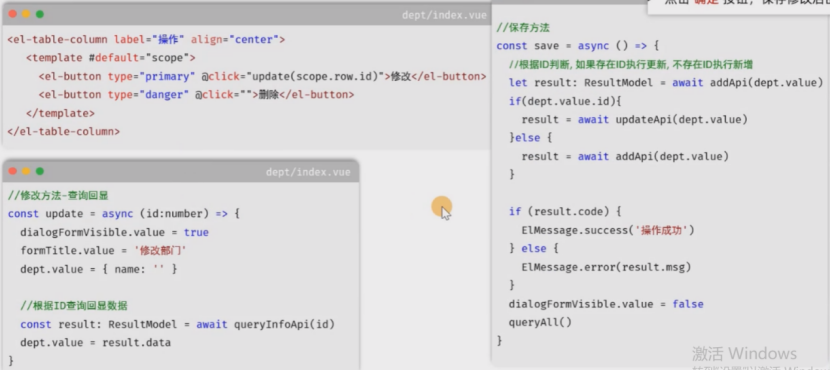
修改部门
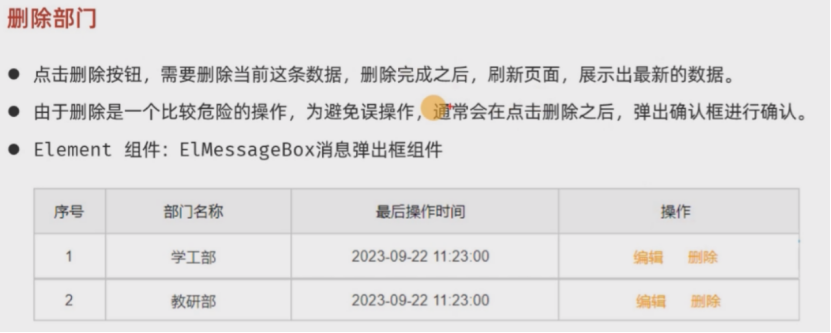
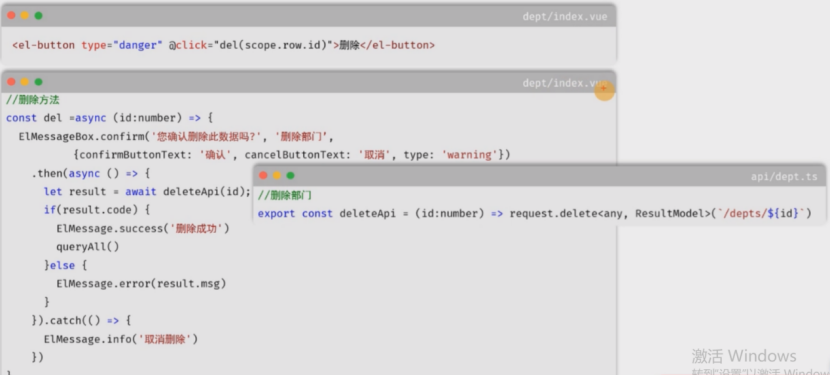
删除部门
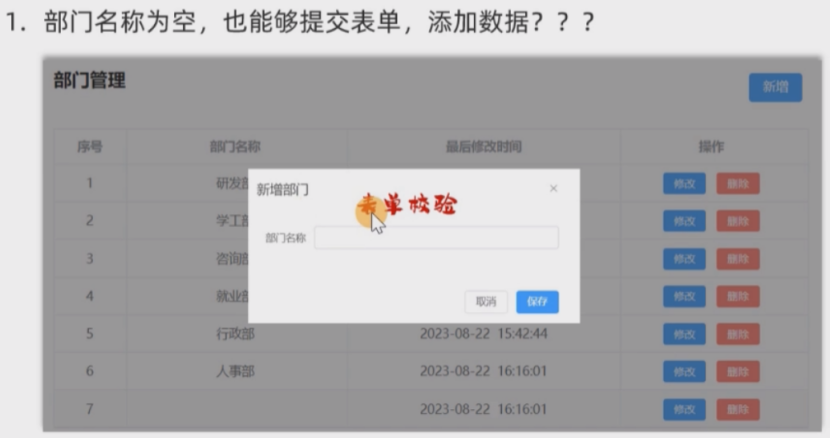
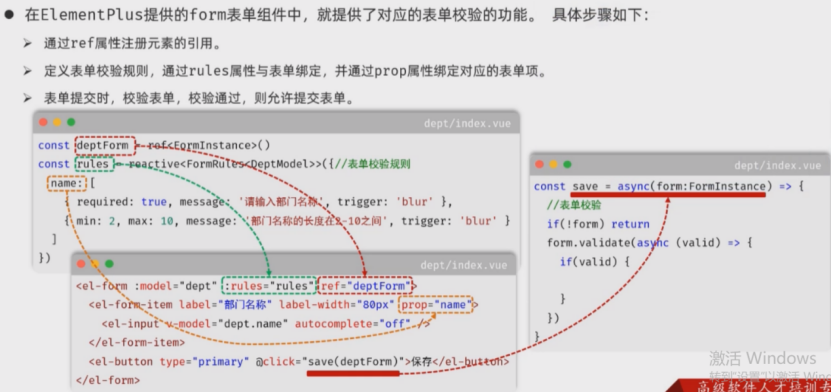
表单校验
javascript
// 重置校验信息
const resetForm = (formEl: FormInstance | undefined) => {
  if (!formEl) return
  formEl.resetFields()
}
javascript
resetForm(deptFormRef.value);// 重置规则