代码仓
GitHub - TiffanyHoo/three_practices: Learning three.js together!
可自行clone,无需安装依赖,直接liver-server运行/直接打开chapter01中的html文件
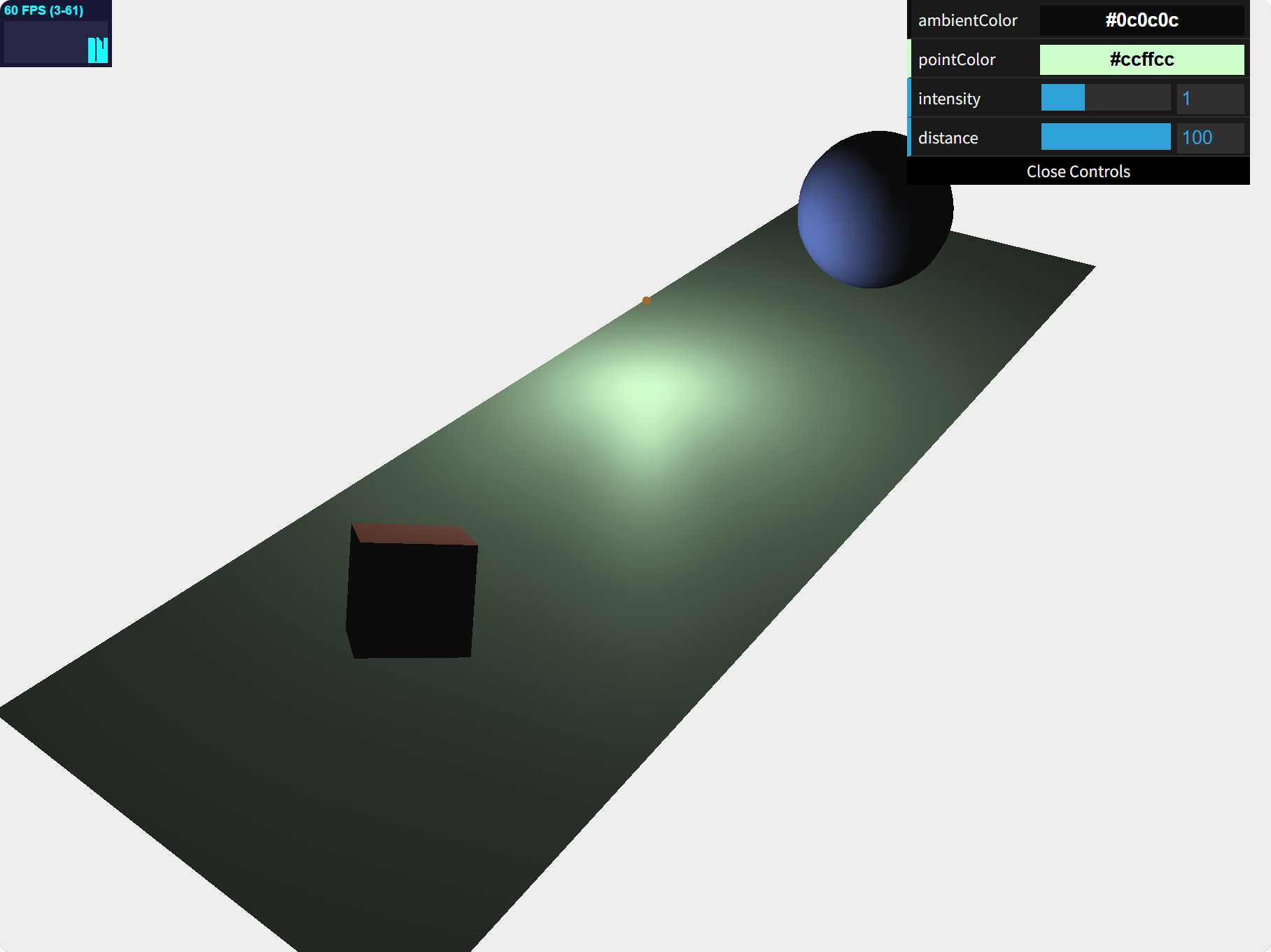
运行效果图
知识要点
核心运行代码
javascript
<!DOCTYPE html>

<html>

<head>
    <title>Example 03.02 - point Light</title>
    <script type="text/javascript" src="../libs/three.js"></script>
    <script type="text/javascript" src="../libs/stats.js"></script>
    <script type="text/javascript" src="../libs/dat.gui.js"></script>
    <style>
        body {
            /* set margin to 0 and overflow to hidden, to go fullscreen */
            margin: 0;
            overflow: hidden;
        }
    </style>
</head>

<body>

    <div id="Stats-output">
    </div>
    <!-- Div which will hold the Output -->
    <div id="WebGL-output">
    </div>

    <!-- Javascript code that runs our Three.js examples -->
    <script type="text/javascript">

        // once everything is loaded, we run our Three.js stuff.
        function init() {

            // create a scene, that will hold all our elements such as objects, cameras and lights.
            var scene = new THREE.Scene();

            // create a camera, which defines where we're looking at.
            var camera = new THREE.PerspectiveCamera(45, window.innerWidth / window.innerHeight, 0.1, 1000);

            // create a render and set the size
            var renderer = new THREE.WebGLRenderer();
            // var renderer = new THREE.WebGLRenderer({alpha: true});
            /**
             * alpha: true 启用透明度支持
             * !!!透明度没有生效
             * 1.因为没有启用渲染器透明度支持
             * 2.没有正确使用setClearColor方法两个参数
             *   renderer.setClearColor(new THREE.Color(0xEEEEEE, 1.0));
             *   透明度 (0-1) 0 完全透明 1完全不透明
             **/

            renderer.setClearColor(new THREE.Color(0xEEEEEE, 1.0));
            renderer.setSize(window.innerWidth, window.innerHeight);
            // renderer.shadowMapEnabled = true;
            // 启用阴影贴图:用于在3D场景中生成和渲染物体的阴影

            // create the ground plane
            var planeGeometry = new THREE.PlaneGeometry(60, 20, 20, 20);
            var planeMaterial = new THREE.MeshPhongMaterial({ color: 0xffffff });
            var plane = new THREE.Mesh(planeGeometry, planeMaterial);
            plane.receiveShadow = true; // 接收阴影

            // rotate and position the plane
            plane.rotation.x = -0.5 * Math.PI;
            plane.position.x = 15;
            plane.position.y = 0;
            plane.position.z = 0;

            // add the plane to the scene
            scene.add(plane);

            // create a cube
            var cubeGeometry = new THREE.BoxGeometry(4, 4, 4);
            var cubeMaterial = new THREE.MeshLambertMaterial({ color: 0xff7777 });
            // MeshLambertMaterial 基于Lambert反射模型的材质,适用于不发光且没有高光的物体(表面粗糙、没有明显反光)。它支持颜色、贴图、透明度等属性。
            var cube = new THREE.Mesh(cubeGeometry, cubeMaterial);
            cube.castShadow = true; // 投射阴影

            // position the cube
            cube.position.x = -4;
            cube.position.y = 3;
            cube.position.z = 0;

            // add the cube to the scene
            scene.add(cube);

            var sphereGeometry = new THREE.SphereGeometry(4, 20, 20);
            var sphereMaterial = new THREE.MeshLambertMaterial({ color: 0x7777ff });
            var sphere = new THREE.Mesh(sphereGeometry, sphereMaterial);

            // position the sphere
            sphere.position.x = 20;
            sphere.position.y = 0;
            sphere.position.z = 2;
            sphere.castShadow = true;

            // add the sphere to the scene
            scene.add(sphere);

            // position and point the camera to the center of the scene
            camera.position.x = -25;
            camera.position.y = 30;
            camera.position.z = 25;
            camera.lookAt(new THREE.Vector3(10, 0, 0));

            // 添加光源
            // add subtle ambient lighting
            var ambiColor = "#0c0c0c";
            var ambientLight = new THREE.AmbientLight(ambiColor);
            scene.add(ambientLight);

            // add spotlight for the shadows
            var spotLight = new THREE.SpotLight(0xffffff);
            console.log(spotLight.position);
            spotLight.position.set(-40, 60, -10);
            spotLight.castShadow = true;
            console.log(spotLight);
            console.log(spotLight.target); // 默认(0,0,0)
            console.log(spotLight.shadow); // undefined shadow属性是在r128之后引入的
            // scene.add( spotLight );

            var pointColor = "#ccffcc";
            var pointLight = new THREE.PointLight(pointColor); // 无阴影
            pointLight.distance = 100; // 0 无限远 光线强度不随距离增加而减弱
            scene.add(pointLight);


            // add a small sphere simulating the pointlight
            var sphereLight = new THREE.SphereGeometry(0.2);
            var sphereLightMaterial = new THREE.MeshBasicMaterial({ color: 0xac6c25 });
            var sphereLightMesh = new THREE.Mesh(sphereLight, sphereLightMaterial);
            sphereLightMesh.castShadow = true;

            sphereLightMesh.position = new THREE.Vector3(3, 0, 3);
            scene.add(sphereLightMesh);

            // const directionalLight = new THREE.DirectionalLight(0xffffff, 1);
            // directionalLight.position.set(-40, 60, -10);
            // directionalLight.castShadow = true;
            // scene.add(directionalLight);

            // add the output of the renderer to the html element
            document.getElementById("WebGL-output").appendChild(renderer.domElement);

            // call the render function
            var step = 0;

            // used to determine the switch point for the light animation
            var invert = 1;
            var phase = 0;

            var controls = new function () {
                this.rotationSpeed = 0.03;
                this.bouncingSpeed = 0.03;
                this.ambientColor = ambiColor;
                this.pointColor = pointColor;
                this.intensity = 1;
                this.distance = 100;
            };

            var gui = new dat.GUI();
            gui.addColor(controls, 'ambientColor').onChange(function (e) {
                ambientLight.color = new THREE.Color(e);
            });

            gui.addColor(controls, 'pointColor').onChange(function (e) {
                pointLight.color = new THREE.Color(e);
            });

            gui.add(controls, 'intensity', 0, 3).onChange(function (e) {
                pointLight.intensity = e;
            });

            gui.add(controls, 'distance', 0, 100).onChange(function (e) {
                pointLight.distance = e;
            });


            var stats = initStats();
            render();

            function render() {
                stats.update();
                // rotate the cube around its axes
                cube.rotation.x += controls.rotationSpeed;
                cube.rotation.y += controls.rotationSpeed;
                cube.rotation.z += controls.rotationSpeed;

                // bounce the sphere up and down
                step += controls.bouncingSpeed;
                sphere.position.x = 20 + (10 * (Math.cos(step)));
                sphere.position.y = 2 + (10 * Math.abs(Math.sin(step)));

                // move the light simulation
                if (phase > 2 * Math.PI) {
                    invert = invert * -1;
                    phase -= 2 * Math.PI;
                } else {
                    phase += controls.rotationSpeed;
                }
                sphereLightMesh.position.z = +(7 * (Math.sin(phase)));
                sphereLightMesh.position.x = +(14 * (Math.cos(phase)));
                sphereLightMesh.position.y = 5;

                if (invert < 0) {
                    var pivot = 14;
                    sphereLightMesh.position.x = (invert * (sphereLightMesh.position.x - pivot)) + pivot;
                }

                pointLight.position.copy(sphereLightMesh.position);

                // render using requestAnimationFrame
                requestAnimationFrame(render);
                renderer.render(scene, camera);
            }

            function initStats() {

                var stats = new Stats();

                stats.setMode(0); // 0: fps, 1: ms

                // Align top-left
                stats.domElement.style.position = 'absolute';
                stats.domElement.style.left = '0px';
                stats.domElement.style.top = '0px';

                document.getElementById("Stats-output").appendChild(stats.domElement);

                return stats;
            }
        }
        window.onload = init


    </script>
</body>

</html>