设备准备
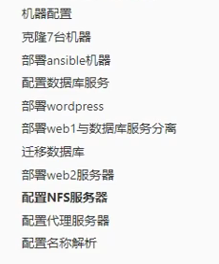
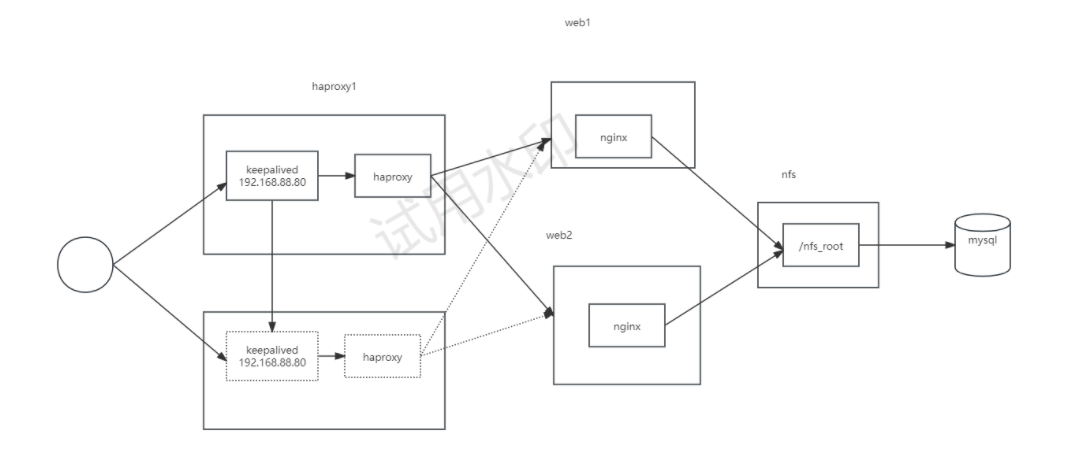
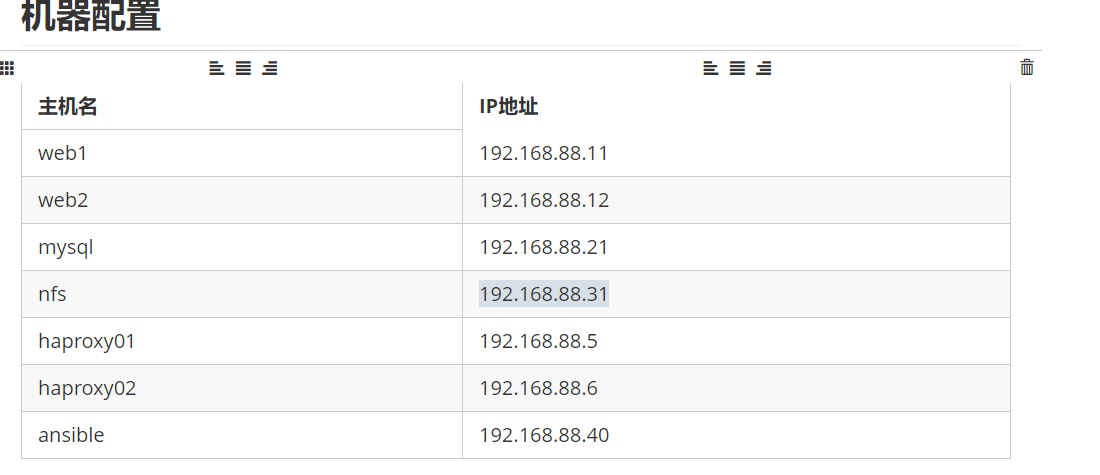
安装wordpress
bash
[root@localhost ~]# nmcli c del "Wired connection 1"
[root@localhost ~]# nmcli c add type ethernet ifname ens224 con-name ens224 ipv4.method manual ipv4.addr 192.168.88.40/24 gw4 192.168.88.1 autoconnect true
[root@localhost ~]# nmcli c up ens224

curl -o /etc/yum.repos.d/CentOS-Base.repo https://mirrors.aliyun.com/repo/Centos-7.repo
wget -O /etc/yum.repos.d/epel.repo https://mirrors.aliyun.com/repo/epel-7.repo


##所有主机配置主机名,IP,关闭防火墙,selinux,配置hosts文件
[root@web2 ~]# tail -7f /etc/hosts
10.38.102.67 web1
10.38.102.68 web2
10.38.102.69 mysql
10.38.102.70 nfs
10.38.102.71 haproxy1
10.38.102.72 haproxy2
10.38.102.73 ansible
##部署ansible机器
[root@ansible ~]# mkdir ensible_soft
[root@ensible ~]# cd ansible_soft/
##上传离线包
[root@ensible ansible_soft]# ll
total 38712
-rw-r--r-- 1 root root 36705432 Jun  9 01:56 ansible-6.3.0-1.el8.noarch.rpm
-rw-r--r-- 1 root root  2928380 Jun  9 01:56 ansible-core-2.13.3-1.el8.x86_64.rpm
[root@ansible ensible_soft]# yum -y install createrepo
[root@ansible ensible_soft]# createrepo .
[root@ensible ansible_soft]# ll
total 38712
-rw-r--r-- 1 root root 36705432 Jun  9 01:56 ansible-6.3.0-1.el8.noarch.rpm
-rw-r--r-- 1 root root  2928380 Jun  9 01:56 ansible-core-2.13.3-1.el8.x86_64.rpm
drwxr-xr-x 2 root root     4096 Jun  9 01:58 repodata
[root@ansible ensible_soft]# vi /etc/yum.repos.d/ansible.repo
[root@ansible ensible_soft]# cat /etc/yum.repos.d/ansible.repo
[ansible]
name=ansible
baseurl=file:///root/ansible_soft
gpgcheck=0
[root@ansible ensible_soft]# yum makecache
[root@ansible ensible_soft]# yum -y install ansible
[root@ensible ~]# mkdir -p project04/files
[root@ensible ~]# cd project04/
[root@ensible project04]# vim ansible.cfg
[root@ensible project04]# cat ansible.cfg
[defaults]
inventory = inventory
host_key_checking = false
[root@ensible project04]# vim inventory
[root@ansible project04]# cat inventory
[webservers]
web1 ansible_host=10.38.102.67
web2 ansible_host=10.38.102.68

[dbs]
mysql ansible_host=10.38.102.69

[storages]
nfs ansible_host=10.38.102.70

[lb]
haproxy1 ansible_host=10.38.102.71
haproxy2 ansible_host=10.38.102.72
##使用剧本安装服务【{{item}}依次执行loop中的服务】
[root@ansible project04]# vim 01-config-web1.yml
[root@ansible project04]# cat 01-config-web1.yml
---
- name: config web1
  hosts: web1
  tasks:
    - name: install pkgs   # 安装软件包
      yum:
        name:
          - nginx
          - mysql-server
          - php-mysqlnd
          - php-fpm
          - php-json
        state: present

    - name: start service   # 循环启动多个服务
      service:
        name: "{{item}}"
        state: started
        enabled: yes
      loop:
        - nginx
        - php-fpm
        - mysqld
[root@ansible project04]# ansible-playbook 01-config-web1.yml
##测试访问nginx;连接数据库
[root@web1 ~]# mysql
Welcome to the MySQL monitor.  Commands end with ; or \g.
Your MySQL connection id is 8
Server version: 8.0.41 Source distribution

Copyright (c) 2000, 2025, Oracle and/or its affiliates.

Oracle is a registered trademark of Oracle Corporation and/or its
affiliates. Other names may be trademarks of their respective
owners.

Type 'help;' or '\h' for help. Type '\c' to clear the current input statement.

mysql> exit
Bye
##手写网页;测试访问php
[root@web1 ~]# vi /usr/share/nginx/html/index.php
[root@web1 ~]# cat /usr/share/nginx/html/index.php
<?php
    phpinfo();
?>

[root@web1 ~]# curl 127.0.0.1
<a href="http://www.php.net/"><img border="0"

[root@web1 ~]# rm -rf /usr/share/nginx/html/index.php

[root@ansible project04]# vim files/config_mysql.sh
[root@ansible project04]# cat files/config_mysql.sh
#!/bin/bash

mysql -e "create database wordpress character set utf8mb4"
mysql -e "create user wpuser01@localhost identified by 'wordpress'"
mysql -e "grant all privileges on wordpress.* to wpuser01@localhost"
[root@ansible project04]# vim 02-config-mysql.yml
[root@ansible project04]# cat 02-config-mysql.yml
---
- name: config mysql
  hosts: web1
  tasks:
    - name: create database
      script: files/config_mysql.sh
[root@ansible project04]# ansible-playbook 02-config-mysql.yml

##验证
[root@web1 ~]# mysql -u wpuser01 -pwordpress
mysql: [Warning] Using a password on the command line interface can be insecure.
Welcome to the MySQL monitor.  Commands end with ; or \g.
Your MySQL connection id is 12
Server version: 8.0.41 Source distribution

Copyright (c) 2000, 2025, Oracle and/or its affiliates.

Oracle is a registered trademark of Oracle Corporation and/or its
affiliates. Other names may be trademarks of their respective
owners.

Type 'help;' or '\h' for help. Type '\c' to clear the current input statement.

mysql> show databases;
+--------------------+
| Database           |
+--------------------+
| information_schema |
| performance_schema |
| wordpress          |
+--------------------+
3 rows in set (0.01 sec)

mysql> exit
Bye

##上传安装包
[root@web1 ~]# ll
total 22988
-rw-r--r--  1 root root        0 Jun  9 02:18 1.txt
-rw-------. 1 root root     1206 Jun  6 08:48 anaconda-ks.cfg
-rw-r--r--  1 root root 23535225 Jun  9 02:44 wordpress-6.1.1-zh_CN.tar.gz
[root@web1 ~]# tar xf wordpress-6.1.1-zh_CN.tar.gz
[root@web1 ~]# cp -r wordpress/* /usr/share/nginx/html/
[root@web1 ~]# chown -R apache:apache /usr/share/nginx/html/
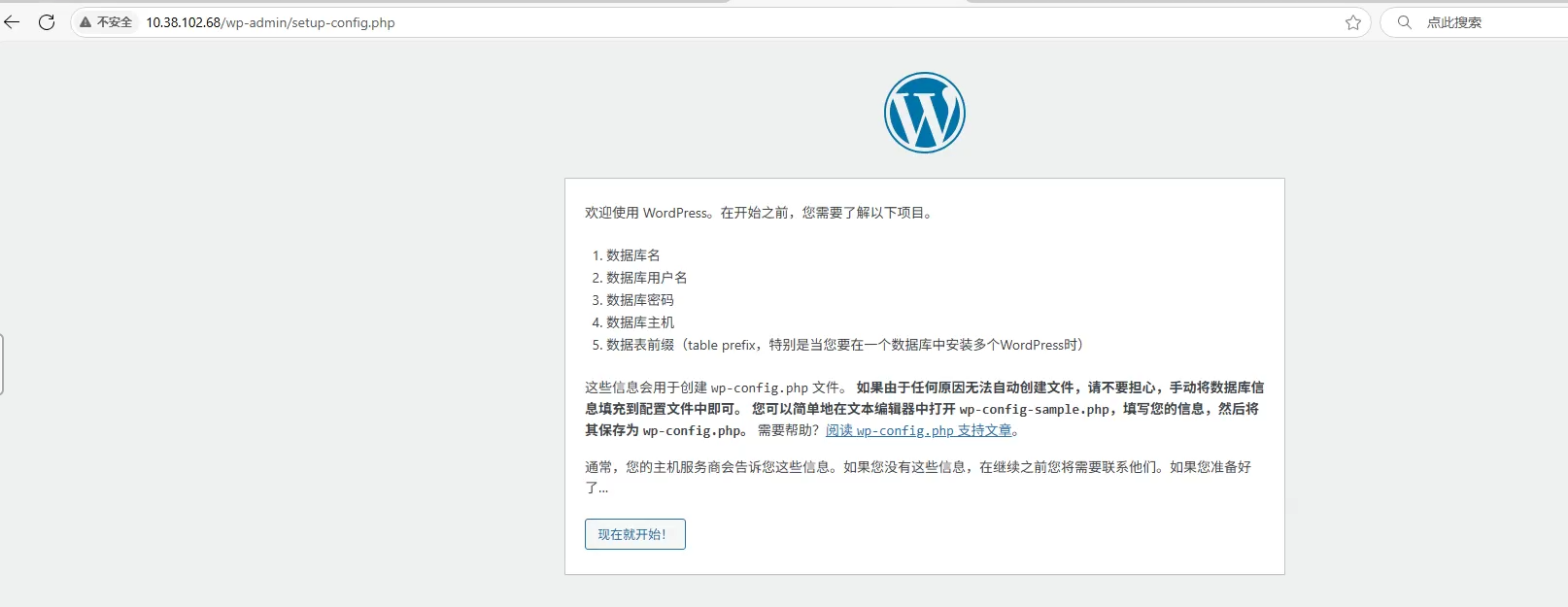
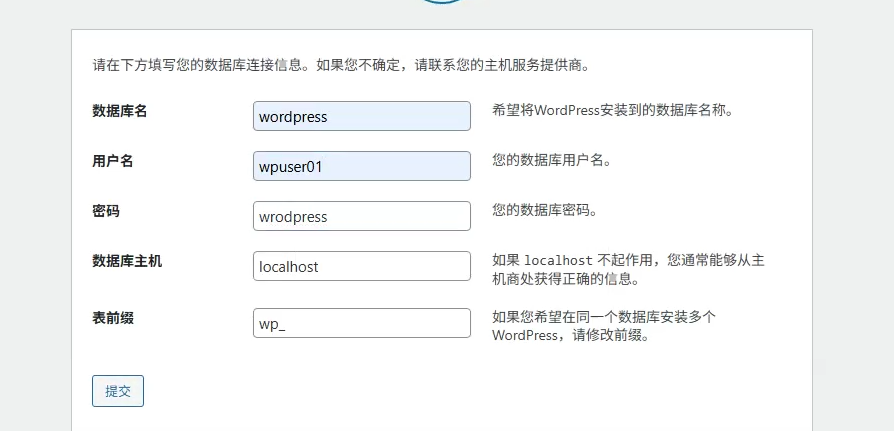
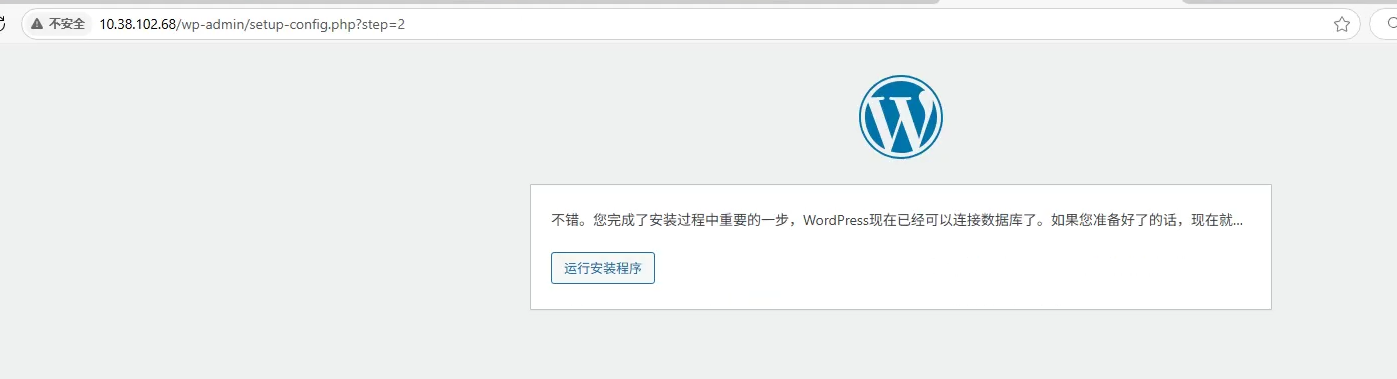
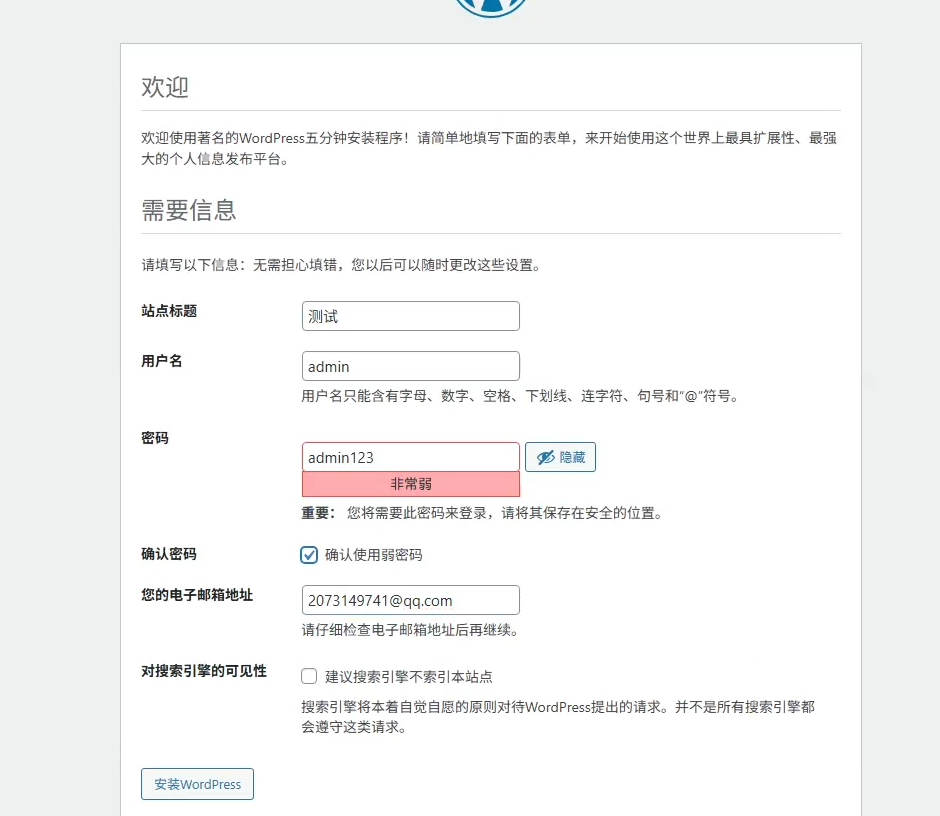
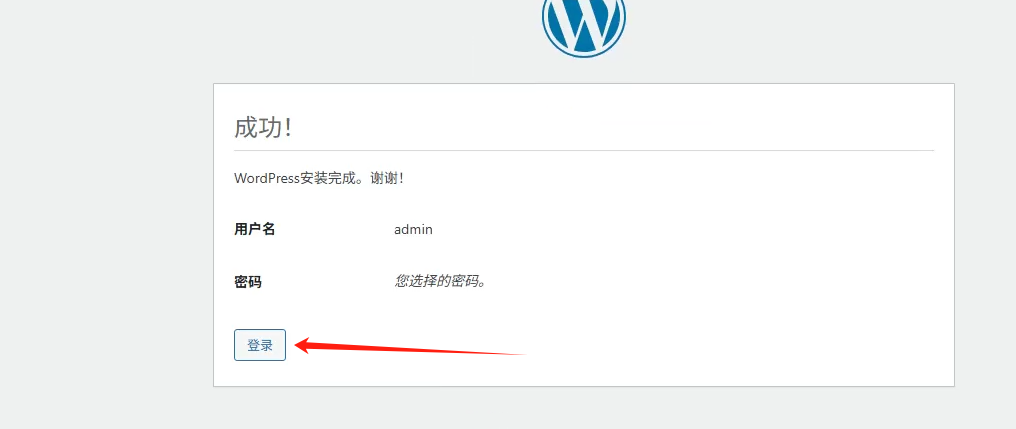
配置wordpress界面
安装向导
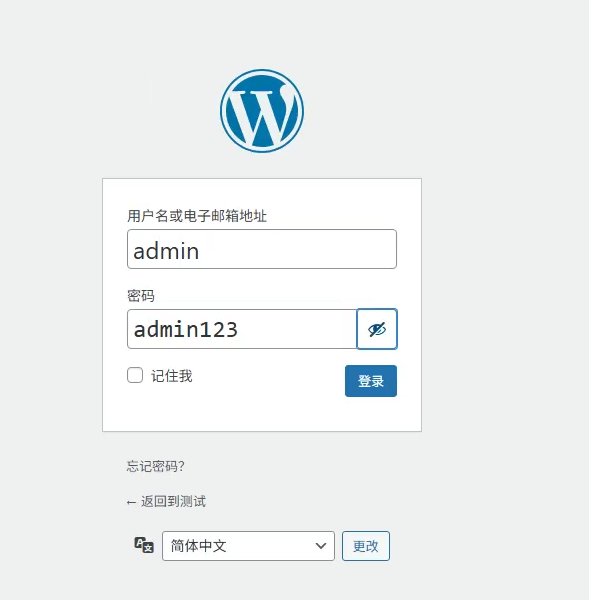
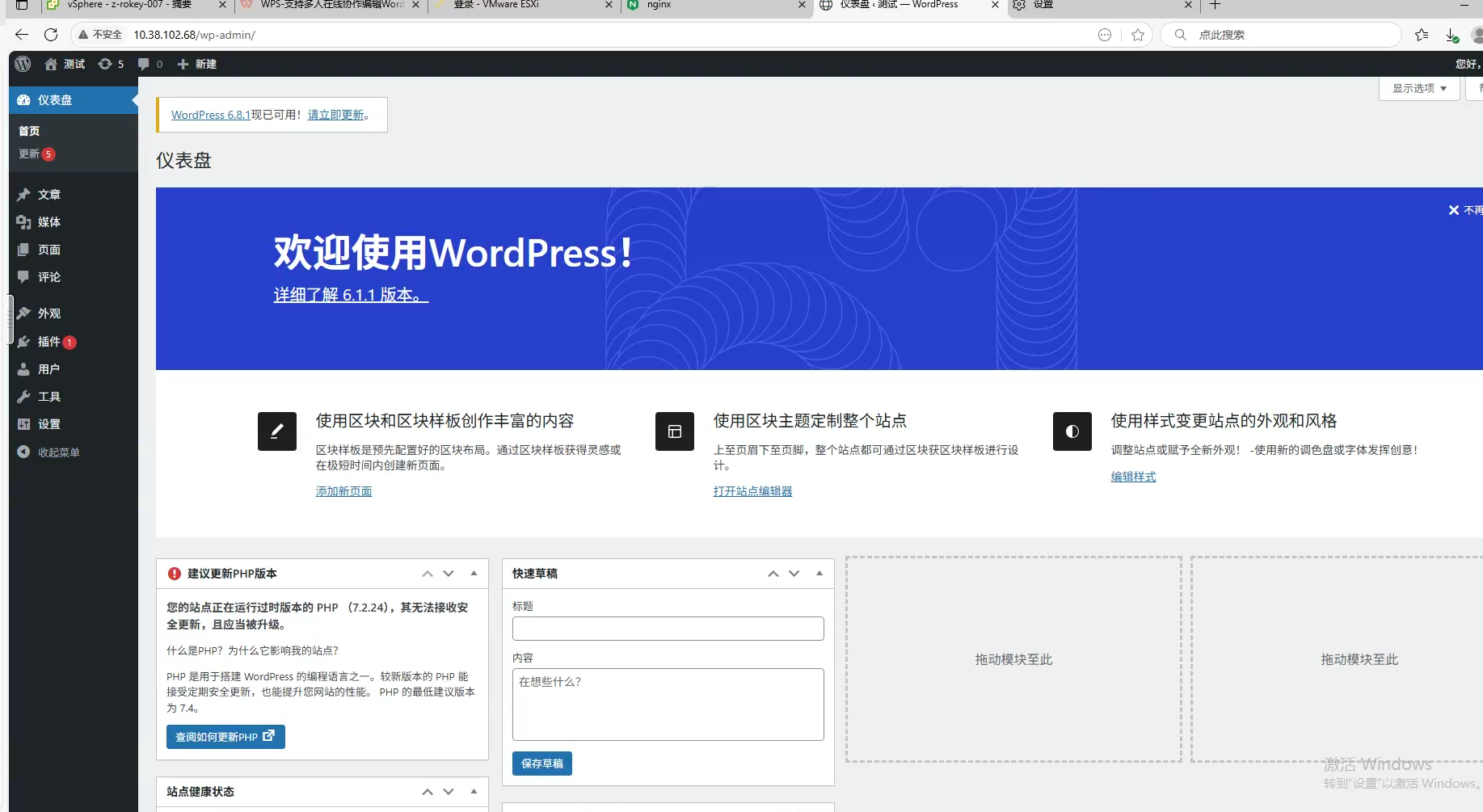
数据库和web分开
创新数据库
- 保证数据安全性,web界面性能
bash
[root@ansible project04]# cat files/config_mysql2.sh
#!/bin/bash

mysql -e "create database wordpress character set utf8mb4"
mysql -e "create user wpuser01@'%' identified by 'wordpress'"
mysql -e "grant all privileges on wordpress.* to wpuser01@'%'"
[root@ansible project04]# vim 03-config-database.yml
[root@ansible project04]# cat 03-config-database.yml
---
- name: config database
  hosts: dbs
  tasks:
    - name: install mysql    # 安装数据库服务
      yum:
        name: mysql-server
        state: present

    - name: start service    # 启动数据库服务
      service:
        name: mysqld
        state: started
        enabled: yes

    - name: create database
      script: files/config_mysql.sh
[root@ansible project04]# ansible-playbook 03-config-database.yml

##查看
[root@mysql ~]# mysql
Welcome to the MySQL monitor.  Commands end with ; or \g.
Your MySQL connection id is 11
Server version: 8.0.41 Source distribution

Copyright (c) 2000, 2025, Oracle and/or its affiliates.

Oracle is a registered trademark of Oracle Corporation and/or its
affiliates. Other names may be trademarks of their respective
owners.

Type 'help;' or '\h' for help. Type '\c' to clear the current input statement.

mysql> show databases;
+--------------------+
| Database           |
+--------------------+
| information_schema |
| mysql              |
| performance_schema |
| sys                |
| wordpress          |
+--------------------+
5 rows in set (0.01 sec)

mysql> use mysql;

mysql> select Host,User from user;
+-----------+------------------+
| Host      | User             |
+-----------+------------------+
| %         | wpuser01         |
| localhost | mysql.infoschema |
| localhost | mysql.session    |
| localhost | mysql.sys        |
| localhost | root             |
+-----------+------------------+
5 rows in set (0.00 sec)

mysql> exit
Bye
数据库迁移
服务器通知迁移
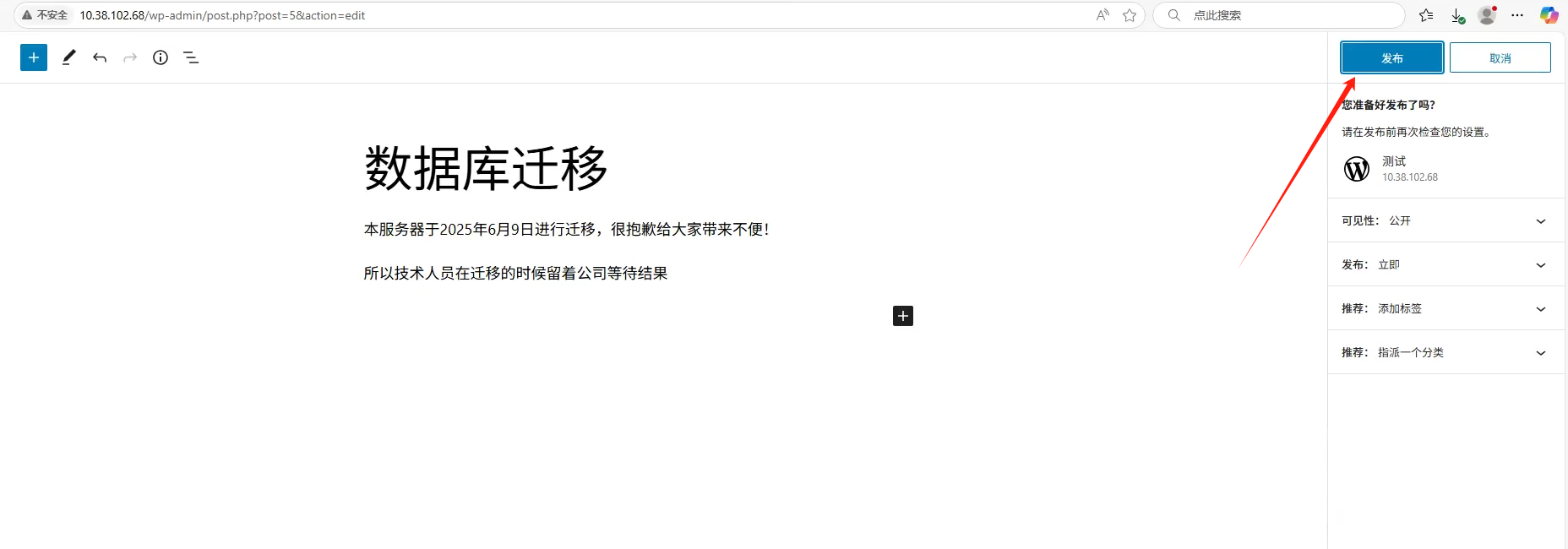
查看文章
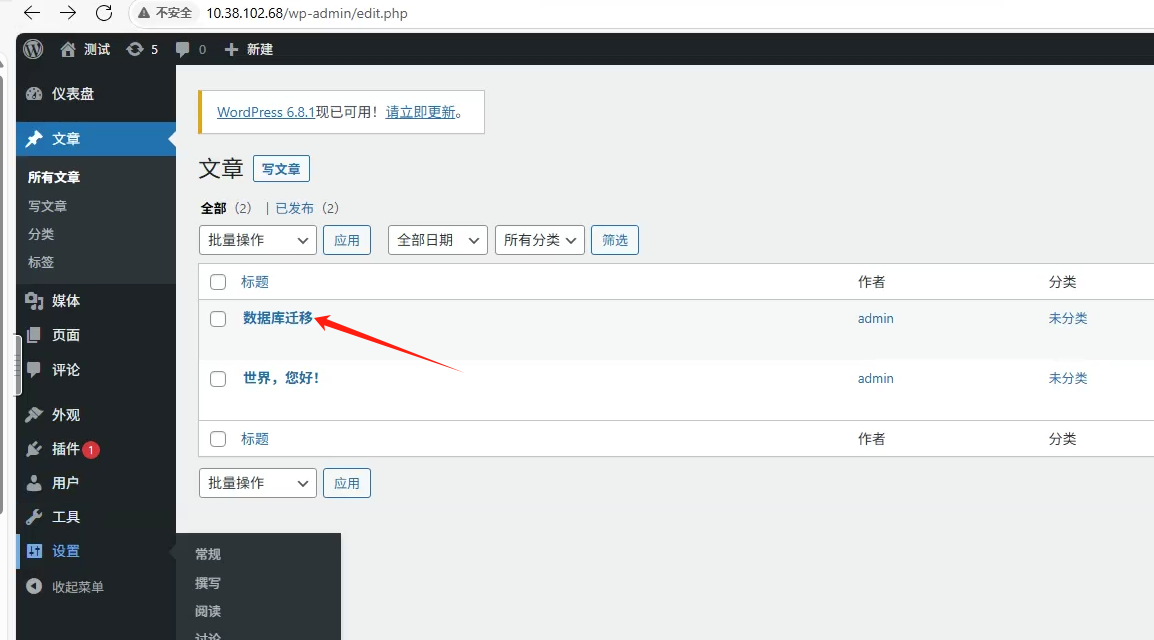

数据库配置
bash
[root@web1 ~]# mysqldump wordpress > wordpress.sql
[root@web1 ~]# scp wordpress.sql mysql:/root/
[root@mysql ~]# ll
total 244
-rw-------. 1 root root   1203 Jun  6 08:57 anaconda-ks.cfg
-rw-r--r--  1 root root 245344 Jun  9 03:31 wordpress.sql
[root@mysql ~]# mysql wordpress < wordpress.sql
[root@web1 ~]# vim /usr/share/nginx/html/wp-config.php
##修改为;连接mysql主机的数据库
/** Database hostname */
define( 'DB_HOST', '10.38.102.69' );
##测试访问
mysql> use wordpress;
Reading table information for completion of table and column names
You can turn off this feature to get a quicker startup with -A

Database changed
mysql> show tables;
+-----------------------+
| Tables_in_wordpress   |
+-----------------------+
| wp_commentmeta        |
| wp_comments           |
| wp_links              |
| wp_options            |
| wp_postmeta           |
| wp_posts              |
| wp_term_relationships |
| wp_term_taxonomy      |
| wp_termmeta           |
| wp_terms              |
| wp_usermeta           |
| wp_users              |
+-----------------------+
12 rows in set (0.00 sec)
安装web2
bash
[root@ansible project04]# vim 04-config-webservers.yml
[root@ansible project04]# cat 04-config-webservers.yml
---
- name: config webservers
  hosts: webserver2
  tasks:
    - name: install pkgs    # 安装软件包
      yum:
        name:
          - nginx
          - php-mysqlnd
          - php-fpm
          - php-json
        state: present

    - name: start service   # 循环启动多个服务
      service:
        name: "{{item}}"
        state: started
        enabled: yes
      loop:
        - nginx
        - php-fpm
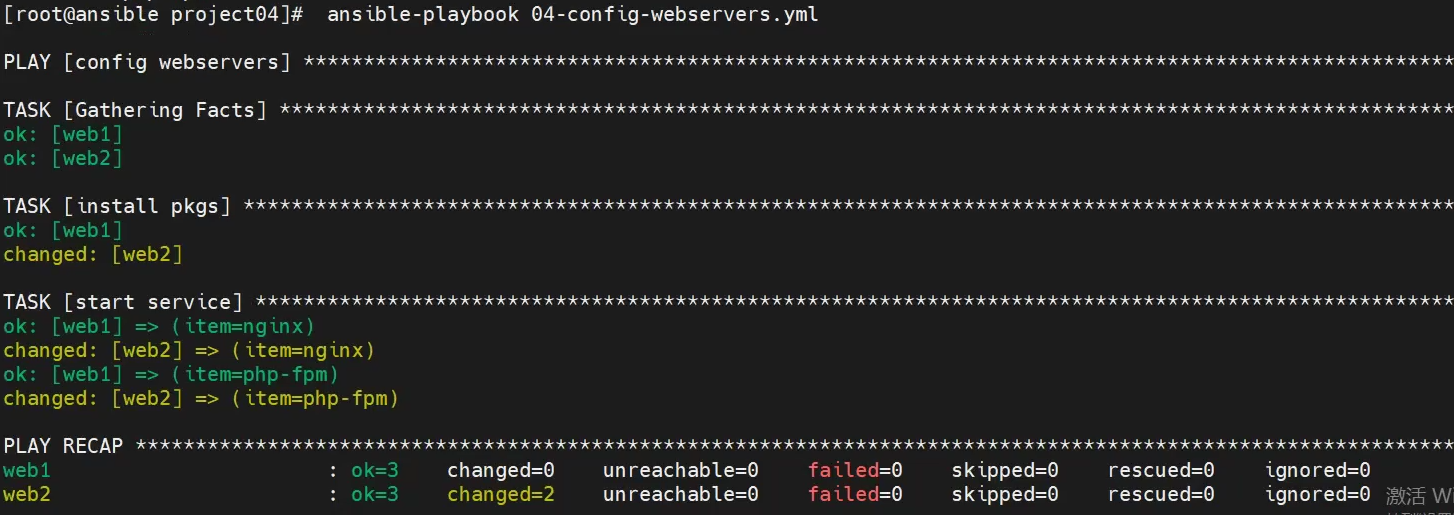
[root@ansible project04]#  ansible-playbook 04-config-webservers.yml
[root@ansible project04]# vim 05-fetch-web1.yml
[root@ansible project04]# cat 05-fetch-web1.yml
---
- name: copy web
  hosts: web1
  tasks:
    - name: compress html    # 压缩html目录到/root下
      archive:
        path: /usr/share/nginx/html
        dest: /root/html.tar.gz
        format: gz

    - name: download html    # 下载压缩文件
      fetch:
        src: /root/html.tar.gz
        dest: files/
        flat: yes
[root@ansible project04]# ansible-playbook 05-fetch-web1.yml
[root@ansible project04]# vim 06-deploy-web2.yml
[root@ansible project04]# cat 06-deploy-web2.yml
---
- name: deploy web2
  hosts: web2
  tasks:
    - name: unarchive to web    # 解压文件到指定位置
      unarchive:
        src: files/html.tar.gz
        dest: /usr/share/nginx/
[root@ansible project04]# ansible-playbook 06-deploy-web2.yml
##已安装过设备为绿色
安装nfs
bash
[root@ansible project04]# vim 07-config-nfs.yml
[root@ansible project04]# cat 07-config-nfs.yml
---
- name: config nfs
  hosts: nfs
  tasks:
    - name: install nfs        # 安装nfs
      yum:
        name: nfs-utils
        state: present

    - name: mkdir /nfs_root    # 创建共享目录
      file:
        path: /nfs_root
        state: directory
        mode: "0755"

    - name: nfs share          # 修改配置文件
      lineinfile:
        path: /etc/exports
        line: '/nfs_root 10.38.102.0/24(rw)'

    - name: start service      # 循环启动服务
      service:
        name: "{{item}}"
        state: started
        enabled: yes
      loop:
        - rpcbind       # nfs服务依赖rpcbind服务
        - nfs-server
[root@ansible project04]# ansible-playbook 07-config-nfs.yml
##查看共享输出
[root@nfs ~]# showmount -e
Export list for nfs:
/nfs_root 10.38.102.0/24

[root@ansible project04]# vim 08-deploy-nfs.yml
[root@ansible project04]# cat 08-deploy-nfs.yml
---
- name: deploy nfs
  hosts: nfs
  tasks:
    - name: unarchive to web     # 将控制端压缩文件解压到指定位置
      unarchive:
        src: files/html.tar.gz
        dest: /nfs_root/
[root@ansible project04]# ansible-playbook 08-deploy-nfs.yml
[root@ansible project04]# vim 09-rm-html.yml
[root@ansible project04]# cat 09-rm-html.yml
---
- name: rm html
  hosts: webservers
  tasks:
    - name: rm html
      file:
        path: /usr/share/nginx/html
        state: absent

    - name: create html
      file:
        path: /usr/share/nginx/html
        state: directory
        owner: apache
        group: apache
        mode: "0755"

[root@ansible project04]# ansible-playbook 09-rm-html.yml
[root@ansible project04]# vim 10-mount-nfs.yml
[root@ansible project04]# cat 10-mount-nfs.yml
---
- name: mount nfs
  hosts: webservers
  tasks:
    - name: install nfs
      yum:
        name: nfs-utils
        state: present

    - name: mount nfs
      mount:
        path: /usr/share/nginx/html
        src: 10.38.102.70:/nfs_root/html
        fstype: nfs
        state: mounted
[root@ansible project04]# ansible-playbook 10-mount-nfs.yml
[root@ansible project04]# vim 11-install-lb.yml
[root@ansible project04]# cat 11-install-lb.yml
---
- name: install lb
  hosts: lb
  tasks:
    - name: install pkg
      yum:
        name: haproxy,keepalived
        state: present
[root@ansible project04]# ansible-playbook 11-install-lb.yml
[root@ansible project04]# vim 12-config-lb.yml
[root@ansible project04]# cat 12-config-lb.yml
---
- name: config haproxy
  hosts: lb
  tasks:
    - name: rm lines
      shell: sed -i '64,$d' /etc/haproxy/haproxy.cfg

    - name: add lines
      blockinfile:
        path: /etc/haproxy/haproxy.cfg
        block: |
          listen wordpress
              bind 0.0.0.0:80
              balance roundrobin
              server web1 10.38.102.67:80 check inter 2000 rise 2 fall 5
              server web2 10.38.102.68:80 check inter 2000 rise 2 fall 5

          listen mon
            bind 0.0.0.0:1080
            stats refresh 30s
            stats uri /mon
            stats auth admin:admin

    - name: start service
      service:
        name: haproxy
        state: started
        enabled: yes
[root@ansible project04]# ansible-playbook 12-config-lb.yml
[root@haproxy1 ~]# vim /etc/keepalived/keepalived.conf
[root@haproxy1 ~]# scp /etc/keepalived/keepalived.conf haproxy2:/etc/keepalived/
The authenticity of host 'haproxy2 (192.168.88.6)' can't be established.
ECDSA key fingerprint is SHA256:z64GJ+oU+/zmh53vY9CCgGocBoknzUwJmIuK5n7exZg.
Are you sure you want to continue connecting (yes/no/[fingerprint])? yes
Warning: Permanently added 'haproxy2,192.168.88.6' (ECDSA) to the list of known hosts.
root@haproxy2's password:
keepalived.conf                                                                                                     100%  649   399.8KB/s   00:00
[root@haproxy1 ~]# cat /etc/keepalived/keepalived.conf
! Configuration File for keepalived

global_defs {
   notification_email {
     acassen@firewall.loc
     failover@firewall.loc
     sysadmin@firewall.loc
   }
   notification_email_from Alexandre.Cassen@firewall.loc
   smtp_server 10.38.102.1
   smtp_connect_timeout 30
   router_id HAPROYX1
   vrrp_iptables
   vrrp_skip_check_adv_addr
   vrrp_strict
   vrrp_garp_interval 0
   vrrp_gna_interval 0
}

vrrp_instance VI_1 {
    state MASTER
    interface ens192
    virtual_router_id 51
    priority 100
    advert_int 1
    authentication {
        auth_type PASS
        auth_pass 1111
    }
    virtual_ipaddress {
        10.38.102.74
    }
}

[root@haproxy2 ~]# vim /etc/keepalived/keepalived.conf
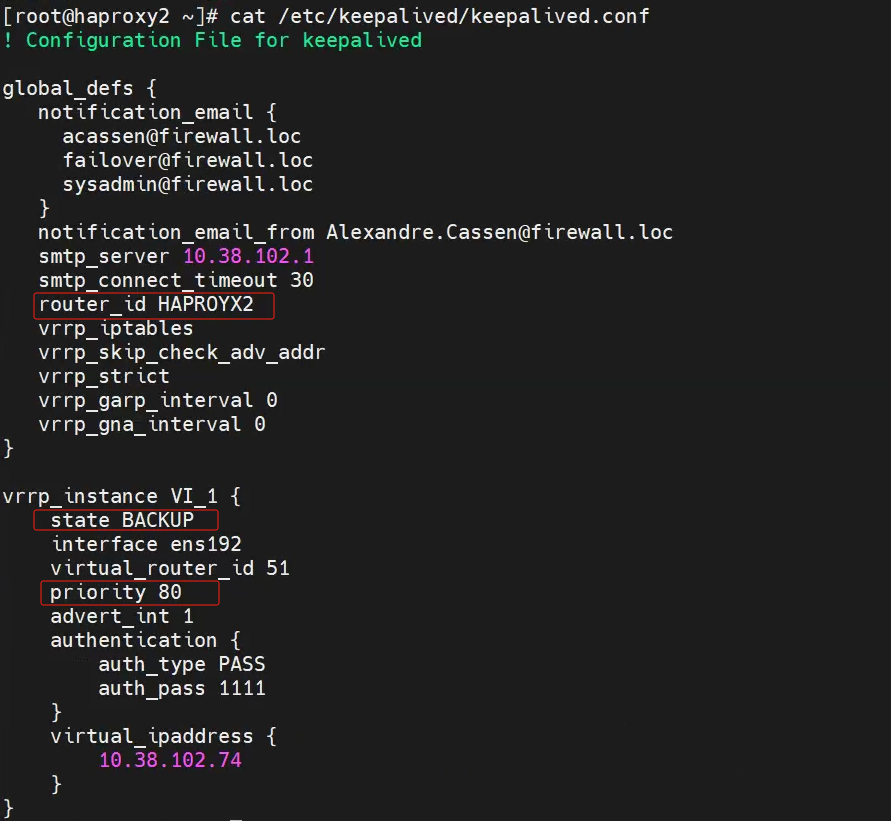
[root@haproxy2 ~]# cat /etc/keepalived/keepalived.conf
! Configuration File for keepalived

global_defs {
   notification_email {
     acassen@firewall.loc
     failover@firewall.loc
     sysadmin@firewall.loc
   }
   notification_email_from Alexandre.Cassen@firewall.loc
   smtp_server 10.38.102.1
   smtp_connect_timeout 30
   router_id HAPROYX2
   vrrp_iptables
   vrrp_skip_check_adv_addr
   vrrp_strict
   vrrp_garp_interval 0
   vrrp_gna_interval 0
}

vrrp_instance VI_1 {
    state BACKUP
    interface ens192
    virtual_router_id 51
    priority 80
    advert_int 1
    authentication {
        auth_type PASS
        auth_pass 1111
    }
    virtual_ipaddress {
        10.38.102.74
    }
}

[root@haproxy1 ~]# systemctl enable keepalived.service --now
[root@haproxy2 ~]# systemctl enable keepalived.service --now

[root@haproxy1 ~]# systemctl restart keepalived.service --now
[root@haproxy1 ~]# ip -br a
lo               UNKNOWN        127.0.0.1/8 ::1/128
ens192           UP             10.38.102.71/24 10.38.102.74/32
ens224           UP
##可以测试两个主机的IP漂移

##改写本地域名
[root@nfs ~]# cat /nfs_root/html/wp-config.php
/** The name of the database for WordPress */
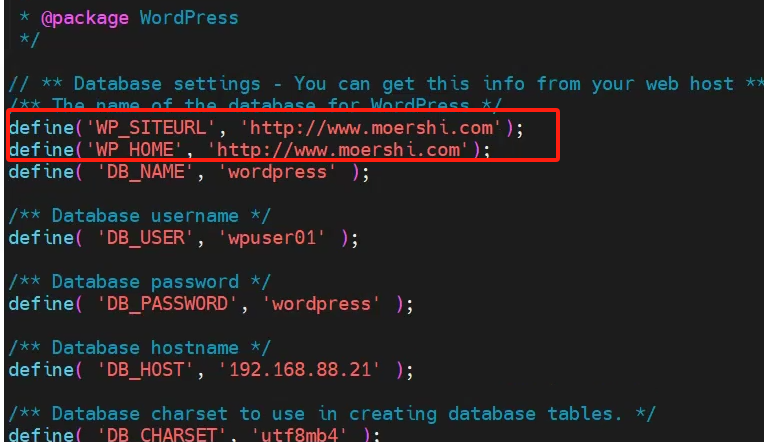
##在"DB_USER"上方添加两行
define('WP_SITEURL', 'http://www.moershi.com');
define('WP_HOME', 'http://www.moershi.com');
define( 'DB_NAME', 'wordpress' );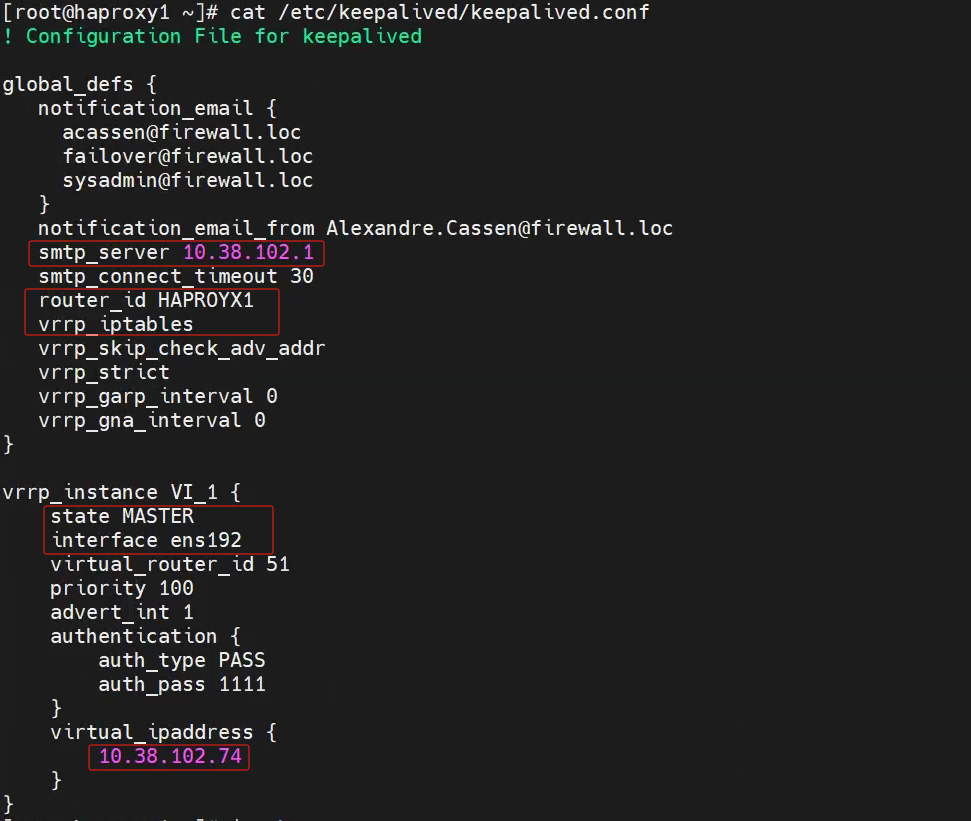
测试访问
【访问两个web的ip也会跳转】
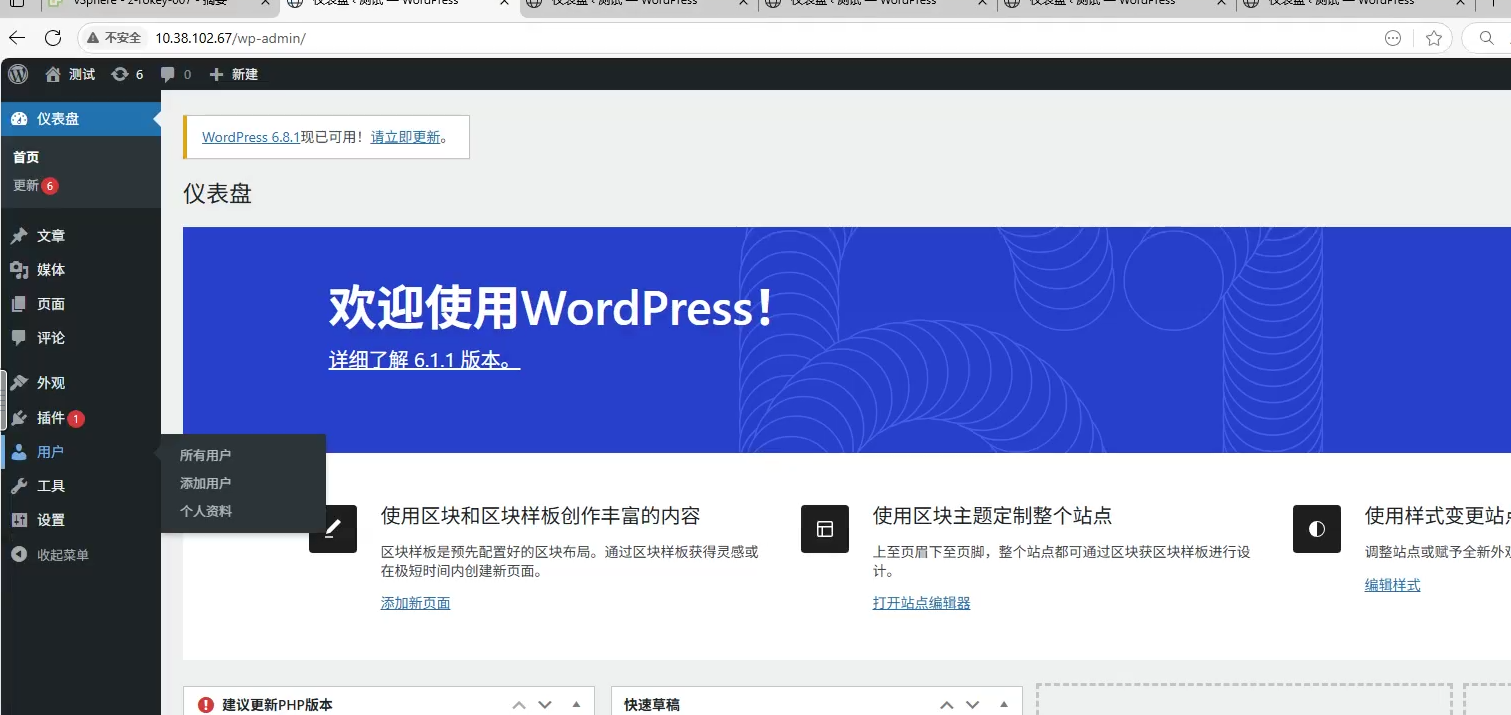
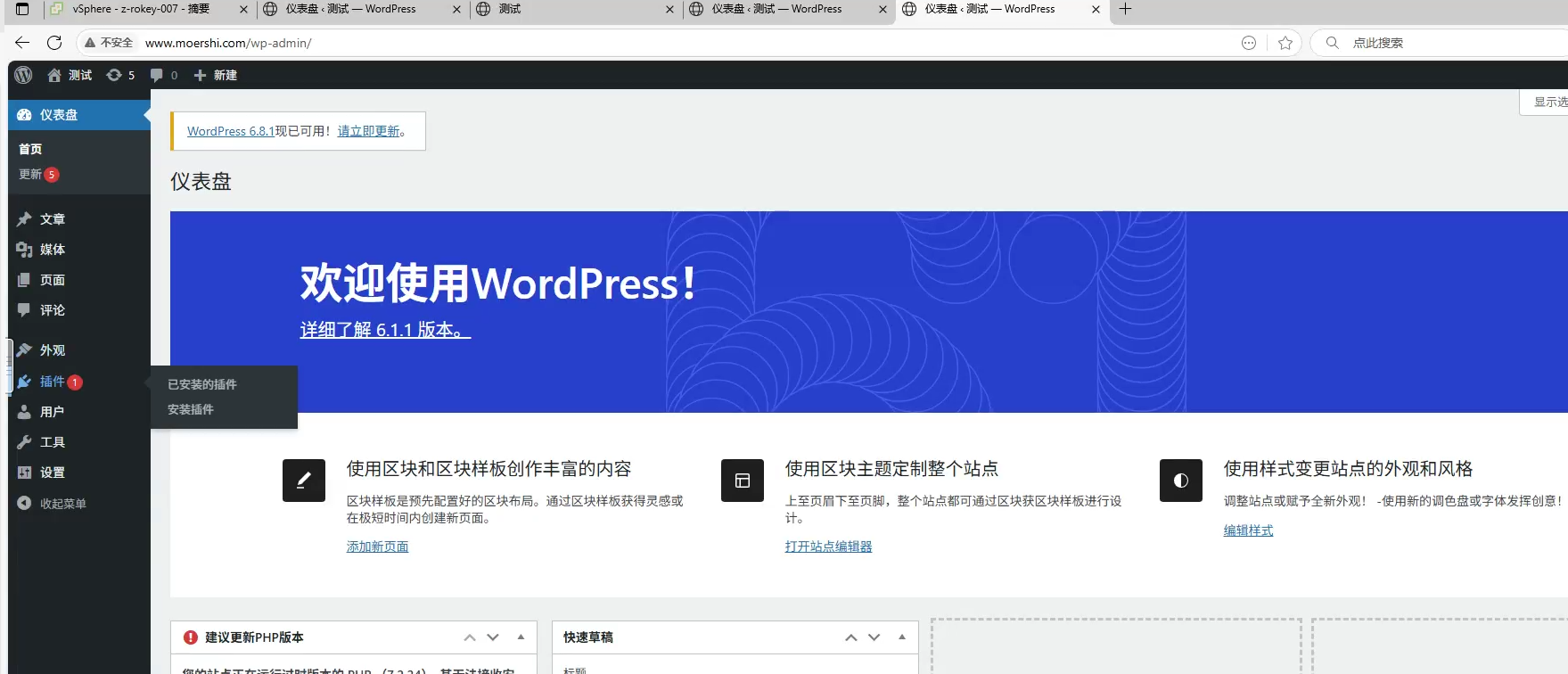
域名访问vip将跳转至域名
报错

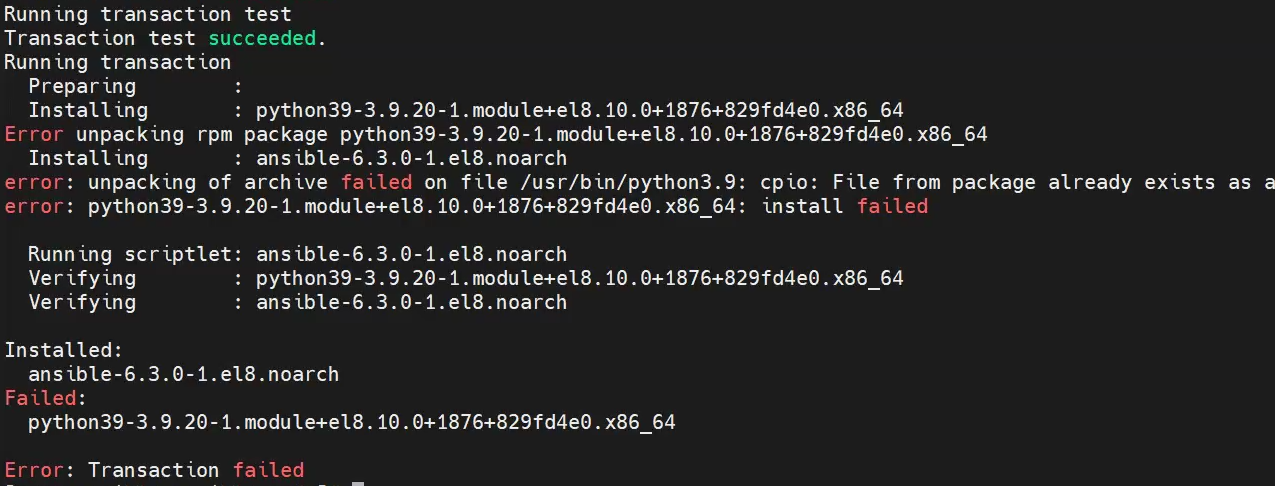
以上报错,请回快照,重装