MapReduce入门案例-分词统计
文章目录
1.xml依赖
xml
     <dependency>
            <groupId>org.apache.hadoop</groupId>
            <artifactId>hadoop-common</artifactId>
            <version>3.1.3</version>
        </dependency>
        <dependency>
            <groupId>org.apache.hadoop</groupId>
            <artifactId>hadoop-hdfs</artifactId>
            <version>3.1.3</version>
        </dependency>
        <dependency>
            <groupId>org.apache.hadoop</groupId>
            <artifactId>hadoop-client</artifactId>
            <version>3.1.3</version>
        </dependency>
        <dependency>
            <groupId>org.apache.hadoop</groupId>
            <artifactId>hadoop-mapreduce-client-core</artifactId>
            <version>3.1.3</version>
        </dependency>
2.编写MapReduce处理逻辑
java
/**
 * MapReduce示例-单词统计
 */
public class WordCount {

    /**
     * Mapper:将输入数据拆分为键值对(Key-Value)。
     */
    public static class TokenizerMapper extends Mapper<LongWritable, Text, Text, IntWritable> {
        private final static IntWritable one = new IntWritable(1); // 定义一个常量表示单词计数为1
        private final Text word = new Text(); // 定义用于存储单词的Text对象

        public void map(LongWritable key, Text value, Context context) throws IOException, InterruptedException {
            // 将每行文本拆分成单词
            StringTokenizer itr = new StringTokenizer(value.toString(), "\n");
            while (itr.hasMoreTokens()) {
                // 按空格分割字符串
                String[] str = itr.nextToken().split(" ");
                if(ObjectUtils.isNotEmpty(str)){
                    Map<String, Long> listMap = Lists.newArrayList(str).stream()
                            .collect(Collectors.groupingBy(e -> e, Collectors.counting()));
                    listMap.forEach((k,v)->{
                        //单词
                        word.set(k);
                        // 第二个元素是单词出现的次数
                        one.set(v.intValue());
                        try {
                            context.write(word, one); // 输出键值对(单词,1)
                        } catch (IOException | InterruptedException e) {
                            throw new RuntimeException(e);
                        }
                    });
                }
            }
        }
    }


    /**
     * Reducer:对相同Key的Value进行聚合处理。
     * 对相同键(即相同的单词)的值进行汇总,计算出每个单词出现的总次数。
     */
    public static class IntSumReducer extends Reducer<Text, IntWritable, Text, IntWritable> {
        private final IntWritable result = new IntWritable(); // 定义用于存储汇总结果的IntWritable对象

        public void reduce(Text key, Iterable<IntWritable> values, Context context) throws IOException, InterruptedException {
            int sum = 0; // 初始化计数器
            for (IntWritable val : values) { // 遍历所有值
                sum += val.get(); // 累加单词出现的次数
            }
            result.set(sum); // 将汇总结果设置为输出值
            context.write(key, result); // 输出最终的键值对(单词,总次数)
        }
    }

}
3.上传统计文件到HDFS
文件内容
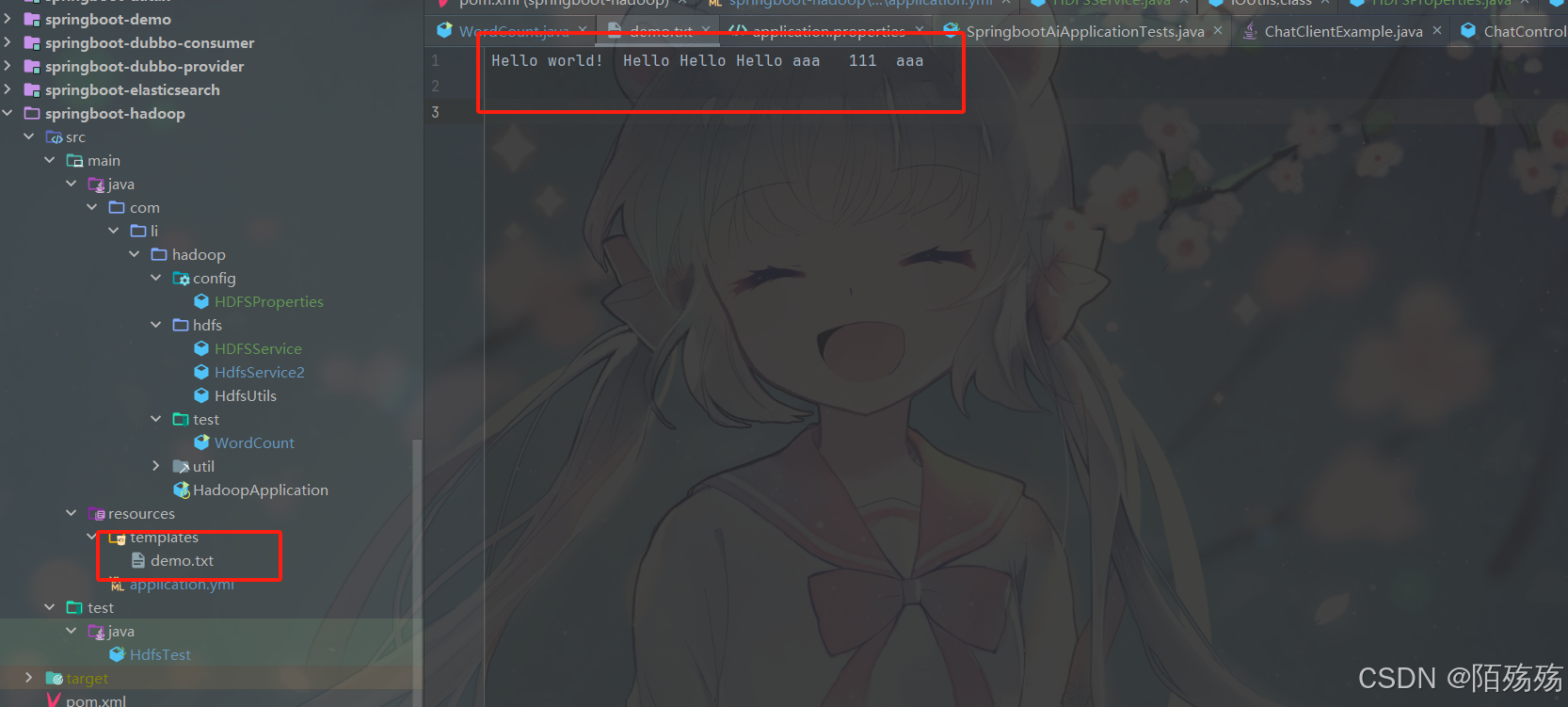
文件上传
java
    /**
     * 文件上传
     */
    @Test
    public void test04() throws Exception {
        File file = new File("D:\\IdeaProjects\\springboot\\springboot-hadoop\\src\\main\\resources\\templates\\demo.txt");
        MultipartFile cMultiFile = new MockMultipartFile("file", file.getName(), null, Files.newInputStream(file.toPath()));
        hdfsService.uploadFile(cMultiFile,"/demo.txt");
    }
3.配置MapReduce作业并测试
java
   /**
     * 分词统计测试
     */
    @Test
    public void test06() throws Exception {
        Configuration conf = new Configuration(); // 创建配置对象
        conf.set("fs.defaultFS", "hdfs://hadoop001:9000");
        conf.set("dfs.permissions.enabled", "false"); // 可选:关闭权限检查
        FileSystem fileSystem = FileSystem.get(new URI("hdfs://hadoop001:9000"),conf, "moshangshang");
        Job job = Job.getInstance(conf, "word count"); // 创建MapReduce作业实例
        job.setJarByClass(WordCount.class); // 设置作业的主类
        job.setMapperClass(WordCount.TokenizerMapper.class); // 设置Mapper类
        job.setReducerClass(WordCount.IntSumReducer.class); // 设置Reducer类
        job.setOutputKeyClass(Text.class); // 设置输出键的类型
        job.setOutputValueClass(IntWritable.class); // 设置输出值的类型
        FileInputFormat.addInputPath(job, new Path(hdfsProperties.getUploadPath()+"/demo.txt")); // 设置输入路径(hdfs路径)
        String resultPath = hdfsProperties.getUploadPath()+System.currentTimeMillis();
        FileOutputFormat.setOutputPath(job, new Path(resultPath)); // 设置输出路径
        boolean flag = job.waitForCompletion(true);// 等待作业完成并返回结果状态
        if(flag){
            System.out.println("执行成功");
            //查询hdfs结果
            listFileContent2(fileSystem, new Path(resultPath));
            //删除执行的统计文件
            //hdfsService.deleteFile(resultPath);
        }
    }


    /**
     * 查看hdfs数据(本地执行,就类似本地cmd命令行并没有直接连接远程hadoop)
     * hdfs dfs -cat /test/1749717998628/*
     */
    private static void listFileContent(FileSystem fs, Path filePath) throws IOException {
        System.out.println("hdfs://hadoop001:9000"+filePath.toString()+"/*");
        // 使用 hdfs dfs -cat 命令来查看文件内容
        ProcessBuilder processBuilder = new ProcessBuilder("cmd", "/c", "hadoop", "fs", "-cat", filePath +"/*");
        processBuilder.redirectErrorStream(true);
        Process process = processBuilder.start();
        InputStream inputStream = process.getInputStream();
        Scanner scanner = new Scanner(inputStream);
        while (scanner.hasNextLine()) {
            System.out.println("执行后的结果:"+scanner.nextLine());
        }
        scanner.close();
    }

    /**
     * 使用hadoop集群执行查看路径下所有文件内容(类似cat)
     */
    private static void listFileContent2(FileSystem fs, Path filePath) throws IOException {
        try {
            FileStatus[] files = fs.listStatus(filePath);
            for (FileStatus file : files) {
                if (file.isDirectory()){
                    continue;
                }
                try (FSDataInputStream inputStream = fs.open(file.getPath())) {
                    BufferedReader reader = new BufferedReader(new InputStreamReader(inputStream));
                    String line;
                    if(reader.read()== -1){
                        continue;
                    }
                    System.out.println("=== 文件: " + filePath.getName() + " ===");
                    while ((line = reader.readLine()) != null) {
                        System.out.println(line);
                    }
                    reader.close();
                }
            }
        } finally {
            if (fs != null) fs.close();
        }
    }
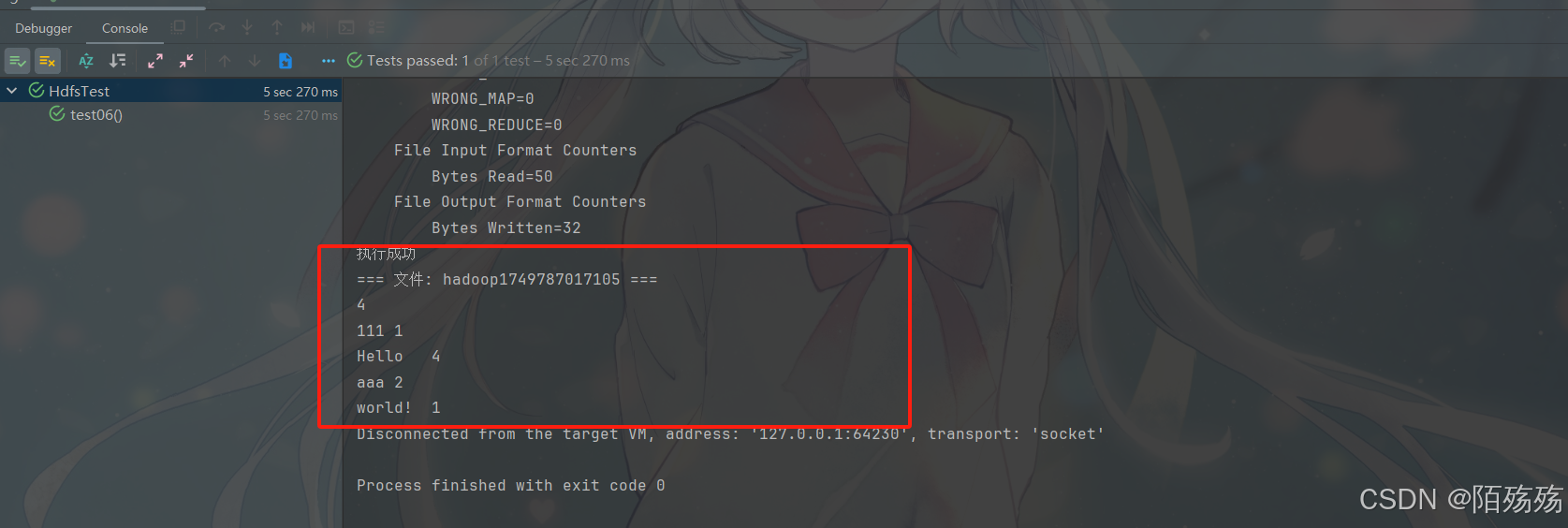
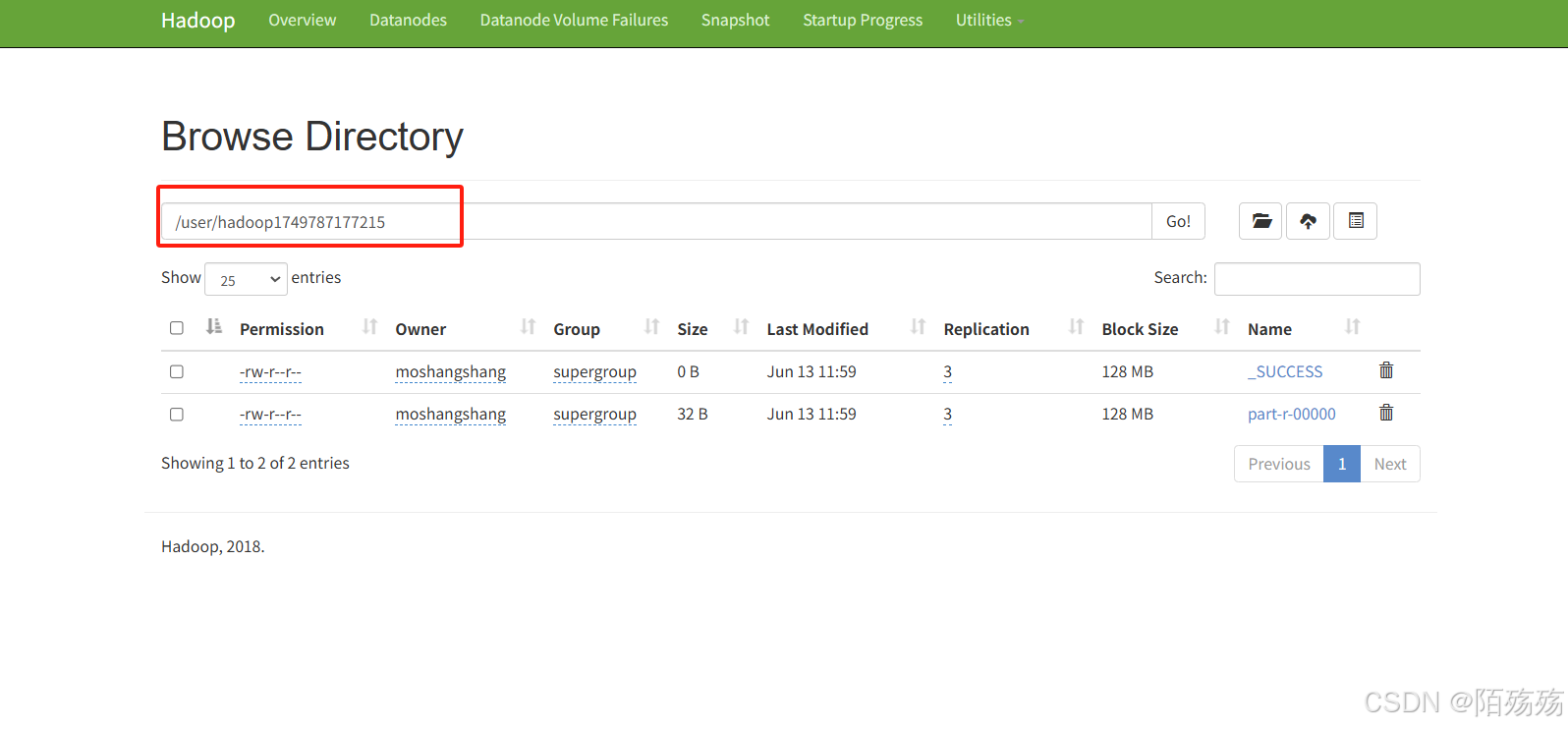
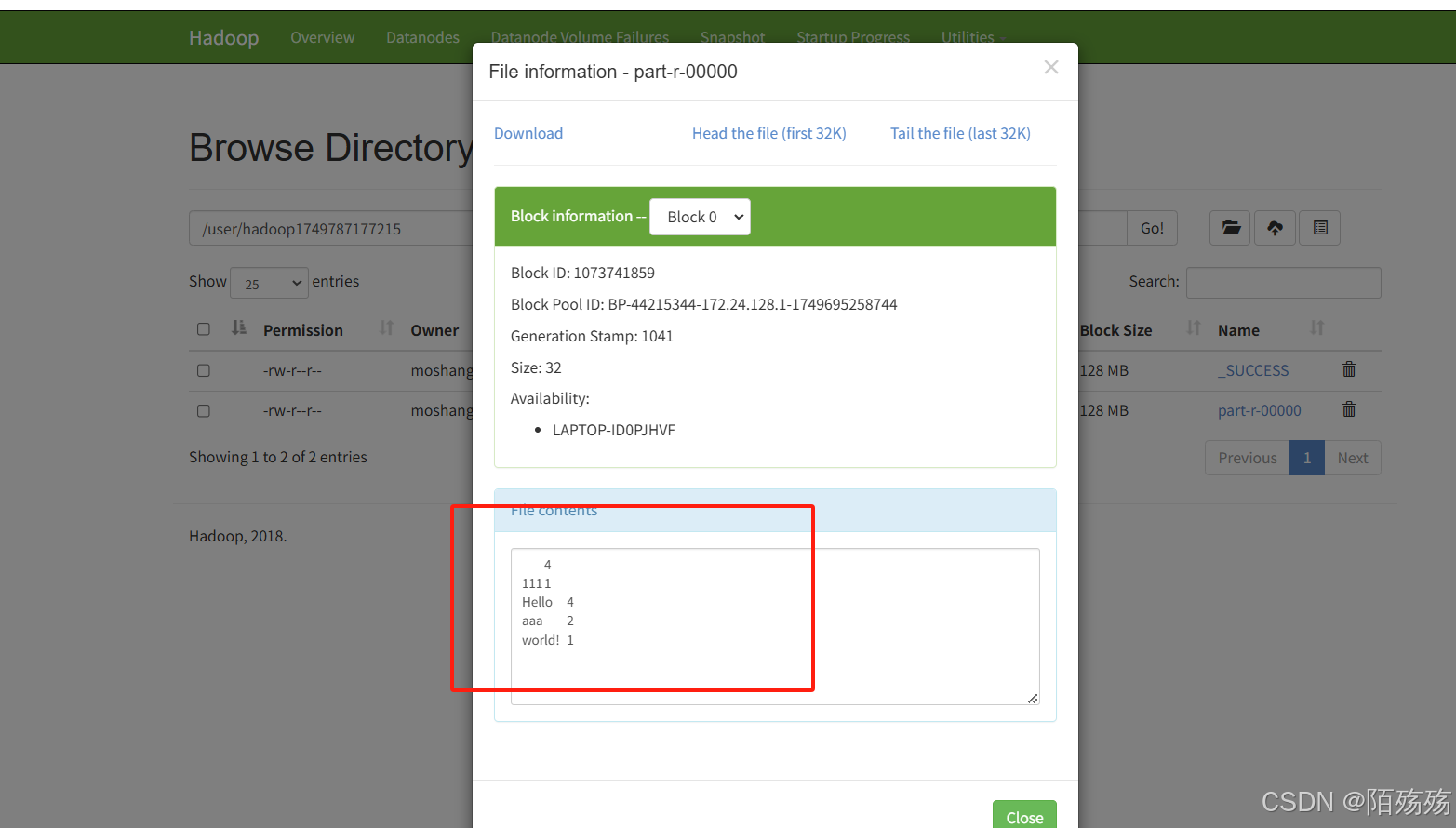
4.执行结果