1、成果展示
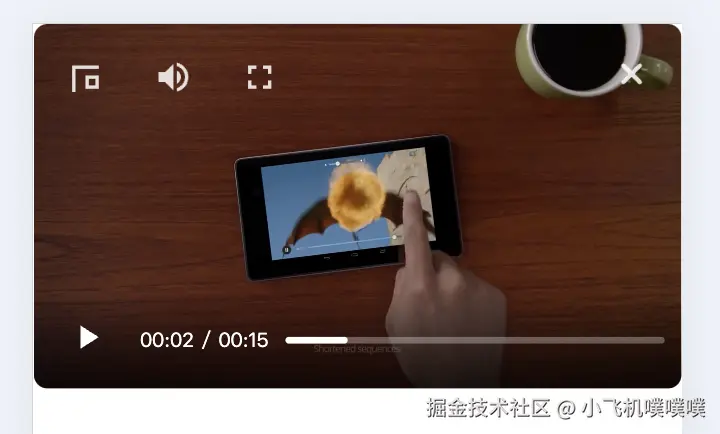
2、为什么要自定义video标签的控制栏controls ?原生控制栏的弊端:
默认样式不可定制
浏览器提供的原生控制栏样式由浏览器决定,无法通过CSS完全自定义外观(如颜色、按钮形状,位置等),而且有些控制按钮是屏蔽不掉的,比如下图的倍速等。部分浏览器允许有限样式覆盖,但跨浏览器一致性差。
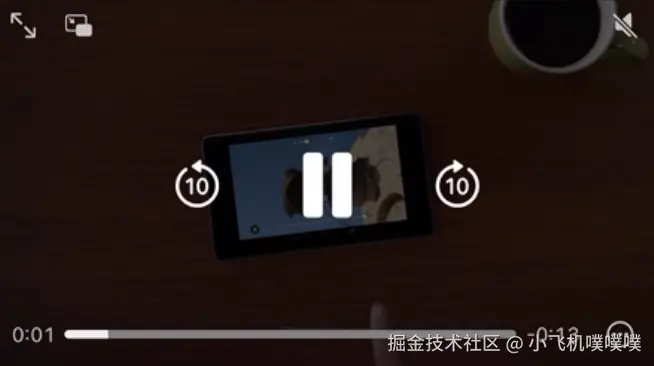
功能局限性
仅提供基础功能(播放/暂停、进度条、音量、全屏),无法直接扩展。如需添加字幕切换、画质选择、播放速度微调等高级功能,需完全自定义控制栏。比如这次需求需要右上角增加关闭按钮,则必须要自定义了。
移动端兼容性问题
iOS和Android对控制栏的实现差异较大,样式图标等位置也不同,风格不统一。
3、自定义video标签实现的功能
如上图所示,左上角是三个常用功能分别是:缩小画中画模式,静音按钮,全屏按钮;右上角是关闭按钮;底部是暂停开始按钮,时间以及可拖拽进度条。
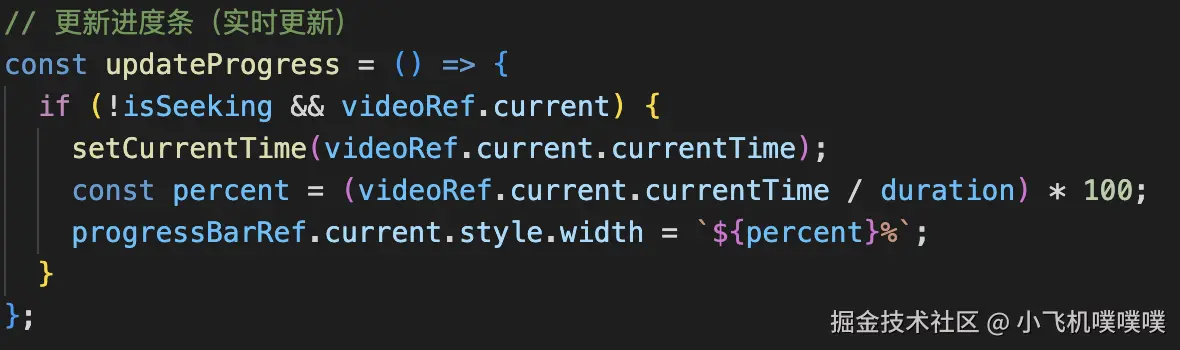
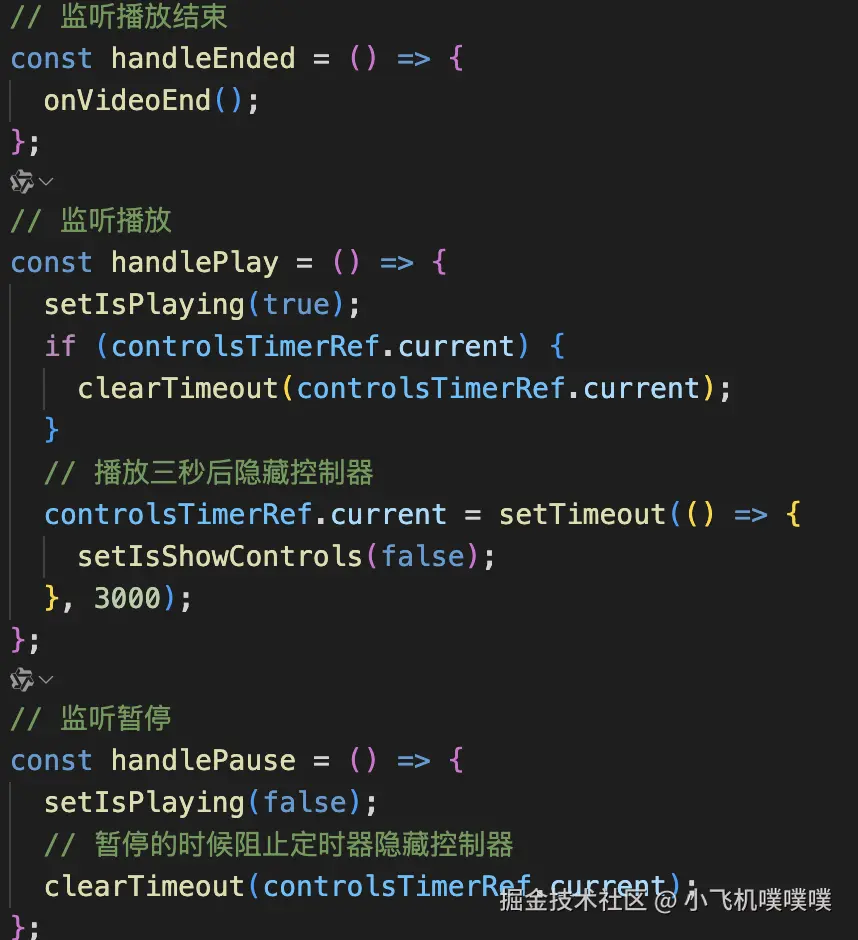
4、下面是主要的实现功能截图
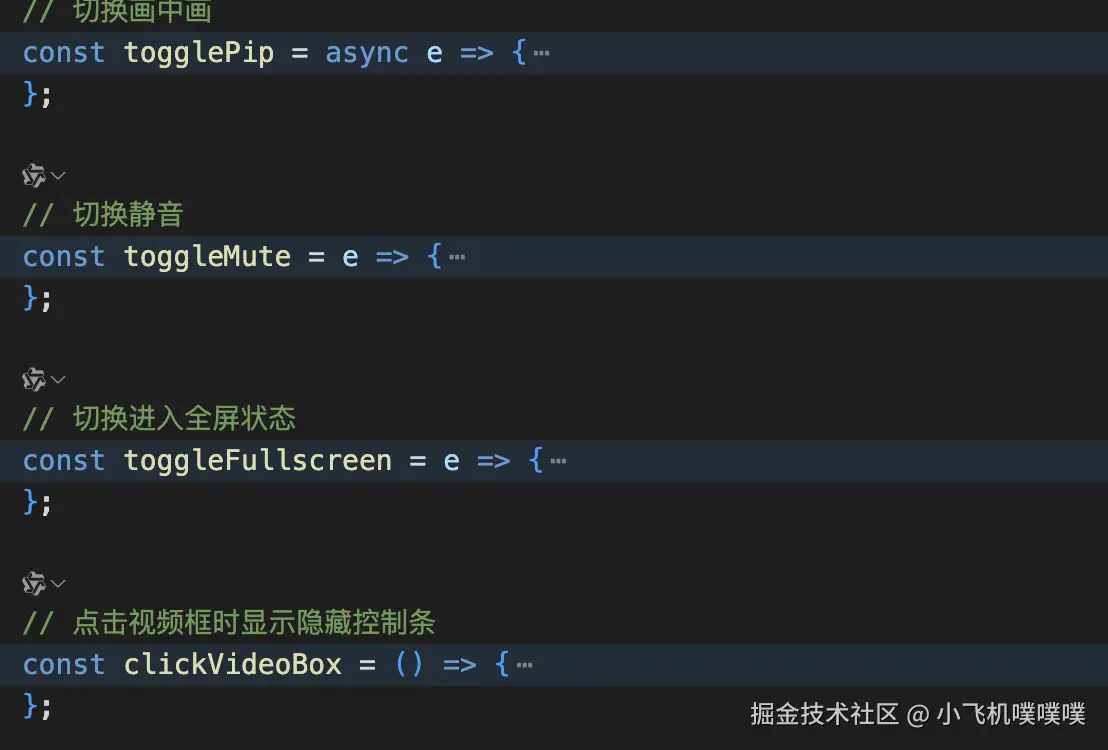
5、下面是完整的代码(基于react实现)
js代码:
ini
import React, {
  useRef,
  useState,
  useEffect,
  forwardRef,
  useImperativeHandle,
  use,
} from 'react';
import './index.css';
// import chushi from '../../images/chushi.png';

const VideoPlayer = forwardRef((props, ref) => {
  const { playUrl, onClose, onVideoEnd } = props;
  const videoRef = useRef(null);
  const progressRef = useRef(null);
  const progressBarRef = useRef(null);
  const controlsTimerRef = useRef(null); // 隐藏控件的定时器

  const [isPlaying, setIsPlaying] = useState(false); // 是否播放
  const [currentTime, setCurrentTime] = useState(0); // 当前进度时间
  const [duration, setDuration] = useState(0); // 总时长
  const [isSeeking, setIsSeeking] = useState(false); // 是否正在触摸进度条

  const [isMuted, setIsMuted] = useState(false); // 是否静音
  const [isShowControls, setIsShowControls] = useState(false); // 是否显示自定义控件

  // 格式化时间显示 (00:00)
  const formatTime = time => {
    const minutes = Math.floor(time / 60);
    const seconds = Math.floor(time % 60);
    return `${minutes.toString().padStart(2, '0')}:${seconds
      .toString()
      .padStart(2, '0')}`;
  };

  // 更新进度条(实时更新)
  const updateProgress = () => {
    if (!isSeeking && videoRef.current) {
      setCurrentTime(videoRef.current.currentTime);
      const percent = (videoRef.current.currentTime / duration) * 100;
      progressBarRef.current.style.width = `${percent}%`;
    }
  };

  // 处理播放/暂停
  const togglePlay = e => {
    e.stopPropagation(); // 防止父元素点击隐藏控制器
    if (isPlaying) {
      videoRef.current.pause();
    } else {
      videoRef.current.play();
    }
    setIsPlaying(!isPlaying);
  };

  // 处理进度条点击/触摸
  const handleProgressClick = e => {
    e.stopPropagation(); // 防止父元素点击隐藏控制器
    console.log('点击进度条');
    if (controlsTimerRef.current) {
      clearTimeout(controlsTimerRef.current);
    }
    // 播放三秒后隐藏控制条
    controlsTimerRef.current = setTimeout(() => {
      setIsShowControls(false);
    }, 3000);

    const rect = progressRef.current.getBoundingClientRect();
    const pos = (e.clientX - rect.left) / rect.width;
    const seekTo = pos * duration;

    videoRef.current.currentTime = seekTo;
    setCurrentTime(seekTo);
  };

  // 处理触摸移动
  const handleTouchMove = e => {
    e.preventDefault();
    if (!progressRef.current) return;
    if (controlsTimerRef.current) {
      clearTimeout(controlsTimerRef.current);
    }
    // 播放三秒后隐藏控制条
    controlsTimerRef.current = setTimeout(() => {
      setIsShowControls(false);
    }, 3000);

    const rect = progressRef.current.getBoundingClientRect();
    let pos = (e.touches[0].clientX - rect.left) / rect.width;
    pos = Math.max(0, Math.min(1, pos)); // 限制在0-1之间

    const seekTo = pos * duration;
    setCurrentTime(seekTo);
    progressBarRef.current.style.width = `${pos * 100}%`;
  };

  // 触摸结束处理
  const handleTouchEnd = () => {
    videoRef.current.currentTime = currentTime;
    setIsSeeking(false);
  };

  // 初始化及监听
  useEffect(() => {
    const video = videoRef.current;
    const handleLoadedMetadata = () => {
      setDuration(video.duration);
    };
    // 监听播放结束
    const handleEnded = () => {
      onVideoEnd();
    };
    // 监听播放
    const handlePlay = () => {
      setIsPlaying(true);
      if (controlsTimerRef.current) {
        clearTimeout(controlsTimerRef.current);
      }
      // 播放三秒后隐藏控制器
      controlsTimerRef.current = setTimeout(() => {
        setIsShowControls(false);
      }, 3000);
    };
    // 监听暂停
    const handlePause = () => {
      setIsPlaying(false);
      // 暂停的时候阻止定时器隐藏控制器
      clearTimeout(controlsTimerRef.current);
    };

    // 监听视频准备好以后,如果是系统自发的播放报错了,就静音自动播放(还是不行就取消静音),没报错就是客户点击的播放
    const handleCanPlay = () => {
      // 在这里执行视频准备好的后续操作
      setTimeout(() => {
        video.play().catch(error => {
          console.log('自动播放失败1:', error);
          video.muted = true;
          setTimeout(() => {
            video.play().catch(error => {
              console.log('自动播放失败2:', error);
              video.muted = false;
            });
          }, 2000);
        });
      });
    };

    // 监听静音状态变化
    const handleMuteChange = () => {
      setIsMuted(video.muted);
      console.log('静音状态变化:', video.muted);
    };

    video.addEventListener('timeupdate', updateProgress); // 监听播放进度
    video.addEventListener('loadedmetadata', handleLoadedMetadata); // 监听元数据加载完成
    video.addEventListener('ended', handleEnded); // 监听播放结束
    video.addEventListener('play', handlePlay); // 监听播放
    video.addEventListener('pause', handlePause); // 监听暂停
    video.addEventListener('canplay', handleCanPlay); // 监听准备好播放了
    video.addEventListener('volumechange', handleMuteChange); // 监听静音状态变化
    return () => {
      video.removeEventListener('timeupdate', updateProgress);
      video.removeEventListener('loadedmetadata', handleLoadedMetadata);
      video.removeEventListener('ended', handleEnded);
      video.removeEventListener('play', handlePlay);
      video.removeEventListener('pause', handlePause);
      video.removeEventListener('canplay', handleCanPlay);
      video.removeEventListener('volumechange', handleMuteChange);
    };
  }, [duration, isSeeking]);

  // 画中画的时候隐藏本来的video元素
  useEffect(() => {
    const video = videoRef.current;
    if (!video) return;
    const handleEnterPip = event => {
      // console.log('进入画中画模式', videoRef.current);
      videoRef.current.play();
      // 执行进入画中画后的操作
      if (videoRef.current) {
        document.getElementById('smartAssistVideoBox').style.visibility =
          'hidden';
      }
    };
    const handleLeavePip = () => {
      // console.log('退出画中画模式', videoRef.current);
      setTimeout(() => {
        videoRef.current.play();
      });
      // 执行退出画中画后的操作
      if (videoRef.current) {
        document.getElementById('smartAssistVideoBox').style.visibility =
          'visible';
      }
    };
    video.addEventListener('enterpictureinpicture', handleEnterPip);
    video.addEventListener('leavepictureinpicture', handleLeavePip);
    return () => {
      video.removeEventListener('enterpictureinpicture', handleEnterPip);
      video.removeEventListener('leavepictureinpicture', handleLeavePip);
    };
  }, []);

  // 退出全屏时继续播放
  useEffect(() => {
    const video = videoRef.current;
    const handleFullscreenChange = () => {
      // alert('11111', !document.fullscreenElement, !document.webkitIsFullScreen)
      if (!document.fullscreenElement || !document.webkitIsFullScreen) {
        // alert('22222', video)
        // 全屏退出时继续播放
        setTimeout(() => {
          video.play().catch(error => {
            console.log('自动播放失败:', error);
          });
        }, 500);
      }
    };
    video.addEventListener('fullscreenchange', handleFullscreenChange);
    video.addEventListener('webkitendfullscreen', handleFullscreenChange);
    return () => {
      video.removeEventListener('fullscreenchange', handleFullscreenChange);
      video.removeEventListener('webkitendfullscreen', handleFullscreenChange);
    };
  }, []);

  // 切换画中画
  const togglePip = async e => {
    if (e) e.stopPropagation(); // 防止父元素点击隐藏控制器
    const video = videoRef.current;
    if (!video) return;
    try {
      if (document.pictureInPictureElement) {
        await document.exitPictureInPicture();
      } else if (video !== document.pictureInPictureElement) {
        // alert(video.requestPictureInPicture);
        console.log('请求画中画', video.requestPictureInPicture);
        if (video.requestPictureInPicture) {
          await video.requestPictureInPicture();
        } else if (video.webkitRequestPictureInPicture) {
          await video.webkitRequestPictureInPicture();
        } else if (video.mozRequestPictureInPicture) {
          await video.mozRequestPictureInPicture();
        }
        setIsShowControls(false);
      }
    } catch (error) {
      console.error('画中画错误:', error);
    }
  };

  // 切换静音
  const toggleMute = e => {
    e.stopPropagation(); // 防止父元素点击隐藏控制器
    if (isPlaying) {
      if (controlsTimerRef.current) {
        clearTimeout(controlsTimerRef.current);
      }
      // 播放三秒后隐藏控制条
      controlsTimerRef.current = setTimeout(() => {
        setIsShowControls(false);
      }, 3000);
    }

    const video = videoRef.current;
    if (!video) return;
    video.muted = !video.muted;
    setIsMuted(video.muted);
  };

  // 切换进入全屏状态
  const toggleFullscreen = e => {
    e.stopPropagation(); // 防止父元素点击隐藏控制器
    const videoElement = videoRef.current;
    if (videoElement.requestFullscreen) {
      videoElement.requestFullscreen();
    } else if (videoElement.webkitRequestFullscreen) {
      videoElement.webkitRequestFullscreen();
    } else if (videoElement.msRequestFullscreen) {
      /* IE11 */
      videoElement.msRequestFullscreen();
    } else if (videoElement.webkitEnterFullscreen) {
      /* Safari */
      videoElement.webkitEnterFullscreen();
    }
    setIsShowControls(false);
  };

  // 点击视频框时显示隐藏控制条
  const clickVideoBox = () => {
    setIsShowControls(!isShowControls);
    if (isPlaying) {
      if (controlsTimerRef.current) {
        clearTimeout(controlsTimerRef.current);
      }
      // 播放三秒后隐藏控制条
      controlsTimerRef.current = setTimeout(() => {
        setIsShowControls(false);
      }, 3000);
    }
  };

  // ref透出去的方法
  useImperativeHandle(ref, () => ({}));

  return (
    <div className={`video-player-boxs`}>
      <div
        className="video-player-containers"
        id="smartAssistVideoBox"
        onClick={clickVideoBox}
      >
        <video
          // id="irtcMyVideo"
          ref={videoRef}
          className="video-element"
          // width="100%"
          src={playUrl}
          x-webkit-airplay="deny" // 屏蔽ios的airplay
          // poster={chushi} // 初始化图片
          autoPlay="autoPlay"
          muted={false}
          preload="auto"
          playsInline // ios点播放就全屏的问题
          webkit-playsinline="true" // ios点播放就全屏的问题
          x5-playsinline="true" // ios点播放就全屏的问题
        />

        {/* 左上角按钮组 */}
        <div
          className={`controls-top-left ${
            isShowControls ? 'video-controls-visible' : 'video-controls-hidden'
          }`}
        >
          <button className="control-button" onClick={togglePip} title="画中画">
            <svg width="24" height="24" viewBox="0 0 24 24">
              <path
                fill="currentColor"
                d="M19 11h-8v8h8v-8zm-2 6h-4v-4h4v4zm4-12H3v16h2v-14h14V5z"
              />
            </svg>
          </button>
          <button
            className="control-button"
            onClick={toggleMute}
            title={isMuted ? '取消静音' : '静音'}
          >
            <svg width="24" height="24" viewBox="0 0 24 24">
              {isMuted ? (
                <path
                  fill="currentColor"
                  d="M12 4L9.91 6.09 12 8.18M4.27 3L3 4.27 7.73 9H3v6h4l5 5v-6.73l4.25 4.25c-.67.52-1.42.93-2.25 1.18v2.06c1.38-.31 2.63-.95 3.69-1.81L19.73 21 21 19.73l-9-9M19 12c0 .94-.2 1.82-.54 2.64l1.51 1.51A8.916 8.916 0 0021 12c0-4.28-2.99-7.86-7-8.77v2.06c2.89.86 5 3.54 5 6.71z"
                />
              ) : (
                <path
                  fill="currentColor"
                  d="M14,3.23V5.29C16.89,6.15,19,8.83,19,12C19,15.17,16.89,17.84,14,18.7V20.77C18,19.86,21,16.28,21,12C21,7.72,18,4.14,14,3.23M16.5,12C16.5,10.23,15.5,8.71,14,7.97V16C15.5,15.29,16.5,13.76,16.5,12M3,9V15H7L12,20V4L7,9H3Z"
                />
              )}
            </svg>
          </button>
          <button
            className="control-button"
            onClick={toggleFullscreen}
            title={'全屏'}
          >
            <svg width="24" height="24" viewBox="0 0 24 24">
              {/* <path
              fill="currentColor"
              d="M14 14h5v5h-5v-5zm-9 0h5v5H5v-5zm0-9h5v5H5V5zm9 0h5v5h-5V5z"
            /> */}
              <path
                fill="currentColor"
                d="M7 14H5v5h5v-2H7v-3zm-2-4h2V7h3V5H5v5zm12 7h-3v2h5v-5h-2v3zM14 5v2h3v3h2V5h-5z"
              />
            </svg>
          </button>
        </div>

        {/* 右上角关闭按钮 */}
        <div
          className={`controls-top-right ${
            isShowControls ? 'video-controls-visible' : 'video-controls-hidden'
          }`}
        >
          <button
            className="control-button close-button"
            onClick={e => {
              e.stopPropagation(); // 防止父元素点击隐藏控制器
              onClose && onClose();
            }}
            title="关闭"
          >
            {/* <svg width="24" height="24" viewBox="0 0 24 24">
            <path
              fill="currentColor"
              d="M19,6.41L17.59,5L12,10.59L6.41,5L5,6.41L10.59,12L5,17.59L6.41,19L12,13.41L17.59,19L19,17.59L13.41,12L19,6.41Z"
            />
          </svg> */}
            <svg
              width="24"
              height="24"
              viewBox="0 0 24 24"
              style={{ cursor: 'pointer' }}
            >
              <path
                d="M18 6L6 18M6 6L18 18"
                stroke="white"
                strokeWidth="3"
                strokeLinecap="round"
                strokeLinejoin="round"
              />
            </svg>
          </button>
        </div>

        {/* 底部控制条 */}
        <div
          className={`video-controls ${
            isShowControls ? 'video-controls-visible' : 'video-controls-hidden'
          }`}
        >
          <button className="play-pause-btn" onClick={togglePlay}>
            {isPlaying ? (
              <svg width="24" height="24" viewBox="0 0 24 24">
                <path fill="currentColor" d="M14,19H18V5H14M6,19H10V5H6V19Z" />
              </svg>
            ) : (
              <svg width="24" height="24" viewBox="0 0 24 24">
                <path fill="currentColor" d="M8,5.14V19.14L19,12.14L8,5.14Z" />
              </svg>
            )}
          </button>

          <div className="time-display">
            {formatTime(currentTime)} / {formatTime(duration)}
          </div>

          <div
            ref={progressRef}
            className="progress-container"
            onClick={handleProgressClick}
            onTouchStart={() => setIsSeeking(true)}
            onTouchMove={handleTouchMove}
            onTouchEnd={handleTouchEnd}
          >
            <div ref={progressBarRef} className="progress-bar"></div>
          </div>
        </div>
      </div>
    </div>
  );
});

export default VideoPlayer;
css代码:
css
.video-player-boxs {
  position: relative;
  width: 100%;
  display: flex;
  justify-content: center;
}

.video-player-containers {
  position: relative;
  width: 95%;
  border-radius: 2.1vw;
  margin-right: 2.6vw;
}

.video-element {
  width: 100%;
  display: block;
  border-radius: 2.1vw;
}

.video-controls {
  position: absolute;
  bottom: 0;
  left: 0;
  right: 0;
  display: flex;
  align-items: center;
  padding: 10px;
  background: linear-gradient(transparent, rgba(0, 0, 0, 0.7));
  color: white;
  z-index: 10;
  border-radius: 2.1vw;
}

.play-pause-btn {
  background: transparent;
  border: none;
  color: white;
  font-size: 16px;
  margin-right: 10px;
  padding: 5px 10px;
  cursor: pointer;
}

.time-display {
  font-size: 12px;
  margin-right: 10px;
  white-space: nowrap;
}

.progress-container {
  flex-grow: 1;
  height: 4px;
  background: rgba(255, 255, 255, 0.3);
  border-radius: 2px;
  position: relative;
  cursor: pointer;
  touch-action: none;
}

.progress-bar {
  height: 100%;
  background: #fff;
  border-radius: 2px;
  width: 0%;
  transition: width 0.1s;
}

/* 触摸优化 */
.progress-container:active .progress-bar,
.progress-container.touching .progress-bar {
  transition: none;
}

.controls-top-left {
  position: absolute;
  top: 12px;
  left: 12px;
  display: flex;
  gap: 12px;
  z-index: 10;
}

.controls-top-right {
  position: absolute;
  top: 12px;
  right: 12px;
  display: flex;
  z-index: 10;
}

.control-button {
  background: none;
  border: none;
  color: white;
  cursor: pointer;
  padding: 8px;
  opacity: 0.85;
  transition: all 0.2s ease;
  touch-action: manipulation;
  -webkit-tap-highlight-color: transparent;
  display: flex;
  align-items: center;
  justify-content: center;
  transform: translateZ(0);
  will-change: transform;
}

.control-button:hover {
  opacity: 1;
  transform: scale(1.1);
}

.close-button {
  /* background: rgba(0, 0, 0, 0.4); */
  /* border-radius: 50%; */
  width: 36px;
  height: 36px;
}

.video-controls-visible {
  opacity: 1;
}

.video-controls-hidden {
  opacity: 0;
  pointer-events: none;
}
6、总结
封装的video组件,功能风格统一,各个事件都能监控到,也能自定义新加功能。 此外在深入了解video浏览器政策的时候发现,video在用户未间接或直接点击的情况下,不允许自动播放视频,最多的就是偶尔能够静音播放,仅此而已,试了很多方法都是绕不开的,包括加个隐藏的按钮js点击等都是不行的,而且第一次用户间接点击了视频自动播放了,只要视频中断播放了,第二次依然需要客户点击,不然依然不能js控制自动播放。
希望我踩的坑能够让你少走点弯路,放弃去研究让video在用户未点击的情况下自动播放。