直接上图
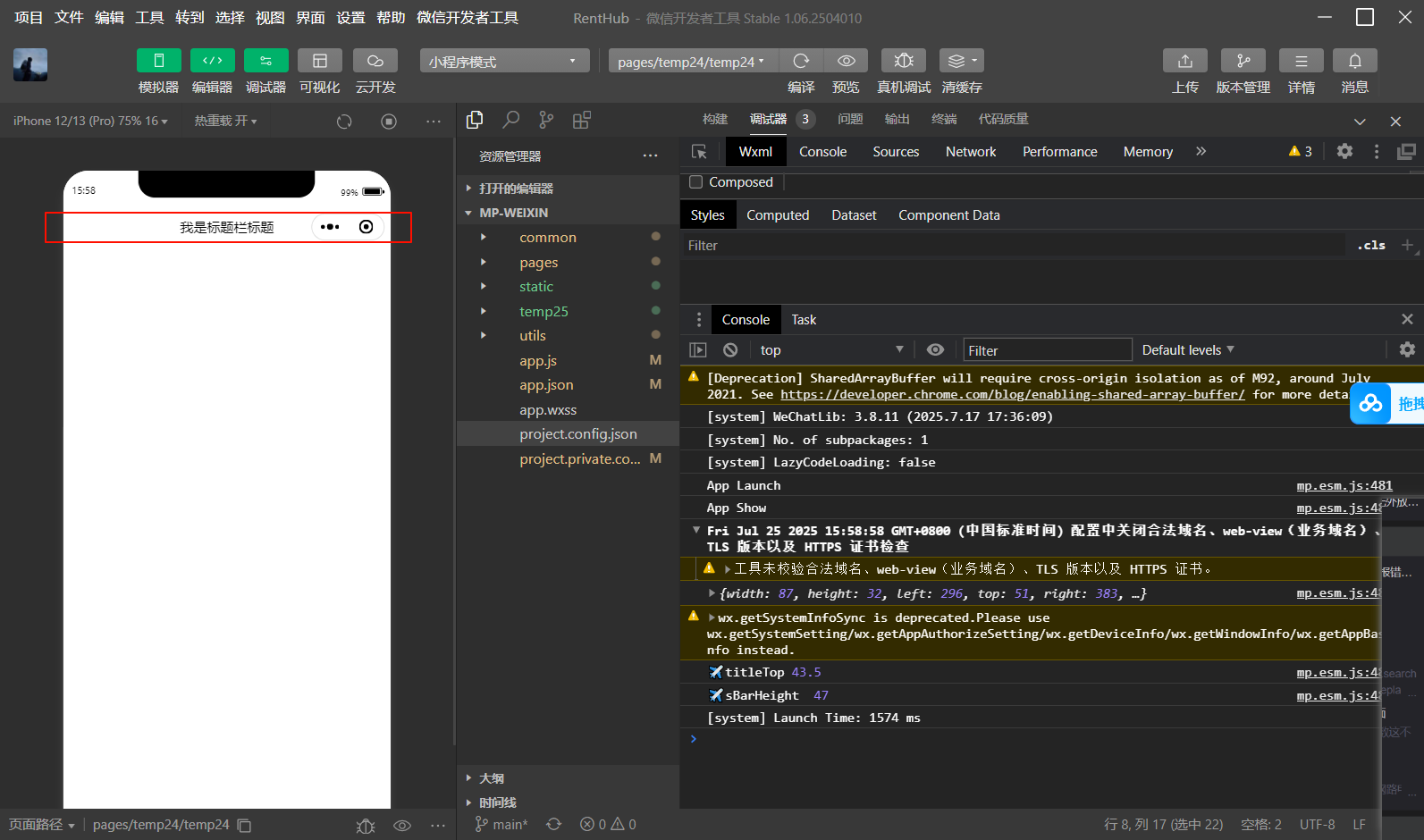
html
<template>
  <!-- 在模板中使用计算后的值 -->
   <view class="indexPage" :style="{paddingTop: titleTop + 'px'}">
	    <view style="display: flex;align-items: center;justify-content: center;" :style="{height: sBarHeight +'px'}">我是标题栏标题</view>
	</view>
</template>

<script setup>
	import {
		ref,
		reactive,
		computed,
		onMounted
	} from 'vue'

	import {onLoad } from '@dcloudio/uni-app'
	// const sBarHeight = ref(uni.getSystemInfoSync().statusBarHeight)
	// const titleTop = ref(0)
    // 响应式变量的声明和数据
    const titleTop = ref(0);
    const sBarHeight = ref(0);

    onLoad(async (options) => {
      // 获取胶囊按钮位置信息
      const menuButtonInfo = await uni.getMenuButtonBoundingClientRect();
	  console.log(menuButtonInfo);
      const { top, height } = menuButtonInfo;
    //   // 获取系统状态栏高度
      sBarHeight.value = uni.getSystemInfoSync().statusBarHeight;

    //   // 计算标题需要偏移的位置
      titleTop.value = top + (height - sBarHeight.value) / 2;//顶部标题对齐

      console.log("✈️titleTop", titleTop.value);
      console.log("✈️sBarHeight ", sBarHeight .value);
    });
</script>
<style  scoped>
</style>
page.json记得把"navigationStyle": "custom"