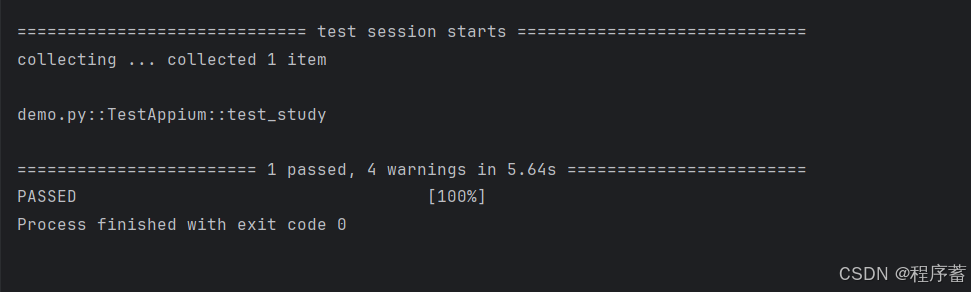
错误搜集
D:\Program\Util\python.exe "D:/Program/myUtil/PyCharm 2024.3.5/plugins/python-ce/helpers/pycharm/_jb_pytest_runner.py" --target demo.py::TestAppium
Testing started at 15:51 ...
Launching pytest with arguments demo.py::TestAppium --no-header --no-summary -q in C:\Users\Administrator\PycharmProjects\pyAppium
============================= test session starts =============================
collecting ... collected 1 item
demo.py::TestAppium::test_study
======================== 1 failed, 3 warnings in 5.41s ========================
FAILED 100%
demo.py:15 (TestAppium.test_study)
self = <demo.TestAppium object at 0x0000025BC0300A50>
def test_study(self):
> self.app_do.find_element(by=AppiumBy.ID,value="")
D:\Program\Util\Lib\site-packages\selenium\webdriver\remote\webdriver.py:922: in find_element
return self.execute(Command.FIND_ELEMENT, {"using": by, "value": value})"value"
^^^^^^^^^^^^^^^^^^^^^^^^^^^^^^^^^^^^^^^^^^^^^^^^^^^^^^^^^^^^^^^^^
D:\Program\Util\Lib\site-packages\selenium\webdriver\remote\webdriver.py:454: in execute
self.error_handler.check_response(response)
self = <appium.webdriver.errorhandler.MobileErrorHandler object at 0x0000025BC04301A0>
response = {'status': 500, 'value': '{"value":{"error":"unknown error","message":"An unknown server-side error occurred while pro...20.2\\\\node_modules\\\\appium\\\\node_modules\\\\@appium\\\\base-driver\\\\lib\\\\protocol\\\\protocol.js:487:57)"}}'}
def check_response(self, response: Dictstr, Any) -> None:
"""
https://www.w3.org/TR/webdriver/#errors
"""
payload = response.get('value', '')
if isinstance(payload, dict):
payload_dict = payload
else:
try:
payload_dict = json.loads(payload)
except (json.JSONDecodeError, TypeError):
return
if not isinstance(payload_dict, dict):
return
value = payload_dict.get('value')
if not isinstance(value, dict):
return
error = value.get('error')
if not error:
return
message = value.get('message', error)
stacktrace = value.get('stacktrace', '')
In theory, we should also be checking HTTP status codes.
Java client, for example, prints a warning if the actual `error`
value does not match to the response's HTTP status code.
exception_class: Typesel_exceptions.WebDriverException = ERROR_TO_EXC_MAPPING.get(
error, sel_exceptions.WebDriverException
)
if exception_class is sel_exceptions.WebDriverException and message:
if message == 'No such context found.':
exception_class = appium_exceptions.NoSuchContextException
elif message == 'That command could not be executed in the current context.':
exception_class = appium_exceptions.InvalidSwitchToTargetException
if exception_class is sel_exceptions.UnexpectedAlertPresentException:
raise sel_exceptions.UnexpectedAlertPresentException(
msg=message,
stacktrace=format_stacktrace(stacktrace),
alert_text=value.get('data'),
)
> raise exception_class(msg=message, stacktrace=format_stacktrace(stacktrace))
E selenium.common.exceptions.WebDriverException: Message: An unknown server-side error occurred while processing the command. Original error: Must provide a selector when finding elements
E Stacktrace:
E UnknownError: An unknown server-side error occurred while processing the command. Original error: Must provide a selector when finding elements
E at getResponseForW3CError (D:\Program\Util\nvm\nvm\v16.20.2\node_modules\appium\node_modules\@appium\base-driver\lib\protocol\errors.js:1143:9)
E at asyncHandler (D:\Program\Util\nvm\nvm\v16.20.2\node_modules\appium\node_modules\@appium\base-driver\lib\protocol\protocol.js:487:57)
D:\Program\Util\Lib\site-packages\appium\webdriver\errorhandler.py:125: WebDriverException
Process finished with exit code 1
错误分析
> self.app_do.find_element(by=AppiumBy.ID,value="")
看这里这行代码,发现忘记填写value中的id值了。
解决办法
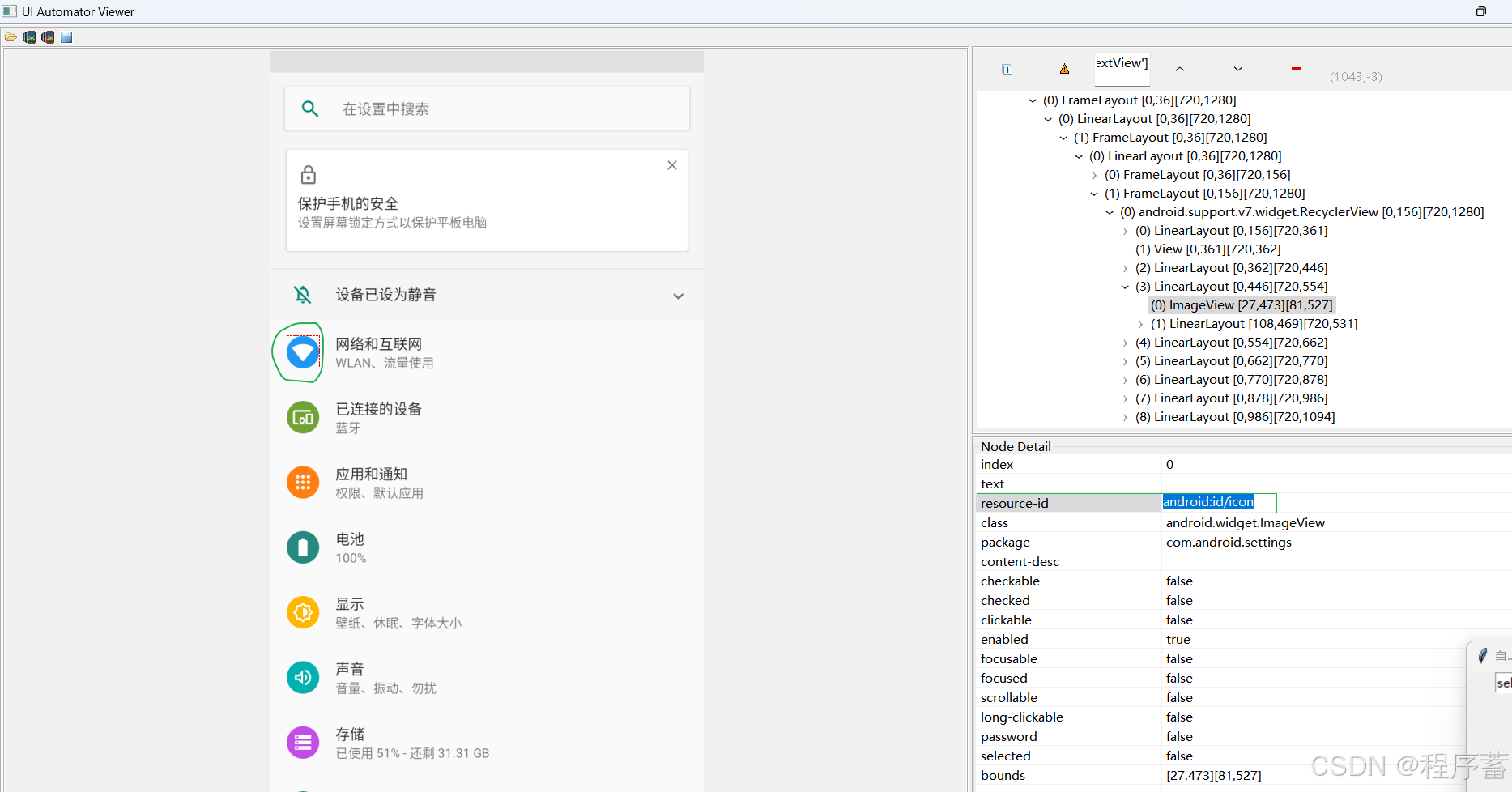
补充value中定位的id值
android:id/icon
修改代码部分,填写id值
运行结果