一、后端
1.安装基础依赖
python
pip install --upgrade "langgraph-cli[inmem]"2.下载模版项目
在终端运行
python
langgraph new ./example --template new-langgraph-project-python这里是在当前文件夹下新建文件夹example,里面是下载的langgraph模版项目文件

显示这样就是成功。如果失败,说明网络问题。
3.安装项目依赖
python
cd example
pip install -e .
4.配置项目环境变量
将.env.example文件修改为.env,这样就是环境变量文件了,重要的key都放在这里,和代码文件隔离
填写LANGSMITH_API_KEY,需要去langsmith注册账号,获取key
5.部署后端服务
python
langgraph dev就会看到

6.核心代码
python
"""LangGraph single-node graph template.

Returns a predefined response. Replace logic and configuration as needed.
"""

from __future__ import annotations

from dataclasses import dataclass
from typing import Any, Dict, TypedDict

from langgraph.graph import StateGraph
from langgraph.runtime import Runtime

# 上下文参数
class Context(TypedDict):
    """Context parameters for the agent.

    Set these when creating assistants OR when invoking the graph.
    See: https://langchain-ai.github.io/langgraph/cloud/how-tos/configuration_cloud/
    """

    my_configurable_param: str

# 状态参数,定义输入参数
@dataclass
class State:
    """Input state for the agent.

    Defines the initial structure of incoming data.
    See: https://langchain-ai.github.io/langgraph/concepts/low_level/#state
    """

    changeme: str = "example"

# 一个节点,接收state和runtime,返回output
async def call_model(state: State, runtime: Runtime[Context]) -> Dict[str, Any]:
    """Process input and returns output.

    Can use runtime context to alter behavior.
    """
    return {
        "changeme": "output from call_model. "
        f"Configured with {runtime.context.get('my_configurable_param')}"
    }


# 定义图
graph = (
    StateGraph(State, context_schema=Context)
    .add_node(call_model)
    .add_edge("__start__", "call_model")
    .compile(name="New Graph")
)
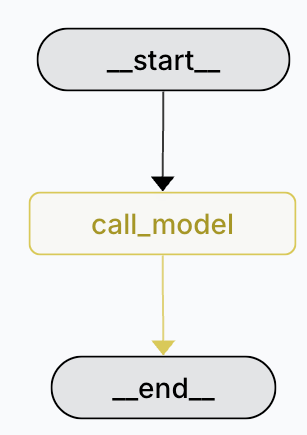
图形化后是
二、前端
前置条件,在本地或者云端已经部署了langgraph的服务
然后本地安装前端项目,并启动
python
git clone https://github.com/langchain-ai/agent-chat-ui.git

cd agent-chat-ui

pnpm install
启动前端
python
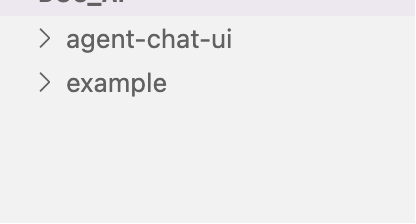
pnpm dev这样本地就有两个项目了
如果没有pnpm,就安装
python
brew install pnpm三、最终效果
因为前端的显示是消息,所以要修改示例代码,我的简易代码
python
from typing import Annotated

from typing_extensions import TypedDict

from langgraph.graph import StateGraph, START, END
from langgraph.graph.message import add_messages


class State(TypedDict):
    # Messages have the type "list". The `add_messages` function
    # in the annotation defines how this state key should be updated
    # (in this case, it appends messages to the list, rather than overwriting them)
    messages: Annotated[list, add_messages]


def call_llm(state: State) -> State:
    return {
        "messages": [
            {
                "role": "assistant",
                "content": "你好,我是小爱同学,请问你是谁?"
            }
        ]
    }

graph_builder = StateGraph(State)

graph_builder.add_node("call_llm", call_llm)

graph_builder.add_edge(START, "call_llm")
graph_builder.add_edge("call_llm", END)

graph = graph_builder.compile()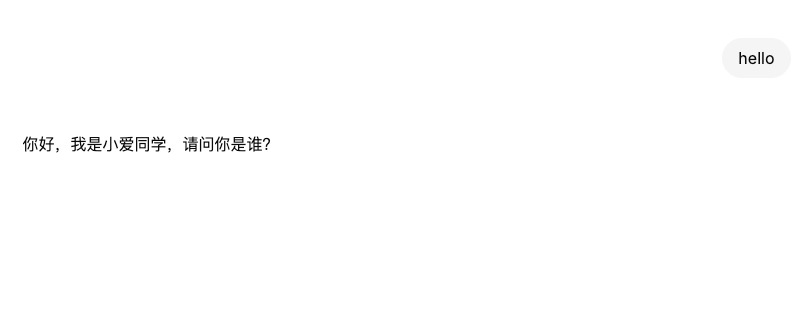
四、本地客户端访问langgraph服务
代码
python
from langgraph_sdk import get_client
import asyncio

client = get_client(url="http://localhost:2024")

async def main():
    async for chunk in client.runs.stream(
        None,  # Threadless run
        "agent", # Name of assistant. Defined in langgraph.json.
        input={
        "messages": [{
            "role": "human",
            "content": "hello",
            }],
        },
    ):
        print(f"Receiving new event of type: {chunk.event}...")
        print(chunk.data)
        print("\n\n")

asyncio.run(main())
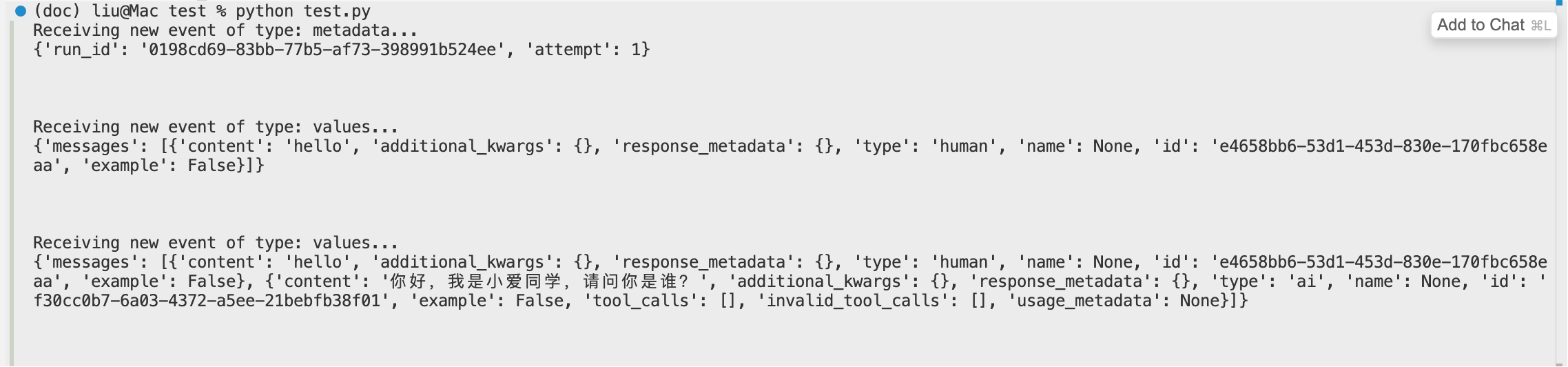
效果