C#软件授权注册码模块的实现
在软件开发中,授权注册码模块用于保护软件不被未授权使用。通常包括机器码生成、注册码生成和验证功能。以下是一个基于C#的实现方案。
机器码生成
机器码通常基于硬件信息生成,确保每台设备唯一。可以使用硬盘序列号、CPU信息或MAC地址等硬件标识。
csharp
using System.Management;

public static string GenerateMachineCode()
{
    string cpuInfo = string.Empty;
    string hddInfo = string.Empty;

    ManagementObjectSearcher cpuSearcher = new ManagementObjectSearcher("SELECT * FROM Win32_Processor");
    foreach (ManagementObject mo in cpuSearcher.Get())
    {
        cpuInfo = mo["ProcessorId"].ToString();
        break;
    }

    ManagementObjectSearcher hddSearcher = new ManagementObjectSearcher("SELECT * FROM Win32_DiskDrive");
    foreach (ManagementObject mo in hddSearcher.Get())
    {
        hddInfo = mo["SerialNumber"].ToString();
        break;
    }

    return (cpuInfo + hddInfo).GetHashCode().ToString("X");
}
注册码生成算法
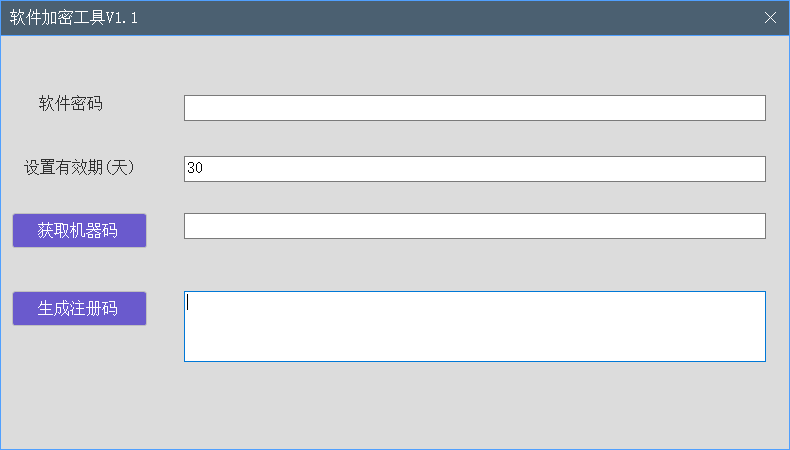
注册码通常基于机器码和密钥通过加密算法生成。以下是一个简单的对称加密示例:
csharp
using System.Security.Cryptography;
using System.Text;

public static string GenerateRegistrationCode(string machineCode, string secretKey)
{
    using (HMACSHA256 hmac = new HMACSHA256(Encoding.UTF8.GetBytes(secretKey)))
    {
        byte[] hashBytes = hmac.ComputeHash(Encoding.UTF8.GetBytes(machineCode));
        return BitConverter.ToString(hashBytes).Replace("-", "").Substring(0, 16);
    }
}
注册验证模块
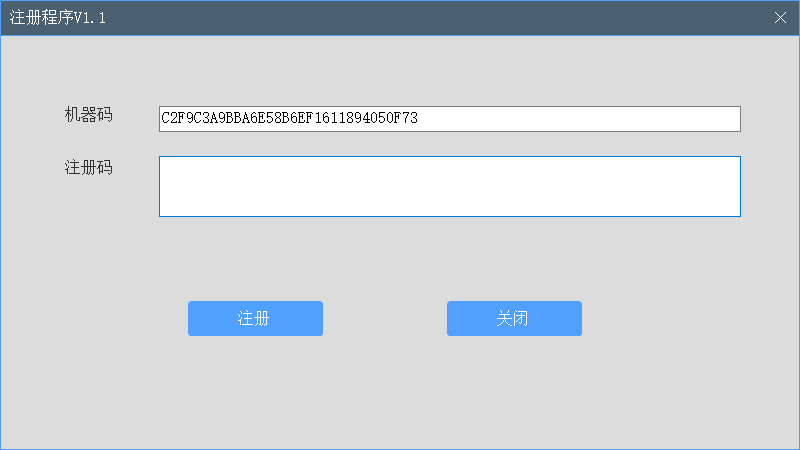
验证模块需要检查注册码是否与当前机器码匹配:
csharp
public static bool ValidateRegistration(string registrationCode, string secretKey)
{
    string currentMachineCode = GenerateMachineCode();
    string expectedCode = GenerateRegistrationCode(currentMachineCode, secretKey);
    return registrationCode == expectedCode;
}
实现授权系统
完整的授权系统需要将这些模块集成:
- 首次运行时生成机器码并显示给用户
- 用户提供机器码给开发者,开发者生成注册码
- 软件验证用户输入的注册码
csharp
public class SoftwareLicense
{
    private const string SecretKey = "YourSecretKey123";

    public string MachineCode { get; }
    public string RegistrationCode { get; set; }

    public SoftwareLicense()
    {
        MachineCode = GenerateMachineCode();
    }

    public bool IsValid()
    {
        if(string.IsNullOrEmpty(RegistrationCode))
            return false;

        return ValidateRegistration(RegistrationCode, SecretKey);
    }
}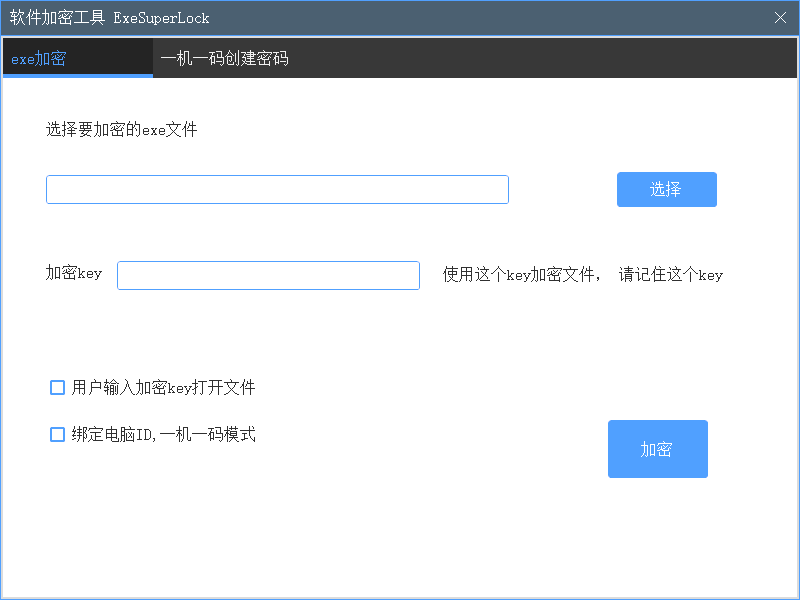
此功能目前完成加密模块开发,页面功能有待完善
安全性增强措施
为了提高安全性,可以考虑以下措施:
- 使用非对称加密算法(如RSA)替代对称加密
- 添加时间限制功能
- 实现网络验证避免本地破解
- 对关键代码进行混淆处理
部署注意事项
在实际部署时需要考虑:
- 妥善保管密钥,避免泄露
- 为不同版本软件使用不同密钥
- 实现密钥轮换机制
- 添加黑名单功能防止注册码滥用
这个实现提供了基本的软件授权功能框架,可以根据具体需求进行扩展和增强。务必注意保护加密密钥和算法,这是授权系统的核心安全要素。