
PowerPoint演示文稿用途广泛。为了将这些演示文稿集成到自动化系统中进行分析和处理,您需要将这些 PPTX/PPT 文件转换为机器可读的格式。然而,XML是一种结构更清晰、更易于人类阅读的格式。在本指南中,我们将探讨如何开发一个以编程方式将 PowerPoint 转换为 XML 的工具。++Aspose.Slides++ **++for .NET++**允许您使用 C# 中的几个类方法将 PPTX 转换为 XML。
PowerPoint SDK 安装
安装此 SDK 的方法之一是**++下载++** ++文件++。
另一种方法是打开程序包管理器控制台并运行以下命令:
Install-Package Aspose.Slides.NET或者,通过 NuGet 包管理器安装。
如何在 C# 中将 PPTX 转换为 XML - 代码片段
本节将介绍如何使用**++Aspose.Slides for .NET++**开发 PPT 到 XML 转换器。
步骤:
- 通过实例化Presentation类的实例来创建新的演示文稿。
- 访问第一张幻灯片。
- 调用AddAutoShape方法以默认格式创建新的自动形状。
- 添加标题并设置字体大小。
- 通过调用Save方法将演示文稿保存为 XML 文件。
要在 C# 中将 PPTX 转换为 XML,请遵循下面给出的源代码:
using Aspose.Slides;
using Aspose.Slides.Export;

namespace AsposeSlides
{
    class Graphics
    {
        static void Main(string[] args)
        {
            string outFilePath = "document.xml";
            string licensePath = "License.lic";
            // Apply license
            License lic = new License();
            lic.SetLicense(licensePath);
            // Create a new presentation by instantiating an instance of the Presentation class.
            using (Presentation pres = new Presentation())
            {
                // Access the first slide.
                ISlide slide = pres.Slides[0];
                // Call the AddAutoShape method to create a new auto shape with default formatting.
                IAutoShape titleShape = slide.Shapes.AddAutoShape(ShapeType.Rectangle, 50, 50, 600, 50);
                // Add a title.
                titleShape.AddTextFrame("Hello Aspose.Slides!");
                // Set the font size.
                titleShape.TextFrame.Paragraphs[0].Portions[0].PortionFormat.FontHeight = 24;
                // Add a content textbox and insert a title.
                IAutoShape contentShape = slide.Shapes.AddAutoShape(ShapeType.Rectangle, 50, 120, 600, 300);
                contentShape.AddTextFrame("This is a sample slide with text added programmatically.");
                contentShape.TextFrame.Paragraphs[0].Portions[0].PortionFormat.FontHeight = 16;
                // Save presentation as XML file by calling the Save method.
                pres.Save(outFilePath, SaveFormat.Xml);
            }
        }
    }
}
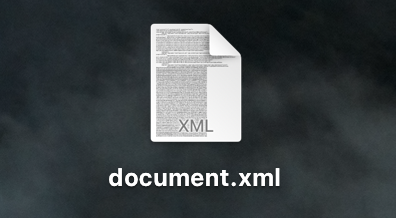
上述代码示例生成以下输出:
结论
借助**Aspose.Silides**我们实现了如何在 C# 中将 PPTX 转换为 XML。它可以轻松地将您的商业或教育演示文稿与基于 AI 的系统集成和处理。此外,通过将 PowerPoint 转换为 XML,您的数据将变得更加灵活且可重复使用。