MCP介绍与前置准备
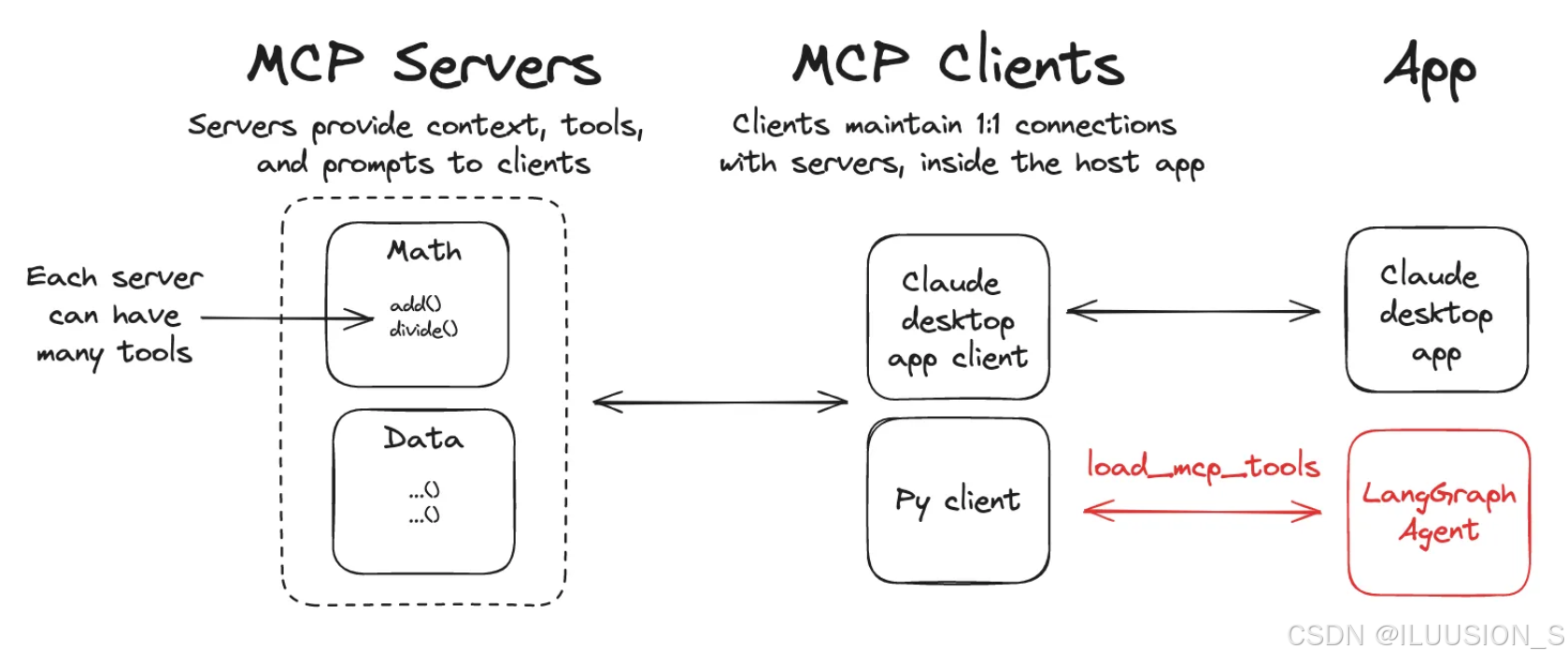
模型上下文协议 (MCP) 是一种开放协议,它标准化了应用程序为语言模型提供工具和上下文的方式。LangGraph 代理可以通过 langchain-mcp-adapters 库使用 MCP 服务器上定义的工具。
1. 环境安装
需要安装2个三方库
bash
# 自定义MCP开发服务
pip install mcp
# langchian接入mcp服务
pip install langchain-mcp-adapters
langchain-mcp-adapters 包使代理能够使用跨一个或多个 MCP 服务器定义的工具。
1. MCP通信协议
MCP协议目前为客户端-服务器定义了两种标准传输机制通信:
| 传输方式 | 使用场景 | 通信方式 | 是否需网络 | 使用 |
|---|---|---|---|---|
| stdio | 本地工具服务 | stdin/stdout | 否 | mcp.run(transport="stdio") |
| streamable_http | 远程或本地HTTP服务 | HTTP流式通信 | 是 | mcp.run(transport="streamable-http") |
自定义MCP服务
有点类似于fastapi的写法,定义函数,使用装饰器
1.自定义本地MCP服务
python
from mcp.server.fastmcp import FastMCP
import logging

mcp = FastMCP("Math")

@mcp.tool()
def add(a: int, b: int) -> int:
    """两数相加"""
    logging.info(f'调用了add函数,计算{a}+{b}')
    return a + b

@mcp.tool()
def multiply(a: int, b: int) -> int:
    """两数相乘"""
    logging.info(f'调用了multiply函数,计算{a}*{b}')
    return a * b

if __name__ == "__main__":
    mcp.run(transport="stdio")
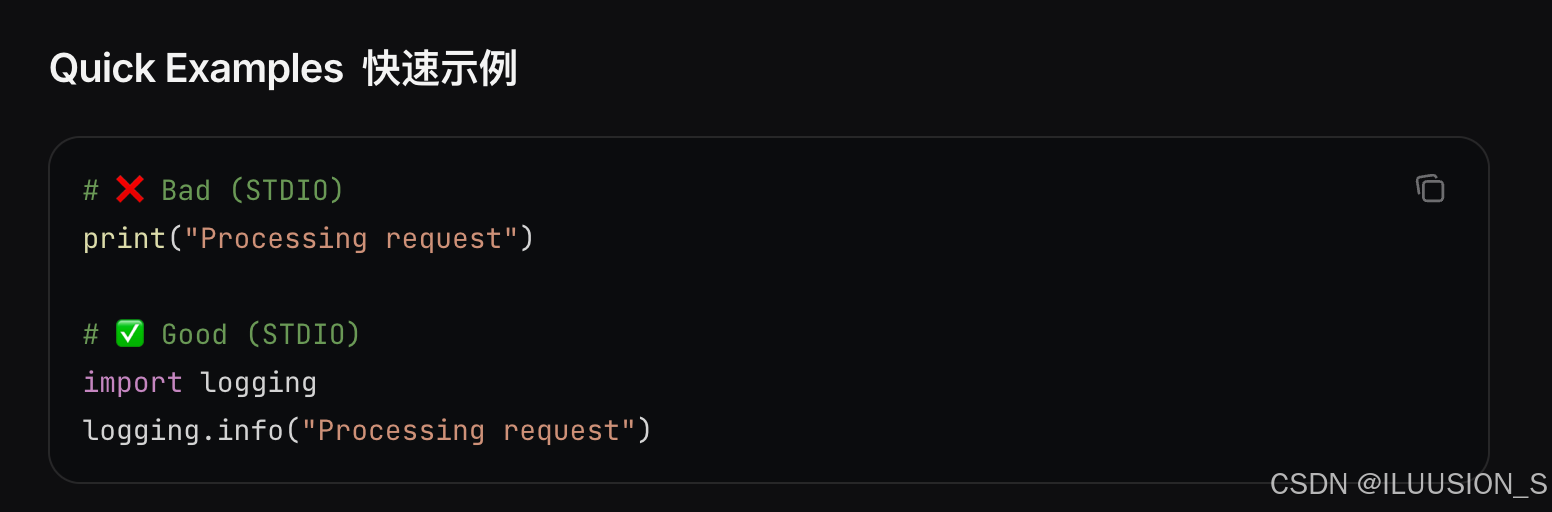
官方推荐使用logging模块,替代print输出
2. 自定义Http方式的MCP服务
python
from mcp.server.fastmcp import FastMCP
import logging

mcp = FastMCP("Weather")

@mcp.tool()
async def get_weather(location: str) -> str:
    """获取城市天气信息."""
    logging.info(f"正在获取{location}天气信息...")
    return "最近成都一直阴天"

if __name__ == "__main__":
    mcp.run(transport="streamable-http")
Agent中接入MCP工具
1. 接入本地mcp工具配置
bash
{
    "math": {
        "command": "python",
        "args": ["/absolute/path/to/math_server.py"],
        "transport": "stdio",
    }
}
固定写法,
command:使用python运行。
args:绝对路径
transport:运行方式。本地"stdio"
ps.本地mcp不用先运行,在agent使用过程中,会自动运行加载调用的
2. 接入http方式的mcp工具
python
{
    "weather": {
        "url": "http://localhost:8000/mcp",
        "transport": "streamable_http",
    }
}
相当于是一个接口,获取数据。
这个方式需要提前启动运行mcp服务

url:部署地址 + /mcp
trasport: http服务 streamable_http
3. 获取工具
python
import asyncio
from langchain_mcp_adapters.client import MultiServerMCPClient

async def main():
    client = MultiServerMCPClient({
        "math": {
            "command": "python",
            "args": ["/Users/szr/PycharmProjects/LLM_study/MCP服务/local_mcp.py"],
            "transport": "stdio",
        },
        "weather": {
            "url": "http://localhost:8000/mcp",
            "transport": "streamable_http",
        }
    })
    tools = await client.get_tools()
    print(tools)

if __name__ == '__main__':
    asyncio.run(main())
3. 在agent中使用
需要借助 langchain_mcp_adapters这个三方库
python
import os
import dotenv
import asyncio
from langchain_openai import ChatOpenAI
from langgraph.prebuilt import create_react_agent
from langchain_mcp_adapters.client import MultiServerMCPClient

dotenv.load_dotenv("../.env")

llm = ChatOpenAI(
    model=os.getenv("CHAT_MODEL"),
    base_url=os.getenv("BASE_URL"),
    api_key=os.getenv("DEEPSEEK_API_KEY")
)

async def main():
    client = MultiServerMCPClient({
        "math": {
            "command": "python",
            "args": ["/Users/szr/PycharmProjects/LLM_study/MCP服务/local_mcp.py"],
            "transport": "stdio",
        },
        "weather": {
            "url": "http://localhost:8000/mcp",
            "transport": "streamable_http",
        }
    })
    tools = await client.get_tools()
    agent = create_react_agent(
        model=llm,
        tools=tools,
        prompt='你是一个机器人助手,可以通过已有工具获取一些信息用于回答用户的问题。'
    )
    math_response =await agent.ainvoke(
        {"messages": [{"role": "user", "content": "请计算365*(12+7)的结果?"}]}
    )
    print(math_response)
    print("====="*16)
    weather_response =await agent.ainvoke(
        {"messages": [{"role": "user", "content": "成都最近的天气怎么样?"}]}
    )
    print(weather_response)

# 运行异步函数
tools = asyncio.run(main())
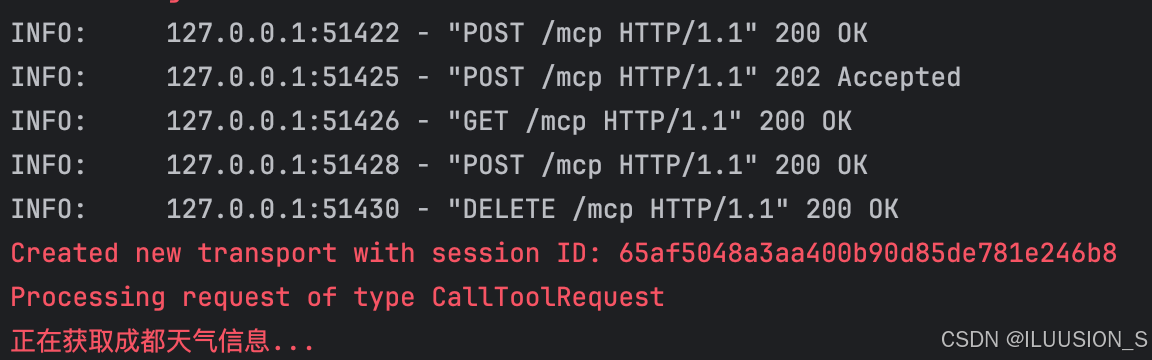
mcp服务输出日志:
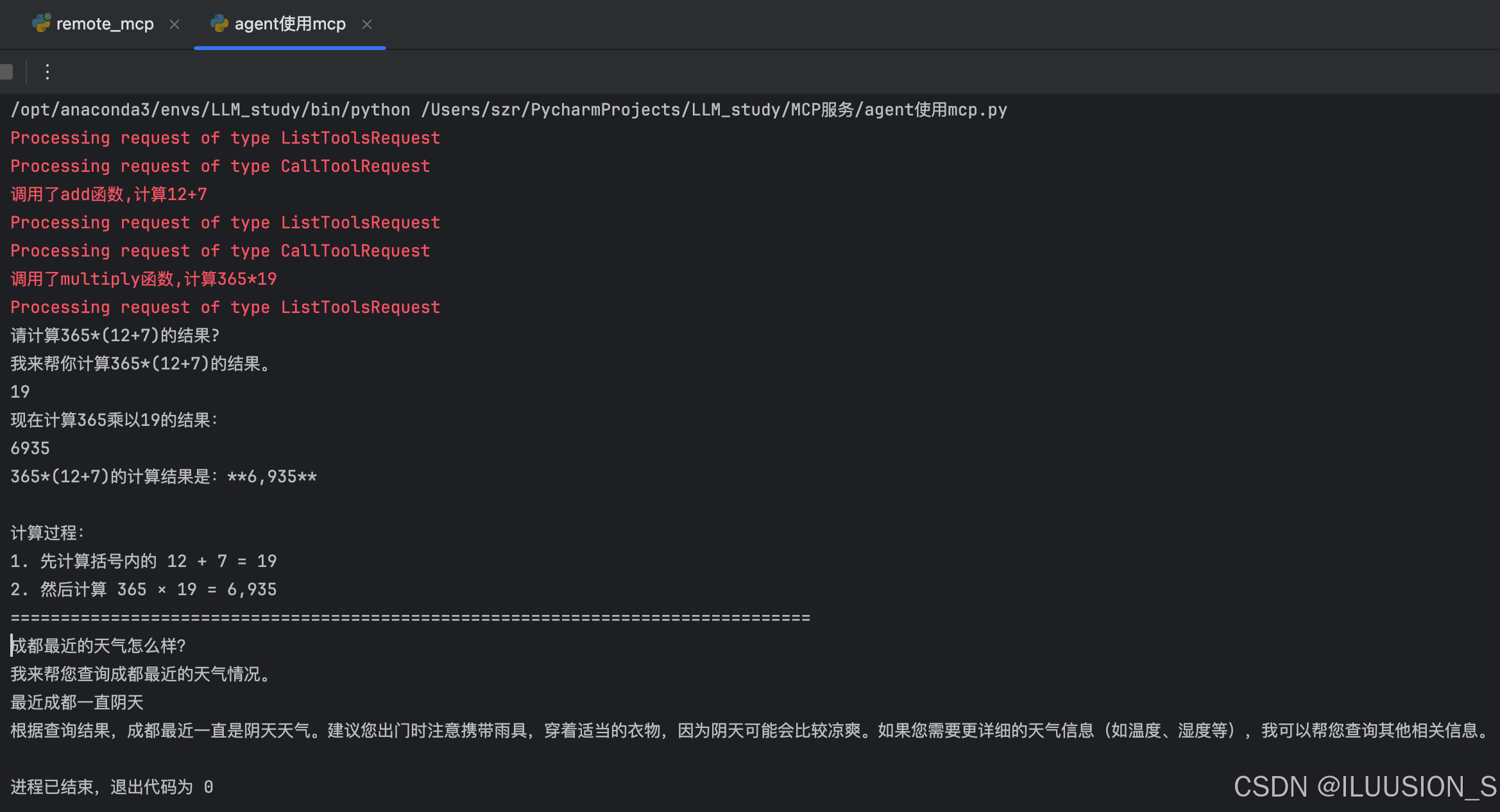
输出内容不方便查看,修改了一下输出内容。只输出content
python
for item in math_response['messages']:
    print(item.content)