bun.js是什么?
Bun.js 是一个新兴的、高性能的 JavaScript 运行时(runtime),类似于 Node.js,但设计目标是从底层开始优化开发体验与性能。它由 Jarred Sumner 创建,使用 Zig 语言编写,内置了打包器、测试运行器、转译器、包管理器等功能,目标是"all-in-one"工具链。
快速安装
js
npm install bun -g快速启动项目
js
my-app/
├── package.json
├── tsconfig.json
├── index.ts
└── test.test.ts
index.ts
js
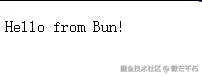
const server = Bun.serve({
  port: 3000,
  fetch(req) {
    return new Response("Hello from Bun!");
  },
});

console.log(`Listening on http://localhost:${server.port}`);
🚀 bun.js 能做哪些事情呢?
1. JavaScript/TypeScript 执行
详细说明:Bun 直接执行 JS/TS 文件,无需额外编译
实际例子:
javascript
// example.js
function calculateFibonacci(n) {
  if (n <= 1) return n;
  return calculateFibonacci(n - 1) + calculateFibonacci(n - 2);
}

console.log("斐波那契数列第10项:", calculateFibonacci(10));

// 异步操作示例
async function fetchData() {
  const response = await fetch("https://jsonplaceholder.typicode.com/users/1");
  const user = await response.json();
  console.log("用户信息:", user.name);
}

fetchData();
typescript
// example.ts
interface User {
  id: number;
  name: string;
  email: string;
}

class UserService {
  private users: User[] = [
    { id: 1, name: "Alice", email: "alice@example.com" },
    { id: 2, name: "Bob", email: "bob@example.com" }
  ];

  getUserById(id: number): User | undefined {
    return this.users.find(user => user.id === id);
  }

  getAllUsers(): User[] {
    return this.users;
  }
}

const service = new UserService();
console.log(service.getUserById(1));
2. 包管理器
详细说明:Bun 的包管理器比 npm/yarn 更快
实际例子:
bash
# package.json
{
  "name": "bun-project",
  "version": "1.0.0",
  "dependencies": {
    "zod": "^3.21.0"
  }
}
javascript
// 使用安装的包
import { z } from "zod";

const userSchema = z.object({
  name: z.string().min(2),
  age: z.number().min(0),
  email: z.string().email()
});

const userData = {
  name: "John",
  age: 30,
  email: "john@example.com"
};

try {
  const validUser = userSchema.parse(userData);
  console.log("验证成功:", validUser);
} catch (error) {
  console.log("验证失败:", error.errors);
}
3. 捆绑器 (Bundler)
详细说明:将多个文件打包成单个文件
实际例子:
javascript
// src/math.js
export function add(a, b) {
  return a + b;
}

export function multiply(a, b) {
  return a * b;
}

// src/calculator.js
import { add, multiply } from './math.js';

export class Calculator {
  constructor() {
    this.history = [];
  }

  calculate(operation, a, b) {
    let result;
    switch(operation) {
      case 'add':
        result = add(a, b);
        break;
      case 'multiply':
        result = multiply(a, b);
        break;
      default:
        throw new Error('Unknown operation');
    }
    this.history.push({ operation, a, b, result });
    return result;
  }

  getHistory() {
    return this.history;
  }
}

// src/index.js
import { Calculator } from './calculator.js';

const calc = new Calculator();
console.log(calc.calculate('add', 5, 3)); // 8
console.log(calc.calculate('multiply', 4, 6)); // 24

// 构建命令: bun build src/index.js --outfile=dist/bundle.js
快速启动服务
4. HTTP 服务器
详细说明:内置高性能 HTTP 服务器
实际例子 - REST API:
javascript
// server.js
import { serve } from "bun";

// 模拟数据库
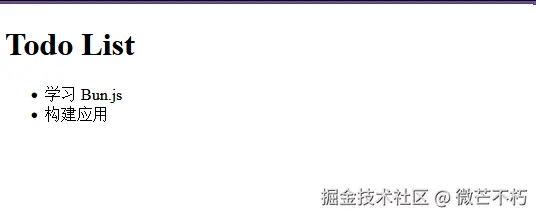
let todos = [
  { id: 1, title: "学习 Bun.js", completed: false },
  { id: 2, title: "构建应用", completed: true }
];

let nextId = 3;

serve({
  port: 3000,
  async fetch(request) {
    const url = new URL(request.url);
    const path = url.pathname;
    const method = request.method;

    // GET /api/todos - 获取所有待办事项
    if (path === "/api/todos" && method === "GET") {
      return Response.json(todos);
    }

    // POST /api/todos - 创建待办事项
    if (path === "/api/todos" && method === "POST") {
      const newTodo = await request.json();
      const todo = {
        id: nextId++,
        ...newTodo,
        completed: false
      };
      todos.push(todo);
      return Response.json(todo, { status: 201 });
    }

    // PUT /api/todos/:id - 更新待办事项
    if (path.startsWith("/api/todos/") && method === "PUT") {
      const id = parseInt(path.split("/")[3]);
      const todoIndex = todos.findIndex(t => t.id === id);

      if (todoIndex === -1) {
        return new Response("Todo not found", { status: 404 });
      }

      const updates = await request.json();
      todos[todoIndex] = { ...todos[todoIndex], ...updates };
      return Response.json(todos[todoIndex]);
    }

    // DELETE /api/todos/:id - 删除待办事项
    if (path.startsWith("/api/todos/") && method === "DELETE") {
      const id = parseInt(path.split("/")[3]);
      const todoIndex = todos.findIndex(t => t.id === id);

      if (todoIndex === -1) {
        return new Response("Todo not found", { status: 404 });
      }

      todos.splice(todoIndex, 1);
      return new Response("Todo deleted", { status: 200 });
    }

    // 静态文件服务
    if (path === "/" || path === "/index.html") {
      return new Response(`
        <!DOCTYPE html>
        <html>
        <head><title>Todo App</title></head>
        <body>
          <h1>Todo List</h1>
          <div id="app"></div>
          <script>
            fetch('/api/todos')
              .then(r => r.json())
              .then(todos => {
                document.getElementById('app').innerHTML =
                  '<ul>' + todos.map(t => '<li>' + t.title + '</li>').join('') + '</ul>';
              });
          </script>
        </body>
        </html>
      `, {
        headers: { "Content-Type": "text/html" }
      });
    }

    return new Response("Not Found", { status: 404 });
  }
});

console.log("服务器运行在 http://localhost:3000");
5. WebSocket 支持
详细说明:实现实时双向通信
实际例子 - 聊天应用:
javascript
// chat-server.js
import { serve } from "bun";

const clients = new Set();
const chatHistory = [];

const server = serve({
  port: 3000,
  fetch(req, server) {
    // HTTP 请求:返回 HTML 页面
    if (req.headers.get("upgrade") !== "websocket") {
      return new Response(`
        <!DOCTYPE html>
        <html>
        <head>
          <title>实时聊天室</title>
          <style>
            #messages { height: 300px; overflow-y: scroll; border: 1px solid #ccc; }
            #messageInput { width: 70%; }
          </style>
        </head>
        <body>
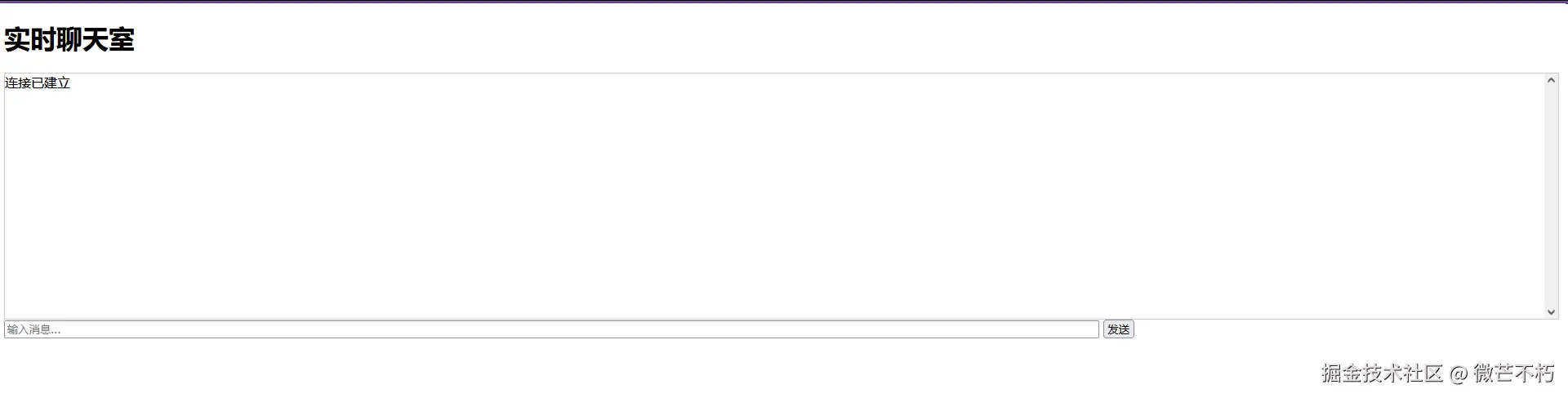
          <h1>实时聊天室</h1>
          <div id="messages"></div>
          <input type="text" id="messageInput" placeholder="输入消息...">
          <button onclick="sendMessage()">发送</button>

          <script>
            const ws = new WebSocket('ws://localhost:3000');
            const messages = document.getElementById('messages');
            const messageInput = document.getElementById('messageInput');

            ws.onopen = function() {
              messages.innerHTML += '<div>连接已建立</div>';
            };

            ws.onmessage = function(event) {
              const data = JSON.parse(event.data);
              messages.innerHTML += '<div><strong>' + data.user + ':</strong> ' + data.message + '</div>';
              messages.scrollTop = messages.scrollHeight;
            };

            function sendMessage() {
              const message = messageInput.value.trim();
              if (message) {
                ws.send(JSON.stringify({
                  user: 'User' + Date.now(),
                  message: message
                }));
                messageInput.value = '';
              }
            }

            messageInput.addEventListener('keypress', function(e) {
              if (e.key === 'Enter') {
                sendMessage();
              }
            });
          </script>
        </body>
        </html>
      `, {
        headers: { "Content-Type": "text/html" }
      });
    }

    // WebSocket 连接
    const websocket = server.upgrade(req);
    if (websocket) {
      return websocket;
    }

    return new Response("Expected WebSocket upgrade", { status: 426 });
  },

  websocket: {
    open(ws) {
      console.log("客户端连接:", ws.data);
      clients.add(ws);

      // 发送历史消息
      for (const message of chatHistory) {
        ws.send(JSON.stringify(message));
      }
    },

    message(ws, message) {
      const data = JSON.parse(message);
      chatHistory.push(data);

      // 广播消息给所有客户端
      for (const client of clients) {
        if (client !== ws) {
          client.send(JSON.stringify(data));
        }
      }
    },

    close(ws) {
      console.log("客户端断开连接");
      clients.delete(ws);
    }
  }
});

console.log("聊天服务器运行在 http://localhost:3000");
📁 文件系统操作详解
6. 文件读写
详细说明:高效读写文件操作
实际例子 - 配置管理器:
javascript
// config-manager.js
class ConfigManager {
  constructor(configFile = "./config.json") {
    this.configFile = configFile;
  }

  async readConfig() {
    try {
      const file = Bun.file(this.configFile);
      if (await file.exists()) {
        const content = await file.json();
        return content;
      }
      return {};
    } catch (error) {
      console.log("配置文件不存在,创建默认配置");
      return this.createDefaultConfig();
    }
  }

  async writeConfig(config) {
    await Bun.write(this.configFile, JSON.stringify(config, null, 2));
  }

  async updateConfig(key, value) {
    const config = await this.readConfig();
    config[key] = value;
    await this.writeConfig(config);
  }

  async createDefaultConfig() {
    const defaultConfig = {
      server: {
        port: 3000,
        host: "localhost"
      },
      database: {
        url: "sqlite://db.sqlite",
        maxConnections: 10
      },
      logging: {
        level: "info",
        file: "app.log"
      }
    };

    await this.writeConfig(defaultConfig);
    return defaultConfig;
  }
}

// 使用示例
const configManager = new ConfigManager();

async function main() {
  const config = await configManager.readConfig();
  console.log("当前配置:", config);

  // 更新配置
  await configManager.updateConfig("server.port", 8080);
  console.log("端口已更新为 8080");

  // 读取日志文件
  const logFile = Bun.file("./app.log");
  if (await logFile.exists()) {
    const logContent = await logFile.text();
    console.log("日志内容:", logContent.substring(0, 100) + "...");
  } else {
    console.log("日志文件不存在");
  }
}

main();
7. 文件监听
详细说明:监控文件变化
实际例子 - 代码热重载:
javascript
// file-watcher.js
class HotReloader {
  constructor(watchPaths = ["./src"], onChangeCallback) {
    this.watchPaths = watchPaths;
    this.onChangeCallback = onChangeCallback;
    this.lastChanges = [];
  }

  async start() {
    const watcher = Bun.watch({
      paths: this.watchPaths,
      ignore: ["node_modules", "dist", ".git"],
      onChange: async (files) => {
        console.log("检测到文件变化:", files);

        for (const file of files) {
          const stat = await Bun.file(file).stat();
          const changeInfo = {
            file,
            timestamp: new Date(stat.mtime),
            type: this.getFileType(file)
          };

          this.lastChanges.push(changeInfo);
          console.log(`文件类型: ${changeInfo.type}, 修改时间: ${changeInfo.timestamp}`);
        }

        if (this.onChangeCallback) {
          await this.onChangeCallback(files);
        }
      }
    });

    console.log("开始监听文件变化...");
  }

  getFileType(filename) {
    if (filename.endsWith('.js') || filename.endsWith('.ts')) return 'script';
    if (filename.endsWith('.css')) return 'stylesheet';
    if (filename.endsWith('.html')) return 'html';
    if (filename.endsWith('.json')) return 'config';
    return 'other';
  }

  getRecentChanges(hours = 1) {
    const cutoffTime = new Date(Date.now() - hours * 60 * 60 * 1000);
    return this.lastChanges.filter(change => change.timestamp > cutoffTime);
  }
}

// 使用示例
const reloader = new HotReloader(
  ["./src"],
  async (changedFiles) => {
    console.log("文件变化,执行构建...");

    // 模拟构建过程
    for (const file of changedFiles) {
      if (file.endsWith('.js')) {
        console.log(`重新编译 JavaScript 文件: ${file}`);
        // 这里可以调用构建命令
      }
    }

    console.log("构建完成,刷新浏览器...");
  }
);

reloader.start();
🔧 系统工具详解
8. 子进程执行
详细说明:执行系统命令
实际例子 - 自动化部署脚本:
javascript
// deploy-script.js
class Deployer {
  constructor(projectDir = "./") {
    this.projectDir = projectDir;
  }

  async runCommand(command, args) {
    console.log(`执行命令: ${command} ${args.join(' ')}`);

    const process = Bun.spawn([command, ...args], {
      cwd: this.projectDir,
      stdout: "pipe",
      stderr: "pipe"
    });

    const stdout = await new Response(process.stdout).text();
    const stderr = await new Response(process.stderr).text();
    const exitCode = await process.exited;

    return { stdout, stderr, exitCode };
  }

  async gitStatus() {
    const result = await this.runCommand("git", ["status", "--porcelain"]);
    return result.stdout.trim();
  }

  async gitCommit(message) {
    await this.runCommand("git", ["add", "."]);
    const result = await this.runCommand("git", ["commit", "-m", message]);
    return result;
  }

  async buildProject() {
    console.log("开始构建项目...");
    const result = await this.runCommand("bun", ["run", "build"]);

    if (result.exitCode !== 0) {
      throw new Error(`构建失败: ${result.stderr}`);
    }

    console.log("构建成功!");
    return result.stdout;
  }

  async deploy() {
    try {
      // 检查是否有未提交的更改
      const status = await this.gitStatus();
      if (status) {
        console.log("检测到未提交的更改,自动提交...");
        await this.gitCommit(`Auto deploy ${new Date().toISOString()}`);
      }

      // 构建项目
      await this.buildProject();

      // 推送到远程仓库
      const pushResult = await this.runCommand("git", ["push", "origin", "main"]);
      if (pushResult.exitCode !== 0) {
        throw new Error(`推送失败: ${pushResult.stderr}`);
      }

      console.log("部署成功!");
    } catch (error) {
      console.error("部署失败:", error.message);
      throw error;
    }
  }
}

// 使用示例
const deployer = new Deployer();
deployer.deploy().catch(console.error);
9. 测试框架
详细说明:内置测试框架
实际例子 - 完整测试套件:
javascript
// tests/user.test.js
import { expect, test, describe, beforeAll, afterAll } from "bun:test";

// 被测试的类
class UserService {
  constructor() {
    this.users = [
      { id: 1, name: "Alice", email: "alice@example.com", age: 25 },
      { id: 2, name: "Bob", email: "bob@example.com", age: 30 }
    ];
  }

  getUserById(id) {
    return this.users.find(user => user.id === id);
  }

  getUserByEmail(email) {
    return this.users.find(user => user.email === email);
  }

  createUser(userData) {
    const newUser = {
      id: this.users.length + 1,
      ...userData
    };
    this.users.push(newUser);
    return newUser;
  }

  validateUser(user) {
    if (!user.name || user.name.length < 2) {
      throw new Error("Name must be at least 2 characters");
    }
    if (!user.email || !user.email.includes("@")) {
      throw new Error("Invalid email");
    }
    return true;
  }
}

// 测试套件
describe("UserService", () => {
  let service;

  beforeAll(() => {
    service = new UserService();
  });

  test("should get user by id", () => {
    const user = service.getUserById(1);
    expect(user).toBeDefined();
    expect(user.name).toBe("Alice");
    expect(user.email).toBe("alice@example.com");
  });

  test("should return undefined for non-existent user", () => {
    const user = service.getUserById(999);
    expect(user).toBeUndefined();
  });

  test("should get user by email", () => {
    const user = service.getUserByEmail("bob@example.com");
    expect(user).toBeDefined();
    expect(user.name).toBe("Bob");
  });

  test("should create new user", () => {
    const newUser = service.createUser({
      name: "Charlie",
      email: "charlie@example.com",
      age: 28
    });

    expect(newUser.id).toBe(3);
    expect(newUser.name).toBe("Charlie");
    expect(service.getUserById(3)).toBeDefined();
  });

  test("should validate user with valid data", () => {
    const validUser = { name: "Valid", email: "valid@test.com" };
    expect(() => service.validateUser(validUser)).not.toThrow();
  });

  test("should throw error for invalid user name", () => {
    const invalidUser = { name: "A", email: "test@example.com" };
    expect(() => service.validateUser(invalidUser))
      .toThrow("Name must be at least 2 characters");
  });

  test("should throw error for invalid email", () => {
    const invalidUser = { name: "Valid", email: "invalid-email" };
    expect(() => service.validateUser(invalidUser))
      .toThrow("Invalid email");
  });

  test("should handle async operations", async () => {
    // 模拟异步操作
    const result = await new Promise(resolve => {
      setTimeout(() => resolve("async result"), 100);
    });
    expect(result).toBe("async result");
  });
});

// 性能测试
test("performance test", async () => {
  const start = performance.now();

  // 执行一些操作
  for (let i = 0; i < 1000; i++) {
    const user = new UserService();
    user.getUserById(1);
  }

  const end = performance.now();
  const duration = end - start;

  console.log(`1000次操作耗时: ${duration}ms`);
  expect(duration).toBeLessThan(100); // 应该在100ms内完成
});

// 运行测试: bun test
📦 生态系统集成详解
10. Node.js 兼容
详细说明:与 Node.js 生态系统兼容
实际例子 - 文件处理工具:
javascript
// file-processor.js
import fs from "fs";
import path from "path";
import { createHash } from "crypto";

class FileProcessor {
  constructor() {
    this.stats = {
      processed: 0,
      errors: 0,
      totalSize: 0
    };
  }

  async processDirectory(dirPath) {
    const files = await fs.promises.readdir(dirPath);

    for (const file of files) {
      const filePath = path.join(dirPath, file);
      const stat = await fs.promises.stat(filePath);

      if (stat.isDirectory()) {
        await this.processDirectory(filePath);
      } else if (this.isTextFile(file)) {
        await this.processFile(filePath, stat.size);
      }
    }

    return this.stats;
  }

  isTextFile(filename) {
    const extensions = ['.js', '.ts', '.json', '.txt', '.md', '.html', '.css'];
    return extensions.some(ext => filename.endsWith(ext));
  }

  async processFile(filePath, size) {
    try {
      const content = await fs.promises.readFile(filePath, 'utf8');
      const hash = createHash('md5').update(content).digest('hex');

      this.stats.processed++;
      this.stats.totalSize += size;

      console.log(`处理文件: ${filePath}`);
      console.log(`大小: ${size} bytes`);
      console.log(`MD5: ${hash.substring(0, 8)}...`);
      console.log('---');

    } catch (error) {
      this.stats.errors++;
      console.error(`处理文件错误 ${filePath}:`, error.message);
    }
  }

  generateReport() {
    return `
      文件处理报告:
      - 处理文件数: ${this.stats.processed}
      - 错误数: ${this.stats.errors}
      - 总大小: ${this.formatBytes(this.stats.totalSize)}
    `;
  }

  formatBytes(bytes) {
    if (bytes === 0) return '0 Bytes';
    const k = 1024;
    const sizes = ['Bytes', 'KB', 'MB', 'GB'];
    const i = Math.floor(Math.log(bytes) / Math.log(k));
    return parseFloat((bytes / Math.pow(k, i)).toFixed(2)) + ' ' + sizes[i];
  }
}

// 使用示例
async function main() {
  const processor = new FileProcessor();
  const stats = await processor.processDirectory('./src');
  console.log(processor.generateReport());
}

main().catch(console.error);
11. 前端开发
详细说明:完整的前端开发工具链
实际例子 - 博客构建系统:
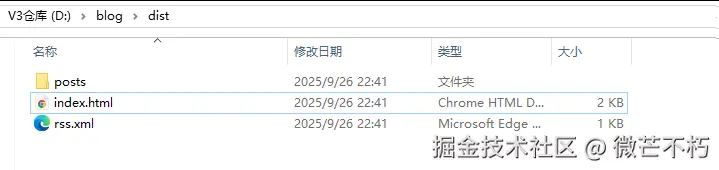
javascript
// blog-builder.js
import { glob } from "bun";

class BlogBuilder {
  constructor() {
    this.postsDir = "./posts";
    this.outputDir = "./dist";
  }

  async build() {
    console.log("开始构建博客...");

    // 清理输出目录
    await this.cleanOutputDir();

    // 读取所有 Markdown 文件
    const markdownFiles = await glob("**/*.md", this.postsDir);
    const posts = [];

    for (const file of markdownFiles) {
      const content = await Bun.file(file).text();
      const post = this.parseMarkdown(content);
      posts.push(post);
    }

    // 生成文章页面
    for (const post of posts) {
      await this.generatePostPage(post);
    }

    // 生成首页
    await this.generateIndex(posts);

    // 生成 RSS 订阅
    await this.generateRSS(posts);

    console.log(`构建完成! 生成了 ${posts.length} 篇文章`);
  }

  parseMarkdown(content) {
    const lines = content.split('\n');
    let frontmatter = {};
    let body = '';
    let inFrontmatter = false;

    for (let i = 0; i < lines.length; i++) {
      if (lines[i].trim() === '---') {
        if (!inFrontmatter) {
          inFrontmatter = true;
        } else {
          body = lines.slice(i + 1).join('\n');
          break;
        }
      } else if (inFrontmatter) {
        const [key, value] = lines[i].split(':');
        if (key && value) {
          frontmatter[key.trim()] = value.trim().replace(/"/g, '');
        }
      }
    }

    return {
      ...frontmatter,
      content: this.convertMarkdownToHTML(body),
      slug: this.generateSlug(frontmatter.title)
    };
  }

  convertMarkdownToHTML(markdown) {
    // 简单的 Markdown 转 HTML
    return markdown
      .replace(/^### (.*$)/gim, '<h3>$1</h3>')
      .replace(/^## (.*$)/gim, '<h2>$1</h2>')
      .replace(/^# (.*$)/gim, '<h1>$1</h1>')
      .replace(/\*\*(.*)\*\*/gim, '<strong>$1</strong>')
      .replace(/\*(.*)\*/gim, '<em>$1</em>')
      .replace(/`(.*?)`/gim, '<code>$1</code>')
      .replace(/\n\n/gim, '<br><br>');
  }

  generateSlug(title) {
    return title
      .toLowerCase()
      .replace(/[^\w\s-]/g, '')
      .replace(/[\s_-]+/g, '-')
      .replace(/^-+|-+$/g, '');
  }

  async generatePostPage(post) {
    const html = `
      <!DOCTYPE html>
      <html>
      <head>
        <title>${post.title}</title>
        <meta charset="utf-8">
        <meta name="viewport" content="width=device-width, initial-scale=1">
        <style>
          body { font-family: Arial, sans-serif; max-width: 800px; margin: 0 auto; padding: 20px; }
          h1 { color: #333; }
          .meta { color: #666; font-size: 0.9em; }
        </style>
      </head>
      <body>
        <h1>${post.title}</h1>
        <div class="meta">发布于 ${post.date} | 作者: ${post.author}</div>
        <div class="content">${post.content}</div>
        <a href="/">← 返回首页</a>
      </body>
      </html>
    `;

    const outputPath = `${this.outputDir}/posts/${post.slug}.html`;
    await Bun.write(outputPath, html);
  }

  async generateIndex(posts) {
    const postsList = posts
      .sort((a, b) => new Date(b.date) - new Date(a.date))
      .map(post => `
        <div style="margin-bottom: 30px;">
          <h2><a href="posts/${post.slug}.html">${post.title}</a></h2>
          <div style="color: #666; font-size: 0.9em;">发布于 ${post.date} | 作者: ${post.author}</div>
          <p>${post.excerpt || post.content.substring(0, 100) + '...'}</p>
        </div>
      `)
      .join('');

    const html = `
      <!DOCTYPE html>
      <html>
      <head>
        <title>我的博客</title>
        <meta charset="utf-8">
        <meta name="viewport" content="width=device-width, initial-scale=1">
        <style>
          body { font-family: Arial, sans-serif; max-width: 800px; margin: 0 auto; padding: 20px; }
          h1 { color: #333; }
          a { color: #007acc; text-decoration: none; }
          a:hover { text-decoration: underline; }
        </style>
      </head>
      <body>
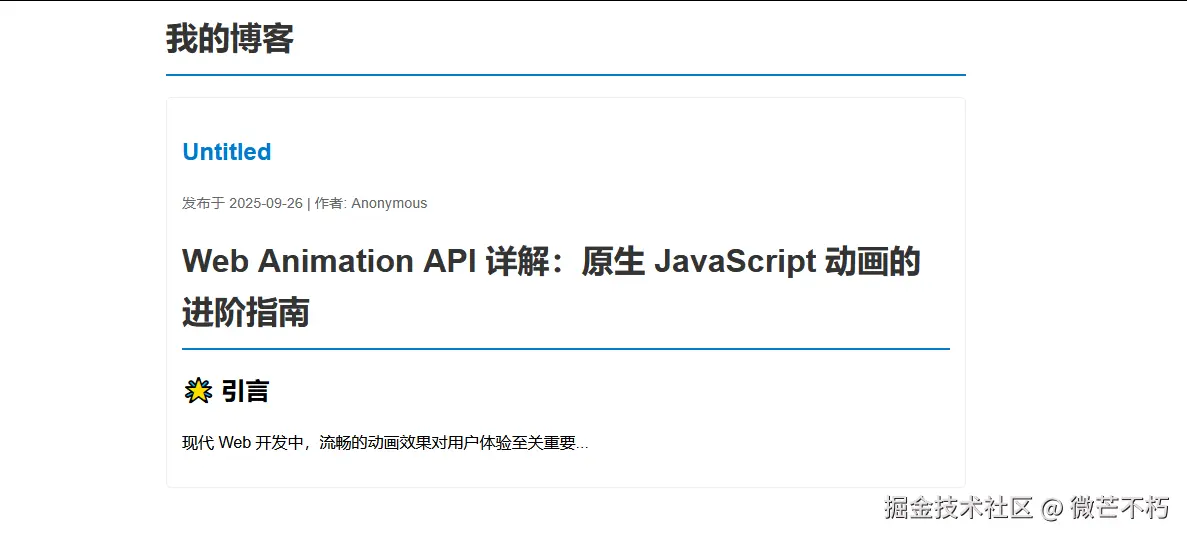
        <h1>我的博客</h1>
        <div>${postsList}</div>
      </body>
      </html>
    `;

    await Bun.write(`${this.outputDir}/index.html`, html);
  }

  async generateRSS(posts) {
    const rss = `<?xml version="1.0" encoding="UTF-8"?>
    <rss version="2.0">
      <channel>
        <title>我的博客</title>
        <link>http://localhost:3000</link>
        <description>技术博客</description>
        ${posts.map(post => `
          <item>
            <title>${post.title}</title>
            <link>http://localhost:3000/posts/${post.slug}.html</link>
            <description>${post.excerpt || post.content.substring(0, 100)}</description>
            <pubDate>${new Date(post.date).toUTCString()}</pubDate>
          </item>
        `).join('')}
      </channel>
    </rss>`;

    await Bun.write(`${this.outputDir}/rss.xml`, rss);
  }

  async cleanOutputDir() {
    try {
      const outputDir = Bun.file(this.outputDir);
      if (await outputDir.exists()) {
        await Bun.spawn(["rm", "-rf", this.outputDir]);
      }
      await Bun.mkdir(this.outputDir);
      await Bun.mkdir(`${this.outputDir}/posts`);
    } catch (error) {
      console.log("清理输出目录:", error.message);
    }
  }
}

// 使用示例
const builder = new BlogBuilder();
builder.build().catch(console.error);
这些例子展示了 Bun.js 在实际项目中的完整应用,从简单的脚本到复杂的 Web 应用都有涉及。