cs
        private void button4_Click(object sender, EventArgs e)
        {
            uint width = 100;
            uint height = 100;
            int[,] pixels = new int[height, width];
            for (int y = 0; y < height; y++)
            {
                for (int x = 0; x < width; x++)
                {
                    // 示例:生成简单的渐变效果
                    byte red = (byte)(x * 255 / width);
                    byte green = (byte)(y * 255 / height);
                    byte blue = (byte)((x + y) * 255 / (width + height));
                    pixels[y, x] = (red << 16) | (green << 8) | blue; // RGB格式存储为整数
                }
            }
            using (var image = new MagickImage(MagickColor.FromRgba(0, 0, 0, 255), width, height))
            {
                for (var y = 0; y < height; y++)
                {
                    for (var x = 0; x < width; x++)
                    {
                        int pixelValue = pixels[y, x];
                        byte r = (byte)((pixelValue >> 16) & 0xFF);
                        byte g = (byte)((pixelValue >> 8) & 0xFF);
                        byte b = (byte)((pixelValue >> 0) & 0xFF);
                        Pixel p = new Pixel(x, y, new byte[] { r, g, b });
                        image.GetPixels().SetPixel(p);
                    }
                }
                image.Settings.Font = this.Font.Name;
                image.Settings.FillColor = MagickColors.Red;
                image.Settings.StrokeColor = MagickColors.Red;
                image.Annotate("test",Gravity.Center);
                image.Write("D:\\1.bmp");
                image.Format = MagickFormat.Bmp;
                using (var stream = new MemoryStream())
                {
                    image.Write(stream);
                    stream.Position = 0;
                    var bitmap = new Bitmap(stream);
                    pictureBox1.Image?.Dispose();
                    pictureBox1.Image = bitmap;
                }
            }
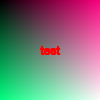
        }
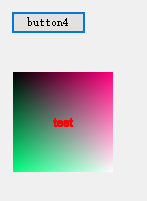
生成图像大小可40000x40000,对大size图像支持较好,并实现了高斯模糊、Resize、裁剪、压缩、旋转等常见操作。