1.关闭防火墙
关闭防火墙
shell
systemctl stop firewalld关闭开机自启
shell
systemctl disable firewalld2.关闭selinux
1.先临时关闭:输入命令setenforce 0
2.再永久关闭:使用sed -i '/SELINUX/s/enforcing/disabled/' /etc/selinux/config修改selinux为disabled。
3.设置最大打开文件数限制
修改系统打开最大文件数
查看打开文件数量限制
shell
ulimit -n先临时修改打开文件的数量
shell
ulimit -n 65535(设置合适的数量)3.永久配置最大打开文件数
设置系统最大打开文件数
编辑系统限制的配置文件,添加文件最大打开数相关内容
shell
vi /etc/security/limits.conf

root soft nofile 65535
root hard nofile 65535
*    soft nofile 65535
*    hard nofile 65535
修改此设置需要重启服务器
对于systemd启动的service进程的资源限制
编辑默认配置文件,修改相关配置内容
shell
vi /etc/systemd/system.conf
#修改DefaultLimitNPROC和DefaultLimitNOFILE配置值为需要的大小
DefaultLimitNOFILE=65535
DefaultLimitNPROC=65535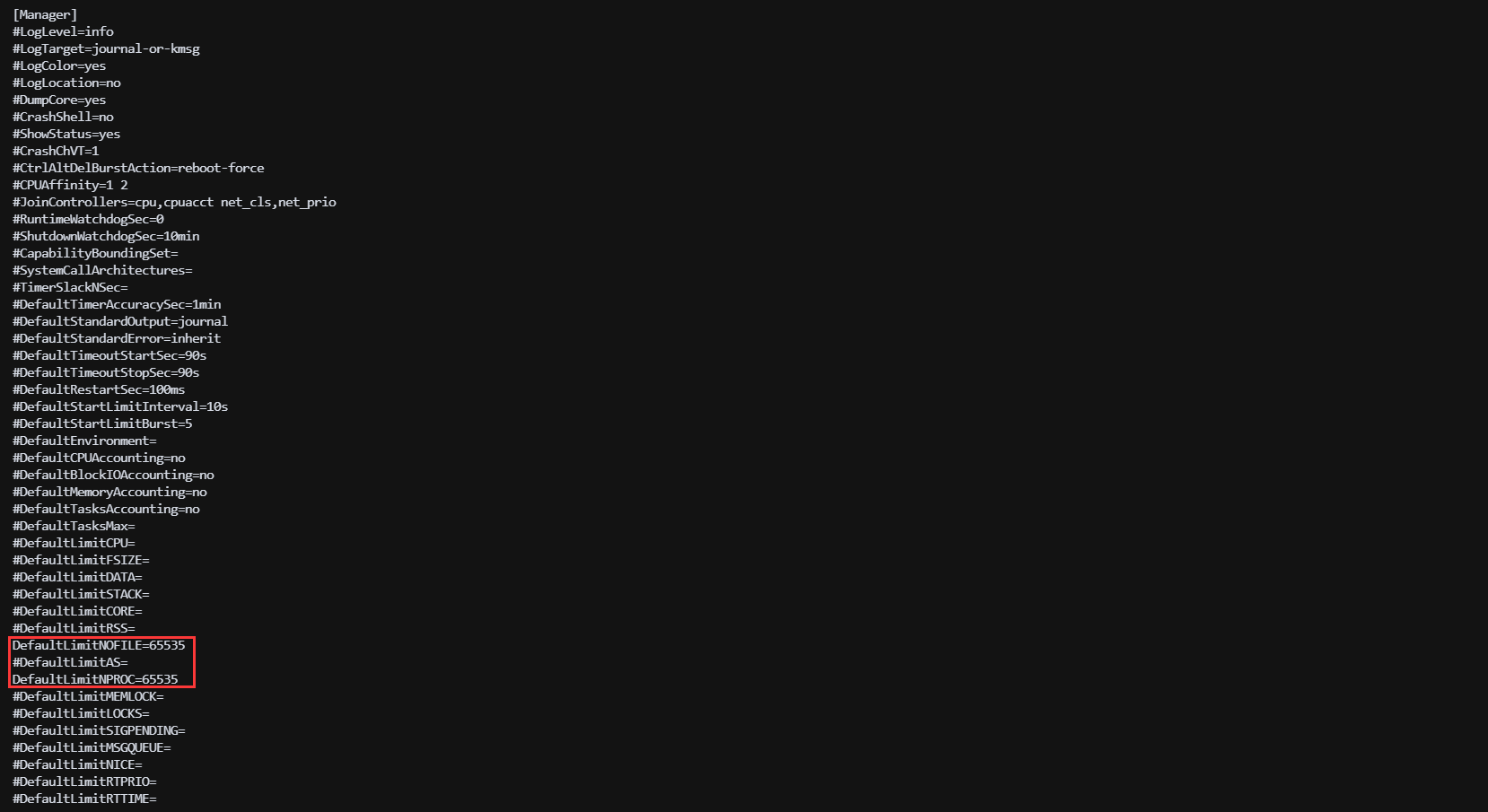
PS: 如果docker启动mysql容器报错:mysql --verse什么什么的,大概率是limit的原因,在docker.service里面加--default-ulimit nofile=65535:65535
修改此设置需要重启服务器
设置进程最大打开文件数
以jenkins为例:
1.先找到jenkins的进程号
shell
ps -ef | grep jenkins
2.查看进程的打开数量限制
shell
cat /proc/5513/limits
3.设置该线程打开文件数量限制
shell
prlimit --nofile=65535:65535 --pid 55134.时间同步
查看时区是否是CST,不是CST需要更改时区
shell
date
更改时区为Shanghai
shell
rm -f /etc/localtime
ln -s /usr/share/zoneinfo/Asia/Shanghai /etc/localtime
安装工具
shell
yum -y install ntpdate同步网络时间
shell
ntpdate cn.pool.ntp.org将系统时间写入硬件
shell
hwclock --systohc