由于oss资源快到期了,国庆节前完成迁移
这个计划是从十天前域名更新后想要实现的,一直拖到今天
2025年9月27日

1.使用官网推荐工具:qshell
命令行工具 Qshell_实用工具_对象存储 - 七牛开发者中心 (qiniu.com)
2.搭配python代码实现批量下载
2.1 配置密钥信息等
bash
qshell account a-key s-key2.2 列出存储空间的所有文件
bash
qshell listbucket lice(自己的bucket) file_list.txt3 在file_list.txt的文件下创建py文件,复制下面代码并且运行
注意命名空间权限是公开,私密权限需要密钥
python
#!/usr/bin/env python
# -*- coding: UTF-8 -*-
'''
@Project :test
@File    :qiniu.py
@IDE     :PyCharm
@Author  :随风万里无云
@Date    :2025/9/27 09:07
'''
import requests
import os
import threading
from concurrent.futures import ThreadPoolExecutor, as_completed

# 配置
BASE_URL = "http://oss.222222.cn/" #填写自己的外链域名
DOWNLOAD_DIR = "downloaded_files"  #在当前目录下创建文件夹,图片信息将存这里
FILE_LIST = "file_list.txt"
MAX_WORKERS = 5  # 同时下载的文件数


def download_file(line):
    """下载单个文件"""
    try:
        # 提取文件名(第一列,制表符分隔)
        filename = line.split('\t')[0].strip()

        # 跳过目录
        if filename.endswith('/'):
            return filename, "skip", "目录"

        file_url = BASE_URL + filename
        local_path = os.path.join(DOWNLOAD_DIR, filename)

        # 创建子目录
        os.makedirs(os.path.dirname(local_path), exist_ok=True)

        # 下载文件
        response = requests.get(file_url, timeout=30)
        response.raise_for_status()

        # 保存文件
        with open(local_path, 'wb') as f:
            f.write(response.content)

        return filename, "success", None

    except Exception as e:
        return filename, "failed", str(e)


def main():
    # 创建下载目录
    os.makedirs(DOWNLOAD_DIR, exist_ok=True)

    # 读取文件列表
    with open(FILE_LIST, 'r', encoding='utf-8') as f:
        lines = f.readlines()

    print(f"开始批量下载文件...")
    print(f"总共发现 {len(lines)} 个文件")

    # 使用多线程下载
    results = []
    with ThreadPoolExecutor(max_workers=MAX_WORKERS) as executor:
        # 提交所有下载任务
        future_to_line = {executor.submit(download_file, line): line for line in lines if line.strip()}

        # 处理完成的任务
        for i, future in enumerate(as_completed(future_to_line), 1):
            filename, status, error = future.result()

            if status == "success":
                print(f"[{i}/{len(lines)}] ✓ {filename}")
                results.append(("success", filename))
            elif status == "skip":
                print(f"[{i}/{len(lines)}] - {filename} (跳过)")
                results.append(("skip", filename))
            else:
                print(f"[{i}/{len(lines)}] ✗ {filename} - {error}")
                results.append(("failed", filename, error))

    # 统计结果
    success_count = sum(1 for r in results if r[0] == "success")
    skip_count = sum(1 for r in results if r[0] == "skip")
    failed_count = sum(1 for r in results if r[0] == "failed")

    print(f"\n下载完成!")
    print(f"总计: {len(lines)} 个文件")
    print(f"成功: {success_count} 个文件")
    print(f"跳过: {skip_count} 个文件")
    print(f"失败: {failed_count} 个文件")

    # 保存失败记录
    if failed_count > 0:
        with open("failed_downloads.txt", "w", encoding="utf-8") as f:
            for result in results:
                if result[0] == "failed":
                    f.write(f"{result[1]} - {result[2]}\n")
        print(f"失败的文件列表已保存到: failed_downloads.txt")


if __name__ == "__main__":
    main()
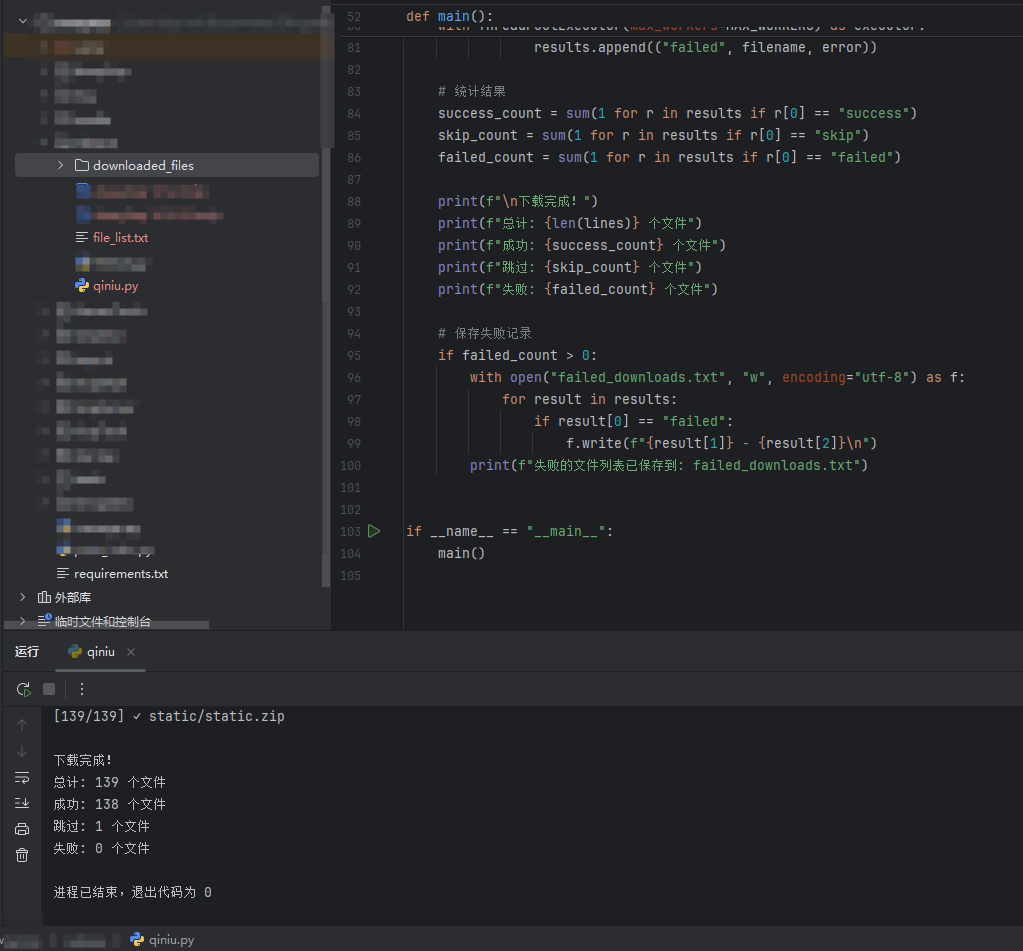
4.运行成功后截图
参考链接: