参考资料:
申请阿里云百炼-APIKey:
- 打开阿里云百炼,并登录:https://www.aliyun.com/product/bailian
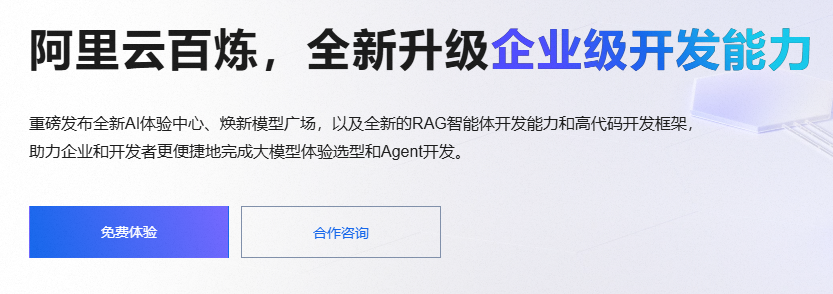
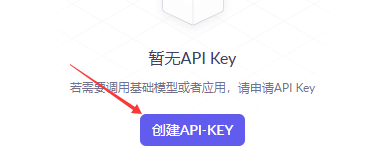
- 点击免费体验,进入API申请页面
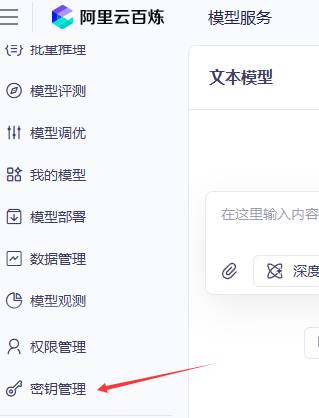
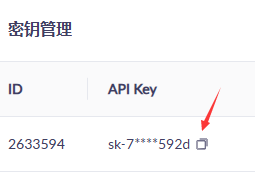
- 点击密钥管理,申请新的密钥
- 记录下申请的密钥
SpringAIAlibaba框架搭建:
说明
1. JDK及SpringBoot版本要求

搭建的时候记得选用JDK17+,不用系统安装,用IDEA下载的也可以
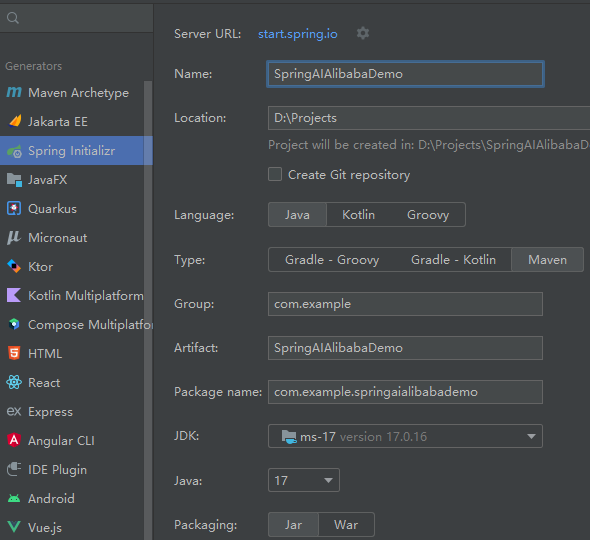
SpringBoot版本要求3.2.x或者3.3.x
搭建流程
依赖和配置
结合自己申请的阿里云的Key添加如下配置
bash
server.port=8899
spring.application.name=SpringAIAlibabaDemo
spring.ai.dashscope.api-key=sk-7f931f0af******
添加依赖和版本管理如下:
XML
    <properties>
        <maven.compiler.source>17</maven.compiler.source>
        <maven.compiler.target>17</maven.compiler.target>
        <spring-ai.version>1.0.0-M5</spring-ai.version>
    </properties>

    <dependencies>
        <dependency>
            <groupId>org.springframework.boot</groupId>
            <artifactId>spring-boot-starter-web</artifactId>
        </dependency>

        <dependency>
            <groupId>org.springframework.boot</groupId>
            <artifactId>spring-boot-starter-test</artifactId>
            <scope>test</scope>
        </dependency>

        <dependency>
            <groupId>com.alibaba.cloud.ai</groupId>
            <artifactId>spring-ai-alibaba-starter</artifactId>
            <version>1.0.0-M5.1</version>
        </dependency>
    </dependencies>

    <repositories>
        <repository>
            <id>spring-milestones</id>
            <name>Spring Milestones</name>
            <url>https://repo.spring.io/milestone</url>
            <snapshots>
                <enabled>false</enabled>
            </snapshots>
        </repository>
    </repositories>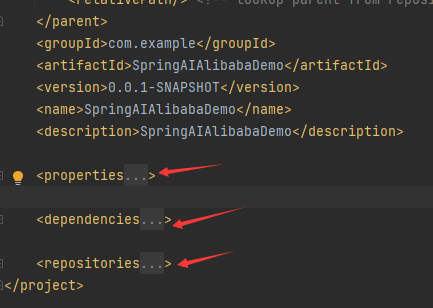
编写基本的问答
java
import com.alibaba.cloud.ai.dashscope.chat.DashScopeChatOptions;
import org.springframework.ai.chat.client.ChatClient;
import org.springframework.ai.chat.client.advisor.MessageChatMemoryAdvisor;
import org.springframework.ai.chat.client.advisor.SimpleLoggerAdvisor;
import org.springframework.ai.chat.memory.InMemoryChatMemory;
import org.springframework.web.bind.annotation.GetMapping;
import org.springframework.web.bind.annotation.RestController;

@RestController
public class DeepSeekController {

    private static final String DEFAULT_PROMPT = "你是一个博学的智能聊天助手,请根据用户提问回答!";
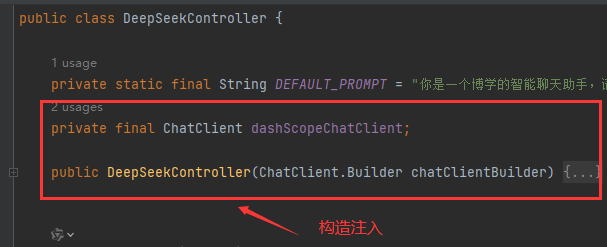
    private final ChatClient dashScopeChatClient;

    public DeepSeekController(ChatClient.Builder chatClientBuilder) {
        this.dashScopeChatClient = chatClientBuilder
                .defaultSystem(DEFAULT_PROMPT)
                // 实现 Chat Memory 的 Advisor
                // 在使用 Chat Memory 时,需要指定对话 ID,以便 Spring AI 处理上下文。
                .defaultAdvisors(
                        new MessageChatMemoryAdvisor(new InMemoryChatMemory())
                )
                // 实现 Logger 的 Advisor
                .defaultAdvisors(
                        new SimpleLoggerAdvisor()
                )
                // 设置 ChatClient 中 ChatModel 的 Options 参数
                .defaultOptions(
                        DashScopeChatOptions.builder()
                                .withTopP(0.7)
                                .build()
                )
                .build();
    }


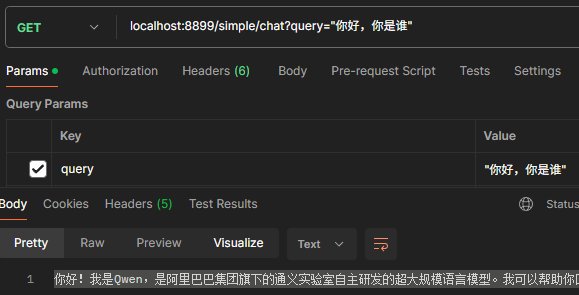
    @GetMapping("/simple/chat")
    public String simpleChat(String query) {
        return dashScopeChatClient.prompt(query).call().content();
    }
}
postman进行测试
SpringAi 整合Rag系统
基于阿里云百炼的模型进行问答和Rag向量模型
- 首先添加Rag向量的相关配置
java
import org.springframework.ai.chat.client.ChatClient;
import org.springframework.ai.document.Document;
import org.springframework.ai.embedding.EmbeddingModel;
import org.springframework.ai.vectorstore.SimpleVectorStore;
import org.springframework.ai.vectorstore.VectorStore;
import org.springframework.context.annotation.Bean;
import org.springframework.context.annotation.Configuration;

import java.util.List;

@Configuration
public class RagConfig {

    @Bean
    ChatClient chatClient(ChatClient.Builder builder) {
        return builder.defaultSystem("你将作为一名Java开发语言的专家,对于用户的使用需求作出解答")
                .build();
    }

    @Bean
    VectorStore vectorStore(EmbeddingModel embeddingModel) {
        SimpleVectorStore simpleVectorStore = SimpleVectorStore.builder(embeddingModel)
                .build();

        // 生成一个说明的文档
        List<Document> documents = List.of(
                new Document("产品说明:名称:Java开发语言\n" +
                        "产品描述:Java是一种面向对象开发语言。\n" +
                        "特性:\n" +
                        "1. 封装\n" +
                        "2. 继承\n" +
                        "3. 多态\n"));
        simpleVectorStore.add(documents);
        return simpleVectorStore;
    }

}- 然后进行访问
java
import org.springframework.ai.chat.client.ChatClient;
import org.springframework.ai.chat.client.advisor.QuestionAnswerAdvisor;
import org.springframework.ai.vectorstore.VectorStore;
import org.springframework.beans.factory.annotation.Autowired;
import org.springframework.web.bind.annotation.GetMapping;
import org.springframework.web.bind.annotation.RestController;

@RestController
public class RagController {
    @Autowired
    private ChatClient dashScopeChatClient;

    @Autowired
    private VectorStore vectorStore;


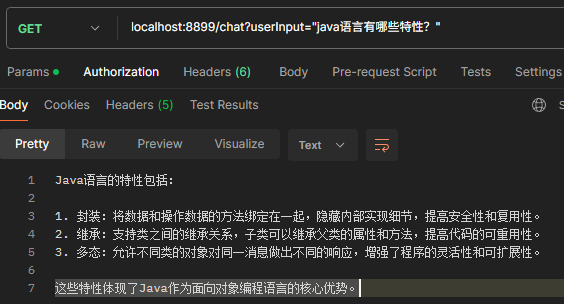
    @GetMapping(value = "/chat", produces = "text/plain; charset=UTF-8")
    public String generation(String userInput) {
        // 发起聊天请求并处理响应
        return dashScopeChatClient.prompt()
                .user(userInput)
                .advisors(new QuestionAnswerAdvisor(vectorStore))
                .call()
                .content();
    }
}- 测试
Spring AI的其他功能
图像模型
调用阿里云百炼的画图模型
java
import com.alibaba.cloud.ai.dashscope.api.DashScopeImageApi;
import com.alibaba.cloud.ai.dashscope.image.DashScopeImageModel;
import com.alibaba.cloud.ai.dashscope.image.DashScopeImageOptions;
import jakarta.servlet.http.HttpServletResponse;
import org.springframework.ai.image.ImagePrompt;
import org.springframework.ai.image.ImageResponse;
import org.springframework.beans.factory.annotation.Autowired;
import org.springframework.http.MediaType;
import org.springframework.web.bind.annotation.GetMapping;
import org.springframework.web.bind.annotation.RequestParam;
import org.springframework.web.bind.annotation.RestController;

import java.io.InputStream;
import java.net.URI;
import java.net.URL;

@RestController
public class ImageModelController {
    @Autowired
    private DashScopeImageModel imageModel;

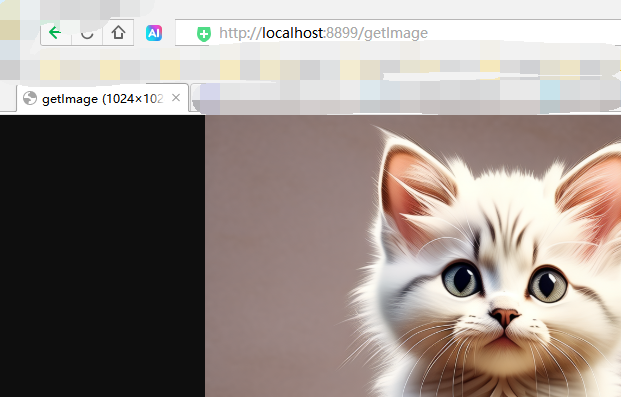
    @GetMapping("getImage")
    public void getImageabli(@RequestParam(value = "msg", defaultValue = "生成一直小猫")
                             String msg, HttpServletResponse res) {
        ImageResponse response = imageModel.call(
                new ImagePrompt(
                        msg,
                        DashScopeImageOptions.builder()
                                .withModel(DashScopeImageApi.DEFAULT_IMAGE_MODEL)
                                .withN(1)//要生成的图像数。必须介于 1 和 10 之间。
                                .withHeight(1024)//生成的图像的高宽度。
                                .withWidth(1024).build())
        );
        //获取生成图像地址
        String imageUrl = response.getResult().getOutput().getUrl();
        try {
            //使用输出流在浏览器输出
            URL url = URI.create(imageUrl).toURL();
            InputStream in = url.openStream();
            res.setHeader("Content-Type", MediaType.IMAGE_PNG_VALUE);
            res.getOutputStream().write(in.readAllBytes());
            res.getOutputStream().flush();
        } catch (Exception e) {
            e.printStackTrace();
        }
    }
}
需要用浏览器进行测试
音频模型
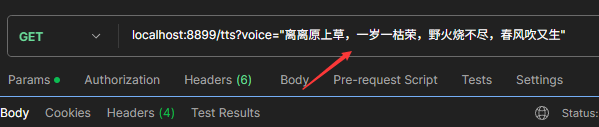
根据文字生成音频
java
import com.alibaba.cloud.ai.dashscope.audio.DashScopeSpeechSynthesisModel;
import com.alibaba.cloud.ai.dashscope.audio.DashScopeSpeechSynthesisOptions;
import com.alibaba.cloud.ai.dashscope.audio.synthesis.SpeechSynthesisPrompt;
import com.alibaba.cloud.ai.dashscope.audio.synthesis.SpeechSynthesisResponse;
import jakarta.servlet.http.HttpServletResponse;
import org.springframework.beans.factory.annotation.Autowired;
import org.springframework.web.bind.annotation.GetMapping;
import org.springframework.web.bind.annotation.RequestParam;
import org.springframework.web.bind.annotation.RestController;

import java.io.File;
import java.io.FileOutputStream;
import java.io.IOException;
import java.nio.ByteBuffer;

@RestController
public class TextToSpeechController {
    @Autowired
    private DashScopeSpeechSynthesisModel speechSynthesisModel;
    private static final String FILE_PATH = "src/main/resources/tts";


    @GetMapping("/tts")
    public void tts(@RequestParam(value = "voice", defaultValue = "床前明月光, 疑是地上霜。 举头望明月, 低头思故乡。")
                        String voice) throws IOException {
        // 使用构建器模式创建 DashScopeSpeechSynthesisOptions 实例并设置参数
        DashScopeSpeechSynthesisOptions options = DashScopeSpeechSynthesisOptions.builder()
                .withSpeed(1.0)        // 设置语速
                .withPitch(0.9)         // 设置音调
                .withVolume(60)         // 设置音量
                .build();
        SpeechSynthesisResponse response = speechSynthesisModel.call(new SpeechSynthesisPrompt(voice,options));
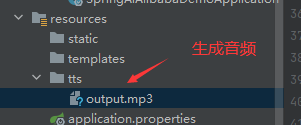
        File file = new File(FILE_PATH + "/output.mp3");
        try (FileOutputStream fos = new FileOutputStream(file)) {
            ByteBuffer byteBuffer = response.getResult().getOutput().getAudio();
            fos.write(byteBuffer.array());
        } catch (IOException e) {
            throw new IOException(e.getMessage());
        }
    }


}- 测试