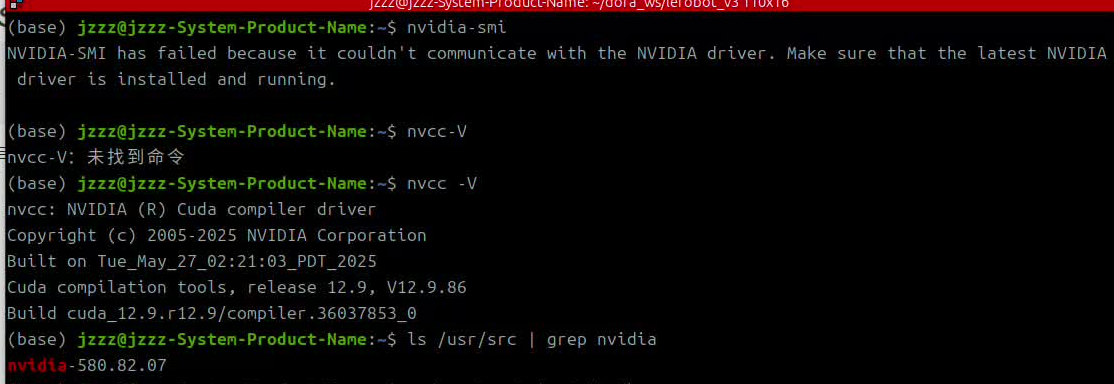
(base) jzzz@jzzz-System-Product-Name:~$ nvidia-smi
NVIDIA-SMI has failed because it couldn't communicate with the NVIDIA driver. Make sure that the latest NVIDIA driver is installed and running.
第一步,使用nvcc -V检查驱动和cuda。
如图发现驱动是存在的,于是进行下一步
第二步,查看已安装驱动的版本信息
ls /usr/src | grep nvidia
比如我的驱动版本是:nvidia-580.82.07
第三步,依次输入以下命令
sudo apt-get install dkms
sudo dkms install -m nvidia -v nvidia-580.82.07

出现报错
Error! Your kernel headers for kernel 6.14.0-29-generic cannot be found at /lib/modules/6.14.0-29-generic/build or /lib/modules/6.14.0-29-generic/source. Please install the linux-headers-6.14.0-29-generic package or use the --kernelsourcedir option to tell DKMS where it's located.
找到解决办法如下:
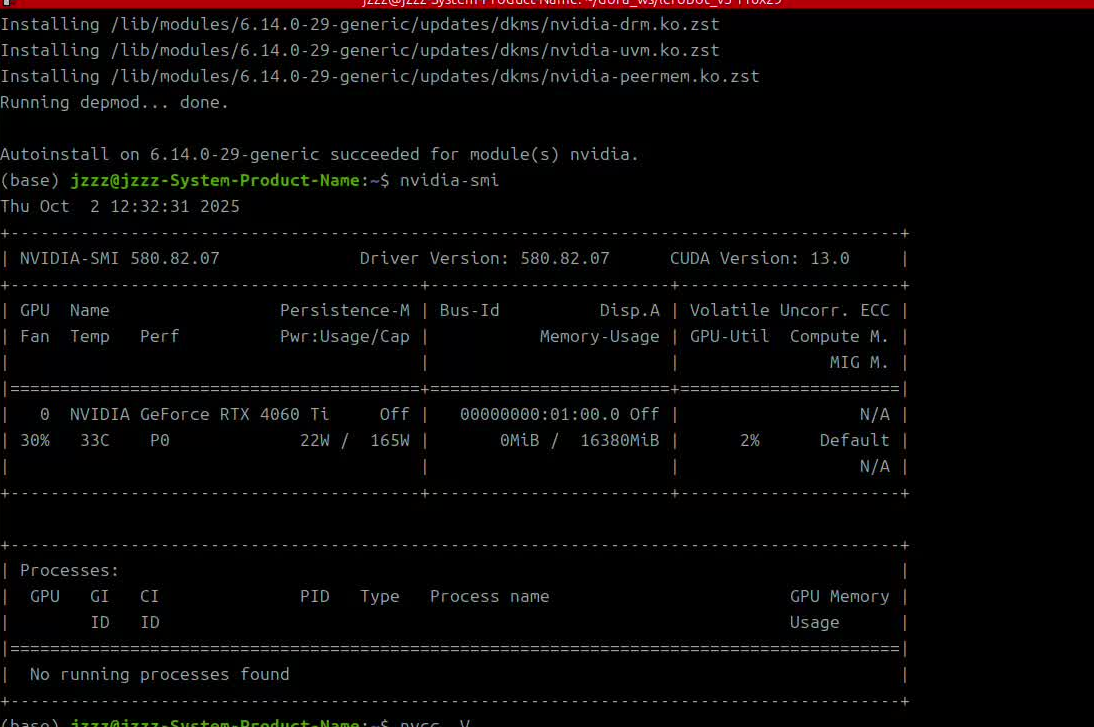
sudo apt install linux-headers-6.14.0-29-generic实际上我运行完,安装好后这个后,再次nvidia-smi已经成功
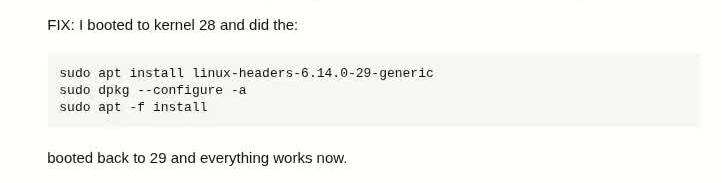
https://askubuntu.com/questions/1555419/ubuntu-broke-after-last-kernel-update-6-14-0-29